Your Guide to AI Clothing Try On Technology
Ever found yourself staring at a jacket online, wondering how it would actually look on you? What if you could see that killer outfit from Zara or a cool find on Vinted on your own body before ever clicking "add to cart"?
That’s exactly what AI clothing try on is all about, and it’s about to become your new favorite shopping buddy. It’s time to say goodbye to the sizing guesswork and the hassle of returns. Online shopping is finally getting the visual, fun, and personal upgrade it has always needed.

Welcome to a Smarter Way to Shop
I want to walk you through how this awesome tool can help you nail your style, discover outfits you never thought to try, and shop with absolute confidence. I’ll show you how to get started in just a few clicks—no sign-ups, no fuss.
The app lets you upload your first picture and use a slick Chrome extension that lets you try on clothes from pretty much any online store you can think of.
This isn’t just a gimmick; it’s a huge leap forward for online retail. When you look at the top e-commerce technologies shaping the industry, AI-powered try-on is right there at the forefront, making shopping better for everyone.
The numbers don't lie. The virtual try-on market jumped from $9.17 billion in 2023 and is on track to hit $10.93 billion in 2024. Why? Because it works. Seeing how clothes look on your unique body shape before you buy makes all the difference, cutting down on those annoying returns.
Why AI Clothing Try On Is a Game-Changer
Here’s a quick look at the benefits of using a virtual try-on tool for your online shopping.
| Benefit | How It Helps You |
|---|---|
| Visualize Before You Buy | See how the style, color, and cut of a garment look on your actual body shape, removing the guesswork from online shopping. |
| Shop with Confidence | Make better purchasing decisions by getting a realistic preview, which helps reduce returns and buyer's remorse. |
| Discover Your Style | Experiment with new trends and different looks from any online store without any commitment. It’s your personal styling sandbox. |
| Save Time and Hassle | Instantly check out multiple items from different stores in one place, saving you from endless browsing and the pain of returns. |
Ultimately, it’s all about making smarter, more creative style choices. The incredible virtual fitting room technology behind this makes it all possible, and it's incredibly fun to use.
Ready to see the magic happen? Getting your first AI outfit preview is ridiculously fast and honestly, a lot of fun. I've made sure it's super straightforward, and you don't even need to sign up to start playing around with different styles.
First things first, pop over to trythisfit.com. Right on the homepage, you’ll see where you can upload a couple of photos to get the ball rolling.
Getting Your Photos Just Right
Okay, this is where a little prep goes a long way. You’ll need a picture of yourself. For the most impressive results, grab a clear, full-body photo where you're standing up straight.
Good lighting and a simple, uncluttered background make a huge difference—it helps the AI focus purely on you and the clothes. Next, you need a photo of the clothing item you want to preview.
Here’s a pro-tip from my own experience: the absolute best previews come from using "flat-lay" photos. This is just an image where the garment is laid out flat, which works best for the most accurate results. You can even snap a quick photo yourself if you're browsing secondhand marketplaces like Depop or Vinted.
Once you have both images, just upload them, and let the AI do its thing in seconds.
It's an awesome feeling to see an outfit you're curious about appear on your own body. It completely cuts out the guesswork and helps you decide instantly if a style is really you.
Seriously, that's all it takes to start picturing your next favorite look. Plus, every single outfit you try on is automatically saved to your private history page. You can always get back to it at trythisfit.com/history, which is perfect for when you want to compare a few different options.
Now, what if you're already browsing your go-to stores like Zara or Amazon? I built something just for that. The free Chrome extension lets you right-click on any clothing item and see it on yourself without ever leaving the page.
Want to give it a shot? You can install the Chrome extension in 5 seconds and make your online shopping way more intuitive.
Unlock One-Click Try-Ons with the Chrome Extension
Alright, for all my fellow online shopping fanatics, this is where the real magic happens. I built the TryThisFit Chrome extension to make trying on clothes virtually an absolute breeze. Forget the old-school hassle of downloading a product image, switching tabs, and re-uploading it. Now, you can see how an outfit looks on you with a single click, right from the store's website.
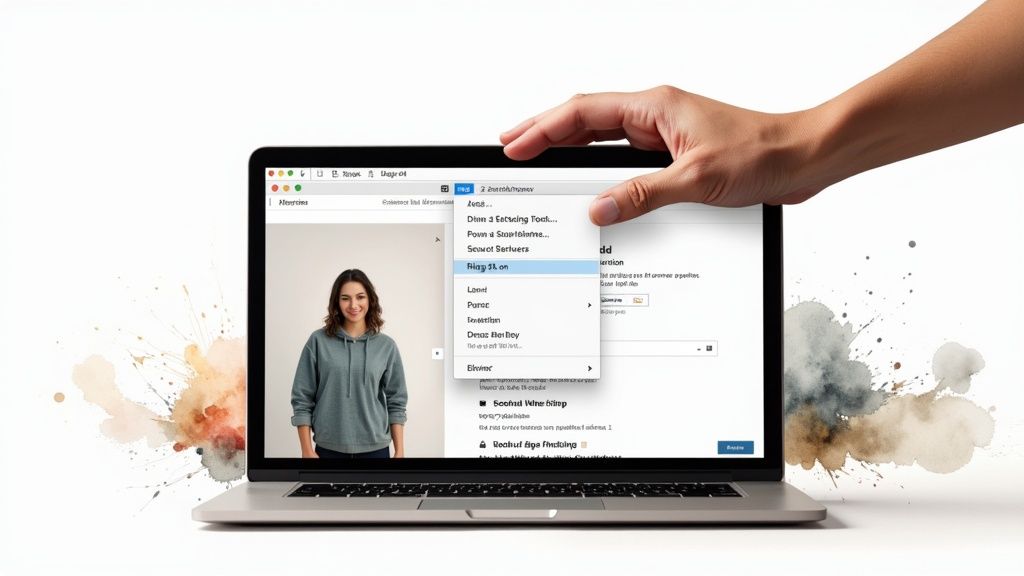
It literally takes seconds to install, and you’re good to go. No accounts, no complicated setup—just pure, simple try-on power added straight to your browser.
How to Use the Extension on Any Site
Once you’ve got the extension installed, just go about your business. Browse your favorite sites like H&M, Zara, or even secondhand gems on Vinted and Depop.
Found something you like? It couldn't be easier. Just right-click on the product image and hit 'Try this on' from the little menu that pops up.
That’s it! The extension zips the image over to the app, and you get your personalized preview almost instantly. I love using this to quickly compare different items or see how a top from one store might pair with pants from another. It works on any site, from massive retailers like Amazon and Shein to the smallest indie boutiques.
This kind of seamless integration is becoming a huge part of shopping worldwide. Just look at China, where AI-based try-on technologies already command a 45.8% market share. It shows just how natural this technology feels. You can actually read more about these virtual try-on market trends to see how fast this space is growing.
Here's the best part: every single AI clothing try on you generate with the extension gets automatically saved to your private history. This means you can go back later and look through all your potential outfits on your personal history page. No more forgotten finds
Want to see a virtual try-on that looks almost too real? The secret isn't just in the AI—it’s in the photos you give it. Getting this right is the difference between a "maybe" and a "wow!" moment. Trust me, I've seen it all, and a few simple tweaks to your photos can completely change the game.
Let's dive into a few pro tips I've picked up to help you get the most jaw-droppingly realistic AI clothing try on results.
First up, your personal photo. Think of it as your digital mannequin. You want a clean, clear shot where you're facing straight ahead. Good, even lighting is your best friend—avoid harsh shadows or backlit situations.
Also, try to steer clear of photos with super busy backgrounds or poses where your arms are crossed. This can sometimes throw the AI off its game. A simple, forward-facing picture against a plain wall works wonders.
Nailing the Perfect Clothing Shot
Now, for the clothes. I can't stress this enough: flat-lay images are king. When a garment is laid flat, the AI gets a perfect, undistorted view of its true shape, color, and design. This is the gold-standard input for a flawless virtual preview. This approach is becoming a cornerstone of AI and virtual product photography in fashion.
But what if the online store only has pictures of models wearing the clothes? No worries. Just hunt for the shot with the cleanest view where the model isn't in a dramatic pose. The less obscured the clothing is, the better the AI can work its magic for you.
Remember, the goal is to get a true sense of the style and appearance on you. Taking an extra 10 seconds to find or take the right picture pays off massively in the final preview.
Ready to see just how good it can look? Grab your best photo and give it a spin.
Think Outside the (Shopping) Box: Creative Ways to Use Your Virtual Try-On
Alright, let's get into the really fun stuff. An AI clothing try-on is so much more than a tool for seeing how a new t-shirt looks. I've found a ton of practical, and frankly, awesome ways to use it to level up my style and shop smarter. It’s all about a little creativity!
Ever started planning a Halloween costume, only to realize your amazing idea looks… not-so-amazing in real life? Now you can preview entire looks from different online stores to see which one totally nails the vibe you're going for before you even think about clicking "buy."
It’s the perfect way to visualize the whole concept without spending a cent.
More Than Just Brand-New Clothes
I'm a huge fan of secondhand shopping on sites like Vinted or Depop. It's a goldmine for unique finds, but you can't try anything on. This is where the virtual try-on becomes my secret weapon. Just find a good, flat-lay photo of the item from the listing, and you can instantly see if that one-of-a-kind piece actually works for you.
You can even use it to "shop your own closet." Seriously! Just take quick pictures of clothes you haven't worn in a while and see how they might look with a new item you're considering. It's a fantastic way to figure out if that new purchase will actually play well with what you already own.
It’s all about experimenting with your style and making fashion a more interactive, visual experience. The possibilities are genuinely endless when you can instantly see any look on yourself.
This is the real magic behind modern AI-powered shopping assistants; they give you the power to make more creative and confident choices. It basically turns endless scrolling into your own personal styling session.
Whether you're exploring a bold new trend, planning an outfit for a big event, or just trying to build a wardrobe that actually works together, seeing an item on you first is a total game-changer. Go ahead and try it now at trythisfit.com and see what you can come up with.
Your Top Questions, Answered
Got a few things you're wondering about before diving into the AI try-on magic? Totally understandable! I've rounded up some of the most common questions I get. Let's tackle them so you can get styling.
"So, Will This Tell Me How a Garment Will Fit?"
This is the big one, right? Let's be crystal clear: the app is a styling tool, not a sizing tool. It's absolutely brilliant at showing you how the style and look of a piece of clothing will appear on your unique body shape. It's your personal fashion visualizer.
What it doesn't do is analyze your specific measurements against the garment's. So, always double-check the retailer's size chart before you hit "buy." Think of the app as your first step: falling in love with the style. The size chart is your final check.
"What Kind of Clothing Photos Work Best?"
For jaw-droppingly good results, you want to use flat-lay photos. These are the pictures you see on sites like Amazon where the clothing is laid perfectly flat against a clean, simple background.
Sure, the AI can work with photos where a model is wearing the clothes, but I've found the results are just so much cleaner with a flat lay. It gives the AI the garment's true, undistorted shape to work with, which gives you a much better preview.
"Is It Free? Do I Need to Make an Account?"
Yes, it's 100% free, and nope, you don't need an account to get started! My whole philosophy was to make this as frictionless as possible. I wanted you to be able to jump right in and start playing with your style without any annoying sign-up forms.
Just head to the site, upload your images, and see what happens. The free Chrome extension is just as easy—it installs in seconds with no login required. Your try-on history is automatically saved to a private page at trythisfit.com/history, just in case you want to look back at your fashion experiments later.
My goal was to create a tool that's fast, free, and incredibly simple. It's all about helping you discover your style and shop smarter without any hassle.
Ready to see how that outfit really looks on you?
Stop guessing and start visualizing! Give TryThisFit a go right now and see your style come to life. Try it for free at trythisfit.com
Try Virtual Try-On Now
See how clothes look on you before you buy - works with any online store
Get Started Free