Your Guide to a Body Measurement Visualizer
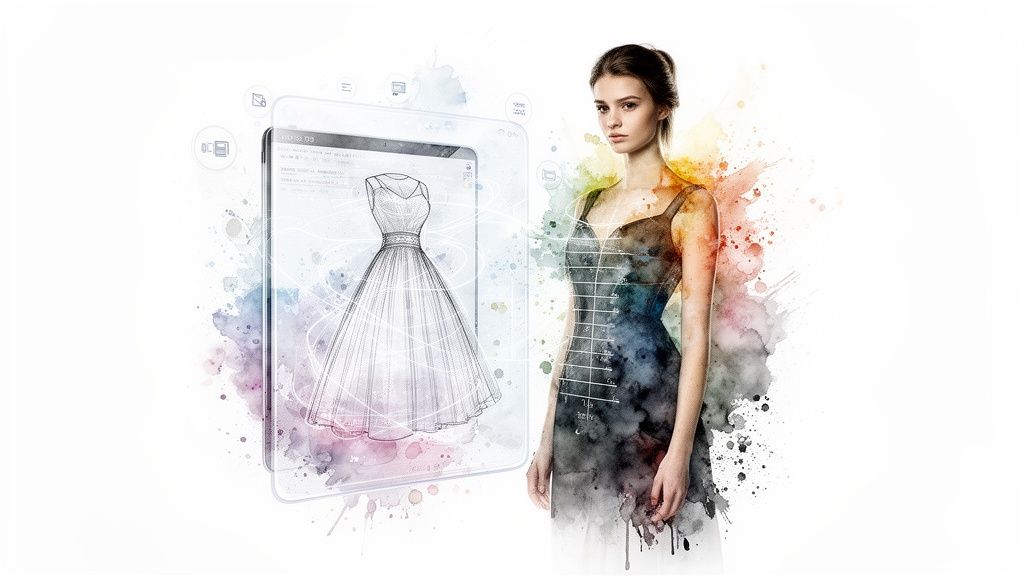
Ever find yourself staring at a dress online, wondering, "But how would that actually look on me?" I've been there. A body measurement visualizer is the game-changing tool that finally answers that question, moving beyond confusing size charts to show you how a style will drape on your unique shape.
It’s less about numbers and more about the look. Imagine previewing the appearance of clothes from any store, right from your sofa. That’s the magic I’m talking about!
So, How Does a Style Visualizer Work?
Let's demystify the tech behind it. It's actually pretty straightforward and feels a bit like having a personal stylist right in your browser.
Essentially, the app takes a flat, 2D image of a garment—say, a cute top from Zara or a vintage find on Vinted—and intelligently overlays it onto a photo of you. In just a few seconds, you get a realistic preview of the style. It's an instant "aha!" moment that bridges the gap between seeing something online and knowing if the style is right for you. I built TryThisFit to do exactly this, making the whole experience ridiculously fast and simple.
An Instant Style Preview in Three Easy Steps
The goal is to make style discovery fun, not a chore. The whole process is designed to be completely intuitive, letting you jump from browsing to visualizing in just a couple of clicks. No tech-savvy skills needed!
This simple, three-step flow is all it takes to find an item you love, click to visualize the style, and see the look come to life.
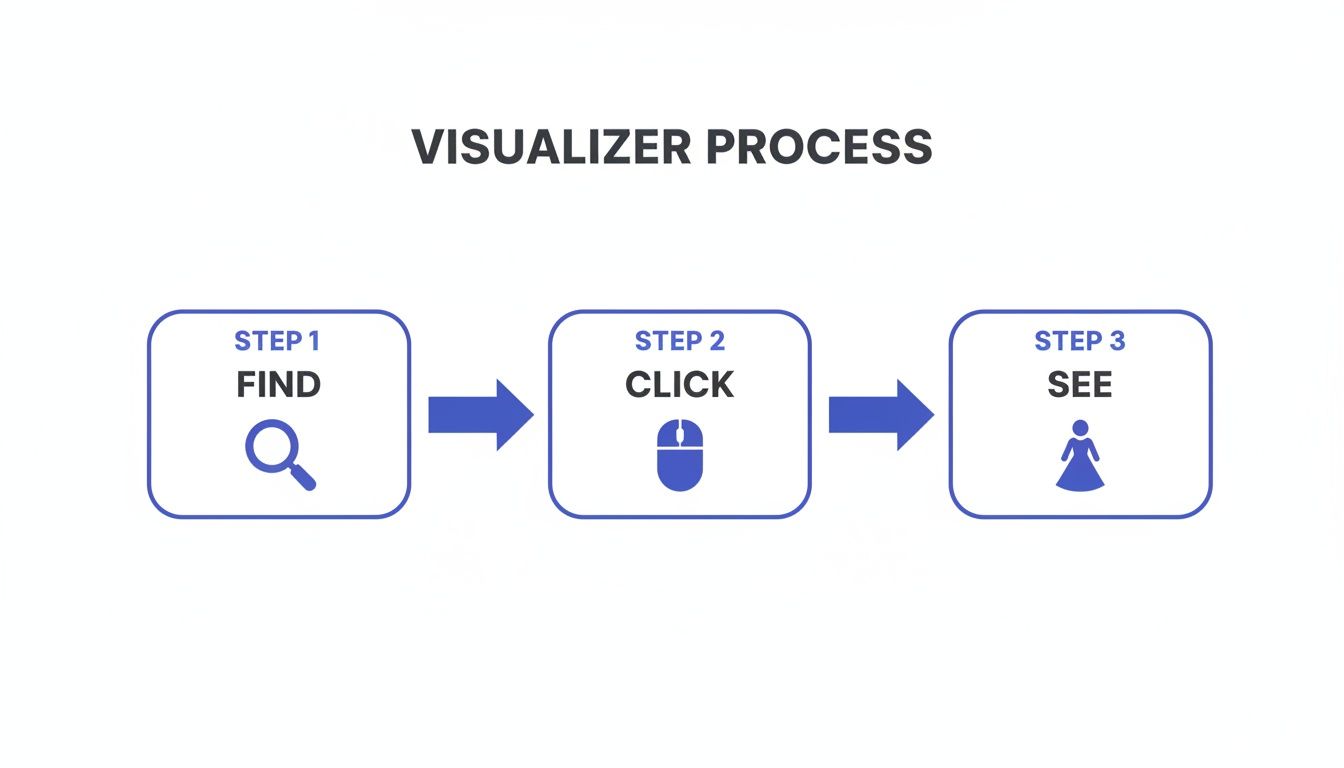
The beauty is in its speed and simplicity. You can go from discovery to decision in a heartbeat, completely changing how you shop online. You can dive deeper into how this all comes together in my guide to the modern virtual fitting room.
Core Features of a Modern Style Visualizer
A great style visualizer shouldn't feel like work; it should feel like an exciting part of the shopping journey. When I designed TryThisFit, I focused on a few core ideas to make it a tool you'll genuinely enjoy using.
The table below breaks down what makes a tool like this so indispensable for today's online shopper.
| Feature | How It Helps You | The Main Benefit |
|---|---|---|
| Works Everywhere | Use it on any e-commerce site (H&M, Amazon, Shein) and secondhand platforms (Depop, Poshmark) via the Chrome extension. | One tool for your entire online shopping world. |
| No Accounts Needed | Just install and go! No sign-up process means you can start visualizing styles immediately. | Instant access without any friction. |
| Incredibly Fast | Get a style preview in just a few seconds. | Make quick, confident decisions without breaking your flow. |
| Optimized for Real Photos | It's designed to work best with the flat-lay clothing photos you see on most shopping websites. | Get a more realistic and useful preview every time. |
Ultimately, it’s all about bringing fun, confidence, and a bit of creative flair back to online fashion. The right tool empowers you to explore styles you might have otherwise skipped.
Ready to see for yourself? Install the Chrome extension in 5 seconds and completely change the way you shop.
Finally, a Way to See How Clothes Actually Look on You
Let's be real: online shopping is mostly a guessing game. You find a shirt you absolutely love on a model, but that little voice in your head pipes up, "Yeah, but how will it look on me?" This is the exact problem a body measurement visualizer solves, and it's a total game-changer for shopping with confidence.
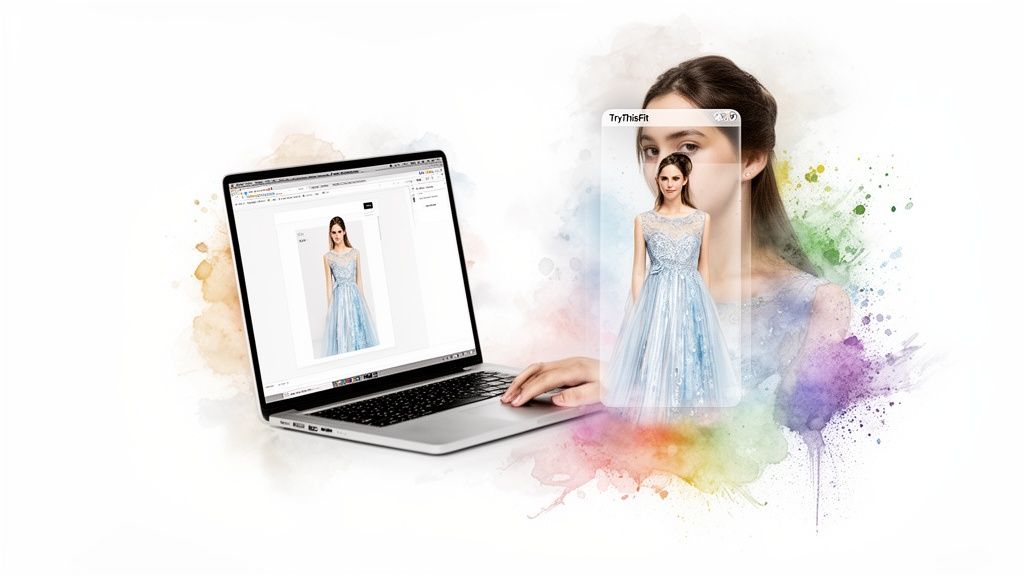
Imagine you’re scrolling through H&M or hunting for hidden gems on Amazon. You spot a bold new style you're curious about, but not sure you can pull it off. Instead of guessing, you can use the TryThisFit Chrome extension, right-click the item, and get an instant preview. This isn't just about avoiding a bad purchase—it's about gaining style confidence!
Stop Wasting Time and Say Goodbye to Returns
Think about all the time you'll get back. By seeing outfits on your own photo first, you can instantly weed out the "no-gos" without even clicking "add to cart." It’s such a simple step, but it helps you shop smarter and sidestep the frustrating process of packing up and shipping back returns.
The whole point is to bring the excitement and creativity back to shopping. This technology gives you the freedom to experiment fearlessly, right from your browser, making the journey of finding your style fun again.
This move toward smarter shopping tools isn't happening in a vacuum. The global body fat measurement market is expected to hit USD 1.86 billion by 2034, fueled by a collective desire for tech that helps people understand their bodies better. Body visualization is a huge part of this, finally giving e-commerce a way to show you how a garment will drape on your unique shape. You can dive deeper into this trend in this detailed industry analysis.
Find the Style That’s Uniquely Yours
A visualizer does more than just overlay clothes on a picture; it's a powerful tool for self-discovery. Maybe you’ve always shied away from a particular color or cut. Seeing it on your own photo can be that "aha!" moment that unlocks a whole new side of your personal style. It’s an incredible way to find looks you might have never considered otherwise.
And the best part? It couldn't be easier. The free Chrome extension installs in seconds. After that, whether you're shopping on Zara, Shein, or even secondhand sites like Vinted, a quick right-click is all it takes to see an outfit's true potential. To see exactly how it works, you can check out my complete guide on how to try clothes on online.
Ready to completely change how you shop? Try it now at trythisfit.com and see for yourself how easy it is to shop with a huge boost of confidence and creativity.
Unlock Secondhand Finds with Confidence
<iframe width="100%" style="aspect-ratio: 16 / 9;" src="https://www.youtube.com/embed/JQYI_RXyCq4" frameborder="0" allow="autoplay; encrypted-media" allowfullscreen></iframe>Thrifting on sites like Vinted and Depop is an incredible way to discover unique pieces nobody else has. But let's be honest, it comes with one massive catch: you can't try anything on! This is where a body measurement visualizer becomes your ultimate secret weapon for secondhand success.
This tech takes so much of the nail-biting guesswork out of the equation. It gives you the power to actually visualize those amazing finds on your own body, helping you see if that vintage jacket or pre-loved dress is really your style before you hit "buy."
See the Style Before You Buy
The biggest hurdle with secondhand shopping is the finality of it all—returns are rarely an option. That’s why getting a sense of how an item actually looks is so critical for making a choice you'll be happy with.
This is where the technology truly comes alive. I specifically designed the app to work seamlessly with flat-lay photos, which is exactly how most sellers on Vinted, Depop, and Poshmark list their clothes. You get a clear, instant preview of the garment on your photo, helping you discover if the style vibes with your personal aesthetic.
For anyone looking to build a more conscious closet, exploring fast fashion alternatives like thrifting is a fantastic move. Having the right tools just makes the whole experience that much more fun and effective.
Effortless Try-Ons on Any Secondhand Site
The TryThisFit Chrome extension makes the whole process feel like magic. Picture this: you find a cool band tee on Depop or a perfect dress on Vinted. Instead of crossing your fingers and hoping for the best, you just right-click the image to see an instant preview on your photo.
This simple step removes a massive barrier to sustainable shopping. It makes the experience less of a gamble and far more rewarding, allowing you to build a unique wardrobe without the fear of ending up with something that just doesn't look right.
You can finally shop for pre-loved clothes with the same creative freedom you'd have in a real-life dressing room. It’s all about making secondhand shopping as fun and inspiring as it deserves to be. Install the Chrome extension in 5 seconds and start unlocking amazing finds with total confidence.
Your Practical Guide to Getting the Best Visuals
Want to get jaw-droppingly good results from a body measurement visualizer? It’s easier than you think. A few simple tricks can make all the difference, turning your online shopping into a fun, creative, and confident experience.
Think of it this way: you’re giving the AI the best possible canvas to work with. When you do, you're not just virtually trying on clothes; you're getting a crystal-clear preview of how a style will actually look on you—long before you hit "buy."
Start With the Perfect Clothing Photo
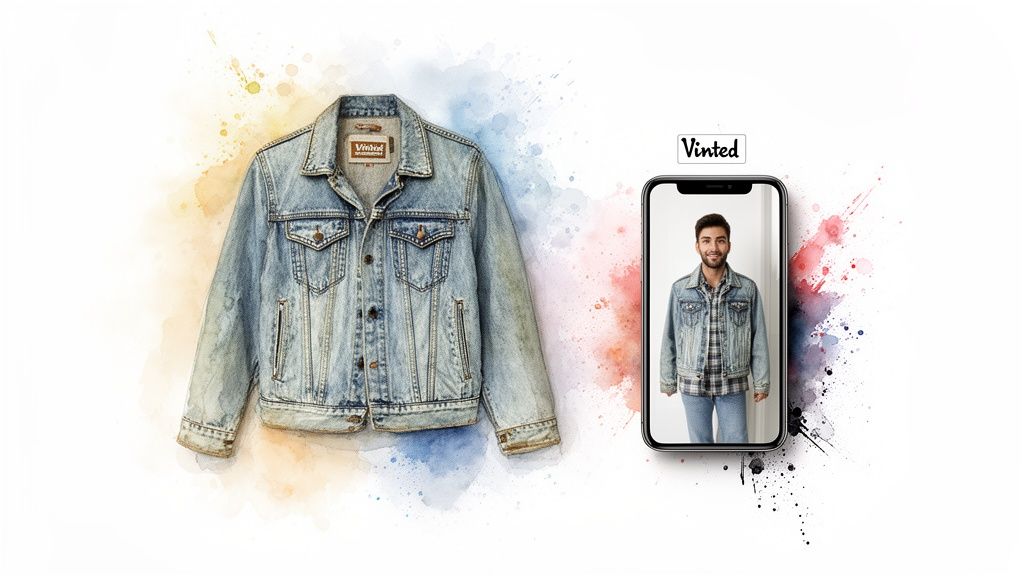
The secret to a stunning visualization almost always begins with the product image. For the most accurate and beautiful results, flat-lay clothing photos work best. These are the shots where the garment is laid out completely flat against a simple, clean background.
Why does this work so well? A flat-lay photo gives the AI an unobstructed view of the item’s true shape, cut, and details. This allows the app to create a hyper-realistic preview on your photo. The good news is, most online stores and secondhand sellers on platforms like Vinted and Depop already use this format!
Choose the Best Picture of Yourself
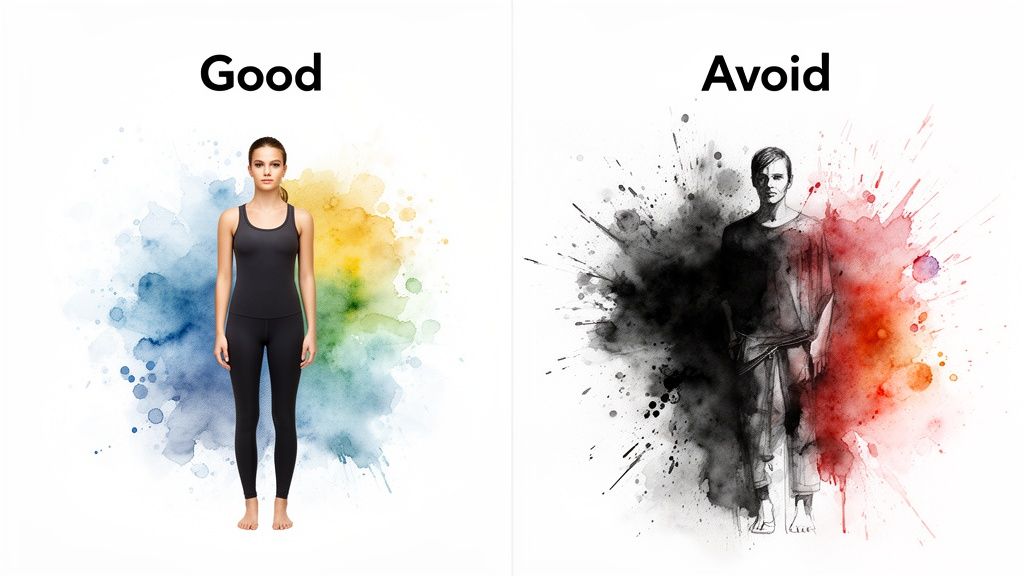
Now for the fun part—your photo! To really let the AI work its magic, pick a picture of yourself where you are:
- Standing Straight: Good posture is everything. It helps the app correctly map the clothing's silhouette to your body.
- Well-Lit: Find a spot with bright, even lighting. Harsh shadows can hide your shape, so try to avoid them.
- Wearing Form-Fitting Clothes: This gives the visualizer the clearest and most accurate outline of your body to work with.
This isn't about getting a perfect, super-technical shot. It’s just about giving the technology a clear roadmap. The desire to see how things look on ourselves is a huge driver. In fact, a recent report showed that over 34.9 million aesthetic procedures were performed worldwide, which just goes to show how much people want to visualize their appearance. You can read the full report on global aesthetic trends to dig deeper.
By following these simple tips, you’re setting up the body measurement visualizer to give you an amazing preview every time. Ready to see the difference for yourself? Try it now at trythisfit.com.
Visualize More Than Just Everyday Outfits
Let's be honest, a body measurement visualizer is for so much more than just figuring out what to wear day-to-day. Think of it as your secret weapon for creative styling, turning a simple shopping tool into your very own personal style studio. It’s time to explore all the fun ways you can use this tech, going way beyond your typical online shopping spree.
Ever tried planning the perfect Halloween costume? It can be a nightmare of buying multiple outfits, only to find none of them work. Instead, imagine finding a costume online, grabbing it with the Chrome extension, and instantly seeing how that superhero or villain getup looks on you. This completely changes the game, making it a blast to experiment with wild ideas before you even think about spending money.
Plan for Any Special Event
From weddings and holiday parties to that long-awaited vacation, big events demand the perfect outfit. With a visualizer, you can pull a stunning dress from Zara or a one-of-a-kind piece from a secondhand shop and see it on your photo in seconds. All that guesswork and stress about whether a style will flatter you? Gone. You can just focus on getting excited for the big day.
It's also a reality that bodies are all different, and they change over time. As body shapes become more diverse globally, tools that let you see clothes on your actual body type are no longer a novelty—they're a necessity. You can dive deeper into the data driving this change by checking out this global obesity report from worldobesity.org. This is exactly where the app shines, giving everyone a truly personalized preview.
Plus, every single outfit you experiment with gets saved to your personal try-on history, ready for you to revisit whenever you want.
By comparing all your potential outfits side-by-side in your try-on history, you can make confident style choices for any event. This feature turns planning into a creative and enjoyable process.
Suddenly, the app becomes a powerful, real-life mood board for your wardrobe. So, are you ready to plan your next knockout look? Try it now at trythisfit.com and discover just how easy it is to bring your style vision to life for any occasion.
Why Your Privacy Matters with Style Tech
Let's talk about something really important: privacy. Anytime you're uploading a personal photo to an app, it's smart to ask, "Where is this going? Who sees it?" I get it. As the solo founder behind TryThisFit, I built this tool with privacy as a core principle, not an afterthought.
My goal was to create a secure, creative playground for you to explore fashion without a single worry. Your photos are your property, full stop. The entire app is built on a foundation of respecting your data, so you can just focus on the fun part – finding clothes you love.
How TryThisFit Protects You
You should never have to sacrifice your privacy for a cool online experience. That’s a non-negotiable for me. I've baked in several features from the ground up to ensure your data stays safe and you remain completely in control.
Here’s a look at how the app keeps you protected:
- No Accounts Needed: Seriously, just land on the site and start visualizing. There’s no sign-up wall, no email capture, no need to hand over any personal details before you can play around.
- Your Data Stays Yours: This one is simple. I never sell or share your photos or any other data with third parties. My business is helping you find your style, not selling your information.
- Secure Local Processing: When you use the Chrome extension to snag an item from Zara or H&M, the heavy lifting happens right inside your own browser. This is a big deal because it dramatically reduces how much data ever leaves your computer, keeping you firmly in the driver's seat.
My message is simple: you can visualize outfits and discover new looks with complete confidence, knowing your privacy is respected. It's all about feeling safe while you explore your style.
If you're curious about the bigger picture of personal data online (especially with style tech), it's worth learning how to manage your digital life. There are great guides on topics like how to erase your digital footprint and reclaim your privacy.
Ready to start exploring styles securely? Try it now at trythisfit.com.
Still Have Questions? Let's Dig In
Got a few more questions rattling around about how a body measurement visualizer actually works? Fantastic! I've put together some straight-shooting answers to the things people ask most often about using a game-changing tool like TryThisFit.
Can This Tool Tell Me If Clothes Will Actually Fit Me?
Nope! And that's a super important point to get. A visualizer like TryThisFit is all about one thing: showing you how the style and appearance of a piece of clothing will look on your body. It’s built to help you answer the question, "How would that look on me?" not "Will it fit?"
Think of it less like a measuring tape and more like a high-tech styling mirror. For the nitty-gritty on sizing, I always tell people to stick to the retailer's size chart. This tool is your secret weapon for nailing the aesthetics.
How Does It Work on Sites Like Zara or Amazon?
This is the best part—it's incredibly simple. The quickest way to get started is with the free TryThisFit Chrome extension, which you can install in a couple of seconds. Once it's in your browser, just go about your shopping on Zara, H&M, Shein, or even secondhand marketplaces like Vinted.
See something you like? Just right-click on the product image and hit "Try it on." Bam! You get an instant preview of how it looks on you without ever leaving the product page. It's almost too easy.

What Kind of Photos Give the Best Results?
Great question, because the quality of the photos you use makes a huge difference. For the clothes you want to see, flat-lay photos work best. That’s when the garment is laid out flat against a simple, uncluttered background. This gives the AI a crystal-clear canvas to work with.
For your own photo, a well-lit, full-body shot is what you're aiming for. If you wear something a bit more form-fitting in your picture, the AI can get an even better sense of your shape, which makes the final visualization that much more realistic. And of course, whenever you're using style tech like this, it's always a good idea to be mindful of understanding important privacy policies.
My Pro Tip: Stand up straight and face the camera head-on. It’s a small thing, but that simple pose makes it so much easier for the technology to map the clothing onto your photo accurately. You'll get a much more convincing preview of the final look.
Is This Visualizer Really Free to Use?
It sure is! You can dive in and start using TryThisFit for free right away—you don't even need to sign up for an account to generate your first few style previews. This means you can immediately start seeing how clothes from any store look on you. Plus, all your try-ons get saved to your personal history, which you can check out anytime at trythisfit.com/history.
Ready to stop guessing and start seeing? With TryThisFit, you can visualize how styles from any online store look on you in a matter of seconds. Try it now at trythisfit.com and find your next favorite outfit with total confidence.
Try Virtual Try-On Now
See how clothes look on you before you buy - works with any online store
Get Started Free