Dressing Room Virtual: Try Clothes Instantly - Anywhere (dressing room virtual)
Ever found yourself staring at a shirt online, wondering if the style would actually look good on you? I've been there. Imagine browsing Zara, H&M, or even scrolling through Vinted, and with a single click, seeing that item instantly on your own body. That’s the magic of a dressing room virtual, and it’s here to turn the guesswork of online shopping into a genuinely fun styling session.
This guide will show you how this incredible technology turns your screen into a personal mirror.
Welcome to Your Instant Virtual Wardrobe
I created TryThisFit to put the power of a personal dressing room virtual right in your browser. My goal was simple: make it fast, fun, and so easy to use that it feels like second nature. No more wondering how that top from Shein will really look or if that unique find on Vinted matches your vibe. Now, you get an instant preview to help you shop with total confidence.
Let's be clear—this is all about empowering you to find looks you love, save a ton of time, and finally ditch the frustration of returns. The focus here is purely on visualizing the style and appearance of clothes on you. It's about giving you the freedom to experiment with new outfits from the comfort of your own home.
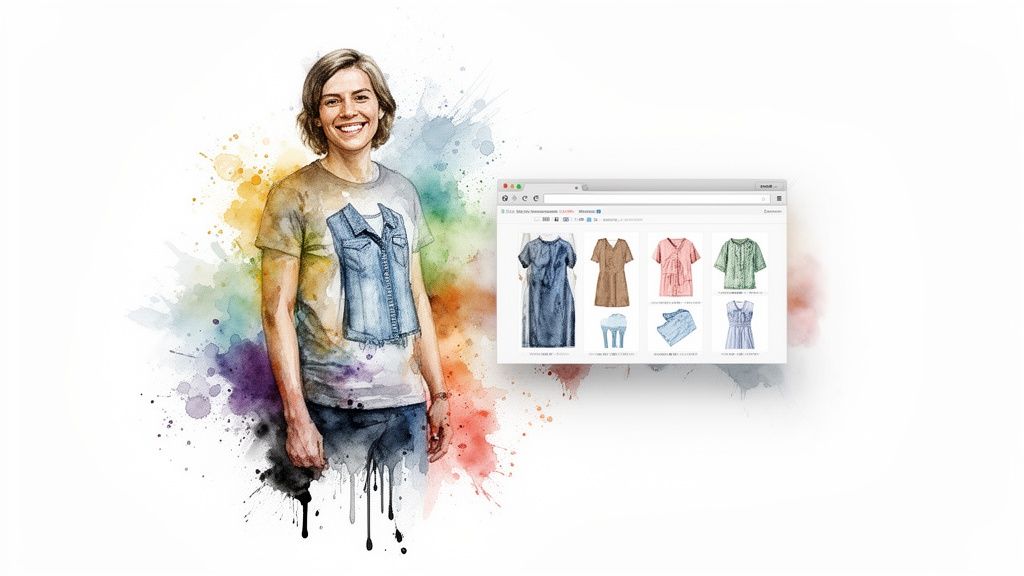
What This Experience Offers
The best part? It’s incredibly simple and accessible. I made sure there are no complicated signups or downloads to deal with. You can just jump right in and start playing with style.
Here's a quick look at the key features I built to transform your online shopping experience.
Dressing Room Virtual at a Glance
| Feature | How It Empowers You |
|---|---|
| Instant Style Visualization | See how clothes look on your unique body shape in seconds. No more guesswork. |
| Works on Any Store | Use it on major retailers like Amazon or secondhand sites. |
| Zero Signup Required | Start trying on clothes instantly without creating an account or sharing personal data. |
| Smarter Shopping Choices | Make confident visual decisions to avoid the hassle of returns. |
Basically, I wanted to create something that just works, wherever you love to shop.
I designed TryThisFit to make styling completely effortless. When you find an item you’re curious about, a simple right-click shows you a preview of how it looks on you. The free Chrome extension installs in just a couple of seconds and works on any site, bringing this amazing technology to all your favorite stores.
Ready to see it for yourself? Try it now at trythisfit.com
So, How Does This Virtual Dressing Room Magic Actually Happen?
Ever wondered what’s going on behind the scenes? It’s a bit like having a lightning-fast, super-smart personal stylist who’s also a photoshop wizard. I've designed the whole process to be incredibly simple for you. First, you just snap a quick picture of yourself. From there, the app gets to work, analyzing your posture and body shape to create a perfect, personalized canvas for your try-on.
Next comes the fun part. The technology grabs an image of a piece of clothing and digitally drapes it onto your photo. It happens so fast, it feels like magic. Many of these virtual try-on tools use advanced AI-driven subject replacement techniques to seamlessly place the new clothes onto your image, creating a surprisingly realistic preview. That's the secret sauce to seeing how that new top really looks on you, all in a matter of seconds.
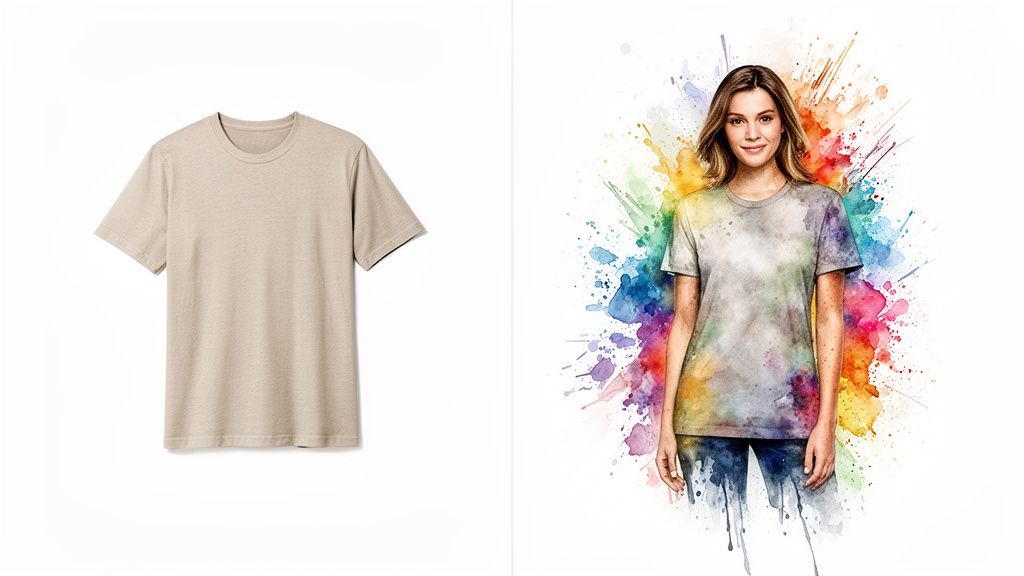
Why I Love Flat-Lay Photos
I specifically designed the app to work best with what I call flat-lay images. You know the ones—where a piece of clothing is laid out perfectly flat against a simple background.
But why that specific type of photo?
It's because a flat-lay gives the AI the cleanest, most honest look at the garment's true shape and details. There are no weird shadows, wrinkles, or hanger bumps getting in the way. It’s the purest representation of the item.
When you use the free Chrome extension on a store's website, it actively hunts for these kinds of product shots. This deliberate focus on clean imagery is what makes the final try-on so much more accurate. It's a small detail that pays off big time in the quality of your style preview.
From a Picture to Your New Look in a Flash
The whole transformation—from a boring product photo to seeing it on you—takes just a few moments. The tech does all the heavy lifting behind the scenes so you can get straight to the good stuff: discovering what outfits make you feel incredible.
And this isn't just a simple copy-and-paste job. The AI model has been trained to understand the nuances of fabric, drape, and form. If you want to dive deeper, you can read all about how AI is shaping the fashion industry and making amazing tools like this a reality.
My ultimate goal was to build something that wasn't just technically impressive but was also ridiculously fast and easy to use. It’s all about giving you instant visual feedback to help you make style choices you’ll love.
The Explosive Growth of Virtual Fashion
Let's be honest, this isn't just some passing fad. It’s a genuine shift in how we approach shopping online. The whole idea of a dressing room virtual experience is absolutely taking off, and it's being driven by people just like you who want to feel more certain and get a real visual before clicking "buy."
This whole movement really kicked into high gear with the global e-commerce boom. Suddenly, everyone realized there was a massive gap between just looking at clothes online and actually knowing how they’ll look on you.
This technology hits one of e-commerce's biggest headaches head-on: the billion-dollar problem of returns. When clothes just don't look right, they go back. But if you can see an outfit on your own body first, you’re going to make way better choices. That’s a win for your wardrobe, your wallet, and even the planet.
A Market on the Rise
The numbers here are pretty mind-blowing. The virtual dressing room market is on fire, jumping from $6.09 billion to a forecasted $6.97 billion in a single year. That's a huge 14.4% compound annual growth rate. This incredible momentum comes from shoppers demanding better, more convenient tools and retailers desperate to cut down on those costly returns. If you're curious, you can read the full research on this growing market for a deep dive into the data.
And it's not stopping there. Experts are projecting the market will climb to an unbelievable $11.81 billion by 2029. Right now, North America is the biggest player, but the Asia-Pacific region is catching up fast, proving this is a truly global movement.
While a lot of the big-name brands are slowly dipping their toes in, independent tools are really the ones making this tech available to everyone. It's why I built the TryThisFit Chrome extension—to put the power of a virtual dressing room right into your hands, no matter which store you're browsing.
You're right at the beginning of this exciting new wave in fashion. Start visualizing your style now at trythisfit.com.
Connecting with Modern Shoppers
The boom in virtual fashion fits perfectly with where retail is heading. It’s no longer enough to just show a grid of products; shopping needs to be an engaging, personal experience.
As these tools become more mainstream, it’s interesting to see how they connect to broader retail strategies, like modern visual merchandising in retail. At the end of the day, it's all about using great visuals to tell a story and help you find things you'll genuinely fall in love with.
This tech basically makes you your own personal stylist. You can take a risk on a bold new look from Zara or check out a unique find on a secondhand site like Vinted, feeling confident because you’ve already seen a preview. Every single try-on gets you closer to nailing your personal style, and it's an experience that’s ready for you to try right now.
Unlock Your Style on Any Store, Instantly
Alright, let's get to the fun part! This is where I stop talking theory and start putting this amazing tool to work. I'm going to walk you through how you can use the TryThisFit Chrome extension to create your own personal dressing room virtual on basically any clothing website you can think of. It's a total game-changer for figuring out your style.
Once you have the extension, just go about your shopping as usual. Head over to Amazon, Zara, Shein—wherever you like to browse. Find something that catches your eye? Instead of just wondering, simply right-click the product image and hit 'Try This Fit'. That’s all it takes. In just a few seconds, you'll see a preview of how that exact piece looks on you.
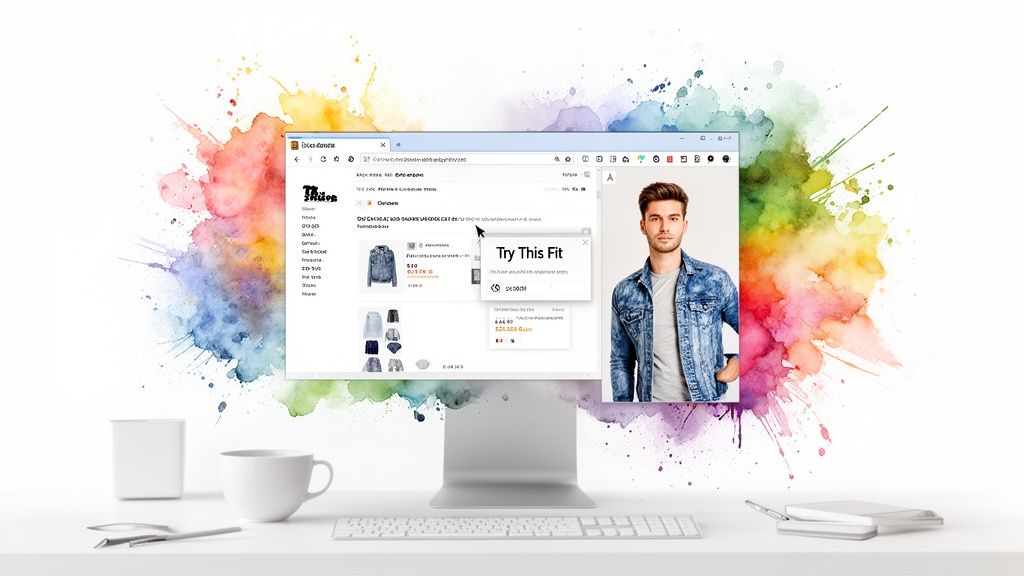
The best part? The extension installs in a flash, and you don't even need to create an account to get started. This is all about giving you a powerful styling tool you can use right now to completely reshape how you shop online.
How It Works Right From Your Browser
The magic of the Chrome extension is that it works pretty much everywhere. I wanted to build something that fits right into your current shopping routine, not make you learn a whole new website or platform. The try-on button comes to you, right on the store pages you already visit.
So, whether you're scrolling through the latest drops on H&M, hunting for bargains on Amazon, or digging for treasure on secondhand sites like Vinted and Depop, the experience is exactly the same. That consistency makes it feel totally natural, like it was always meant to be part of the site.
The Power of a Single Right-Click
Think about your current online shopping process. How many tabs do you have open? How many screenshots are on your phone? You're constantly trying to guess how things might look together. The extension just gets rid of all that guesswork.
The goal was simple: move from "I wonder how that would look?" to "I know how that looks" in a single click. It's about empowering you to make confident style choices in the moment, saving you a ton of time and that sinking feeling when a package arrives and it's just... not right.
I designed this to be as intuitive as humanly possible. If you know how to right-click a mouse, you've already mastered the tool. It's honestly that easy. You can even check out my guide on how to try on clothes online for free for a more detailed look.
This Is Way More Than Just a Preview
This isn't just a gimmick; it's a seriously practical way to build a wardrobe you'll actually love. When you can instantly see how different cuts, colors, and patterns look on your own body, you start to get braver. You can experiment with styles you might have been too hesitant to buy before, opening up a whole new world of fashion.
And here's a cool bonus: every single item you try on is automatically saved to your own personal history page at /history. Think of it as a visual diary of your style journey. You can pop back in anytime to compare outfits, review your favorites, and decide what’s truly worth buying. It’s your private lookbook, and it builds itself while you shop.
Ready to see for yourself? Install the free Chrome extension in 5 seconds and start creating your look on any store you visit today.
Creative Ways to Use Your Virtual Try-On
<iframe width="100%" style="aspect-ratio: 16 / 9;" src="https://www.youtube.com/embed/7L_j6g1t3BA" frameborder="0" allow="autoplay; encrypted-media" allowfullscreen></iframe>Think of your virtual dressing room as more than just a shopping buddy—it's your personal wardrobe playground. You can go way beyond just checking a style or color. It's time to unlock its full creative potential, and trust me, it's a ton of fun.
Ever planned an epic Halloween costume or a killer outfit for a themed party? Instead of ordering a bunch of stuff hoping it all works together, you can preview the entire look before you spend a dime. No more returning half your order because the pieces just didn't vibe.
Revolutionize Secondhand Shopping
This is where it gets really good. For anyone who loves hunting for gems on platforms like Vinted or Depop, you know the biggest gamble is not being able to try anything on. A virtual try-on completely changes the game, giving you the confidence to finally snag that one-of-a-kind vintage piece you’ve been watching.
My TryThisFit Chrome extension makes this ridiculously easy. When you're browsing Vinted, just right-click on an item you like. Boom. You can see it on yourself in seconds. It’s an amazing way to bring your thrifting finds to life before they even arrive.
Discover and Define Your Personal Style
You can also use it to just... play! This is your chance to really experiment and pin down your personal style. Mix and match a top from Zara with jeans from H&M to see what combinations you genuinely love, all without juggling a dozen different browser tabs.
This is where the magic really happens. You can finally see how that splurge-worthy jacket from one store looks with the affordable basics from another. It’s like building a digital lookbook of your dream outfits. If you're looking for inspiration, I even have a guide on how to steal the look from your favorite influencers using this exact tool.
Reduce Returns and Shop Smarter
Making better visual choices isn't just a win for your closet; it has a massive ripple effect. Did you know that global apparel returns cost retailers a mind-boggling $550 billion a year? A huge chunk of that is simply because items didn't look the way people expected.
By giving shoppers a realistic preview, virtual tools help us all make better decisions. It's working, too—major online stores have seen their return rates drop by up to 30% after implementing virtual try-on features. You can discover more insights about the virtual fitting room market and see just how big of an impact this is having.
Plus, every look you create is automatically saved to your history page, creating a personal style archive you can come back to anytime. Ready to get creative? Try it now at trythisfit.com and see where your style takes you.
Tips for the Perfect Style Preview
Want to get jaw-dropping, super-accurate results from your virtual try-on? A few simple tricks can take your style previews from good to absolutely amazing. Let's dive in and unlock the full power of this awesome tool.
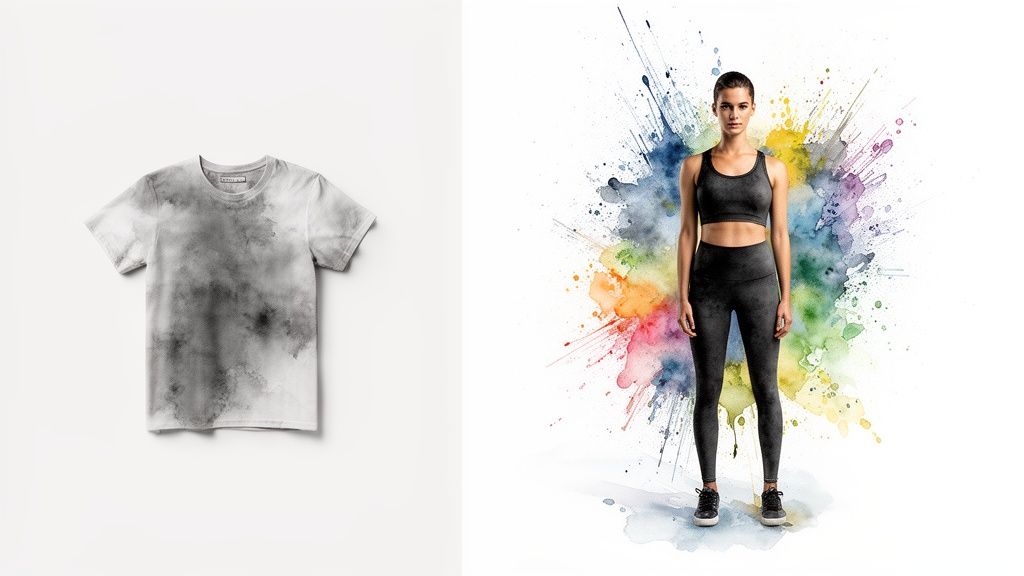
First things first, always start with flat-lay photos of the clothing if you can. This just means the shirt, dress, or pants are laid out completely flat on a simple background. This gives the AI a crystal-clear picture of the item's true shape and details, which is the secret sauce for a realistic preview.
Your Photo Makes All the Difference
When it comes to your own photo, clarity is king. Grab a clear, full-body shot in a well-lit room. Standing up straight and wearing something relatively form-fitting helps the app see your unique silhouette, which is crucial for a great result.
It’s also super important to remember what the app is a master at: visualizing style, color, and overall appearance. Think of it as your personal stylist, showing you how a piece will look on you, not necessarily how it will fit. For sizing, always, always, always check the retailer's official size chart.
Why Nailing the Visuals Is a Game-Changer
Seeing an item on yourself before you buy has never been more critical. Sure, online shopping is convenient, but a whopping 40-50% of fashion returns happen because the item just didn't look right. A virtual dressing room tackles that problem head-on! It's no wonder the market for this tech is expected to explode by 24.6% each year—you can read the full market analysis here.
Key Takeaway: Think of the app as your ultimate style visualizer. It’s perfect for exploring aesthetics, colors, and cuts with total confidence, but it's not a sizing tool. For the perfect fit, the brand's size chart is still your best friend.
Keep these simple tips in mind, and you'll be creating flawless style previews every single time. Get ready to experiment, discover new looks, and build a wardrobe that you are completely in love with.
Ready to put these tips to the test? See how it looks on you! Try it now with your own photos at trythisfit.com.
Got Questions? Let's Get Them Answered
I know you're probably itching to start your style experiments, but it's totally normal to have a few questions first. Let's walk through some of the most common ones so you can feel 100% ready to dive in.
"Is My Data Safe When I Upload a Photo?"
Yes, completely. As the solo founder of TryThisFit, this is something I'm fiercely protective of. Your privacy isn't just a feature; it's the foundation of the whole tool.
I deliberately built the app so you don't even need to create an account. Your photos are used for one thing and one thing only: to generate your try-on. They are never shared, sold, or linked to any personal information. Your data is yours, period.
"Does This Work on Any Clothing Website?"
You bet! This is where the real fun begins. The free Chrome extension was designed to work almost anywhere you shop online.
Think of your favorite major retailers like Zara, H&M, or even Amazon. It works there. What about those amazing finds on secondhand marketplaces like Vinted and Depop? It works there, too.
Basically, if you can right-click on a product image, you can almost certainly see what it looks like on you. Why not give it a shot? Installing the Chrome extension only takes a couple of seconds.

"Can This Tool Tell Me Which Size to Buy?"
Great question! It's important to understand that the app is all about visualizing style—not size. Think of it as your personal lookbook for seeing how a specific cut, color, or pattern complements your unique shape. It’s here to help you answer the question, "Will I like how this looks on me?"
It is not a sizing tool. For getting the perfect fit, you should always stick with the brand's official sizing chart on their product page. That's still the gold standard for accuracy.
"What Kind of Clothing Photos Work Best?"
For the absolute best results—the kind that make you say "wow!"—you'll want to look for flat-lay photos. These are the images where the clothing is laid out perfectly flat on a simple, clean background.
This style of photo gives the AI the clearest possible view of the garment's shape and details, which translates into a much more realistic and impressive try-on for you. It's a pro tip that makes a huge difference!
Ready to stop guessing and start styling? With TryThisFit, you can instantly see how clothes from any store look on you. Try it now at trythisfit.com and discover your perfect look today
Try Virtual Try-On Now
See how clothes look on you before you buy - works with any online store
Get Started Free