Female Body Shape Simulator: Visualize Your Style in 2026
You’ve probably done this before. You spot a great dress online, open three more tabs for “similar styles,” add two of them to cart, then pause because you still can’t tell one thing: how is this going to look on me?
That pause is the whole problem with online fashion. Product photos show the item on one model, from one angle, in one pose, under perfect lighting. Your body, your proportions, and your style vibe are a completely different story.
That’s where a female body shape simulator gets interesting. Not the old kind that labels you “pear” or “rectangle” and sends you off with generic styling advice. I mean the newer kind that helps you preview the appearance of clothing on your own image, so you can stop treating every purchase like a gamble.
The End of 'Add to Cart and Hope'
The old online shopping routine is weirdly exhausting. You scroll, compare, zoom in on sleeves, wonder if the waistline will look flattering, then buy based on a mix of optimism and guesswork.
A lot of people think body shape calculators solve that. They don’t, at least not fully. Current calculators often sort people into 7 broad categories using only 3 to 4 measurements, and that oversimplifies how clothing appears on a real person, as explained by Omni Calculator’s body shape overview.
Why the old labels feel helpful, then disappointing
Getting a label can feel satisfying for about five minutes.
You enter bust, waist, and hips. The calculator says “hourglass” or “rectangle.” You get a short list of clothing suggestions. But then you’re back on a retailer page staring at a puff-sleeve mini dress, still unsure whether the neckline, length, and overall silhouette match your look.
That’s because body shape and style appearance aren’t the same thing.
- A category is broad. Two people in the same shape category can still look very different in the same dress.
- Clothing is messy. Necklines, sleeve volume, hem length, drape, and fabric all change the final visual effect.
- Retail photos are limited. A model photo doesn’t show the outfit on your exact frame, posture, or proportions.
Old calculators answer “What general category am I?” Newer simulators answer “What does this outfit look like on me?”
That shift matters. It turns style from a theory problem into a visual one.
The better mental model
Think of a female body shape simulator as a style preview tool.
It’s closer to holding a garment up in front of a mirror than reading a chart. You’re not trying to win a quiz. You’re trying to make a better visual decision before you buy, save, or skip.
That’s why photo-based tools feel so different. Instead of forcing your body into a generic bucket, they start with your actual image and preview the clothing’s appearance there. The result feels less like fashion advice from a rulebook and more like having a fast digital dressing room in your browser.
If you want to test that idea right away, you can try a clothing preview on TryThisFit and see the visual side of it for yourself.
How Simulators Magically Visualize Your Look
The “magic” part is easier to understand once you stop picturing a calculator and start picturing a digital stylist with a very good eye.
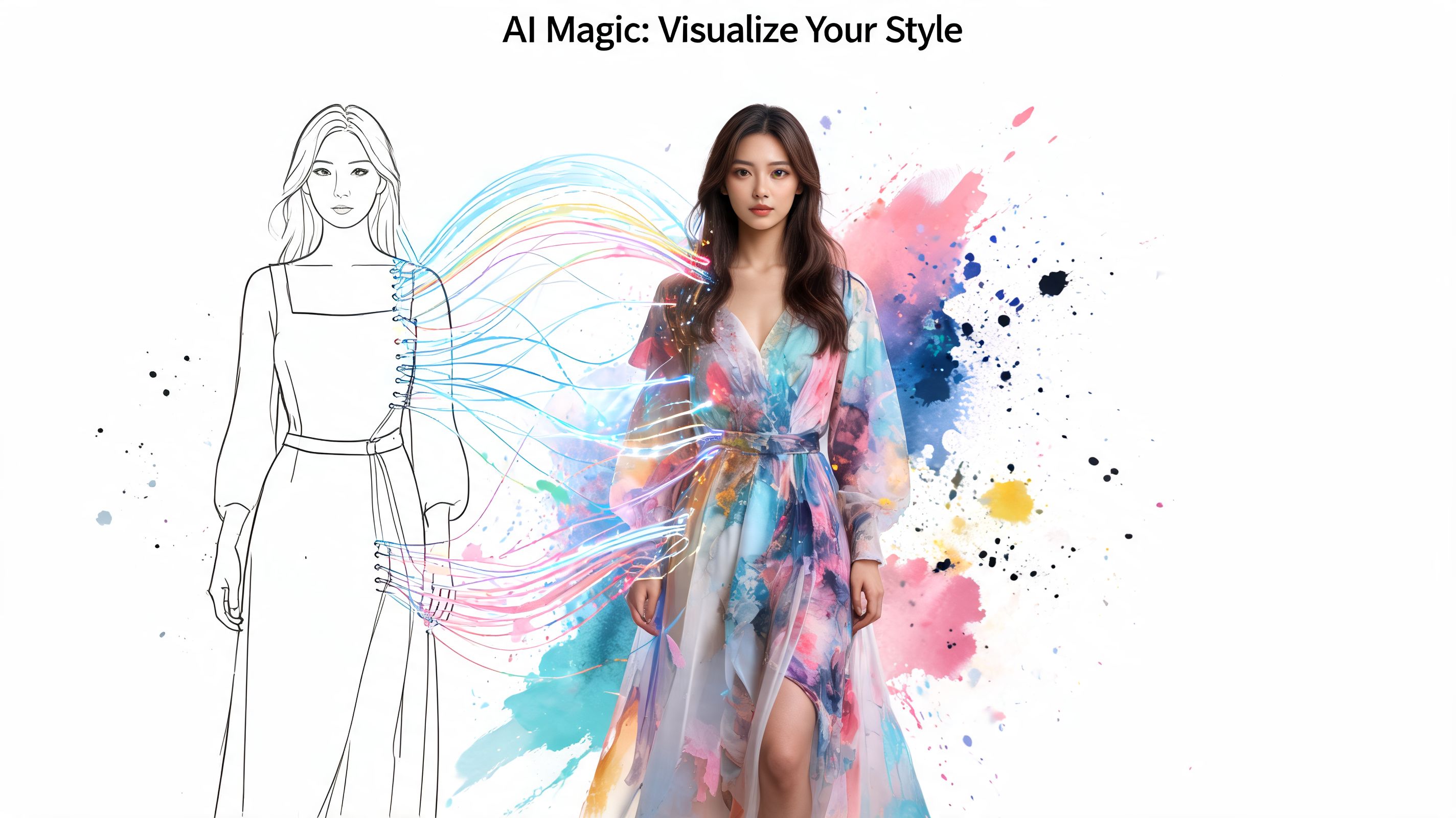
A modern female body shape simulator doesn’t just spit out a label. It takes visual information, reads the shape of the body and the shape of the clothing image, then maps one onto the other to create a style preview.
From body category to visual model
Older tools worked like a sorting box. You fed in measurements, and the system decided which body type bucket fit best.
Modern simulators go further. Research summarized by the Max Planck Body Visualizer notes that body shape simulators can reach up to 98% accuracy in determining body type from measurements and may support up to 16 scientifically recognized body types, which is a big leap from the traditional seven-category approach.
That matters because the tech is no longer stuck in a simplistic “pear vs. apple” world. It has become more nuanced, which makes the visual side more believable and more useful for fashion.
If you’re curious about the broader creative side of this technology, an ai fashion model generator is another helpful example of how image generation is changing fashion visuals beyond standard model photography.
What the simulator is actually doing
Here’s the simple version.
-
It reads your body photo
The tool looks at your outline, proportions, and pose. -
It reads the clothing photo
It identifies the garment area, shape, and visual structure. -
It combines them
The system creates a preview that shows how that clothing style may appear on your image.
That’s why this feels different from a size chart. A size chart tells you numbers. A simulator gives you a visual mockup.
Practical rule: The more the simulator understands both your image and the garment image, the more natural the preview tends to look.
Why this feels so much more useful
The primary wow factor is speed.
You’re no longer translating fashion advice in your head. You’re not reading “best tops for rectangles” and then mentally guessing how a square-neck blouse might appear on your shoulders and waist. You’re seeing an instant interpretation.
That makes online shopping less abstract. It also makes style exploration more playful. You can test a dramatic coat, a structured blazer, or a soft draped dress without committing first.
If you want a deeper look at how image-based clothing visualization works, this overview of AI for fashion is a useful starting point.
Preview Your Style on Any Shopping Site
The shift occurs when this kind of tool leaves the world of generic “pear” or “apple” advice and starts working with your actual photo while you browse. You are no longer translating a product page into a body-shape label and then guessing the result. You get a direct visual check on the sites you already use.
That changes the shopping experience fast.
You might compare a clean Zara slip dress with a puff-sleeve H&M option. On the retailer’s model, both can look great for completely different reasons. What you want to know is much more personal. Which one works with your shoulders, your proportions, and the overall look you like on yourself?
A browser-based simulator answers that question where the decision happens, on the product page. Tools such as TryThisFit let you use a clothing image from the page and generate a preview using your own photo, so the experiment happens inside your normal shopping routine instead of in a separate styling exercise.
The practical win of site-wide previews
Modern shopping is scattered. One tab has a high-street brand. Another has a resale listing. A third has an occasion dress from a boutique you have never used before.
A useful simulator should travel with you.
That is the big convenience factor. Instead of relying on a store’s model styling, you can check whether a shape reads polished, soft, dramatic, boxy, or overwhelming on your frame across many different shops. The tool works less like a body type quiz and more like a virtual fitting-room sketch artist that follows you from site to site.
Why resale shopping benefits so much
Secondhand listings are a perfect test case for personalized previews.
On Vinted or Depop, photos are often inconsistent. One seller uses a mirror shot. Another posts a flat lay. Another shows the item on a mannequin that tells you almost nothing about how the silhouette may feel on you. A simulator helps fill in that missing context by turning a one-off listing into something you can evaluate more personally.
That can help with questions like these:
- Will this oversized vintage blazer look intentional or too bulky on me?
- Does this satin dress create the shape I want, or does it fall flat?
- Is this statement piece exciting on my frame, or only exciting in the listing photo?
Those are style decisions, not size guarantees. But they are much closer to the decision you need to make before buying.
It also helps with higher-risk purchases
Costumes, occasionwear, and trend pieces benefit from the same approach. These are the items people often buy with a strong mental image and then regret when the silhouette feels off in real life.
A quick preview reduces that guesswork. You can test the visual mood first. Playful, sharp, theatrical, relaxed, dramatic. That is much easier than trying to infer everything from one polished product photo.
The bigger point is simple. Personalized simulators are becoming useful because they work with your real image on the shopping sites you already visit. That makes style exploration faster, more specific, and much more grounded in how clothes may look on you.
Getting Picture-Perfect Previews Every Time
A simulator can only work with what you give it. Good input leads to cleaner, more believable previews. Messy input makes the result look off, even if the tool itself is solid.
That’s why the setup matters more than is generally expected.
Start with a clean photo of yourself
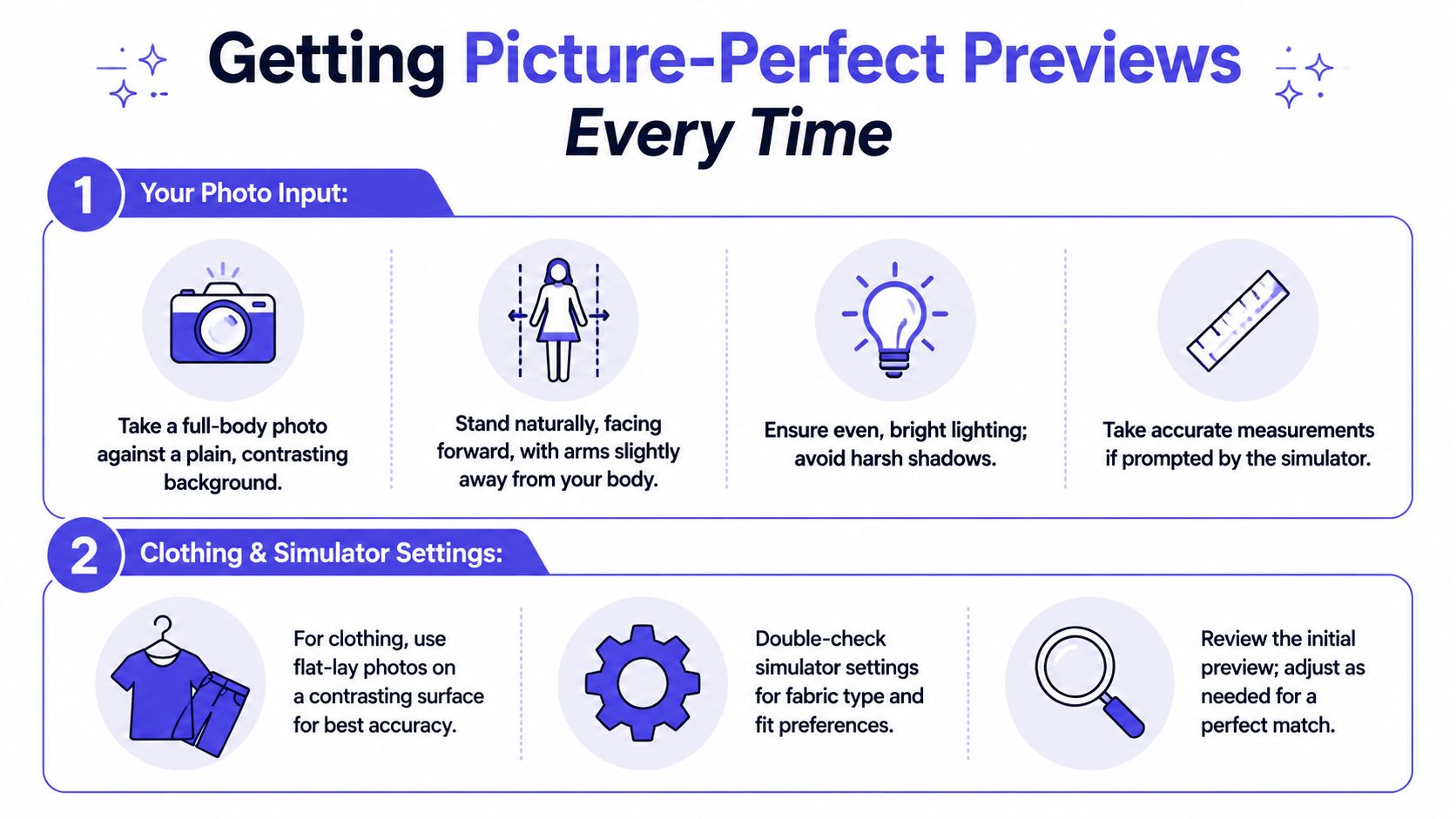
Your body photo should be simple, clear, and easy for the simulator to read.
You don’t need a studio. You just want a full-body image with even lighting, a plain background, and a natural front-facing pose. Think passport-photo energy, but full length and more relaxed.
A few basics help a lot:
- Use a contrasting background so your outline stands out clearly.
- Stand naturally with your arms slightly away from your sides.
- Avoid heavy shadows because they can confuse body edges and garment placement.
- Keep the frame simple with minimal clutter behind you.
Measurement accuracy matters too. The guidance summarized by The Concept Wardrobe body shape guide notes that measurement inconsistencies of 2 to 3 inches can reduce simulator accuracy from 90% to 60 to 70%, so standardized photos and measurements make a big difference.
Small input errors can create surprisingly visible output problems.
If you need help with the measurement side, this guide on how to take accurate body measurements walks through the basics in plain language.
Here’s a quick visual walkthrough if you prefer to see the process in action.
<iframe width="100%" style="aspect-ratio: 16 / 9;" src="https://www.youtube.com/embed/g9ICLvwyGgk" frameborder="0" allow="autoplay; encrypted-media" allowfullscreen></iframe>Why flat-lay clothing photos work so well
This part surprises people, but it makes sense once you see it.
Flat-lay clothing photos usually work best for the most accurate previews. When a garment is laid flat on a plain, contrasting surface, the simulator can identify the clothing shape more cleanly. There’s less background noise, less folding confusion, and fewer distractions from a model’s pose.
That makes the clothing easier to “read.”
Compare these two scenarios:
| Clothing image type | What usually happens |
|---|---|
| Flat-lay on a plain surface | Cleaner garment outline, clearer preview |
| Wrinkled item on a busy background | Harder for the simulator to isolate the garment |
A simple checklist before you upload
Run through this quick list:
- Your photo looks clear and shows your full body
- The clothing image is flat-lay when possible
- Lighting is bright and even
- The background doesn’t blend into the clothing or your body
- You review the first preview and try a cleaner image if needed
That small bit of setup can make the whole experience feel much sharper from the first try.
Choosing the Right Style Simulator for You
Not every simulator solves the same problem. Some are basically body-type quizzes with prettier graphics. Others are built for actual shopping decisions.
The easiest way to choose is to ignore the flashy wording and ask a few blunt questions.
Ask whether it shows a label or a look
A lot of tools still revolve around body categories. That can be useful context, but it’s limited.
The classification research summarized by Calculator.net’s body type calculator notes that the rectangle body shape is the most common at about 46%, while the often-celebrated hourglass shape is only about 8%. That’s a good reminder that narrow “ideal” categories don’t reflect how individuals tend to look, or how clothing style appears on an individual body.
If a tool mainly tells you “you are X shape,” it may leave you doing the hardest part yourself. You still have to imagine the outfit.
A more useful tool helps you see the appearance of the item on your own image.
Ask practical questions before you commit
Many shoppers save themselves time.
| Feature | Why It Matters | What to Look For |
|---|---|---|
| Speed | You’ll only use it regularly if it feels instant | A preview flow that works in seconds |
| No account barrier | Less friction, less personal data to hand over | A tool you can try without signup |
| Works across sites | Your shopping habits probably span multiple retailers | Browser support or uploads from any site |
| Easy image handling | Complex steps kill momentum | Simple upload or right-click workflow |
| Saved looks | Helpful when comparing options later | A history page or saved try-ons |
The best simulator for most people is the one they’ll actually use while shopping, not the one with the longest feature list.
A useful standard to aim for
A practical option is one that works on the stores you already browse, doesn’t force you into a long setup, and lets you review past looks later. If you want ideas for styling by body proportions without getting stuck in labels, this body shape clothing guide is a helpful companion.
Privacy matters too. If you’re uploading personal images, it’s reasonable to prefer tools that keep the process lightweight and don’t turn a simple style preview into a data-collection project.
That combination matters more than fancy terminology. You want something fast, clear, and easy to use when you’re already in shopping mode.
Frequently Asked Questions about Style Simulators
Are style simulators the same as body shape calculators
No. A body shape calculator usually classifies you into a category like rectangle or pear. A style simulator focuses on visualizing how clothing looks on your image.
That difference is why simulators feel more practical for online shopping.
Do I need professional photos
No. A clear full-body photo with good lighting is usually enough to get started.
The cleaner the image, the cleaner the preview. Plain backgrounds and simple poses help a lot.
What clothing photos work best
Flat-lay clothing photos tend to give the cleanest previews.
If you’re using a retailer image instead, choose one where the garment is easy to distinguish from the background. Avoid cluttered screenshots when possible.
Can I use this on secondhand sites
Yes, that’s one of the most useful situations for it.
Secondhand listings often give you limited visuals, so a simulator can help you preview the style before you make a decision.
Can I keep track of outfits I liked
Yes. If you want to compare ideas later, you can review saved try-ons in your TryThisFit history.
That’s handy when you’re deciding between several dresses, coats, or costume options and don’t want to rely on memory.
Is this about sizing
No. The goal is to see how a garment looks, preview the style, and get a better visual sense of the outfit.
That’s different from confirming exact garment sizing or measurements.
If you want a faster way to preview outfits before buying, TryThisFit is a simple place to start. You can test clothing images in seconds, use sample photos if you want to experiment first, and install the free Chrome extension for right-click try-ons on shopping sites you already use.
Try Virtual Try-On Now
See how clothes look on you before you buy - works with any online store
Get Started Free