How to Improve Ecommerce Conversion Rates: Proven Tactics to Boost Sales
Improving your conversion rates is about turning casual browsers into happy customers. It's the art and science of finding every bit of friction in your sales funnel and systematically smoothing it out. A seamless, trustworthy shopping experience is built, not accidental.
Your Starting Point: Diagnosing Conversion Rates
Before you can fix a leaky bucket, you have to find the holes. So, the first thing to do is put on a data detective hat. Forget guesswork. Dive headfirst into your analytics to figure out what your visitors are really doing on your site and, crucially, where they’re getting stuck and leaving.
Think of it as mapping out your customer's entire journey. I'll trace their steps from the landing page to the product page, to the cart, and all the way to that final "Thank You" screen. The mission is to pinpoint the exact stages where potential buyers are dropping off.
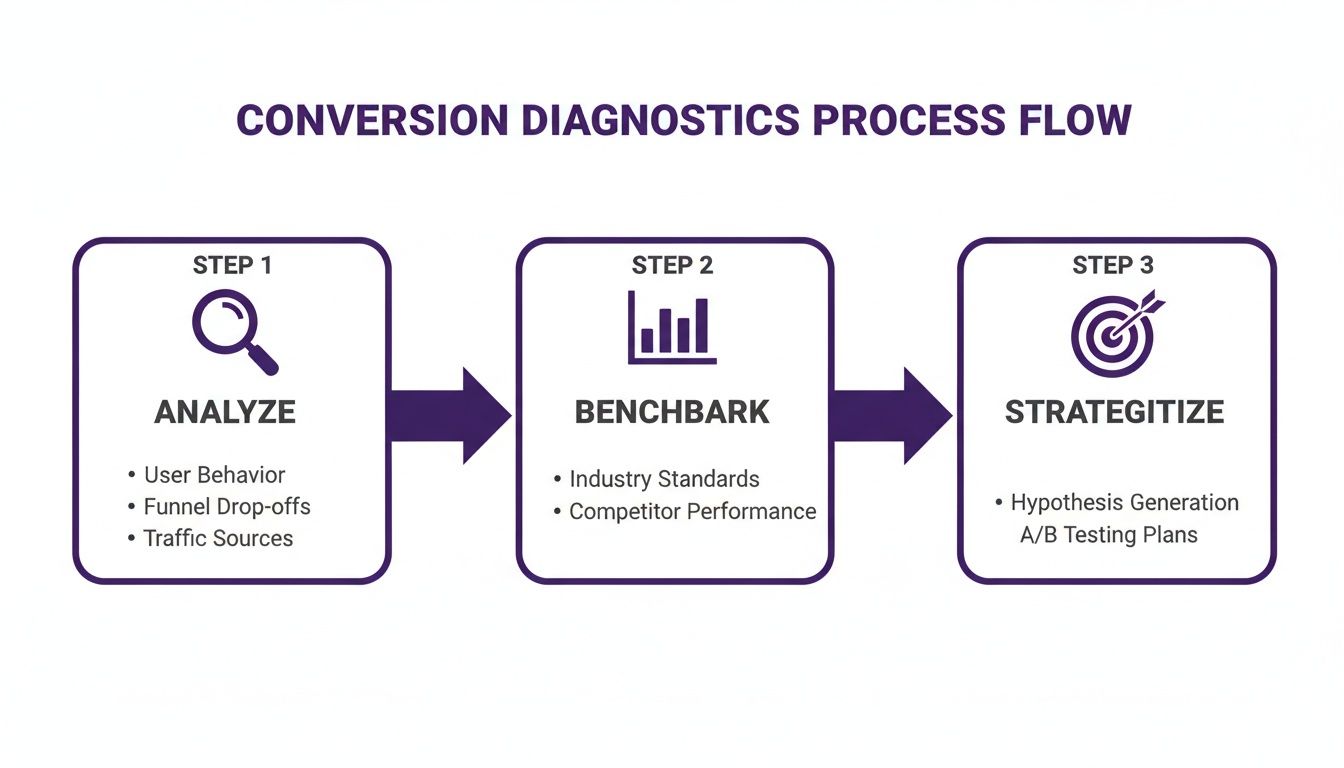
This simple flow is your roadmap: analyze your data, see how you stack up against the competition, and then build a smart, focused strategy. It’s the foundation for real growth.
Key Metrics to Analyze
Let's start by zeroing in on a few core metrics that give a clear health check for your store. It’s easy to get lost in the sea of available data, so focus on the numbers that have a direct line to your bottom line.
- Overall Conversion Rate: This is your big-picture number—the percentage of all visitors who make a purchase. It's the starting line.
- Bounce Rate: How many people land on a page and leave without clicking anything else? A high bounce rate could mean your ad promised something your page isn't delivering.
- Cart Abandonment Rate: This one is huge. It tells you how many people put items in their cart but bail before paying. This often screams "checkout problems!"—think surprise shipping costs or a clunky form.
- Average Order Value (AOV): While not a direct conversion metric, AOV tells you if your efforts are leading to bigger, more profitable sales. You want both more sales and higher value sales.
Setting Realistic Benchmarks
Okay, you’ve got your numbers. But are they good, bad, or just average? This is where benchmarking comes into play. It's a tough world out there; the global e-commerce conversion rate recently dipped from 2.18% to 1.99% year-over-year. That downward trend is exactly why you need to be proactive.
Generally speaking, a "good" conversion rate is somewhere between 2% and 3%. The real rockstars of ecommerce? They're hitting 5% or even higher.
By comparing your store’s performance to these industry averages, you can set ambitious but realistic goals. If you want to dig deeper into proven tactics, this guide on how to improve ecommerce conversion rate is a fantastic resource. This data-backed approach ensures you're not just making changes, but making the right changes that will actually move the needle.
Conversion Rate Optimization Quick Wins
| Area of Focus | Actionable Tip | Potential Impact |
|---|---|---|
| Product Pages | Add high-quality, zoomable product images from multiple angles. | High |
| Checkout Process | Enable a guest checkout option to reduce friction for new customers. | High |
| Site Speed | Compress all images on your site to improve page load times. | Medium-High |
| Calls-to-Action (CTAs) | Make your "Add to Cart" button a bold, contrasting color. | Medium |
| Social Proof | Display customer reviews and ratings prominently on product pages. | High |
| Trust Signals | Add security badges (e.g., McAfee, Norton) to your checkout page. | Medium |
Start with a few of these, measure the impact, and then you'll be ready to tackle the bigger, more complex optimizations with confidence.
Turning Product Pages into Conversion Powerhouses
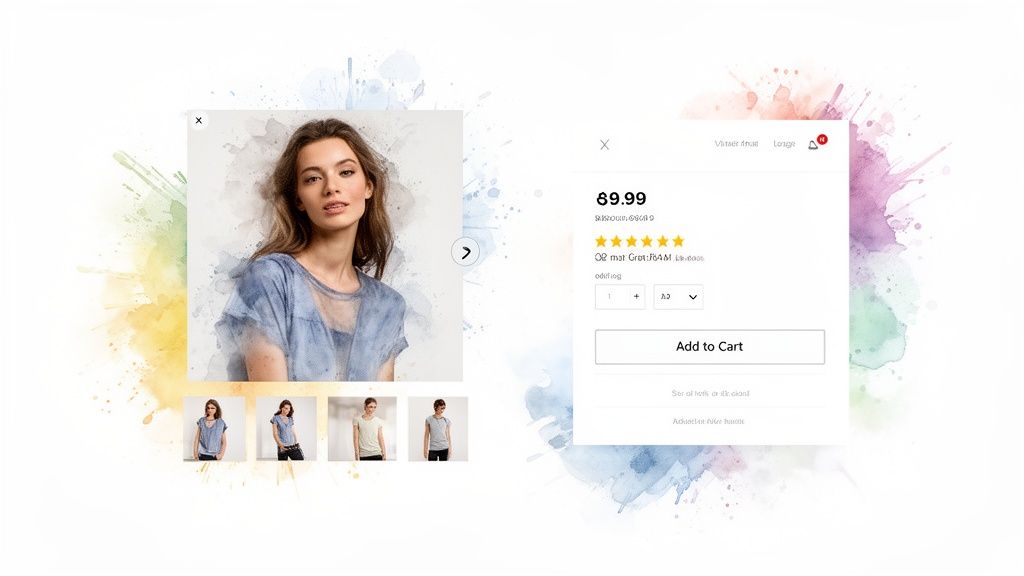
Think of your product page as the final, critical handshake. It's the moment a casual window shopper decides to pull out their wallet and become a customer. This is your chance to create an experience they can't resist. Craft product descriptions that tell a story and help them feel what it's like to own your product.
Of course, great photos are non-negotiable. But even the most stunning photography can’t answer the biggest question in online fashion: "But how will that style look on me?" This is the imagination gap. Bridge it, and you'll unlock a ton of conversions.
Go Beyond Photos: Help Them Visualize the Style
This is where you can offer something truly game-changing. I created an incredible AI tool called TryThisFit that lets customers instantly see how a style will look on their specific body shape. It’s a brilliant way to build confidence and crush the uncertainty that kills so many sales. When you offer a virtual try-on, you're helping someone discover their personal style.
The app is especially effective with flat-lay clothing photos, giving a super clear preview of the garment's appearance. It’s a powerful tool for helping customers feel certain about their choice. If you want to dive deeper into creating this kind of immersive experience, check out my guide on the future of the virtual fitting room.

Seeing an outfit like this Zara trench coat visualized can instantly give a shopper the confidence boost they need to know the style is perfect for them. Want to see for yourself? Try it now for free at trythisfit.com!
Build Unstoppable Social Proof
Once you've captured their imagination, you need to seal the deal with trust. This is where social proof becomes your secret weapon. Displaying customer reviews can boost conversions in a big way because people trust other people way more than they trust a brand's marketing copy.
Don't just add reviews—weave them directly into your product page layout. Make them impossible to miss.
Takeaway: Authentic customer reviews and photos from real people aren't just nice extras. They are critical trust signals that validate a shopper's decision and can create a powerful sense of community and urgency.
Make It Real with User-Generated Content
Take it a step further by encouraging customers to post photos of themselves wearing your stuff. This user-generated content (UGC) is absolute gold. It shows potential buyers how your clothes look on a diverse range of real bodies. To really nail this, you have to understand the anatomy of a perfect product listing.
A Game-Changer for Any Store
The best part? This tech isn't just for your own website. I also built a free Chrome extension that works on any online store. A shopper browsing Zara or H&M can just right-click an item's photo and see how the style looks in seconds. It even works on secondhand sites like Vinted and Depop or for finding Halloween costumes!
You can install the Chrome extension in 5 seconds and start seeing the magic happen. This simple tool empowers shoppers, builds confidence, and drives more sales by answering that one critical question before it ever becomes a reason to hesitate.
Designing a Frictionless Checkout Experience
You did it. They found a product they love, hit "Add to Cart," and are ready to buy. But this final sprint is where everything can fall apart. In fact, a mind-boggling 70% of shoppers abandon their carts at this stage.
A clunky, confusing, or surprising checkout is almost always the culprit. Every extra click or unexpected fee is another reason for them to give up. Let’s dismantle those roadblocks and make your checkout so smooth it's practically invisible.
Ditch the Forced Account Creation
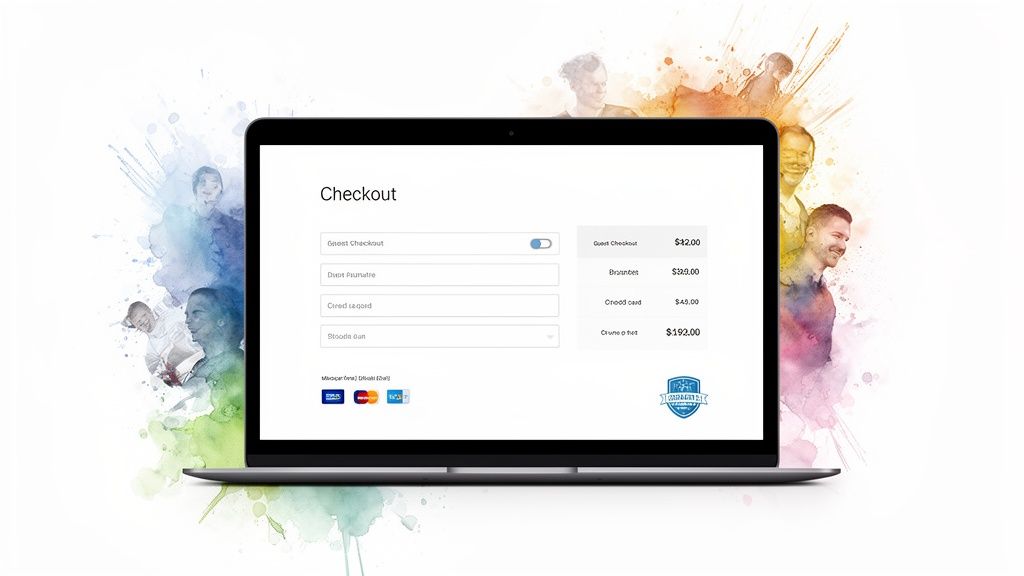
Want to kill your conversion rate? Force people to create an account. It's the number one roadblock. It’s a huge commitment when all they want is a simple transaction.
The fix is incredibly easy: always offer a guest checkout option. Make it the biggest, boldest button on the page. You can always ask them to create an account after the sale is complete.
Ruthlessly Minimize Form Fields
Remember the legendary Expedia story? They boosted profits by $12 million a year by removing just one optional field from their form. Every single box you ask someone to fill is another tiny hurdle.
Scrutinize your checkout form like a detective. Do you really need their phone number? Is that "Company Name" field essential? A shorter, cleaner form always wins.
Offer a Buffet of Payment Options
Nothing grinds a sale to a halt faster than not offering the right way to pay. If a customer is ready to buy with Apple Pay but you only take credit cards, you’ve likely lost them.
Offering a variety of payment methods isn't just a nice perk anymore—it's an expectation. Digital wallets like Google Pay and PayPal are essential for a modern, seamless experience on both desktop and mobile.
Show the logos of the payment methods you accept loud and proud. It builds instant trust and reassures shoppers that you’ve got them covered.
Eliminate Surprise Costs
Have you ever been blindsided by a massive shipping fee right at the final step? It feels like a bait-and-switch, and it's a massive breach of trust. This is one of the top reasons people bail on a purchase.
Transparency is everything here. Show shipping estimates and taxes as early as you possibly can—ideally, right in the shopping cart. Being upfront about the total cost shows respect for your customer and can dramatically improve your ecommerce conversion rates.
Winning the Mobile Commerce Game
The battle for conversions is won on the small screen in your customer's pocket. If your store isn't built with a mobile-first mindset, you’re actively pushing away most of your potential buyers. This is about creating an entire experience built for thumbs.
Mobile reality has completely changed the e-commerce game. Smartphones were responsible for more than three-quarters of all retail site visits globally last year. This seismic shift is a massive hurdle when you’re trying to improve ecommerce conversion rates. You can dive into the full data on mobile shopping trends to see just how dominant mobile has become.
Speed Isn't a Feature, It’s a Requirement
On mobile, every single second counts. A page that takes more than three seconds to load might as well not load at all. Your mobile site needs to be absolutely, unapologetically fast.
That means getting ruthless about optimizing every element for speed:
- Compress Your Images: Large image files are the #1 killer of mobile site speed.
- Simplify Your Code: Get rid of bloated CSS and JavaScript.
- Prioritize Above-the-Fold Content: Make sure what the user sees first loads instantly.
A snappy mobile site feels professional and trustworthy. A slow, clunky one feels amateur and insecure, completely killing the confidence you need to land a sale.
Design for Thumbs, Not Cursors
Navigation that’s a breeze with a mouse can be a nightmare for someone tapping with their thumb. Buttons need to be big, bold, and easy to tap.
Menus should be dead simple and intuitive. The whole point is to make it ridiculously easy for someone to find what they're looking for and fly through checkout. This is a core reason why the best fashion apps are so addictive—they nail this experience.
Bridging the Mobile Visualization Gap
Seeing is believing, and this is even more true on a small screen. This is where the imagination gap turns into a canyon. Shoppers are desperately trying to figure out how a style will actually look on them.
That’s why I built the TryThisFit Chrome extension. It's a game-changer for mobile-minded shoppers and installs in a couple of seconds. It lets them instantly preview styles.
For example, a customer shopping on Zara, H&M, or even sifting through secondhand finds on Vinted can simply right-click an item's photo and immediately see how that style looks. It works on any site, even for items found on my affiliate link for Amazon fashion.
This instant preview smashes a huge friction point. It gives them the visual confirmation they crave, boosting their confidence to hit "buy" right then and there.
Ready to see how simple it is to give your customers that confidence boost? Install the Chrome extension in 5 seconds and try it on your favorite store.
Building Unbreakable Trust with Shoppers
In ecommerce, trust is everything. Customers are giving you their hard-earned cash and personal details. They need to feel 100% confident you’re legitimate and have their best interests at heart.
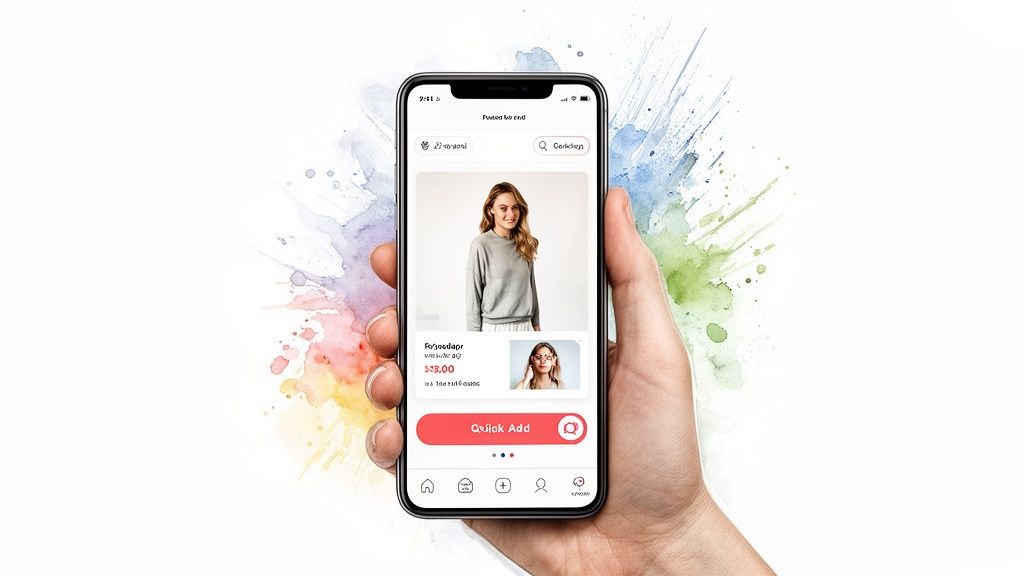
Building that kind of unshakeable trust begins by making shoppers feel like you truly get them. This is where real personalization comes in, like serving up content and product recommendations that feel hand-picked just for them.
Rock-Solid Policies and Transparent Signals
While personalization forges a connection, it's the non-negotiable trust signals that shout "I'm the real deal." These are the foundational pieces that assure a customer, "I've got your back."
Here are the absolute must-haves:
- A Crystal-Clear Return Policy: Your return policy needs to be dead simple to find and understand. If you bury it in fine print, you're sending a clear message: you don't stand behind what you sell.
- Visible Security Badges: Slapping logos from trusted names like Visa, PayPal, Norton, or McAfee on your checkout page is a simple but powerful move.
- Easily Accessible Contact Info: Can someone find your phone number or email without a scavenger hunt? Hiding contact details feels like you don't want to hear from customers.
Proactive Trust Building Before the Purchase
The best way to build trust is to get ahead of the problem. Instead of just offering a great return policy, why not help customers make the right choice from the get-go? This is a massive issue in fashion, where the number one fear is, "Will this actually look good on me?"
This is a problem I became obsessed with solving. I created TryThisFit to give shoppers the power to see how an outfit would look without the guesswork. The app lets you instantly visualize a style using just a photo of yourself and a product image—flat-lay photos work best for a more accurate preview.
When a shopper can see how a style from Zara or H&M looks on them before adding it to their cart, their confidence soars. It’s a powerful tool that helps improve ecommerce conversion rates by directly tackling the biggest reason for cart abandonment.
Understanding Industry Nuances in Trust and Conversion
It’s also vital to remember that what it takes to earn a conversion varies wildly between industries. Personal care products convert at 6.8%, while home decor sits at a tough 1.4%. The fashion world's battle makes robust trust-building efforts absolutely critical.
This is exactly why proactive tools are so effective. My free Chrome extension makes it ridiculously easy. It installs in a couple of seconds and lets shoppers right-click on clothing items on any site—from Amazon to secondhand spots like Vinted—for an instant style preview. You can learn more about overcoming these challenges in my guide on the real meaning of "true to size."
Your Top Ecommerce Conversion Questions, Answered
<iframe width="100%" style="aspect-ratio: 16 / 9;" src="https://www.youtube.com/embed/J5ss6ZmuK6Y" frameborder="0" allow="autoplay; encrypted-media" allowfullscreen></iframe>Jumping into conversion optimization always stirs up a ton of questions. Let's tackle some of the most common ones I hear from store owners.
So, What's a "Good" Ecommerce Conversion Rate, Anyway?
You'll hear people throw around 2% to 4% as a general benchmark. But honestly, a "good" rate is all about context. Your industry, product price, and where your traffic comes from can cause that number to swing wildly.
The real goal is to beat your own past performance. If you can bump your conversion rate from 1.5% to 2%, that's a huge victory that puts real money in your pocket.
How Can I Stop Shoppers From Abandoning Their Carts?
Ah, the dreaded abandoned cart. The #1 culprit is almost always unexpected costs. Be radically transparent about shipping fees and taxes right from the start.
Another quick win? Streamline your checkout. Cut every unnecessary form field. And for the love of all things holy, offer a guest checkout option.
Why Are Product Images Such a Big Deal for Conversions?
When you’re selling online, your photos are the product. Your customers can't touch or feel the item, so your images have to do all the heavy lifting. High-quality shots from every angle are non-negotiable.
But even perfect photos can't answer the question: "How will this style look on me?" That hesitation is a conversion killer. It's the exact reason I built TryThisFit—to let a shopper see a style on themselves instantly.
Giving someone that "aha!" moment of seeing it on themselves is often the final push they need. You can even look back at your personal try-on history to compare styles you've visualized.
What Role Does Social Proof Really Play?
Social proof is pure magic. People trust other people way more than they'll ever trust a brand's marketing copy. Featuring authentic customer reviews right on your product pages can give your conversion rate a serious lift.
User-generated content (UGC), like photos from your customers, takes this to a whole new level. It shows your products being loved by real people, which is infinitely more relatable than a professional model.
A simple customer review can be more persuasive than the most cleverly written ad copy. It provides unbiased validation at the exact moment a shopper is making a decision.
How Can I Get More People to Buy on Mobile?
With most traffic coming from smartphones, you have to think mobile-first. Your first mission is speed. Over half of mobile users will bounce if a site takes more than three seconds to load.
Next, design for thumbs. This means big, tappable buttons and dead-simple navigation. A smooth, intuitive mobile experience shows you respect your customer's time.
The visual part is also a huge challenge on a small screen. That’s why I made the TryThisFit Chrome extension. It installs in a couple of seconds and lets you right-click any item on sites like Zara, Shein, or Amazon to get an instant style preview.
Ready to give your customers the confidence they need to click "buy"? With TryThisFit, they can instantly see how a style looks, find the perfect outfit, and say goodbye to return hassles.
Try it now for free at trythisfit.com and discover a smarter way to shop.
Try Virtual Try-On Now
See how clothes look on you before you buy - works with any online store
Get Started Free