Your Ultimate Outfit Maker With Your Own Clothes
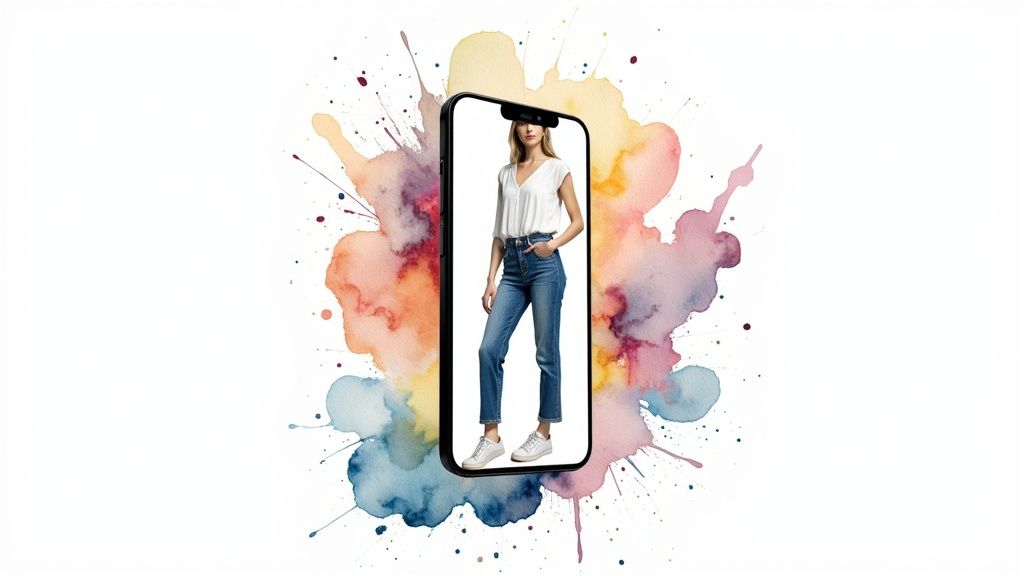
Ever look at a closet packed to the brim and still feel like you have absolutely nothing to wear? It's a classic problem, but there's a fantastic solution that can completely change how you see your own wardrobe: an outfit maker with your own clothes. This isn't about buying more stuff; it’s about finally unlocking the hidden potential in what you already own.
Unlock Your Closet's Potential With a Digital Outfit Maker
I've been there. Staring blankly at a sea of hangers, feeling totally uninspired. That daily ritual of getting dressed can feel like a real chore, but it doesn't have to be. What if you could digitally mix that top you love with those pants you completely forgot you had, creating a killer new look in just a few seconds?
That's the magic of a digital outfit maker. By snapping a few quick photos of your clothes, you can build a virtual closet that lets you play around with combinations without ever having to pull everything out and make a mess. I'm going to show you how a tool like TryThisFit can help you visualize pairings you've never even thought of, turning your closet from a source of stress into a playground of style.
Rediscover Your Personal Style
An outfit maker is so much more than a simple convenience—it’s a powerful creative tool. It basically turns you into your own personal stylist, helping you make confident, informed decisions about what actually looks good. I'm not just talking about saving a few minutes in the morning. This is about transforming your entire dressing routine from a frustrating task into an exciting, creative process.
This whole idea of personalized, DIY fashion is really taking off. The global market for custom apparel is booming, with projections showing an increase of USD 2.45 billion between 2025 and 2029. This growth is all about people wanting more control over their personal style, and they're using digital tools to make it happen with their own clothes. You can dive deeper into how AI is shaking up fashion trends in this Technavio report.
Why Use an Outfit Maker
So, what are the real, tangible benefits? It really boils down to a few game-changing advantages that can make a huge difference in your daily life and even how you shop.
Here's a quick look at how a tool like TryThisFit helps you visualize outfits from your own closet.
Key Benefits of Using a Digital Outfit Maker
| Benefit | How It Helps You |
|---|---|
| Visualize Before You Wear | Instantly see how different pieces look together on your own photo. No more trying on a dozen things just to find one good look! |
| Avoid Buyer's Remorse | Preview how a new item from Zara or H&M pairs with your existing clothes before you buy, saving you from costly returns. |
| Spark Creativity | Break out of style ruts by experimenting with colors and patterns you'd normally shy away from. You'll uncover combos you never knew you had. |
| Shop Smarter | Identify gaps in your wardrobe and build a targeted shopping list, so you only buy what you truly need to complete your looks. |
Ultimately, using a digital outfit maker is about making smarter, more creative choices with your clothes.
- See it first. Instantly see how different pieces from your closet look together on your own photo, helping you nail your next great look without making a mess.
- Stop guessing. Preview how a new item from an online store pairs with your existing clothes before you click "buy." You can learn more about this in my guide on using a virtual closet app.
- Get inspired. Discover unexpected combinations and finally break out of that style rut by playing with colors, patterns, and pairings you wouldn't normally try.
The core idea is brilliantly simple: make the most of what you've already got. An outfit maker with your own clothes helps you see your wardrobe not as a pile of individual items, but as a system of endless possibilities just waiting to be explored.
Getting Your Clothes Ready For Their Close-Up
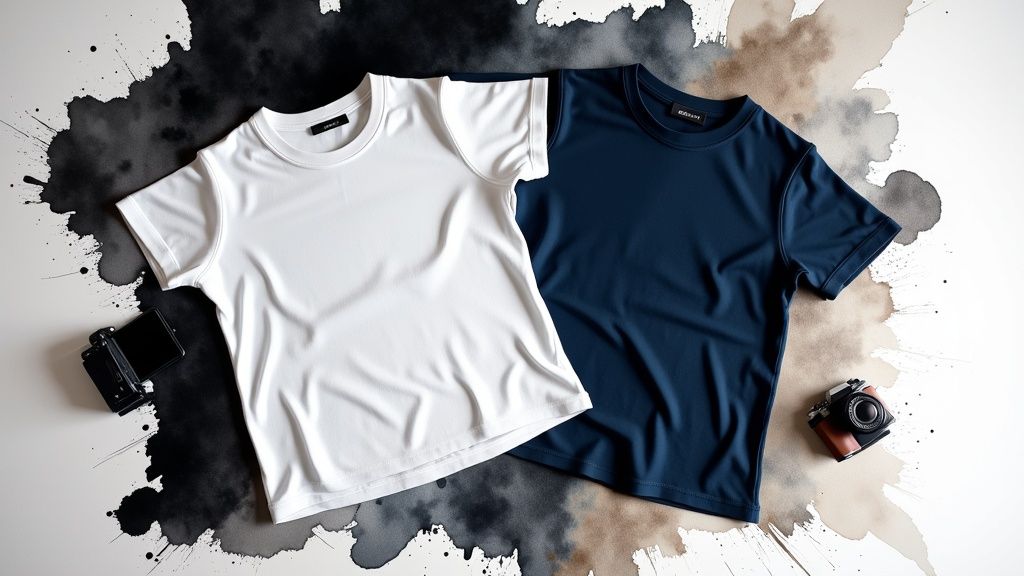
If you want amazing results from your virtual try-ons, it all starts with taking good photos of your clothes. I'm going to walk you through the surprisingly simple process I use to make sure my digital outfits look fantastic. This is the secret to getting the most out of an outfit maker with your own clothes.
The absolute key is to take flat-lay photos on a contrasting background. Seriously, it’s that easy. Think about laying a dark shirt on a light floor, or a white top on a dark rug. This simple trick is what gives the app a clear outline to work with, helping it nail the shape and style of your garment.
How To Set Up The Perfect Shot
You definitely don't need a fancy camera for this—your smartphone will do the job perfectly! Natural light is your best friend here, so find a spot near a window. It helps prevent those harsh shadows that can mess things up and really brings out the true color of the fabric.
Before you snap the picture, just make sure the item is laid out completely flat. I always take a second to smooth out any major wrinkles. This little bit of prep work is what sets you up for creating endless stylish combos and seeing exactly how your dream outfits will look.
For an even deeper dive, I've put together a complete walkthrough right here: https://trythisfit.com/how-to-photograph-clothes
The Must-Dos For Great Clothing Photos
To make this super clear, I’ve broken down my go-to tips for getting photos that give you the best possible virtual try-on. Following these will make a world of difference in how your outfits turn out.
- Go For Contrast: This is non-negotiable and the most important step. A black t-shirt practically vanishes on a dark gray rug, but it pops beautifully on a light wood floor. That contrast is what allows the AI to "see" the item's outline perfectly.
- Find Good, Soft Light: Get your clothing item near a window, especially on an overcast day or in a spot with indirect sunlight. You want to avoid those sharp, dark shadows that can completely distort the shape.
- Smooth It All Out: Take a moment to get rid of any big wrinkles or folds. The flatter and smoother you can get the garment, the more accurately its shape and drape will show up in your virtual try-on.
Before you even start snapping pics, it's a great idea to sort through what you actually have. I found the ultimate guide to decluttering your wardrobe to be a huge help. A well-organized closet makes it so much easier to pick out the best pieces to digitize first.
Spending just a few extra seconds to get a clear, well-lit photo honestly makes all the difference. It's this prep that ensures the app can give you the most realistic preview of your style.
This is your first real step toward building an incredibly powerful digital wardrobe. Once you've captured your favorite pieces, you can start mixing and matching them in just seconds.
See How New Clothes Look On You From Any Online Store
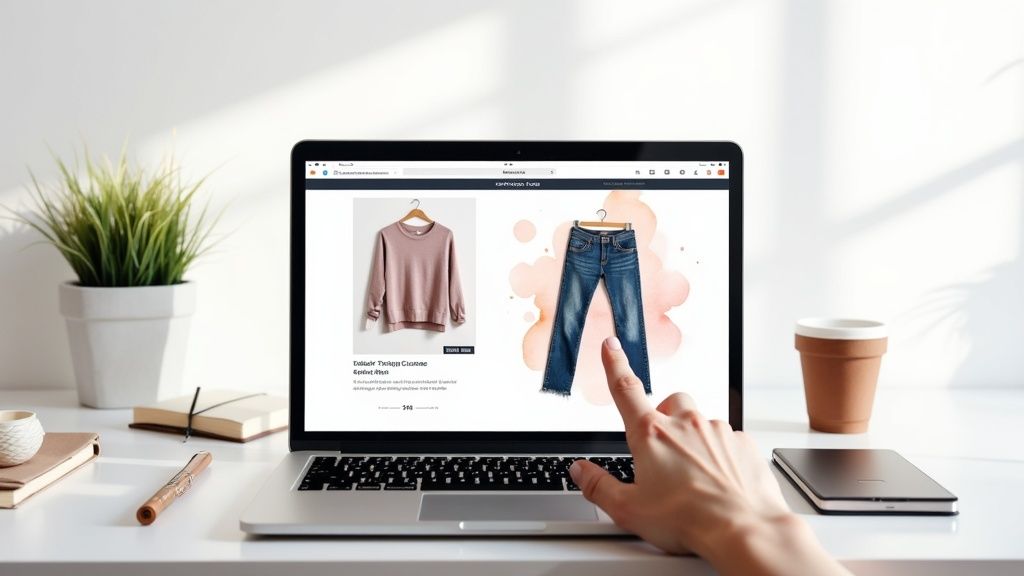
This is where the real fun begins. Imagine you're browsing Zara and spot the perfect top. The big question always is, "But will it go with my favorite jeans?" Instead of guessing, what if you could see exactly how it looks before you even hit "add to cart"?
That's precisely what the TryThisFit Chrome extension was built for. It’s a slick little tool that lets you virtually try on clothes from any retailer's website. With the extension, I can preview new items from Zara, H&M, Amazon, or even secondhand gems on Vinted. The whole idea is to give you an instant preview to help you shop smarter, not harder.
Instant Try-Ons, Right Where You Shop
When you find an item you love online, you just right-click the product image and hit 'Try it on.' I made sure this feature was ridiculously easy to use. It instantly grabs that new piece and pairs it with the photo of yourself and the clothes you’ve already added to your digital closet. No accounts needed, no hassle. It just works on any site.
This is how you stop buying "wardrobe orphans"—those items that seem great but go with nothing you own. The best part? The extension installs in a flash. Seriously, you can install the free Chrome extension in about a couple of seconds and completely change how you shop.
How This Changes the Shopping Game
People want clothes that feel like them. It's no surprise the blank apparel market—which is all about items people customize—was valued at a massive USD 7.8 billion in 2025 and is projected to hit USD 17.4 billion by 2035. That’s a huge indicator that people are looking for ways to express their personal style, and you can dig into more of that data in these market growth insights from Future Market Insights.
This extension taps right into that desire for personalization. It gives you the power to:
- See It Before You Buy It: Instantly check if that new dress from Shein or a vintage jacket from Depop actually works with your go-to boots.
- Dodge Mismatches: You know that feeling—it looked amazing online but clashes with everything in your closet. I'm putting an end to that.
- Save & Compare Your Faves: Every try-on is automatically saved to your history. You can always come back and check your saved try-on history here to compare your options.
By seeing a potential purchase styled with your own clothes, you're not just buying an item; you're building a complete look. This one simple step can slash your return rate and help you create a wardrobe where every single piece works.
Thinking about how your clothes will actually look is the core idea behind the concept of a virtual model, which puts you in the director's chair of your own digital style. It's a much more confident and empowering way to shop, giving you a crystal-clear preview of how something will look before you spend a dime. Why not give it a go right now at trythisfit.com?
Mastering The Art Of Mixing And Matching
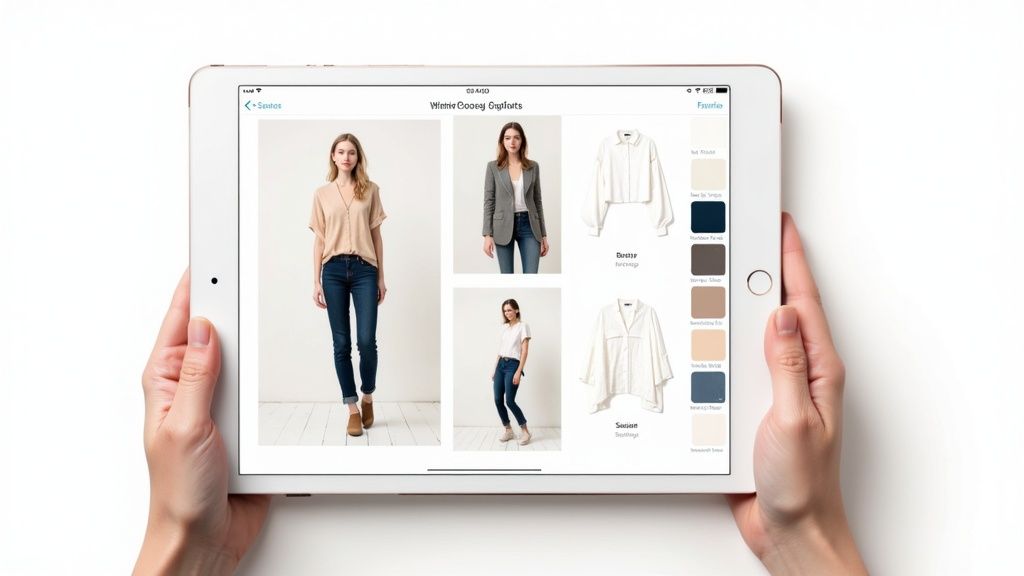
Alright, now that your favorite pieces are digitized, this is where the magic really happens. Welcome to your personal style laboratory! This is your space to get creative and uncover amazing outfit combinations you’d never think to put together otherwise. Having an outfit maker with your own clothes is an absolute game-changer for this kind of creative play.
Ever look at a formal blouse and wonder if it could be dressed down with your favorite jeans for that perfect smart-casual vibe? Instead of tearing your room apart to find out, you can now see exactly how it looks in seconds. Go ahead, experiment with different layers and find that perfect look without creating a mountain of clothes on your bed.
Your Personal Style Playground
This is your chance to really take command of your closet. I personally love using the app to map out my entire week of outfits, figure out the perfect travel capsule wardrobe, or prep for a big event without any of that last-minute "I have nothing to wear!" panic.
Playing with bold colors or mixing patterns can feel like a big risk. But with a digital preview? There’s zero commitment. I can finally see if that striped top actually works with those floral pants and decide if it’s a fashion-forward moment or a total clash, all with a single click. It’s an incredible way to build your style confidence. If you need a little spark, check out my guide for more mix and match outfit ideas to get your creativity flowing.
Pro Tip: Every amazing combination you discover is automatically saved to your try-on history, which you can always find at
/history. This builds a personalized lookbook of your greatest hits, ready for whenever you need a bit of inspiration.
And this isn't just a niche hobby; the desire for personalized style is huge. The global custom clothing market was valued at an incredible USD 59.75 billion in 2025 and is on track to hit USD 163.3 billion by 2035. This trend shows just how much people are craving unique, mix-and-match options that let their individual taste shine through. You can read more about these shifting consumer preferences on Business Research Insights.
From Closet Chaos To Curated Looks
Just think of the possibilities! See a great jacket on Amazon? You can instantly see how it pairs with three different pairs of pants you already own. Simply right-click the item on the store page with the Chrome extension and start styling.
Here are a few ways I use the app all the time:
- Plan Ahead: On Sunday nights, I’ll put together five complete work outfits. It saves me so much time and brainpower during busy weekday mornings.
- Travel Light: Before my last trip, I built a capsule wardrobe by making sure every top worked with every bottom. I packed way less but had more outfit options than ever.
- Shop with Purpose: When I spot a piece I love on Zara, I use the free Chrome extension to see if it actually goes with my favorite dresses before I even think about adding it to my cart.
This process completely transforms your closet from a source of stress into a curated collection of looks you genuinely love. Ready to start creating? Try it now at trythisfit.com and see what hidden gems are waiting in your wardrobe.
Get Creative! Fun Ways to Use Your Digital Wardrobe
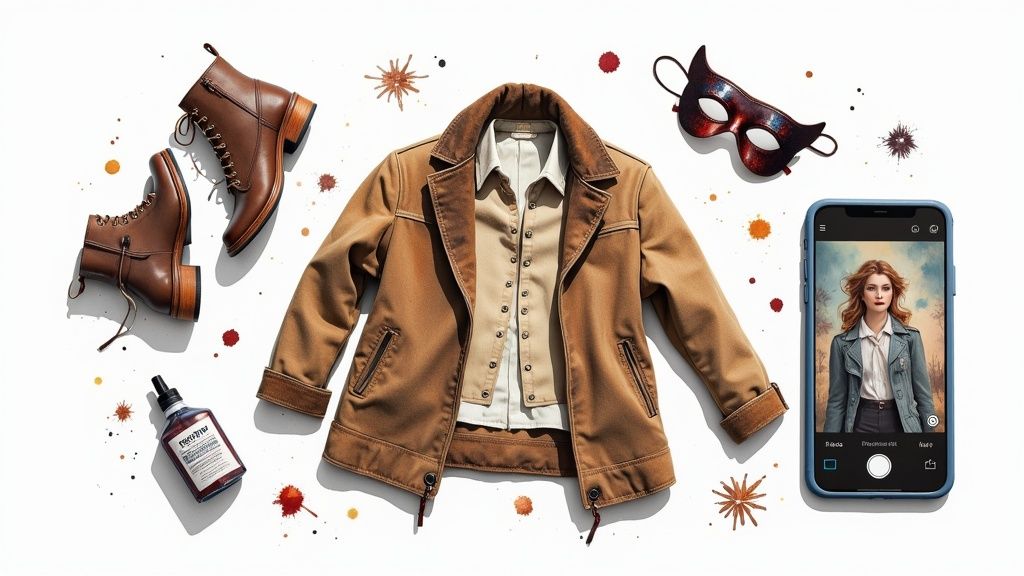
Alright, so a digital outfit maker is amazing for planning your everyday looks, but that's just scratching the surface. Once you realize you can visualize any clothing combination, a whole world of creative projects opens up. It’s not just a closet organizer; it’s a style playground.
Honestly, one of my absolute favorite ways to use this is for planning Halloween costumes. I’m all about creating something unique instead of just grabbing a costume-in-a-bag. I can hunt for the perfect pieces across different stores—maybe a wild jacket or a specific mask on Amazon—and use the Chrome extension's right-click feature to see how they all come together on my photo. No more guessing games, just a killer, cohesive costume.
Thrifting and Themed Parties, Solved
This is also a game-changer for secondhand shopping on sites like Depop or Vinted. You know the feeling—you find a gem, but you can't try it on. How will it really look with your favorite jeans? A quick virtual try-on gives you that boost of confidence to hit "buy" on a one-of-a-kind piece without the usual hesitation.
I've used it to plan outfits for '90s-themed parties, visualize DIY clothing projects before I even touch the fabric, and so much more. The possibilities are truly endless once you have your digital self ready to go.
- Costume Creation: Mix a hat from one store with a shirt from another to build the perfect Halloween or cosplay outfit. You get to see the final look before spending a dime.
- Secondhand Scores: Find a cool vintage jacket on Vinted? Right-click it with the Chrome extension and see how it vibes with items you already own.
- Event Planning: Got a formal wedding or a themed party on the calendar? You can map out your entire look, accessories and all, to make sure it’s absolutely perfect.
The real magic of an outfit maker with your own clothes is how it takes the risk out of creative styling. It’s your personal sandbox for experimenting, whether you're crafting an epic costume or just seeing if you can pull off a new color.
From designing a character's look for a local play to helping a friend figure out their prom outfit, the applications just keep coming. Once you get into the habit of using a visual tool like this, you'll seriously wonder how you ever made style decisions without it.
Ready to get creative? You can install the Chrome extension in 5 seconds and start bringing your boldest style ideas to life.
Your Questions Answered
Jumping into something new, like a virtual outfit maker for your own clothes, always brings up a few questions. That's a good thing! I've pulled together the most common ones I get asked, so you can get straight to the fun part with total confidence.
Does The App Tell Me If Clothes Will Fit My Body Size?
That’s a fantastic question and it gets right to the heart of what this tool does. Think of it as a style visualization tool, not a sizing tool. The app's magic lies in showing you how the style, color, and cut of different pieces look together on your unique body shape.
It’s all about answering the question, "Do I love the vibe of this outfit?" It won't tell you if those jeans are the right inseam, but it will absolutely help you see if they create the silhouette you're going for. It's your personal digital mirror for previewing an outfit's appearance before you even get dressed.
What Kind Of Photos Work Best For My Own Clothes?
For the most accurate and cleanest-looking results, flat-lay photos are definitely the way to go. If you take away just one tip for using your own clothes, make it this one!
Just lay your garment flat on a contrasting background—a white t-shirt on a dark floor, or black jeans on a light-colored rug. Good, even lighting is key, so try to use natural light to avoid weird shadows. Make sure the item is smoothed out, and you're golden. This little bit of prep work makes a huge difference in helping the AI "see" the item's shape correctly, which leads to much better virtual outfits.
Can I Really Use This On Any Online Clothing Store?
Yes, you absolutely can! This is where the real power of the TryThisFit Chrome extension comes in. I built it to work on pretty much any website that sells clothes. With its simple right-click try-on feature, the extension works on major retailers like Zara and H&M, massive marketplaces like Amazon, and even your favorite secondhand spots like Vinted or Depop.
When you spot something you like, just right-click the product photo and hit 'Try it on.' The whole point was to make it universal, so you can see how an item looks on you no matter where you're browsing.
The core idea is simple: if you can shop there, you should be able to try it on virtually. The extension bridges that gap, making smarter shopping accessible on any site.
Is It Complicated To Get Started?
Not in the slightest! I designed the whole experience to be super intuitive and fast. There are no accounts to create and no complicated software to download and learn. You just pop over to the site, upload a photo of yourself, add some photos of your clothes, and start mixing and matching.
To try on items from online stores, you just need to install the free Chrome extension, which honestly takes about two clicks and installs in seconds. My goal is to get you from "I wonder if..." to "Ooh, I love that!" as quickly as possible. Every look you create is automatically saved in your history, which you can find right at the /history page. It's built for creativity, not complexity.
Ready to stop guessing and start visualizing? At TryThisFit, you can see your style come to life in seconds. Try it now at trythisfit.com and discover the outfits already waiting in your closet.
Try Virtual Try-On Now
See how clothes look on you before you buy - works with any online store
Get Started Free