Elevate Your Wardrobe with a personal style app
Have you ever wished you could try on clothes from any online store without ever leaving your couch? That's the incredible power of a personal style app. It’s not just about matching a size chart; it’s about seeing how that new top or those bold pants will actually look on your body.
This helps you build a wardrobe you absolutely love with confidence.
A Whole New Way to Shop and Style Your Wardrobe
I’m going to walk you through TryThisFit, an amazing and completely free tool that’s about to become your new best friend for online shopping. The app works everywhere—from big names like Zara and H&M to secondhand gems on Vinted.
The best part? You can get started in seconds. Seriously, there are no accounts to create or emails to sign up for.
This guide will show you exactly how this app can save you time, put an end to annoying returns, and make shopping genuinely fun again. You’ll see how to know for sure if that trendy jacket or vintage dress actually suits you before you even dream of hitting that 'buy' button.
Why This Is a Total Game Changer for Your Closet
Let's be real: online shopping is often a shot in the dark. You fall in love with a dress on a model, but when it arrives, the style just doesn't feel right on you. A personal style app like TryThisFit completely eliminates that uncertainty by giving you a realistic preview.
This isn't just some passing fad; it’s the future of how we shop. The global styling app market was valued at around USD 122.2 billion in 2025 and is on track to nearly triple to an estimated USD 314.5 billion by 2035.
That explosive growth is driven by shoppers, especially younger generations—over 65% of Gen Z and 54% of millennials are already on board. If you're curious, you can learn more about these market trends and see just how mainstream this has become. This massive shift says it all.
This isn't about replacing the thrill of finding a great piece in-store. It's about bringing that same confidence and visual confirmation to the endless aisles of the internet. It’s your personal, pocket-sized changing room.

Key Benefits of Using a Personal Style App
So, what does this actually mean for you? Using an app like TryThisFit brings some immediate and powerful advantages to your shopping routine. Here’s a quick overview of the main advantages you can expect when using a personal style app.
| Benefit | How It Helps You | Practical Example |
|---|---|---|
| Visualize Before You Buy | See how clothes look on your actual body shape from any online store. | You're browsing Zara and see a dress. With the Chrome extension, you can right-click and get an instant preview of how it will look on you. |
| Avoid Costly Returns | Drastically reduce the chance of buying something you’ll just send back. | That final-sale item you're hesitant about? A quick preview gives you the confidence to buy it or pass, saving you time and money. |
| Discover Your Unique Style | Experiment with new trends, colors, and silhouettes without any commitment. | Ever wondered if you could pull off a bold pattern? Try it on virtually and find out without spending a dime. |
| Shop Secondhand Fearlessly | Make confident decisions on platforms like Vinted or Depop, where sales are final. | You find a unique vintage jacket on Vinted. Use the app to see if the style works for you before committing to the purchase. |
These benefits make the entire process of building a wardrobe more intuitive, personal, and enjoyable. Ready to completely change how you shop? You can get your first preview right now at trythisfit.com.
How to Get Your First Virtual Try-On
Alright, let's get you set up with your first virtual try-on! This is where the magic really happens, and I promise, it’s way easier and faster than you think. You’re just two photos away from changing how you see your wardrobe.
First, you’ll need a picture of yourself. Find a spot with good lighting and snap a clear, full-body shot where you're standing straight. Think of this as creating your own personal mannequin—the one that will test-drive every outfit for you.
Next, you need a photo of the clothing item. The secret to a super-realistic preview is using what’s called a flat-lay photo. It's just a fancy term for laying the garment down flat on a bed or the floor and taking a picture from directly above.
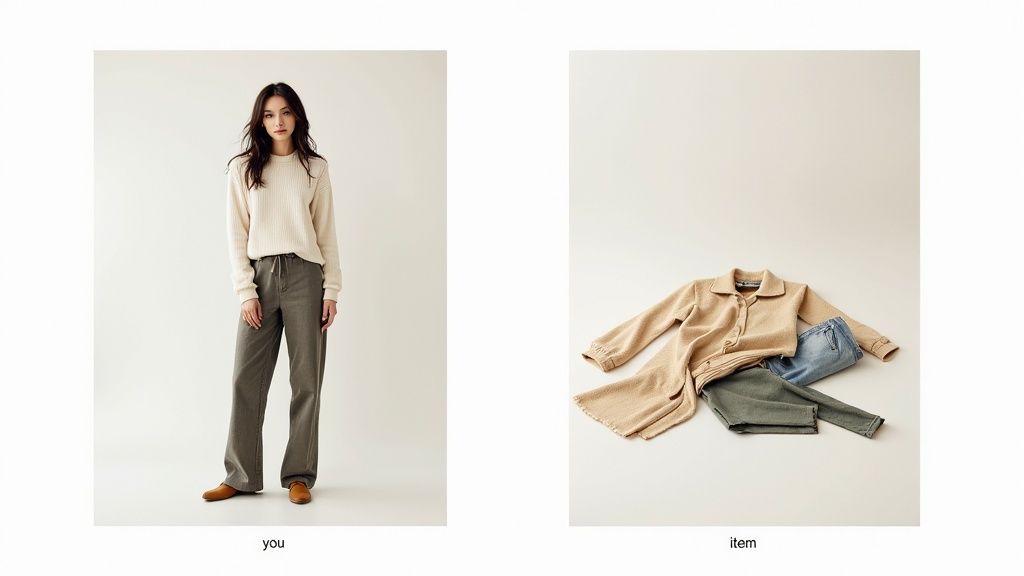
Got your pics? Perfect. Now, just pop over to the TryThisFit website. You don't have to sign up or create an account, which is a breath of fresh air. You just upload and go. In less than a minute, the AI does its thing, and you'll see exactly how that piece looks on you.
It’s an absolute game-changer for everything from deciding what to wear to figuring out if that online purchase is a good idea. You can even save your creations to a personal history page to build a lookbook of all your favorite potential outfits.
Getting Your Photos Ready
The quality of your try-on all comes down to the quality of your photos. A little prep work here makes a massive difference.
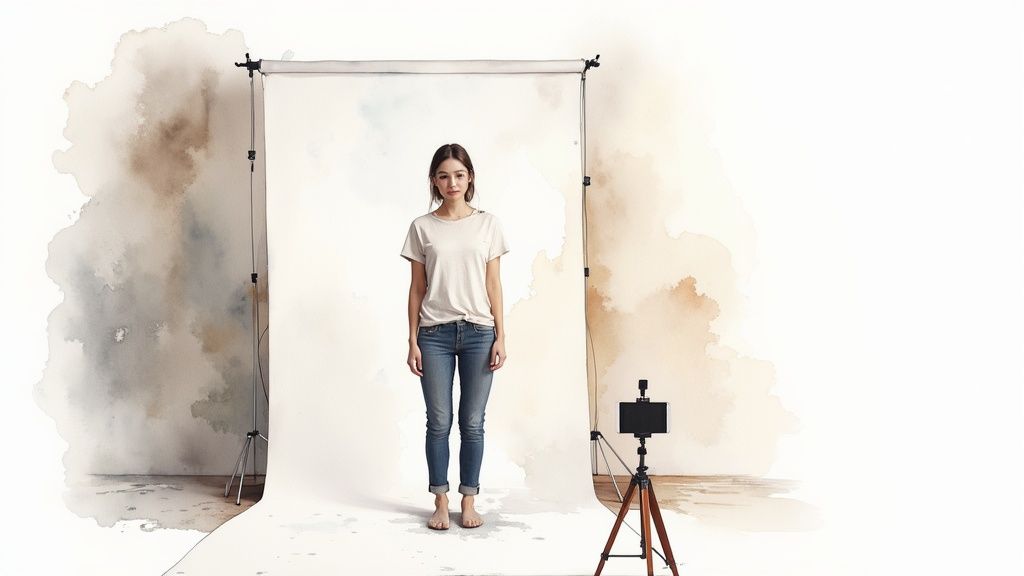
For your personal photo, a plain background is your best friend. It helps the app focus on your shape without any distractions. For the clothing, if you’re shopping online, just find the main product image—the one showing the item by itself, not on a model.
The goal is to give the app the clearest possible view of both you and the garment. The better the input photos, the more realistic and helpful your virtual try-on will be for visualizing the style.
The Instant Try-On Process
Once your photos are good to go, the real fun starts. On the TryThisFit website, you'll find super simple upload buttons for your picture and the clothing item. I love that there are no accounts to create or passwords to remember. It’s all about getting you that style preview, fast.
The app immediately gets to work, analyzing the garment's shape and figuring out how it would drape on your body. In just a few seconds, boom—your virtual try-on is ready. This is that "aha!" moment when you see a style come to life on your own figure.
If you're curious about the tech behind it, the core idea is similar to how an AI avatar video generator from photo can build a digital person from a single image—it’s all about turning flat pictures into dynamic, useful visuals.
Making Online Shopping Effortless
Okay, while uploading photos from your camera roll is awesome for your existing wardrobe, the free Chrome extension is where this tool becomes an online shopper's superpower.
- Installs in a Flash: You can grab it from the official Chrome extension page and have it running in seconds.
- Works Everywhere You Shop: It’s compatible with all the big players—think Zara, H&M, Shein—and even secondhand marketplaces like Vinted and Depop.
- Just Right-Click: See something you like? Just right-click the product image and hit "Try this on." The app handles the rest without you ever leaving the page.
This feature is why I use it constantly. There’s no more saving images to my desktop or fumbling between tabs. I can virtually try on five different tops from Amazon Fashion in under a minute. It completely removes the guesswork from online shopping and makes it feel more like an interactive styling session.
Your Secret Weapon for Online Shopping
This is where the real fun begins. The TryThisFit Chrome extension is what turns your browser into your own personal, interactive dressing room. Seriously, installing it takes maybe two seconds, and it completely changes the game.
https://www.youtube.com/embed/gOJoTRKxL2Y
Once it’s ready to go, you can cruise through any online store and instantly see how their clothes will look on you. Imagine scrolling through Zara, H&M, or even our affiliate page for Amazon Fashion, and being able to virtually try on a shirt right from the product page. It’s a lifesaver on secondhand sites like Vinted or Depop, too—you know, the ones where returns are often a no-go.
The whole process couldn't be simpler. You just find an item you’re curious about, right-click on the image, and hit 'Try this on'. In a flash, the app whips up a preview showing you wearing that exact piece, laying it over your photo so you can see the style instantly.
A Seamless Shopping Experience
This completely flips the script on online shopping. You're no longer just guessing what something might look like based on a model’s photo; you get a direct visual on your own body. It’s a huge confidence booster, especially when you're on the fence about a new trend or a color that feels a little bold.
I personally find this incredible for comparing different styles on the fly. Should I go for the cropped jacket or the long trench coat? Instead of juggling a dozen browser tabs, I can just right-click, generate both previews, and see them side-by-side on my try-on history page. It helps me make smarter decisions, way faster.
This kind of convenience is exactly what people are looking for. The online personal styling services market, which is a close cousin to what the app does, was valued at USD 5.5 billion in 2024 and is expected to rocket to USD 15 billion by 2032. You can discover more insights about the online personal styling market.
The sheer speed of the Chrome extension makes it an essential tool for any serious online shopper. It’s about making confident style choices without the friction of traditional online browsing.
How It Elevates Your Shopping Strategy
The extension isn't just a cool gimmick; it's a strategic tool that saves you a ton of time and helps you dodge that dreaded buyer's remorse. Just think about all those final sale items—the ones that are a steal but also a huge gamble. A quick virtual try-on can tell you in seconds if it's a brilliant find or a bad idea.
Here are just a few times the extension has been a total lifesaver for me:
- Fast Fashion Hauls: When I’m browsing sites like Shein or H&M, I can quickly visualize dozens of items without having to add a single thing to my cart.
- Secondhand Finds: On Vinted or Depop, where the photos can be a bit hit-or-miss, I can get a much better feel for how a unique piece will actually look on my frame before I commit.
- Event Planning: Trying to decide on a Halloween costume or a dress for a party? I can preview options from ten different stores in a matter of minutes.
The ability to instantly visualize style across any website is what makes this personal style app so powerful. If you want to go deeper into how this tech is shaking up retail, check out our guide on AI-powered shopping assistants.
The best way to get it is to just try it. Install the Chrome extension in 5 seconds and see how much better your next online shopping spree can be.
Mastering the Perfect Try-On Photo
Let’s be real—the magic of a virtual try-on all comes down to the quality of your photos. Think of it like this: better ingredients make a better meal. After tons of experimenting, I've figured out exactly what it takes to get those stunningly realistic previews every single time.
First, your personal photo. The name of the game is clarity. Find a spot in your home with good, even lighting and a simple background—a plain wall is perfect. Stand up nice and straight and try to get your whole body in the shot.
The Secret Weapon: Flat Lay Photos
When it comes to the clothes themselves, the flat-lay technique is your absolute best friend. Seriously, this little trick makes a world of difference. All you have to do is lay the garment out on a flat surface, like a clean floor or your bed.
Take a quick second to smooth out any big wrinkles or awkward folds. Then, snap the picture from directly above, making sure the whole item is in the frame. This top-down view gives the AI the cleanest, most accurate look at the clothing's true shape.
A great flat-lay photo is the foundation of a great virtual try-on. Taking that extra 10 seconds to get a clear, flat image will pay off with a much more realistic and useful style preview.
Sourcing Images from Online Stores
What about when you're browsing online? The same idea applies. When you're using the incredible TryThisFit Chrome extension to snag items from Zara, H&M, or Vinted, always go for the main product image.
You know the one—it usually shows the piece of clothing all by itself against a crisp white or neutral background. I've found it's best to avoid the photos where the item is on a model. The model's pose can sometimes twist or distort the garment's natural shape, which can throw off the final visualization.
The cleaner and clearer the image, the better the app can work its magic! This focus on visual clarity is a key principle in other areas too, like when you're creating high-converting iPhone app mockups—it’s all about a clean presentation.
Photo Tips for Best Visual Previews
| Photo Type | What to Do (For Best Results) | What to Avoid (For Poor Results) |
|---|---|---|
| Your Photo | Stand in a well-lit area with a neutral, uncluttered background. Capture your full body in the frame. | Avoid dark, shadowy photos, busy backgrounds, or pictures where you are sitting or slouching. |
| Clothing Photo | Use a "flat-lay" photo taken from directly above on a plain surface. Smooth out wrinkles. | Don't use photos of clothing in a messy pile, on a hanger against a busy door, or in bad lighting. |
| Online Store Image | Right-click the main product image showing the item on its own against a white or simple backdrop. | Steer clear of images where the item is worn by a model in a complex pose or in a lifestyle shot with many distractions. |
A tiny bit of effort in picking the right photo makes all the difference. Ready to see for yourself? Try it now at trythisfit.com with your own photos.
Creative Ways to Use Your Personal Style App
Alright, let's get your creative juices flowing! Your new style app is way more than just a tool for online shopping—it's your personal fashion playground. Think of it as a digital mood board and closet rolled into one.
I love using it for a bit of Sunday outfit prep. I'll just snap a few quick photos of my key pieces for the week and then start mixing and matching right in the app. It's an absolute game-changer on those hectic weekday mornings!
Go Beyond Your Day-to-Day Wardrobe
This is where the real fun starts. Got a special event coming up? Put the app to work! I’ve seen people plan entire Halloween costumes by virtually trying on different spooky or quirky pieces before committing to a purchase.
I even used it to help a friend who was stressing over bridesmaid dresses. We just used my photo and started creating previews with different styles and colors. It gave her a fantastic visual of what would work best, saving her from the nightmare of coordinating a dozen different shopping trips.
It’s clear people are craving these kinds of planning tools. While the outfit planner app market is a niche slice of the pie at around USD 150 million in 2024, it’s part of the much larger USD 2.6 billion styling app industry.
An Absolute Must-Have for Thrifters
If you're like me and love treasure hunting on sites like Vinted or Depop, a personal style app is non-negotiable. You can't try things on, and returns are usually a no-go, so every purchase feels like a bit of a gamble.
This is where the TryThisFit Chrome extension becomes your secret weapon. Find a killer vintage jacket? Just right-click the product image. Boom. The app instantly generates a preview showing you exactly how it would look on your body. It completely removes the risk from secondhand shopping.
When you start treating your style app like a creative partner instead of just a shopping tool, you unlock its real magic. It becomes your go-to companion for building a wardrobe you genuinely love.
Craft Your Own Personal Lookbook
Don't let those amazing outfits you create just disappear! Every time you generate a try-on that you absolutely love, make sure to save it. The app automatically keeps a log of your creations, which basically turns into a visual diary of your style evolution.
Here are a few ideas to get you started:
- Build a Seasonal Mood Board: Save your favorite fall outfits or breezy summer looks so you can easily pull them up for inspiration when the weather turns.
- Play with Color: This is your chance to try on bold color pairings you’d normally shy away from. Our guide on how to match clothes colors can give you ideas.
- Plan Your Vacation Wardrobe: “Pack” for your next getaway by creating and saving outfits for every day. You'll show up with a perfectly coordinated and stylish set of looks.
By constantly experimenting and saving what works, you’re not just trying on clothes—you're curating a signature style that is 100% you.
Got Questions? I've Got Answers
When you're trying something new like a virtual styling app, a few questions are bound to pop up. I get it! I'm constantly asked about the nitty-gritty of how the app works, so I’ve pulled together the most common queries I hear.
Let's clear the air so you can get back to what matters: having fun with fashion and discovering your next favorite outfit.
So, Can This App Actually Tell Me If Clothes Will Fit?
This is the big one, and it's a great question! The short answer is no—the app is purely a styling tool, not a sizing tool. Its magic lies in showing you what a garment looks like on your body shape. It's all about visualizing the cut, the color, and the overall vibe.
Think of it as your personal digital mirror, not a tailor's measuring tape. You still absolutely need to check the brand's size chart before you hit "buy." The app is here to answer, "Does this style work for me?" not "Will a size 10 fit?"
Is the Chrome Extension a Pain to Install?
Not at all! I know the last thing anyone wants is a complicated setup process. You can add the Chrome extension in a few seconds straight from the web store, and that's it.
Once it's in your browser, it becomes a seamless part of your shopping flow. Spot a dress you love on Zara or a cool jacket on Vinted? Just right-click the picture, and the "Try this on" option will be waiting for you. No fuss.
Do I Have to Sign Up or Create an Account?
Nope! And honestly, this is one of my favorite parts. The app was built from the ground up with privacy and speed as top priorities. You can jump right onto the website or use the Chrome extension without ever handing over an email address or creating a password.
Your photos are only used to generate the preview you requested. The only time anything gets saved is if you choose to save a try-on to your local browser history. You can always find those later on your personal history page.
The whole point is to get you styling, not signing up. It’s a zero-friction tool designed to give you instant visual feedback on your fashion choices, no strings attached.
What Kind of Clothing Photos Work Best?
For the absolute best, most realistic results, flat-lay photos are the gold standard. That just means a picture of the garment laid out flat on a simple background, like your bed or the floor, taken from directly overhead. This gives the app a clean, clear view of the item's true shape.
Online, look for the product shots on plain white or neutral backgrounds—those work like a charm. You can use photos of clothes on models, but they can sometimes add a little visual "noise" that can throw off the final preview. Keep it simple for the best results!
Which Stores Does the Extension Work With?
The beauty of the Chrome extension is that it’s designed to work just about anywhere you shop for clothes online. I personally use it all the time on sites like:
- Fast Fashion Favorites: Zara, H&M, Shein, and ASOS.
- Big Online Retailers: Amazon Fashion and other major e-commerce sites.
- Secondhand Gems: Vinted, Depop, Poshmark—places where you can't try before you buy.
Because it's a simple right-click, it’s pretty much universal. If there's a clear image of a piece of clothing, you should be able to generate a preview in seconds. It really does turn the entire internet into your own personal dressing room.
I hope that helps answer some of your questions and gets you excited to start experimenting! Exploring your style should be creative and fun, and that's exactly what I built TryThisFit for.
Ready to see it in action? Start your first virtual try-on at trythisfit.com—no account needed.
Try Virtual Try-On Now
See how clothes look on you before you buy - works with any online store
Get Started Free