Plus Size Clothing App Guide to Virtual Try-Ons
You’re on a product page, the color is perfect, the cut looks promising, and then the usual question hits. Not “is this cute?” but “what will this look like on me?”
That’s the moment a plus size clothing app becomes useful. Not as a magic sizing tool, and not as a replacement for your own taste, but as a fast visual check that helps you preview the appearance of a dress, coat, costume, or secondhand find before you commit.
For plus-size shoppers, that visual gap matters. The global plus-size clothing market is projected at USD 333.04 billion in 2025 and USD 504.81 billion by 2034, with a projected 4.73% CAGR, while over 68% of American women wear size 14 or above according to Livd Apparel’s market summary. That tells me the demand is very real, even if the shopping experience still feels patchy.
Introduction to Plus Size Clothing Apps
You open Zara on your laptop, spot a dress you love, then jump to a secondhand listing for a similar cut at half the price. The problem is not finding clothes. The problem is closing the gap between a flat product photo and a clear sense of how that style might read on your body.
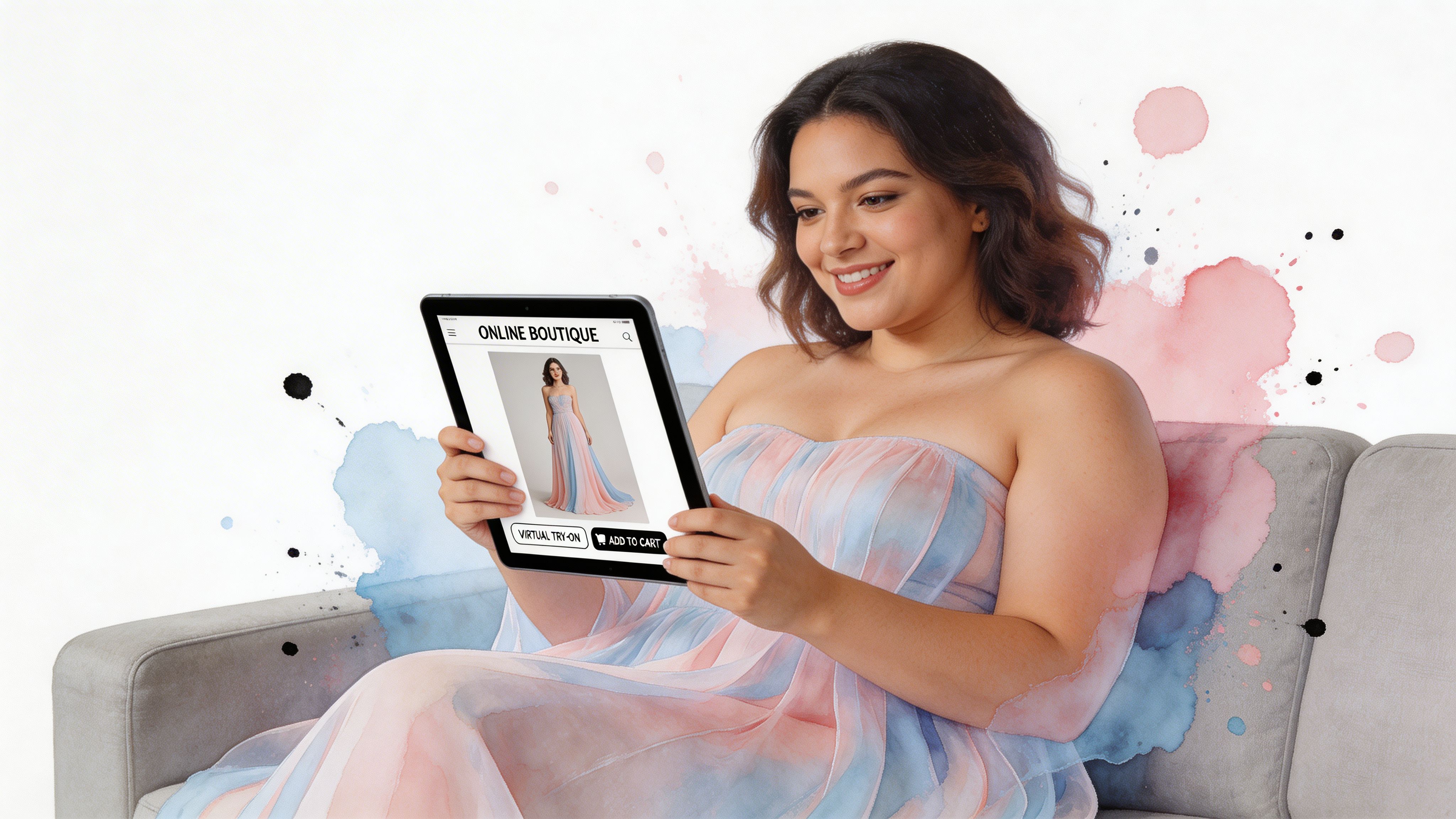
A plus size clothing app serves a specific purpose. It gives you a fast visual check before you buy. The newer tools are especially helpful when they work from flat-lay product images and fit right into your browser, so you can preview a look while you shop instead of saving screenshots, opening a separate platform, or creating yet another account.
Why visual preview matters
A flat-lay try-on works a bit like holding a garment against yourself in a mirror, but faster and more consistent. The app reads the clothing image, maps the shape of the item, and generates a style preview that helps you judge proportions, neckline placement, sleeve volume, and overall balance.
That matters because plus-size shoppers often get product pages with limited model variety, limited styling examples, or no body reference that feels useful.
The result is hesitation.
A good visual preview helps answer the practical style questions that sizing charts cannot answer by themselves. Does this boxy jacket look intentional or bulky? Does this midi skirt fall with the kind of line you want? Does a thrifted blouse from a resale marketplace still feel like your style once you see it on your own photo?
Why newer apps feel more useful
Older shopping apps often acted like digital racks. You could browse, save, and compare, but you still had to do the mental work of translating a retailer’s images into your real-life wardrobe.
The better plus size clothing app experience now sits closer to the moment of decision. A no-account Chrome extension is a good example. It works like a fitting room button added to the pages you already shop, whether that is a major retailer like Zara or a secondhand platform with one-off listings. You see a clean product image, run the try-on, and get an instant preview without breaking your shopping flow.
That small shift changes the experience. Browsing and trying on stop feeling like two separate tasks.
What these apps do, and what they do not do
Readers often blend three ideas together, so it helps to separate them clearly:
- Style preview shows how a garment may appear on you.
- Size guidance helps you choose between labeled sizes.
- Measurements help you compare numbers from the listing to your body or a garment you own.
A plus size clothing app is strongest in the first category. It helps you judge visual style. That is why flat-lay optimized tools are so promising. They are built to read the kind of clean clothing photos you see on e-commerce pages and resale listings.
Comfort checks still matter. If your outfit planning includes footwear, this guide to a flawless fit can help you sort out whether wide shoes may make more sense for your needs.
Why this matters for confidence
Plus-size shoppers should not have to rely on guesswork every time they shop online. Instant previews make experimentation easier. You can compare a structured blazer to a softer cardigan, test a bold print against a simpler shape, or check whether a secondhand find is worth the risk before you commit.
That makes a plus size clothing app more than a browsing extra. It becomes a practical bridge between seeing an item online and understanding whether it feels like you.
Understanding Key Features of Plus Size Clothing Apps
Not every plus size clothing app solves the same problem. Some act like catalogs. Some focus on size recommendations. Some are strongest when they can preview how a garment’s style appears on your body from a clean product image.
The most helpful tools tend to share a few core traits.
The features that matter most
The body positivity movement helped push fashion tech forward in the mid-2010s, and by 2023 the U.S. women’s plus-size apparel store market reached an estimated 12.7 billion USD, within a broader global market valued at around 288 billion USD, according to Dimension Market Research. That same market summary also notes that retailers like Torrid were planning to close up to 180 stores by end-2025, which makes digital shopping tools more important for shoppers who can’t rely on in-store browsing.
Here’s what I’d evaluate first.
| Feature | Why It Matters |
|---|---|
| Flat-lay photo support | A flat-lay image usually gives the app a clearer view of the garment’s shape, length, and visual structure. That leads to a cleaner style preview. |
| Instant image input | The easier it is to use a product photo from a shopping page, the more likely you are to actually check an item before buying. |
| Inclusive style visualization | Plus-size shoppers need tools that don’t assume one body template. The preview should help you visualize style on fuller proportions. |
| Privacy and low friction | If an app asks for too much setup, many shoppers drop off. Fast access and simple controls make experimentation easier. |
Flat-lays are a bigger deal than people think
This often trips people up. They assume any clothing photo will work equally well.
It usually won’t.
A clean flat-lay image is like a recipe card with all the ingredients visible. The app can more easily read the outline of the garment when sleeves aren’t folded awkwardly, when the hem is visible, and when the background isn’t busy.
That’s one reason tools built around flat-lay optimization feel more practical than inspiration-only apps. The result is often less “fantasy fashion collage” and more “okay, now I can judge the look.”
A strong preview starts with a strong product image. Better input creates a clearer style result.
The difference between useful and frustrating
A frustrating app makes you jump through hoops before you can preview anything. A useful one reduces steps.
If you shop across many sites, you want a tool that works with real browsing behavior. Open page. Spot item. Try image. Compare look. Move on.
That’s also why adjacent resources can be helpful when you’re balancing appearance with garment structure. For example, the AI Driven Corset Size Guide is a good example of how shoppers often need both visual confidence and garment-specific guidance, especially with structured pieces.
Privacy is a style feature too
People don’t always think of privacy as part of fashion tech, but it is. If trying on looks feels invasive or complicated, frequent use is unlikely.
For a plus size clothing app, simplicity matters. Quick access, minimal setup, and easy experimenting make the tool feel like part of shopping instead of a chore bolted onto it.
Common Use Cases for Virtual Try-Ons
The best way to understand a plus size clothing app is to look at the moments when it removes friction. Not in theory. In regular shopping life.
Browsing new arrivals on major retailers
You’re flipping through Zara or H&M, and a blazer catches your eye. The model styling looks sharp, but you want to know whether the shape reads polished, boxy, dramatic, or overwhelming on you.
That’s where a virtual try-on preview helps. Instead of saving ten tabs and forgetting why you liked half of them, you can check the appearance quickly and keep only the pieces that match your style direction.
The gap here is real. Existing app content often focuses on inspiration boards instead of instant try-ons on major sites like Zara, H&M, Amazon, Shein, and Vinted, even though that’s exactly where many shoppers need help, as described in this Google Play description of plus size clothing apps.
Shopping secondhand without guessing
Secondhand shopping is exciting because the pieces are more unique. It’s also harder because the photos can be inconsistent, the descriptions can be brief, and you usually can’t test the style in person.
On Vinted or Depop, a virtual try-on gives you a quick “does this style work for me?” check before you spend time debating it. That’s especially useful for fuller silhouettes, vintage cuts, and items with unusual proportions.
If you’re still learning what shapes you like best, this guide to clothes for different body types can help you build a better filter before you start browsing.
Some items aren’t hard to style. They’re just hard to picture until you see them on a body instead of on a hanger or floor.
Planning event outfits and costumes
A costume or statement outfit often looks chaotic in a product listing. Sequins, tulle, capes, fake leather, oversized sleeves. It’s a lot.
A plus size clothing app is useful here because you can preview the appearance before buying something that only gets worn once or twice. That makes Halloween, themed parties, and special events feel more playful and less risky.
I also like this use case for people trying bolder looks. You can test whether a costume reads glamorous, campy, edgy, or just not your thing, without waiting for the package to answer the question.
Practical Tips for Getting Accurate Try-Ons
A great preview starts before the image ever reaches the app. If the garment photo is clear, straight, and easy to read, the visual result is usually better.
This doesn’t need to be technical. Small choices make the biggest difference.
Choose the right kind of clothing photo
Not all product images help equally. Some are excellent. Some make the preview work harder than it needs to.
- Use flat-lay photos when possible. These usually show the full outline of the garment and make the style easier to visualize.
- Pick a straight-on image. If the item is heavily angled, folded, or half hidden, the preview can look less natural.
- Look for clean backgrounds. A busy room, patterned sheet, or cluttered resale photo can distract from the shape of the item.
Clean image habits that improve results
If you’re uploading your own image or working from a resale listing, do a quick visual check first.
- Smooth the garment visually. Wrinkles and bunching can distort the silhouette.
- Keep sleeves and hems visible. Missing edges make it harder to preview the full style.
- Avoid dark shadows. Even lighting helps the garment shape stand out.
- Crop tightly but not aggressively. You want the whole piece visible without lots of empty background.
Why alignment matters
Think of the garment photo like a paper pattern on a cutting table. If the pattern is twisted, your visual read of the piece changes.
A coat laid straight looks structured. The same coat skewed diagonally can look longer, narrower, or more dramatic than it really feels stylistically. The app can only work with the image you give it, so alignment is part of the result.
Quick check: Before trying on an image, ask yourself whether a stranger could instantly tell where the neckline, waist, and hem are.
Don’t confuse body measurements with style preview
A virtual try-on helps you preview appearance. Measurements still matter when you’re deciding what size to order or whether a secondhand listing is practical.
If you need help getting those details organized, this guide on how to take accurate body measurements is useful as a separate step. I’d treat measurements like the facts, and the try-on preview like the mood board that comes to life.
Best habits for everyday shopping
Some shoppers overcomplicate this. You don’t need studio lighting or a fashion degree.
Try this simple routine:
- Start with one item. A dress, jacket, or top is easier than building a full outfit immediately.
- Compare similar silhouettes. Two trench coats or two skirts are easier to judge side by side than completely different items.
- Save visual winners. If a style keeps looking good across different brands, that tells you something about your taste.
- Be realistic about weak photos. A poor listing image can still be useful, but the preview may be less polished.
That last point matters most for secondhand shopping. Good input doesn’t guarantee perfection, but it gives you a much fairer look at the style.
How TryThisFit Brings Virtual Try-On to Life
You’re on a retailer’s product page, you spot a promising dress, and one question shows up immediately. What would this look like on me, not on the model, hanger, or flat white background?
TryThisFit is built for that exact shopping moment. Instead of pulling you into a separate browsing experience, it adds try-on previews right where online shopping already happens. That matters for plus-size shoppers because hesitation often starts in the gap between seeing a product photo and being able to picture it on your own body.
A browser tool, not a separate shopping detour
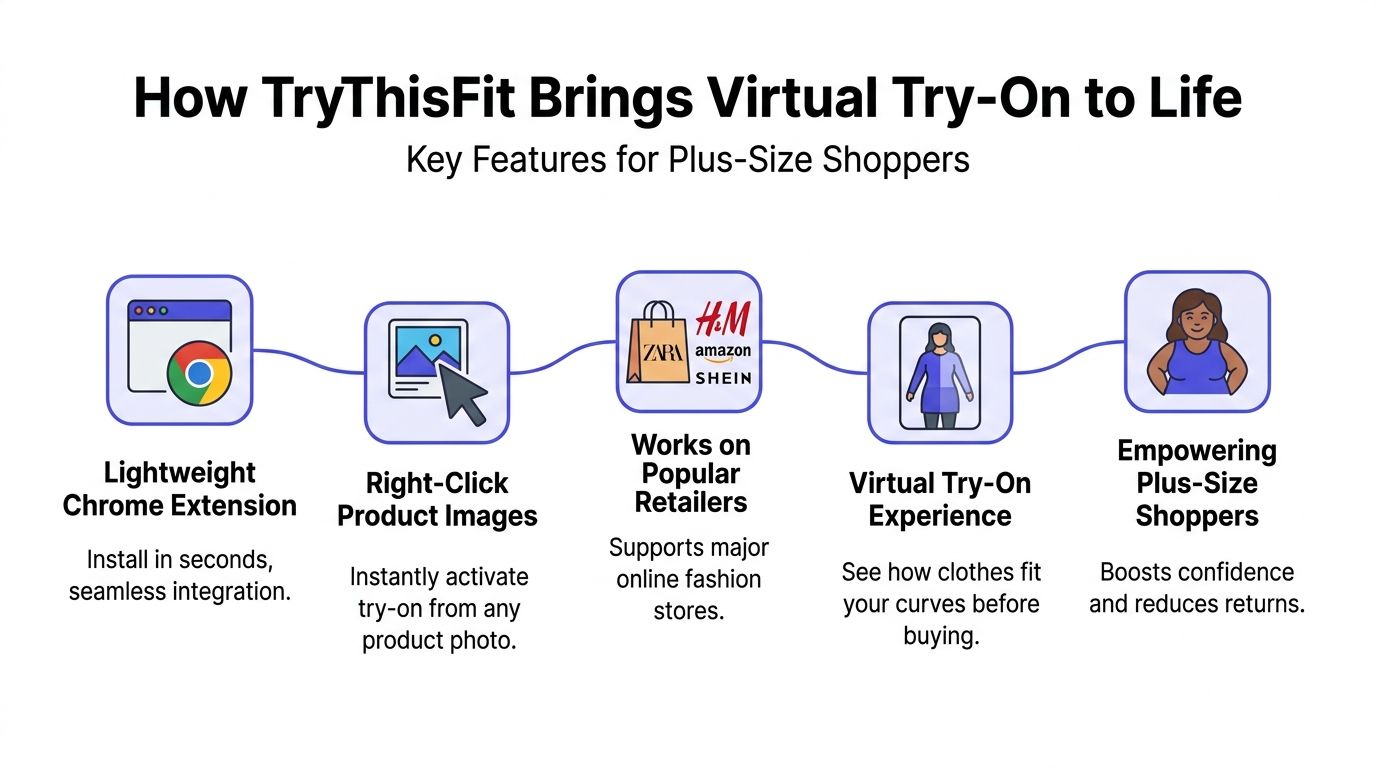
The easiest way to understand TryThisFit is to picture it as a fitting-room button added to the sites you already use. You browse Zara, Amazon, Depop, Vinted, or another store, right-click a product image, and generate a preview from there.
That changes the flow in a practical way. You stay with the item while your opinion is still forming. You do not have to stop browsing, save files, open a different tool, and reconstruct the same decision from scratch.
Saved looks are available in the history page, which helps when you’re comparing several coats, dresses, or resale finds over a few shopping sessions.
Why the flat-lay approach matters
Flat-lay photos work a bit like a clear pattern piece on a cutting table. The shape is easier for the system to read because the neckline, sleeves, waist, and hem are usually more visible than they are in crowded lifestyle shots.
That is a big reason TryThisFit feels useful during everyday browsing. Many online stores and secondhand sellers already use flat-lay images, especially for tops, dresses, skirts, and jackets. Instead of waiting for a retailer to build its own plus size try-on tool, you can use the product photos that already exist.
This helps bridge a real shopping gap. Standard e-commerce pages show the garment. They do not always help you picture its proportions, drama, or overall vibe on your body. A flat-lay optimized try-on gives you a faster visual translation.
It is especially helpful across a mix of mainstream retail and resale. Zara is a strong example because shoppers often move quickly through trend-driven pieces. Secondhand platforms are another strong fit because listings can be charming, inconsistent, and hard to decode at first glance.
If you want to see the range of looks it handles, the virtual try-on example gallery gives a useful visual reference.
No account wall, less friction, faster decisions
A lot of fashion tech asks for commitment before it proves its value. TryThisFit removes that early barrier.
- No account required to test it. You can try a preview without turning the process into a setup project.
- Works during live browsing. The tool fits into the shopping tab you already have open.
- Useful for fast comparisons. That matters when three similar dresses look good on the product page but only one feels right once previewed.
- Practical beyond retail. Costume ideas, event outfits, and secondhand discoveries all benefit from quick visual checks.
The best shopping tool is the one you’ll use while the tab is still open.
What the preview helps you judge
TryThisFit is not replacing size charts or garment measurements. It helps with a different part of the decision.
Use it to judge questions like these: Does this coat feel structured or bulky? Does this dress read polished, playful, or too busy? Does that secondhand blouse look special on a body, or does it only look interesting laid flat in the listing photo?
That is why the tool feels more educational than gimmicky. It teaches your eye. Over time, you start to notice which silhouettes keep working for you across retailers, and which pieces looked good only because the product photo was persuasive.
I also like the product direction here. It stays focused on helping shoppers preview style quickly, privately, and in the middle of real browsing, which is where most fashion decisions are made.
Try-On Example Scenarios with TryThisFit
Style technology clicks when you can see the range of looks it handles. One of the easiest ways to judge a plus size clothing app is to test different categories, not just one dress in one pose.
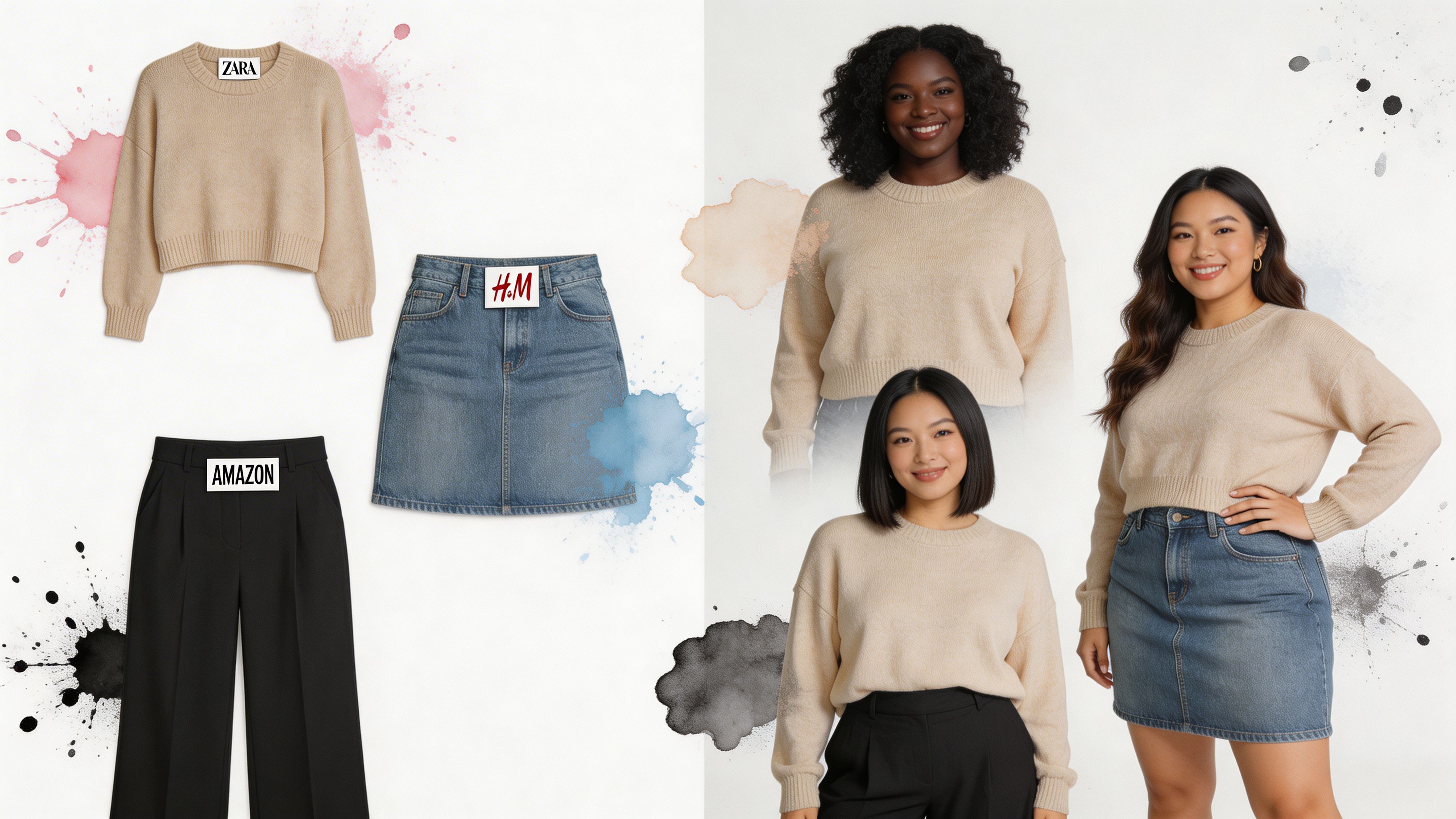
Here’s a visual starting point.
Everyday retail browsing
A trench coat is a good example because the style can read sleek, oversized, sharp, or heavy depending on how it looks on you.

A soft knit is another useful test. It helps you see whether a relaxed piece feels cozy and chic or too shapeless for your taste.
If you want more inspiration across categories, browse the full gallery of try-on examples.
Secondhand and playful styling
Secondhand shopping often has the biggest imagination gap. A listing might be charming but hard to decode.
That’s where try-on previews can make unusual pieces feel more approachable. A bold jacket, a vintage skirt, or an offbeat dress becomes easier to judge once you can preview the appearance instead of relying only on the seller photo.
A costume works the same way. You don’t need to wonder whether the look reads fun, dramatic, or awkward. You can check first.
Here’s a video example so you can see the experience in motion.
<iframe width="100%" style="aspect-ratio: 16 / 9;" src="https://www.youtube.com/embed/ARN4xSc-4hI" frameborder="0" allow="autoplay; encrypted-media" allowfullscreen></iframe>What to notice in the examples
Don’t only ask “do I like this item?” Ask more specific style questions.
- Look at proportion. Does the item feel balanced with your shape?
- Check the mood. Romantic, minimal, sharp, playful, relaxed.
- Notice fabric behavior visually. A stiff trench and a soft sweater create very different impressions.
- Test categories you normally skip. Sometimes the preview gives you permission to try a silhouette you’d usually ignore.
That’s the value of this kind of tool. It helps you make style decisions with your eyes, not just with wishful thinking.
Conclusion and Next Steps
You spot a dress on Zara during a quick lunch break, then a great jacket on a resale app later that night. The usual problem is the gap between browsing and knowing. A strong plus size clothing app helps close that gap with an instant style preview, so you can judge the look before you spend more time debating it.
The most useful tools do one job well. They help you compare silhouettes, test styling ideas, and read the overall vibe of a piece without depending only on a retailer’s model photos. That matters even more in plus-size shopping, where fit photos are often limited and secondhand listings can leave a lot to interpretation.
Flat-lay optimized AI try-ons are especially practical because they work with the kind of images shoppers already see across online stores and resale platforms. A no-account Chrome extension makes the process feel closer to normal browsing than to starting a whole new shopping task. You see an item, right-click, and get a preview. It works like holding a paper cutout over a sketch of your outfit plan. You are not getting tailoring measurements. You are getting a fast visual read on shape, proportion, and mood.
Keep your expectations pointed at the right target. Use these previews to answer style questions such as, “Does this coat feel balanced on me?” or “Does this dress read polished, playful, or too busy?” For sizing and fabric feel, the product details still matter.
If you want to try the method described earlier, start with a clear flat-lay image from a retailer or secondhand listing and run a quick preview. Zara pieces, resale finds, and costume looks all become easier to judge when you can see the style on your own photo instead of guessing from the product page alone.
TryThisFit is a useful next step if you want that bridge between casual browsing and instant outfit previews. The app and Chrome extension let you test styles quickly, including pieces from major retailers and secondhand marketplaces, without adding account setup to the process.
Try Virtual Try-On Now
See how clothes look on you before you buy - works with any online store
Get Started Free