Search by Shape: Find Your Perfect Clothing Style Online
You know the feeling. You find a dress online that looks perfect on the model, add it to cart, then stop because you still have no clue whether the shape is your vibe.
That’s a core problem with online shopping. Most searches are built for product names, colors, and sizes. They’re terrible at helping you find the silhouettes, cuts, and overall look that suit your style.
Search by shape is the smarter way to shop. Instead of asking for “black midi dress,” you start thinking in terms of A-line, drop waist, boat neck, wide-leg, cropped, slouchy, structured, and clean drape. Once you do that, shopping gets faster, and your results get way better.
The Frustration of Finding Clothes That Just Look Right
Shoppers don’t struggle because they can’t find clothes. They struggle because they can’t tell how those clothes will look once they’re off the product page and in real life.
A blazer can look sharp in one listing and awkward in another. A pair of jeans can read polished, sloppy, sleek, or dated based on the rise, leg shape, fabric, and styling. Yet most shopping filters still treat all “jeans” like they’re basically the same thing.
Why regular search fails
Type “white dress” into almost any store and you get chaos. Bodycon, tiered, linen, shirt dresses, slip dresses, puff sleeves, empire waist, ruched minis, structured midis. Good luck sorting that by instinct alone.
The bigger issue is brand inconsistency. Bodidata points out that “inconsistent sizing and high return rates due to poor fit” remain “one of the fashion industry's biggest challenges” in its article on apparel fit, and that problem gets even worse when you shop resale on Vinted or Depop where returns often aren’t an option: Bodidata on the search engine for apparel fit.
Search terms tell you what the item is. They rarely tell you whether the silhouette is right for your taste.
That’s why search by shape matters. It shifts the question from “What category is this?” to “What does this look like?”
Style is more specific than size
A lot of people are really asking style questions, not size questions.
They want to know things like:
- Does this neckline soften my look
- Will this skirt shape feel elegant or too fussy
- Is this jacket cropped in a flattering way
- Will these trousers look relaxed-chic or just bulky
Those are visual questions. Standard search bars don’t handle them well.
If you already care about custom details and shape-driven style choices, this is the same mindset people bring to more specialized fashion decisions like women's custom made shoes. The point isn’t just owning an item. It’s getting the right line, proportion, and overall effect.
What search by shape changes
When you shop by shape, you stop wasting time on items that are technically in the right category but visually wrong for you.
You start noticing patterns fast. Maybe you always save square neck tops, column skirts, soft oversized shirts, and straight-leg trousers. That’s useful. That’s a style language. And once you can name it, you can find more of it.
Mastering Keyword Magic for Silhouettes and Cuts
Before you use visual tools, fix your search terms. Most shoppers are way too vague.
If you search “formal dress,” the algorithm dumps everything stylish, basic, bridal-adjacent, sparkly, minimalist, and random into one pile. You need sharper words.
Better words give better results
Start with the silhouette first. Then add neckline, rise, sleeve, or hem detail.
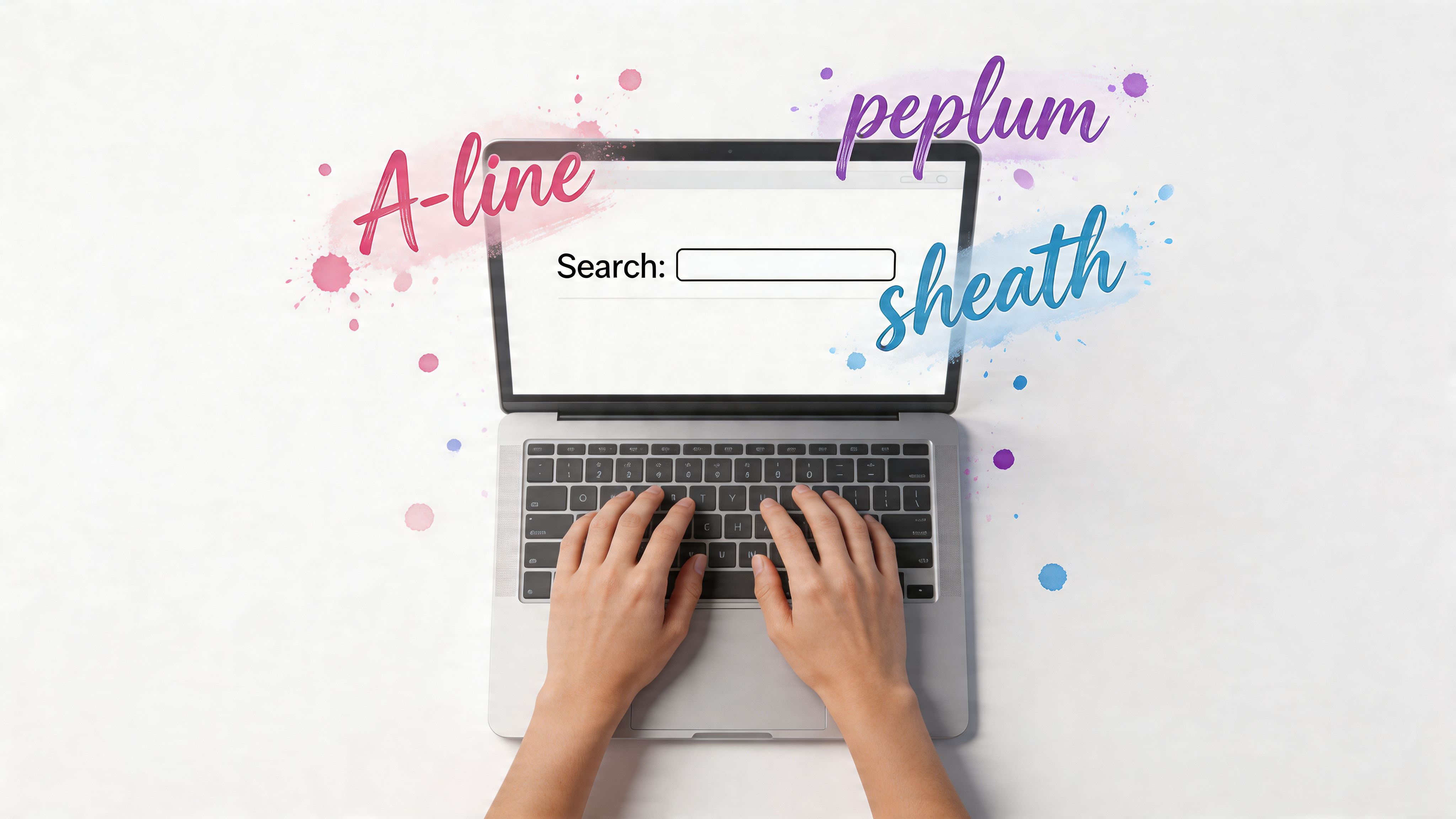
Here are search terms worth using.
| Category | Useful search terms |
|---|---|
| Dresses | A-line, sheath, trapeze, slip, bodycon, empire waist, drop waist, column, fit-and-flare |
| Tops | square neck, sweetheart, cowl neck, boat neck, mock neck, peplum, cropped, boxy, wrap |
| Pants | high-waisted, wide-leg, straight-leg, bootcut, tapered, barrel leg, cropped, pleated |
| Skirts | bias-cut, pencil, column, mini, midi, tiered, wrap, godet |
| Outerwear | cropped jacket, longline coat, belted trench, cocoon coat, oversized blazer |
These terms work on Zara, H&M, Mango, ASOS, Amazon, and most resale platforms too. Even when a site’s filtering is messy, keyword stacking helps.
Keyword stacking that actually works
Try combinations like these instead of single-word searches:
- “square neck linen midi dress”
- “high waisted pleated wide leg trousers”
- “cropped boxy denim jacket”
- “boat neck long sleeve knit top”
- “bias cut satin skirt”
That one change saves time immediately.
If you want extra guidance on shape-based shopping language, this guide on how to find clothes for your body type is useful because it connects shape categories to actual clothing choices instead of vague style advice.
Menswear shoppers need shape terms too
A lot of men search by occasion when they should search by cut.
Searching “navy suit” is lazy. Searching by lapel width, jacket length, shoulder structure, trouser break, and fit gives you a much better shot at finding the look you want. If that’s your lane, this breakdown of style of suits is a solid reference point.
Practical rule: Search for the silhouette first, then the surface details.
The limit of text-only shopping
Keywords help, but they still miss one huge thing. Fabric behavior.
Verifyt’s discussion of AI-powered shopping makes this point clearly. Static measurements and keywords miss how materials “drape, stretch, and contour around the human body”, and that’s exactly why visual preview matters so much when shopping on places like Shein or Amazon: Verifyt on AI-powered shopping and fit discovery.
A cotton poplin dress and a slinky polyester blend dress can have the same listed shape and look completely different. A relaxed blazer in linen won’t read like the same blazer in a structured wool blend.
So yes, improve your keywords. But don’t stop there.
Leveraging Visual and Reverse Image Search
Shopping gets fun here.
If you already have a screenshot of a look you love, don’t try to describe it with ten awkward keywords. Use visual search and let the tool do the matching.
The simple workflow
Reverse image search is perfect when you spot something on Instagram, Pinterest, TikTok, a street style roundup, or a random online shop that doesn’t have your size.
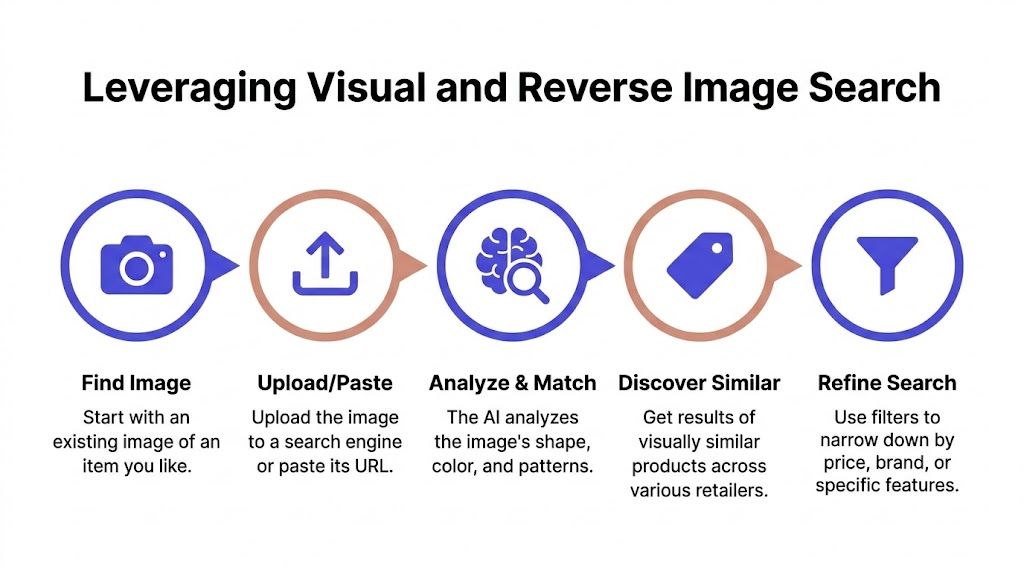
The basic process looks like this:
-
Save the image
Screenshot the outfit, product photo, or inspiration look. -
Upload it to a visual tool
Google Lens and Pinterest visual search are the easiest places to start. -
Scan the results for silhouette matches
Ignore exact color at first. Focus on neckline, sleeve, length, and shape. -
Refine with filters
Price, brand, material, and store filters help narrow the flood of lookalikes. -
Open a few strong options side by side
By doing so, you notice whether you really liked the item, or just liked the styling in the original image.
What visual search is great at
Visual search is strong when you want:
- A similar silhouette after seeing an expensive designer piece
- A replacement for a sold-out item
- A cleaner version of a trend you like in theory but hate in execution
- Secondhand alternatives to something current-season
It’s especially useful for shape-heavy pieces. Think sculptural tops, bubble hems, cocoon coats, dramatic sleeves, or unusual denim cuts. Those are hard to describe well. They’re easy to spot visually.
Why it works better than plain text
Under the hood, advanced visual search relies on Statistical Shape Modeling (SSM). In plain English, that means the system analyzes key points on a garment’s surface to understand its geometry and identify other items with a similar silhouette. The research behind this approach notes that, for virtual try-on, combining this with PCA on particle positions can achieve over 95% retrieval accuracy of similar garment shapes from large e-commerce catalogs: research on Statistical Shape Modeling and garment shape retrieval.
You don’t need to care about the math. You just care that the search is looking at shape, not only text tags.
If you want a tool built specifically around this kind of workflow, a clothes finder by image is the obvious shortcut.
The best reverse image search sessions start with one strong screenshot, not a vague idea.
What visual search still can’t do well
It finds similar items. That’s useful, but it doesn’t answer the most personal question.
Not “Where can I buy this?”
The core question is “Do I even like how this style looks on me?”
That’s where regular image search hits a wall. It’s still discovery, not personal preview.
The Ultimate Hack Instant Style Previews with TryThisFit
You know that moment when a top looks incredible on the model, then completely loses the magic the second you picture it on yourself? That is the gap most shape search tools never close.
Finding similar pieces is useful. Seeing the style on yourself is what helps you buy well. That is why TryThisFit’s virtual try-on tool is the shortcut I’d use first, not last. It turns shape search into a fast visual decision instead of a long browsing session.
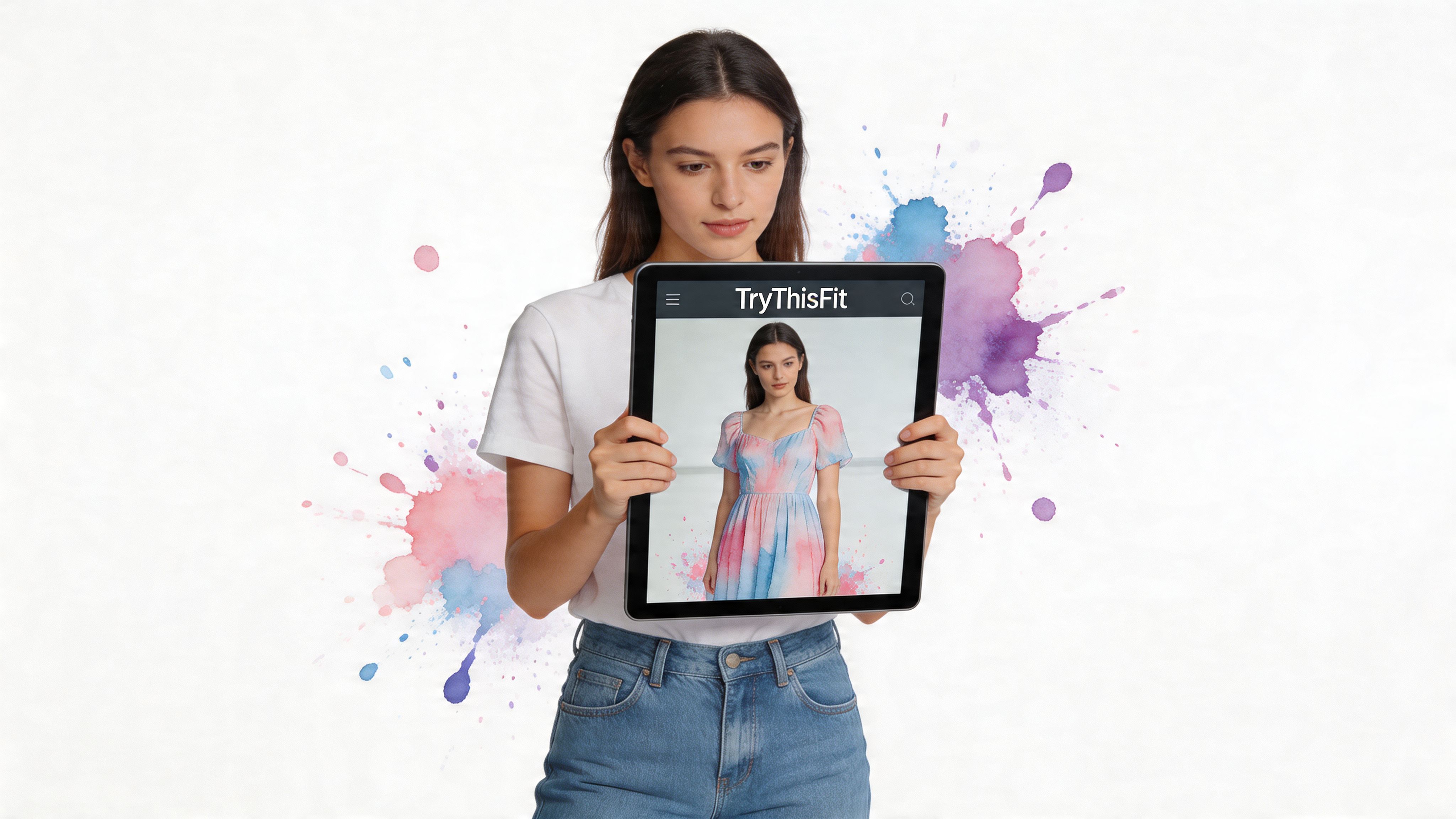
Retail photos are built to sell. The lighting is perfect. The pose is doing half the work. The styling team already solved the outfit. A personal preview strips all that noise away and answers the only question that matters. Do you like this shape on you?
Use it to judge the actual visual effect. Neckline. Length. Sleeve volume. Waist placement. Overall vibe. That is the shift. You stop chasing similar items and start checking whether a style deserves a place in your closet.
The Chrome extension is the real shortcut
The free Chrome extension is the most effective shortcut.
Install the TryThisFit Chrome extension, then right-click product images while you browse Zara, H&M, Amazon, Shein, Vinted, Depop, and other shopping sites. You can preview the style without breaking your flow or juggling tabs.
That convenience is the whole point. No downloading product shots. No messy screenshot folder. No trying to remember which version of the same black dress looked best.
Here’s how to use it well:
-
Pick a clean product image
Clear flat-lays and front-facing product shots usually give the best preview. -
Use it while comparing similar items
This works especially well for small but important shape differences, like square-neck versus scoop-neck, mini versus midi, or fitted sleeve versus puff sleeve. -
Judge the silhouette first
Focus on whether the cut feels sharp, soft, dramatic, balanced, or overwhelming on you.
If a piece only works because of styling tricks on the product page, a quick preview makes that obvious fast.
A real example of where it shines
A floral dress is a great test. It often looks charming on a retail page, but the final effect depends on shape more than people expect.
One preview can tell you a lot. Whether the puff sleeve feels fun or fussy. Whether the waist hits in a flattering spot. Whether the print reads romantic, busy, or just wrong for your style.
Watch it in action
A quick demo explains the process faster than a long written breakdown.
<iframe width="100%" style="aspect-ratio: 16 / 9;" src="https://www.youtube.com/embed/ARN4xSc-4hI" frameborder="0" allow="autoplay; encrypted-media" allowfullscreen></iframe>What I’d use it for first
If you want quick wins, start here:
| Shopping moment | Why it works so well |
|---|---|
| Browsing Zara or H&M | You can compare trend-driven shapes before buying on impulse |
| Shopping Amazon | A preview helps you judge inconsistent listings by appearance, not hype |
| Checking Shein | It separates “cute styling” from “actually suits me” fast |
| Buying secondhand | You can test one-off finds before committing |
| Planning outfits or costumes | It lets you run through multiple ideas in one sitting |
That is the primary advantage of TryThisFit. It does not just help you search for a shape. It helps you see that shape on yourself, quickly, while you are still shopping. That makes better style decisions much easier.
Putting It All Together Real-World Scenarios
The easiest way to understand search by shape is to watch how it changes normal shopping moments.
Online shopping spree
You’re on Amazon fashion looking for a simple black top. Five tabs later, you’ve got a square-neck knit, a ruched long-sleeve top, a fitted mock-neck, a cropped tee, and a draped blouse open.

Visual preview offers a significant advantage. You don’t need to guess which one feels polished, which one feels too tight-looking, or which neckline is the strongest. You can just compare the appearance and move on.
A lot of unnecessary purchases come from not seeing the difference between “nice item” and “nice item for me.”
Secondhand treasure hunt
Secondhand shopping is where this gets even more useful.
On Vinted or Depop, you’re often dealing with one-off listings, inconsistent photography, limited descriptions, and no easy return path. You might find a great vintage blazer, a bias-cut skirt, or a Zara dress from a past season, but the pressure is higher because once it’s gone, it’s gone.
Secondhand shopping rewards people who can judge shape quickly.
If the product image is usable, especially a clean flat-lay, you can preview the style before committing. That’s a huge upgrade over trying to decode fit from mirror selfies, hanger shots, or vague listing text.
Halloween costume planner
This one is underrated.
Costume shopping online is chaotic because the product photos are usually overstyled, and a lot of costume pieces look dramatically different when you picture yourself in them. If you’re choosing between a witch look, a retro disco jumpsuit, or a comic character outfit, visual preview saves you from buying a costume that only works in a studio-lit listing.
And yes, this works for playful stuff too. Sometimes the best use of a tool is deciding what you’ll enjoy wearing.
One habit that makes all three scenarios easier
Use this sequence:
- Find the shape you like
- Preview the appearance quickly
- Compare before buying
- Save your favorites
- Skip the maybes
That small habit makes shopping feel less random and much more edited.
If you want a faster way to do that across Zara, H&M, Amazon, Shein, Vinted, and Depop, install the Chrome extension in seconds. It’s the cleanest shortcut I’ve found for turning browsing into actual decisions.
Your New Era of Confident Shopping
You know the moment. You open five tabs, save twelve options, and still have no clue which one will look good once it’s on your body.
Confident shopping starts when you stop treating shape search like research and start using it to make quick visual calls. Keywords help you find the cut. Visual search helps you spot similar pieces. TryThisFit is the shortcut that turns all of that into an actual decision, because you can preview the style on yourself instead of guessing from a product page.
That shift changes everything.
You buy fewer maybes. You catch awkward proportions before checkout. You notice the shapes you keep coming back to, whether that’s a sharp A-line mini, a slouchy wide-leg trouser, or a clean column dress that makes everything else in your cart look messy.
And once you can see the difference, your taste gets clearer fast. Shopping feels edited. Your cart gets better. Getting dressed gets easier.
If you want to keep that momentum, save your best previews in your personal try-on history. It’s the fastest way to spot the silhouettes that suit your eye, instead of the ones that only looked good on the model.
Frequently Asked Questions
Is my privacy protected
Yes. This is a solo founder project, and the app has a strict privacy approach. User data is not sold.
What kind of clothing photos work best
Flat-lay clothing photos usually give the best style previews. Clean product shots with the item clearly visible also work well. Busy backgrounds and heavily posed editorial images are less reliable.
Can I use this for menswear too
Yes. The app works for menswear too.
The point isn’t to lock anyone into one category or one body type. It’s to preview the appearance of different clothing shapes on a person, so you can judge the style more easily.
Do I need an account to try it
No. You can start without creating an account, which is a big part of why it feels fast.
Can I use it while I shop on other websites
Yes. The Chrome extension works on any site where you can right-click a product image, which is why it’s so handy for Zara, H&M, Amazon, Shein, Vinted, and Depop browsing.
If you’re done guessing and want to see how clothes look on you, try TryThisFit. It’s fast, no account is needed to get started, and the free Chrome extension makes online shopping way easier in seconds.
Try Virtual Try-On Now
See how clothes look on you before you buy - works with any online store
Get Started Free