Try Before You Buy Dresses Online In Seconds
Shopping for the perfect dress online can feel like a total gamble, right? You find something you absolutely adore, but you're left crossing your fingers, just hoping it will look as good on you as it does on the model. I've been there!
That's why I'm so excited to show you how I use a simple tool to virtually try before you buy dresses—seeing any dress on my own photo before I even think about hitting that "add to cart" button.
End Online Shopping Guesswork Forever
Let's get real. The whole cycle of ordering a bunch of dresses, only to pack most of them back up for a return, is a huge headache. My mission here is to help you make awesome, confident style choices straight from your screen.
This isn't just about convenience; it's about shopping smarter. You save time, ditch the return drama, and get to play around with different looks totally risk-free. It's the perfect way to explore your personal style.
And this isn't some futuristic fantasy—it's where fashion is headed. The virtual fitting room market was valued at around $5.7 billion and is expected to skyrocket to nearly $24.3 billion by 2032! That boom tells you everything: shoppers are tired of the guesswork.
Your Instant Style Preview
The magic of this whole thing is how ridiculously fast and easy it is. The app essentially brings the dressing room right into your web browser. It’s all about getting that crucial visual—seeing how a particular dress style actually vibes with your look.
It really boils down to three simple actions to get that instant preview.
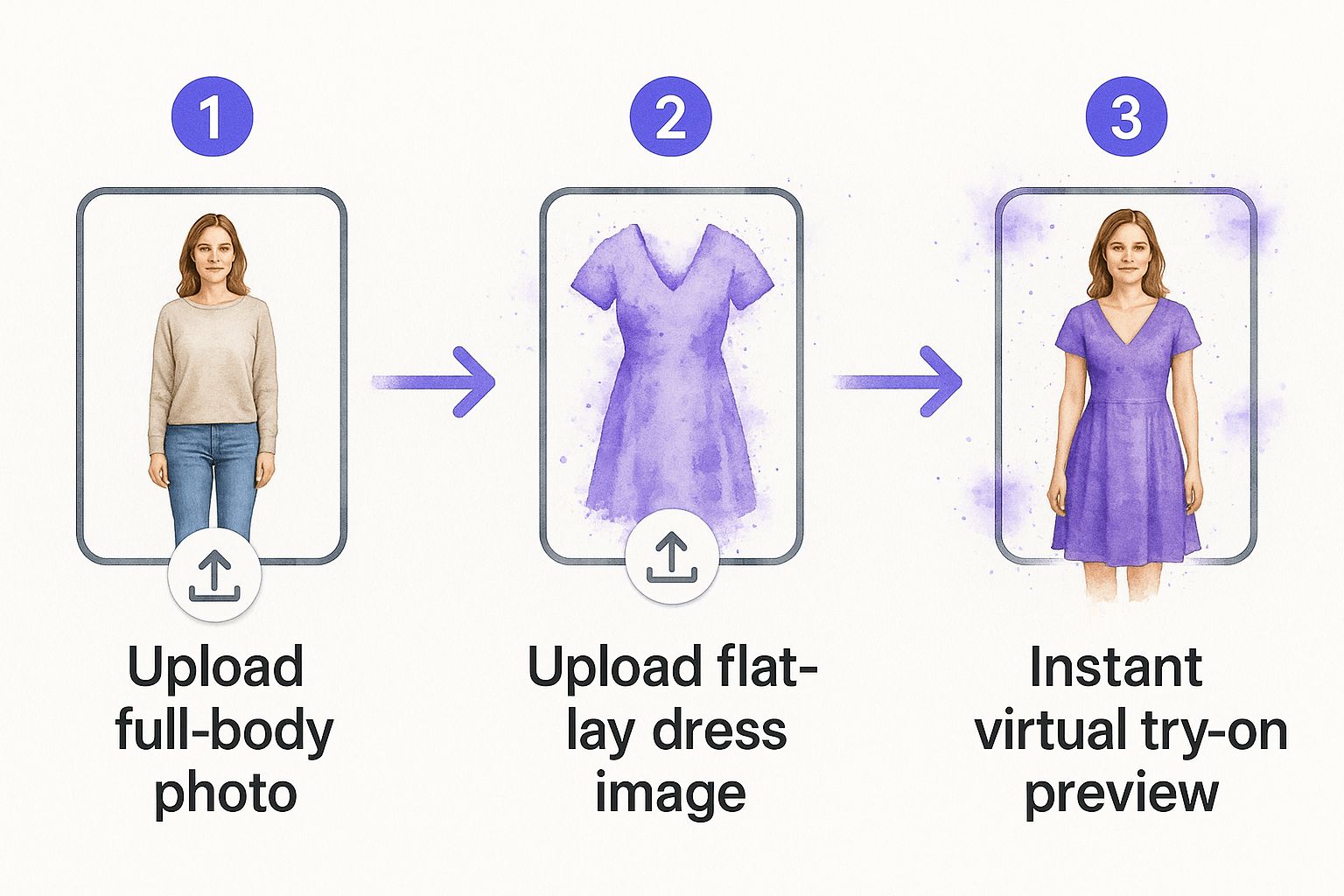
This quick visualization is a game-changer. It gives you an immediate sense of confidence about whether a style is "the one" before you spend a single dollar.
I love using a tool that works right in my browser because it means no accounts to create or clunky software to download. All you need is a picture of yourself and a photo of the dress you've got your eye on.
Ready to stop playing the guessing game? You can jump in and start visualizing styles with a free virtual try-on experience right now. Honestly, it’s the best way I’ve found to decide if a dress style is truly meant for me.
How to Virtually Try On Any Dress
Ready to see how ridiculously easy it is to try on any dress you find online? Seriously, it's a total game-changer, and I'm going to walk you through the super-fast process I use all the time.
First things first, you need a great photo of yourself. For the best results when you want to try before you buy dresses, a full-body picture is definitely the way to go. This lets you visualize the complete style.
Just pop over to trythisfit.com and upload that picture. What I absolutely love is that you don't need to create an account or sign up for anything. It’s all about getting that instant "Ooh, what if?" moment without any hassle.
Now for the fun part! Go find a dress you're curious about on any website. Here's a little pro-tip I’ve learned from experience: look for a flat-lay photo. That’s where the dress is laid out flat against a simple background. Trust me, this style of image gives the best preview.
Once you have that dress photo, upload it to the app. In literally just a few seconds—boom! You'll see how that dress style looks on your photo. It's an amazing way to get an immediate feel for your potential new look.
Key Benefits of Virtual Dress Try-On
Before we get into the even faster method, let's quickly break down why this is so helpful. It's more than just a neat trick; it genuinely improves how you shop.
| Benefit | How It Helps You |
|---|---|
| Avoid Disappointment | See if a style, color, or cut suits your look before you even think about adding it to your cart. |
| Boosts Confidence | You can "try" bold or new styles you might otherwise be hesitant about, completely risk-free. |
| Saves Time & Money | Dramatically reduces the chances of buying something that doesn't work, saving you from the hassle of returns. |
| Expands Your Options | Feel more comfortable shopping from new brands when you can visualize their items first. |
This simple visualization step can completely change your online shopping success rate.
Making It Even Faster With The Chrome Extension
While using the website is awesome, I have a shortcut that makes the whole process even slicker: the Chrome extension. This little tool lets you visualize styles without ever leaving the shopping site you're browsing.
This is my secret weapon when I’m scrolling through Zara, H&M, or even hunting for gems on Amazon. I just right-click the dress image I like and see how it looks on my photo, right there on the product page. It's incredible.
This takes the whole 'try before you buy dresses' idea to a completely new level of convenience. You can install the Chrome extension in 5 seconds and completely upgrade your shopping experience.
For a deeper dive into how it all works, you can check out this guide on the virtual clothing try-on app. I promise, once you get used to this, you’ll wonder how you ever shopped online without it.
Your Favorite Stores Are Now Your Dressing Room
This is where the real fun begins! I'm going to walk you through exactly how I use the TryThisFit Chrome extension to turn my regular online shopping into a virtual fitting room. Think about browsing your go-to sites like Zara or H&M via the extension's right-click feature.
You can also sift through the endless options for dresses on Amazon. It completely flips the script on the whole try before you buy dresses experience.
What I love most is how incredibly quick it is. The extension installs in a couple of seconds, and from that moment on, it just works on any site. No pop-ups, no new tabs, no complicated steps—just you, the dress you love, and an instant preview.
Shop Any Site Instantly
With the extension ready to go, just browse online as you always have. I'm constantly scrolling through the "new arrivals" at Zara or seeing what's trending on Shein. But now, when a dress catches my eye, the guessing game is over.
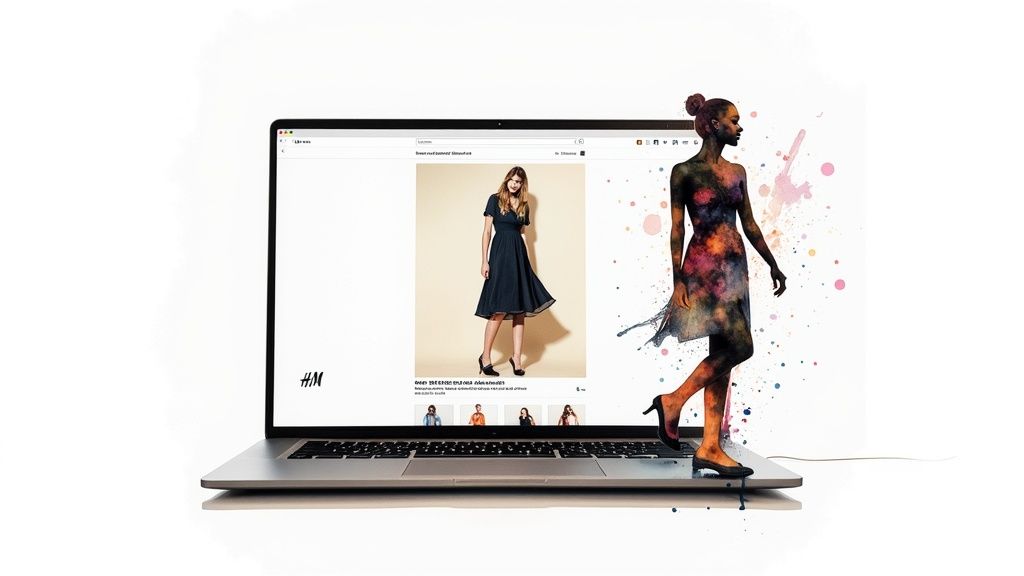
I just right-click the picture of the dress and hit 'Try This Fit'. Boom. Right there, without leaving the page, I can see how that dress looks on my photo. It’s like having a magic mirror for online shopping.
It’s a total game-changer for comparing different styles on the fly. I can see how five different floral dresses from five different stores look on me in under a minute, all without juggling a dozen open tabs.
This single feature is why the Chrome extension has become my secret weapon. It weaves the try-on experience directly into my shopping, making the whole process feel natural and fun. You can install the Chrome extension in a couple of seconds and see for yourself!
Why The Right-Click Feature Is Everything
Seriously, I can't overstate how amazing the simple right-click try-on is. It removes all the annoying little barriers that usually come with trying to visualize clothes online.
- Instant Gratification: See a preview of how a dress looks on you in literal seconds.
- Shop Anywhere: Use it on big-name retailers like H&M or even on secondhand marketplaces like Vinted and Depop.
- Stay in the Zone: Compare a bunch of options without ever leaving the page, which helps me make decisions way faster.
- Keep Your Favorites: Every try-on is automatically saved to your personal history, which you can check out anytime at trythisfit.com/history.
Ready to stop wondering and start seeing? You can get started at trythisfit.com and add the free extension to your browser. It’s hands-down the best way I’ve found to finally know what styles are going to look amazing on you.
Fall in Love with Secondhand Shopping—Without the Risk
Let's be real: marketplaces like Vinted, Depop, and Poshmark are treasure troves. The only problem? That terrifying "final sale" policy. This is exactly why a try before you buy dresses tool is a complete game-changer, and the Chrome extension really shines here.
You can use that same quick right-click feature to instantly see how a one-of-a-kind piece might look. I've found the previews are surprisingly good, especially since most sellers use clear, flat-lay photos of their items. It gives you that boost of confidence before hitting "buy."
See Vintage and Unique Finds on You
I'm constantly using the extension to check if a vintage dress will work with my modern wardrobe. It completely takes the guesswork out of buying pre-loved fashion, which is such a relief.
Plus, you can save all your finds to your personal try-on history page to easily compare that cool dress from Depop with another one you spotted on Vinted.
This whole process sidesteps one of the biggest headaches of shopping. Research shows that a whopping 36% of shoppers ditch a purchase because of a bad fitting room experience. A virtual try-on is the ultimate pressure-free way to explore styles. You can check out more cool stats on shopping trends here.
There’s nothing like finding a rare gem on Depop and instantly getting a glimpse of how it could look. For me, it has completely changed how I shop secondhand, turning a gamble into a smart, confident purchase.
Ready to start hunting for your next favorite dress without the usual risk? Grab the Chrome extension—it only takes a second—and start shopping secondhand the smarter way.
Creative Ways to Plan Your Perfect Look
The whole ‘try before you buy’ idea is so much more than just checking out everyday dresses. For me, this is where fashion gets fun and experimental again, especially when I'm planning for a big event. It’s a total game-changer for seeing how different styles might actually look.
This is all thanks to some seriously cool tech like augmented reality (AR), which is completely shaking up how we all shop. AR is the magic behind the virtual try-on, letting you overlay digital clothes onto your own photo from literally anywhere. It makes shopping way more interesting and cuts down on returns.
Beyond Just Dresses
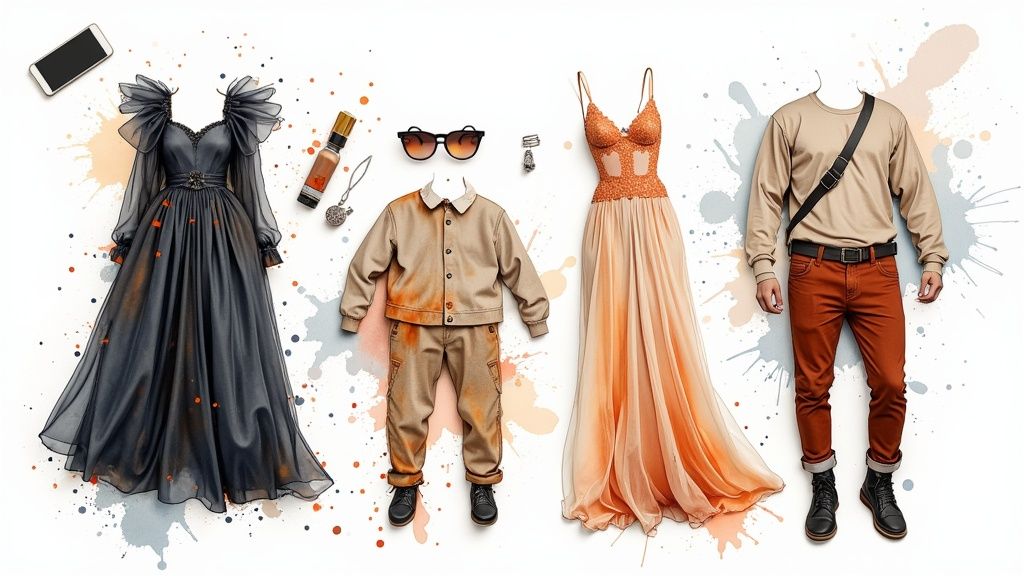
I also find it incredibly useful for planning entire outfits by trying on tops, skirts, and pants separately. The trick? Always use clear, flat-lay photos of the clothing items. It gives you the most realistic preview of how the style will look.
Here are a few creative ways I love to use it:
- Holiday & Event Planning: I'll preview potential Halloween costumes to see which character vibes with me before I commit. If you're stuck for ideas, check out the guide on the best Halloween costume ideas.
- Building a Cohesive Wardrobe: Visualizing tops and bottoms together helps me instantly see if that cute new piece will actually work with what I already own.
- Experimenting Boldly: I can finally try on that super bright, trendy top I've been eyeing but was too scared to buy. It's all the fun with zero risk.
My absolute favorite feature is being able to save every look I create to a personal history page. It’s like having my own virtual closet of possibilities, making it so much easier to decide what to wear.
Getting your perfect look often starts with knowing what you already have. To really get a handle on your style, I highly recommend checking out The Ultimate Guide To Editing Your Wardrobe.
Ready to start playing and planning your own looks? Try it now at trythisfit.com and see what amazing styles you discover.
Your Top Questions Answered
Jumping into virtual try-ons is a total game-changer, but I get it—you probably have a few questions! This is a brand new way to approach online dress shopping, and I want you to feel completely comfortable and excited to use the app.
So, let's tackle some of the things people ask me most often.
Will This Actually Tell Me if a Dress Fits?
This is the big one, right? Think of TryThisFit as your personal style visualization tool, not a sizing assistant. Its magic lies in showing you how the silhouette, color, and style of a dress will look on you. It’s perfect for answering, "Will I even like this style on me?"
But remember, the app can't tell you if a size Medium will be too snug. For that, you absolutely must check the retailer's size chart. That’s still your single source of truth for getting the actual measurements right.
What Kind of Photos Work Best?
Awesome question! For the best, most realistic results, you'll need two key photos. First, a great shot of you: a clear, full-body picture where you're standing straight, wearing something simple and relatively form-fitting, is ideal.
For the dress, the holy grail is what’s called a flat-lay photo—where the garment is laid out flat against a plain background. While the tool can work with other images, a good flat-lay gives the cleanest preview. You can give it a whirl right now at trythisfit.com and see for yourself!
Honestly, taking a few seconds to find a good flat-lay picture makes a world of difference. From my own experience, it helps the app understand the dress's true shape, which gives you a much better idea of the final look.
Is the Chrome Extension a Hassle to Use?
Not in the slightest! It’s designed to be super intuitive and literally installs in a couple of seconds. Once it's in your browser, just shop your favorite online stores as you always do.
When a dress catches your eye, just right-click the picture and choose 'Try This Fit'. That's it. No weird settings, no learning curve. You can install the Chrome extension in 5 seconds and start your virtual try-on session immediately.
Do I Have to Sign Up to Use It?
Nope! You can head over to trythisfit.com and start playing around with styles right away, no accounts needed.
The only time you'll need to create a free account is if you want to save your try-ons. It's super handy for looking back at your favorite styles later, which you can do on your personal history page.
Ready to stop guessing and start seeing? Pop over to TryThisFit and find out just how fun and easy it is to find your next amazing dress at https://trythisfit.com.
Article created using Outrank
Try Virtual Try-On Now
See how clothes look on you before you buy - works with any online store
Get Started Free