The 12 Best Try Clothes On App Options to Discover Your Style in 2025
Online shopping is a lifesaver, but let's be honest: guessing how that shirt from Zara or a unique find from a Vinted seller will actually look on you feels like a gamble. You add items to your cart, cross your fingers, and often end up with a pile of clothes destined for the post office. What if you could get an instant preview of the style, right from your screen, before you even click 'buy'?
That’s exactly where a "try clothes on app" changes the game. This fantastic technology lets you visualize outfits on your own photo in just a few seconds. It’s not about finding a perfect technical fit with measurements, but about seeing the style, the color, and the overall vibe on you. Imagine trying on Halloween costumes from your couch or seeing how that H&M dress pairs with your favorite jacket without leaving home.
This guide is your ultimate resource for the 12 best virtual try-on apps and tools for 2025. I'll dive into powerful browser extensions that work on any retailer's site, like the one from TryThisFit which installs in a couple of seconds, and dedicated apps from giants like Amazon and Walmart. For retailers, implementing such a feature can be transformative; by boosting buyer confidence with a realistic preview, these tools can significantly help reduce shopping cart abandonment.
Each option in this list includes key features, honest pros and cons, screenshots, and direct links to get you started immediately. My goal is to help you find the perfect tool to shop smarter, save time, and finally build a wardrobe you absolutely love. Let's get started
1. TryThisFit: The Ultimate Anywhere, Anytime Style Previewer
TryThisFit elevates the concept of a "try clothes on app" by seamlessly integrating into your existing online shopping routine. Instead of requiring a separate app download or account creation, its power lies in a lightning-fast Chrome extension that works everywhere you shop. The app is designed for anyone who has ever wondered, "how would that actually look on me?" before clicking 'add to cart'.
The core experience is brilliantly simple. Once you install the free Chrome extension, which takes only a couple of seconds, you can browse any clothing site. When shopping at retailers like Zara, H&M, or secondhand sites like Vinted, you simply right-click a product image. The AI then generates an instant preview of how the garment looks on your body, right on the product page, helping you save time and avoid returns.
Why It Stands Out
TryThisFit distinguishes itself with a focus on convenience and privacy. The no-account-needed approach is a breath of fresh air, reinforced by a founder-forward privacy stance that ensures your data is never sold. The app is uniquely optimized for flat-lay clothing photos, the kind you frequently encounter on secondhand sites like Vinted and Depop, making it an indispensable tool for thrifters.
The goal here isn't to confirm measurements but to visualize style, which it does exceptionally well. It empowers you to experiment with new looks, plan outfits for an event, or even preview Halloween costumes risk-free. By helping you see the style beforehand, it serves as a powerful tool to reduce returns and make more confident purchasing decisions.
Practical Tips for Best Results
To get the most out of the app, upload a clear, well-lit, full-body photo of yourself. For the virtual try-on, look for flat-lay product images where the garment is laid out on a simple background. These types of photos work best and yield the clearest style previews. You can even keep track of your experiments by visiting your personal try-on history at trythisfit.com/history.
Ready to revolutionize your online shopping? Install the Chrome extension in 5 seconds and start visualizing your style today.
- Best For: Shoppers who want a quick, private, and universal way to preview clothes on any e-commerce site without creating an account.
- Key Features: Instant on-page try-ons via Chrome extension, no-account-required privacy focus, universal compatibility with shopping sites, and optimization for flat-lay photos.
- Access: Free to use via the TryThisFit website and the official Chrome extension.
2. Walmart – "Be Your Own Model" virtual try‑on
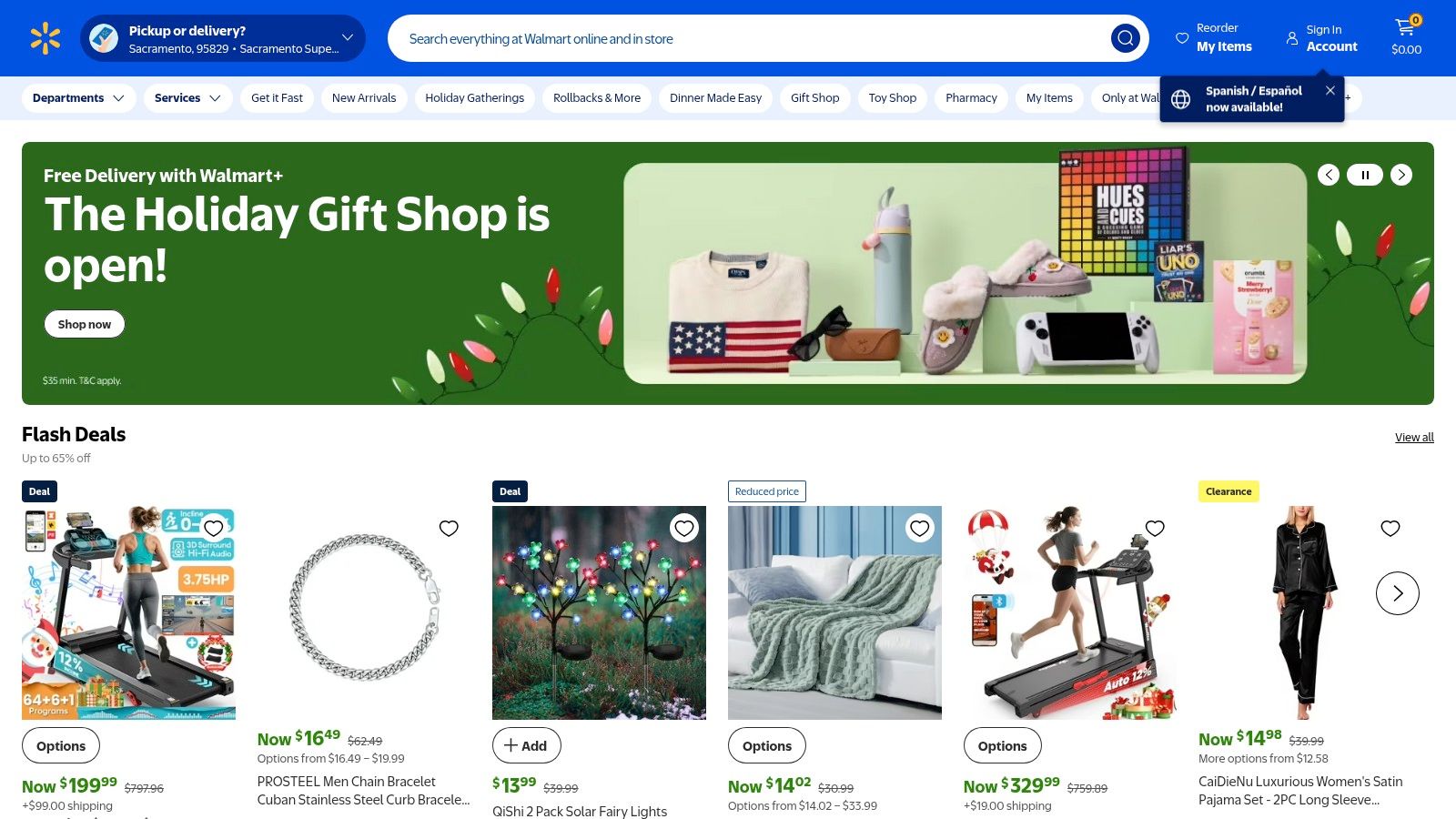
Who knew your weekly grocery run could double as a high-tech fashion experience? Walmart has stepped up its game in a massive way with its "Be Your Own Model" feature, powered by Zeekit technology. This isn't just a simple overlay; it’s a sophisticated try clothes on app experience integrated directly into the Walmart app, letting you see how thousands of items look on a model that reflects your body type, or even on a photo of yourself.
This feature is a game-changer for everyday online apparel shopping. Instead of guessing how a top or dress will drape, you can get a surprisingly realistic preview right on the product page. It makes visualizing an outfit incredibly intuitive while browsing Walmart's huge and affordable selection.
Why It Stands Out
Walmart’s strength lies in its sheer scale and seamless integration. You’re not just trying on clothes in a separate app; you’re doing it within the same ecosystem where you manage your shopping lists, checkout, and returns. This makes it one of the most practical and widely accessible virtual try-on tools available.
The ability to use your own photo to "Be Your Own Model" is a powerful tool for visualizing style, especially when shopping for everyday essentials like jeans, tops, and dresses from familiar brands.
Key Features & How to Use It
- Photorealistic Try-On: Use your own full-body photo to see a realistic render of the clothing on your body.
- Diverse Model Selection: Choose from over 100 real human models of varying sizes and heights to find one that best represents you.
- Massive Selection: The feature covers hundreds of thousands of items across Walmart's private labels and select national brands.
- Seamless Shopping: Everything happens inside the Walmart app, linking directly to your account for easy purchasing.
To use it, simply navigate to an eligible apparel item in the Walmart iOS app and look for the "Try It On" button.
Pros & Cons
- Pros: Huge U.S. assortment, seamless integration with the shopping experience, and works across many apparel categories.
- Cons: The best experience is on the Walmart iOS app, with Android and web versions sometimes lagging in features. Availability can also be inconsistent across all marketplace items.
Website: https://www.walmart.com/
3. Amazon Fashion – Virtual Try‑On (footwear)
The world’s largest online marketplace, Amazon, has dipped its toes into the virtual try-on world, focusing primarily on footwear. Using augmented reality (AR), the Amazon app lets you preview how thousands of sneakers and shoes will look on your feet from the comfort of your home. It’s a powerful tool integrated into an ecosystem millions already use daily for everything else.
While not a full-body try clothes on app yet, this feature is a fantastic complement to apparel shopping. It uses your phone's camera to superimpose 3D models of shoes onto your feet in real-time, giving you a 360-degree view. Combined with AI-powered size recommendations and review summaries, it makes finding the perfect pair of shoes to go with your outfit easier than ever.
Why It Stands Out
Amazon's strength is its unparalleled selection and logistics. The AR try-on for shoes covers a massive range of popular brands, and it’s all backed by Prime's fast shipping and easy returns. This makes experimenting with different shoe styles completely risk-free and incredibly convenient, right within the app you already trust.
The AR footwear feature is a practical, futuristic touch that adds confidence to your purchase, letting you visualize exactly how those new sneakers will look with your favorite jeans.
Key Features & How to Use It
- AR Shoe Virtual Try-On: Use your phone’s camera to see a live, 3D preview of shoes on your own feet.
- AI-Assisted Recommendations: Get help with sizing based on customer reviews and brand-specific data.
- Extensive Marketplace: Access a virtually limitless selection of brands, all eligible for Prime benefits.
- In-App Integration: The "Virtual Try-On" button appears directly on eligible product pages within the Amazon app.
To try it, find an eligible pair of shoes in the Amazon app, tap the "Virtual Try-On" button, and point your camera at your feet.
Pros & Cons
- Pros: Extremely wide brand selection, fast Prime delivery and straightforward returns, and a genuinely useful AR function for footwear.
- Cons: The AR try-on feature is largely limited to shoes and eyewear; a comprehensive clothing VTO is not yet widely available. The popular "Try Before You Buy" program for apparel has also been discontinued.
Website: https://trythisfit.com/go/amazon
4. Google Shopping – Virtual Try‑On for apparel
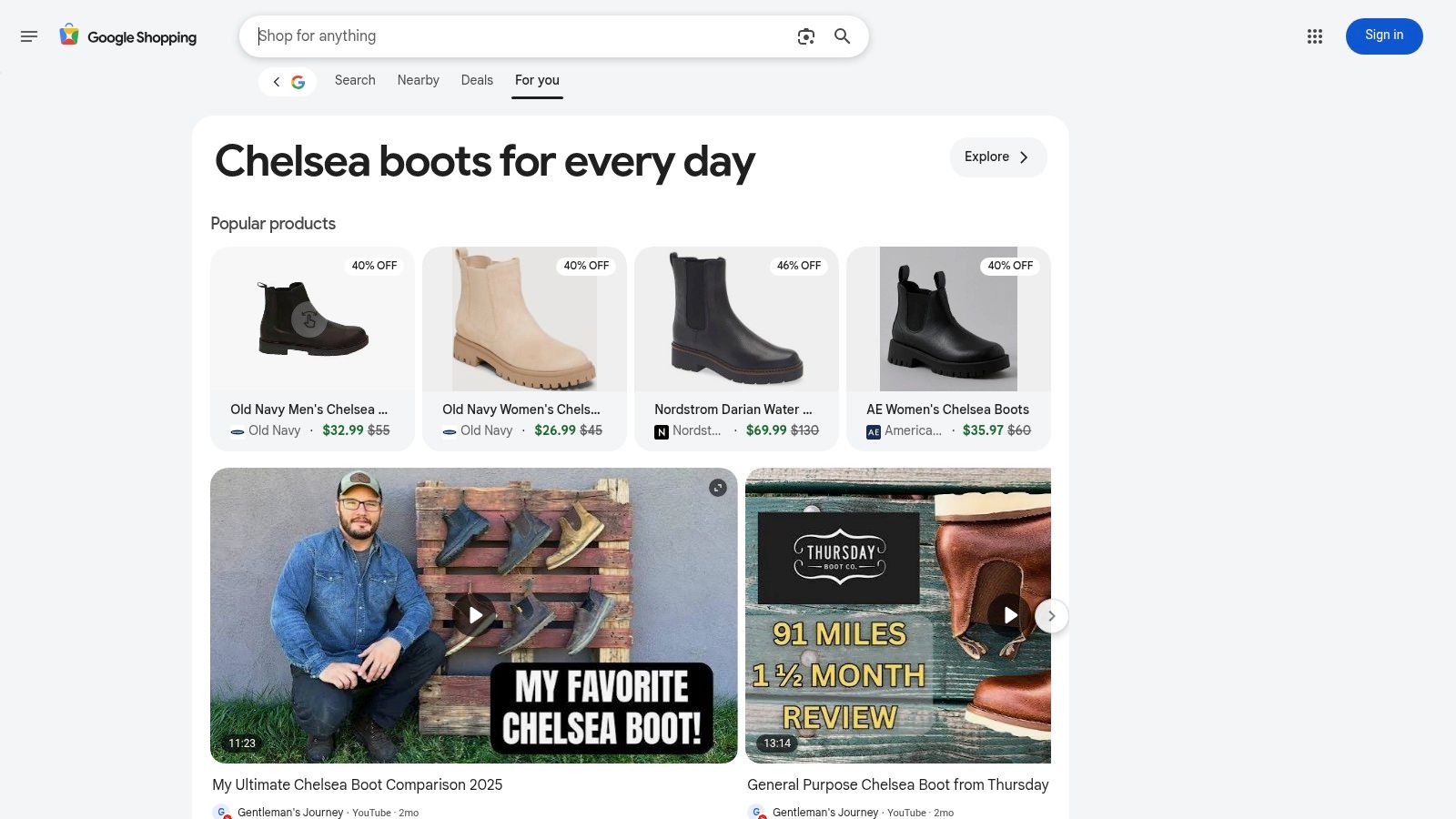
Leave it to Google to turn your everyday product search into a high-tech fashion discovery engine. Google Shopping has integrated a sophisticated virtual try-on feature directly into its search results, leveraging its powerful AI to help you visualize clothing on a diverse range of real models. It’s a brilliant way to evaluate how an item drapes and hangs before you even click through to a retailer's website.
This feature appears as a "Try On" badge on eligible apparel, making it an incredibly useful try clothes on app experience built into a tool you already use. It streamlines the initial phase of shopping by letting you compare styles from countless different brands and stores all in one place, giving you a better sense of an item's real-world appearance.
Why It Stands Out
Google’s main advantage is its unparalleled reach and powerful discovery capabilities. Instead of being tied to a single brand, you can explore virtual try-on options from a massive catalog of retailers. This makes it a fantastic starting point for any shopping journey, helping you narrow down your choices before committing to a specific store.
Google's on-model previews offer a realistic look at how garments appear on different body types, providing valuable style context right from the search results page.
Key Features & How to Use It
- Diverse Model Representation: Preview clothing on real models spanning sizes XXS to XXXL to see how it looks on different body shapes.
- "Try On" Badge: Easily spot eligible items in Google Shopping search results.
- Vast Merchant Coverage: The feature pulls from Google's huge Shopping Graph, including items from major brands and smaller retailers.
- Direct to Merchant Flow: Once you find something you like, you can click directly to the retailer's site to make your purchase.
To use it, search for an apparel item on Google. If a product has the feature enabled, you'll see the "Try On" option in its listing.
Pros & Cons
- Pros: Incredible discovery across a vast number of retailers, inclusive set of models, and helps assess style before visiting a store.
- Cons: Doesn't let you use your own photo, and availability can be inconsistent depending on the product category and retailer.
Website: https://www.google.com/shopping
5. Snapchat – Dress Up AR fashion try‑ons
Snapchat transforms social media scrolling into a dynamic, interactive dressing room with its "Dress Up" hub. This isn't a traditional shopping app but rather a playful, discovery-focused platform where you can try on digital versions of apparel, footwear, and accessories from major brands using augmented reality (AR) Lenses. It turns fashion into a shareable, viral experience for its massive Gen-Z and millennial audience.
This platform leverages the power of AR to create an immersive try clothes on app experience that feels more like a game than shopping. By pointing your camera at yourself, you can instantly see how a new pair of sneakers, sunglasses, or even a full outfit looks in real-time. It’s a fantastic way to discover new brands and trends in a fun, low-pressure environment.
Why It Stands Out
Snapchat’s strength is its social-first approach. Trying on an outfit isn't just a personal preview; it’s content you can immediately share with friends for their opinions. This seamless integration of AR try-on technology with its core communication features makes it a uniquely engaging and influential platform for fashion discovery among younger demographics.
The real magic of Snapchat’s Dress Up feature is its ability to make high-fashion and streetwear instantly accessible and shareable, turning virtual try-ons into a trending social moment.
Key Features & How to Use It
- AR Lenses for Fashion: Try on digital versions of clothes, shoes, and accessories using your phone’s camera.
- Dedicated Dress Up Hub: A specific section within the app aggregates the latest and most popular shoppable brand Lenses.
- Shoppable Experience: Most Lenses include direct links to purchase the real item from the brand’s website.
- Instant Sharing: Easily send Snaps or post Stories of your virtual looks to get feedback from friends.
To access it, open Snapchat, tap the camera screen to open the Lens Carousel, and tap "Explore" to find the "Dress Up" tab.
Pros & Cons
- Pros: Highly engaging and social, features many major brand partnerships, and is intuitively used by a large existing audience.
- Cons: The realism can vary significantly between different brand Lenses, and it’s not a catalog-based shopping tool, so experiences are often temporary.
Website: https://www.snapchat.com/
6. Style.me – Virtual fitting room for online stores
Style.me takes a different approach by integrating directly into the e-commerce stores you already shop at. Instead of being a standalone app, it’s a powerful try clothes on app solution that retailers embed on their product pages. This B2B model means you might encounter their virtual fitting room while shopping for your favorite brands, offering a seamless way to visualize style and get sizing advice without ever leaving the product page.
The platform allows shoppers to create a personalized 3D avatar based on their specific measurements. This digital mannequin then models the clothing, using advanced garment pattern mapping to simulate how the fabric will drape and look. It's a fantastic tool for understanding the potential appearance of a garment before you add it to your cart, bridging the gap between a flat product photo and real-life wear.
Why It Stands Out
Style.me stands out because it aims to solve the fit and style visualization problem directly at the point of sale. For shoppers, this means a frictionless experience with no separate app to download or manage. For retailers, it provides powerful analytics to help reduce returns, making it a win-win. This deep integration is a key part of the modern virtual dressing room experience.
By creating a detailed 3D avatar, you get a much more nuanced preview of an outfit's style, moving beyond simple photo overlays to a more dynamic and personalized visualization.
Key Features & How to Use It
- 3D Avatar Try-On: Create a personalized avatar with your measurements to see a realistic 3D render of clothes.
- Size Recommendations: Get data-driven suggestions for the best size to purchase.
- Outfit Builder: The "Style Looks" feature lets you mix and match items to create and visualize complete outfits.
- Retailer Integration: Appears directly on the product detail pages of participating online stores.
When you see the Style.me widget on a product page, simply click it to launch the virtual fitting room and create your avatar.
Pros & Cons
- Pros: Directly integrated where you shop (no extra app needed), focuses on accurate style visualization with 3D models, and helps reduce return rates.
- Cons: Availability is entirely dependent on which online stores have adopted the technology, and the visual quality can vary based on the retailer’s digital assets.
Website: https://style.me/
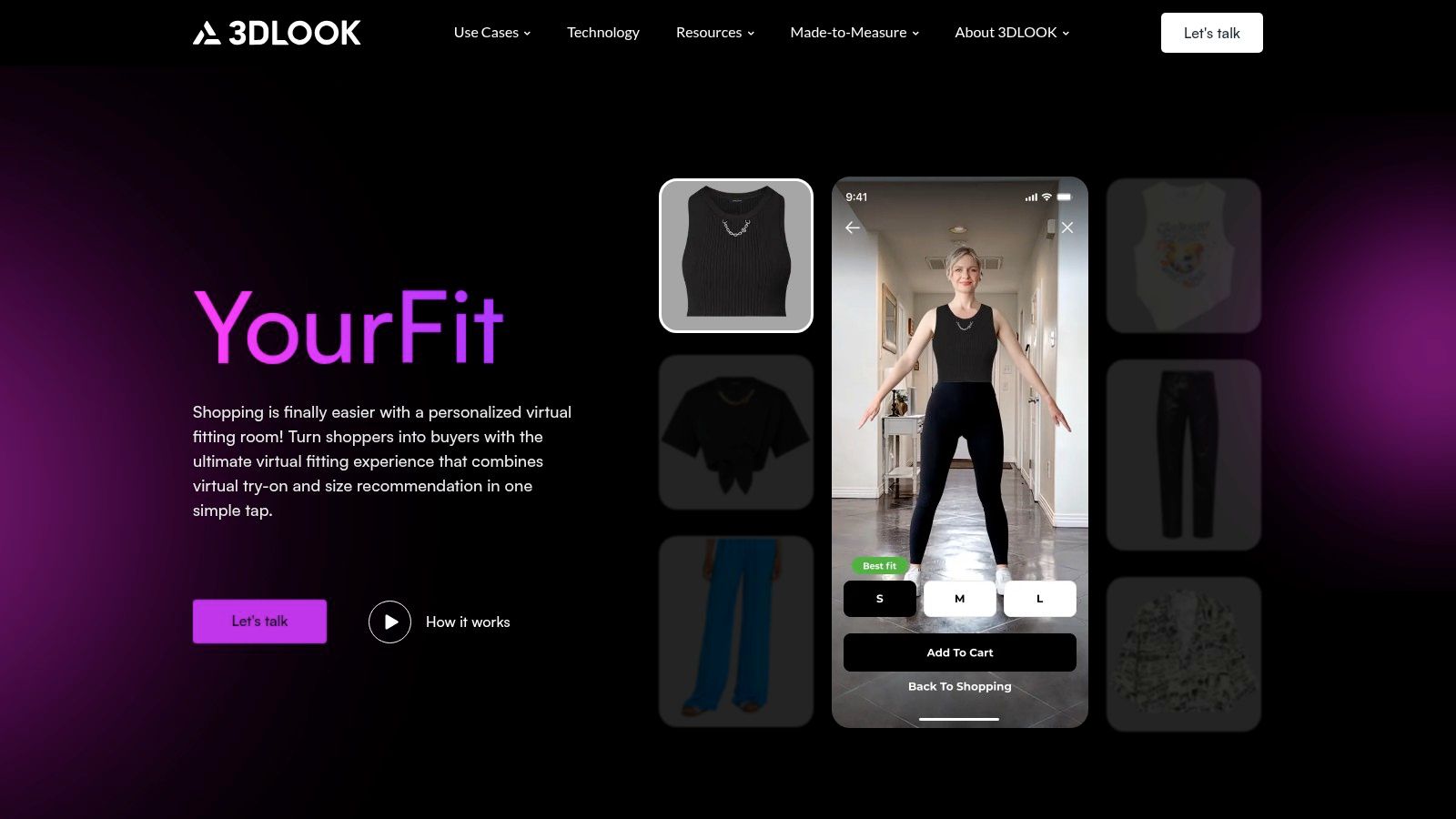
7. 3DLOOK – YourFit virtual fitting room
Diving into the B2B side of virtual fashion, 3DLOOK’s YourFit is a powerful technology that retailers integrate directly into their websites. This isn't a standalone consumer app; it's a sophisticated platform that combines photorealistic virtual try-on with precise, body-based size recommendations. Using just two quick photos from your smartphone, it creates a personal model to show you how clothes will look.
This solution is all about increasing shopper confidence and reducing returns for brands. By embedding the "See it on me" feature on product pages, retailers can offer a seamless and highly personalized try clothes on app experience without forcing you to download anything extra. It's a mobile-first solution that brings the fitting room directly to your browser.
Why It Stands Out
3DLOOK’s main advantage is its dual focus on both style visualization and accurate sizing. While many apps focus only on how an item looks, YourFit also tells you which size to buy based on your unique measurements. This direct integration into a brand's website makes for an incredibly streamlined shopping journey.
The combination of a quick, two-photo body scan with an instant virtual try-on gives shoppers a powerful one-two punch of confidence before they click "add to cart."
Key Features & How to Use It
- Photorealistic Try-On: See a realistic render of how clothes will look on a model based on your body shape.
- Size Recommendations: Uses your body data to suggest the best size, aiming to reduce return rates.
- Quick Body Scan: Requires just two photos from your smartphone to generate your model and measurements.
- Web-Based Interface: No app download is needed for the shopper; it works directly on the retailer's mobile site.
To use it, you must be shopping on a retail website that has implemented 3DLOOK's YourFit widget. You'll typically see a "Try It On" or "Find My Size" button on the product page.
Pros & Cons
- Pros: Focuses on both fit and style, no app download required for users, and trusted by major global brands.
- Cons: Not a standalone app you can use anywhere; it's only available on partner retailer websites. The initial scanning process might feel like an extra step for some users.
Website: https://3dlook.ai/yourfit/
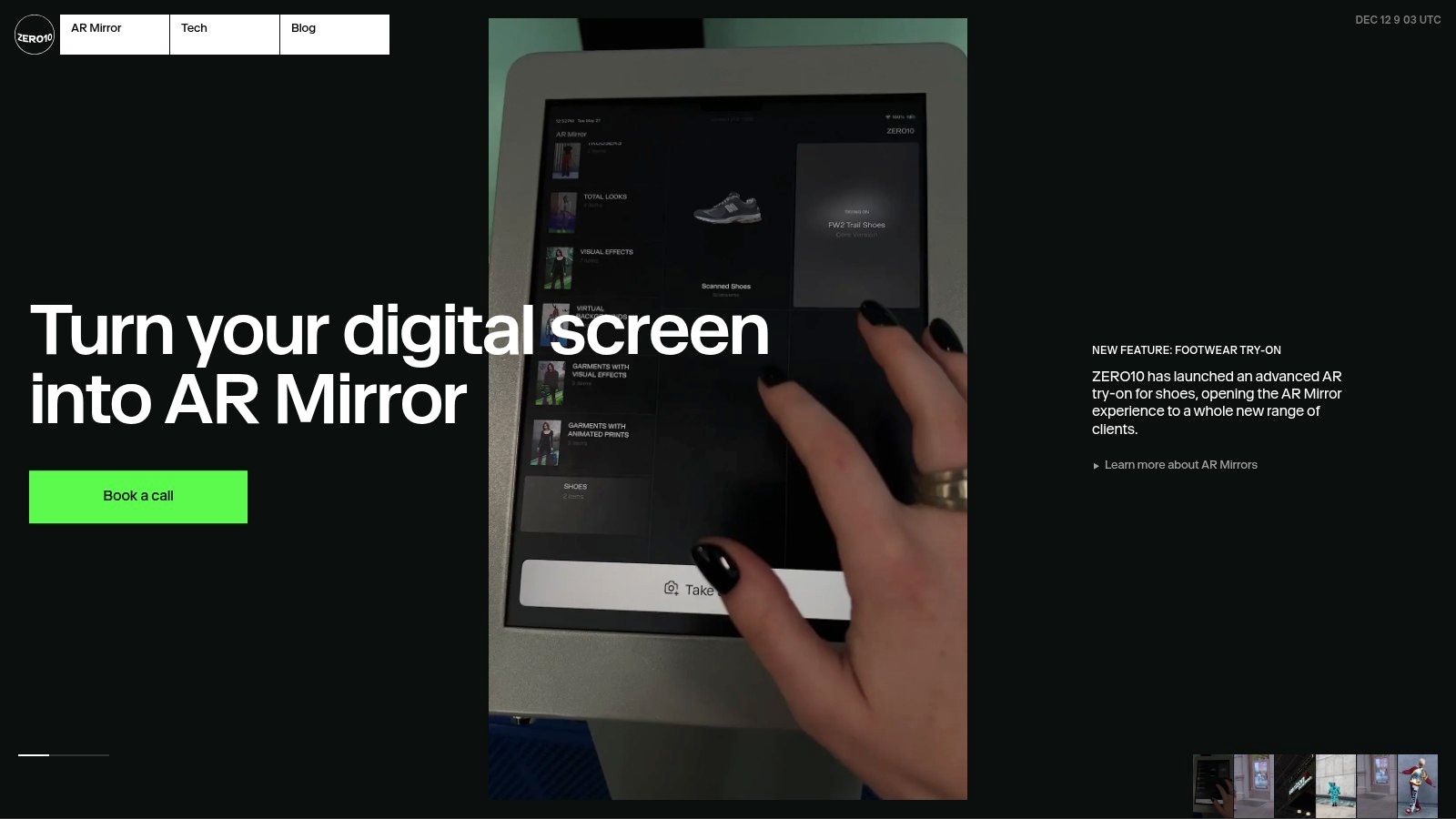
8. ZERO10 – AR fashion try‑on platform
Step into the future of fashion with ZERO10, a platform that blurs the lines between digital and physical style. ZERO10 uses high-end augmented reality (AR) to let you try on virtual garments in real-time using your phone's camera. It’s less about checking the look of a specific product for purchase and more about experiencing fashion as digital art.
This platform offers both a consumer-facing try clothes on app for creative exploration and business solutions that allow brands to embed AR try-on directly on their websites. It’s a glimpse into how interactive and immersive online shopping could become, focusing on dynamic movement and photorealistic digital textures that react to your body.
Why It Stands Out
ZERO10’s biggest differentiator is its dedication to high-fidelity, real-time AR. While many apps use static photos, ZERO10 tracks your motion, allowing you to see how digital fabric moves and flows. This makes it an incredibly engaging and futuristic tool for fashion brands looking to create buzz and for users who want to experiment with bold, digital-only looks.
ZERO10's focus on AR motion tracking provides a dynamic and interactive way to engage with digital fashion, making it a standout for creative expression and brand campaigns.
Key Features & How to Use It
- High-Fidelity AR: Experience virtual garments with realistic textures and physics that track your movements live.
- Web-View Integration: Brands can embed the AR try-on experience directly into their product pages, no app download required.
- Consumer App: A dedicated mobile app where you can explore and try on digital collections from various designers and artists.
- Digital Campaigns: Often features limited-edition drops and collaborations with fashion brands for unique virtual experiences.
To use it, download the ZERO10 app or look for brands that have integrated their web-view try-on feature on their sites.
Pros & Cons
- Pros: Polished AR realism with impressive mobile performance, offers both consumer app and enterprise solutions, and enables web-based try-on without a dedicated retailer app.
- Cons: Many items are digital-only experiences (not linked to physical products), and the available selection is highly dependent on brand partnerships and temporary campaigns.
Website: https://zero10.ar/
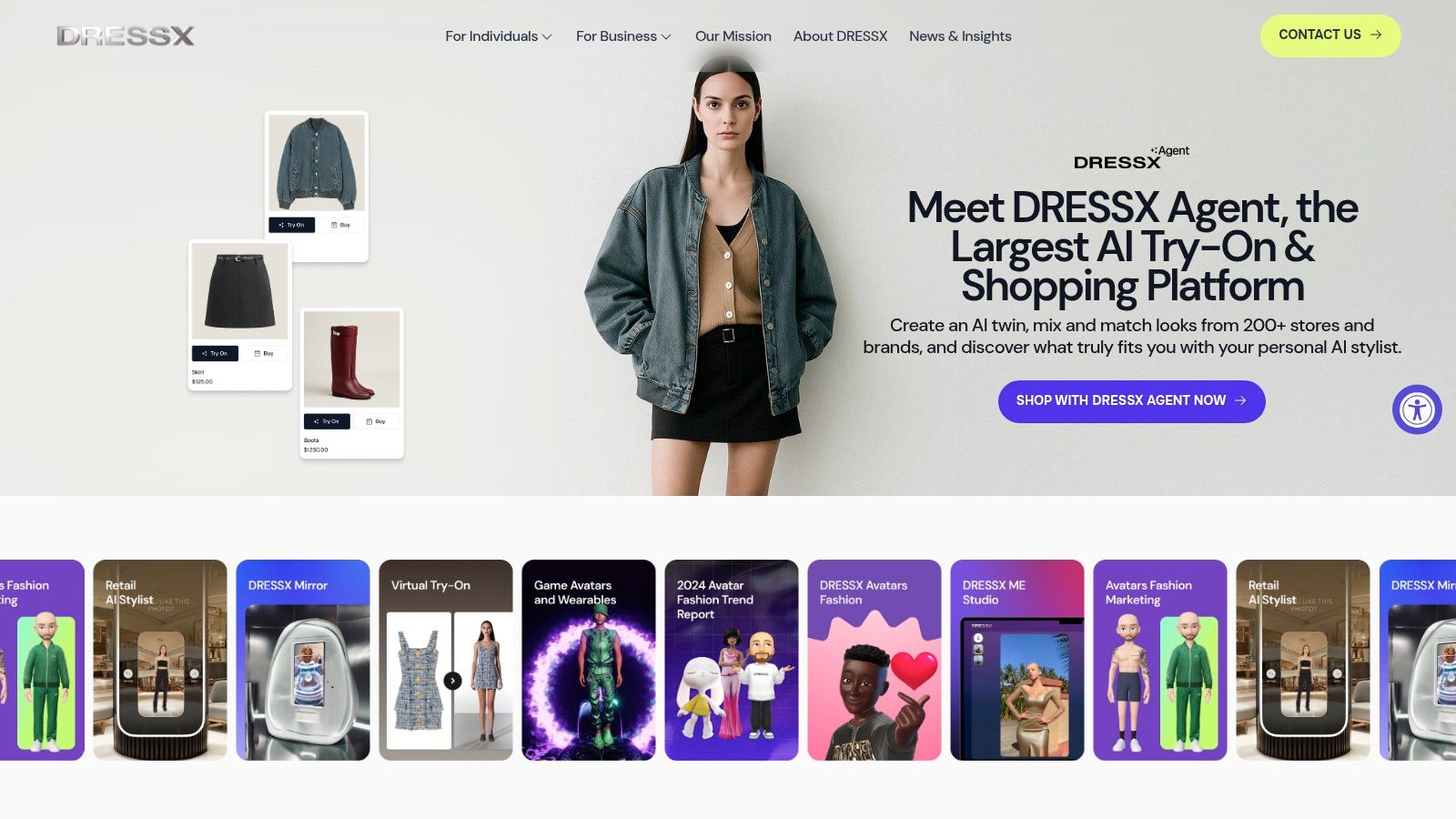
9. DRESSX – Metacloset AR fashion try‑on
Ever wanted to wear an outfit that defies gravity or glows in the dark? DRESSX transports you into the future of fashion, where your wardrobe is limitless and digital. This platform is a pioneer in the digital-only and augmented reality (AR) fashion space, offering a "Metacloset" filled with spectacular virtual garments you can wear instantly through your phone's camera.
This innovative try clothes on app focuses on expressive, high-concept looks perfect for social media, creator content, and digital experimentation. Instead of seeing how a physical t-shirt looks, you can instantly don a shimmering metallic dress or animated wings. It’s less about physical fit and more about unlocking pure creative expression in the digital realm.
Why It Stands Out
DRESSX stands out by treating fashion as a digital art form. It's not just a utility for shoppers but a playground for digital natives, creators, and the fashion-forward. The platform’s extensive library of AR looks, developed in collaboration with digital artists and brands, makes it the go-to destination for next-generation style visualization.
DRESSX is your ticket to a virtual closet where you can wear the impossible. It’s the ultimate tool for creating jaw-dropping social media content and exploring styles that exist beyond the physical world.
Key Features & How to Use It
- Instant AR Try-On: Use your phone’s selfie or rear camera to wear digital garments and accessories in real-time.
- Large Library of Digital Looks: Explore one of the largest collections of digital-only fashion items and AR effects.
- Digital Closet: Save and organize your favorite virtual outfits in your personal "Metacloset" for easy access.
- Social Sharing Features: Easily capture photos and videos of your AR looks to share directly on platforms like Instagram and TikTok.
To get started, download the DRESSX app, browse the collection, and tap an item to instantly see it on yourself through your camera.
Pros & Cons
- Pros: Fast and fun AR try-on experience, excellent for unique creator content, and features a huge library of virtual fashion.
- Cons: Most items are digital-only and not for physical purchase. The focus is on style visualization rather than replicating the exact fit of real-world clothing.
Website: https://dressx.com/
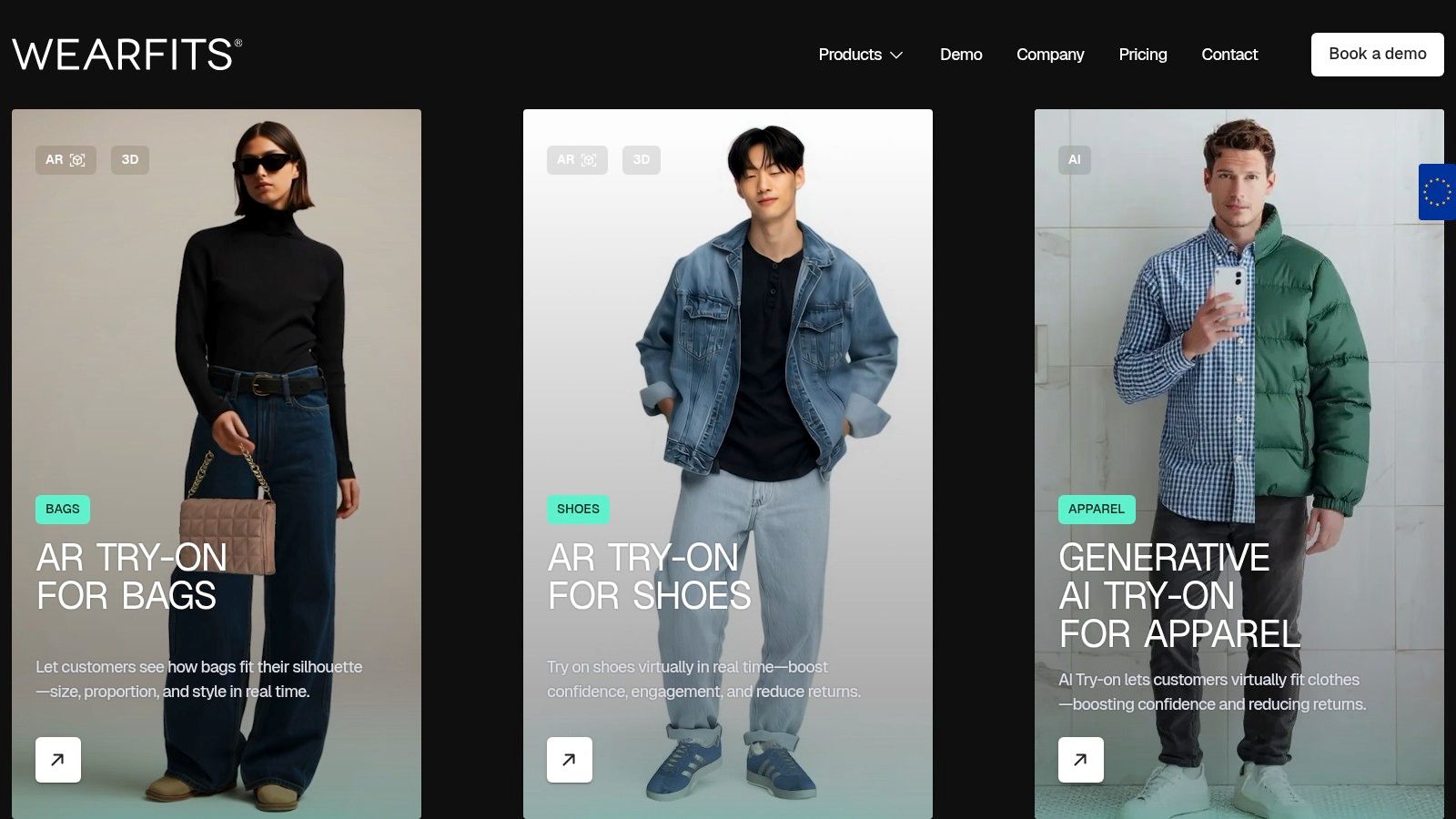
10. WEARFITS – AI/AR try‑on for apparel, shoes, accessories
WEARFITS takes a different approach by providing the technology directly to e-commerce brands rather than to consumers. It's a full-stack solution for retailers, offering everything from generative-AI apparel try-ons using shopper photos to real-time AR for visualizing shoes and accessories. Think of it as the engine powering the virtual try-on experiences you might find on your favorite brand's website.
This B2B (business-to-business) model means your ability to use WEARFITS depends on whether a retailer has integrated it. When they do, it provides a powerful, native try clothes on app experience that lets you see how items look directly on the product page, often using an uploaded photo of yourself. The technology is designed to be comprehensive for brands, covering the entire journey from 2D product photos to 3D virtual assets.
Why It Stands Out
WEARFITS stands out because it’s a one-stop-shop for retailers wanting to dive into virtual try-on technology. Its versatility is its greatest strength, as it supports AI-rendered clothing, real-time AR for footwear and bags, and even helps brands digitize their catalogs faster. This holistic approach makes it an attractive option for online stores looking to upgrade their shopping experience.
By equipping retailers with a full suite of AI and AR tools, WEARFITS aims to make virtual try-ons a standard feature across the web, from big brands to smaller Shopify stores.
Key Features & How to Use It
- Apparel AI Try-On: Upload your photo on a partner retailer's website to see a generative AI render of how a garment will look on you.
- Real-time AR: Use your phone's camera to virtually try on shoes, bags, and other accessories in augmented reality.
- 2D-to-3D Automation: A tool for brands to quickly turn standard flat-lay photos into 3D models for try-on.
- Retailer Integration: Available via APIs, SDKs, and a dedicated Shopify plugin for easy implementation.
To use it, look for virtual try-on buttons on apparel or accessory product pages when shopping online.
Pros & Cons
- Pros: A comprehensive toolset covering AI renders, AR, and 3D creation; quick integrations for e-commerce teams; targets multiple fashion categories.
- Cons: Availability is entirely dependent on which retailers have adopted the technology; visual quality can vary based on the brand's original product photos.
Website: https://wearfits.com/
11. Zyler by Anthropics – Photo‑based virtual clothing try‑on
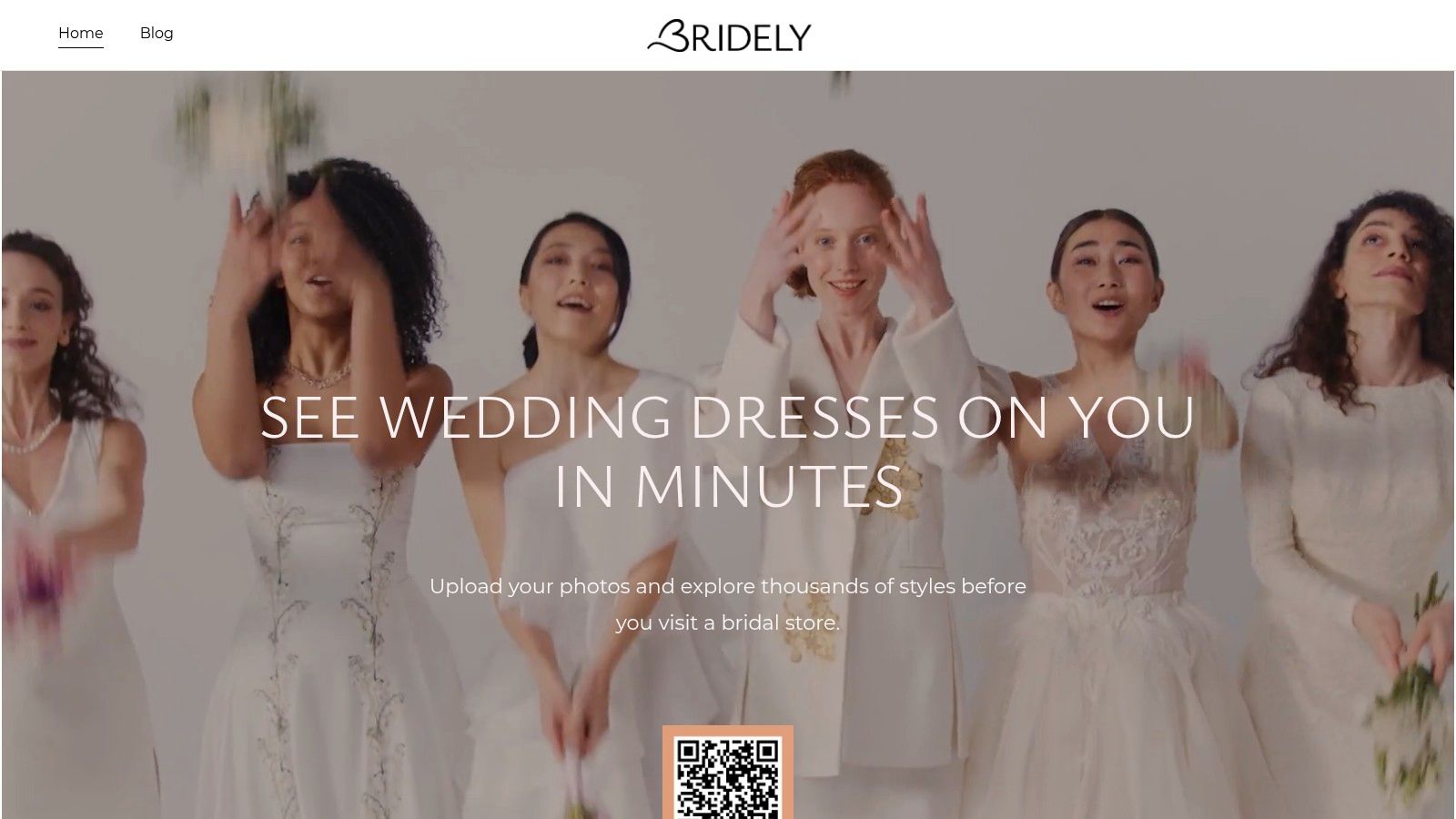
Zyler by Anthropics offers a sophisticated, AI-powered virtual try-on experience that you might encounter on your favorite retailer’s website. Rather than being a standalone app for consumers, Zyler is a technology solution that brands integrate directly into their online stores. This means you get a seamless, high-quality try clothes on app experience without ever leaving the product page.
The process is incredibly simple and effective. You upload a headshot and enter your height and size information, and Zyler’s technology realistically drapes the garment onto a model that matches your likeness. It’s designed to give you a quick and personal visualization of an outfit's style, helping you shop with more confidence from the comfort of your home or even on in-store kiosks.
Why It Stands Out
Zyler stands out because it focuses on providing retailers with a powerful, easy-to-deploy tool that enhances the existing shopping journey. For shoppers, this translates to a more engaging and helpful experience on sites they already love. It’s a B2B solution with a direct B2C benefit, creating more realistic and trustworthy product visualizations.
The real magic of Zyler is its ability to create a realistic composite using just your selfie and basic measurements, making advanced virtual try-on accessible on any device with a browser.
Key Features & How to Use It
- Selfie-Based Try-On: Simply upload a headshot and enter your measurements to get started.
- Multi-Platform Support: Works seamlessly across desktop, mobile web, and even in-store touch-screen kiosks.
- Realistic Compositing: Advanced AI renders clothing onto your likeness with impressive attention to detail.
- Retailer Integration: Appears directly on product pages of participating online stores for a smooth experience.
To use it, look for a "Try It On" or similar button on a partner retailer's website and follow the prompts.
Pros & Cons
- Pros: Realistic visualization from a simple selfie, increases shopping engagement, and offers a quick, lightweight user experience.
- Cons: Only available on websites of retailers who have implemented the technology, and the quality of the try-on can depend on the retailer's product photography.
Website: https://zyler.com/
12. Dressi – Try on clothes from any website (browser extension/app)
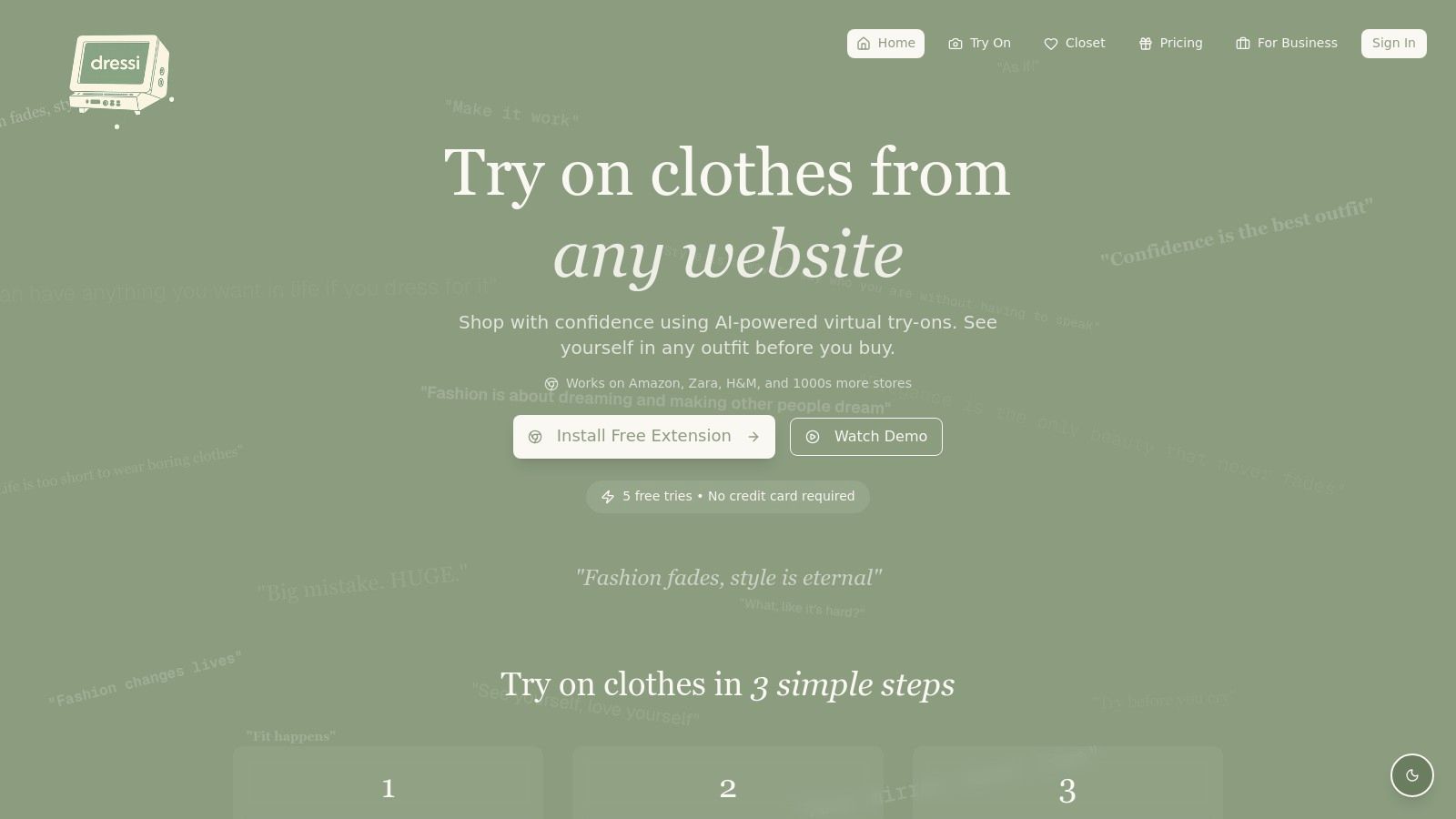
What if you could add a virtual try-on button to almost any online store you visit? Dressi makes this a reality with its clever browser extension and app. It overlays a "Try with Dressi" button on product pages for retailers like Amazon, Zara, and H&M, letting you instantly see how an item might look on you. By uploading a photo, you can quickly visualize the style without leaving the retailer's site.
This approach is perfect for shoppers who want a universal tool that isn't tied to a single brand. Instead of waiting for your favorite store to launch its own virtual dressing room, Dressi brings the technology to you, making it a powerful try clothes on app for browsing across the web. It's a fantastic way to get a quick style check before you commit to a purchase.
Why It Stands Out
Dressi’s biggest advantage is its store-agnostic nature. It acts as a universal layer over your existing shopping habits, integrating directly with thousands of retailer websites. This means you can maintain your regular browsing flow while gaining the ability to visualize outfits on the fly. It's an incredibly practical solution for today's fragmented online shopping landscape. Learn more about how this type of virtual clothing try on app works.
The ability to save different looks to a "cloud closet" makes comparing items from various stores simple and fun, helping you curate your perfect outfit from multiple sources.
Key Features & How to Use It
- Universal Browser Extension: Adds a try-on button to product pages on thousands of stores.
- Photo-Based Visualization: Upload your own photo to see an AI-generated render of the clothing on your body.
- Cloud Closet: Save and organize your favorite looks from different websites in one place to review later.
- Seamless Checkout: After trying, you complete the purchase directly on the original retailer's website.
Using it is simple: install the browser extension, visit a supported online store, and click the "Try with Dressi" button on a product you like.
Pros & Cons
- Pros: Works across a massive number of online stores, integrates with your existing shopping flow, and makes it easy to compare styles from different brands.
- Cons: As a third-party overlay, the realism of the visualization can vary depending on the quality of the retailer's product image. It's also a newer tool without the polished 3D simulation of retailer-integrated systems.
Website: https://www.dressi.org/
12-Platform Virtual Try-On Comparison
| Product | Core features | UX & accuracy ★ | Value & pricing 💰 | Target audience 👥 | Unique selling points ✨ |
|---|---|---|---|---|---|
| 🏆 TryThisFit | Right‑click Chrome extension; on‑page AI try‑ons; flat‑lay optimized | ★★★★☆ — fast, photo‑dependent accuracy | 💰 Free extension; unclear paid tiers | 👥 Online shoppers, resale buyers, costume planners | ✨ No account required; works across any shopping site; founder‑privacy |
| Walmart – "Be Your Own Model" | In‑app full‑body photo + model selection; Zeekit tech | ★★★★☆ — photoreal on app; item coverage varies | 💰 Free in Walmart app (integrated) | 👥 Walmart shoppers seeking seamless checkout | ✨ Tied to Walmart inventory & checkout; many private labels |
| Amazon Fashion – Virtual Try‑On (footwear) | AR shoe try‑on; size AI & review summaries | ★★★★☆ — strong for footwear AR | 💰 Free in app; benefits from Prime logistics | 👥 Amazon buyers, footwear shoppers | ✨ 3D AR for shoes + AI size guidance |
| Google Shopping – Virtual Try‑On | "Try on" badge; view on diverse real models | ★★★☆☆ — realistic models but not personal | 💰 💰 Varies by retailer (discovery first) | 👥 Discovery shoppers comparing retailers | ✨ Broad discovery across merchants; inclusive model set |
| Snapchat – Dress Up AR | Shoppable AR Lenses; social sharing & Lens Explorer | ★★★☆☆ — fun/social; realism varies by Lens | 💰 Free to use; commerce via brand links | 👥 Gen‑Z/young adults; social shoppers | ✨ Highly shareable AR; brand activations & trends |
| Style.me – Virtual fitting room | 3D avatars, size recs, outfit builder, Shopify integration | ★★★★☆ — good fit mapping with retailer assets | 💰 Enterprise/retailer pricing (B2B) | 👥 Retailers seeking on‑site VTO | ✨ 3D pattern mapping + analytics for returns/conversion |
| 3DLOOK – YourFit | Two‑photo body scan, widgets/APIs, mobile web | ★★★★☆ — high realism; scan‑based accuracy | 💰 B2B pricing; merchant integrations | 👥 Brands/retailers prioritizing fit | ✨ Quick body scan + mobile web deployment (no app) |
| ZERO10 – AR fashion try‑on | High‑fidelity AR, motion tracking, SDKs/embeds | ★★★★☆ — polished AR & motion realism | 💰 App & enterprise options (varies) | 👥 Brands/campaigns + consumers | ✨ Strong AR fidelity; supports campaign drops & web embeds |
| DRESSX – Metacloset AR | Instant AR via selfie; digital closet & social | ★★★☆☆ — great for digital looks, variable fit | 💰 Freemium + purchasable collaborations | 👥 Creators, digital‑fashion enthusiasts | ✨ Large digital wardrobe; social sharing & creator tools |
| WEARFITS – AI/AR try‑on | AI renders, real‑time AR, 2D→3D automation, SDKs | ★★★★☆ — full‑stack; quality depends on assets | 💰 B2B pricing; Shopify plugin available | 👥 Retailers digitizing catalogs | ✨ End‑to‑end AI/AR + 3D automation for rapid digitization |
| Zyler by Anthropics | Selfie + measurements, desktop/mobile/kiosk support | ★★★★☆ — realistic compositing on shopper likeness | 💰 Merchant/B2B pricing | 👥 Retailers testing VTO; in‑store & web shoppers | ✨ Fast selfie flow; plug‑and‑play merchant deployment |
| Dressi – browser extension/app | Overlay "Try with Dressi"; cloud closet; AI render | ★★★☆☆ — store‑agnostic but overlay realism varies | 💰 Freemium (free tries + paid premium) | 👥 Consumers wanting cross‑store try‑ons | ✨ Works across many stores; save/share looks in cloud closet |
Find Your Look: The Right Tool for Your Shopping Style
The digital dressing room is officially open! Navigating the world of online fashion has evolved from a game of guesswork into an exciting, visual, and highly personal experience. As I've explored, the landscape of the modern "try clothes on app" is incredibly diverse, offering a solution for nearly every type of shopper and every style scenario you can imagine.
From the hyper-realistic, model-swapping technology integrated directly into retailer sites like Walmart and Google Shopping to the futuristic AR playgrounds offered by Snapchat and DRESSX, the power to visualize your next look is more accessible than ever. These specialized tools are fantastic for what they do, providing deep, immersive experiences within their own ecosystems. Whether you're checking out a specific pair of sneakers on Amazon or playing with high-fashion digital wearables, these platforms show just how far this technology has come.
However, the modern shopper's journey isn't confined to a single store or app. Your inspiration might come from a Zara catalog, a unique find on Vinted, or a last-minute costume idea for Halloween. This is where the true revolution in online shopping lies: in the tools that adapt to your habits, not the other way around.
Choosing Your Virtual Fashion Companion
So, how do you pick the right tool from this vibrant lineup? Your choice ultimately hinges on your personal shopping style and primary needs.
- For the Brand-Loyal Shopper: If you primarily shop at one or two major retailers, their built-in virtual try-on features (like Walmart's "Be Your Own Model") are an excellent, streamlined choice. They are designed to work perfectly with that store's inventory.
- For the Social Trendsetter: If your style discovery happens on social media and you love interactive, AR-powered filters, platforms like Snapchat's "Dress Up" are your creative sandbox. They make fashion fun, shareable, and experimental.
- For the Universal Online Explorer: This is where the real game-changer comes in. If your shopping cart is a mix of high street fashion from H&M, fast-fashion finds from Shein, secondhand treasures from Depop, and staples from Amazon, you need a tool that travels with you. This is the shopper who benefits most from the unparalleled flexibility of a browser-based tool.
For the vast majority of people who fall into that last category, the sheer convenience and universal applicability of a tool like the TryThisFit Chrome extension is unmatched. It breaks down the walled gardens of individual retail apps. You're no longer limited to trying on clothes from just one store; the entire internet becomes your closet. With a simple right-click, you can instantly see how that Zara blazer looks with the trousers you found on ASOS. This "try clothes on app" functionality, delivered through a lightweight extension that installs in seconds, transforms your browser into the ultimate personal styling assistant.
The most significant takeaway is that you are now in control of your online shopping journey. You no longer have to rely on product photos on a model who may not share your body type or wonder if a particular color will complement your skin tone. You can see it for yourself, instantly. This simple act of visualization saves time, reduces the carbon footprint associated with returns, and, most importantly, injects confidence and creativity back into the process of building your wardrobe.
Ready to stop guessing and start styling? You can transform your online shopping experience right now. The TryThisFit extension puts the power of a universal virtual try-on tool directly into your browser, letting you preview looks from any store instantly. Install the free Chrome extension or head over to the TryThisFit website to see for yourself how easy it is to find your perfect look.
Try Virtual Try-On Now
See how clothes look on you before you buy - works with any online store
Get Started Free