Virtual Bra Fitting: Visualize Your Perfect Look
You know that moment when you’ve got six bra tabs open, you’re zooming into product photos, and you still can’t tell whether a style will look sleek, sporty, soft, or completely wrong for you? That’s the part of online bra shopping that wears people out. It’s not always the size question first. A lot of the time it’s the style question.
I’ve always found that interesting because bra shopping is so visual. You’re trying to judge cup shape, strap placement, neckline, coverage, texture, and how the whole thing might look under your clothes or as part of your personal style. A tiny flat product image often asks you to make a very big decision.
That’s why virtual bra fitting has become such a compelling idea. But one thing confuses shoppers fast: not every virtual bra fitting tool does the same job. Some tools try to estimate size. Others help you preview appearance. Those are very different experiences, and once you separate them, the whole category starts to make sense.
The End of Guesswork in Online Bra Shopping
A lot of bra shopping frustration starts before you even add anything to cart. You scroll through balconette styles, bralettes, sports bras, plunge bras, smoothing bras, and foundational basics. Then you stop and think, “That looks good on the model, but what will it look like on me?”
That question matters more than many shopping guides admit. A bra can be the “right” category for your wardrobe and still feel visually off for your taste. Maybe the band looks too sporty, the cup line feels too full, or the silhouette under a tee isn’t what you pictured.
That’s the gap virtual tools are trying to close. And this isn’t some tiny experimental niche. The global virtual fitting room market reached $4.03 billion in 2023 and is projected to grow to $14.86 billion by 2030, driven by return rates and uncertainty in online apparel shopping, according to Fytted’s review of virtual try-on adoption.
Why this matters to shoppers and retailers
For shoppers, the problem is emotional as much as practical. Bras are personal. You don’t want to order three versions of the same thing just to discover that none of them have the look you wanted.
For retailers, that uncertainty shows up in abandoned carts and returns. If you’re curious how stores think about reducing that friction, this guide to Conversion Rate Optimization gives useful context for why product confidence matters so much online.
Virtual bra fitting feels exciting because it changes the shopping question from “Should I gamble on this?” to “Can I preview this before I commit?”
A better way to preview before buying
The biggest shift is simple. Instead of staring at model photos and guessing, shoppers can now use digital tools to narrow down styles with more confidence.
Some experiences focus on body data. Others focus on visualizing appearance. If you want a broader look at how apparel tools handle that difference, this overview of true fit apparel tools is a helpful place to keep exploring.
The Two Worlds of Virtual Fitting Explained
People often use the phrase virtual bra fitting as if it means one thing. It doesn’t. In practice, there are two very different camps.
One camp acts like a digital fitter. The other acts like a visual styling mirror.

Measurement-based tools
Measurement-based virtual fitting tries to answer a technical question. It asks, “What size should this person try?” These systems may use body scans, questionnaires, tape measurements, or video consultations.
A well-known example is the 3D scanning approach used in Victoria’s Secret’s implementation with NetVirta. The process involves a phone placed at an angle and a sequence of body positions that capture torso and bust geometry, then compares that data against product inventory to recommend sizes and sister sizes, as shown in this NetVirta demonstration.
Some brands take a human route instead of an algorithmic one. Bravissimo, for example, offers secure video consultations where trained fitters visually assess the bra a customer is already wearing, using methods similar to in-store appointments, described on Bravissimo’s virtual fitting page.
Visual preview tools
The second camp answers a totally different question. It asks, “How will this style look on me?” That’s not about assigning a bra size. It’s about helping you preview the appearance, shape, cut, and vibe before buying.
Virtual try-on feels almost magical to shoppers. You’re not doing measuring tape math. You’re checking whether a plunge neckline looks flattering to your eye, whether a lace edge feels romantic or busy, or whether a soft bra reads elegant or too casual for what you wanted.
Practical rule: If your biggest uncertainty is style, a visual preview is often more useful than another sizing quiz.
Why this distinction matters
A lot of confusion in this space comes from expecting one tool to solve every problem. Measurement tools can be useful, but they also come with friction. You may need body angles, tape measurements, careful positioning, or a scheduled session.
That friction matters because self-measurement can go wrong. One major challenge with measurement-based fitting is self-measurement error, with some studies indicating up to 80% inaccuracy without professional oversight, creating room for tools that skip measurements and focus on instant visual previews, according to Levana Bratique’s discussion of virtual bra fitting and sizing service limits.
Here's a clean way to understand it:
| Approach | Best question it answers | Typical input | Main benefit |
|---|---|---|---|
| Measurement-based fitting | What size should I try? | Scans, tape measures, fit quizzes, video consults | Size guidance |
| Visual preview | How will this style look on me? | Your photo plus a product image | Style confidence |
If you want to explore the visual side of this category more broadly, this page on the virtual fitting room experience shows how appearance-first tools differ from sizing-first ones.
Visualize Any Style Instantly with TryThisFit
You’re on a product page with six tabs open. One bra looks elegant, another looks practical, a third looks great on the model but hard to picture on your own body. What usually happens next is more guessing.
The visual side of virtual fitting changes that moment. Instead of asking a tool to calculate your size from a scan or quiz, you use it to answer a different question. Do I like how this style looks on me?
That distinction is the whole appeal. I built this kind of experience for the style decision, not the measurement puzzle. The result feels lighter, faster, and much more fun.
How the process works
The workflow is straightforward. You start with a photo of yourself, then pair it with a product image. The app generates a preview so you can judge the look of the bra on your body, much like holding a garment up in front of a mirror, only faster and easier to compare.
Image choice matters more than people expect. Flat-lay product photos usually produce the cleanest previews because they show the bra clearly, without model poses, arm placement, or camera angles getting in the way. A model photo can still work, but flat lays often give the tool a simpler visual starting point.
Here’s the basic flow:
-
Choose your photo
A clear front-facing image usually gives the most readable result. -
Pick the product image
Flat-lay images often make the style details easier to preview. -
Generate the try-on
The visual appears quickly, so you can react to the neckline, shape, and overall vibe. -
Compare styles
Try a plunge, a balconette, a bralette, or a sports bra and see which direction feels most like you.
That speed changes the shopping experience. Browsing stops feeling like detective work and starts feeling more like trying outfits in a fitting room. You can test an idea, rule it out, and move on before doubt has time to pile up.
If you’re interested in the visual side of ecommerce presentation more broadly, this article on 3D product rendering is a useful companion read because it shows how much product imagery shapes buying decisions.
The real wow factor is seeing the style on yourself before you buy, not being told what you should want.
The Chrome extension keeps the momentum going
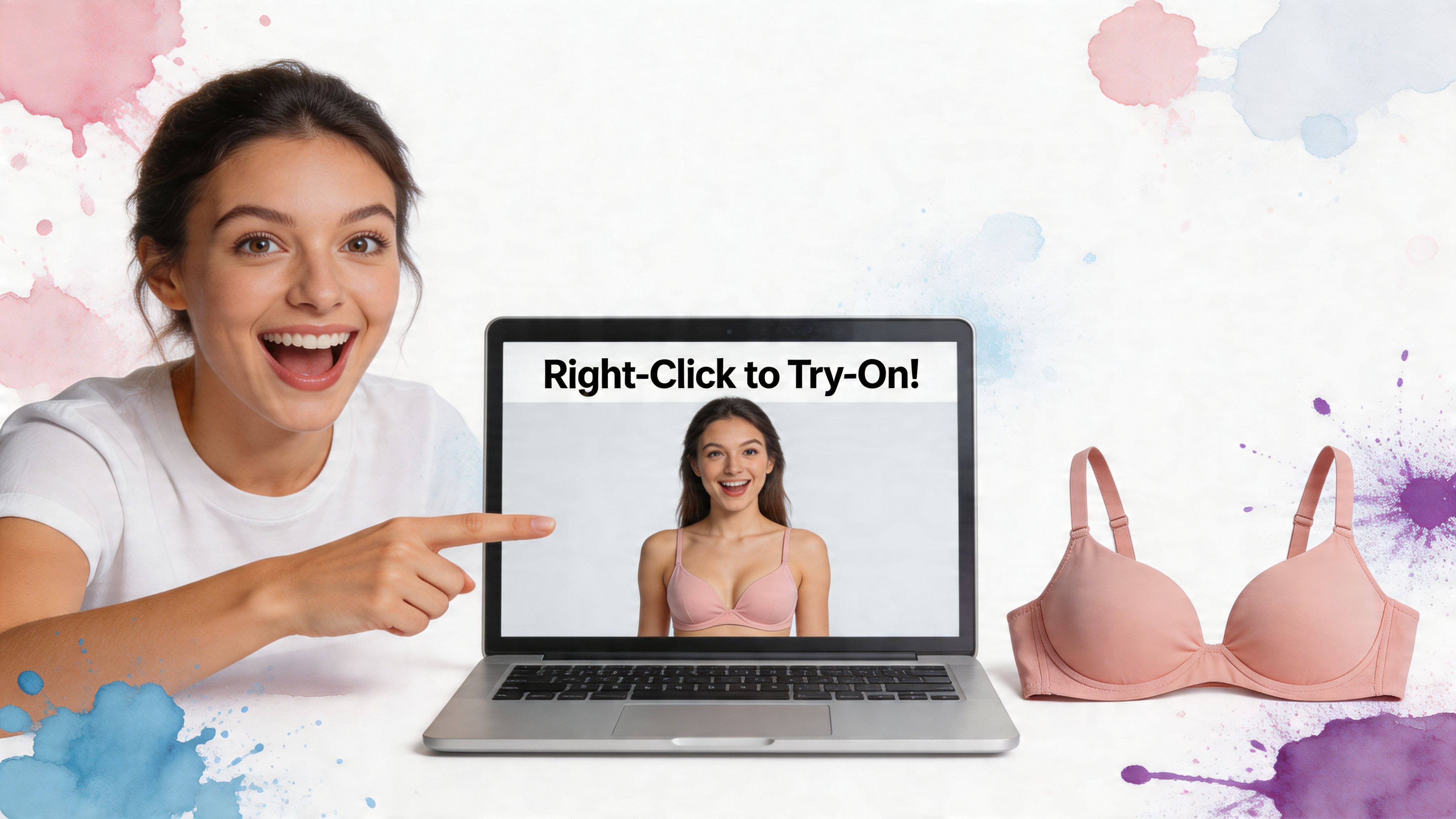
The experience gets even better while you’re actively shopping. Instead of saving images, renaming files, and bouncing between tabs, you can use the Chrome extension to try items on as you browse.
That matters because style exploration rarely happens in one neat place. You might look at Zara for cleaner silhouettes, H&M for basics, Amazon for variety, or Vinted and Depop for one-off finds. A right-click preview turns all of those stores into part of the same visual fitting room.
A few details make this especially useful:
-
Quick to use
You can launch a try-on directly from the product image while browsing. -
Low setup friction
Getting started feels light, so experimenting with multiple styles stays fun. -
Useful across different sites
That helps when your style search jumps between retailers, marketplaces, and secondhand platforms.
If you want to revisit previous looks later, the saved try-on history page makes it easy to compare what you tested.
Gain Your Style with Real-World Use Cases
A visual try-on starts paying off the moment your shopping gets messy. You have three tabs open, two very different bra styles in mind, and a vague feeling that one of them will look great on someone, just maybe not on you.
That is where the visual camp of virtual fitting shines. It helps with the part shoppers feel most strongly. Seeing the cut, mood, and overall look on your own photo before you commit.
Comparing styles across big retail sites
Shopping across H&M, Zara, and Amazon can feel like holding fabric swatches up to the wrong light. Each store shoots products differently, each model has a different pose, and your brain has to keep translating all of it into one question. How would this look on me?
A visual preview cuts through that. You can check a smooth T-shirt bra, a lace-trim balconette, and a sporty bralette side by side on your own image. The decision gets clearer because you are judging silhouette and style, not guessing from thumbnails and model photos.
Buying secondhand when the listing photo tells only half the story
I love this use case because secondhand shopping is full of hidden gems and hidden risk. One seller uses bright daylight. Another posts a dim mirror shot. A third folds the item in a way that hides the shape completely.
A quick try-on helps you work around that noise. If a bralette looks sweet in the listing but feels too fussy, too plain, or too unlike your wardrobe once you preview it on yourself, you can move on without the usual hesitation.
Some of the smartest online shopping happens on resale platforms, but only if you can picture the item as part of your own style.
Building outfits for events, costumes, and themed looks
This gets fun fast.
For a Halloween costume, festival outfit, dance look, or retro-inspired set, the first question is often visual. You are usually trying to create a mood. Maybe you want athletic and sharp, soft and romantic, or pin-up and dramatic. A visual try-on lets you test those directions in minutes.
Measurement-based tools are not built for that kind of exploration. Style previews are. They act more like a fitting-room mirror for ideas.
Figuring out your everyday bra style
A lot of style discovery happens gradually. No big occasion. No dramatic makeover. Just the slow process of noticing what feels right with your tops, your layering pieces, and your taste.
Analysts at FNF Research in its bra market overview note that many women are still not familiar with proper bra sizing systems. That makes the visual side of shopping even more helpful. If remote sizing feels confusing, confirming the look and cut first can still make the purchase feel more grounded.
I see this as the biggest advantage of visual fitting. It sidesteps the hardest part of remote bra shopping and still gives you something immediately useful. You get to answer questions like these:
- Does a molded cup look too structured under my clothes?
- Do I like the softer line of a triangle bralette better?
- Does a longline style add the mood I want?
- Which neckline works best with the tops I already wear?
If you do want the measurement side explained clearly, this guide on how to take accurate body measurements is a good companion. I still see that as a separate job from visual try-on.
Here are the moments where appearance-first try-on helps most:
-
Retail comparisons
Check different cuts and aesthetics across major stores without relying on model photos alone. -
Secondhand shopping
Preview one-off finds before buying items that may be hard to return. -
Event styling
Test bras and bralettes as part of a costume, performance look, or themed outfit. -
Personal style discovery
Learn which shapes, textures, and silhouettes feel like you.
Accuracy Privacy and Getting the Best Results
A good visual try-on works best when you use it with the right expectations. It’s for seeing how something looks, not for promising a technical bra fit. That distinction makes the whole experience more useful, not less.
When people get disappointed with virtual tools, it’s often because they expected a style preview to behave like a professional fitting appointment. Those are different jobs.
What “accuracy” really means here
For a style-first tool, accuracy means the preview gives you a strong sense of the item’s appearance on you. It helps you judge shape, cut, visual balance, and overall aesthetic.
It does not mean the app is confirming your ideal bra size or guaranteeing how a garment will physically fit when it arrives. If you need a deeper understanding of measurement concepts, this guide on how to take accurate body measurements is useful background reading.
Best practices that improve your results
The easiest way to get better previews is to start with better inputs. A few small choices can improve the outcome a lot.
-
Use flat-lay product photos
These usually work best because the item is shown clearly without body angles, folds from wear, or dramatic model posing. -
Choose a clear personal photo
Front-facing images with decent lighting tend to produce cleaner previews. -
Avoid heavily edited retailer shots
Extreme angles, motion, and styling can distort how the product image translates. -
Compare several styles in one session
Visual try-on shines when you’re choosing between options, not staring at a single maybe.
A flat product image gives the app a better starting point. Better input usually means a better-looking preview.
Privacy matters more than people admit
Bra shopping is personal, and privacy should feel paramount. That’s one reason I think the solo-founder angle matters here. People want to know who built the tool and how their images are treated.
The privacy promise should be straightforward. Your photos shouldn’t become a hidden business model. For shoppers, that trust is part of what makes visual try-on comfortable enough to utilize.
A practical mindset helps here too. Use the tool for fast style exploration, keep your expectations centered on appearance, and lean on clean product images whenever possible. That combination tends to produce the most satisfying results.
Conclusion Reshape Your Shopping Experience
You are scrolling through bras late at night, opening tab after tab, and every option looks convincing on the model. The hard part starts when you try to picture that same style on your own body. Once I separate virtual bra fitting into two different camps, the whole experience gets easier to understand.
One camp focuses on sizing. The other focuses on seeing the style on you.
That distinction matters.
Measurement-based tools can be helpful, but they also ask for more trust, more inputs, and more precision than many shoppers want during a quick browsing session. Visual preview works more like a dressing-room mirror for the internet. You bring your photo, compare styles fast, and get a much clearer feel for shape, coverage, and overall vibe.
That is the part I find exciting. Online shopping starts to feel less like decoding product pages and more like trying things on for real. You can spot what feels flattering, what feels too full-coverage, what looks too plain, or what unexpectedly suits you.
For me, that is the core promise of virtual fitting. It is not chasing perfect remote measurements. It is helping you make better style decisions with less friction and more confidence.
If that sounds like the kind of shopping experience you want, the visual route is the one to start with. As noted earlier, TryThisFit and its browser extension make that quick style-preview workflow easy to use while you shop.
Frequently Asked Questions
Does virtual bra fitting tell me my exact bra size
Not always. Some virtual bra fitting tools focus on measurements or video consultations, while visual try-on tools focus on showing you how the style looks. That means a preview tool is best for appearance, cut, and aesthetic decisions rather than technical sizing confirmation.
What’s the difference between using the website and using the Chrome extension
The website is great when you want a direct, focused try-on experience. The Chrome extension is better when you’re actively shopping because it lets you right-click product images on stores and marketplaces and preview them without breaking your browsing flow.
Do I need to create an account to try it
No. One of the nicest parts of the experience is that you can get started quickly without turning it into a signup task. That lower friction makes it easy to test styles while you’re already in shopping mode.
Why do some try-ons look better than others
The biggest factor is the product image. Flat-lay photos usually work best because they give the app a clearer, cleaner view of the garment itself. Model shots with dramatic angles, folds, or layered styling can make the preview less consistent.
Is this useful beyond bras
Yes. The same visual process can help with tops, dresses, secondhand finds, costumes, and everyday outfit experiments. Once you start using a try-on tool for style decisions, it often becomes part of how you shop in general.
If you want a fast way to see how clothes look on you before buying, try TryThisFit. You can start in seconds, preview styles without creating an account, or install the free Chrome extension to right-click and try on items from your favorite shopping sites instantly.
Try Virtual Try-On Now
See how clothes look on you before you buy - works with any online store
Get Started Free