Virtual Hat Try On Guide: See Any Hat on You Instantly
You know that feeling? You spot the perfect hat online at a store like Zara or Amazon, but then you stop. You hesitate. Is the brim too wide? Will that color wash me out? A virtual hat try on completely erases that guesswork. Using a bit of AI magic, it lets you see how any hat looks on your photo, instantly.
This isn't about getting the size right—it's all about visualizing the style before you even think about clicking "buy."
Tired of Guessing How a Hat Will Look on You?
I've been there. You're scrolling, and you find a hat you love, but a dozen questions pop into your head. Is the crown too tall? Does that style actually work with my face shape? It's that moment of doubt that can kill the excitement of finding something new.
That exact frustration is why I created TryThisFit. It’s a simple tool that lets you instantly see any hat from any online store on your own picture. The benefits are massive: you save a ton of time, avoid returns, and get the confidence to try out bold new styles.
A Smarter Way to Shop for Hats
Honestly, this kind of tech is changing how I shop for fashion online. You no longer have to wonder how a specific style, like a delicate gentle panama hat, will frame your face. You just see it. Think of it as your own personal styling assistant, on call 24/7.
And it's not just a niche thing—it’s blowing up. The global virtual try-on market was valued at USD 9.17 billion in 2023 and is on track to explode to USD 46.42 billion by 2030. This boom is driven by people who just want more confidence when shopping. You can dive deeper into the numbers behind this growing market at Grand View Research.
Think of it this way: a virtual try on is your personal mirror for the entire internet. The app helps you build a wardrobe you absolutely love by making sure every single piece feels like you.
Here’s a quick comparison of traditional online hat shopping versus using a virtual try-on tool.
How Virtual Try On Solves Common Hat Shopping Problems
| Shopping Problem | Traditional Method | Virtual Try On Solution |
|---|---|---|
| "Will this style suit me?" | Guessing based on model photos, or buying and hoping for the best. | Instantly see the hat on your own face to judge the style and appearance. |
| "Is the color right?" | Relying on product images that can vary based on lighting and screen color. | See how the hat's color complements your skin tone and hair color. |
| "I hate returning things." | Ordering multiple items and dealing with the hassle of shipping back the ones that don't work. | Drastically reduce returns by making a more informed decision upfront. |
| "I want to try a new look." | Hesitating to buy something bold or different for fear it won't look good. | Experiment with endless styles risk-free and discover what you truly love. |
The difference is pretty clear—it's about moving from guesswork to confidence.
Ready to give it a shot? You can head over to trythisfit.com right now and test it out without even making an account. For the most seamless experience, you can also install the Chrome extension in 5 seconds and start trying on hats from literally any website with a simple right-click.
How to Virtually Try On a Hat From Any Online Store
Ready to stop guessing and start seeing how a hat will look on you? I'm going to show you just how easy it is. The absolute quickest way to get a style preview is with the free TryThisFit Chrome extension. It lets you do a virtual hat try on right on the product page of any store—H&M, Shein, even secondhand spots like Vinted.
I built the extension to be a no-brainer. Seriously, it installs in a couple of seconds. After that, just browse your favorite sites like you normally would. Find a hat you like? Right-click on the product photo and hit "Try this on." Boom. An instant preview pops up showing you wearing the hat. No downloading, no new tabs, no fuss.
Why the Chrome Extension is a Game-Changer
The magic here is pure convenience. Picture this: you’re scrolling through Depop and spot a killer vintage bucket hat. Instead of just wondering if you can pull it off, you can get a real visual in a heartbeat. This works everywhere, from big-name retailers like Zara to fast-fashion giants like Shein via the extension's right-click feature.
This little tool changes online hat shopping from a gamble into a fun styling session. My whole goal was to give you the confidence to play around with different looks without any risk. You can quickly compare a beanie from one site with a fedora from another, helping you pin down the style that’s really you.
This simple flowchart shows how virtual try-on flips the old shopping script from "guess and hope" to "know and buy."
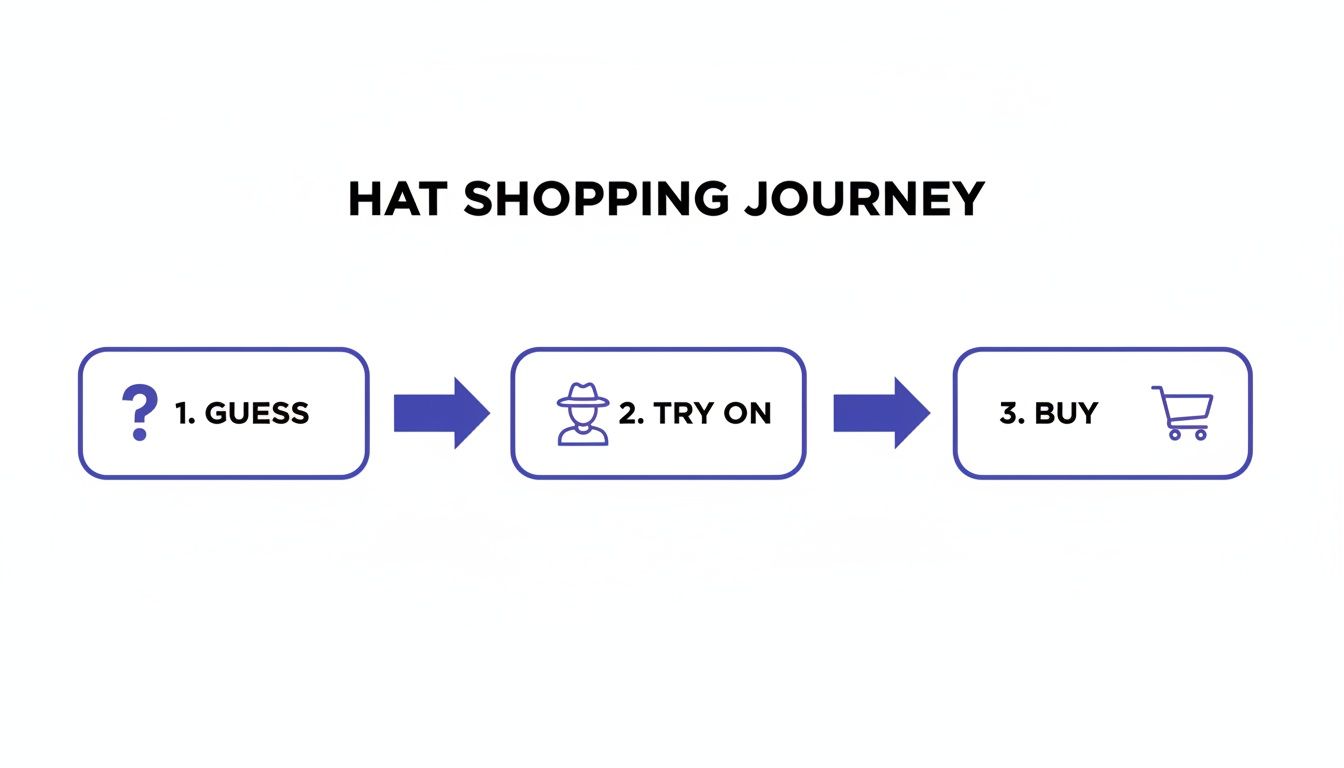
As you can see, adding that one "try on" step makes all the difference, taking the guesswork completely out of the equation.
Prefer Not to Use an Extension? No Problem.
If you're not a Chrome user, you can still get an awesome style preview using the web app directly at https://trythisfit.com/try-on. It's just as simple, with only one tiny extra step: you’ll need to save the hat's product image to your computer first.
A quick pro-tip for getting the best results: always look for flat-lay photos of the hats. These flat-lay clothing photos work best for the most accurate results. These give the app the clearest, most accurate view of the hat's shape and structure.
Once you’ve saved the image, here’s all you do:
- Head over to the TryThisFit web app in any browser.
- Upload a clear, front-facing photo of yourself.
- Upload the flat-lay product image of the hat you saved.
The app will whip up your preview in just a few seconds! It’s perfect for creating a lineup of different styles to see which one you vibe with most.
My personal trick: I love to keep my try-ons organized. Every preview you create is automatically saved. You can always go back and review your past looks and comparisons in your personal history at
trythisfit.com/history. It's a lifesaver when you're indecisive!
So, whether you’re using the instant right-click of the Chrome extension or uploading images directly, you get a fast, fun preview of your potential new look. You can see more of what the tool is capable of by checking out some of the virtual try-on examples I’ve put together.
Getting the Most Realistic Hat Previews
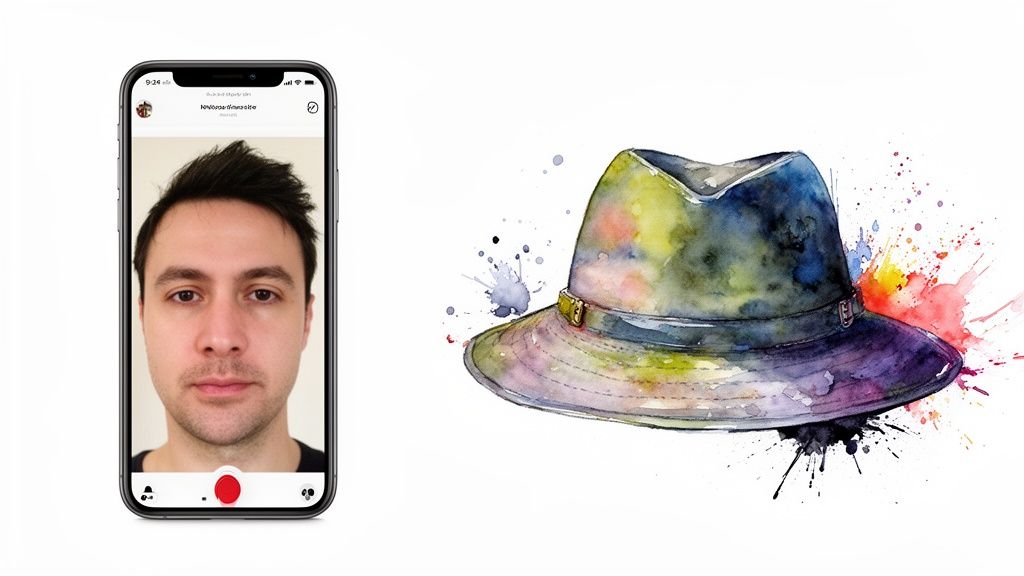
If you want a truly mind-blowing, "is-that-real?" kind of preview with a virtual hat try on, a little photo prep makes a huge difference. I've spent countless hours playing around with this, and I've figured out a few dead-simple tricks that are total game-changers.
This isn't just about your photo—it's about the hat's photo, too. Think of it this way: you're giving an artist the reference materials for a portrait. The clearer and more detailed those references are, the more lifelike the final painting will be.
Nailing Your Personal Photo
First up, let's get the perfect shot of you. Don't worry, you absolutely don't need a pro camera or a fancy lighting setup. Your smartphone is more than enough.
The secret is a clean, well-lit, front-facing photo. Standing in front of a window for some natural light is my go-to move. Also, try to keep your expression fairly neutral. A massive grin can sometimes throw off the AI's ability to perfectly map the hat to your head shape.
Here are my quick-and-dirty rules for the best results:
- Look Straight Ahead: Look right into the camera. This gives the app a perfect, unobstructed view of your face and head shape.
- Pull Your Hair Back: If you've got longer hair, tying it back or pulling it away from your face is a must. This prevents it from getting in the way.
- Keep the Background Simple: A plain wall is your best bet. It helps the AI isolate you from everything else in the room.
Choosing the Perfect Hat Photo
Okay, now for the most critical part: the hat image itself. If you want the absolute best, most realistic try-on, flat-lay photos are your new best friend. This is when the hat is photographed from directly above while sitting on a simple, flat surface.
Why does this matter so much? Because it gives the AI a perfect, unobstructed view of the hat's true shape, brim, and every little detail. Photos with mannequins or models often have weird shadows and angles that hide parts of the hat, which can lead to a wonky-looking preview. A clean flat-lay shot is like giving the AI a flawless blueprint.
This kind of tech is exploding for a reason. The virtual try-on market was valued at USD 15.18 billion in 2025 and is on track to hit a staggering USD 48.10 billion by 2030. It's all about taking the guesswork out of shopping, and using the right photos is the key to unlocking that magic.
Pro Tip: If a retailer's website only has pictures of the hat on a model, I'll often do a quick Google Images search for "[Product Name] flat lay." It’s an extra 10-second step that seriously pays off in the quality of your try-on!
A virtual try-on is the best way to see how different types of golf hats or any other style will actually look on you before you click "buy." Follow these simple photo tips, and you'll get a preview you can truly trust.
Let's Get Creative: Fun Ways to Use Your Virtual Try-Ons
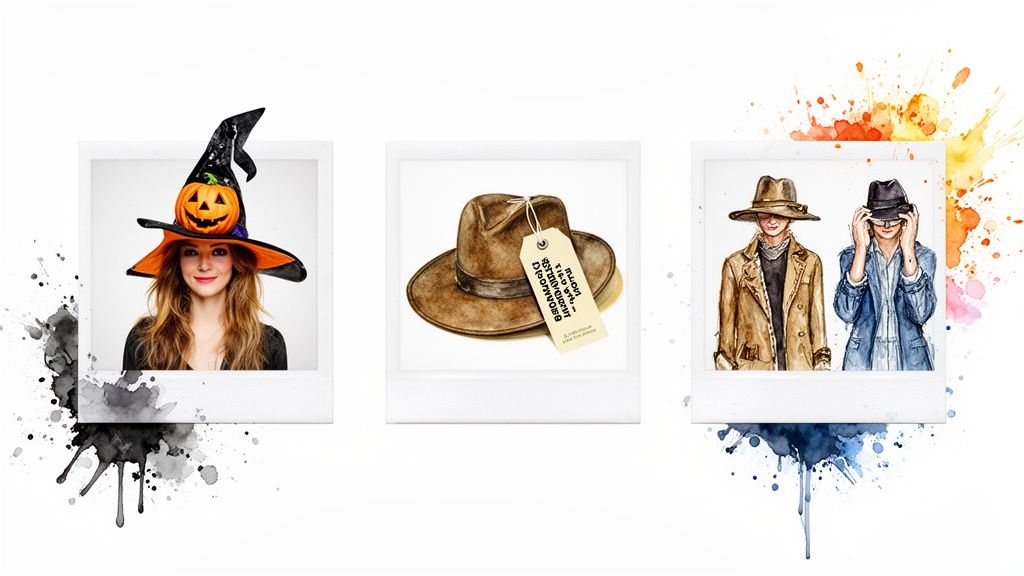
A virtual hat try on tool is so much more than a simple "add to cart" feature. I think of it as my personal style lab—a place where I can experiment, plan outfits, and just have fun with fashion without spending a dime. It's all about unlocking your creative side.
One of the best, most practical uses? Planning for events! Think about Halloween or that upcoming themed party. Instead of gambling on a hat you hope will complete your costume, you can audition dozens of options in minutes. From witch hats to pirate tricorns, you can find the one that absolutely nails the look you're going for.
More Than Just a Shopping Tool
The extension totally changes the game for secondhand shopping on sites like Vinted or Depop. You can find some incredible, one-of-a-kind hats there, but the "no returns" policy can be scary. With the TryThisFit Chrome extension, you just right-click that amazing vintage fedora and see it on your own head instantly. It takes all the guesswork out of the purchase.
I even use it to shop my own closet! Say I spot a new shirt online. I'll grab a quick virtual preview and see if a hat I already own would match. This little trick has saved me from so many impulse buys and helps me build a wardrobe where everything actually works together.
It really does transform online browsing from a chore into a full-on styling session. You can discover new combos and put together outfits that make you feel incredible, all from your couch.
This creative way of shopping is catching on, big time. The virtual try-on market is already valued at a whopping USD 10.93 billion in 2024 and is expected to rocket to USD 108.5 billion by 2034. Why? Because we all want more confidence and a bit more fun when we shop online. If you're a data nerd like me, you can see the stats behind this retail shift at market.us.
Find Your Vibe and Get Inspired
At the end of the day, a virtual hat try-on is all about exploration. It lets you play with styles you might feel too self-conscious to try on in a crowded store. Ever wondered if you could rock a wide-brimmed sun hat or a bold bucket hat? Now you can find out in seconds, with zero pressure.
It’s an amazing way to discover what truly suits your personality. For a little extra inspiration, you should definitely check out my guide on how to https://trythisfit.com/steal-the-look.
Ready to start your own style adventure? Grab the Chrome extension in 5 seconds and see what incredible looks you can put together.
How Your Privacy is Handled at TryThisFit
Let’s talk about something that’s on everyone's mind these days: privacy. It's totally understandable to be cautious about where your photos end up when you use a new tool online. I get it. As the solo founder behind TryThisFit, I want to be crystal clear about how your data is handled.
Simply put, protecting your data isn't just a policy—it's my top priority.
When you upload a photo, it has one and only one purpose: to generate your virtual hat try on. The image is processed securely to create that preview for you, and that’s it. It’s never sold, it’s never shared with any third parties. End of story.
Your Data Belongs to You, Period
I designed TryThisFit from the very beginning to be as private as possible. One of the biggest ways I do that is by not requiring any accounts. You don't need to sign up, log in, or hand over your email address. You can start trying on hats the moment you install the extension, no accounts needed.
This keeps things incredibly simple and secure. The entire system is built to be anonymous and hassle-free, so you can just focus on the fun part—finding a great hat!
Your privacy isn't just an afterthought; it's a core feature. My goal is to give you a genuinely useful tool without asking you to give up your personal information.
Now, you might notice you have a personal try-on history. That’s all stored locally in your browser, for your eyes only. It’s a convenient way to revisit styles you loved without that data ever leaving your own device.
You can always see your saved looks at trythisfit.com/history, knowing that information stays right there with you. My mission is to create a powerful styling tool you can use with total confidence.
Ready to start styling? Give it a try at trythisfit.com.
All Your Virtual Hat Try-On Questions, Answered
I get asked all the time about how the virtual hat try-on tool works, so I've rounded up the most common questions right here. My mission is to make finding your next favorite hat fun and foolproof, so let's get into it!
Does This Tool Tell Me if a Hat Will Actually Fit My Head?
That’s a great question, and an important one! Think of the tool as your personal style visualizer, not a sizing guide. It’s built to show you how the shape, color, and overall vibe of a hat complement your face and style.
It's like having a magic mirror for any online store. But, since it can't take physical measurements, you'll still need to rely on the brand's sizing chart to nail that perfect fit. The app helps you answer, "Do I love how this looks?"—the sizing chart answers, "Will it physically fit?"
Which Websites Can I Use This On?
This is where the real magic happens—you can use it on any site! The TryThisFit Chrome extension is your best friend here. It works like a charm on huge retailers like Amazon, Zara, H&M, and Shein.
I especially love using it on secondhand marketplaces like Vinted and Depop, where you’re often buying blind. Just find a hat you like, right-click the image, and instantly see it on yourself. If you’re not a Chrome user, no worries! Just save the image from any site and upload it directly on trythisfit.com.
Why Do Flat-Lay Photos of Hats Work Best?
Flat-lay photos are the secret sauce for getting jaw-droppingly realistic results. When a hat is photographed on a flat surface from directly above, the AI gets a clean, complete, and undistorted view of its true shape and details. It’s like giving it a perfect blueprint to work with.
When a hat is on a model or mannequin, things like hair, shadows, or odd angles can obscure parts of it. A simple flat-lay shot cuts through all that noise, which means you get a much more accurate and believable preview. Other photos can work in a pinch, but for the most reliable results, always go for the flat-lay.
By giving the AI the clearest possible image of the hat, you're making sure the style preview you see is one you can actually trust. It's a tiny step that makes a huge difference.
Is It Really Free? Do I Have to Sign Up?
Yep, it's 100% free, and no, you don't need an account! I wanted this tool to be incredibly fast and easy to access. You won't find any hidden fees, subscriptions, or requests for your name and email.
The whole point was to remove every obstacle so you can get right to the fun part. Just head to the site or install the Chrome extension and you can be trying on hats in seconds. Your past try-ons are saved locally in your browser history at trythisfit.com/history, keeping all your data completely private and in your control.
Ready to stop guessing and start seeing? Find a hat that truly suits your style in seconds with TryThisFit.
Try Virtual Try-On Now
See how clothes look on you before you buy - works with any online store
Get Started Free