Your Best Work from Home Tops: A 2026 Style Guide

You know the drill. You've got a call in ten minutes, your softest tee looks too sleepy, your crisp button-down feels annoying by noon, and the top you thought looked polished somehow turns flat and awkward on camera.
That's why work from home tops deserve more thought than they usually get. The right one has to feel easy on your body, hold up through hours of calls, and make you look switched-on the second your camera turns on.
The New WFH Wardrobe Dilemma
Work from home style used to feel temporary. It isn't anymore.
By 2026, remote and hybrid work is a permanent part of modern work life, with 41.9% of the global workforce operating outside a traditional office according to research on the persistence of remote work. That means your “good enough for Zoom” pile is no longer a stopgap. It's a real wardrobe category.
The problem is simple. Most tops are built for one job only. Some are comfortable but read lazy on screen. Others look sharp for twenty minutes and then make you feel trapped, itchy, or overheated by lunch.
Practical rule: If a top only works in real life or only works on camera, it's not a strong WFH piece.
The sweet spot sits in the middle. I look for three things every time.
- Fabric that stays comfortable through long laptop days, not just quick meetings.
- Color that helps your face look alive on camera instead of washed out.
- A style you can picture clearly before buying so you're not guessing from a model photo.
That last part matters more than people admit. Online shopping for work from home tops is full of false confidence. A top can look amazing on Zara, H&M, Amazon, Shein, Vinted, or Depop and still feel completely wrong for your own vibe once it arrives.
Stop buying for a fantasy version of your workday
Your WFH wardrobe should support your actual routine. Sitting, typing, hopping on calls, making coffee, throwing on earrings at the last second, and still wanting to feel like yourself.
That means fewer “statement” pieces that only work under perfect conditions, and more tops that perform. Soft structure. Better color. Cleaner lines. Less regret.
Choosing Tops for All-Day Comfort and Polish
If a top irritates you after two hours, it doesn't belong in your rotation. Comfort isn't optional when you're wearing something through meetings, focused work, and the weird in-between stretch where you're still dressed but fully over it.
A 2026 report found that 67% of remote workers experienced issues like micro-itching or overheating during long video call sessions due to poor fabric breathability in their tops. That's the missing filter often ignored when shopping for work from home tops.
Start with breathable fabric
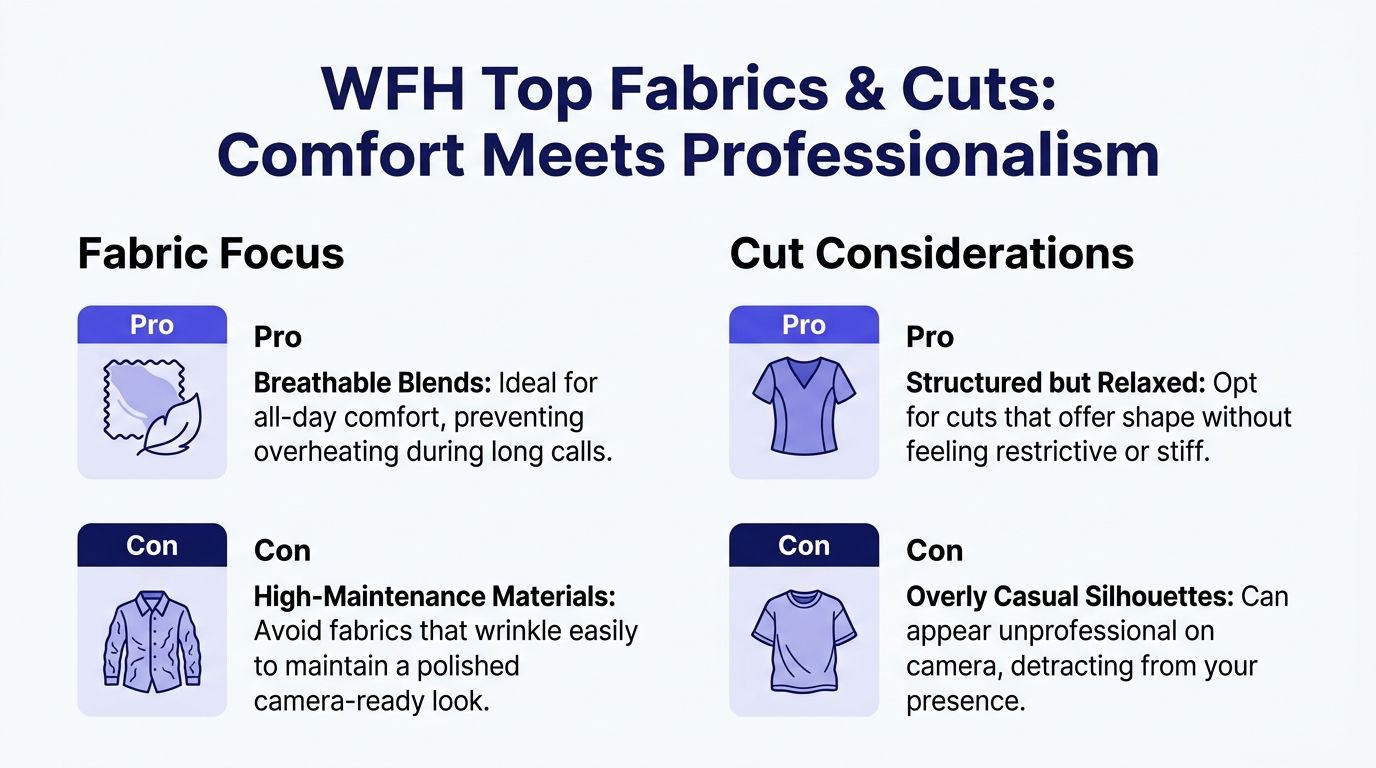
Choose tops that feel smooth, light, and easy against the skin. I'd put Tencel, modal, silky jersey, and certified organic cotton at the top of the list because they usually drape well and don't fight you all day.
Heavy synthetic knits, fuzzy textures, and stiff blends can look cozy on a product page but get annoying fast. They trap heat, cling in weird spots, and often look bulkier on camera than they do in person.
A quick shopping filter helps:
- Look for breathable wording like Tencel, modal, organic cotton, lightweight knit, or soft drape.
- Skip high-fuss fabrics if they wrinkle the second you sit down.
- Watch surface texture because plush or fuzzy finishes can read sloppy on video.
If you want inspiration beyond the usual sweatshirt advice, these Zoom-ready loungewear options show the kind of balance that works for home and camera.
Then fix the neckline and shape
Fabric gets you comfort. Cut gives you presence.
The best WFH tops usually have enough shape to frame your face without feeling office-stiff. I like scoop necks, open crew necks, soft mock necks, collarless blouses, and knit polos with a bit of structure.
Here's what tends to work best on screen:
| Top detail | Why it works on camera |
|---|---|
| Soft mock neck | Looks polished without feeling formal |
| Scoop or open crew neck | Frames the face and keeps things light |
| Relaxed shoulder with shape | Reads easy, not messy |
| Slightly structured blouse | Gives definition without stiffness |
Oversized tees are the classic trap. They feel great, but they often collapse visually and make your whole upper half look shapeless on video.
A good WFH top should skim, not swamp.
My keep-or-return test
Before I keep any top, I ask three blunt questions:
- Can I wear it for hours without adjusting it?
- Does it still look intentional when I'm seated?
- Would I reach for it on a surprise camera call?
If the answer isn't yes across the board, it goes back. That one filter saves a lot of wardrobe clutter.
Mastering Camera-Friendly Colors and Patterns
Most advice tells you to stay in neutrals. I think that's lazy.
Yes, some neutrals work beautifully. But “just wear beige, gray, black, or navy” is how people end up looking dull, tired, or invisible on camera. Your webcam needs contrast and warmth, not caution.
The colors that usually fail first
Bright white can wash out your face. Deep black can flatten your features. Tiny stripes, tight checks, and busy prints can look distracting on screen even when they look chic in person.
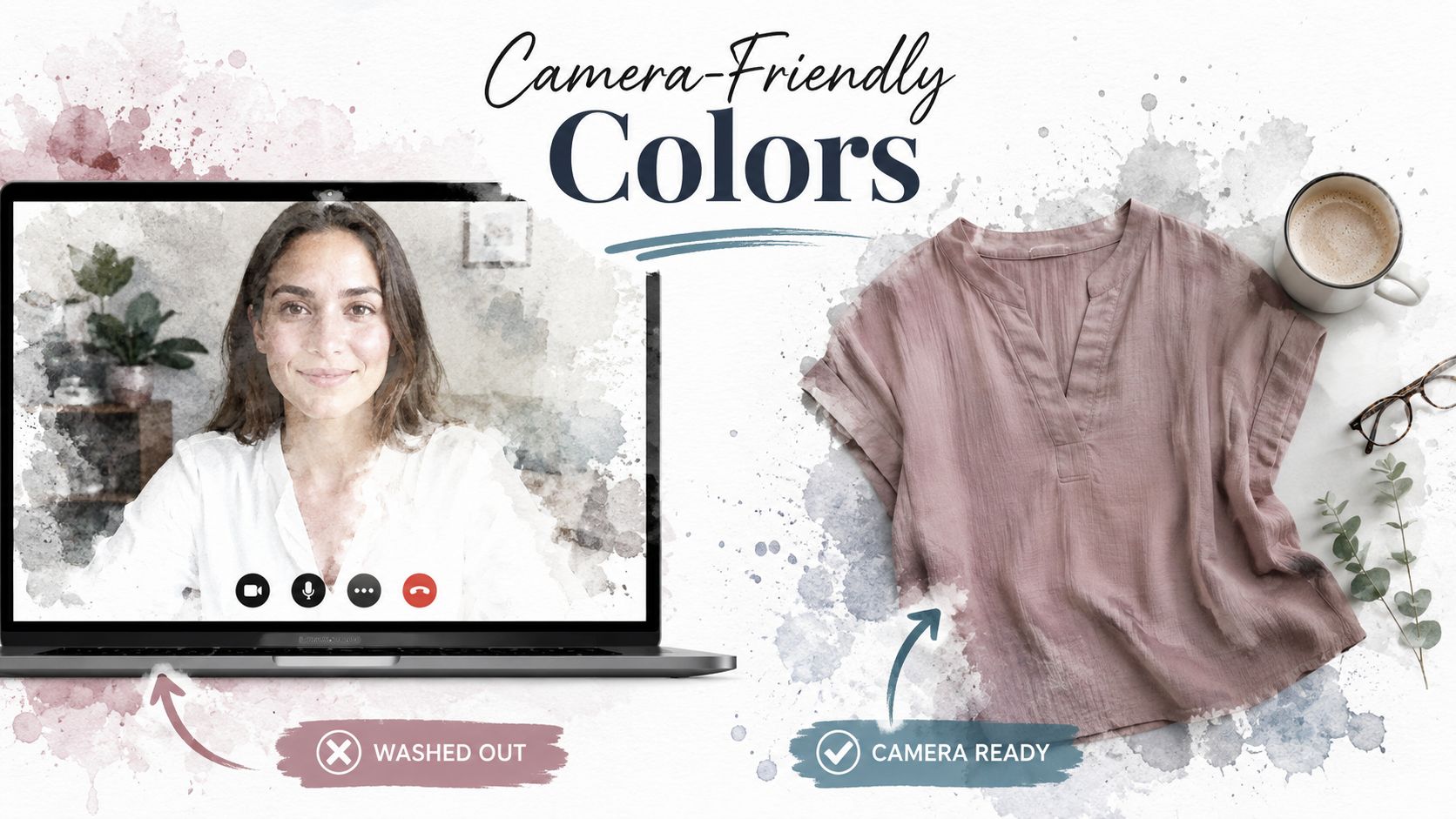
Instead, go for colors with softness or depth. Think mauve, dusty rose, pine, muted teal, terracotta, cocoa, soft olive, aubergine, or a rich blue that isn't too electric.
Warm tones do more than look pretty
The typical WFH guidance falters at this point. It treats color like decoration, while it shapes how you come across.
A 2025 study found that professionals wearing warm-toned tops like burnt orange in virtual meetings reported 23% higher self-assuredness and received 18% higher audience engagement ratings compared with standard neutrals, as noted in Vogue's coverage of work-from-home clothes.
That doesn't mean you need to dress like a sunset every day. It means warm, expressive shades can help you look more present and feel more switched on.
Skip “safe” if safe makes you disappear.
My easiest color strategy
I'd build around three lanes:
- Soft polished shades like mauve, sage, dusty blue, and muted berry
- Warm confidence colors like terracotta, rust, cinnamon, and burnt orange
- Deep grounding tones like espresso, forest, and ink blue
If you're not sure which ones brighten your face, this guide to the best colors for your skin tone is worth a look.
The goal isn't to wear louder clothes. It's to choose colors that help your face lead the conversation.
Visualize Any Top Instantly Before You Buy
The biggest problem with online shopping isn't lack of choice. It's false certainty.
You see a beautiful top on a model, convince yourself it's perfect, and then it arrives looking completely different from what you imagined. That gap between product image and real-life appearance is where most work from home top mistakes happen.

Why visualization changes the shopping decision
I don't think anyone should be buying camera-facing tops based on mannequin energy alone. You need to see how it looks, not just admire the styling on the retailer's page.
That's especially true when you're choosing neckline shape, shoulder line, color payoff, or how polished a top feels with your own face and proportions in the frame.
For the most accurate style preview, virtual try-on AI works best with flat-lay product photos, the kind used on major retail sites like H&M and Zara, because they help the tool map the garment shape more cleanly, as explained on TryThisFit's virtual try-on experience.
Use flat-lay images when you can
Model photos are great for inspiration. They're not always the best input when you want a clean style preview.
Flat-lay or hanger photos usually work better because the garment is clear. No dramatic pose, no arm blocking the sleeve, no distracting background.
That's why I'd use this order of preference:
- Flat-lay image first
- Hanger image second
- Model image only if that's all the store gives you
This matters on Zara, H&M, Amazon, Shein, secondhand listings, and resale platforms where image quality varies a lot.
The cleaner the clothing image, the easier it is to visualize the style on yourself.
If you want to see the process in motion, this clip shows how virtual try-on works while you browse.
<iframe width="100%" style="aspect-ratio: 16 / 9;" src="https://www.youtube.com/embed/XdKi5NGWqHQ" frameborder="0" allow="autoplay; encrypted-media" allowfullscreen></iframe>Where this is most useful
This kind of style preview is especially helpful when you're shopping in places where returns are annoying, expensive, or impossible.
- Fast fashion sites when you want to compare several tops quickly
- Amazon when the listing photos vary wildly
- Vinted and Depop when you need to visualize secondhand pieces before committing
- Halloween or themed outfits when you want to preview the appearance before buying something you'll barely wear
- Multi-store comparison when you're deciding between similar silhouettes
It also saves time. If a top already looks wrong in the preview, you don't need a package to prove it.
My Effortless WFH Styling and Shopping Workflow
9:02 a.m. meeting. Hair is fine, coffee is hot, and your top is doing too much or not enough. That's the daily WFH trap. I fixed it by building repeatable outfit formulas and using TryThisFit to check new pieces before they ever reach my cart.
I don't waste time “getting creative” on work mornings. I repeat a few combinations that always read polished on screen and still feel good at my desk.
A drapey knit top with clean earrings covers standard meeting days. A soft mock neck with tinted lip balm gives more authority fast. A collared knit or refined tee with a cardigan nearby handles split days with focused work, quick calls, and one surprise camera-on moment.
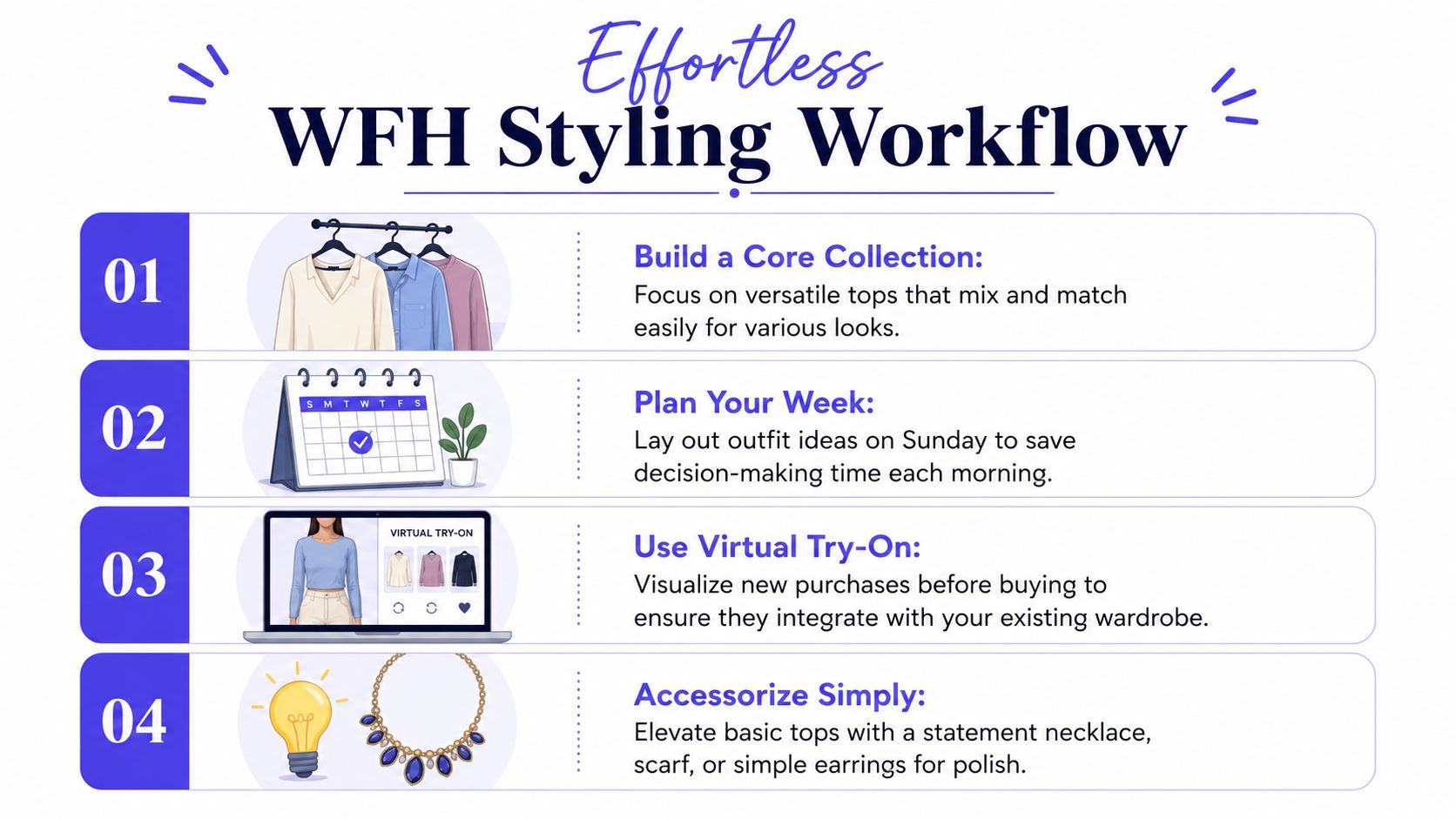
My most reliable formulas are:
- Soft knit plus small jewelry for easy polish
- Warm-toned blouse plus simple hair for stronger presence
- Structured tee plus cardigan for long desk-heavy days
- Secondhand statement top plus basics for personality without extra effort
Shopping stays just as tight. I scan for fabric, color, neckline, and shape retention. If a top misses one of those, I skip it.
The TryThisFit Chrome extension is the smartest part of the process because it lets me right-click a product image and preview the top while I browse. That changes online shopping from guessing to seeing. I can compare polished knits, better basics, and secondhand finds in minutes instead of juggling tabs and trying to remember which blouse had the better neckline.
I also save the previews that work. Later, if I need something for a client call or a low-effort workday, I check my saved try-ons history and pick from looks I already know I like.
That habit cuts impulse buys hard. It also makes it much easier to build a tighter rotation of pieces that work together, which is the whole point of a capsule wardrobe for everyday dressing.
Build a WFH Wardrobe You Actually Love
The best work from home tops do three jobs at once. They keep you comfortable, help you look good on camera, and make getting dressed easier instead of harder.
That's the significant shift. You're not buying random “Zoom tops” anymore. You're building a small, effective wardrobe that supports how you live and work.
If I were editing a WFH closet from scratch, I'd focus on breathable fabrics, stronger camera colors, and silhouettes that hold their shape while staying easy to wear. Then I'd stop guessing and start previewing the appearance of new pieces before buying them.
Buy fewer tops. Choose better ones. Repeat them well.
That approach saves time, cuts down on returns, and makes online shopping feel a lot less chaotic. It also helps you create a tighter rotation of pieces you'll want to wear, which is the whole point of a smart capsule wardrobe for everyday dressing.
Try TryThisFit if you want to see how a top looks on you before you buy. I'd start with the main app for quick style previews, then install the free Chrome extension because it works on any site, needs no account, and gives you an instant preview in seconds with a simple right-click on Zara, H&M, Amazon, Shein, Vinted, Depop, and more. If you want faster, smarter shopping and fewer wardrobe misses, this is the easiest upgrade.
Try Virtual Try-On Now
See how clothes look on you before you buy - works with any online store
Get Started Free