AI Body Measurements: Virtual Try-On Outfits
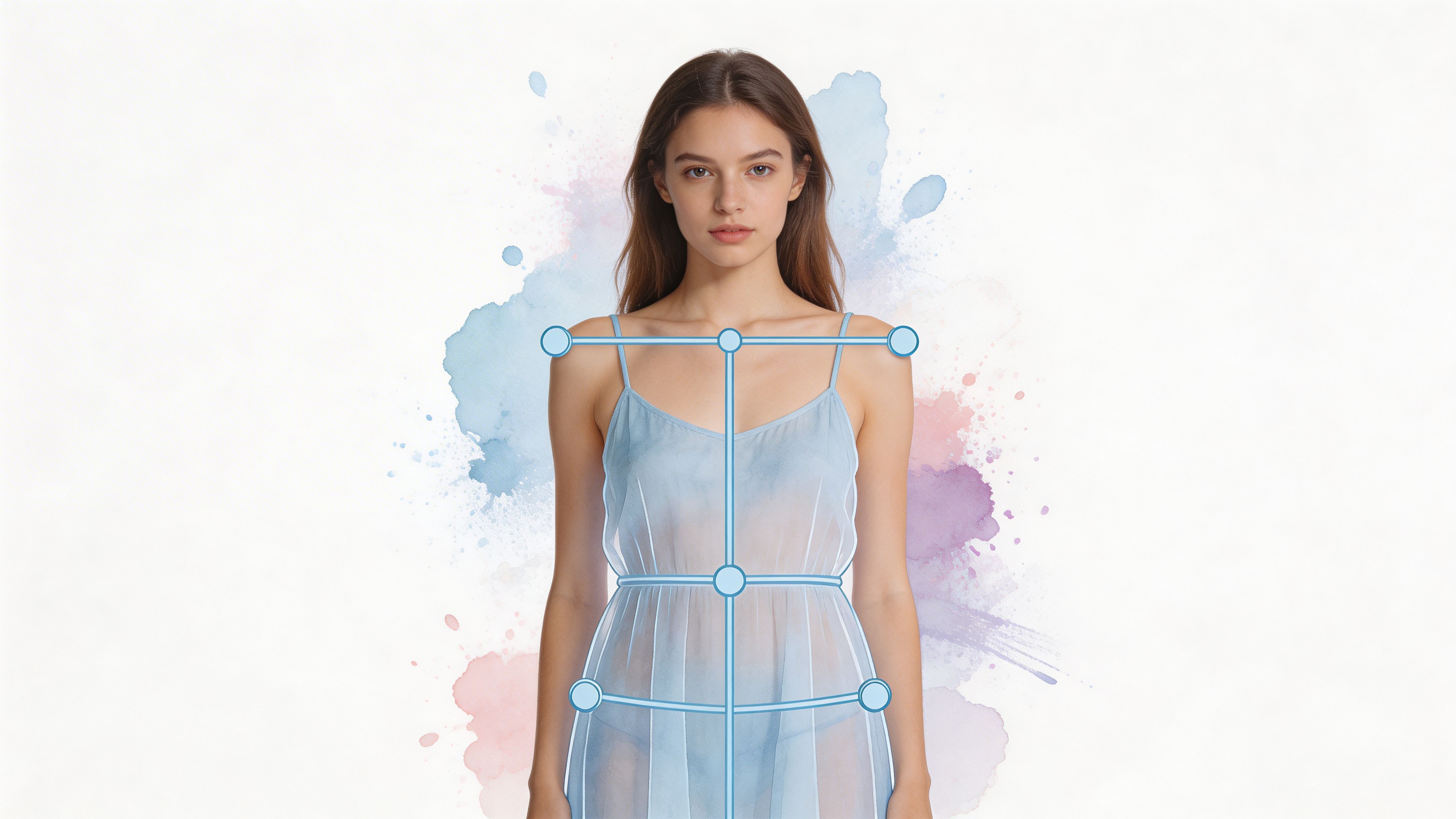
You know that tab spiral.
You open Zara in one tab, H&M in another, a couple of Amazon listings, then a Vinted gem you’re weirdly attached to after seeing it for seven seconds. The product photos look great. The styling looks effortless. But the question that blocks the buy is always the same.
Will this look good on me?
That’s where interest in ai body measurements starts. Not because shoppers want a clinical report on their torso. Because they want a fast, visual way to preview the appearance of a jacket, dress, costume, or secondhand find before committing.
The End of “Will This Look Good On Me” Guesswork
Online shopping trained us to become tiny detectives.
You zoom into sleeve shapes. You compare model heights. You read reviews hoping someone with a vaguely similar build posted mirror photos. Then you still end up guessing how the style might look on your own body.
That guessing game got bigger as shopping moved onto phones. More than 7.26 billion people owned smartphones in 2021, which is over 90% of the global population, and that everyday device access is what makes computer-vision-based body measurement apps possible without specialized hardware, as noted by Grid Dynamics.
Why shoppers care more about preview than measurement
Shoppers aren’t asking for tailor-grade detail when they’re browsing a trench coat on Zara or a one-off blazer on Depop. They want a style check.
They want to know things like:
- Silhouette: Does the shape look sleek, oversized, sharp, relaxed, or dramatic on me?
- Balance: Does the neckline, length, or waist placement suit my proportions visually?
- Mood: Does this look polished, playful, edgy, soft, or costume-perfect?
That’s a different question from strict sizing.
The shift from numbers to visualization
Traditional body measurement talk can sound medical or technical. Tape measures. landmarks. calibration. body points. Most shoppers lose interest fast.
The exciting version is much simpler. AI can use everyday photos to build a visual understanding of a person’s proportions, then use that understanding to create a preview of how an outfit might look.
You’re not chasing abstract measurements. You’re trying to make a better style decision before checkout.
That changes the whole experience. Shopping becomes less about decoding charts and more about exploring combinations you’d normally skip.
Secondhand shopping especially benefits from this. A flat-lay listing on Vinted or Depop can be visually tempting but hard to imagine on your own body. AI makes that leap easier by turning static product images into a style preview you can react to in seconds.
What Are AI Body Measurements Really
The easiest way to understand ai body measurements is to stop thinking about a measuring tape.
Think of it as a digital mannequin that’s shaped more like you than a generic fashion model. The AI isn’t just chasing a list of numbers. It’s trying to understand proportions, contours, and how clothing style might appear on a real person.
A digital mannequin, not a tape-measure lecture
When people hear “body measurements,” they often picture chest, waist, hips, inseam, and maybe some intimidating tailoring chart. AI can work with those ideas, but the more useful mental model is visual.
The system looks at clues from a photo or from simple inputs and forms a body representation. That representation helps it place clothing in a way that feels believable enough to preview shape, drape, and styling.
If you’re curious about the more technical side, this overview of 3D body measurements is a helpful next read.
What the AI is trying to learn
At a basic level, the AI asks questions like these:
- Where is the body? It separates you from the background.
- How is the body proportioned? It looks for relationships between shoulders, waist, hips, legs, and torso.
- How might fabric sit on that shape? It maps the clothing image onto that body representation.
That’s why this field feels a bit magical when it works well. The software is translating a flat image into something closer to a three-dimensional understanding.
Why this matters outside fashion too
This kind of body analysis isn’t only useful for style tools. Other products use AI to help people monitor changes in their bodies over time, health habits, or wellness goals.
If that side interests you, a practical example is this guide on how to track your weight and body metrics with an AI Smart Scale. It’s a different use case, but it shows how AI body data can become more understandable for everyday people.
The part that confuses readers most
A lot of people assume AI body measurements must always mean a full scan, controlled poses, or special hardware. That’s only one version of the category.
Another version is much lighter. Some systems can infer a body model from minimal inputs and then use that model to generate a visual preview. The goal there isn’t to turn shopping into a lab procedure. It’s to reduce friction so you can test styles quickly and keep browsing.
Quick reality check: “AI body measurements” often means “AI understanding body shape well enough to create a plausible style preview,” not “AI replacing a tailor.”
That distinction matters. It helps people use the tech for what it’s best at. Style discovery.
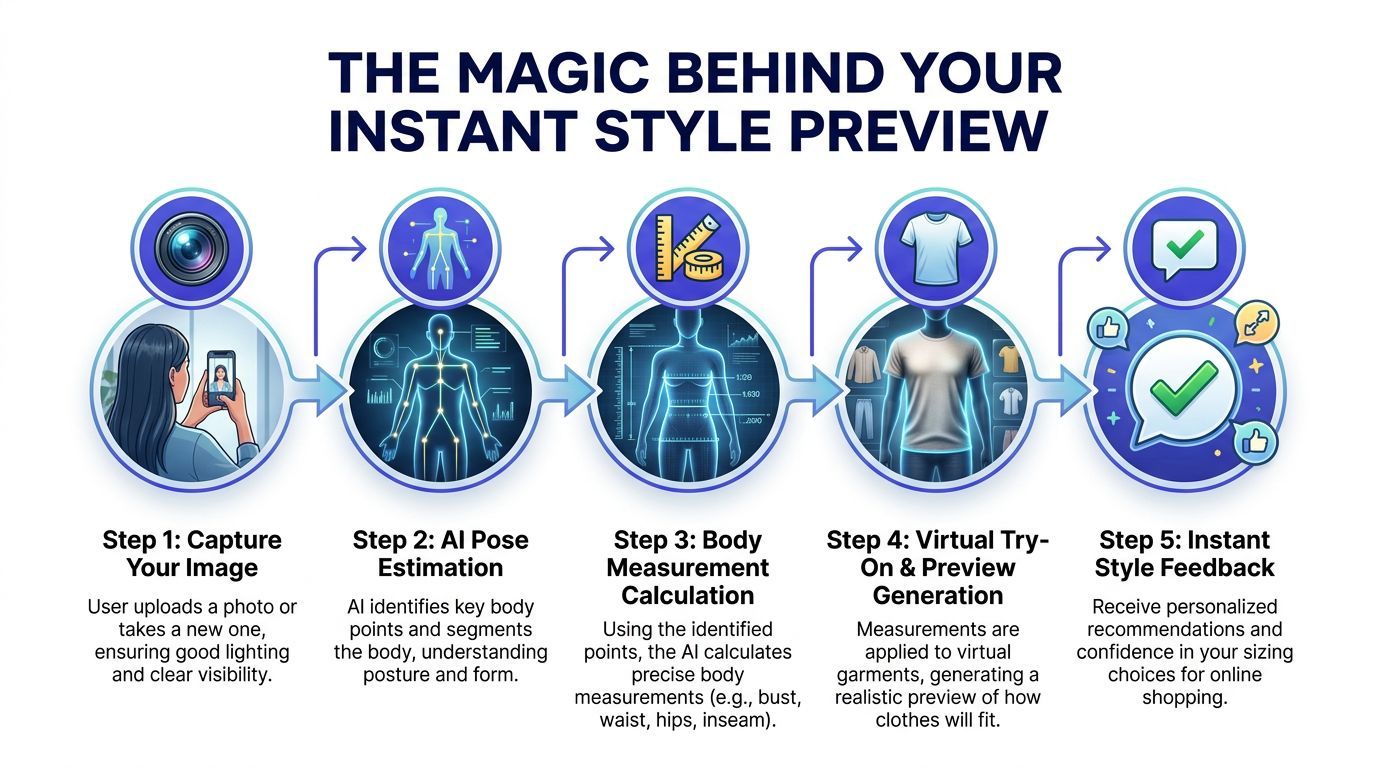
The Magic Behind Your Instant Style Preview
The reason this feels like magic is that several different technologies are cooperating behind the scenes.
The shopper sees one simple result. Upload a photo, pick a clothing image, get a preview. Underneath that, the system is doing a surprising amount of visual interpretation very fast.
Connect the dots on the body
One part of the process is often called pose estimation.
That sounds technical, but it’s basically a connect-the-dots game. The AI looks for key body points such as shoulders, hips, knees, and other landmarks so it can understand posture and overall structure.
Cut out the noise
Another piece is segmentation.
This is the part that helps the system separate useful elements from clutter. It figures out what belongs to the person, what belongs to the garment, and what belongs to the background. That matters because a striped rug or busy wall can confuse the preview if the software can’t isolate the right shapes.
Turn flat photos into body understanding
Then comes the clever leap. The AI uses deep learning, anthropometric relationships, and image analysis to infer body shape from limited visual information.
Leading systems now achieve 0.5 to 1.0 cm accuracy for most body points, matching or exceeding manual measurement precision, and this matters because online apparel returns due to fit issues exceed 30% globally, according to FYTTED.
That doesn’t mean every casual shopping image becomes perfect. It does mean the underlying measurement tech has gotten impressively good in strong conditions.
How the clothing image gets used
The garment image matters just as much as the person image.
The system studies the outline of the clothing, where sleeves begin, how long the hem appears, where the waist seems to sit, and how the fabric shape reads visually. From there, it maps that style onto the digital body model to produce the preview.
A clean flat-lay product photo usually gives the AI the clearest signal. It can “see” the garment shape with less distraction.
Four pieces working together
Here’s the simplest breakdown:
- Computer vision: Finds visual clues in the image.
- Deep learning: Recognizes patterns from large training examples and generalizes to new images.
- 3D inference: Builds a shape-based understanding from 2D input.
- Anthropometric mapping: Uses known relationships between body parts to make smart estimates.
Why some previews feel more believable than others
Not every try-on result will look equally convincing. The strongest previews usually happen when both images are cooperative.
A clear body photo helps the AI understand your proportions. A flat-lay or clean product image helps it understand the garment. When both are solid, the result often feels immediate and surprisingly intuitive.
Practical rule: The better the AI can identify body landmarks and garment edges, the better your style preview will look.
This is why “instant” doesn’t mean “simple” under the hood. The system is compressing a lot of visual reasoning into a few seconds so you can focus on the fun part, deciding whether the style feels like you.
Discover Your Style on Any Shopping Site
The most fun part of ai body measurements isn’t the measurement piece. It’s the moment a random product listing stops being abstract and starts feeling personal.
That’s especially useful when you’re not shopping on one tidy, controlled brand site. Real people bounce between marketplaces, resale apps, fashion retailers, and giant product catalogs all the time.
From product photo to personal preview
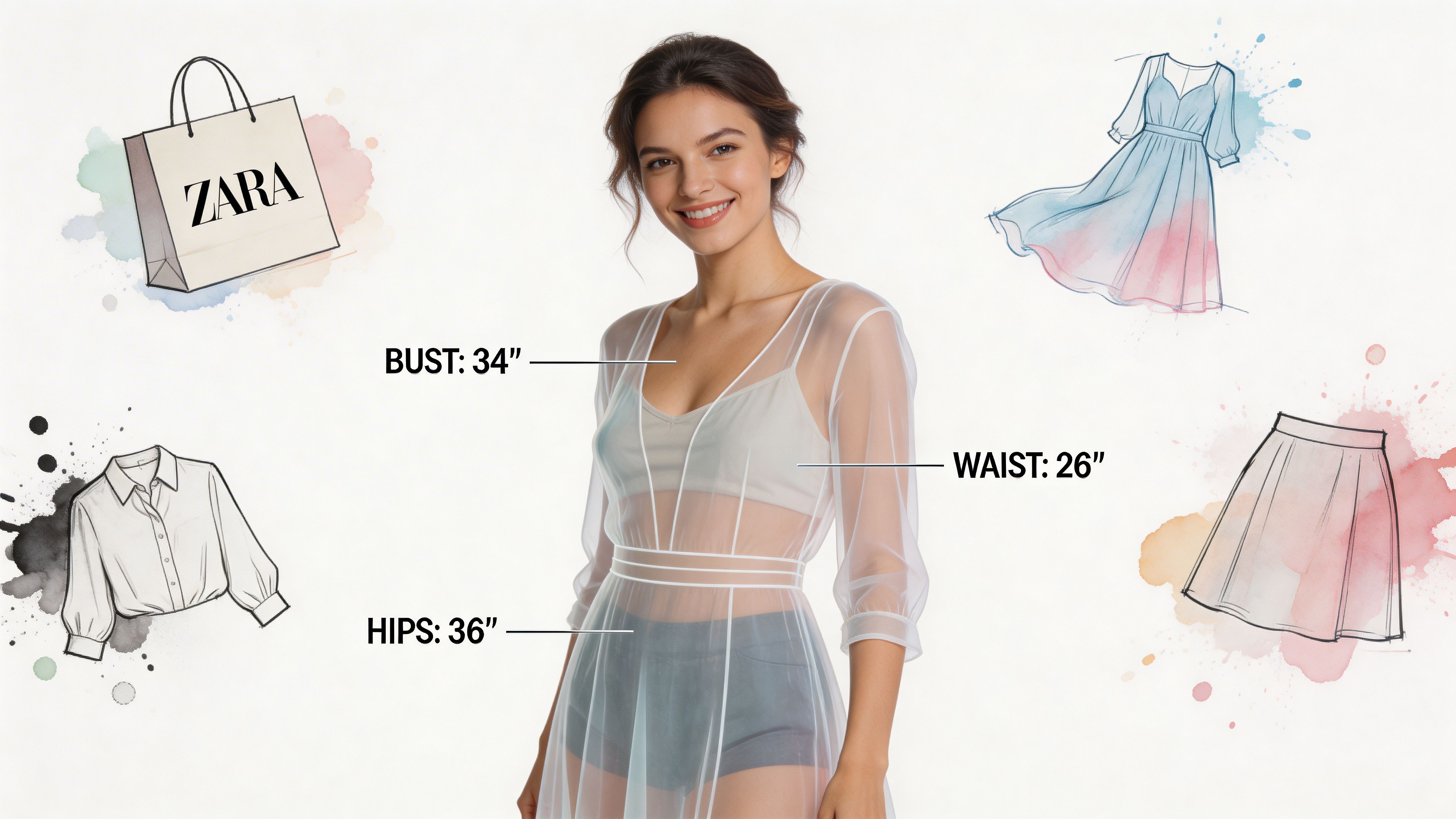
Some AI systems can estimate 50+ body dimensions from minimal inputs like height and weight, creating a digital twin for virtual try-on without requiring a full scan, as described by Prime AI.
That’s what makes lightweight, fast style visualization possible. You don’t always need a formal scanning flow to get a useful appearance preview.
Real shopping scenarios where this shines
A few moments where this gets especially compelling:
- Zara and H&M browsing: You spot a coat with a strong silhouette, but the model styling is doing a lot of the work. A quick preview helps you judge the vibe on your own shape.
- Amazon comparison shopping: You’re deciding between two dresses, three jackets, or a costume option and want to compare the look before checkout. If you’re browsing Amazon fashion, use the affiliate link at Amazon.
- Secondhand treasure hunting: On Vinted or Depop, listings can be inconsistent. One item is hung on a door. Another is laid flat on a bed. Visualization helps bridge that gap.
- Halloween and themed outfits: Costumes are all about the visual effect. You want to preview the appearance before buying something dramatic you’ll wear once.
Why flat-lays are a big deal for secondhand shopping
Resale platforms are full of imperfect listings, and that’s part of the charm. But those photos create extra work for an AI system.
A neatly arranged flat-lay gives the software a cleaner read on sleeve length, neckline shape, hemline, and overall garment form. That’s why this approach is especially useful for secondhand style discovery.
You can also watch a quick example of virtual try-on in action here:
<iframe width="100%" style="aspect-ratio: 16 / 9;" src="https://www.youtube.com/embed/g9ICLvwyGgk" frameborder="0" allow="autoplay; encrypted-media" allowfullscreen></iframe>What makes a good browsing workflow
If you’re evaluating style tools for regular shopping, the workflow matters as much as the AI.
A strong setup usually lets you:
| What you want | Why it matters |
|---|---|
| Fast previews | Shopping is impulsive. If the process drags, you stop using it. |
| Works across sites | Your wardrobe probably isn’t coming from one retailer. |
| Minimal setup | Fewer steps means more experimentation. |
| Easy comparison | Style decisions improve when you can test multiple looks quickly. |
The best style tools don’t interrupt browsing. They sit close to the product image and make experimentation feel natural.
That’s the promise here. You’re not turning shopping into homework. You’re making it easier to explore more looks in less time, especially on messy, real-world shopping pages where the usual model photos don’t answer the question you care about.
How to Get the Most Stunning Visual Previews
You don’t need perfect studio conditions to get a good try-on preview. But you do need to help the AI “see” clearly.
This matters even more with the practical side of ai body measurements, because casual uploads and flat-lay clothing photos are one of the biggest real-world challenges in the category, especially for secondhand shopping, as discussed in this analysis of AI measurement reliability.
Help the AI understand your photo
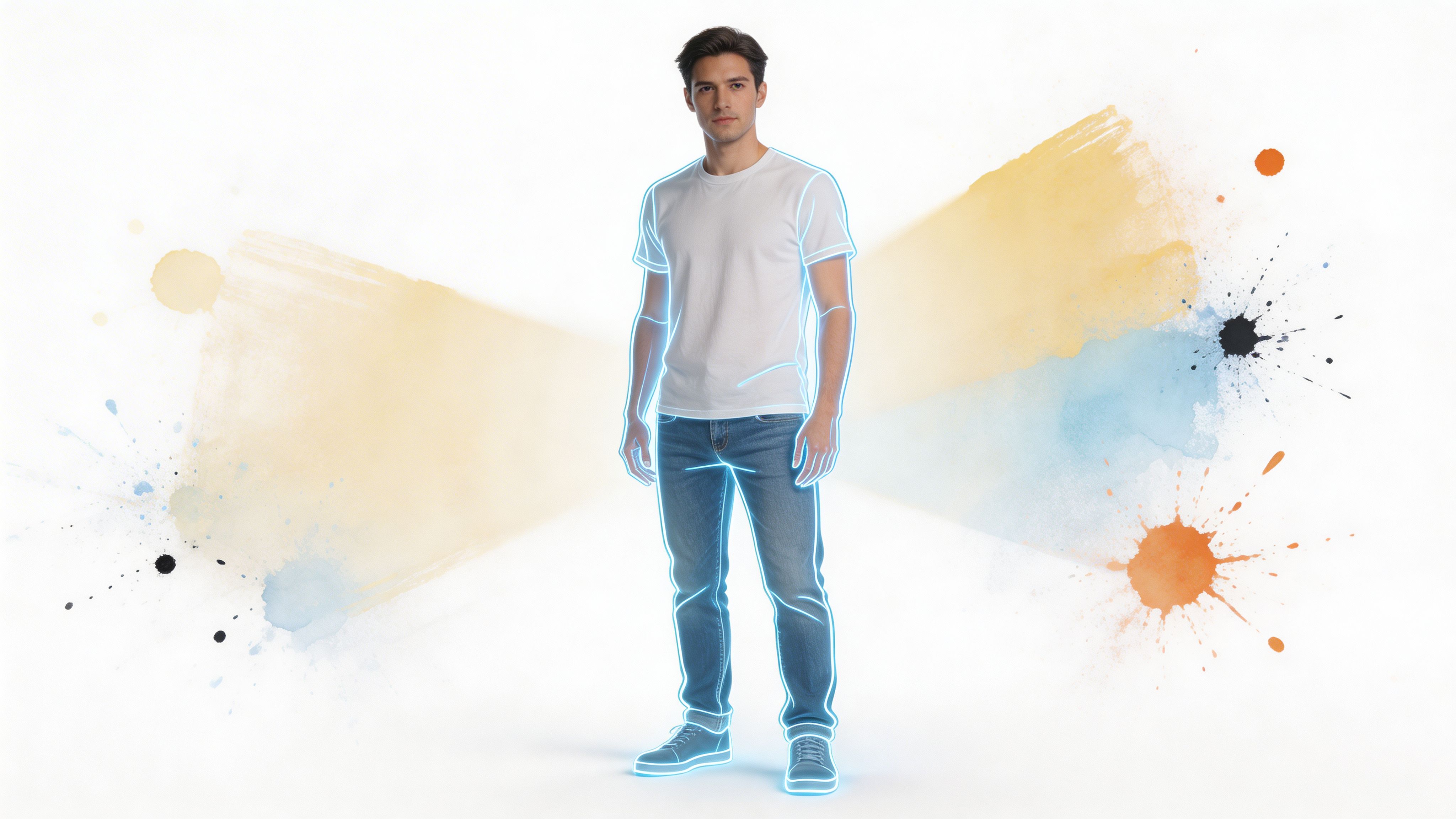
For your own image, simple beats fancy.
Use a clear photo with decent lighting, a calm background, and a natural stance. If the AI can separate your body outline cleanly, it can usually create a stronger visual result.
A few reliable habits:
- Choose even lighting: Harsh shadows can hide your outline.
- Stand naturally: Extreme poses make body interpretation harder.
- Keep the background simple: Blank walls beat cluttered rooms.
- Avoid heavy obstruction: Large bags, oversized coats, or crossed arms can block key shape cues.
Why flat-lay clothing photos usually win
Flat-lays often work best because they present the garment as a shape.
The AI can spot the sleeves, neckline, body width, and hem more easily when the clothing is laid out cleanly instead of folded, bunched, or photographed at a weird angle. That’s one reason flat-lay product photos are so useful on shopping sites and resale listings.
If you want a practical guide to the fundamentals, this page on how to take accurate body measurements is a good companion resource.
Quick quality checklist
Before you try a preview, scan for these clues:
- Good garment image: Flat, visible, and not cut off.
- Clear body photo: Full outline visible.
- Less visual noise: Fewer distractions in both images.
- Reasonable expectation: Use the result to judge style, not precision tailoring.
Flat-lay photos give the AI a cleaner garment silhouette. Cleaner silhouettes usually produce prettier previews.
What to avoid
Some images are hard for any system.
Skip product photos where the item is half folded, heavily wrinkled, or partly hidden by hands, props, or dramatic model poses. Also be careful with low-resolution screenshots if the garment edges look fuzzy.
The goal isn’t perfection. It’s clarity.
When the AI gets clear visual signals, the preview often feels much more convincing, and the whole style discovery process becomes faster and more enjoyable.
Your Privacy in the Age of AI Fashion
People are curious about ai body measurements, but they’re also cautious. Fair enough.
Anything involving personal photos should earn trust, not assume it. The first thing to keep in mind is what this kind of tool is for. In fashion contexts, it’s best treated as a visual aid for style, not a promise of exact tailoring or a guarantee about how a garment will physically fit.
Accuracy means visual usefulness
Shoppers sometimes hear “AI measurement” and assume the result must be scientifically exact in every shopping scenario. That’s not how to think about it.
A better question is whether the preview is visually useful. Does it help you compare silhouettes, lengths, necklines, and overall styling with more confidence than a generic product listing does? If yes, the tool is doing something valuable.
Privacy questions worth asking
If you’re choosing any style visualization app, ask these questions early:
- Do photos get used only for the preview, or for unrelated advertising?
- Can you access your own saved results privately?
- Do you need to create an account just to try it once?
- Is the product clear about what happens to uploaded images?
Those questions matter more than flashy demos.
What storage should feel like
A privacy-first fashion tool should make data handling feel predictable.
If you choose to keep your results, it should be easy to find them again. If you’re interested in how camera-based try-on experiences generally work, this explainer on the camera in fitting room gives helpful context.
A good AI fashion experience should feel lightweight. You try a look, get your preview, and stay in control of what happens next.
A founder-built difference people notice
Smaller tools often have an advantage here. They can be simpler and more direct about user trust.
A solo-founder product, especially one focused on style preview rather than ad-tech sprawl, can build around a straightforward idea: people want to explore clothes, not become a data product. That mindset shows up in everything from whether accounts are required to whether saved history feels private and intentional.
Here’s the healthy way to approach any AI fashion tool. Treat privacy as part of product quality.
If a tool makes style exploration easy but leaves data questions fuzzy, keep looking.
How to Choose the Right AI Visualization Tool
Shoppers don’t need a giant feature comparison chart. They need a sharp checklist that helps them rule out clunky options fast.
The best AI visualization tool is usually the one that respects your browsing flow, gives a pleasing preview quickly, and doesn’t ask for a ton of ceremony before you can test a look.

Start with these buying questions
Ask these before you commit:
- Do you need an account first? Friction kills experimentation.
- Does it work on the sites you shop? A neat demo means less if it only works in a narrow environment.
- How fast is the preview? If it takes too long, you won’t use it in real browsing.
- Does it handle flat-lay images well? That matters for everyday product pages and secondhand listings.
- What’s the privacy posture? Clear beats vague.
Compare how tools think about the problem
Not every product in this space is trying to solve the same thing.
Some lean toward body analytics and measurement detail. Others focus on visual outfit experimentation. If you want another example of a style-focused tool in this broader category, WearView AI is worth looking at for comparison.
That distinction matters because the “best” tool depends on your goal.
| If your goal is... | Look for... |
|---|---|
| Style discovery | Fast previews, easy experimentation, strong image handling |
| Body analytics curiosity | More measurement-oriented workflows |
| Resale shopping | Good flat-lay support and flexible image input |
| Frequent browsing across stores | Broad compatibility and minimal setup |
Test one item across tools
The easiest evaluation method is simple.
Pick one garment with a clear silhouette. Then try it in more than one tool. Look at which preview feels visually plausible, fast, and easy to generate.
You’re not only testing image quality. You’re testing whether the tool makes you want to keep exploring.
The right tool makes style play feel effortless. The wrong one makes you feel like you’re filling out paperwork.
Signs you’ve found a keeper
A solid option usually has these qualities:
- Low friction
- Clean previews
- Reasonable handling of real shopping photos
- A clear privacy story
- Enough speed that trying another item feels fun instead of annoying
That’s the bar. Not hype. Not jargon. Just a tool that helps you make better visual decisions while you shop.
Your AI Style Questions Answered
A few questions come up again and again when people start using ai body measurements for style previews.
Does this work for different body shapes and proportions
It can, but this is still one of the biggest challenges in the field.
A major issue is handling diverse body shapes, sizes, and proportions inclusively. Advanced systems are incorporating angles between measurements, such as shoulders-to-waist, and training on more globally diverse datasets to improve visualization accuracy for more people, including plus-size and multicultural body types, as noted by 3D Measure Up.
That’s encouraging, but it also means shoppers should stay realistic. Some bodies and proportions are still harder for AI systems to model beautifully than others.
Can it work without a full body scan
Yes, in many cases.
That’s one of the most practical shifts in this space. Instead of forcing shoppers through a controlled scanning setup, newer approaches can build a useful visual model from lighter inputs. That makes style exploration much more accessible for everyday browsing.
Why do some try-ons look better than others
Usually because the images are doing more or less of the work.
A clean body photo gives the AI stronger shape cues. A flat-lay garment image gives it a clearer clothing outline. When either image is messy, folded, cropped, shadowy, or cluttered, the preview quality often drops.
Is this telling me whether clothes will fit
No. The better framing is that it helps you see how the style looks.
That means silhouette, visual balance, length, shape, and overall appearance. It’s a preview tool. It helps you decide whether you like the look enough to keep considering the item.
What happens to uploaded photos
That depends on the product, so always check the tool’s privacy terms and storage behavior.
A trustworthy setup should make it obvious whether photos are processed only to create the preview, whether you can save your results privately, and whether you need an account just to test a look. Clear answers beat broad promises every time.
Why is this especially useful for resale and costume shopping
Because those are two places where imagination gets tested hardest.
Secondhand listings often use inconsistent photos. Costumes are visual purchases by nature. In both cases, a style preview gives you something much more concrete than a generic model image or a hanger shot.
The sweet spot for AI style preview is simple. It helps you go from “maybe” to “I can actually picture this.”
What’s the easiest way to try this kind of tool
Start with one item that has a strong silhouette. A blazer, dress, coat, or costume works well.
Then use a clear photo of yourself and a clean product image, ideally a flat-lay if available. You’ll get the fastest feel for whether the tool matches the way you shop.
If you want the quickest hands-on way to try this yourself, head to TryThisFit. You can preview how clothes look on you in seconds, no account needed, and check saved results at the history page. If you shop across Zara, H&M, Shein, Vinted, Depop, or Amazon, install the free Chrome extension at trythisfit.com/go/extension/chrome. It installs in a couple of seconds, works on any site with a right-click on the product image, and it’s especially strong with flat-lay clothing photos when you want a fast style preview.
Try Virtual Try-On Now
See how clothes look on you before you buy - works with any online store
Get Started Free