The 12 Best Apps to Match Outfits and Perfect Your Style in 2025
Have you ever found the perfect top online but hesitated, wondering how it would actually look with those jeans you own? You're not alone. The frustration of guessing games while shopping on sites like Zara, Shein, or even secondhand marketplaces like Vinted is real. Deciding what to wear or what to buy can feel like a puzzle, but modern technology has the answer.
The right apps to match outfits can transform your phone into a personal stylist, a digital closet, and even a virtual dressing room, helping you see the style before you commit. Say goodbye to returns and closet clutter! These tools are designed to give you confidence in your fashion choices by letting you visualize combinations instantly.
This guide dives deep into the best tools available, from apps that catalog your entire wardrobe to innovative virtual try-on platforms that let you preview new pieces on your own photo in seconds. I've personally tested each one to give you real insights into their strengths and weaknesses.
I'll explore apps perfect for creating capsule wardrobes, others designed for community-based style inspiration, and powerful extensions that work directly on your favorite online stores. Whether you're a seasoned fashionista, planning a Halloween costume, or just want to make online shopping less of a gamble, there's an app here that will change the way you see your clothes. Each review includes screenshots, direct links, and an honest look at what to expect. Let’s find your perfect match
1. TryThisFit: The Instant Virtual Try-On for Any Online Store
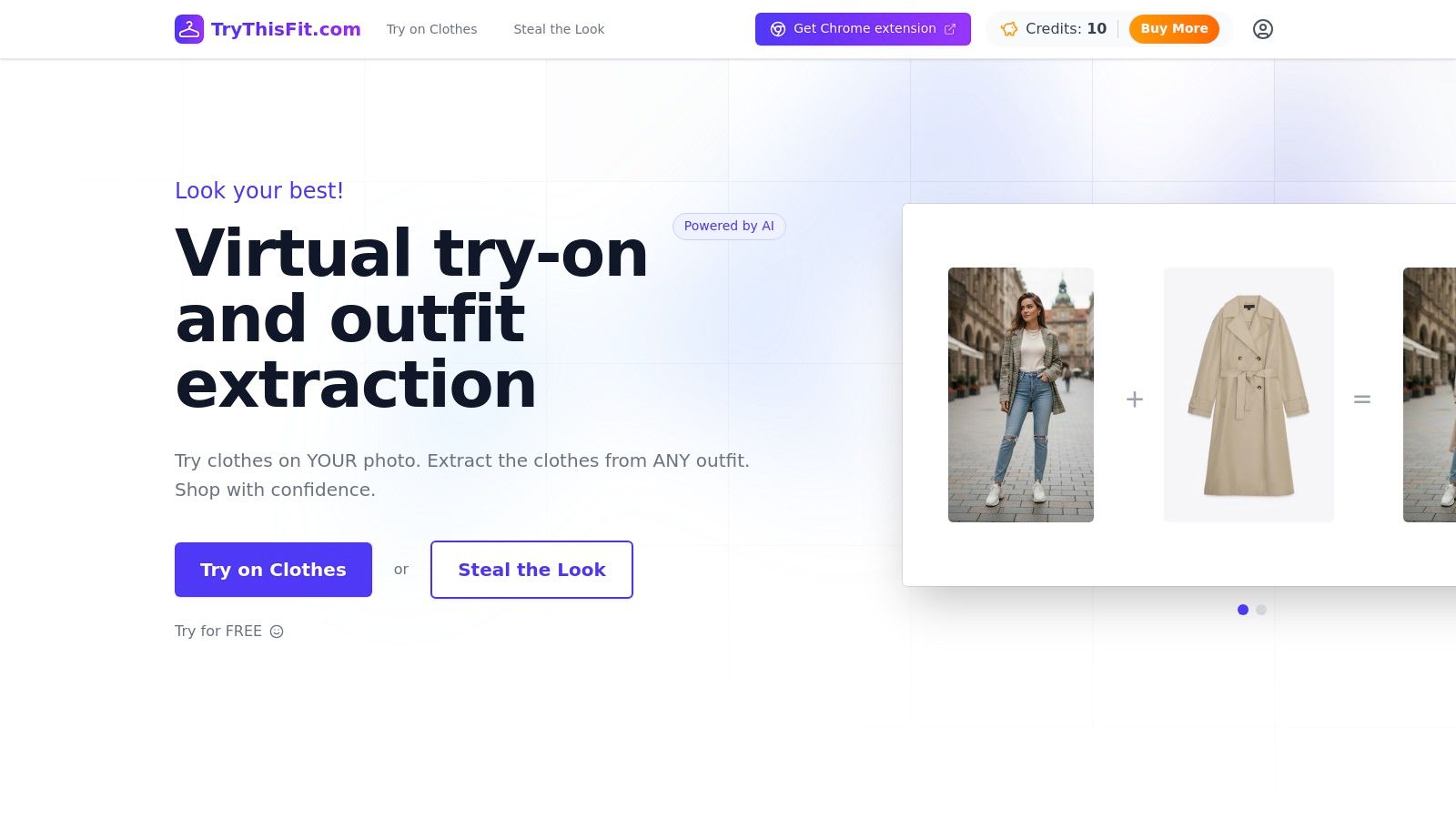
For shoppers seeking a fast, privacy-respecting, and incredibly versatile tool to visualize outfits, TryThisFit stands out as a premier choice. This AI-powered platform provides an instant virtual try-on experience that seamlessly integrates into your existing online shopping habits, making it one of the most effective apps to match outfits available today. Its core strength lies in its browser-based simplicity; there are no mobile apps to download or mandatory accounts to create. You can start visualizing styles in seconds.
The workflow is brilliantly efficient. After installing the free Chrome extension in a couple of seconds, you can browse any clothing retailer online. Whether you're on Zara, H&M, Amazon, or even secondhand marketplaces like Vinted or Depop, simply right-click a product image and select the try-on option. The tool generates an instant preview of you in the garment, allowing you to see how it looks and decide what to wear without ever leaving your shopping tab.
Key Features & User Experience
TryThisFit is designed for speed and convenience, focusing on the visual aspect of shopping rather than precise sizing.
- Browser-Based Workflow: The primary interface is a free Chrome extension that works on virtually any e-commerce site. This eliminates the friction of downloading images or switching between apps.
- Privacy First: As a solo founder project, the app has a clear policy that user data is not sold, a significant advantage for privacy-conscious shoppers.
- Optimized for Flat-Lay Photos: For the clearest and most accurate visual previews, the AI performs best with flat-lay images of clothing. While it works with model photos, results may vary.
- No Account Required: You can upload a photo of yourself and start generating try-ons immediately without any registration, making it perfect for quick, one-off use.
- Saved History: Your generated previews are automatically saved to your personal /history page, letting you review and compare your potential outfits later.
Platform and Pricing
- Availability: Accessible via its website, trythisfit.com, and a free Google Chrome extension.
- Pricing: The service is currently free to use. No premium tiers or subscription costs are listed.
Pros & Cons
| Pros | Cons |
|---|---|
| No account required: Frictionless and immediate try-ons. | Chrome-centric: The easiest workflow relies on the Chrome browser extension. |
| Works on any shopping site: The right-click extension offers universal compatibility. | Best results with flat-lay images: Accuracy can be lower for angled or model shots. |
| Privacy-focused: Clear commitment from the founder not to sell user data. | Visual preview, not a sizing tool: It shows you how a style looks, but cannot determine fit. |
| Completely free to use: No hidden costs or subscriptions. |
Website: https://trythisfit.com
2. Acloset – AI Fashion Assistant
Acloset positions itself as a powerful, community-driven AI fashion assistant. Instead of just helping you match individual items, it aims to digitize your entire wardrobe, becoming your go-to for daily style inspiration. By uploading photos of your own clothes or saving items from online stores, you create a virtual closet that the app uses to generate personalized outfit recommendations.
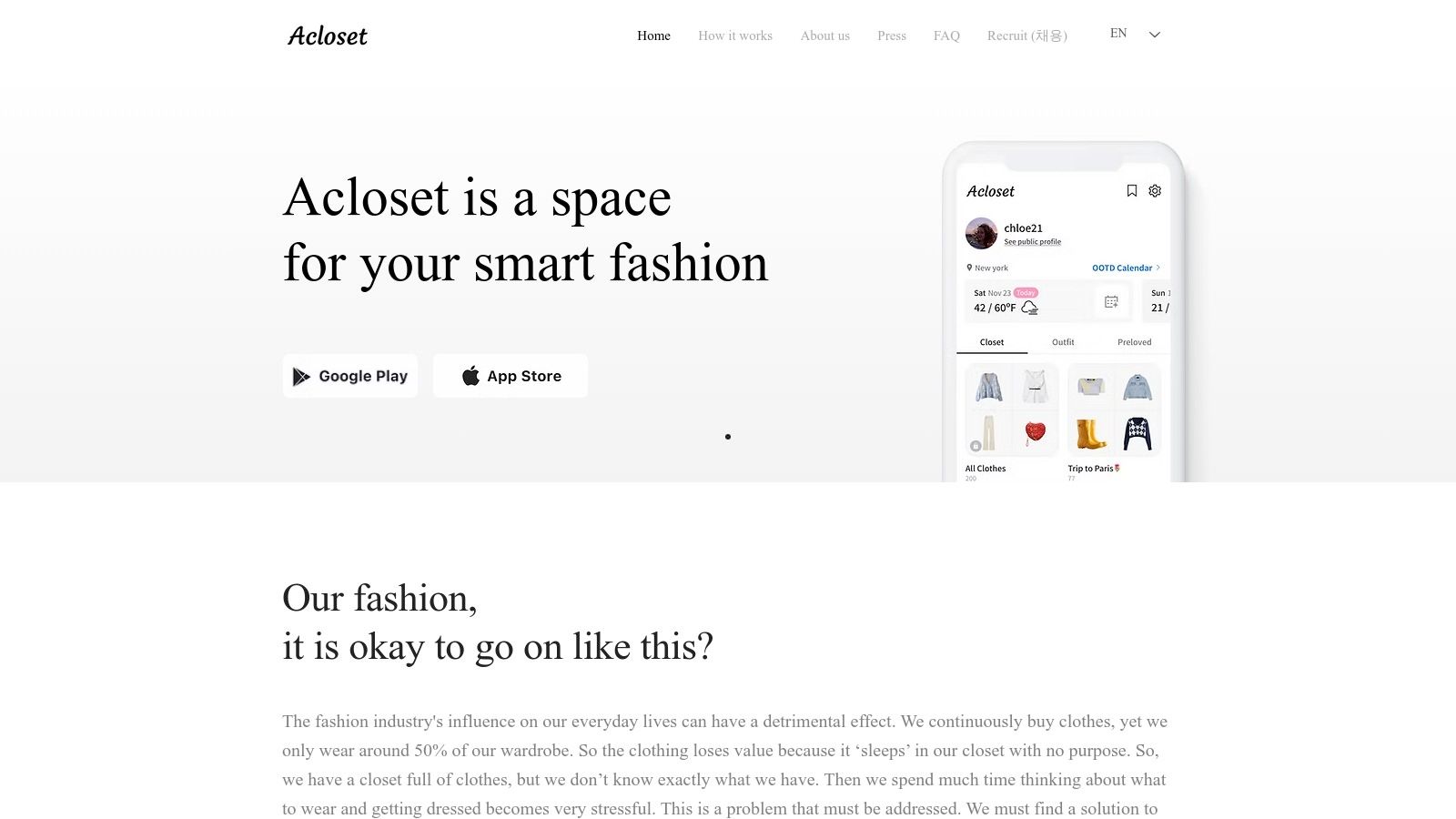
This platform excels at providing automated, context-aware suggestions. Its AI stylist chat can suggest outfits based on color, your personal preferences, and even the local weather for the day. This makes it one of the more comprehensive apps to match outfits for those who enjoy long-term planning and discovering new combinations within their existing collection.
Key Features & User Experience
Acloset feels like a mature social network for fashion lovers. You can browse looks from other users, see how they style items, and get fresh ideas. The interface is clean, but the free version includes ads that can sometimes disrupt the experience.
- Platform: Available on iOS and Android.
- Pricing: Free tier with ads and item limits; Premium subscription unlocks advanced features and unlimited items.
- Best For: Users who want to digitize their entire wardrobe for daily AI-powered outfit suggestions and community inspiration.
Pros:
- Mature feature set with weather-aware suggestions.
- Strong community aspect for sharing and discovering styles.
- Useful for both outfit planning and new inspiration.
Cons:
- Advanced features are behind a subscription paywall.
- Ads in the free version can be intrusive.
Website: acloset.app
3. Whering – Your Digital Closet
Whering brings a strong social and analytical angle to the digital wardrobe space. It’s designed not just to help you match outfits but to make you smarter about your style choices through data. By uploading your clothes via photos or its slick Chrome extension, you build a virtual closet that serves as the foundation for its powerful "Dress Me" outfit generator and curated lookbooks.
This platform truly shines for users who love planning and getting insights into their fashion habits. Whering provides unique analytics like cost-per-wear and a breakdown of your closet's color palette, encouraging a more conscious approach to consumption. Its community features allow you to share looks and draw inspiration from a large, active user base, making it one of the most interactive apps to match outfits available.
Key Features & User Experience
Whering feels like a comprehensive lifestyle tool for fashion lovers. The interface is vibrant and engaging, prioritizing community interaction and data visualization. While the platform has a strong iOS presence, some users have noted occasional performance lags during periods of rapid growth, particularly on other platforms.
- Platform: Available on iOS and Android, with a Chrome extension.
- Pricing: Free to use.
- Best For: Style-conscious users who want robust closet analytics, automated outfit planning, and a strong social community.
Pros:
- Excellent closet analytics, including cost-per-wear.
- Large and active community for sharing and discovering styles.
- Helpful tools like packing list generators.
Cons:
- Historically has been more iOS-focused in its development.
- Some users report occasional performance issues.
Website: whering.co.uk
4. Cladwell – Capsule Wardrobe & Smart Closet
Cladwell takes a unique approach by focusing on minimalism and intentionality. Rather than just being one of the apps to match outfits, it guides you toward building a streamlined capsule wardrobe. The core philosophy is to help you own fewer, more versatile pieces you love, making daily dressing effortless and sustainable. It creates a personalized "closet" for you and provides daily outfit recommendations based on your items.
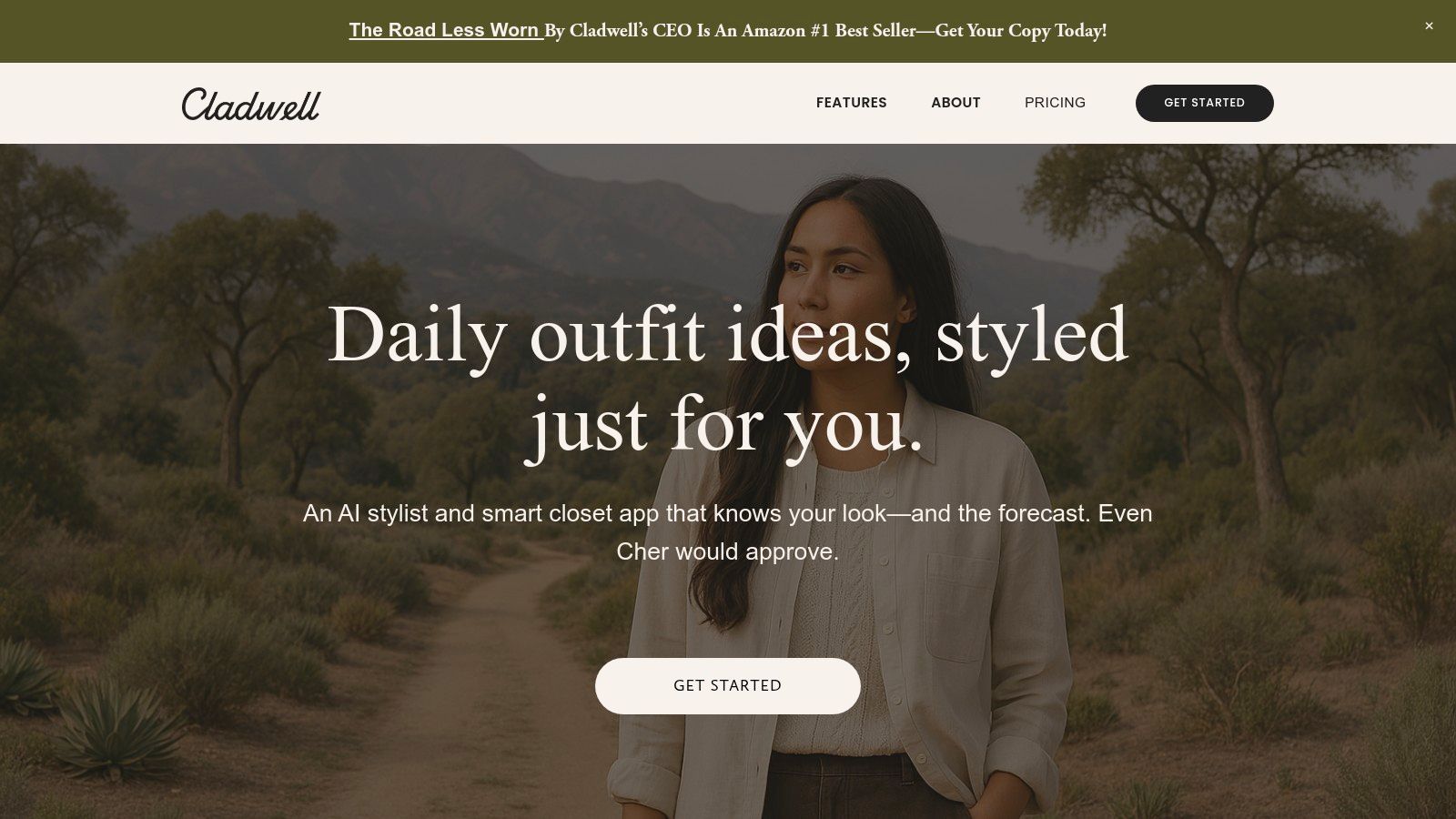
This platform stands out with its incredibly low-friction setup. You don't need to spend hours photographing every piece of clothing. Instead, you can select items from pre-existing templates to build your virtual closet in minutes. It then generates daily outfit ideas tailored to your local weather and planned activities, taking the guesswork out of getting dressed. It's a fantastic tool for anyone interested in a more mindful approach to fashion and wanting to build a capsule wardrobe from scratch.
Key Features & User Experience
Cladwell’s interface is clean, encouraging, and focused on simplicity. The experience is less about endless scrolling and more about making conscious style choices. It tracks how often you wear items, helping you identify what you truly need and what you can live without. The guidance feels like having a personal stylist dedicated to simplifying your life.
- Platform: Available on iOS and Android.
- Pricing: Free trial available; requires a subscription for continued access to daily outfits and features.
- Best For: Individuals committed to minimalism, sustainability, and building a highly functional capsule wardrobe.
Pros:
- Extremely fast setup with no photo uploads required to start.
- Clear, actionable guidance for building and maintaining a capsule wardrobe.
- Focuses on sustainability and conscious consumption.
Cons:
- Most valuable for users who fully embrace the capsule wardrobe philosophy.
- Key daily features require a paid subscription after the trial period.
Website: cladwell.com
5. Stylebook – iOS Wardrobe Classic
Stylebook is a long-running, powerful wardrobe management app exclusively for iOS users. It operates less like a social network and more like a private, feature-rich database for your closet. By uploading your clothes, you can leverage its magazine-style layout builder to meticulously plan outfits, track clothing usage with stats like cost-per-wear, and prepare for trips with dedicated packing lists.
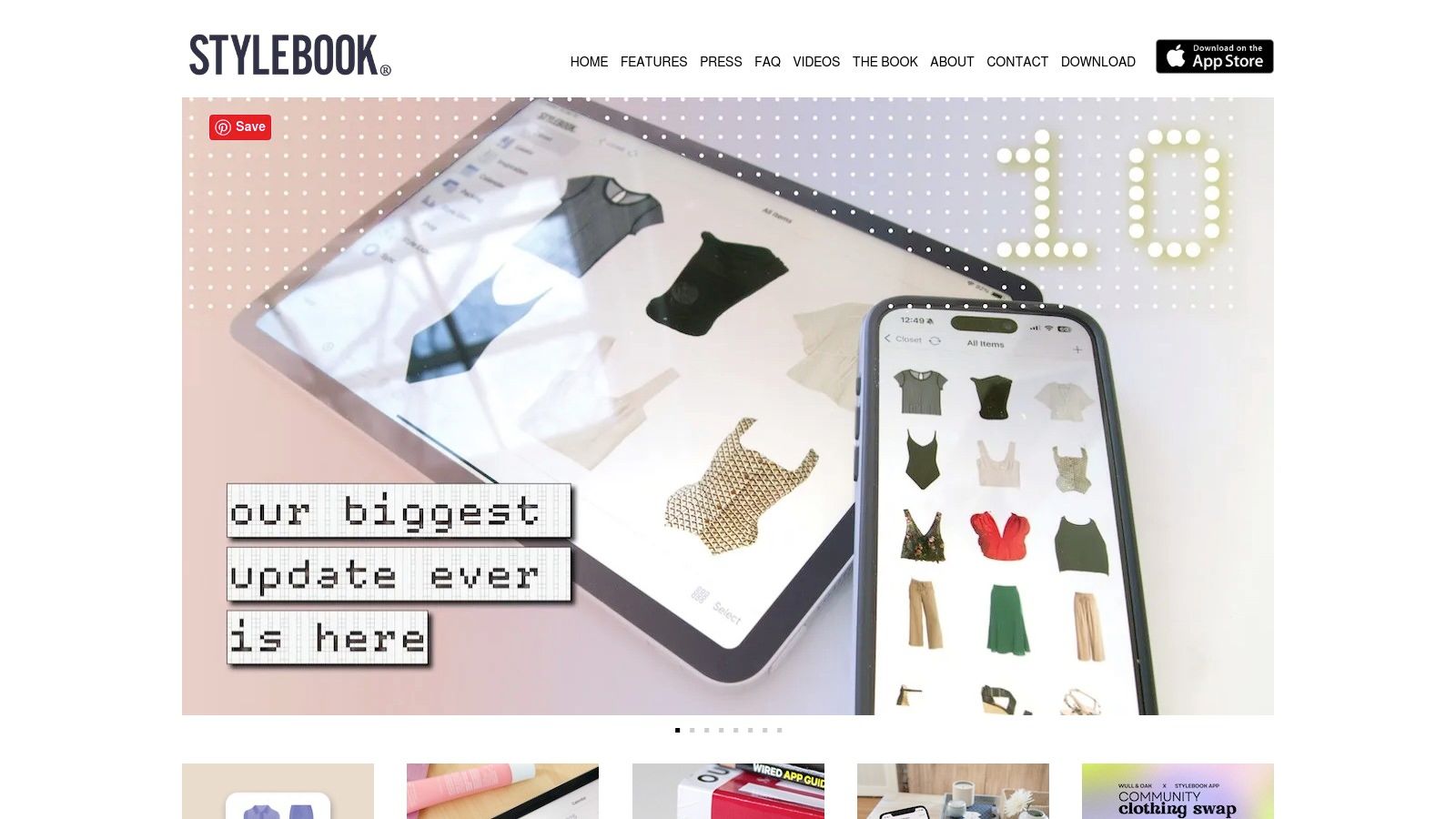
This platform stands out with its data-driven approach and privacy focus. Features like the "Outfit Shuffle" auto-generate new looks from your existing items, helping you break out of style ruts. Its calendar integration allows you to log what you wear daily, preventing repeats and providing a clear history of your style choices. For iPhone users seeking one of the most comprehensive apps to match outfits without a social component, Stylebook is a classic choice.
Key Features & User Experience
Stylebook offers a polished and intuitive user experience with extensive documentation to help you get started. Its AI background removal and web import tools make digitizing your wardrobe straightforward. The app prioritizes user privacy, keeping all your data on your device and using iCloud for sync, which is a major draw for many.
- Platform: Available exclusively on iOS.
- Pricing: A one-time purchase on the App Store.
- Best For: Dedicated iPhone and iPad users who want a private, detailed, and data-rich tool to manage and style their entire wardrobe.
Pros:
- Mature, reliable, and feature-rich with excellent documentation.
- Private, device-centric approach with secure iCloud sync.
- Powerful tools like cost-per-wear tracking and packing lists.
Cons:
- Strictly iOS only, with no Android or web version available.
- The one-time purchase model means it is slower to add new social features.
Website: stylebookapp.com
6. Pureple – Outfit Planner & Virtual Closet
Pureple has established itself as a long-standing and robust outfit planner, designed for meticulous organizers who want a comprehensive virtual closet. It goes beyond simple matching by incorporating a calendar for planning, packing list features for travel, and AI-powered suggestions. Users can quickly digitize their wardrobe using its batch-import and background-removal tools, creating a clean, digital inventory to work from.
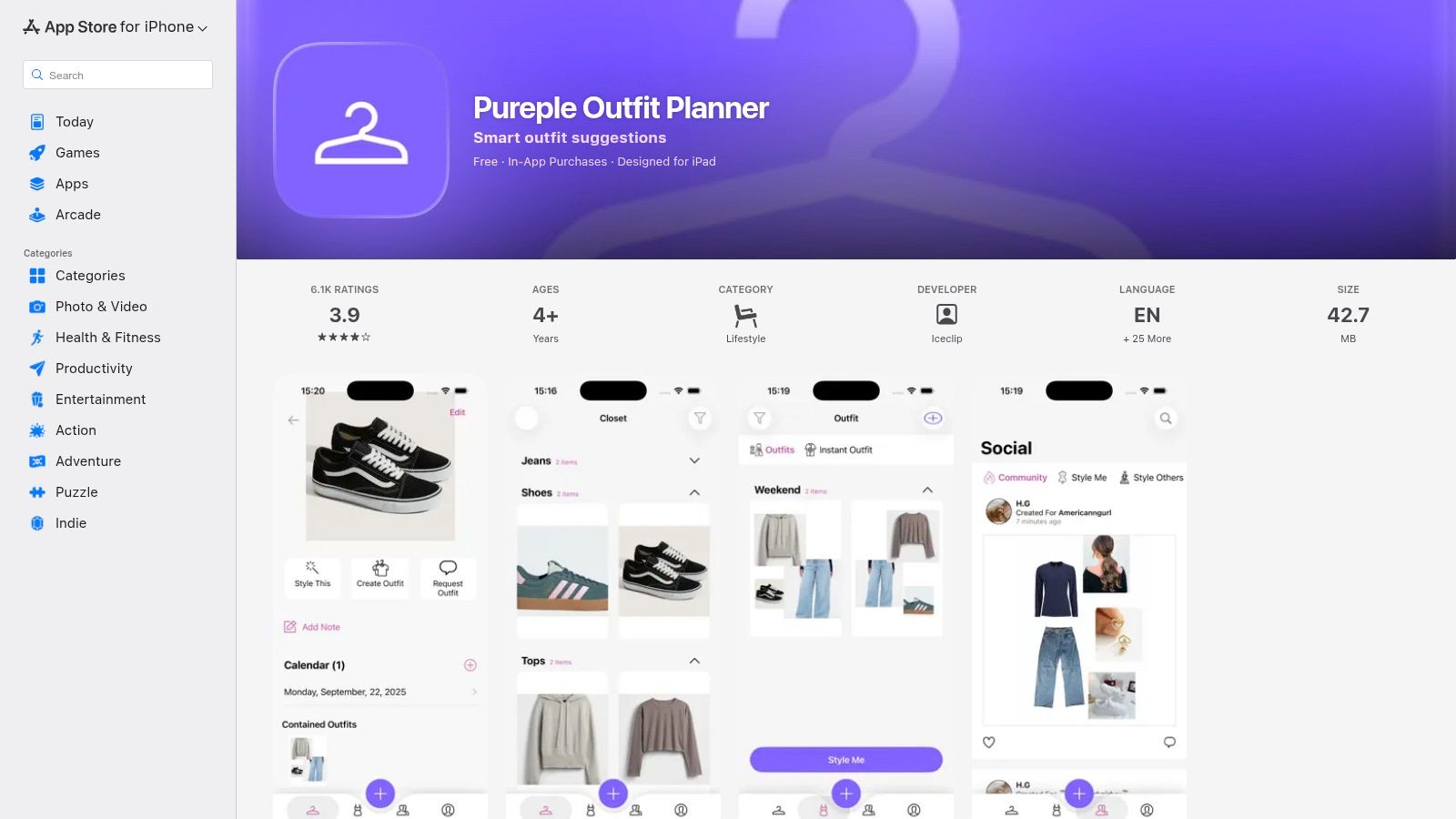
This platform’s strength lies in its incredible flexibility and depth. It’s one of the best apps to match outfits for users who enjoy creating detailed lookbooks or planning their attire for an entire week or a specific trip. While its AI suggestions are a key feature, the app's powerful manual organization tools allow you to take full control, helping you get the most out of your existing clothes. If you're looking for more tips on styling, you can learn more about how to match clothes on our blog.
Key Features & User Experience
With a large, established user base, Pureple feels feature-rich and dependable. The interface is highly functional but can feel dense, requiring a bit of a learning curve to master all its capabilities. Its most powerful AI features, including unlimited suggestions and outfit feedback, are reserved for premium subscribers.
- Platform: Available on iOS and Android.
- Pricing: Free version with limitations; Premium subscription unlocks unlimited items and advanced AI features.
- Best For: Detail-oriented users who want a powerful tool for trip planning, long-term outfit calendaring, and creating lookbooks.
Pros:
- Excellent tools for trip planning and creating packing lists.
- Highly flexible organization and a large, long-time user base.
- Quick import and batch editing features save time.
Cons:
- The most useful AI features are behind a premium paywall.
- The interface can be complex for new users to navigate.
Website: apps.apple.com/us/app/pureple-outfit-planner/id628106373
7. ShopLook – Outfit Maker and Moodboard Community
Carrying the creative torch from the beloved platform Polyvore, ShopLook is a vibrant community and design tool focused on creating shoppable outfits and moodboards. It functions as a digital canvas where you can pull clothing items from a massive library, or clip them from any retail website, and arrange them into a complete look. This makes it an ideal space for visualizing an outfit before you commit to buying the pieces.
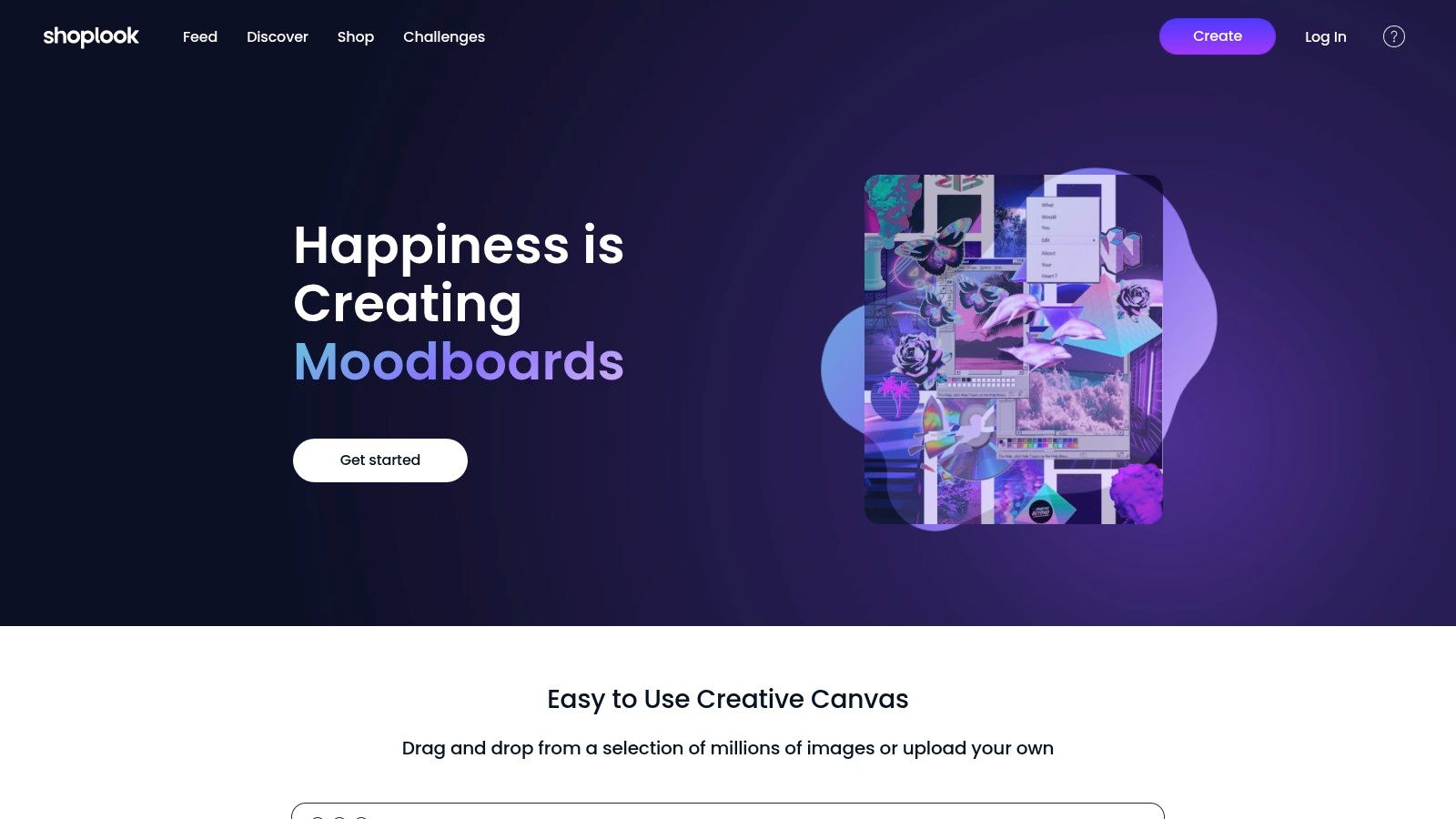
This platform shines for its creative freedom. Instead of being one of the apps to match outfits from your existing closet, ShopLook empowers you to build dream outfits from scratch. Its drag-and-drop interface and background removal tool make it easy to create polished, magazine-style layouts. You can participate in design challenges, get feedback from an active community, and discover new products and styling combinations.
Key Features & User Experience
ShopLook’s user experience is centered around its powerful and intuitive design canvas. The community aspect is deeply integrated, allowing users to "remix" others' designs and draw inspiration from a constantly updated feed. While it’s not built for cataloging your physical wardrobe, its Chrome clipper lets you effortlessly pull items you're considering from any online store to see how they look together.
- Platform: Web, iOS, and Android.
- Pricing: Free to use; a Pro subscription unlocks advanced creator tools.
- Best For: Creative shoppers who want to build and visualize potential outfits and moodboards before purchasing.
Pros:
- Vast image library and an active, supportive community.
- Excellent for visualizing a full look before buying individual items.
- Fun design challenges provide endless creative inspiration.
Cons:
- Not designed as a traditional closet management app.
- Some advanced creative tools require a Pro subscription.
Website: shoplook.io
8. Combyne – Outfit Creation & Community
Combyne is less of a personal wardrobe manager and more of a creative playground for fashion enthusiasts. It functions like a social network centered around creating and sharing digital outfit collages, often called "combynes." Users can pull items from a vast library of products from various brands or upload their own images to design mood boards and stylish looks.
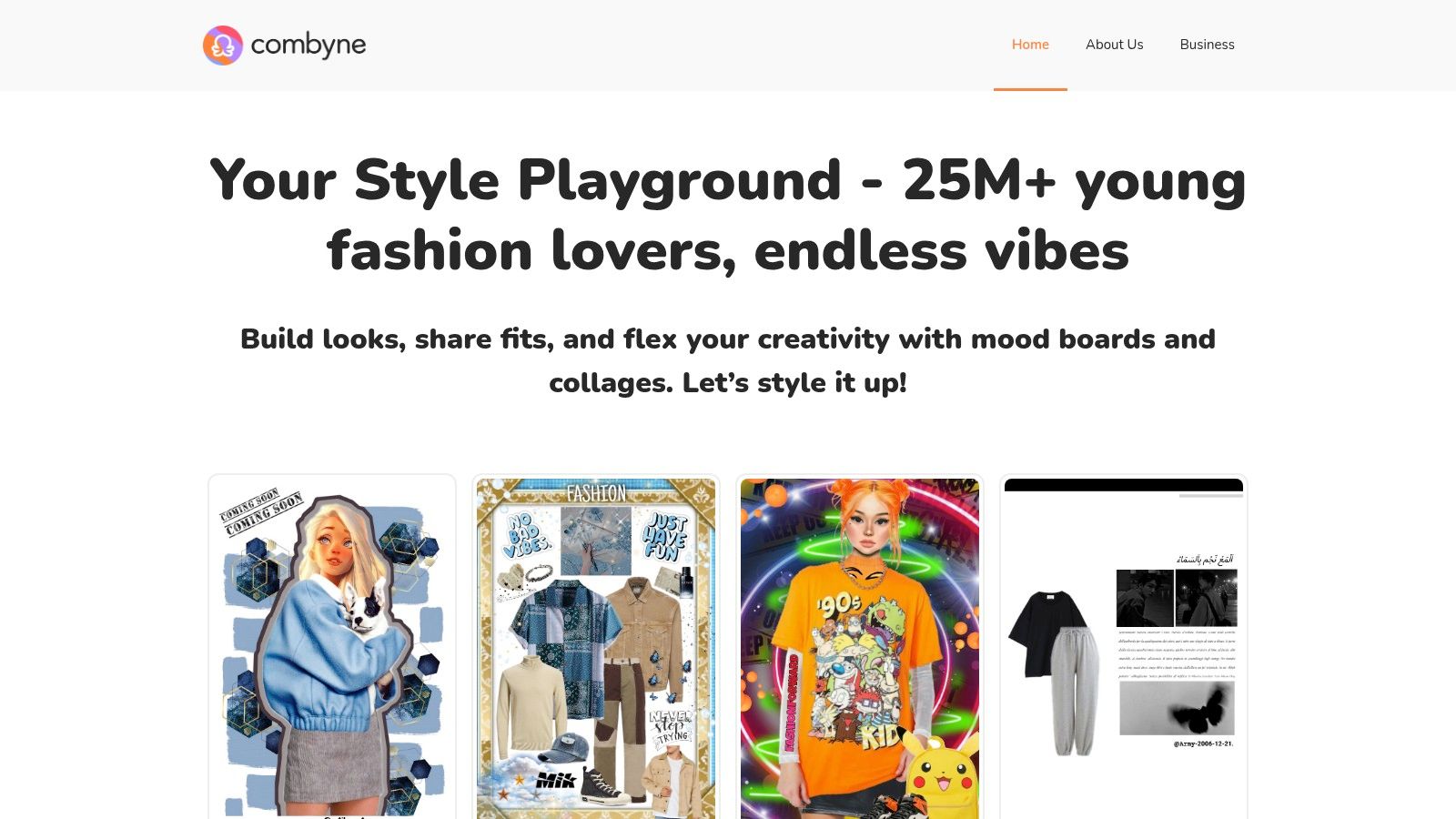
The platform thrives on community interaction, hosting regular styling challenges and encouraging users to give and receive feedback on their creations. This makes it one of the most interactive and social apps to match outfits, ideal for those who enjoy the artistic side of styling and want to connect with a like-minded community to discover emerging trends and hone their creative eye.
Key Features & User Experience
The app feels like a blend of Pinterest and a collage maker, with a strong focus on community. The interface is vibrant and geared towards creativity, allowing you to mix, match, and layer items to build your perfect look. While it's great for visual inspiration, the connection to actually purchasing items depends on community-linked retailers and isn't as direct as other platforms.
- Platform: Available on iOS and Android.
- Pricing: Free to use; some features may be part of a premium offering.
- Best For: Creative individuals who love building mood boards, participating in styling challenges, and getting social feedback.
Pros:
- Fun, social, and highly creative environment.
- Excellent for trend discovery and practicing styling skills.
- Massive library of items from popular brands.
Cons:
- Less focus on managing your own physical closet.
- Buying flows are indirect and depend on linked retailers in posts.
Website: combyne.com
9. GetWardrobe – Cross‑Platform Closet, Planner, and Web App
GetWardrobe stands out by offering true cross-platform synchronization, making it a fantastic choice for users who switch between their phone, tablet, and computer. It allows you to build a digital closet that’s accessible anywhere, combining a powerful outfit maker with practical planning tools. This platform is perfect for those who want a unified wardrobe management system across all their devices.
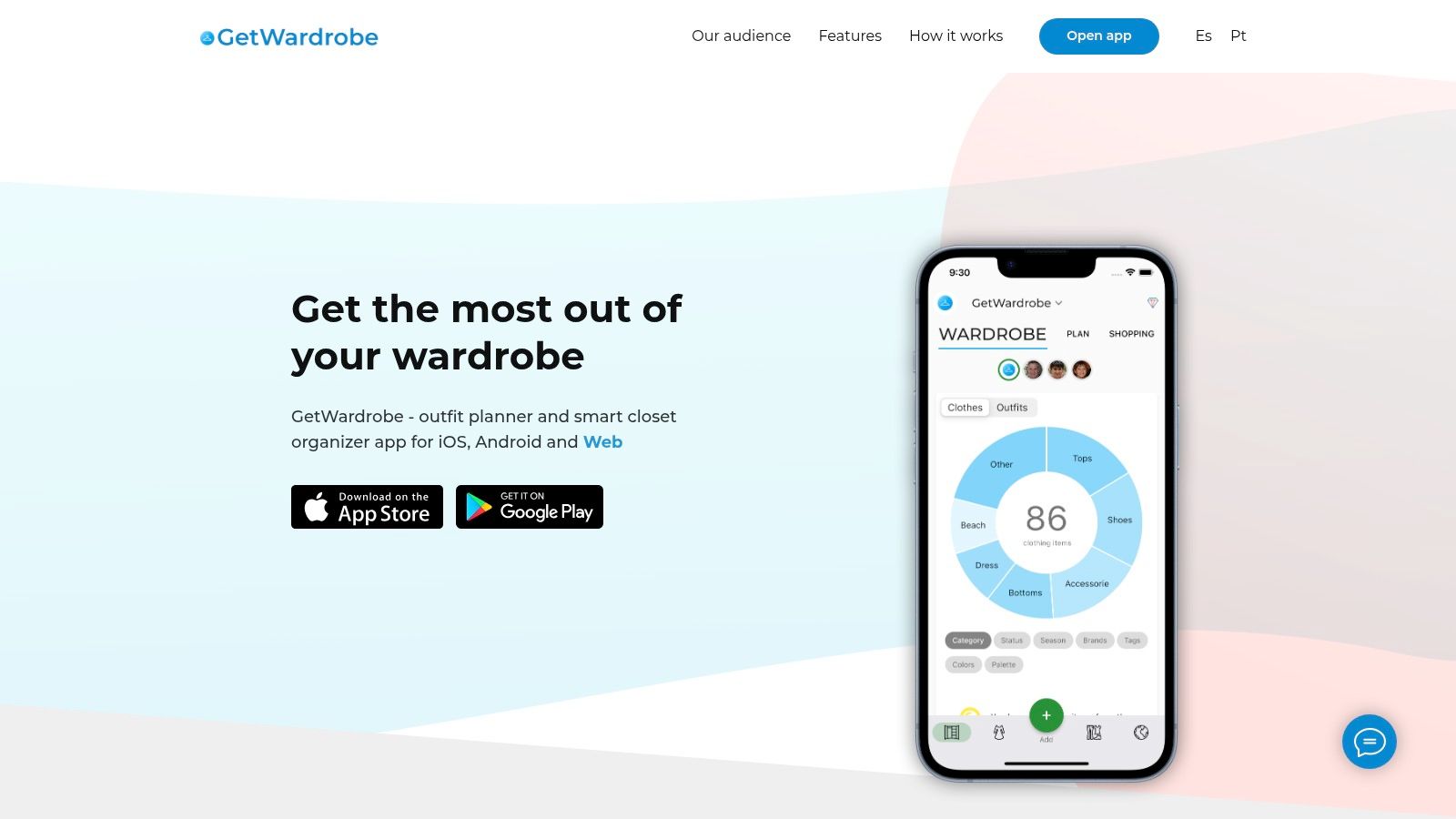
The app goes beyond individual use, offering features to manage wardrobes for family members or plan outfits for trips using dedicated lists. Its outfit maker lets you combine items with different frames and backgrounds, making it one of the more versatile apps to match outfits for creating shareable looks. The ability to access and plan your style from a web browser is a significant advantage.
Key Features & User Experience
GetWardrobe’s main appeal is its seamless sync between iOS, Android, and a fully functional web app. The interface can feel a bit cluttered at first due to its extensive feature set, but it becomes intuitive with use. The free tier is quite generous, allowing you to digitize up to 100 items, which is more than enough to test its workflow thoroughly.
- Platform: Available on iOS, Android, and Web.
- Pricing: Free tier supports up to 100 items; Premium subscription unlocks unlimited items and advanced features.
- Best For: Users who need a single, synchronized wardrobe accessible from any device and for planning family or travel outfits.
Pros:
- True cross-platform accessibility (iOS, Android, web).
- Generous free tier for testing the workflow.
- Useful features for family wardrobes and trip planning.
Cons:
- User interface can feel busy for first-time users.
- Unlimited items and advanced features require a subscription.
Website: getwardrobe.com
10. Lookastic – Web‑Based Outfit Recommender With Shopping Links
Lookastic operates as a powerful, browser-based style engine, offering instant outfit inspiration for both men and women. Instead of requiring an app download, it lets you select a clothing item you own or want to style, and immediately generates a wide range of complete looks. This makes it a fantastic starting point for anyone feeling stuck in a style rut or wondering how to wear a specific piece.
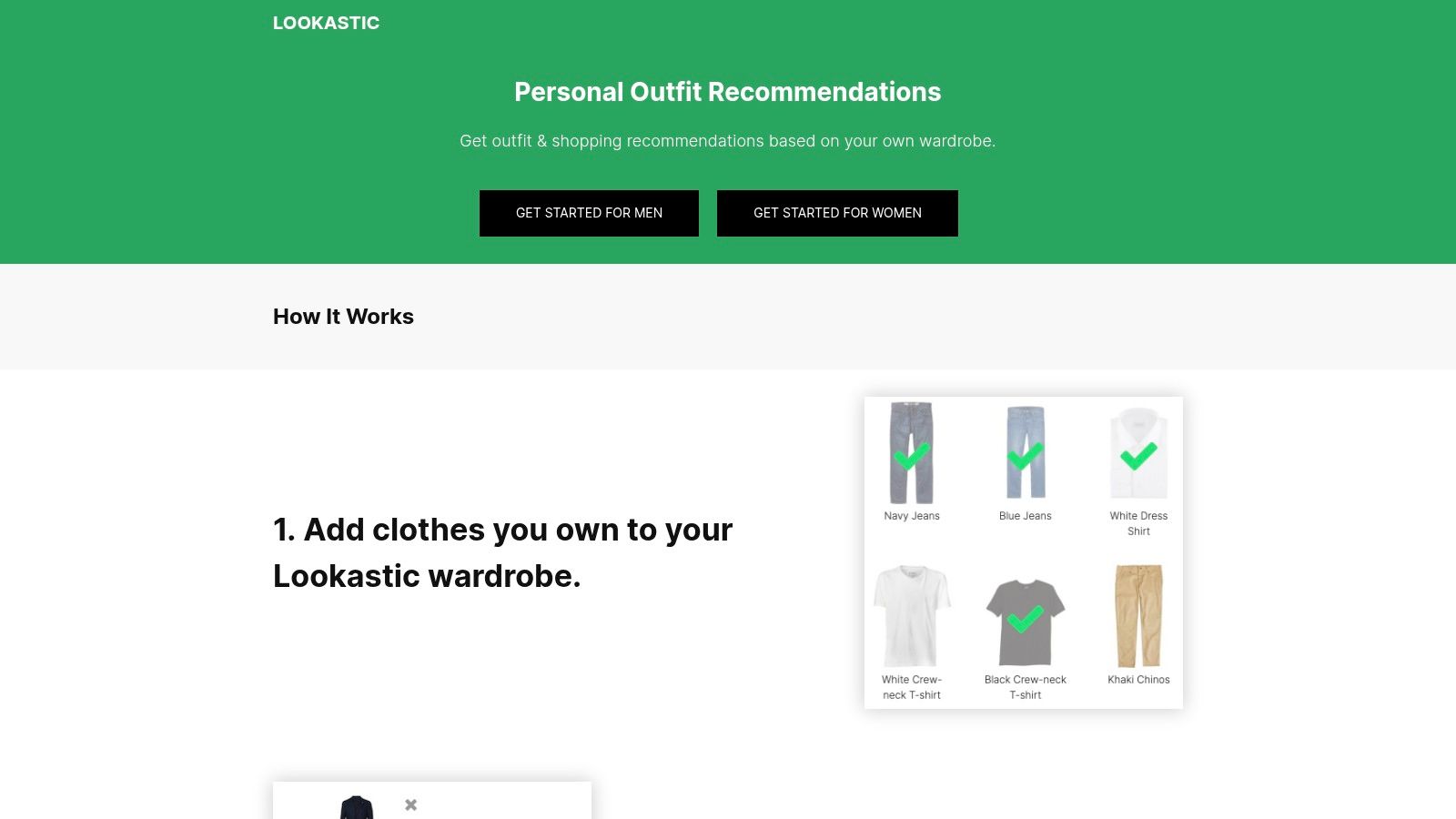
The platform’s strength lies in its blend of styling and shopping. After suggesting an outfit, it highlights any "missing" pieces and provides direct links to retailers where you can purchase similar items. This seamless integration of inspiration and commerce makes it one of the most practical web-based apps to match outfits for those who want quick ideas without committing to a full wardrobe digitization process.
Key Features & User Experience
Lookastic's interface is straightforward and focused on discovery. You can filter suggestions by occasion (e.g., casual, business), weather, and season to get relevant recommendations quickly. The experience is designed for immediate use, allowing you to get styling ideas without the need for an account or installation, which is a major advantage for casual users.
- Platform: Web-based (works in any browser).
- Pricing: Free to use.
- Best For: Users seeking instant styling suggestions for specific items and discovering new pieces to complete their looks.
Pros:
- No installation or signup required for instant access.
- Excellent for discovering how to style existing items.
- Integrates shopping links to help you find missing pieces.
Cons:
- Not a true digital closet for tracking your personal wardrobe.
- Shopping link availability can be inconsistent depending on the retailer.
Website: https://lookastic.com
11. Style DNA – AI Personal Stylist, Color Analysis, and Outfit Builder
Style DNA takes a deeply personalized approach by using AI to analyze your unique features. It starts with a selfie to determine your color palette and body type, using this data to power its outfit builder and shopping recommendations. This platform acts as a virtual stylist in your pocket, aiming to help you build a wardrobe that genuinely complements you.
The app goes beyond simply matching clothes you own; it actively guides your shopping decisions. By suggesting items from various retailers that fit your personalized analysis, it helps you shop more mindfully. Its generative-AI stylist chat can even create looks for specific events, making it a powerful tool for those seeking data-driven fashion advice and one of the most scientific apps to match outfits available today.
Key Features & User Experience
Style DNA’s core strength is its initial analysis, which informs all subsequent recommendations. The interface is modern, guiding users through the analysis process smoothly. While the personalized color and body type reports are highly insightful, some users have noted that the value of the subscription can depend on how frequently they use the advanced shopping and styling features.
- Platform: Available on iOS and Android.
- Pricing: Free to download with a premium subscription required for full features like personalized analysis and unlimited styling.
- Best For: Individuals who want to understand their ideal colors and silhouettes and receive AI-guided shopping recommendations.
Pros:
- Strong color and fit guidance for mindful shopping.
- Fast AI feedback for outfit and shopping decisions.
- Personalized reports based on your unique features.
Cons:
- Some users report concerns about the subscription value over time.
- The experience can vary based on the app's retail catalog depth.
Website: styledna.ai
12. Alta – AI Personal Stylist with Avatar Try‑On
Alta enters the scene as a slick, US-based AI personal stylist with a strong focus on automation and visualization. The app helps you digitize your closet by importing items via email receipts or photos with automatic background removal. It then generates daily outfit suggestions based on events, your calendar, and even the weather, making it a comprehensive tool for planning ahead.
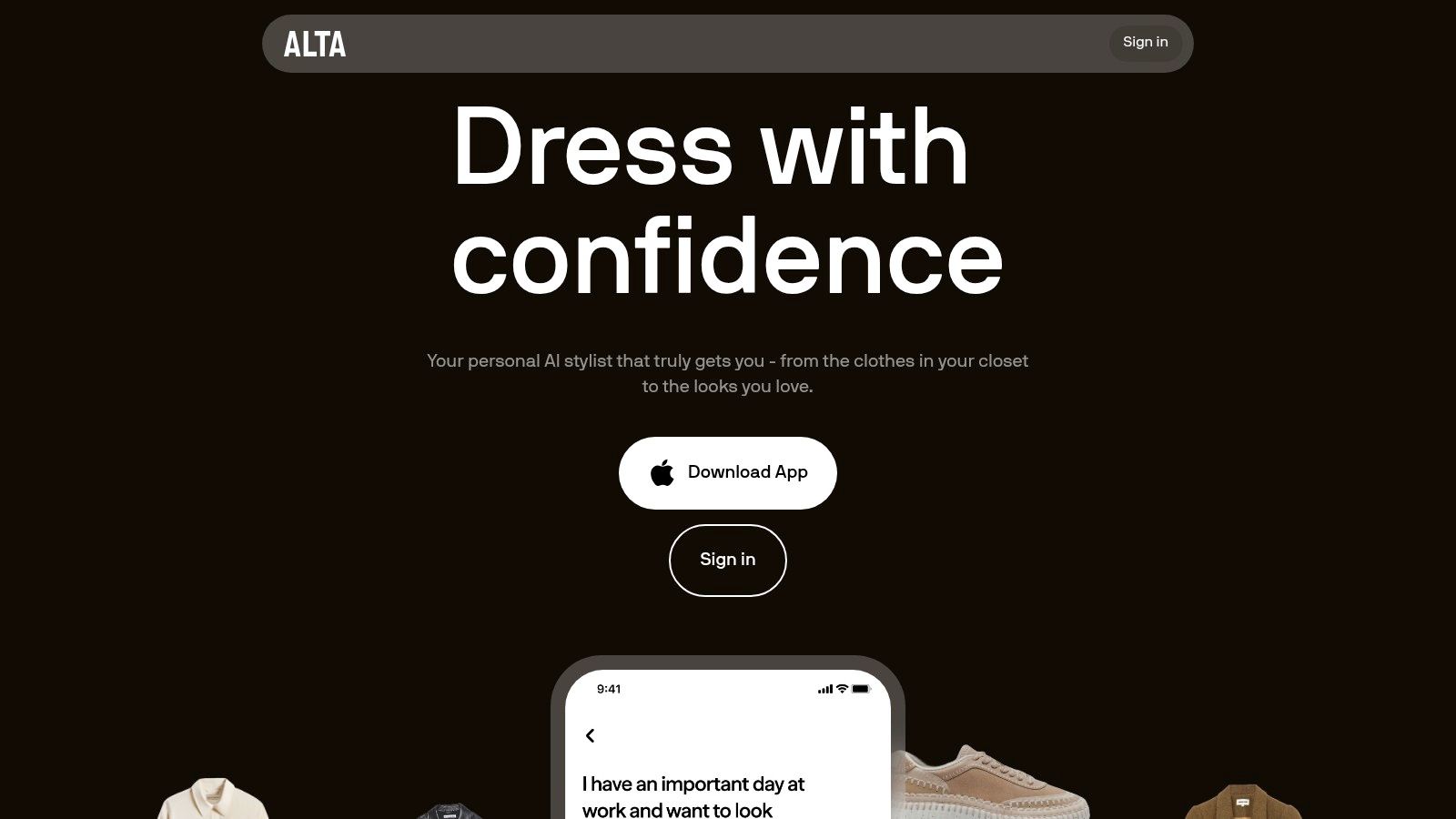
What makes Alta unique is its customizable avatar feature, which allows you to preview looks in a virtual try-on environment. This is a fantastic way to visualize how different combinations will appear before you even pull them out of your closet. This feature is for visualizing style and appearance, not for determining size. You can discover more about the technology behind virtual clothing try-ons here.
Key Features & User Experience
Alta’s interface is modern and highly automated, making the onboarding process smooth. It excels at creating lookbooks for trips and special events, and its web companion is a great addition for desktop planning. The integration with resale platforms like Poshmark also adds a unique shopping and discovery layer to the experience.
- Platform: Primarily on iOS with a web companion.
- Pricing: Free to use, with potential for future premium features.
- Best For: Users who want a highly automated digital closet with avatar visualization and integrated resale shopping.
Pros:
- Streamlined onboarding with email receipt and photo imports.
- Customizable avatar provides a fun way to visualize outfits.
- Integrates with resale markets for discovering and wishlisting items.
Cons:
- As a newer platform, features can change or evolve quickly.
- Avatar try-on is for styling and appearance, not for body-accurate sizing.
Website: altadaily.com
Top 12 Outfit‑Matching Apps — Feature Comparison
| App | Core features | UX / Quality (★) | Price / Value (💰) | Target (👥) | Unique selling point (✨) |
|---|---|---|---|---|---|
| TryThisFit 🏆 | AI virtual try‑on, Chrome right‑click, no account, flat‑lay optimized | ★★★★☆ | 💰 Free Chrome extension; no listed subscription | 👥 Online shoppers, secondhand buyers, quick try‑ons | ✨ Instant inline try‑ons from any retailer + privacy-first (no data sold) |
| Acloset – AI Fashion Assistant | Wardrobe builder, AI stylist chat, weather & color suggestions | ★★★★☆ | 💰 Freemium → subscription for advanced caps | 👥 Users wanting automated outfit suggestions & community | ✨ Weather-aware AI stylist + strong community feeds |
| Whering – Your Digital Closet | Outfit generator, retailer import, Chrome extension, analytics | ★★★★☆ | 💰 Freemium; premium for more items/features | 👥 Social users, planners, closet-analytics fans | ✨ Robust social + closet analytics (cost‑per‑wear) |
| Cladwell – Capsule Wardrobe | Daily outfit recommendations, capsule focus, planning tools | ★★★★☆ | 💰 Freemium with paid membership for power features | 👥 Minimalists, capsule-wardrobe builders | ✨ Fast setup for intentional wardrobe & sustainability |
| Stylebook – iOS Wardrobe Classic | Outfit Shuffle, calendar, packing, deep stats, iCloud sync | ★★★★☆ | 💰 One‑time purchase (iOS) | 👥 iPhone users wanting private, feature-rich closet | ✨ Mature, private iCloud-centric app with rich stats |
| Pureple – Outfit Planner & Virtual Closet | Quick import, AI outfit feedback, calendar, packing lists | ★★★★☆ | 💰 Freemium; premium for unlimited AI suggestions | 👥 Trip planners, detailed organizers, AI feedback seekers | ✨ Flexible org + optional AI try‑ons on premium |
| ShopLook – Outfit Maker & Moodboard | Drag‑drop canvas, Chrome clipper, shoppable moodboards | ★★★★☆ | 💰 Freemium; Pro for creator tools | 👥 Creators, visual planners, moodboard lovers | ✨ Polyvore-style community + massive image library |
| Combyne – Outfit Creation & Community | Outfit collages, challenges, moodboards, feedback | ★★★☆ | 💰 Free / may have Pro features | 👥 Social creatives and trend explorers | ✨ Highly social, community-driven outfit collages |
| GetWardrobe – Cross‑Platform Closet | Cross-device sync (web/iOS/Android), outfit maker, family lists | ★★★★☆ | 💰 Freemium; subscription for unlimited items | 👥 Multi-device families and travelers | ✨ True cross-platform sync + family/trip tools |
| Lookastic – Web Outfit Recommender | Browser outfit engine, retailer links, filters by occasion | ★★★☆ | 💰 Free — no install required | 👥 Users wanting instant styling & shopping discovery | ✨ No‑signup web styling with buy-links for missing pieces |
| Style DNA – AI Personal Stylist | Selfie color/body analysis, AI chat, marketplace recs | ★★★★☆ | 💰 Freemium/subscription reported | 👥 Users seeking personalized color & fit guidance | ✨ Strong color palette & body-aware shopping suggestions |
| Alta – AI Stylist with Avatar Try‑On | Closet import, avatar try‑on, automated onboarding, web companion | ★★★★☆ | 💰 Freemium / evolving features | 👥 Users wanting avatar previews and resale integration | ✨ Automated imports + avatar-based try‑on & resale links |
Find Your Perfect Match and Style with Confidence
Navigating the vibrant world of digital fashion has never been more exciting or accessible. I've explored a fantastic range of apps to match outfits, from comprehensive digital closet organizers like Acloset and Cladwell to community-driven style platforms such as ShopLook and Combyne. Each tool brings something unique to the table, whether it’s cataloging what you already own, planning future looks, or getting inspiration from a global community.
The journey to discovering your personal style is deeply individual. What works for one person might not be the right choice for another. The key is to identify your primary goal. Are you looking to create a minimalist capsule wardrobe? An app like Cladwell might be your perfect companion. Do you thrive on social interaction and moodboarding? Platforms like Combyne will feel like home.
Choosing the Right Tool for Your Style Journey
To make the best choice, consider these points:
- For Wardrobe Management: If your main goal is to digitize your existing closet to get more wear out of what you have, look towards apps like Whering, Stylebook, or GetWardrobe. Their robust cataloging features are designed for exactly that.
- For Creative Expression: If you love the art of styling and creating moodboards from scratch with items from across the web, ShopLook and Combyne offer powerful creative canvases and engaged communities.
- For Instant Shopping Decisions: If your biggest challenge is visualizing how an item you find online at Zara, Shein, or even Depop will actually look on you before you click "buy," then an instant visualization tool is essential. This is where the friction of uploading, background removal, and waiting for an AI to process can be a deal-breaker.

Your Actionable Next Steps to Style Confidence
The ultimate goal is to feel confident in your choices, reduce returns, and build a wardrobe you truly love. Finding your perfect match isn't just about the clothes themselves; it’s about how they come together to express who you are. To truly find your perfect match and style with confidence, don't forget how you can personalize your style with stacking rings, adding unique flair to your ensembles.
For online shoppers, speed and simplicity are everything. The power to right-click on a dress from H&M, a top from Vinted, or a potential Halloween costume and see a preview on your own photo in seconds is a game-changer. It bridges the gap between seeing a product on a model and imagining it in your own life.
If that sounds like the missing piece in your fashion puzzle, I highly recommend giving TryThisFit a spin. The app was built specifically to solve that "I wonder how this will look" problem instantly, without the need for downloads, accounts, or complicated steps. Install the Chrome extension in 5 seconds and transform your online shopping experience today. Stop guessing and start seeing your style come to life.
Ready to eliminate buyer's remorse and shop with total confidence? TryThisFit is the simplest and fastest of all the apps to match outfits for visualizing clothes from any online store directly on your photo. Head over to TryThisFit to see how it looks before you buy.
Try Virtual Try-On Now
See how clothes look on you before you buy - works with any online store
Get Started Free