Explore AR Shoe Try On: Visualize Sneakers and Boots Virtually
Ever found a pair of shoes you love online, maybe on a site like Amazon, but hesitated because you just couldn't picture them on your feet? What if you could see exactly how those new sneakers would look before you even thought about clicking 'buy'? With AR shoe try on tech, you can. It’s an incredible way to get an instant style preview of shoes from literally any online store.
Instantly See How Any Shoe Looks on You
I honestly can't imagine shopping without this anymore, especially when I'm scrolling through sites like Zara or Shein. The process is so simple: I just give the app a photo of myself, and the AI works its magic, showing me what the shoes look like on my feet. It’s not for checking size—this is all about the vibe. Does the color work? Do they match the outfit I had in mind?
A New Way to Shop for Shoes
The beauty of an AR shoe try on is just how quick and easy it is. There are no accounts to sign up for, so you can jump right in. I absolutely love that I can 'try on' a dozen different pairs in just a few minutes, something that would be a huge hassle in a real store. Getting that instant visual feedback is amazing for making fast decisions and even discovering styles I might have otherwise ignored.
The real magic is simple: an AR shoe try on is for visualizing the style, not the size. Think of it as your personal lookbook for the entire internet, helping you nail your aesthetic every time.
This tech is a lifesaver in so many scenarios:
- Comparing Your Options: Got five different pairs of sneakers sitting in your Amazon wishlist? See how each one actually looks on you before you make the final call.
- Finding Your Signature Style: You can experiment with wild colors or bold new designs without any risk. It’s the perfect way to build a more exciting wardrobe.
- Saving So Much Time: Say goodbye to the uncertainty of online shoe shopping and the pain of making returns just because a style didn't look the way you thought it would.
From Guesswork to Confidence
Take a moment to see how AR technology revolutionizes the experience of buying shoes online.
Traditional Shopping vs AR Style Previews
| Aspect | Traditional Online Shopping | AR Try-On with TryThisFit |
|---|---|---|
| Visualization | Relying on professional product photos on a white background. | Seeing the shoes on your own feet, in your own environment. |
| Confidence | Guessing how a style will look and hoping for the best. | Making confident decisions based on a realistic style preview. |
| Speed | Browsing one product page at a time. | 'Trying on' dozens of pairs from different stores in minutes. |
| Discovery | Sticking to familiar styles to avoid risk. | Experimenting with bold new designs and colors risk-free. |
| Returns | Frequent returns due to style or aesthetic mismatches. | Fewer returns, as you already know how the shoes will look. |
The difference is night and day. Before, I was stuck with those generic product photos, trying to imagine how a pair of boots or heels would translate to real life. Now, I can see them on my own feet, paired with my unique style.
For me, it has completely changed the game. I now feel totally comfortable buying shoes from a huge range of places, from big retailers like H&M to secondhand marketplaces like Vinted, because I can get that crucial sneak peek first.
Ready to see for yourself? Try it now at trythisfit.com and experience the future of shopping.
The Magic of One-Click Try-Ons with a Chrome Extension
If there's one tool that has completely transformed how I shop for shoes online, it's a simple Chrome extension. Honestly, it feels like a superpower. The extension turns the entire internet—every single online store—into my personal, interactive shoe closet, and it's by far the fastest way to use AR shoe try on technology.
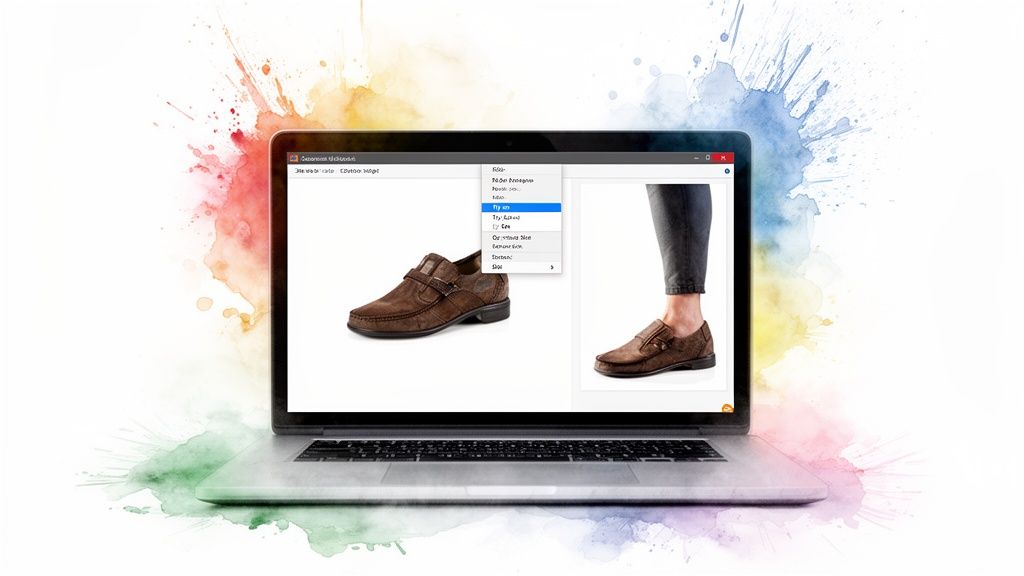
The one I use constantly is the TryThisFit Chrome extension. Installation takes a couple of seconds. Once it's running, I can hop over to any of my go-to sites like H&M, Zara, or ASOS and start visualizing styles. It even works on secondhand marketplaces like Vinted! If you're curious about how these add-ons work, you can check out this guide on what a Chrome extension is and see how they can seriously upgrade your browsing.
How It Works on Any Shopping Site
Okay, this is where the fun really begins. When I find a pair of shoes I'm interested in on a site like Zara or H&M, I just right-click on the product photo. A little 'try on' option pops up, and with one click, I get an instant preview. I don't have to save the image or open a new tab.
A virtual preview of me wearing the shoes instantly appears. It makes comparing different styles ridiculously easy, especially when I’m in my typical shopping mode with ten tabs open. That immediate feedback is what makes it so powerful for making quick, confident style decisions.
The real win here is the seamless integration. You never have to leave your shopping flow—the AR experience meets you right where you are, making style exploration fast, fun, and incredibly intuitive.
This is a lifesaver on websites that don't offer their own virtual try-on feature. Suddenly, every product page on Amazon, Shein, or even Depop becomes a virtual styling room just for my feet. I find it so helpful for seeing how a certain heel height looks or how a chunky sneaker actually appears when worn.
See the Style, Not Just the Shoe
At the end of the day, this is all about shopping with more confidence. Instead of staring at a flat-lay photo and just guessing, I get an instant, visual answer to the most important question: "But how will this look on me?" I can't tell you how many returns this has saved me from styles that just didn't live up to what I imagined.
It’s perfect for so many real-world scenarios:
- Quick Comparisons: Effortlessly see how five different pairs of boots from five different stores look on you without ever leaving your browser.
- Discovering New Brands: Feel confident trying a bold style from an online-only store you've never purchased from before.
- Secondhand Finds: Finally visualize that unique pair of vintage heels from Vinted to know for sure if they match your vibe.
Ready to make your shoe shopping about a thousand times easier? Install the Chrome extension in 5 seconds and start seeing exactly how any shoe will look on you.
How to Get the Most Realistic Visuals
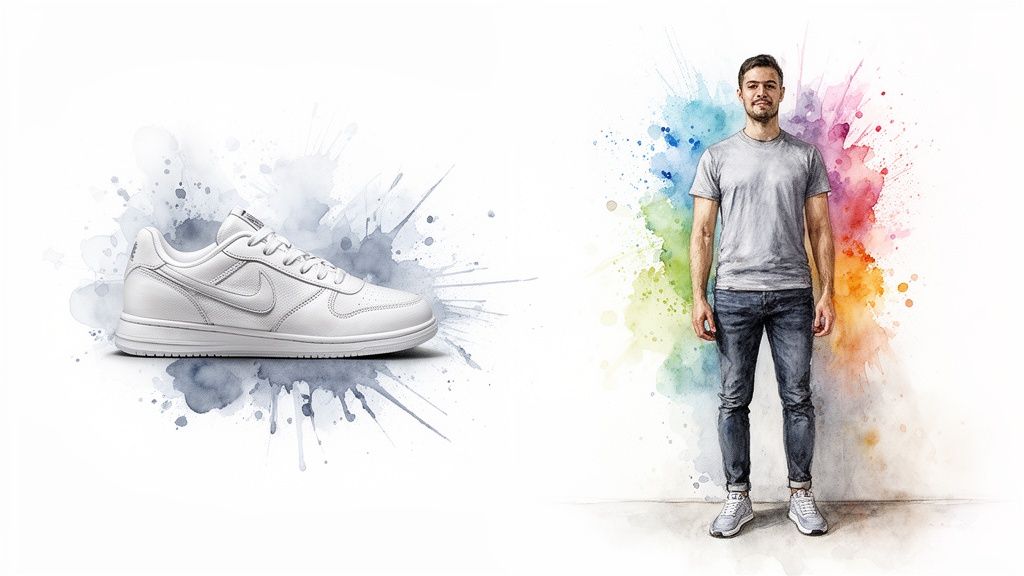
If you want to get a seriously impressive preview with an AR shoe try on, it all comes down to the photos you use. After tons of trial and error, I can tell you that clean, flat-lay photos of shoes give the best results, hands down. You know the ones—those top-down shots against a simple background where you can see the whole shoe.
The best part? Most online stores, like Amazon, already use these kinds of product shots. This makes getting a fantastic result incredibly easy, especially when I'm using the right-click feature with the TryThisFit free Chrome extension. It just works.
Your Personal Photo Matters, Too
Now, for your end of the bargain, you just need a clear, well-lit photo of yourself standing up. Seriously, no professional studio needed! A quick full-body or leg shot in front of a plain wall is perfect. The clearer your photo, the better the app can work its magic and show you how those new kicks will complete your outfit.
The AI is essentially combining the shoe image with your photo to create the final render. If you’re not sure what kind of photo to use, I highly recommend checking out this guide on taking a great full-body picture specifically for try-ons.
My number one tip for getting the absolute best results is simple: good lighting and a clean background for both the shoe photo and your own picture. It just cuts out all the noise and lets the AI focus on getting the style right.
Best Practices for Photo Selection
I've picked up a few tricks that make a massive difference in the quality of an AR shoe try on. When you're scrolling through sites like Zara or H&M, keep an eye out for product images that check these boxes:
- Look for Flat Lays: Always, always choose the top-down, flat-lay shot over those lifestyle photos with models.
- Choose High Contrast: A shoe shot against a plain white or light-colored background is the gold standard.
- Avoid Busy Backgrounds: Photos with tons of clutter, patterns, or shadows can sometimes confuse the AI.
- Ensure the Whole Shoe is Visible: If the photo is cropped or taken at a weird angle where parts of the shoe are missing, you won't get an accurate preview.
When I’m shopping, I just use the free Chrome extension and right-click on the best product photo I see. It's so convenient because you never have to leave the shopping page. Following these simple rules has helped me get hyper-realistic style previews every single time.
Go Beyond New Releases with Secondhand Shopping
Okay, here’s where AR shoe try on technology gets really exciting. Forget just browsing the latest drops from big brands. I use this tool constantly when I'm treasure hunting on secondhand sites like Depop or Vinted, and honestly, it has completely changed the game for buying pre-loved footwear online.
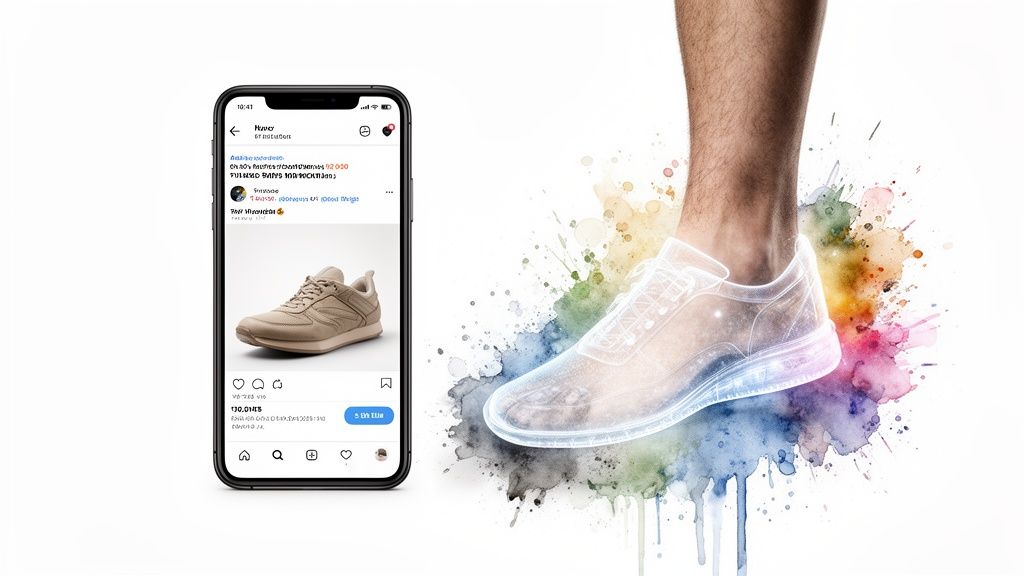
Think about it: most sellers on these platforms already use those perfect flat-lay product photos. It's the ideal setup for a virtual try-on! Since you can't physically try on a pair of vintage boots you found online, getting a quick AR preview is the absolute next best thing to know if the style is really you before you hit "buy."
A Secret Weapon for Outfit Planning
This tech has also become my go-to secret weapon for planning outfits. I can instantly "try on" different shoes with an outfit I already own just by finding a picture of the shoes online and seeing the whole look come together in seconds. No more guesswork.
I’ve even used it to find the perfect shoes for a Halloween costume, which saved me a ton of time and helped me nail the character without any buyer’s remorse. It lets you experiment endlessly until you find that one final piece that makes the entire costume click.
For secondhand shoppers, an AR preview removes the biggest point of friction—the inability to see how an item looks on you. It transforms thrifting from a gamble into a confident style choice.
The real magic here is the speed and simplicity. There are no accounts to create or hoops to jump through, so you can just dive right in. As you get more into finding pre-loved gems, you'll find that your thrifting strategy needs a tech upgrade to really maximize your finds.
Expanding Your Style Horizons
When you start using an AR shoe try on for more than just new shoes, a whole world of fashion opens up. You can confidently explore styles that are no longer in production or hunt down unique vintage pieces that truly define your personal look. If you're passionate about shopping more consciously, this is a fantastic way to lean into sustainable fashion. You can learn more by checking out this guide on fast-fashion alternatives.
This approach really empowers you to:
- Shop Secondhand Confidently: See exactly how that unique pair of boots on Vinted will look before you commit.
- Perfect Your Outfits: Instantly compare multiple shoe options with your existing clothes to nail the look for any event.
- Avoid Style Regrets: Stop guessing and start seeing, ensuring every purchase—new or used—is one you'll absolutely love.
Ready to find your next unique pair and seriously level up your thrifting game? Try it now at trythisfit.com and see what hidden gems you can uncover.
Your Try-Ons Are Private & No Account is Needed
Alright, let's talk about privacy. It’s a huge deal for me, and I'm guessing it is for you, too. What I really love about TryThisFit is that it was created by a solo founder who just wanted to make a cool, useful tool—not build a machine for harvesting user data.
Your photos are completely your own, and they stay that way. The best part? There are no accounts needed to get started. No sign-up forms, no emails, no passwords. You can just dive right in and start playing with styles, which feels incredibly refreshing.
Your Personal Style Scrapbook
As you start trying on different shoes, the app does something I find incredibly helpful: it keeps all your style experiments neatly organized. It’s hands-down one of my favorite features because it automatically creates a visual diary of your taste.
Every single try-on you do is saved to a dedicated history page. I can’t tell you how many times this has saved me when I'm trying to recall that one perfect pair of heels I saw a few weeks back but can't for the life of me remember where.
Think of the history page as your own secret Pinterest board, but one you didn’t have to manually create. It's the perfect spot to see how your style is shifting or to finally pull the trigger on a pair you’ve been eyeing for a month.
This digital scrapbook is more than just a history log; it’s a tool for refining your personal style. It’s a simple, private way to track what caught your eye and what genuinely works with your wardrobe, making that final “add to cart” decision so much easier down the road.
Keep Track of Your Favorites
I constantly use the history feature to settle style debates with myself. Trying to figure out which shoes look best with that new dress for a wedding? Just snap a pic, try on a few pairs using the free Chrome extension, and then pop over to your history to see them all side-by-side.
Here are a few real-world ways I put it to work:
- Outfit Face-Offs: I’ll use the same outfit photo and try on several different shoes—from heels to flats—to see which one truly completes the look.
- Finding Lost Gems: I love scrolling back a few weeks in my history and rediscovering a cool pair of sneakers I saw on some obscure website and totally forgot about.
- A Smarter Wishlist: My history basically becomes a visual wishlist. It helps me avoid impulse buys and invest in shoes I know I'll actually love and wear.
Ready to start building your own private style file? You can see exactly how it works and check out your saved looks right here: trythisfit.com/history.
Start Visualizing Your Perfect Shoes in Seconds
<iframe width="100%" style="aspect-ratio: 16 / 9;" src="https://www.youtube.com/embed/g92v8bP8dKo" frameborder="0" allow="autoplay; encrypted-media" allowfullscreen></iframe>Alright, let's get you set up to virtually try on any pair of shoes you find online. It's surprisingly easy and completely free to start playing with AR shoe try on. You can head over to trythisfit.com to upload a photo of yourself and see what it's all about.
But if you want the real "wow" experience, the one that’ll change how you shop for good, you’ve got to grab the free Chrome extension. It installs in a couple of seconds and lets you try on shoes from any online store with a simple right-click. Seriously. Find a pair on Amazon, right-click, and boom—you see them on your feet without ever leaving the page.
From Endless Tabs to Instant Previews
My browser used to be a graveyard of open tabs. I’d have a dozen pages up trying to compare different boots and sneakers from Zara, H&M, or Shein, flipping back and forth until my eyes glazed over.
Now, my whole process is just… clean. I find a shoe I like, right-click the product photo, and get an instant preview of how it looks on me. That's it. This is why the Chrome extension is so brilliant—it slots right into how I already shop.
There are no accounts to make or new platforms to learn. You just browse your favorite sites like always, but now you have a style superpower. It honestly feels like magic the first time you see a flat, boring product photo come to life on your own feet in seconds.
The real game-changer is how it removes all the friction. You don't need to download images or navigate away from the page. It brings the AR shoe try on experience directly to you, right where you're shopping.
This is incredible for making those quick, confident decisions. No more wondering if those chunky loafers will look weird on you. Just see for yourself, instantly. It’s not just about dodging returns; it’s about making shopping feel fun and creative again.
But don't just take my word for it. Go install the Chrome extension in 5 seconds and see what I mean on your next shopping spree.
Clearing Up a Few Things About AR Shoe Try-Ons
I get it—new tech can bring up a few questions. Let's dive into some of the common things people ask when they start using AR to visualize their next pair of shoes. It's all about making sure you know exactly how to get the most out of this awesome tool!
So, Can It Tell Me If a Shoe Actually Fits?
This is the big one, and the short answer is no. Think of this technology as your personal styling mirror, not a foot-measuring device. The app is built to show you exactly how a shoe will look on you and how it pairs with your favorite jeans or a new dress.
It’s all about the style. Once you’ve found a look you love, you still need to nail the size. I always double-check my measurements against a brand’s specific chart. For athletic shoes, a good running shoe size guide is your best friend to make sure they feel as good as they look.
What Websites Does This Work On?
Pretty much everywhere! That’s what makes the TryThisFit Chrome extension so great. I’ve personally used it on all the major spots like Zara, H&M, and Shein via the right-click feature. It’s also a lifesaver on Amazon.
But my favorite use? It’s a game-changer for secondhand marketplaces. Hunting for gems on Vinted and Depop is so much easier when you can instantly see how those unique finds will look on you. Basically, if a website has a product photo, you can right-click and get a virtual preview.
Do I Have to Sign Up or Create an Account?
Absolutely not! You can hop on the website or install the extension and start trying things on right away, no strings attached. One of the things I love most is that your try-on history is saved right in your browser. It’s private, convenient, and completely under your control.
What’s the Best Photo to Use for My Try-On?
For the most realistic AR shoe try on, you’ll want to use a clear photo of yourself standing. A full-body shot or even just a picture of your legs works perfectly. Also, using a flat-lay photo of the clothing item itself works best for the most accurate results.
Pro Tip: Stand in front of a simple, uncluttered background. This helps the AI focus entirely on you and the shoes, giving you a much cleaner and more accurate preview of your new style.
Ready to stop guessing and start seeing? It’s time to give your online shoe shopping a serious upgrade.
You can start trying on shoes for free right now with TryThisFit.
Try Virtual Try-On Now
See how clothes look on you before you buy - works with any online store
Get Started Free