Best App for Capsule Wardrobe: Simplify Your Style

You're probably here because your closet is crowded, your saved carts are worse, and somehow you still rotate the same few outfits every week.
That's exactly why the search for the best app for capsule wardrobe keeps getting harder, not easier. Most apps help you catalog what you already own. Very few help you decide whether the next blazer, jeans, or trench coat will look right with the capsule you're trying to build.
I'm opinionated on this. If your goal is pure wardrobe tracking, one app wins. If your goal is a guided capsule system, another app wins. But if your real-life problem is building a smaller, smarter wardrobe while shopping online, you need a tool that lets you visualize the style before you buy.
Here's the quick comparison first.
| App | Best for | What it does well | Where it falls short |
|---|---|---|---|
| Stylebook | Manual closet tracking | Deep manual control, outfit logging, detailed wardrobe organization | Less helpful if you want shopping-stage visualization |
| Cladwell | Guided capsule building | Capsule-focused planning, pre-built capsule wardrobes, minimalist direction | Better for planning than previewing new purchases visually |
| TryThisFit | Visualizing new pieces before buying | Lets you see how clothing looks on you from online stores and secondhand listings | Not a traditional wardrobe database first |
From Closet Chaos to Curated Style
Your closet usually doesn't fail all at once. It fails on a Tuesday morning when you're late, staring at hangers, and somehow every piece feels wrong with every other piece.
That's the moment many shoppers start thinking they need more clothes. Usually, they don't. They need a tighter wardrobe with clearer combinations, and they need a way to stop buying random pieces that never quite join the rotation.

A capsule wardrobe fixes that, but only when it's built around your actual life. Work clothes, easy weekend outfits, a jacket that works with more than one bottom, shoes you'll repeat without thinking. If you want a practical starting point, this guide on how to build a capsule wardrobe is a smart one.
A good capsule wardrobe doesn't feel restrictive. It feels calm.
The problem is that building one by memory is messy. You forget what you own, duplicate basics, and keep adding “maybe” items that don't earn their place.
That's where apps started becoming useful. They turned the vague idea of “I should simplify my wardrobe” into something you can see, sort, and plan.
Why the right app matters
Some people need a digital closet. Others need outfit planning. A lot of people need help at the exact moment they're shopping.
That last group is the one most articles ignore. They recommend organizer apps, then leave you alone on Zara, H&M, Amazon, Shein, or Vinted to guess whether a new item belongs in your capsule at all.
What Makes a Great Capsule Wardrobe App
A capsule wardrobe app should help you make fewer, better decisions. If it only stores outfit photos, it's a closet scrapbook.
I judge these apps by how well they support the full workflow. First, you need to see what you already own. Then you need to test repeats. Then you need help spotting whether a new item earns a place before you buy it.
Closet digitization
Setup decides whether you'll use the app a week from now. If adding clothes is slow, fussy, or overly manual, people quit before the wardrobe becomes useful.
A good app makes it easy to photograph pieces, sort them into categories, and scan your closet without second-guessing what you own. That alone cuts down duplicate basics and random “backup” purchases. If you want a tool built specifically for that first step, a dedicated digital closet app makes the process much easier.
Outfit planning
Capsules live or die on outfit repetition. You need to see the same trousers work with three tops, one knit, and two shoes. You need to know your jacket connects the wardrobe instead of sitting there looking expensive.
That's why outfit planning matters more than wardrobe logging. The strongest apps let you build combinations quickly, review them visually, and notice which pieces pull their weight. If an app can't help you create outfits, it won't help you build a capsule. It will only document one.
Capsule management
Average wardrobe apps often fall short because they let you keep everything. A capsule app should push you toward selectivity.
Here's what matters:
- Repeatability: You can spot the items that show up again and again in strong outfits.
- Editing: The app supports a smaller wardrobe instead of nudging you to keep adding more.
- Category balance: You can see gaps clearly, like too many tops and not enough layering pieces or shoes.
- Decision support: The app helps you judge whether a piece is versatile enough to stay.
Some apps have clearly moved beyond simple cataloging and into guided capsule planning, with features built around outfit rotation, weather, and wardrobe editing. That shift matters because a capsule is a system, not a photo archive.
Shopping integration
This is the feature that separates a decent organizer from a useful capsule tool.
Most apps are strongest after the purchase. They help you log the blazer once it's already in your closet. That's too late. The harder job is deciding whether that blazer belongs with your existing trousers, knitwear, shoes, and real-life routine while it's still sitting in your cart.
Practical rule: the best app for capsule wardrobe use should stop bad buys before they happen.
That's also why I care about workflow more than feature count. You're not trying to build the world's prettiest digital closet. You're trying to move from organizing what you own to evaluating new pieces from any store online, with enough visual clarity to know what fits your capsule and what doesn't.
If you also want to spend less while you shop, the roundup of best apps for Australian shoppers to save pairs well with a tighter wardrobe plan.
Comparing the Top Wardrobe Organizers
Open your phone after a closet cleanout and you hit the same fork in the road. Do you want an app that edits your wardrobe into a tighter capsule, or one that records every cardigan, sneaker, and tote you own? That choice matters more than the feature list.
Cladwell and Stylebook are still the two names people compare most, but they serve different users and different stages of the capsule process.
Quick side by side
| App | Personality | Best if you want | Less ideal if you want |
|---|---|---|---|
| Cladwell | Capsule coach | Guidance, outfit planning, a smaller wardrobe with more repeat wear | Full manual control over every detail |
| Stylebook | Wardrobe archivist | Detailed cataloging, stats, and custom organization | Help narrowing your closet into a capsule |
The split is simple. Cladwell helps you edit. Stylebook helps you document.
Cladwell works better for capsule builders
If your goal is a wardrobe that feels lighter, more cohesive, and easier to wear, Cladwell is the stronger pick. It pushes you toward outfit rotation and repeat use instead of turning your closet into a digital inventory project.
That difference shows up fast in real use. Cladwell feels structured. You add your clothes, start seeing combinations, and get nudged toward a tighter wardrobe instead of a bigger one. For someone building a capsule, that is the right bias.
Where Cladwell wins
- Capsule mindset: It is built for versatility, repetition, and fewer but better pieces.
- Lower effort: You do not need to micromanage every category and tag to get value from it.
- Better guidance: It gives more direction if you want help shaping a wearable, edited closet.
Where Cladwell falls short
Cladwell still loses power at the exact moment capsule shoppers need the most help. You are browsing a new trench, loafer, or knit online and trying to judge whether it belongs with what you already own. Cladwell can support the wardrobe after the fact, but it does not give you a convincing way to preview that new item inside your actual rotation.
That workflow gap matters. If you want to test pieces visually before buying, you need a tool built for that job, not just closet tracking. A photo clothes editor for trying outfit ideas with new items gets much closer to how capsule shopping really works.
Stylebook suits people who enjoy control
Stylebook has lasted because it does the archive job well. You can log items, sort them carefully, track outfits, and maintain a very detailed digital closet. If you love data, categories, and hands-on upkeep, it still has appeal.
It also asks more from you.
Stylebook is less of a capsule guide and more of a wardrobe database. That can be satisfying if you enjoy maintaining it. It can also feel like admin work if your real goal is to decide what stays, what goes, and what to buy next.
Where Stylebook wins
- Detailed organization: Strong for tagging, logging, and managing lots of items.
- Customization: Good for people who want to control the system themselves.
- Established format: It remains one of the most familiar wardrobe apps in the category.
Where Stylebook loses
It is easy to spend more time maintaining the app than refining your wardrobe. For capsule use, that is the wrong trade.
Stylebook also has the same blind spot as many wardrobe organizers. It helps once the item is already yours. It does much less while the item is still sitting in an online cart and you are trying to decide whether it earns a place in a small, hard-working wardrobe.
My blunt take
Choose Cladwell if you want help building a capsule with less friction.
Choose Stylebook if you want a detailed closet archive and do not mind manual upkeep.
Both apps are good at organizing. Neither solves the full capsule workflow from editing what you own to seeing whether a new piece works before you buy it. That is the standard I care about, because that is where capsule wardrobes usually succeed or fall apart.
The Missing Piece Visualizing New Clothes
Most capsule wardrobe advice breaks at this point.
You'll find endless tips on decluttering, tracking wears, and building outfit formulas. Fine. Useful. But what happens when you want to add one new piece?

You're on Zara looking at a trench. Or H&M comparing knitwear. Or browsing Amazon, Shein, Vinted, or Depop for something that might fill a real gap. Most wardrobe apps still leave you making that call the old-fashioned way, by guessing.
A major market gap is exactly this shopping-stage problem. Current app roundups rarely answer the question of which tool helps people avoid bad purchases across sites like Zara, H&M, Amazon, Shein, and Vinted, and the need is increasingly about visualizing items before buying rather than organizing them after as noted on the Capsule app listing.
Why organization isn't enough
Organizing your closet is useful. It's not the finish line.
A capsule wardrobe lives or dies on selection. Every addition should do at least one of these things:
- Bridge outfits: Make several existing pieces easier to wear
- Replace clutter: Do the job of weaker items you keep ignoring
- Clarify your style: Push your wardrobe toward a look you want
If you can't preview the appearance of a potential purchase, you're still relying on product photography, model styling, and hope. That's shaky logic for a wardrobe that's supposed to be intentional.
The real shopping workflow
The actual workflow looks more like this:
- You identify a gap.
- You browse online.
- You shortlist a few pieces.
- You need to see how each one looks before you buy.
- You keep the one that makes your capsule sharper.
That's also why tools related to image-based previewing matter, especially if you already edit product images or flat-lays. A photo clothes editor can help make wardrobe visuals cleaner and easier to test.
The best capsule wardrobe app for modern shoppers can't stop at closet organization. It has to help at the moment of purchase.
Secondhand shopping makes this even more obvious. A one-off Vinted blazer or Depop skirt doesn't come with a fitting room. If you can preview the style fast, you make better calls. If you can't, you either skip good finds or buy pieces that don't belong.
How I Build a Capsule Wardrobe with TryThisFit
You know the moment. You've narrowed it down to two coats, one pair of trousers, and a maybe on a blazer. Every product page looks convincing. None of that tells you whether the piece will tighten your capsule or just become another expensive distraction.
So my process is strict. I start with the clothes that already carry my wardrobe, then I test every possible addition against that reality.
Start with your real core pieces
I build around repeat performers. The coat I wear three times a week. The trousers that work with knits, shirts, and flats. The shoes that can show up often without making every outfit feel copied.
That gives me a real baseline instead of a fantasy wardrobe.
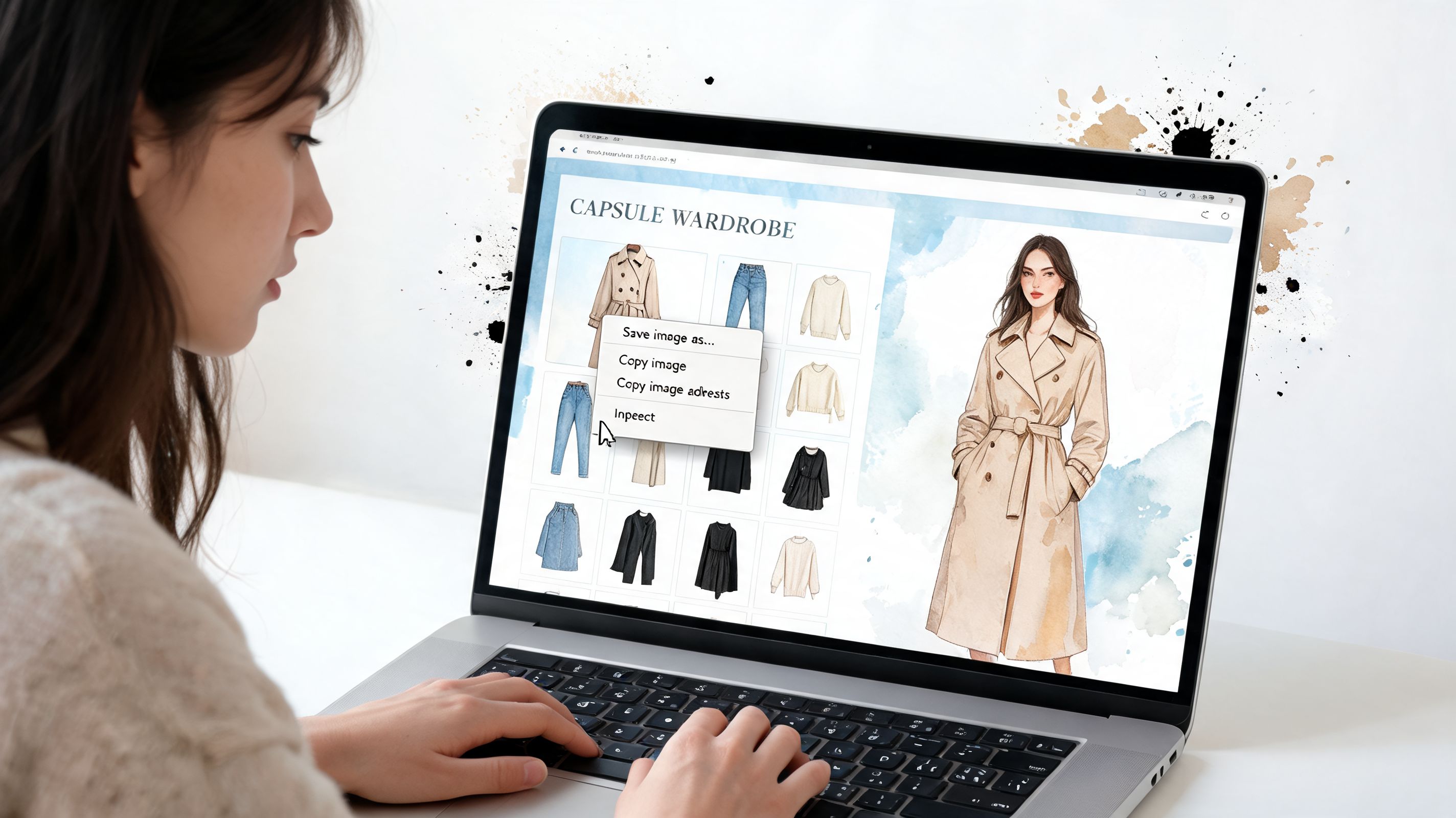
For visual previews, flat-lay clothing photos work best. They read clearly, keep the focus on shape and styling, and make comparisons faster. If I'm checking my own pieces or looking at retailer images, clean product shots make the decision easier.
Here's the kind of visual reference that makes this process click.
Then I test additions before buying
Here's the part I care about most. I don't add anything to a capsule based on store styling alone. I preview it first.
TryThisFit is the tool I use for that step because it's fast enough to fit real shopping behavior. I can check a piece in seconds, compare options while I'm still browsing, and rule out the items that looked better on the model than they would in my wardrobe.
That speed matters. If a tool turns one possible purchase into a 20-minute admin task, I stop using it.
The right-click habit keeps the process realistic
On desktop, the Chrome extension is what makes the workflow stick. I'm already on Zara, H&M, Shein, Vinted, Depop, or Amazon. I want to test the item from that page, make a decision, and move on.
The right-click routine cuts out the annoying part. No downloading images. No messy folders. No opening a separate project for one cardigan you might not even buy.
If I'm browsing Amazon fashion, I use the Amazon shopping link the same way I'd use it on any other store page.
Try-on rule: If a piece doesn't instantly suggest at least two or three outfits, I cut it.
I test one item against multiple outfit roles
A capsule piece has to earn its place. I check whether it can do more than one job.
I ask:
- Does it sharpen basics? A jacket should make simple outfits look intentional.
- Can I repeat it easily? If it only works in one very specific combo, it's dead weight.
- Does it fit the style direction? Color matters, but shape, polish, and overall mood matter more.
This is especially useful with secondhand shopping. A vintage coat or Vinted blazer might be brilliant, or it might throw off the whole wardrobe. Previewing it first makes the call much easier, especially when returns are limited.
I save the winners and ignore the noise
Once something passes the test, I save it and compare it against the other serious contenders. That gives me a shortlist based on actual outfit potential, not impulse.
If you want to revisit what you've already previewed, the saved try-ons in your try-on history make it easy to compare past options without starting over.
Here are the kinds of examples that make visual capsule planning much easier.
| Image |
|---|
 |
That's why this workflow beats a standard wardrobe organizer for capsule building. Organizers are good at cataloging what you own. This process helps you decide what deserves to join the lineup in the first place.
My Final Recommendation for 2026
You're staring at a cart full of maybe pieces. A trench that looks smart on the model. A knit that might work with your trousers. A pair of loafers you want to believe will pull everything together. That moment decides whether your capsule gets sharper or messier.
My recommendation is simple. Use Stylebook if you enjoy logging every item and maintaining your wardrobe by hand. Use Cladwell if you want outfit prompts and a more guided minimalist setup.
For actual capsule building, I'd choose TryThisFit first.
The reason is practical. Capsule wardrobes are built through decisions, not just documentation. You need to sort what stays, spot the gaps, and test new pieces before they enter the lineup. That workflow matters more than a long feature list, and it's the part most wardrobe apps still miss.
TryThisFit handles the make-or-break step better than the others. It lets you judge a potential purchase in the context of your wardrobe direction before you spend money, before you deal with returns, and before another almost-right item lands in your closet.
That makes it the app I'd recommend to anyone building a capsule wardrobe in 2026, especially if you shop across multiple stores online and want to see the outfit potential first.
If your goal is a closet that feels smaller, smarter, and easier to wear, start with the tool that helps you choose well. TryThisFit is the one I'd use.
Try Virtual Try-On Now
See how clothes look on you before you buy - works with any online store
Get Started Free