How to Create a Virtual Outfit and Transform Your Style
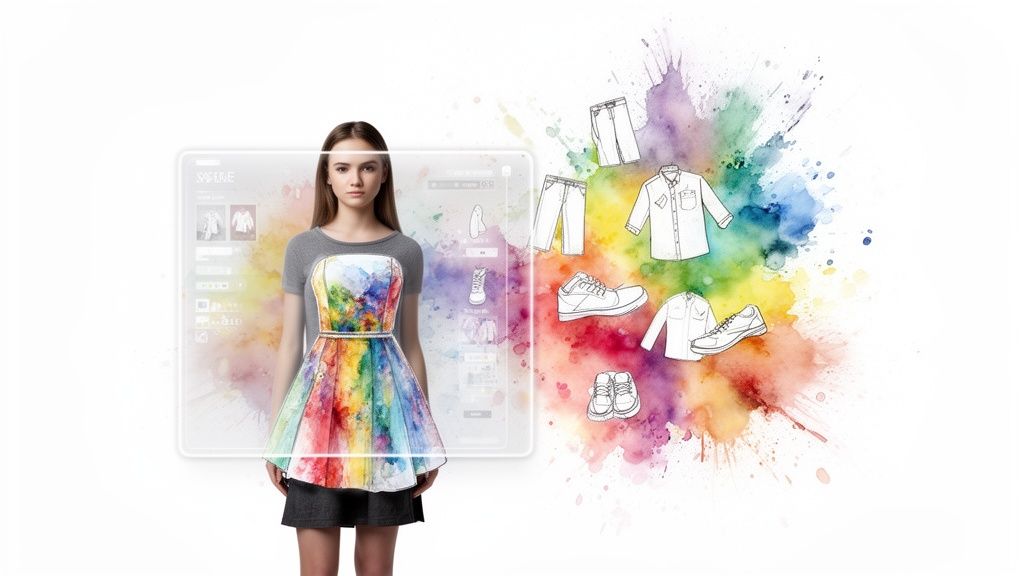
Ever find that perfect shirt or dress online, but you’re stopped in your tracks by one nagging question: "How will this actually look on me?"
I've been there, and that exact frustration is why I created a tool to solve it. This guide will walk you through how to create a virtual outfit in just a few clicks. You'll be able to see clothes from any online store on your own photo, ditching the guesswork for good.
Forget the cycle of buying, trying, and returning. This is all about making confident style choices right from your couch. I’ll cover two super simple ways to do this using TryThisFit: the direct photo upload on the website and the incredibly fast Chrome extension.
A Smarter Way to Shop
Let's be real, the way we shop is changing. Shoppers are looking for better, more interactive ways to see products before they buy. The numbers back it up, too. The global virtual try-on market was valued at around USD 9.17 billion in 2023 and is expected to explode to USD 46.42 billion by 2030. People are tired of static product photos!
This shift is all about using technology to bridge the gap between browsing online and knowing how something will look in your life. For a deeper dive, you can explore more about this evolving virtual try-on technology.
The whole idea is to make a complex process feel incredibly simple.
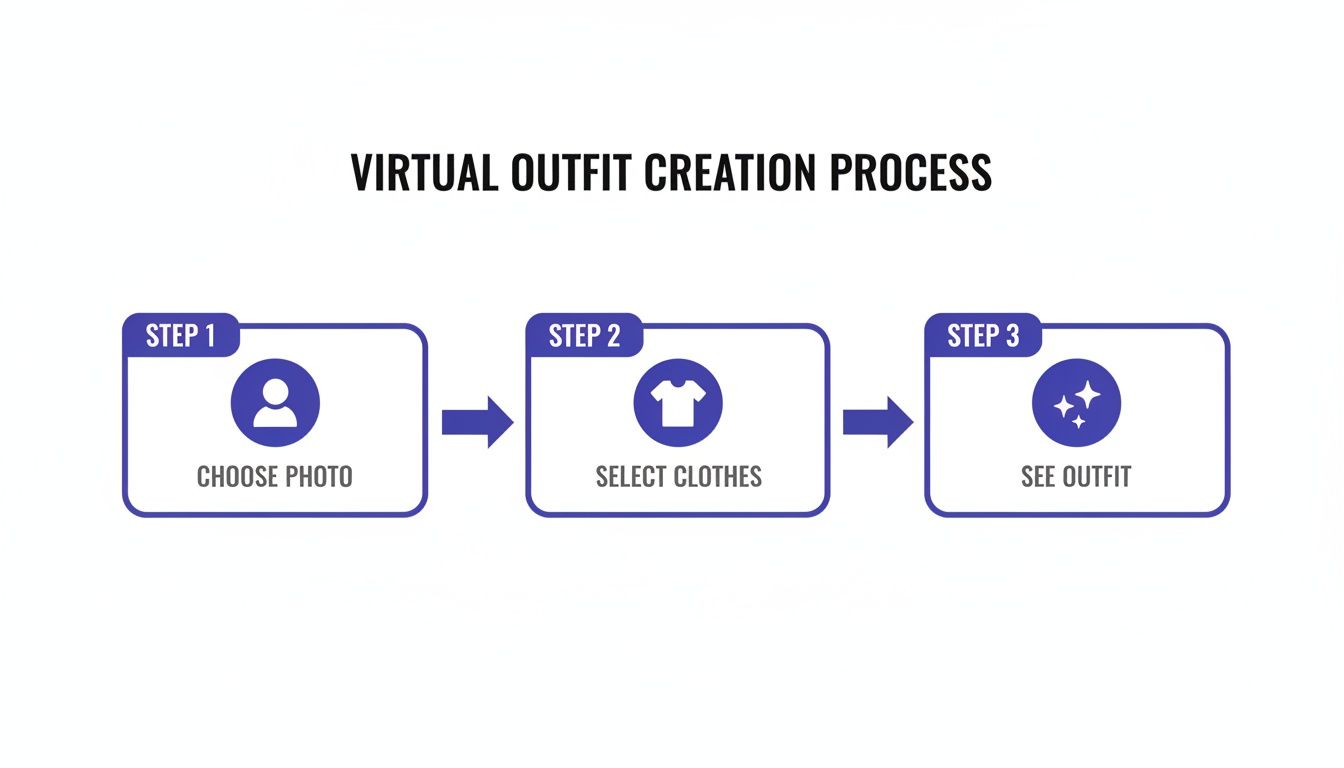
It really is that straightforward. You’re just three quick steps away from seeing your next potential purchase come to life.
Two Quick Ways to Create Your Virtual Outfit
Here’s a quick comparison of the two main methods you can use with TryThisFit to start visualizing your outfits immediately.
| Method | Best For | How It Works | Speed |
|---|---|---|---|
| Website Upload | Saved images or screenshots from your phone or computer. | Head to the site, upload your photo, then upload a photo of the clothing item. | Very fast |
| Chrome Extension | Browsing your favorite online stores and wanting instant previews. | While on a product page, just right-click the clothing image and select "Try this fit". | Instant |
Both options are designed to be fast and intuitive, so you can get back to what matters: finding clothes you'll absolutely love.
Whether you're browsing big-name retailers like Zara and H&M or hunting for one-of-a-kind pieces on Vinted, you can get an immediate visual preview. The Chrome extension lets you right-click any clothing item on their sites to instantly see how it looks.
My whole goal was to make visualizing fashion dead simple. You can get an instant preview in seconds, helping you decide if an item is a "yes!" before you even think about clicking "add to cart."
Both methods put the power in your hands, helping you build a wardrobe that truly feels like you. If you're curious about the tech behind this, you might also like my guide on how a clothing scanner app works.
Ready to give it a spin? Try it now at trythisfit.com.
Nailing the Perfect Preview: It All Starts with the Right Photos
Want to know the real secret to creating a virtual outfit that looks genuinely convincing? It all boils down to the photos you start with. Seriously, think of it like cooking—the better your ingredients, the more delicious the final dish.
A few extra seconds spent picking the right images will make a world of difference in your final preview. For clothing items, the absolute gold standard is the flat-lay photo.
This is where a garment is laid out completely flat against a simple, clean background. This gives the AI a perfect, unobstructed view of the item’s true shape, color, and pattern without any weird angles or distortion from a model or mannequin.

You’ll spot these all the time on sites like Zara or Amazon, usually mixed in with the model shots. If you’re thrifting on platforms like Depop or Vinted, just grab a quick screenshot of the seller's flat-lay—it works like a charm!
Picking Your Own Photo
Alright, let's talk about the most important picture: the one of you. Your goal here is to give the virtual try-on a clear, straightforward canvas to work on. From my own experience, you'll get the most jaw-droppingly accurate results if you use a photo where you are:
- Standing straight and facing forward. A simple, direct pose is your best friend.
- In good, even lighting. This helps the tech see your body's contours without any confusing shadows getting in the way.
- Showing your full body, from head to toe if possible. This gives you the ultimate freedom to try on anything, from mini dresses to wide-leg trousers.
Getting this photo right is a game-changer. For a deeper dive, I’ve put together a whole guide on how to take a great full-body picture for virtual try-ons.
Common Photo Pitfalls to Sidestep
To make sure you get an amazing style preview every single time, there are a few common photo mistakes you'll want to avoid. These little things can sometimes throw off the AI and lead to a wonky-looking result.
I've found that the number one reason for a weird-looking try-on is a tricky clothing photo. If a top is shown on a mannequin at a strange angle or the fabric is super wrinkled, the AI can get confused about its actual shape.
So, do your best to steer clear of photos that are:
- Blurry or low-resolution: The crisper the image, the more realistic the outcome.
- Taken at an awkward angle: For both you and the clothes, a straight-on shot is king.
- Obscured in any way: Avoid pics where your arms are crossed or a purse is covering your torso.
By taking just a moment to grab clear, simple photos, you’re setting yourself up for a super fun and incredibly accurate styling session. You’ll be blown away by how well you can see an item on yourself and confidently decide if it’s the perfect new piece for your wardrobe.
Install Your Instant Wardrobe: The Chrome Extension
Ready for the absolute quickest way to create a virtual outfit? The TryThisFit Chrome extension is about to become your secret weapon for online shopping. I designed it to be lightning-fast because I was so tired of my shopping flow getting interrupted just to see if a top would go with my favorite jeans.
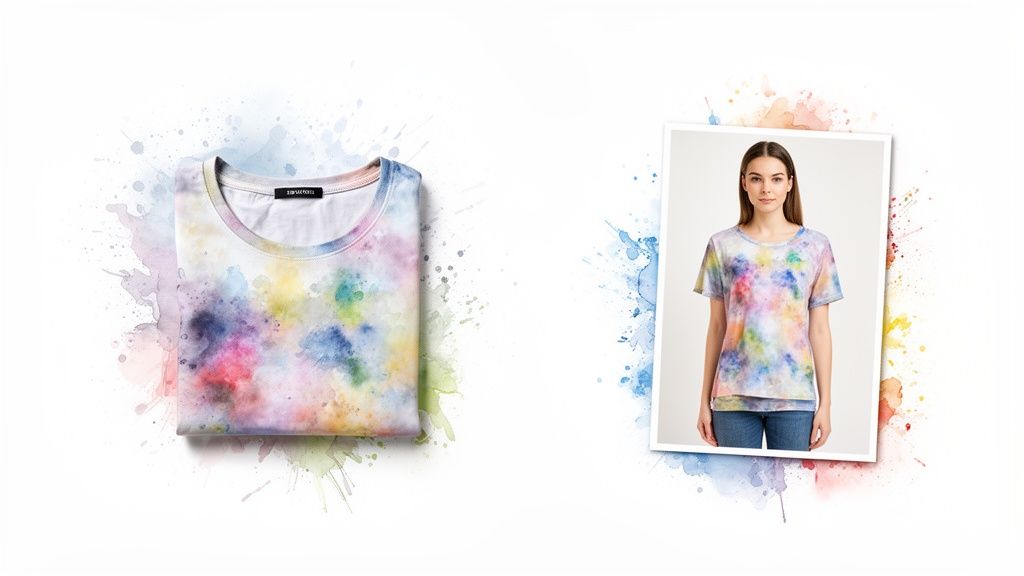
Here's the best part: installation takes just a couple of seconds. Seriously. There are no accounts to create or sign-ups required. Once it's installed, the way you shop online completely changes. You're no longer just looking at clothes on a product page; you're seeing them come to life on your body.
How It Transforms Your Shopping
Picture this: you're browsing your favorite online store—maybe it's Zara, H&M, or digging for a gem on a resale site like Vinted or Depop. When you spot something you like, you simply right-click the image and hit 'Try this on'.
Just like that, the app shows you a preview of how that item looks on the photo of yourself you uploaded earlier. No more downloading images, opening a dozen new tabs, or wrestling with clunky software. It all happens right there on the product page.
This super-smooth process means you can fly through dozens of styles in minutes, making it incredibly easy to see what actually works for you. You can find out instantly if that bold pattern is fun and quirky or just a bit too much. If you're new to browser add-ons, you can learn more about what a Chrome extension is.
When I built the extension, I had one thing in mind: zero friction. The goal was to make visualizing an outfit as easy as clicking a button, so you can spend less time guessing and more time discovering clothes you'll genuinely love.
Works Everywhere You Shop
The real magic of the extension is that it works on any site. It’s not limited to a handful of major retailers. It’s designed to work on virtually any website where you buy clothes.
- Fast Fashion Giants: See how that new top from Shein, H&M, or Zara really looks using the right-click feature.
- Major Retailers: Instantly try on finds from Amazon or ASOS.
- Secondhand Marketplaces: Buy with confidence on Vinted and Depop, where returns can be a huge headache.
- Specialty Stores: Planning a Halloween costume? Preview the look before you buy!
This little tool essentially turns the entire internet into your personal styling studio. You finally get to see how something looks before committing, which means fewer returns and a wardrobe filled with pieces that actually reflect your style.
Ready to completely change the way you shop? Install the Chrome extension in 5 seconds and start building your dream outfits today.
Become Your Own Digital Stylist
<iframe width="100%" style="aspect-ratio: 16 / 9;" src="https://www.youtube.com/embed/0n809nd4Zu4" frameborder="0" allow="autoplay; encrypted-media" allowfullscreen></iframe>Okay, creating a single virtual outfit is a blast. But the real fun starts when you begin to think like your very own digital stylist. This is where you go from just "checking an item" to actually building and curating entire looks.
Whenever you generate a try-on, I’ve made it super simple to save your creation. All your favorite looks get tucked away on your personal try-on history page. Think of it as your private, digital lookbook—a personal space to play, experiment, and visualize.
Build Your Digital Lookbook
Imagine your history page as your own infinite closet. You can finally see how those five different tops from Zara actually look with the one pair of jeans you live in. Can't decide between two dresses for that upcoming wedding? Just pop them both onto your photo and compare them side-by-side.
This isn't just for fun, either. It’s a seriously practical planning tool. Before your next vacation, you can create and save a dozen potential outfits. Suddenly, you know exactly what to pack instead of just throwing half your closet into a suitcase and hoping for the best.
A Risk-Free Way to Experiment
Honestly, one of the best things about creating virtual outfits is the absolute freedom to explore styles you might normally be too hesitant to try. Have you always been curious about that bright, bold color or a super trendy silhouette but felt too self-conscious to even try it on in a store?
Now you can see exactly how it looks on you in seconds, with zero risk and zero judgment.
Seeing a style on yourself virtually is an incredibly powerful way to build confidence. It closes that huge gap between seeing a piece online and actually imagining it in your life. That confidence boost is a game-changer for cutting down on disappointing returns.
And this isn't just a feeling; it's backed by some solid data on how we shop. When customers use this kind of AR tech to see items on themselves, return rates can drop dramatically. In fact, a whopping 66% of customers say it helps them trust what they're buying online. You can read more about these findings on virtual fitting rooms. It’s proof that seeing it first leads to smarter, happier purchases.
So go ahead and mix those patterns, try a wild new color palette, or just see if that trend you've been eyeing is really for you. This is your personal fashion playground.
Ready to start curating? Install the Chrome extension in 5 seconds and build your first lookbook.
Creative Ways to Use Your Virtual Outfits
Alright, this is where the real magic happens. Moving beyond a simple style check, creating a virtual outfit opens up a whole new world of planning. Forget just thinking about your next purchase; we're talking about curating your entire wardrobe for literally any occasion you can dream up.
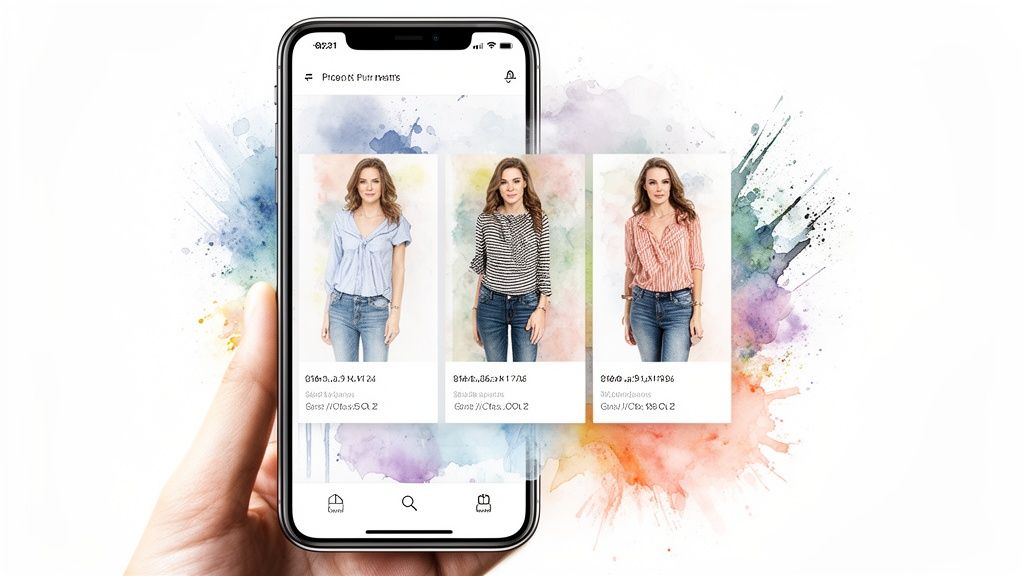
This little tool is a powerhouse for solving those real-world style headaches we all face. Instead of ordering three different costume pieces for Halloween just to see what works (and then dealing with the returns), you can see the finished look in seconds. No more wasted cash or last-minute scrambles.
Plan for Any Event Instantly
Honestly, for planning, this is a lifesaver. Trying to wrangle coordinating outfits for a family photoshoot? You can see how everyone’s colors and styles play together before a single item is purchased. The result? A perfectly cohesive set of photos.
It's also completely changed how I approach secondhand shopping. When you're scrolling through Vinted or Depop, you're often looking at final-sale items. The app's right-click feature lets you quickly visualize those unique pieces, giving you the confidence to hit "buy."
I find myself using it all the time for things like:
- Costume Planning: Building the perfect Halloween or party look piece by piece without spending a dime upfront.
- Thrift Shopping: Snagging those final-sale gems on Depop or Vinted with total confidence.
- Event Coordination: Making sure everyone’s outfit for a wedding or party looks fantastic together.
The best part is that feeling when your style vision clicks into place right on the screen. It takes that fuzzy idea of an outfit in your head and makes it real, helping you make smarter, more creative choices every single day.
For digital stylists out there, you can take your creations to the next level. Consider using AI faceless video generator tools to showcase your virtual looks in super engaging, dynamic videos for social media.
Find Your Signature Style
Beyond planning for specific events, creating virtual outfits is an incredible playground for defining your personal style. It’s a completely zero-pressure way to experiment. You can play with trends, colors, and cuts you'd normally be too nervous to even try on in a store.
Ever wondered if that bold jacket from Zara is really you? Or if those wide-leg pants from H&M could be your new favorite silhouette? With the Chrome extension, you can find out in seconds right on their sites.
This instant visual feedback is so powerful. By seeing what truly flatters your body shape and makes you feel good, you'll naturally start building a more intentional wardrobe. You'll end up with a closet full of clothes you genuinely love and wear. It’s all about making fashion fun, personal, and ridiculously easy.
Ready to plan your next great look? Try it now at trythisfit.com.
Your Top Questions, Answered
I get asked a lot about how TryThisFit works behind the scenes, so I wanted to clear up a few of the most common questions. My goal is to make this whole process totally transparent and fun for you!
"So, Does This Tell Me If The Clothes Will Actually Fit?"
That's probably the number one question I hear! Think of the app as your personal styling mirror, not a virtual tailor. It’s brilliant for seeing how the vibe of a piece—the color, the style, the overall shape—will look on your body. It's all about visualizing the appearance.
It doesn’t, however, analyze specific measurements or guarantee a proper fit. You'll still want to double-check the store's size chart before you hit "buy." It’s your go-to for style, not for sizing.
"What Happens to My Photos? Is My Data Safe?"
Absolutely, 100%. Your privacy is everything, and I built this tool with that in mind. When you upload a photo, it's used only for the moments it takes to generate your virtual outfit. Your images are never, ever sold or shared with anyone.
You don't even need to create an account, so there's no personal info to store. Your try-on history is kept locally on your own browser, which means you're in complete control. I wanted this to be a genuinely safe space to play with fashion.

"Help! My Virtual Try-On Looks a Little… Weird."
It happens! If you get a result that looks a bit wonky, the culprit is almost always the photos you're using. The AI gets the best results when it has clear information to work with.
For the clothing item, a "flat-lay" picture (where the garment is laid out flat) against a simple background is the gold standard. For your photo, a clear, front-facing shot works wonders. If the original clothing photo is on a mannequin or shot from a weird angle, the AI can get confused.
My go-to fix? Just try a different photo of the same item. A quick search for a better, flatter image of the product almost always solves the problem instantly and gives you that "wow" result you're looking for.
"Can I Really Use This on Any Shopping Site?"
Yes! This is where the magic really happens. The free Chrome extension was designed to work on pretty much any website with clothing images.
So whether you’re browsing massive retailers like Zara and H&M, or hunting for gems on secondhand marketplaces like Vinted and Depop, you’re covered. Just right-click on an item you like, and you can see it on yourself in a snap. The entire internet just became your personal closet.
The whole idea was to make it completely seamless. You can create a virtual outfit without ever leaving the product page, which makes comparing different styles from different stores incredibly easy. It puts you in the driver's seat of your online shopping.
Ready to see your style in a whole new light? With TryThisFit, you can visualize your next favorite outfit in seconds, find looks you never thought to try, and shop with a whole new level of confidence.
Give it a try for free at trythisfit.com and grab the free Chrome extension!
Try Virtual Try-On Now
See how clothes look on you before you buy - works with any online store
Get Started Free