How to Find Clothes by Photo with AI and Virtual Try-Ons
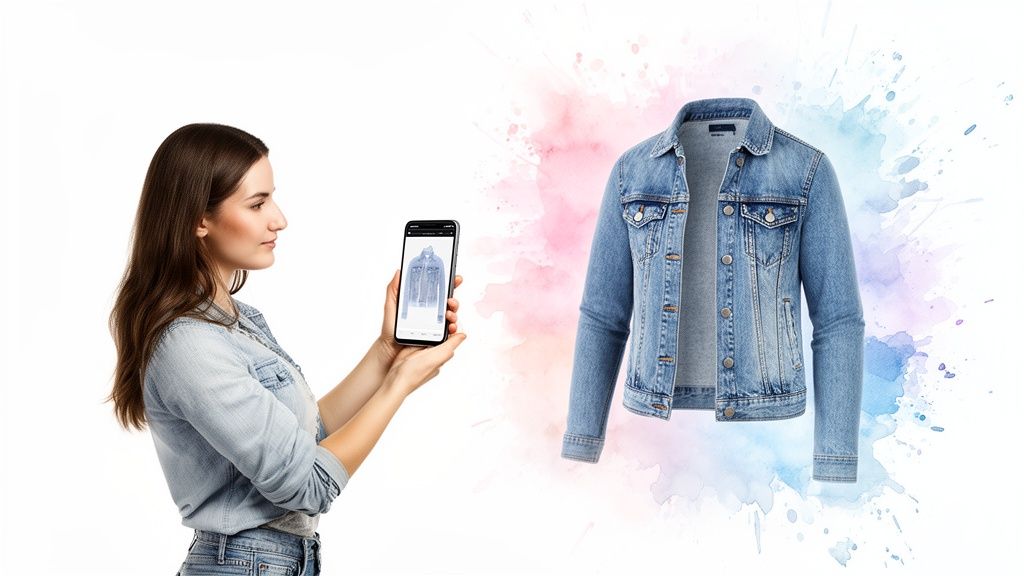
You've been there. Scrolling through your feed, and BAM—the perfect outfit. A killer jacket, a dress that would turn heads, or a pair of jeans that have the perfect style. In the past, that moment was often followed by a frustrating, dead-end search. Not anymore.
Today, you can go from seeing an outfit you love to finding out exactly where to buy it in just a few seconds. But it gets even better. Now, I can show you how to instantly see how that style looks on you, all from that single photo.
From Screen to Your Wardrobe: The New Way to Shop
This guide is all about turning that flash of inspiration into a reality. I’m going to walk through the best tools and tricks that take the guesswork out of shopping online. Forget buyer's remorse and the hassle of returns. With a tool like the virtual try-on from TryThisFit, you can confidently explore new styles and find pieces you'll actually love to wear.
Let's get into the nitty-gritty of how it all works.
Why Everyone Is Searching with Pictures
The urge to instantly find clothes from a photo has completely changed the game. This isn't just a fun gimmick; it's a massive shift in consumer behavior, and the technology is exploding to keep up.
The global virtual try-on market hit a staggering USD 9.17 billion in 2023 and is on track to reach an unbelievable USD 46.42 billion by 2030. What's driving this? A big part of it is the headache of e-commerce returns, which can be as high as 30-40% for clothing. Virtual try-ons give you a real sense of a style's appearance on you, which helps slash those numbers and makes shopping way more enjoyable.
The impact of artificial intelligence on fashion is huge. You can dive deeper into various AI fashion applications to see how these tools are evolving from simple product finders to full-blown personal stylists.
This flowchart breaks down the two main paths you can take once you’ve found an outfit you want to try.
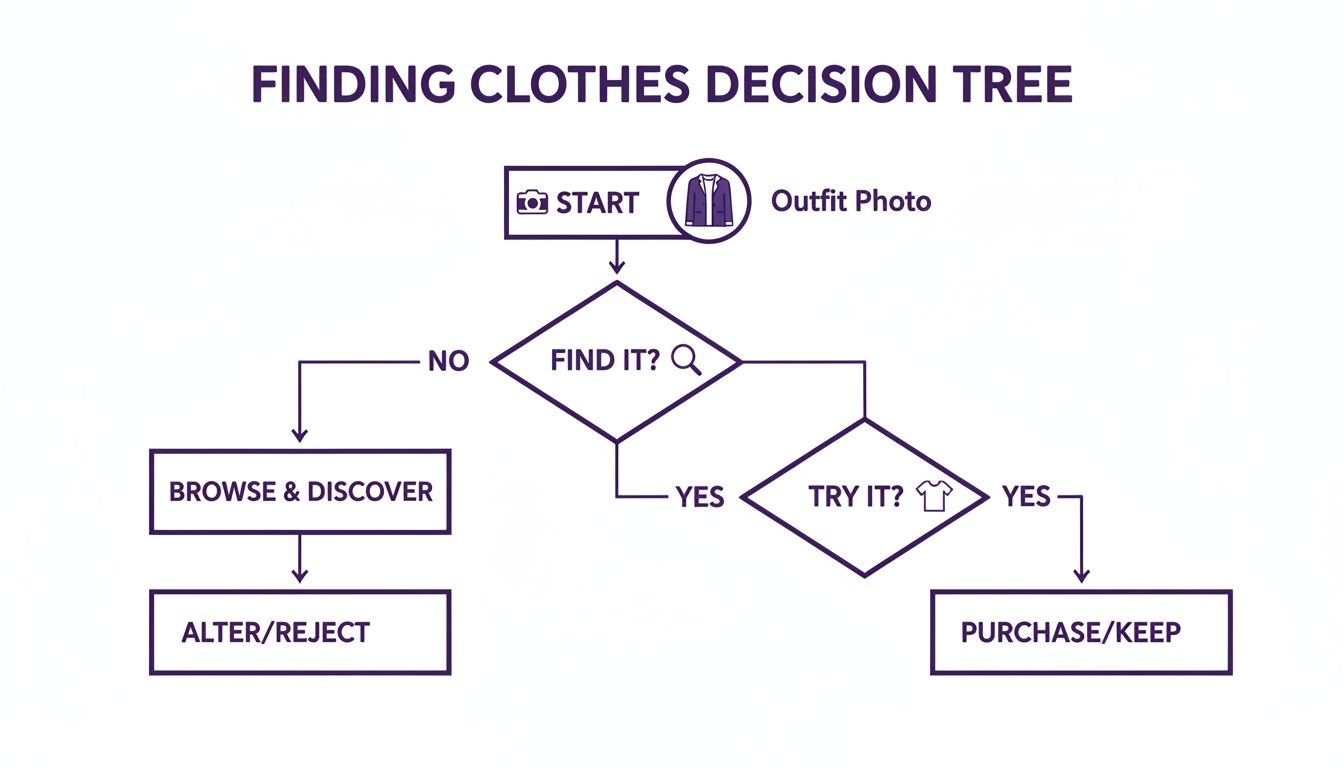
The real magic here is how today's tools have split the process. You're no longer just identifying a piece of clothing; you're also able to instantly visualize how you'd look wearing it.
Your Two Paths to the Perfect Outfit
So, you've found a photo of an outfit you absolutely love. What's next? You now have two incredible options that simply didn't exist a few years ago.
-
Find It: Unleash the power of reverse image search. These tools scan the entire web in an instant, hunting down the exact item or showing you a bunch of visually similar alternatives from thousands of online stores.
-
Try It: This is where it gets personal. Use a virtual try-on tool to see how that specific style, cut, and color looks on your body. It's like having a magic mirror that gives you a preview before you even think about adding it to your cart.
This dual approach puts all the power in your hands. You can shop smarter, be bolder with your style choices, and build a wardrobe that truly feels like you—all starting with a single picture.
Ready to see it in action? Try it now at trythisfit.com.
Your First Move: Reverse Image Search for Instant Fashion Finds
Let's dive into the classic, go-to method for tracking down an outfit from a photo: the reverse image search. Think of it as your secret weapon for fashion discovery. When you see an amazing look online, this is almost always your best first step.
Tools like Google Lens and Pinterest Lens are absolute game-changers here. They're essentially visual search engines that scour the internet for you. You just feed them a screenshot or a saved photo, and they work their magic, pulling up visually similar items in a flash.
I use this all the time. See a cool jacket on an influencer? A unique dress in a movie scene? A quick reverse image search is how I start the hunt. It's that initial thrill of discovery that kicks off the whole styling process.
Nail Your Search for Better Matches
Want to get freakishly accurate results? You've got to give the AI a clear target. The single most important trick is to crop the image to focus only on the item you want.
Get rid of the noisy background, crop out other people, and zoom in on that specific shirt or pair of shoes. A clean, focused image helps the search engine understand exactly what you’re looking for instead of getting confused.
Of course, it’s not always going to be a perfect 1-for-1 match. Sometimes you’ll get a collection of similar styles, which honestly, can be even better! It's a fantastic way to stumble upon new brands or find a dupe that fits your budget. Some platforms are built entirely around this idea; you can even upload your own photos to saucial to see it in action.
My Favorite Shortcut: When I'm on my desktop, I just right-click on an image and hit "Search image with Google." It's incredibly fast and lets you go down a fashion rabbit hole without ever leaving the webpage you're on.
From "What Is That?" to "How Will It Look on Me?"
Mastering the reverse image search is a core skill for any savvy online shopper. It answers that burning initial question: "Where can I get that?!"
But finding the item is just the beginning, right? The real question is how it's going to look on you. This is where the magic truly happens.
Once you’ve found the piece (or a great alternative) on a retailer’s site, the next step is to bring it to life. It's one thing to find a product shot, but it's another thing entirely to visualize it as part of your wardrobe. There are a ton of different apps to find clothes from pictures out there, but the best ones bridge this gap. They help you go from just finding to actually visualizing, which completely changes the game and takes the guesswork out of your next favorite outfit.
Visualize Any Outfit with a Virtual Try-On
Okay, so you’ve found the piece of clothing you were hunting for. That's the first win! But let's be real, the real question is: how will it actually look on me? This is where the magic of virtual try-on technology comes in, and frankly, it’s a total game-changer.
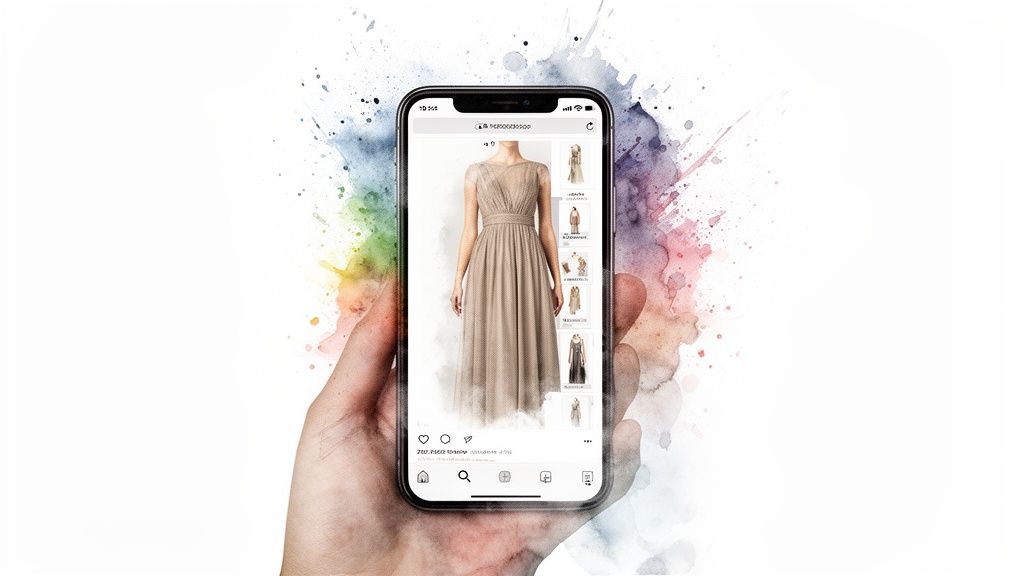
With a tool like TryThisFit, you’re no longer just staring at a product photo on a model. You can take that image you found and instantly see the style on your own body. The entire process is built to be fast, fun, and incredibly helpful, closing that gap between "I love that!" and "I'm buying it!" in just a few seconds.
This is all about making better shopping choices, feeling brave enough to experiment with new styles, and saying goodbye to the hassle of returns.
Getting the Most Accurate Style Preview
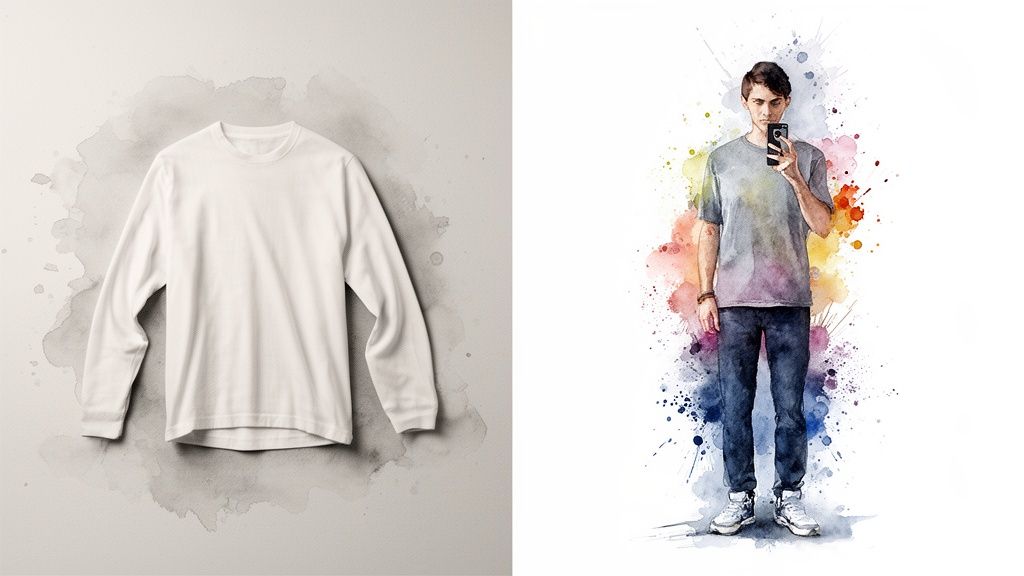
Want the best results? The quality of the photos you use matters—a lot. From my experience, the most stunning and accurate visualizations come from using flat-lay clothing photos. You know the ones I mean—the clean shots you see on sites like Zara or Amazon where the garment is laid out flat against a simple, neutral background.
This kind of photo gives the AI a clear, unobstructed view to work with. It can then map the item’s shape, drape, and details onto your photo with amazing precision. On your end, using a well-lit photo of yourself against a plain wall also helps create a much more realistic preview.
The goal here is to visualize the style and vibe of an outfit. It's an incredible way to see if a certain cut, color, or pattern works for you before you commit—not for checking precise sizing.
Seamless Shopping with the Chrome Extension
Imagine scrolling through your favorite online store and being able to preview an item's style on yourself with a single click. That’s exactly what a dedicated browser extension can do. I actually built the free TryThisFit Chrome extension to make this a reality. It installs in a couple of seconds, and you don't even need to create an account.
When you're browsing sites like H&M, SHEIN, or Vinted, you can just right-click any clothing image and hit "Try This Fit." Instantly, you get a preview of that exact item on your photo. It’s saved me so much time and helped me pull the trigger on purchases I was on the fence about. If you're curious about the tech behind it, you can dive into how an AI clothing try-on works.
This is especially amazing for secondhand marketplaces like Depop or Vinted, where trying things on is obviously not an option. It helps you dodge those "it just doesn't suit my style" returns and find hidden gems that you know will look great. You can seriously install the Chrome extension in 5 seconds and completely change the way you shop online.
A Smarter Way to Shop Any Website
Ever find yourself with a dozen tabs open, trying to picture how a shirt from Zara or a cool secondhand find on Vinted will actually look on you? I've been there. The endless cycle of saving images, uploading them, and just guessing was a huge drag. It’s exactly why I created the TryThisFit Chrome extension—to put a virtual dressing room right inside your browser.
<iframe width="100%" style="aspect-ratio: 16 / 9;" src="https://www.youtube.com/embed/ciOqwo6Q4RI" frameborder="0" allow="autoplay; encrypted-media" allowfullscreen></iframe>Forget the hassle. With a simple right-click on any product photo, you can see an instant preview of that item's style on your own body. Seriously, it's that easy. The extension installs in seconds, and you don't even need an account to start using it. It's all about making shopping faster and way more fun.
Instant Previews on Your Favorite Stores
Imagine scrolling through Amazon, SHEIN, or H&M and seeing how an outfit looks on you without ever leaving the product page. This is an absolute game-changer for secondhand marketplaces like Depop and Vinted, where you can't just return something if the style isn't right for you.
It gives you the confidence to see the potential in a piece, helping you dodge those "what was I thinking?" purchases. It’s a more certain, enjoyable, and efficient way to build a wardrobe you love. You can install the free Chrome extension and completely transform your online shopping experience today.
Virtual try-on isn't just a cool gimmick for shoppers—retailers are seeing huge returns. Some brands have quadrupled their sales and boosted average order values by 20%. The market in the U.S. alone is expected to explode from USD 4.2 billion in 2024 to an incredible USD 24.39 billion by 2034, proving this tech is here to stay.
A Completely Seamless Experience
The whole point is to eliminate the guesswork and friction from online shopping. Instead of finding something you love and just wondering about it, you get a visual answer right then and there. The extension is designed to work perfectly with the flat-lay photos you see on most e-commerce sites, as they provide the cleanest input for an accurate style preview.
Here’s a glimpse of the new workflow:
- Spot something you like: It could be on Zara, a small indie boutique, or even an ad.
- Right-click the image: A menu will pop up—just select "Try This Fit."
- See an instant preview: In seconds, you'll see the item's style on your photo without ever leaving the page.
- Save your favorites: Keep track of everything you’ve "tried on" in your personal gallery.
This quick process helps you make much more confident decisions. If you want to see how this works for creating entire outfits, check out the guide on how to shop by the look and start discovering new combinations.
Ready to see it in action? Try it now at trythisfit.com.
Tips for Getting the Best Visual Results
The secret to getting an amazing virtual try-on really comes down to the photos you use. Seriously, just a few simple tweaks can make a massive difference in how good your style previews look, helping you see exactly how an item's style might appear. It’s all about giving the tech the best possible canvas to work with.
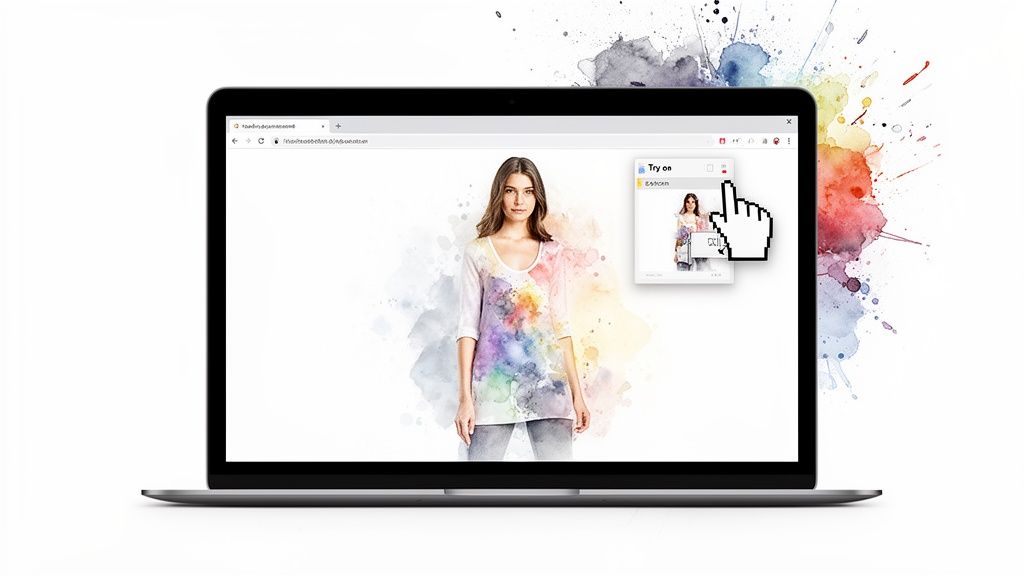
From my own experience, I’ve found the AI churns out the most stunning results with flat-lay clothing photos. You know the ones—those clean, simple product shots you see on most shopping sites where the garment is laid perfectly flat against a neutral background. This super clear view lets the app capture every single detail, from the cut to the pattern.
Optimizing Your Photos for Success
To get the most out of your virtual try-on, a little prep goes a long, long way. Think of it like setting the stage before the big show. For both your personal photo and the picture of the clothing, clarity is everything.
Here are my top recommendations to get it right:
- Your Personal Photo: Stand in good, even lighting where your full body is clearly visible. A simple, uncluttered background is your best friend here—it helps the AI focus entirely on you.
- The Clothing Photo: Like I mentioned, flat-lay images are gold. If you’re grabbing a photo of a model wearing the item, just make sure the clothing isn't bunched up or hidden. A clear, front-on shot will always give you the best results.
A Quick Note on Privacy: As the solo founder, I built TryThisFit with user trust as my absolute top priority. Your photos are yours, period. They are only used to generate your try-on previews and are never, ever sold or shared. You can experiment with styles and find clothes by photo with complete peace of mind.
This kind of tech is popping up more and more because it genuinely helps people shop smarter. The industry has seen that virtual try-ons are a game-changer; some tools have generated millions from 2D-to-3D conversions, while others have helped slash returns by an incredible 15%. TryThisFit brings that convenience right to you, letting you get instant previews for Halloween costume planning or just checking out a cool find on Depop without juggling a dozen tabs. You can read more about these digital try-on trends to see why this is where shopping is headed.
Getting these little details right helps the technology map the clothing onto your frame perfectly, so you can preview your new look with confidence. Ready to see what a difference a great photo makes? Try it now at trythisfit.com.
Got Questions? I’ve Got Answers!
Jumping into the world of finding clothes from a photo can feel a bit like magic, and I get that it brings up a few questions. Let's tackle some of the most common ones I hear so you can start finding and visualizing your next favorite outfit with total confidence.
Can I Find the Exact Match from Any Photo?
This is the big one, right? Sometimes, you absolutely can! Reverse image search is a powerhouse for spotting items from major players like Zara or H&M.
But what about custom pieces, vintage treasures, or something from a small indie boutique? In those cases, you’ll usually find incredibly similar styles instead of the exact item. Honestly, I see this as a huge win! It opens up a world of style discovery. Once you find a killer alternative, you can use a tool like the TryThisFit Chrome extension to instantly see how that vibe looks on you.
Will This Technology Tell Me If the Clothes Will Actually Fit?
Nope, and this is a really important distinction to make. The app's virtual try-on is all about showing you how the style, cut, and color of a garment will look on your body. It’s an amazing tool for getting a feel for the overall appearance.
Think of it as your personal style mirror, not a measuring tape. You’ll still need to check out the brand's official size chart to nail the perfect measurements. This tech helps you decide if you love the look first, before you get bogged down in the sizing details.
What Kind of Photos Give the Best Results?
For the most stunning and accurate style previews, you'll want to hunt down flat-lay photos of the clothes. This is the standard you see on most shopping sites—the item is laid out flat on a clean, simple background, showing off its true shape.
The same idea applies to your own photo! Stand in good, natural lighting with a simple, uncluttered background behind you. Taking a moment to do this gives the app a clean canvas to work with, making your virtual try-on look so much more realistic.
Is It Safe to Upload My Photos to a Virtual Try-On App?
Privacy is a huge deal, and it's something I take very seriously. As the solo founder of TryThisFit, building a tool you can trust is my top priority.
Your photos are only used to create your try-on previews. They are never sold or shared with anyone. Period. You can even use the main tool without creating an account. My goal has always been to create a secure, fun way to explore fashion—whether you're planning an epic Halloween costume or just finding your next everyday look. You can always see your saved outfits on your personal try-on /history page.
Ready to stop guessing and start visualizing? With TryThisFit, you can see how any outfit looks on you in seconds. Explore new styles, shop with confidence, and build a wardrobe you truly love. Install the free Chrome extension or visit the website to start your first virtual try-on now.
Try Virtual Try-On Now
See how clothes look on you before you buy - works with any online store
Get Started Free