Find Outfit App: Visualize Your Style Instantly in 2026
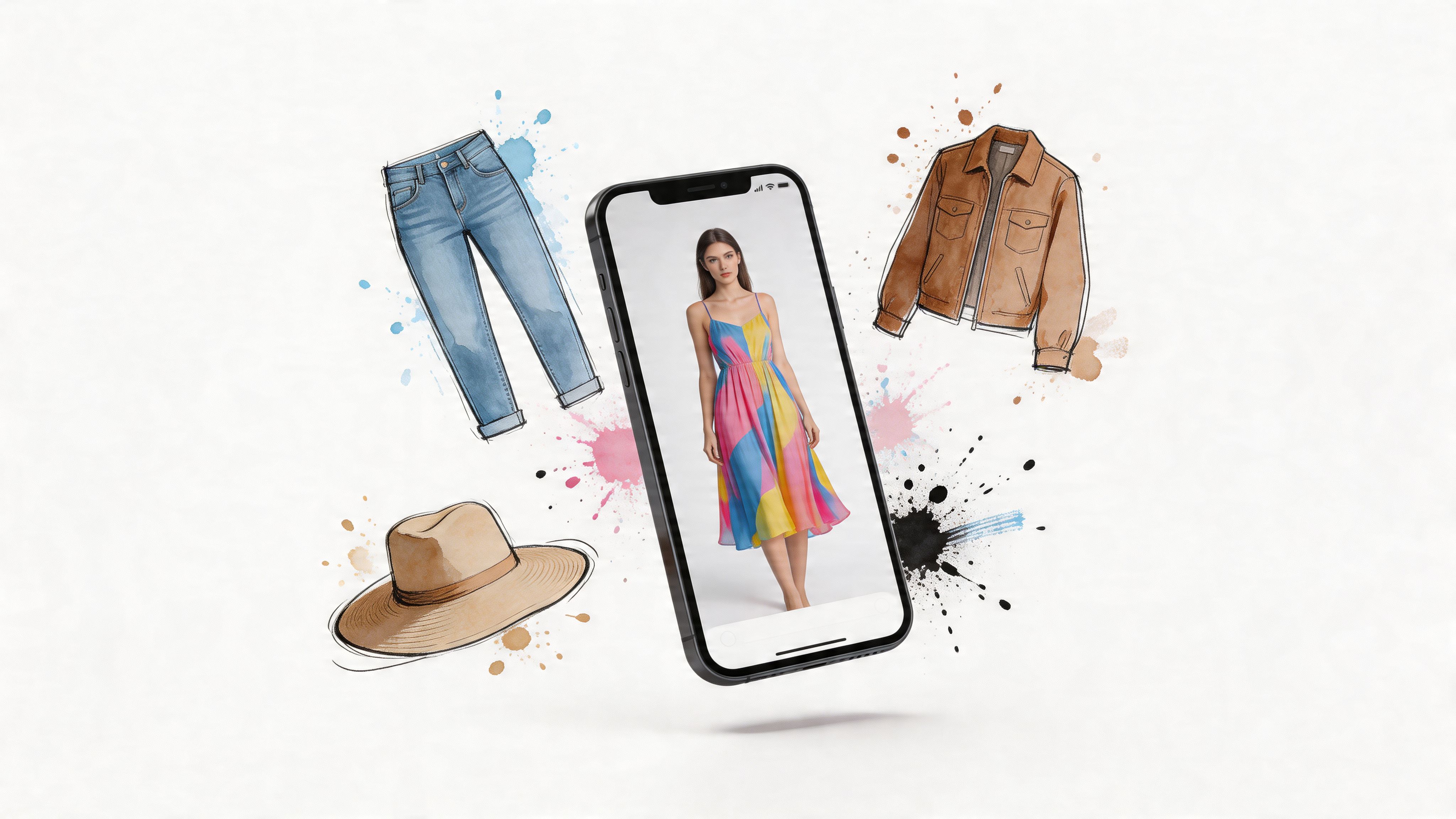
You’re probably here because you’ve done the modern shopping spiral.
A tab with a blazer from Zara. Another with jeans on Amazon. A maybe-cute dress from H&M. Then a wild-card secondhand find on Vinted or Depop that looks amazing on the listing photo, but you can’t quite tell if it’s your style or just good lighting.
That’s where a find outfit app starts to feel less like a gimmick and more like relief. Instead of guessing, you upload your photo, grab a clothing image, and preview the appearance of the outfit before you buy. You’re not trying to predict sizing. You’re trying to answer the question that matters first: Do I like how this looks on me?
The End of I Wonder How This Will Look
Online shopping used to mean building outfits in your head.
You’d hold one image in memory while scrolling another product page and try to mentally combine the colors, shape, and vibe. Sometimes that works. More often, it ends with a cart full of “maybe.”
That uncertainty is exactly why outfit visualization tools have taken off. The global user base for styling and outfit apps is projected to surpass 180 million users worldwide by 2025, and 73% of Gen Z actively engage monthly, according to 2025 outfit app share rate statistics.
That number makes sense when you think about how people shop now. Most of us don’t browse one store at a time. We bounce between big retailers, resale apps, social screenshots, and saved posts, trying to spot a look that feels right.
The real aha moment
The first time someone uses a good find outfit app, the shift is simple. The clothes stop being isolated product photos and start becoming an actual outfit.
A trench coat isn’t just “nice on the model” anymore. It becomes “oh, that color works with my hair,” or “I love the shape, but that neckline isn’t for me.”
You don’t need perfect fashion vocabulary to know when a look clicks. You just need to see it.
That’s why this category feels so different from ordinary shopping tools. It turns a vague style guess into something visual and immediate.
Why it feels so fun
Part of the appeal is practical. You save time, narrow down options faster, and avoid buying pieces that don’t match your style.
But part of it is also playful. It feels like digital dress-up for real life, except the results connect to things you can wear to work, on weekends, on vacation, or to that themed party you forgot was coming up.
And once you’ve seen a look come to life on your own photo, it’s hard to go back to guessing from mannequin shots.
What Is a Find Outfit App and How Does It Work
A find outfit app is easiest to understand if you think of it as a smart digital paper doll.
Instead of dragging clothes onto a generic cartoon figure, you use a photo of yourself and a photo of a clothing item. The app then creates a style preview so you can see how it looks, not just imagine it.
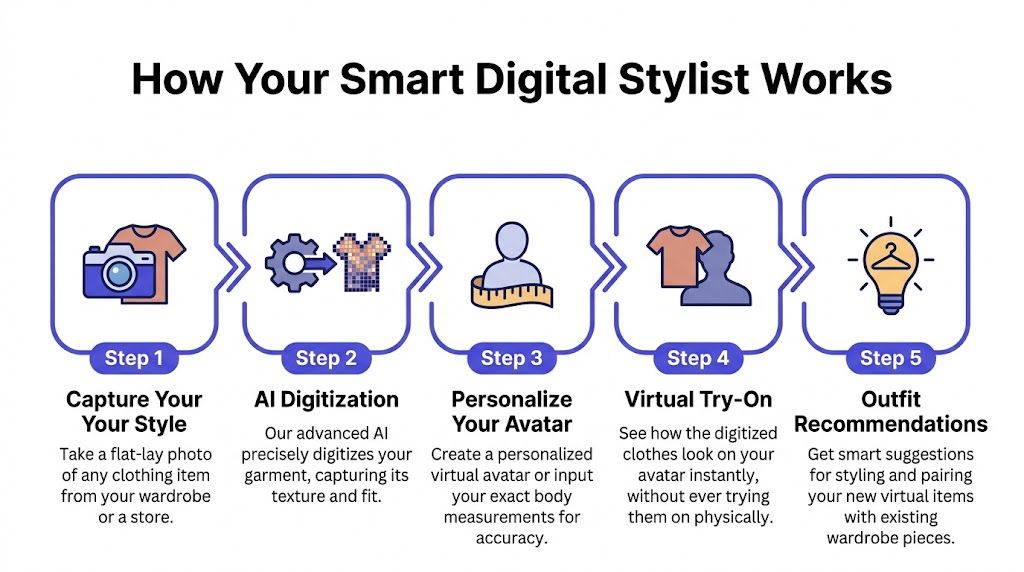
The simple version
Here’s the basic flow users often consider:
- You add a photo of yourself so the app has a visual base.
- You choose a clothing image from a store, your closet, or a screenshot.
- The app analyzes both images and maps the clothing onto your photo.
- You get a preview that helps you judge the style, silhouette, and overall appearance.
That preview won’t tell you exact sizing or measurements. It’s for visualizing the look. That distinction matters, because a lot of people mix up “how it looks” with “how it fits.”
What the app is actually noticing
The app isn’t magically understanding fashion the way a human stylist does. It’s reading visual clues.
It looks at things like color, outline, garment shape, and the way an item appears in its source photo. That’s why cleaner clothing images usually produce better previews.
Practical rule: If the clothing photo is clear and flat, the style preview usually looks cleaner too.
If you want a fuller foundation on the category, this guide to what a virtual try-on app is helps explain the concept in plain language.
Why the preview feels instant
The speed comes from the search and matching systems behind the scenes. The AI behind instant try-on apps uses vector search to achieve sub-100ms query latencies, which is why you can match a clothing item to your photo in real time and even right-click an item on Amazon to see a preview in seconds, as shown in Google’s Smart Stylist app codelab.
You don’t need to understand vector search to use it. The important part is the experience. You click, wait a moment, and the look appears.
That speed changes behavior. You’re more willing to test a bold color, compare two jacket lengths, or check whether a graphic tee throws off the whole outfit because there’s almost no friction.
A good mental model
Consider this:
| What you do | What the app helps with |
|---|---|
| Upload your photo | Creates a base for the style preview |
| Grab a clothing image | Gives the app the item to visualize |
| Compare different pieces | Helps you judge the appearance faster |
| Save favorite looks | Makes outfit decisions easier later |
The big aha is that the app doesn’t replace your taste. It gives your taste something to react to.
Key Features of a Modern Outfit Visualizer
A good outfit visualizer shouldn’t feel like homework.
If you have to create an account, download product images, switch devices, and rebuild your try-on every time you browse a new store, most of the magic disappears. The best tools feel almost invisible. They stay out of the way and let you focus on the outfit.
The three features that matter most
Some features sound flashy but don’t change the experience much. These ones do.
-
Works where you already shop
A modern visualizer should work across retailer sites instead of trapping you inside one app catalog. That matters when you’re comparing a top from H&M, boots from Amazon, and a thrifted jacket from elsewhere. -
Fast enough to use casually
The preview should appear quickly enough that you’ll test multiple options. Slow tools get used once and forgotten. -
Strong with flat-lay clothing photos
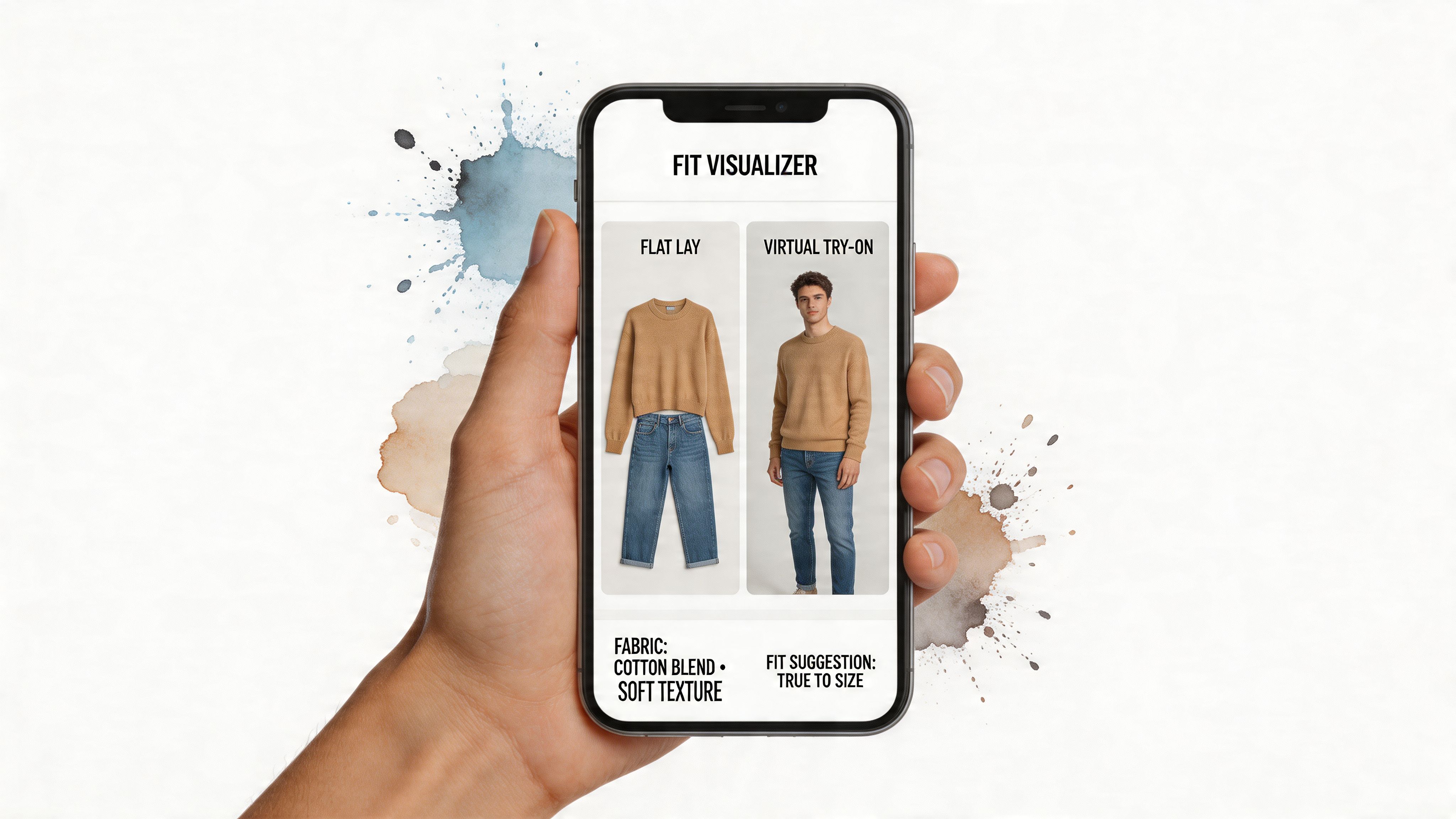
This is the quiet difference-maker. Advanced outfit apps use vision transformer models with over 92% accuracy in identifying clothing attributes from photos, and they work best with flat-lay images, which let the AI segment the item cleanly and minimize distortion for a more realistic style preview, according to the Fit Finder clothing scanner listing.
Why flat-lay photos matter so much
A flat-lay image gives the app a cleaner shape to work with.
If a shirt is folded oddly, modeled at an angle, or partly covered by hair, hands, or accessories, the visualizer has to guess more. If the item is laid out clearly, the app can focus on the garment itself.
That’s also useful when you’re styling more unusual pieces. If you’re experimenting with statement accessories, textured outerwear, or dramatic winter looks, visual clarity helps. For inspiration on combining bold texture with the rest of an outfit, this piece on choosing and styling a faux fur scarf is a nice example of how one item can shift the whole look.
Privacy should feel built in
A lot of people skip style tech because they don’t want another login or another gallery of personal photos sitting in yet another app.
That hesitation is reasonable. A modern outfit visualizer feels better when the barrier is lower and the process is lighter. Open it, try a look, move on.
The best fashion tech doesn’t interrupt your shopping flow. It slides into it.
If you’re choosing between tools, that’s the standard worth using: speed, flexibility, and image handling that makes the preview look believable.
Unlock Your Style Everywhere You Shop Online
Most guides talk about outfit apps as if you shop from one polished brand site at a time.
Real shopping is messier than that. You might start with new arrivals at Zara, jump to H&M, compare a pair of boots on Amazon, then end the night hunting through resale listings because the secondhand version has more personality.
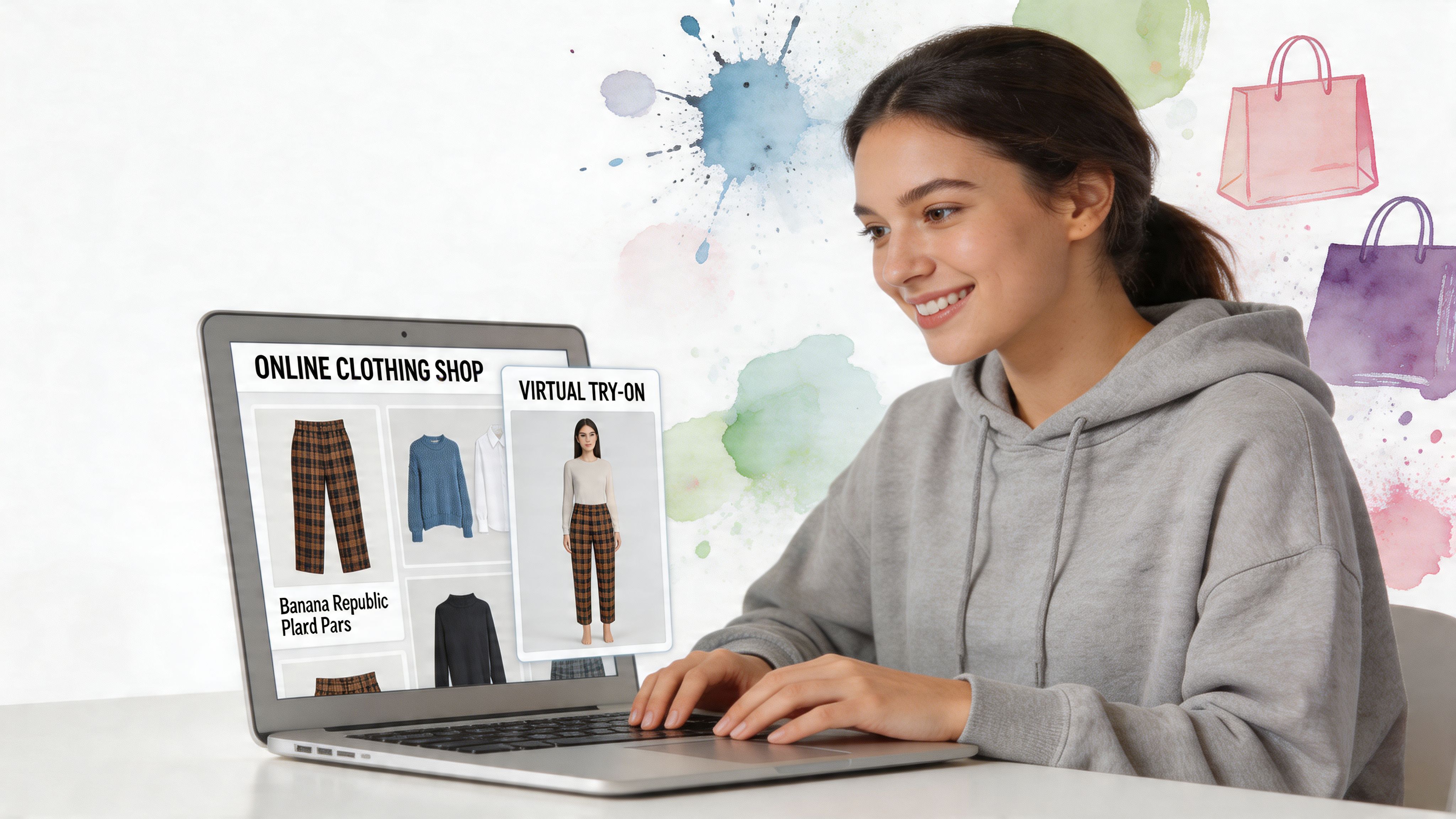
Big retailers feel easier
The simplest use case is standard online shopping.
You spot a coat, dress, or pair of trousers and want an instant sense of the look before adding it to cart. That’s especially helpful on image-heavy sites where the product photos are styled beautifully but don’t really tell you whether the piece matches your own vibe.
Amazon is a great example because many shoppers compare several near-identical items at once. If you’re browsing fashion there, it helps to keep your product hunt in one place through Amazon fashion browsing while you narrow down what style you like.
Secondhand is where this gets exciting
Resale is the overlooked part of the story.
A major gap exists in the virtual try-on market for secondhand platforms like Vinted and Depop, where 30-50% of Gen Z shoppers purchase clothing but can’t try items on. A Chrome extension that works on any site by right-clicking an image directly solves that problem, as noted in this roundup of virtual try-on apps for experimenting with clothes.
Secondhand listings are often less polished than retail photography. The angle might be odd. The lighting might be bad. The item may be hanging on a door or spread on a bed. That’s exactly why visualizing the style matters so much. You need help seeing past the imperfect listing photo.
A thrift find can be brilliant and still look confusing in the listing. The preview helps you judge the style instead of the seller’s camera skills.
It’s also a personal style tool
A find outfit app isn’t only for deciding whether to buy something. It’s also useful when you’re trying to understand your own taste.
Maybe you keep saving the same outfit formulas. Maybe you love something on influencers but not on yourself. Maybe you know you want a cleaner wardrobe, a softer color palette, or a more playful silhouette, but you can’t picture what that means yet.
If you’re still shaping that taste, this guide on how to find your personal style is a helpful companion because it gives language to the patterns you start noticing in visual try-ons.
You can also explore outfit inspiration by browsing shop by the look ideas, which is useful when you want to compare complete styling directions instead of isolated pieces.
Don’t forget the fun stuff
The playful use cases might be the most enjoyable.
Halloween costumes, themed dinners, festival outfits, and dramatic party looks all benefit from instant visualization because these are the moments when people tend to take bigger style swings. You’re more willing to test a cape, metallic boots, oversized faux fur, or a costume-inspired jacket when you can preview the appearance first.
That’s where the tool stops being just practical and starts becoming creative. You’re not only avoiding bad buys. You’re exploring versions of your style you might not have tried otherwise.
Your Step-by-Step Guide to a First Virtual Try-On
The first try-on feels easier when you don’t overthink it.
You don’t need a perfect photo shoot. You don’t need a huge wardrobe upload. You just need one decent photo of yourself and one clothing image you’re curious about.
Step 1 Get the tool ready
Start with the simplest setup possible.
If you browse in Chrome, install the free Chrome extension for instant try-ons. It installs in a couple of seconds, and the big benefit is convenience. You can stay on the store page you’re already viewing and work directly from the product image.
If you’d rather start more manually, you can also test looks on the main TryThisFit app without making the process feel complicated.
Step 2 Use a photo of yourself you actually like
Pick a photo where your body outline is clear and the lighting is decent.
It doesn’t need to be studio quality. It just needs to be easy to read visually. If the image is extremely dark, heavily cropped, or full of motion blur, the style preview won’t feel as satisfying.
A few practical pointers help:
-
Keep the pose simple
Standing naturally usually gives the app a cleaner base than dramatic angles. -
Choose plain surroundings when possible
A less busy background makes the result easier to read. -
Use a photo that feels current
You want the preview to feel connected to how you look now, not two hairstyles ago.
Step 3 Pick the right clothing image
Often, people get better results than they expect.
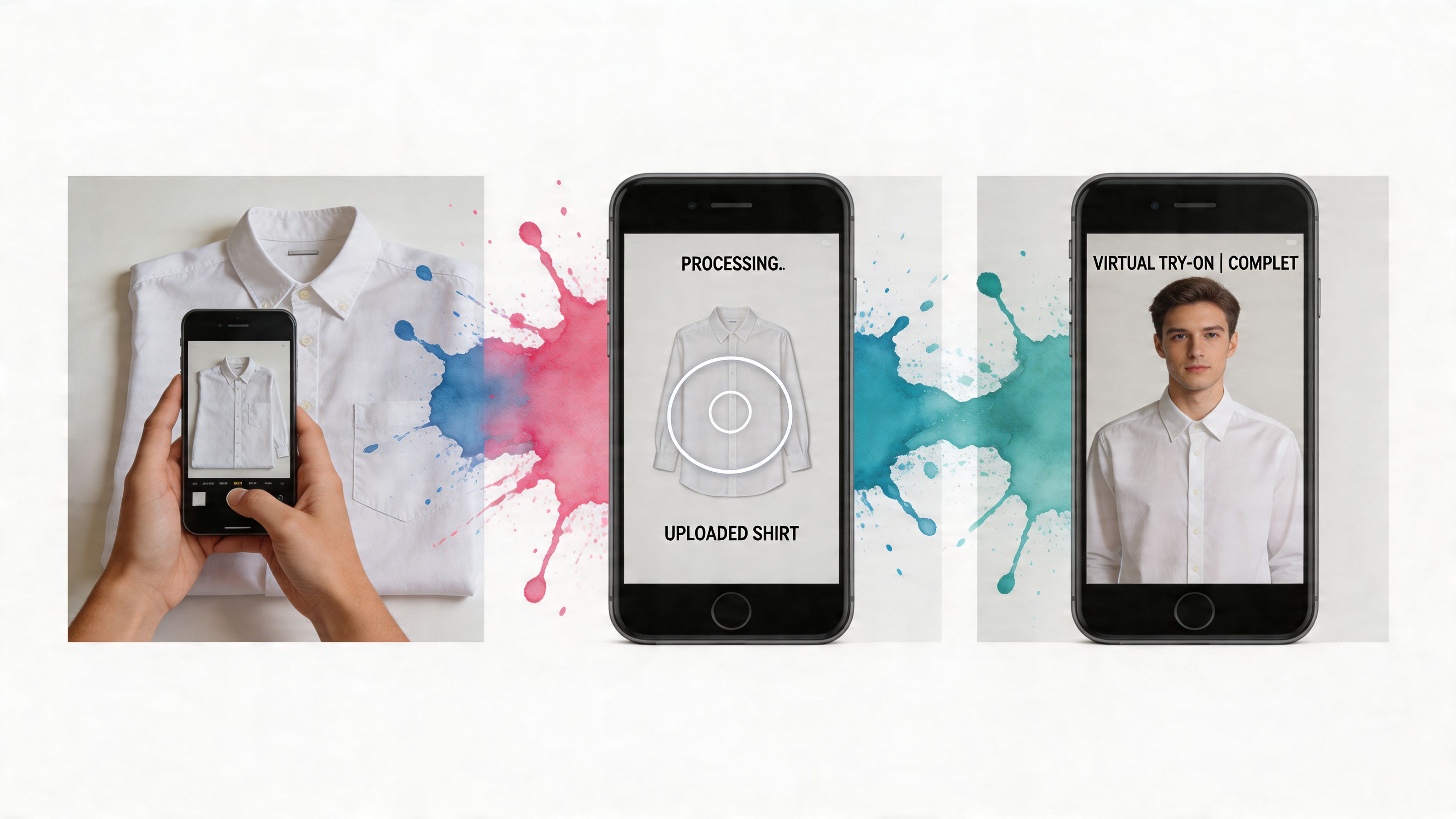
Flat-lay clothing photos usually work best because the app can separate the garment shape more cleanly. A shirt laid out flat, a dress shown clearly, or a jacket photographed head-on tends to produce a more convincing style preview than a crumpled screenshot.
Here’s the kind of result people are aiming for:

If you’re shopping on Zara, H&M, Shein, Amazon, Vinted, or Depop, that often means choosing the clearest product image on the page, then using the extension directly from there.
Step 4 Right-click and preview the look
This is the fun part.
Once the extension is installed, you can right-click a product image on a shopping site and generate a try-on without bouncing between tabs or downloading the image first. That small interaction changes everything because it keeps the process spontaneous.
You see something interesting. You test it. You react.
If a tool makes you stop browsing to do admin, you’ll use it less. Right-click previews keep the momentum alive.
Here’s a quick visual walkthrough for that first moment:
<iframe width="100%" style="aspect-ratio: 16 / 9;" src="https://www.youtube.com/embed/-wW6Q1uFGxI" frameborder="0" allow="autoplay; encrypted-media" allowfullscreen></iframe>Step 5 Compare, save, and revisit
Your first try-on usually leads to a second and third.
You’ll want to compare a lighter wash jean against a darker one, or a cropped jacket against a longer blazer. That’s normal. The point isn’t to stop at one preview. The point is to get fast visual feedback while the options are fresh in your mind.
If you want to revisit earlier tests later, checking your saved try-on history makes side-by-side decision-making much easier. This is especially handy when you’re shopping over several days and can’t remember which version had the stronger look.
A simple first experiment
If you’re not sure what to test first, try this combo:
- Use a clear photo of yourself.
- Open a store page with a jacket or dress you already like.
- Generate the preview.
- Compare it with one similar item in a different color or shape.
- Ask only one question: Which one looks more like me?
That last question keeps things grounded. You’re not trying to optimize everything. You’re trying to spot the outfit that feels right when you see it.
Privacy and Accuracy Considerations
Two questions come up fast with any find outfit app.
First, what happens to your photos? Second, how seriously should you take the result?
Why no-account tools feel different
People are using AI try-on tools more often, but they’re also more alert about what happens to their personal images. Recent trends show a 40% rise in AI try-on usage, alongside growing concern about privacy, and no-account apps that don’t store selfies or sell data address a real need in this space, according to this overview of apps to find clothes from a photo.
That matters because trying on clothes visually should feel lightweight. You shouldn’t need to hand over more personal information than the task requires.
For readers who are also curious about measurement-related tools, this separate page on AI body measurements is useful context, but it’s a different job from visual style previewing.
What “accurate” really means here
Accuracy in this category means the preview gives you a believable sense of style, color, and appearance.
It does not mean the app can confirm sizing or tell you how a garment will physically fit in real life. That’s why image quality matters so much. The cleaner the source photo, especially for flat-lay clothing, the better the style visualization tends to be.
Use the preview to judge the look. Use the product page to judge the size.
That’s the healthiest way to think about it. The app helps you answer “Do I like this on me?” It doesn’t replace size charts, fabric notes, or return policies.
Frequently Asked Questions
Does a find outfit app work on mobile
Some outfit tools are mobile-first, but the most convenient setup for store browsing is often desktop Chrome because a right-click workflow feels fast and natural when you’re shopping across multiple sites.
What if I don’t have a flat-lay clothing photo
You can still try other product images or screenshots. Flat-lay photos usually give the cleanest style preview, but a clear front-facing product image can still be useful.
Can I use it for secondhand shopping
Yes, and that’s one of the most helpful use cases. Resale listings often make it hard to judge the item visually, so previewing the appearance can make secondhand browsing much less uncertain.
Can I save try-ons for later
Yes. Saved history is helpful when you’re comparing several versions of a look and want to come back with fresh eyes later.
Does it tell me if something will fit me
No. A find outfit app is for seeing how a garment looks, not for confirming sizing or measurements.
Is this only for everyday clothes
Not at all. It’s also useful for costume planning, themed events, statement pieces, and those “I love it but can I pull it off?” fashion moments.
If you want to stop guessing and start seeing the look before you buy, try TryThisFit. You can test outfits without an account, install the free Chrome extension in seconds, and revisit past previews in your saved try-on history. If you’ve got a Zara tab, a Vinted tab, and an Amazon tab open right now, it’s the fastest way to turn all that browsing into an actual visual decision.
Try Virtual Try-On Now
See how clothes look on you before you buy - works with any online store
Get Started Free