Image Lab Software: A Guide to Visualizing Everything
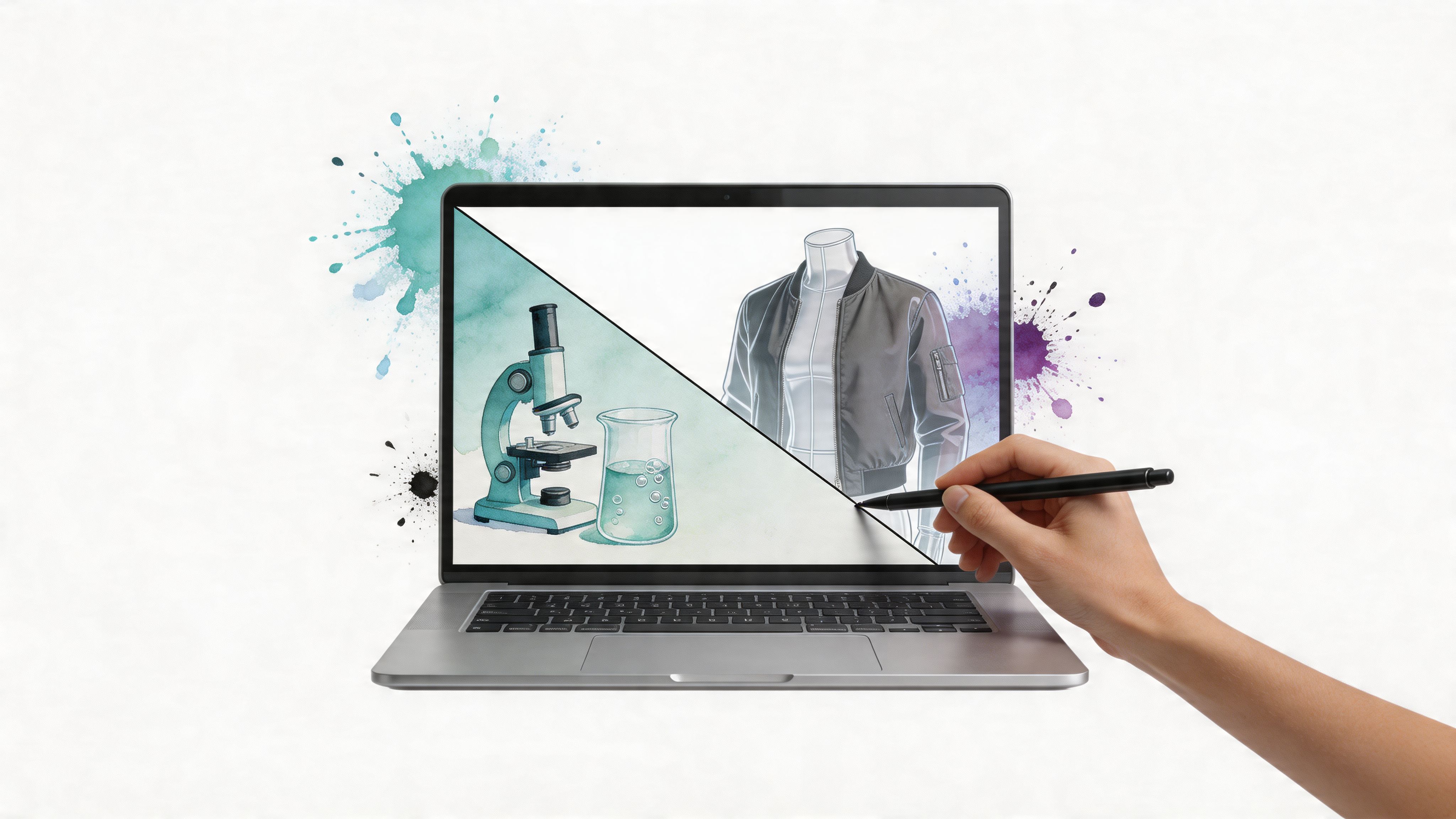
You spot a great jacket online. The color is right, the shape is sharp, and the product photo makes it look like exactly the kind of piece you’d reach for all season.
Then the doubt shows up.
Will it look polished on you or flat. Will the silhouette feel like your style or someone else’s. That gap between a product image and your own real-world look is the everyday version of a much older image problem. Scientists have dealt with a similar challenge for years. They capture a visual signal, then use software to make it clearer, more accurate, and easier to interpret.
That’s where image lab software becomes surprisingly relevant. The term sounds technical, but the core idea is simple. Take an image, process it carefully, extract useful meaning, and turn it into a result you can trust.
In a research lab, that result might be a clean analysis report. In fashion, the exciting next step is different. It’s helping someone preview the appearance of an outfit before buying it, so online shopping feels less like guessing and more like seeing.
The Online Shopping Dilemma
It usually happens in a very ordinary moment. You are on your phone at night, one tab open to Zara, another to H&M, then a resale app with something more distinctive. A blazer looks sharp. A dress looks promising. A coat looks perfect until the familiar question arrives. Would this suit you, or does it only work inside the product photo?
That hesitation shapes a huge part of online fashion behavior. Shoppers compare, save, zoom in, leave tabs open, and wait. The pattern shows up clearly in broader online shopping vs in-store statistics, where convenience is high but confidence is often shaky at the final decision point.
The problem is simple to describe and hard to solve. Clothes do not live on a white background. They live on a real person, with a specific body, coloring, style preference, and wardrobe. The same trench coat can look crisp and refined on one person, relaxed on another, and slightly overwhelming on someone who wanted a lighter silhouette.
Why product photos stop short
Retail photography is good at one job. It presents the item clearly.
You can inspect the collar, the fabric texture, the hem length, and the color under controlled lighting. What you still cannot judge easily is fit in the broader style sense. Not only physical fit, but visual fit. Does this piece work with your proportions? Does it match the mood you want to project? Does it feel like an upgrade to your wardrobe or a good item for someone else?
That is why online shopping can feel oddly scientific without the tools to support it. You are trying to make a visual decision from incomplete evidence.
Where image technology starts to matter
Labs have faced a version of this problem for years. Researchers often begin with an image that contains useful information, but the raw picture alone is not enough. They need software that can capture details consistently, clean up noise, compare patterns, and help a human reach a more reliable interpretation. If you have explored software image recognition, you have already seen part of that broader idea.
Image lab software applies that same discipline to visual information. It works like a measurement tool for images, helping people move from "I can see something" to "I can judge what I am seeing with more confidence."
That matters far beyond science.
In fashion, the consumer-friendly version of this idea is virtual try-on. Instead of asking shoppers to guess from model photos alone, newer tools can help them preview how an item may look on their own body and in their own style context. That is what makes platforms like TryThisFit so interesting. They take a concept that began in technical image analysis and turn it into something practical, visual, and exciting for everyday style discovery.
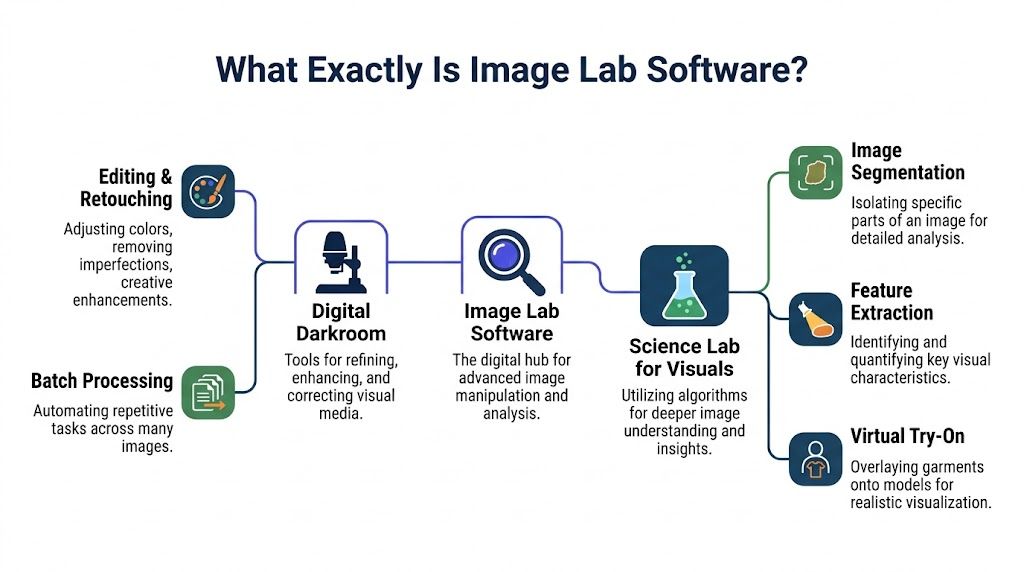
What Exactly Is Image Lab Software
The easiest way to understand image lab software is to think of it as a digital darkroom plus a science lab for visuals.
A digital darkroom improves the image itself. It helps capture, adjust, clean up, and organize what the camera saw.
A science lab for visuals goes one step further. It asks what the image means. Where are the important regions. What patterns stand out. What can be measured, isolated, or compared.
The two core jobs
Most image lab systems revolve around two connected jobs.
- Image acquisition: The software helps capture a usable image. That can mean calibration, device control, exposure handling, and workflow guidance so the starting image is clean and consistent.
- Image analysis: The software then examines the image. It identifies regions, extracts features, compares signals, and turns a visual file into something more useful than pixels alone.
If you’ve read about software image recognition, you’ve already seen the broader family this belongs to. Image lab software is a more specialized branch of that world, focused on structured capture and meaningful analysis rather than casual image viewing.
A real origin story
This isn’t just a vague concept. Bio-Rad introduced Image Lab software in 2009 as an image acquisition and analysis platform for its Gel Doc and ChemiDoc imaging instruments, with a protocol-driven interface that automated work from image capture to final reporting and significantly reduced analysis time, according to Bio-Rad’s Image Lab 4.1 overview.
That history matters because it shows what the software was built to do from the beginning. Not merely display an image. Not just store one. It was designed to guide a repeatable workflow and help people get from raw visual input to a dependable output.
Why the term sounds intimidating
People often hear “lab software” and assume it’s only for scientists in white coats. The word lab makes it sound sealed off from daily life.
But the underlying mechanics are much easier to relate to:
- Capture something visual clearly
- Standardize it so the input is dependable
- Find the meaningful parts
- Generate a result someone can act on
That logic fits a protein blot in a lab. It also fits a clothing image in a shopping workflow.
Practical rule: When software helps you move from “I see a picture” to “I understand what to do next,” you’re already in image lab territory.
Why this matters beyond science
The modern shift is that these ideas no longer belong only to technical research environments. The same broad principles now show up in tools for design, commerce, and personal style discovery.
That’s what makes image lab software such a useful phrase to revisit. It describes a category of visual computing that started in specialist settings but now points toward much more everyday experiences. The software doesn’t just make images prettier. It makes them more actionable.
Key Features and Common Workflows
The power of image lab software becomes clearer when you stop treating it like one giant feature and instead look at it as a workflow.
A strong system usually moves through a chain of tasks. Capture. Clean up. Detect. Measure. Report. Each step removes a little uncertainty.
From raw image to usable result
Start with the first moment: image capture. Good software doesn’t treat every image as a random file dumped into a folder. It tries to standardize the process so the input is stable enough for analysis later.
Then comes processing. Confusion often starts for readers at this stage, because “processing” sounds abstract. In plain language, it means the software prepares the image so important structures stand out more clearly and noise matters less.
After that comes analysis. This is the part where the software identifies meaningful shapes, regions, edges, or patterns. Then it can quantify them, compare them, and present the outcome in a way a human can use.
A concrete example from lab imaging
Bio-Rad describes one of the clearest examples. Image Lab’s automated lane and band detection uses Gaussian smoothing and derivative-based edge finding to identify electrophoresis lanes and protein bands with more than 98% accuracy on supported systems like ChemiDoc XRS+, reducing manual intervention and shortening analysis time from hours to minutes while minimizing operator bias, according to the Bio-Rad product page for Image Lab software.
Even if you’ve never touched a gel image, the logic is easy to follow. The software looks for structure in a visual field. It smooths noise. It detects edges. It isolates the relevant visual features. Then it reports them without forcing a person to mark every region by hand.
The feature set in plain language
Here are the capabilities that show up again and again across image lab systems:
- Calibration and consistency: The software tries to make image capture more repeatable so later analysis isn’t built on messy input.
- Segmentation: It separates one visual region from another. In science, that might mean lanes or bands. In fashion-oriented systems, the same broad idea can apply to isolating a garment from its background.
- Feature extraction: It identifies visual properties that matter. Shape, boundaries, intensity, edges, or pattern cues.
- Quantification: It measures what was found and turns it into a structured output.
- Reporting: It packages the result in a readable format instead of leaving the user with raw image files and guesswork.
Where readers usually get stuck
A common confusion is mixing up detection and understanding.
Detection means the software found something in the image. A region. An edge. A lane. A garment outline.
Understanding means the software can use that detected information to support a decision. In a lab, that might be the next research step. In a style tool, it might be a better preview of how a coat or dress looks.
Detection answers “what is there.”
Analysis answers “what does it mean for my decision.”
Why workflow design matters so much
The oldest image lab tools became valuable not because they had one brilliant algorithm, but because they connected many small jobs into a repeatable process. That’s still the big lesson today.
A useful workflow often looks like this:
| Workflow stage | What happens | Why it matters |
|---|---|---|
| Capture | The image is acquired in a controlled way | Better input gives better output |
| Prepare | The software reduces noise and improves clarity | Important structures become easier to detect |
| Detect | Regions, edges, or objects are identified | The image becomes machine-readable |
| Analyze | Measurements or comparisons are made | Visual data turns into actionable information |
| Output | Reports, previews, or exportable results are generated | Humans can actually use the result |
That structure translates beautifully beyond science. If a system can reliably identify the clothing item, preserve visual cues, and place it into a useful preview workflow, it’s following the same logic that made lab imaging software effective in the first place.
The bridge to style applications
Fashion use cases don’t need every scientific feature. They do need the mindset.
The important shift is this. In shopping, the output isn’t a densitometry table. It’s a visual preview that helps someone decide whether they like the look.
That still depends on the same core workflow. Clean input. Good object separation. Sensible visual analysis. Useful output.
The Different Categories of Image Lab Software
The phrase image lab software covers several very different worlds. The easiest way to make sense of it is to sort the field by purpose.
Some systems are built for precision in research. Some support diagnosis. Others check product quality. A newer group helps regular people interact with images in more personal, visual ways.
Categories of Image Lab Software
| Category | Primary Goal | Key Features | Example User |
|---|---|---|---|
| Scientific and research | Capture and analyze experimental images accurately | Protocol-driven workflows, automated detection, reporting, normalization | Life science researcher |
| Medical and pathology | Assist review and interpretation of clinical or tissue images | Structured viewing, segmentation, annotation, quantitative image analysis | Pathologist or clinical researcher |
| Industrial and quality control | Inspect products and spot defects or variation | Pattern recognition, consistency checks, automated visual inspection | Manufacturing quality engineer |
| Consumer and creative imaging | Help people visualize appearance, style, or design outcomes | Object isolation, visual overlays, style preview, quick interaction | Online shopper or creator |
Scientific software is built for rigor
In research environments, the first priority is consistency. The software has to support a process people can repeat, compare, and trust.
A good example is Bio-Rad’s version 6.0 release. It introduced total protein normalization for western blots by dividing target protein band intensities by the total protein signal across entire lanes, which reduces variability from unequal loading compared with traditional housekeeping protein methods, according to the Image Lab Software v6.0 release notes.
That sentence sounds highly technical, but the idea is simple. The software tries to compare things in a fairer, more stable way.
Medical tools focus on interpretation
Medical image systems often sit close to the research category, but the context changes everything. In a hospital or pathology workflow, users care about review, annotation, and decision support tied to patient care or clinical research.
The images are not just scientific artifacts. They carry diagnostic weight. That shifts the emphasis toward reliability, visual inspection, traceability, and collaboration.
Industrial systems care about repeatable inspection
Factories and production teams use image software for a different reason. They need fast visual checks that don’t drift from one operator to the next.
The software might inspect packaging, surfaces, labels, or assembly results. The common thread is still the same. The system looks at an image, isolates what matters, and helps a person make a decision with less guesswork.
Different domains ask different questions, but they all want the same thing from the software. A clear image, a dependable process, and a result that’s easier to trust.
Consumer imaging is the fast-moving new category
This is the category many people interact with most, even if they don’t call it image lab software. Consumer tools are built around speed, intuition, and visual confidence.
Instead of asking, “What does this band intensity mean?” a shopper asks, “How does this coat look on me?” Instead of needing a formal report, they need a preview that feels immediate and clear.
That’s why virtual try-on belongs in this conversation. It takes image handling, object separation, and visual interpretation out of specialist environments and puts them into a personal, style-driven experience.
The real difference isn’t the image. It’s the outcome.
A useful way to compare categories is to ignore the surface visuals and focus on the final action.
- Research: decide what the experiment shows
- Medical: support interpretation of clinically relevant images
- Industrial: decide whether something passes inspection
- Consumer: preview appearance and style before acting
The software family is broader than often realized. The exciting part is that the newest category is the most human-facing one. It brings advanced visual workflows into ordinary decisions people make every day.
Virtual Try-On The New Frontier for Image Labs
You open a product page late at night. The coat looks perfect on the model, but the key question is much closer to home. Does it work with your proportions, your wardrobe, your version of polished or casual?
That moment is why virtual try-on matters.
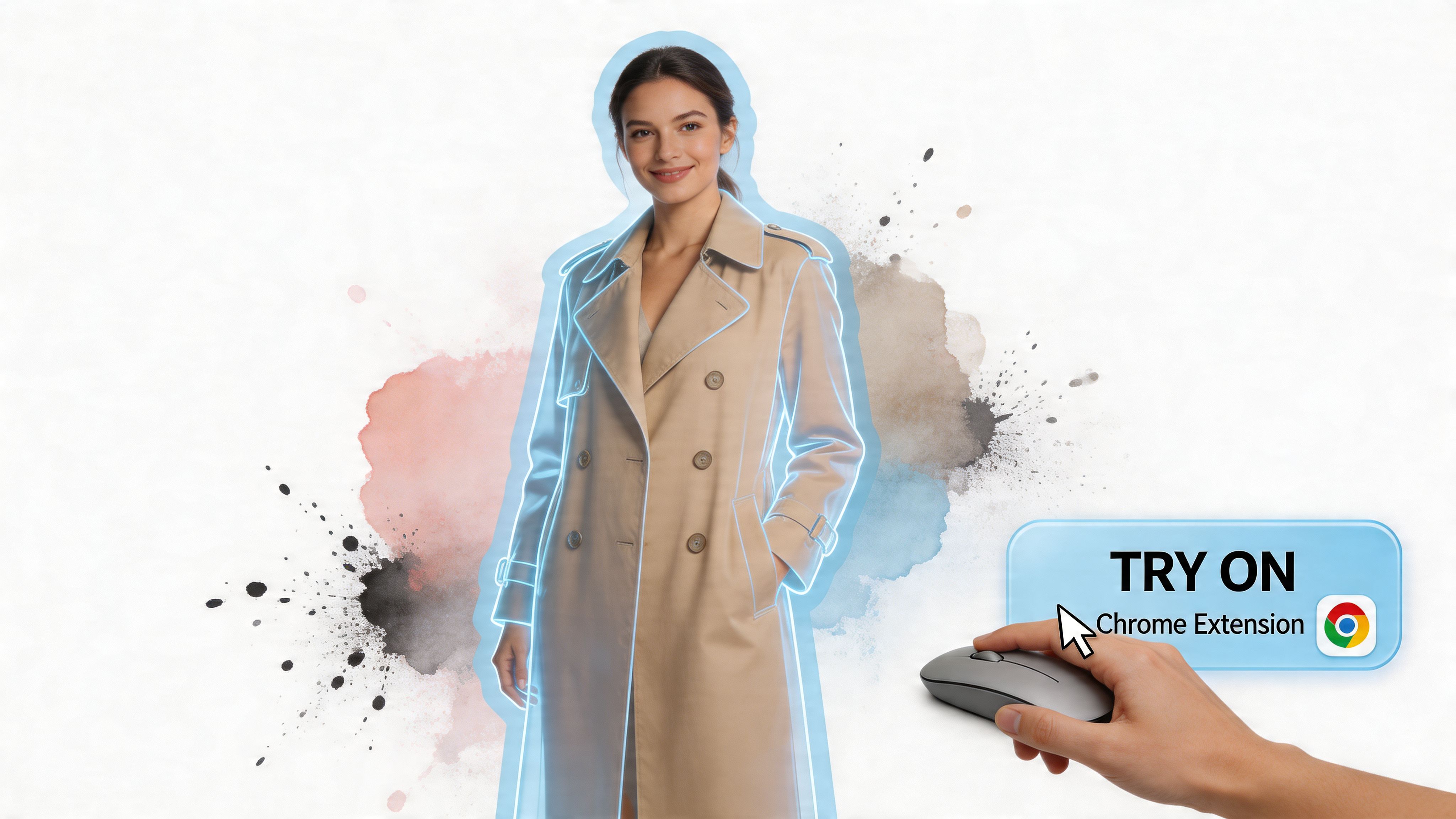
Virtual try-on brings image lab logic into everyday shopping. Traditional lab software helps specialists turn messy visual input into something clearer and easier to judge. Virtual try-on does the same kind of visual processing for style. It takes a clothing image, separates the garment from the noise around it, and builds a preview that helps you judge appearance before you spend money.
Why virtual try-on fits the image lab story
At first glance, a research lab and an online closet seem unrelated. Under the hood, they share a familiar problem. Both need software to extract the useful signal from an image and turn it into a decision a human can trust.
In a lab, that decision might be about a band, a sample, or a defect. In fashion, the decision is more personal. Does this shape flatter you? Does the color sit well with the rest of your closet? Does the outfit feel like you?
That is what makes virtual try-on feel like the next evolution of image lab software, especially for consumer products like TryThisFit. The science stays in the background. The benefit shows up in a form anyone can use in seconds.
How the workflow translates from science to style
The easiest way to understand the connection is to follow the image through the system.
A classic lab tool captures an image, isolates the meaningful part, preserves important details, and presents a result that supports a decision. Virtual try-on follows a very similar path:
- Start with the clothing image
- Separate the garment from the original product photo
- Keep the cues that matter for style, such as outline, length, and drape
- Place that garment into a useful visual preview
- Help the shopper compare options without relying on guesswork
The destination is different, but the structure is familiar. One workflow supports scientific interpretation. The other supports personal style discovery.
Why some try-on previews feel convincing and others do not
The source image matters more than many shoppers expect.
A flat-lay clothing photo usually gives the software a cleaner starting point. The garment shape is easier to isolate. Sleeves, hems, and overall silhouette are easier to read. You get fewer distractions from model poses, crossed arms, heavy shadows, or overlapping accessories.
That cleaner input often leads to a cleaner preview. It is similar to lab imaging in one important way. Better raw input usually leads to a result that is easier to trust.
Here’s a visual example of the kind of fashion preview people want from this category:

Where this becomes useful in everyday shopping
The practical value shows up in ordinary decisions, not just flashy demos.
A shopper comparing fast-fashion basics can quickly see which silhouette feels sharper. Someone browsing resale marketplaces can test a one-off find they cannot try on in person. A costume shopper can preview a themed look before ordering pieces that may only be worn once. A person rebuilding their style can test whether a trench, oversized blazer, or monochrome set feels exciting or forced.
That is also why virtual try-on has started to matter beyond fashion apps alone. People are getting used to consumer tools that turn images into more useful personal previews. An AI headshot generator helps someone refine professional presentation. Virtual try-on applies that same consumer-friendly shift to clothing and identity.
If you want a clearer definition of the category itself, this guide to what a virtual try-on app is gives more background.
Why browser-based try-on changes behavior
Convenience changes adoption.
Older do-it-yourself style workflows asked people to save product images, open editing tools, crop items manually, and mentally simulate the final look. That process works for highly motivated users, but it adds friction at every step.
A browser-based try-on flow changes the experience from “do image editing” to “get a visual answer.” You stay on the store page. You compare pieces while the shopping intent is still fresh. You make decisions with less imagination and more evidence.
This short demo shows how natural that interaction can feel when it’s built into browsing instead of bolted onto it later.
<iframe width="100%" style="aspect-ratio: 16 / 9;" src="https://www.youtube.com/embed/swSp8ksR2Q0" frameborder="0" allow="autoplay; encrypted-media" allowfullscreen></iframe>Why this frontier matters
Image lab software began in specialist settings where accuracy and repeatability were the main goals. Virtual try-on brings that same discipline into a consumer setting where the stakes feel emotional instead of scientific.
Clothing choices carry identity, mood, confidence, and experimentation. A stronger preview helps people test ideas before buying, return fewer mismatched pieces, and discover styles they may have skipped in a fitting room or on a product page.
That is why TryThisFit represents such an interesting step in the evolution of image lab software. It turns a technical image workflow into something playful, useful, and immediate. The science is still there. It just arrives wearing a coat, a blazer, or a dress on your screen.
Integrating Image Software Into Your Daily Workflow
You spot a jacket during a lunch break, save it in one tab, open two more tabs to compare colors, then tell yourself you will check later whether it suits your style. Later rarely happens. Daily workflow is the point where image software either becomes useful or stays stuck as an interesting idea.
That gap is easier to understand if you look at where image lab software came from. In research settings, tools are built for controlled capture, repeatable steps, and careful review. Bio-Rad’s Image Lab software, for example, is designed around instrument-based workflows and preset protocols, as described in these release notes for Image Lab software. That design makes sense in a lab. It also shows why consumer tools need a different shape. Shoppers want answers quickly, inside the moment of curiosity.
From lab routine to daily habit
Classic image workflows usually begin with setup. Connect the hardware. Standardize the input. Run the analysis in the right order. The process works like a recipe in a test kitchen, where consistency matters more than spontaneity.
Style discovery works differently. You are not trying to measure a protein band or document a sample under fixed conditions. You are trying to answer a more human question. Would this coat, skirt, or pair of trousers feel like me?
That shift matters. It turns image software from a specialist tool into a consumer experience. TryThisFit pushes the category in that direction by taking the image-lab idea of visual processing and applying it to a shopping decision you already make every week.
Integration should feel almost invisible
Good daily integration does not ask you to stop browsing and start managing files. It slips into the behavior you already have.
A product team might describe that as workflow design. A shopper experiences it more directly. Click less. See more.
That broader image routine can also include other visual tools you use online. If you update profile photos for work or social platforms, an AI headshot generator can sit alongside fashion-focused tools in the same image-centered stack.
A practical routine that actually sticks
Here is what a workable image-based style habit looks like in real life:
- Browse the stores you already use: Keep your normal shopping pattern instead of switching into a separate editing app.
- Trigger a preview quickly: A browser extension turns product images into a fast visual check, which is much closer to how people naturally shop.
- Start with clean garment photos: Flat-lay images usually give the software clearer visual boundaries, so the preview is easier to read.
- Save useful results: A saved look is more than a screenshot. It becomes a reference point for your taste.
That last step is easy to underestimate. A single preview helps with one item. A collection of previews helps you notice patterns across many items. You start seeing that you prefer cropped jackets over longline ones, softer neutrals over harsh contrast, or certain silhouettes that repeat across brands.
If you want those experiments in one place, a guide to using a digital closet app for organizing saved outfit ideas pairs naturally with this workflow.
Small workflow win: The best image tools improve decisions without turning shopping into a technical task.
Why this matters for virtual try-on
The breakthrough itself is not just image processing. It is timing. The preview happens while your interest is still active, which is exactly when it can help.
That is what makes virtual try-on feel like the next evolution of image lab software. The same general logic applies. Capture an image, process it, generate a clearer visual result. But the destination has changed. Instead of supporting a lab bench, it supports personal style discovery on a phone or laptop screen.
Once that process fits daily habits, the software stops feeling scientific in the intimidating sense. It starts feeling scientific in the useful sense. Precise enough to help. Simple enough to use every day.
Frequently Asked Questions
Is image lab software only for scientists
No. The term started in specialist environments, but the core idea is broader. It means software that helps capture, process, analyze, or visualize images in a more useful way.
In a lab, that might support research. In consumer tools, the same broad principles can support shopping, design, or style exploration.
Does virtual try-on tell me if clothes will fit
No. The important distinction is style visualization, not sizing.
A virtual try-on app helps you see how it looks, visualize the style, and preview the appearance of an item on you. That’s very different from claiming exact physical fit, measurements, or tailoring outcomes.
Why do flat-lay photos usually work best
Flat-lay clothing photos give the software a cleaner view of the garment. The item shape is often easier to isolate, and there’s usually less visual confusion from body pose, motion, or overlapping details.
That cleaner source image tends to produce a clearer style preview.
Can this work on popular shopping sites
Yes, in many consumer workflows that’s the whole point. Browser-based try-on tools can work while you browse stores and marketplaces, including places like Zara, H&M, Amazon, Shein, Vinted, and Depop.
The most convenient version is a browser extension with a right-click action, because it lets you trigger the preview directly from the product image instead of breaking your shopping flow.
Do I need an account to try a style preview
Some modern consumer tools don’t require one, which makes experimentation much easier.
That matters because style discovery works best when it feels light. If you have to create an account, verify emails, and set up a profile before trying one jacket, many people won’t bother.
Is this useful for secondhand shopping
Very much so. Secondhand platforms are one of the strongest use cases because you usually can’t try the item on and the listing may disappear quickly.
A fast visual preview helps you decide whether the piece looks promising before someone else buys it.
Can I use this for costumes or themed outfits
Yes. It’s a fun use case because the whole goal is visual experimentation.
Costumes, party looks, and themed outfits often involve pieces you wouldn’t normally buy, so seeing the appearance beforehand can help you commit to the idea with less hesitation.
What should I look for in a good consumer image tool
A useful checklist is short:
- Fast interaction: The preview should happen in seconds.
- Low friction: No account required is a big advantage.
- Flexible browsing: It should work across many shopping sites.
- Strong source handling: Flat-lay images should be processed well.
- Personal continuity: Saved history or past try-ons make the tool more valuable over time.
Is privacy a real concern with image tools
Yes, and people are right to care about it.
Any tool that handles personal photos or appearance-based previews should be clear and respectful about data handling. In consumer products, trust is part of the product. People want visual help, not hidden tradeoffs.
From Science Lab to Your Screen
Image lab software began as a precise tool for people who needed dependable visual analysis. That origin still matters. It reminds us that better image workflows aren’t about flashy effects. They’re about reducing uncertainty.
What changed is where that value shows up.
Today, the same broad ideas can support a much more familiar problem. You’re trying to decide what to wear, what to buy, or what kind of style you want to explore next. Instead of guessing from a retailer photo, you can move toward a clearer visual preview.
That’s why this category feels so promising. It takes a technical tradition and turns it into something personal, fast, and useful.
The future of shopping won’t just be bigger catalogs and faster checkout. It will be better visualization. The closer you can get to seeing the look before you buy, the easier it becomes to choose with confidence.
If you want to put that idea into practice right now, try TryThisFit. It lets you see how clothing looks on you in seconds, with no account needed, and it works especially well with flat-lay clothing photos for clearer style previews. If you shop on Zara, H&M, Shein, Vinted, Depop, or Amazon, install the free Chrome extension and use the right-click try-on feature right on the product image. You can also revisit your saved looks anytime in your try-on history.
Try Virtual Try-On Now
See how clothes look on you before you buy - works with any online store
Get Started Free