Your Guide to the Sheen Clothing App and Virtual Try Ons
Let's dive into the world of Shein, the fast-fashion phenomenon that has totally shaken up how I shop for clothes online. Honestly, the Shein clothing app feels less like a store and more like a gigantic, ever-changing digital closet. It’s packed with the latest trends at prices that almost seem too good to be true, turning every visit into a fun little treasure hunt.
But with all that choice comes the classic online shopping dilemma: "Will this actually look good on me?" It’s the one question that can turn a fun browse into a frustrating guessing game. I'll get into why cracking this style puzzle is the secret to confident and happy shopping, and how new tech is making it possible. You can even get a head start by learning more about using a virtual clothing try-on app.
What’s the Big Deal With Shein?
So, how did the Shein app become such a massive deal? It’s all about the experience. The app is designed to be addictive in the best way possible, blending insane variety with a gamified feel that keeps you coming back for more.
Here’s a quick look at some key features that define the Shein shopping experience.
Shein App At a Glance
The table below breaks down the core elements that have made Shein a go-to app for millions of fashion lovers.
| Feature | Description |
|---|---|
| Daily New Arrivals | Thousands of fresh styles are added every single day, so there’s always something new to see. |
| Interactive Shopping | Features like flash sales, a rewards points system, and outfit contests make browsing feel like a game. |
| Community Reviews | A massive library of user-submitted photos and reviews helps you see how items look on real people. |
| Hyper-Personalization | The algorithm quickly learns your style and shows you more of what you love. |
These features create a powerful loop that keeps shoppers engaged and excited to find their next favorite piece.
More Than Just a Store, It's a Phenomenon
The numbers behind Shein's growth are just staggering. By 2023, the app had been downloaded over 235 million times worldwide, even surpassing giants like Amazon in some quarters. In the United States alone, Shein gobbled up a whopping 28% of the website traffic share among fast-fashion retailers. You can dig into even more mind-blowing stats on Shein's growth at Statista.
Still, even with all those user photos and reviews, the one thing you can't do is see how that cute top will look with the jeans you already own. It's the ultimate styling roadblock. Thankfully, that's where new tools are stepping in, giving you a way to finally preview your complete look before you hit "add to cart." It’s a total game-changer.
What Makes the Shein App So Wildly Addictive?
Ever opened the Shein app for a quick look and suddenly realized an hour has vanished? You're not alone. The secret sauce isn't just the low prices; it's how the app turns shopping into a full-blown, interactive experience. It feels less like a store and more like a game you can't put down.

A huge part of this is the endless waterfall of "New Arrivals." I'm talking thousands of new items hitting the app every single day. This constant churn creates a powerful FOMO (fear of missing out), making you want to pop in daily just to see what's new. It’s a brilliant way to keep you coming back for more.
It's Basically a Shopping Game
Shein has absolutely nailed the art of gamification. The app is built around a points system that rewards you for practically everything—checking in each day, writing reviews on your purchases, and even joining livestreams. These aren't just vanity points, either. They convert directly into real money off your next order, creating a satisfying cycle that makes you feel like you're always winning a deal.
Then there's the goldmine of customer reviews, complete with real-life photos. Seeing an outfit on someone with a similar body type is incredibly useful for judging the style and quality. It provides that social proof everyone craves before clicking "buy," though it's still just a guess as to how it will look on you.
This blend of never-ending newness and interactive rewards is what creates such a powerful pull. It fosters a genuine community vibe, with users sharing their looks in galleries and tuning into shoppable livestreams for inspiration.
But let's be real—even with a hundred customer photos, you're still rolling the dice on the style. This is exactly why I started using tools like TryThisFit. It bridges that final gap, letting me see how clothes from Shein (or any store!) look on my body before spending a dime. If you're curious, you can try it now at trythisfit.com and see the magic for yourself.
How to See Shein Clothes on Yourself Before Buying
Let's be real: the biggest gamble when shopping on the Shein app is the guesswork. You see something cute, but how will the style actually look on you? Customer review photos help, but they don't show how that outfit will look with your unique style. This is where I've found a total game-changer: a virtual try-on tool.
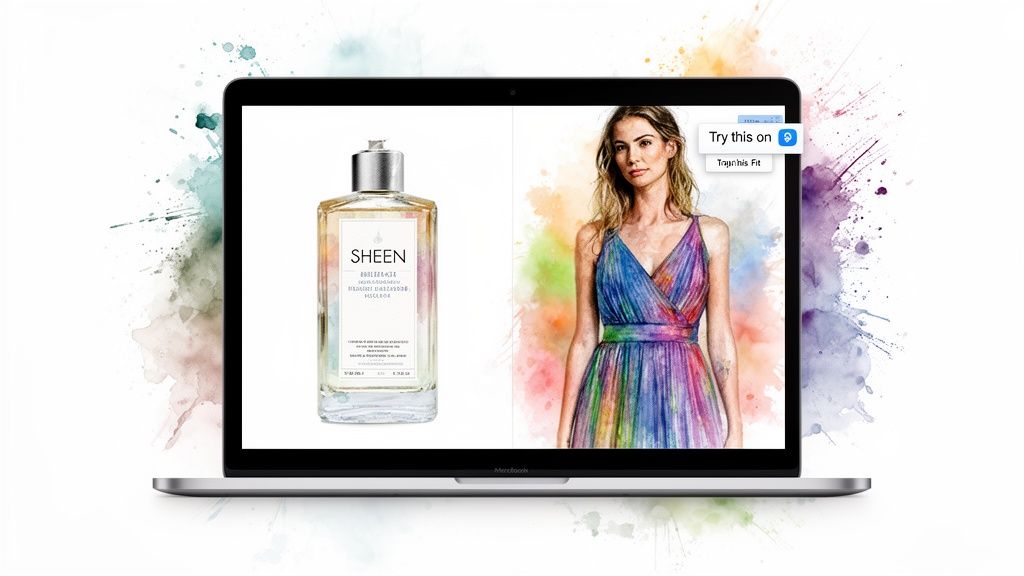
Imagine being able to see that trendy Shein dress on your own photo, right from the product page. That's exactly what I do with the TryThisFit app and its free Chrome extension. It's not about nailing the exact measurements, but about instantly seeing the style and appearance—is this a vibe you're going to love?
Your Secret Weapon for Style Confidence
What I love most is how incredibly easy it is. There are no accounts needed to start, and you don't have to juggle a bunch of different tabs. It’s my go-to hack for saving time, avoiding returns, and feeling way more confident hitting that "buy" button.
Think about it: the online fashion industry sees huge return rates, mostly because something just didn't look right. The TryThisFit Chrome extension helps you get ahead of that. You just right-click any Shein product photo, and it generates a preview on your model in seconds.
The app works best with flat-lay clothing photos, which you see all over Shein. And it isn't just for one store! I use the right-click feature with the Chrome extension on Zara, H&M, and even secondhand sites like Vinted. It's awesome for everything from planning a Halloween costume to just checking if a new top will match your favorite pair of jeans.
This is how you finally close that gap between browsing online and actually knowing what you're buying. It gives you the power to see a style on you, making every purchase feel less like a risk and more like an exciting discovery.
Ready to see how that dress really looks on you? It's a game-changer! For more ideas, check out the full guide on how to try clothes online before you buy.
Your Step-by-Step Guide to Virtual Try-Ons on Sheen
Alright, let's talk about the real game-changer for shopping on the Shein clothing app. If you're tired of guessing how that cute top or dress will actually look on you, I’ve got a fantastic hack that makes shopping so much more fun and confident.
You can literally see clothes on your own body before you even think about hitting "add to cart."
The secret weapon here is a free tool called the TryThisFit Chrome extension. It plugs right into the Shein website, and the setup takes, no joke, about two seconds. Once it's installed, you’re ready for the fun part.
From Browsing to Visualizing in Seconds
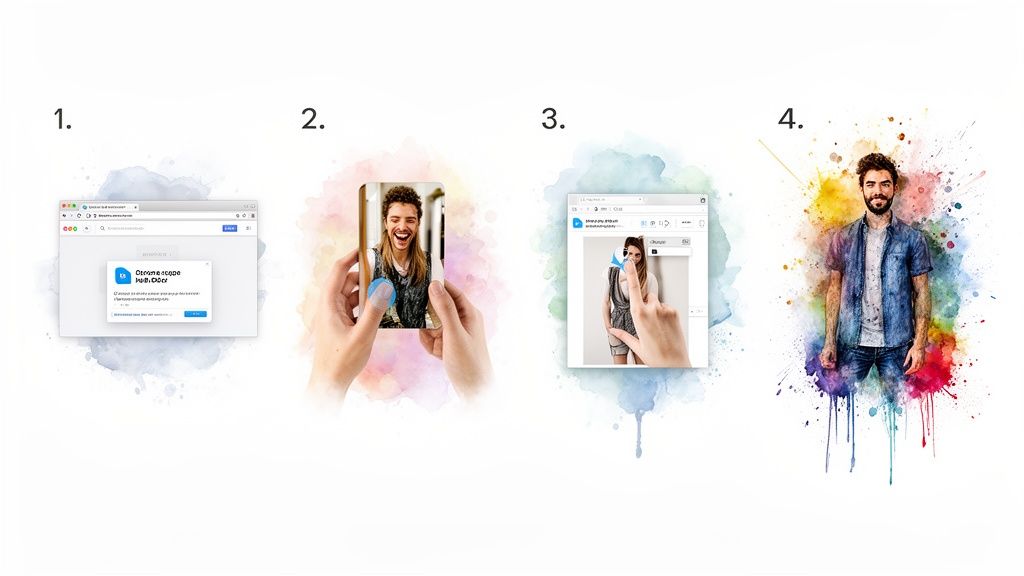
This is where the magic happens! I use this all the time, and my process is ridiculously simple. Here’s exactly how I do it:
-
Upload Your Pic: First, pop over to the TryThisFit app and add a photo of yourself. If you need some pointers on getting the perfect shot, there's a great guide on taking a full body picture.
-
Shop Shein as Usual: Now, just head back to Shein’s website and browse all the new arrivals and trends like you normally would. No need to change a thing about how you shop!
-
Right-Click and See! When you spot an item you’re curious about, just right-click on the product image. You'll see an option in the menu that says "Try this on." Click it!
In a flash, a preview pops up showing that exact item on your photo. I've found it works incredibly well with flat-lay clothing photos, which is perfect because that’s how most online stores, including Shein, shoot their clothes.
Honestly, this simple trick takes all the guesswork out of the equation. You get to see the style, the color, and the overall vibe on you, which makes deciding what’s worth buying a thousand times easier.
And the best part? The app keeps a running log of everything you've tried on in your personal history gallery. This makes it super easy to go back and compare different outfits side-by-side.
Ready to see for yourself? Install the free Chrome extension in 5 seconds and start seeing your style in a whole new way
Take Your Virtual Wardrobe Beyond Shein
Okay, so falling in love with virtual try-on on the Shein clothing app is just the beginning. Once you get that jolt of confidence from seeing an outfit on your body before you hit "buy," you'll want that magic everywhere. That's exactly what happened to me, and I stumbled upon something amazing: the TryThisFit app and its free Chrome extension, which acts like a universal try-on tool for the entire internet.
<iframe width="100%" style="aspect-ratio: 16 / 9;" src="https://www.youtube.com/embed/swSp8ksR2Q0" frameborder="0" allow="autoplay; encrypted-media" allowfullscreen></iframe>Honestly, this completely shook up how I shop. The same dead-simple right-click feature I was using on Shein suddenly worked on other major sites. I was hopping between tabs, instantly previewing a jacket from Zara, a top from H&M, and even checking out wild fashion finds on Amazon. It makes comparing pieces from different stores ridiculously fast and genuinely fun.
Your Go-To Tool for All Online Shopping
This is where it gets really good. Think about secondhand sites like Vinted or Depop. Returns are often a no-go, so knowing how a style will actually look on you is critical. This tool helps me dodge so many bullets and avoid that sinking feeling of getting something that just doesn’t match my vibe.
I've even used it for creative projects! Planning a Halloween costume, for example, is so much easier. I can pull different pieces onto my photo and build the perfect look before spending a dime. The best part? The Chrome extension installs in a couple of seconds and just works on any site you visit—no account needed.
Once you get used to virtual try-on, you'll want it everywhere. It's about making smart, confident style choices, no matter where you're shopping.
From high-street fashion to one-of-a-kind thrift scores, you can see it all on yourself first. When you’re ready to turn every online store into your personal dressing room, just try it now at trythisfit.com. You’ll seriously wonder how you ever shopped without it
Smart Shopping Tips for Shein and Beyond
Let's be real: shopping on an app like Shein is a bit of a treasure hunt. It can be incredibly fun, but you also have to navigate a sea of reviews, questionable customer photos, and sizing charts that seem to have a mind of their own. Being a savvy shopper means knowing how to find the gems while sidestepping the duds.
It's not just about the clothes, either. With Shein absolutely dominating the market—claiming a staggering 40% of U.S. fashion app downloads—you have to think about what that massive scale means for you. More users can mean more data risks and a higher chance of headaches with things like returns. You can get a better sense of Shein's massive market position from this Rawshot.ai data.
My Secret Weapon for Shopping Smarter
This is where I lean on a little outside help. When I’m deep in a Shein scroll session, I always have my favorite tool ready to go: the TryThisFit app and its Chrome extension. It’s my secret weapon for making sure what looks good on the model will actually look good on me.
What I love most is the story behind it. The app was built by a solo founder who is completely committed to never selling user data, which gives me total peace of mind. It’s the perfect combination: I get to browse Shein's endless catalog, but I can instantly visualize how any item looks on my own body right on the product page. No more guessing games with those flat-lay photos!
It’s the single best way I’ve found to shop with confidence, save a ton of time, and completely dodge that awful feeling of buyer's remorse. Want to see what I mean? Install the Chrome extension in 5 seconds and give it a try. You'll wonder how you ever shopped without it.
Got Questions? I've Got Answers!
It's totally normal to have a few questions before you dive into the world of virtual try-ons. Let's tackle the most common ones so you can start styling your next Shein haul with total confidence.
So, Will It Tell Me My Size for Shein?
This is the number one question, and it's a great one! Think of the TryThisFit app as your personal style consultant, not a tailor. The app is brilliant at helping you visualize the style and see how a pattern or color looks on your unique body shape.
For sizing, you'll still want to grab your measuring tape and check Shein’s official size chart for that specific item. Trust me, it's the best way to avoid a sizing headache later!
Is This Really Free to Use?
Yes, 100% free! You can jump right onto the website and start using the virtual try-on tool or install the free Chrome extension without spending a dime.
Even better, you don't need to create an account to start visualizing outfits. It’s all about immediate, no-strings-attached styling fun.
What Kind of Photos Work Best?
The AI works its magic best with flat-lay photos—you know, the ones where the clothing is laid out flat against a simple background.
This is perfect because it’s exactly how most clothes on the Shein app, Zara, H&M, and even Amazon are photographed. Just grab the image with a right-click and you're good to go!
Ready to stop guessing and start seeing? Explore endless styles and get your personal try-on experience today by visiting TryThisFit at trythisfit.com.
Try Virtual Try-On Now
See how clothes look on you before you buy - works with any online store
Get Started Free