7 Must-Have Shopping App Features for 2026
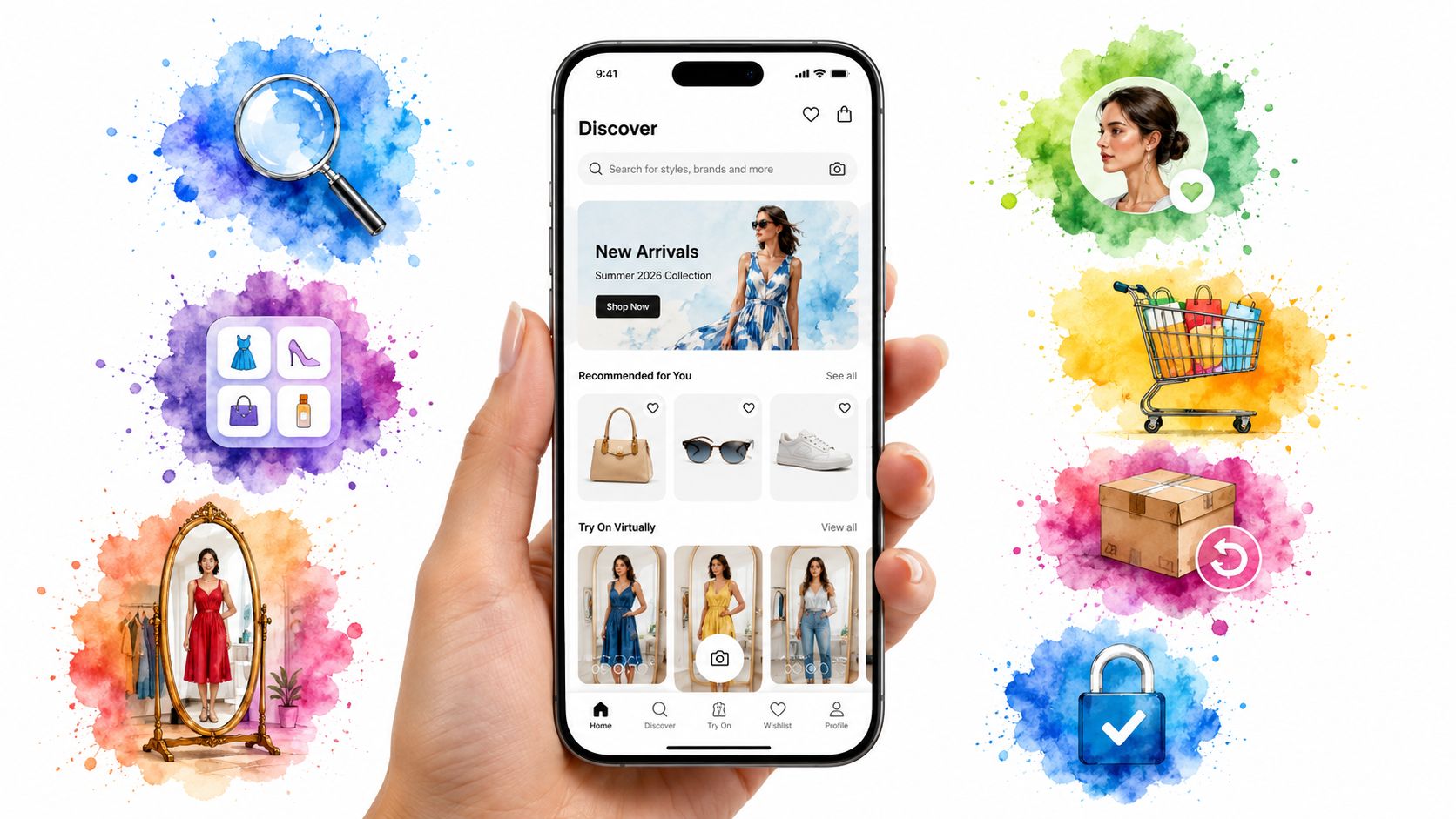
You spot a jacket on your phone while waiting for coffee. The photos look perfect. Two days later, it lands on your doorstep and the vibe is off, the fit feels wrong, and now you are stuck folding it back into the mailer.
A shopping app should prevent that mistake.
The good ones do more than show products. They help you find the right style faster, picture how it will look on you, pay without friction, and avoid annoying return surprises. If you shop on your phone often, these features shape the whole experience. They decide whether an app saves you time or wastes it.
That matters because mobile shopping keeps growing, and shoppers expect more from the apps they use, as noted in NewStore's overview of mobile shopping app features. The bar is higher now. Search needs to feel visual. Checkout needs to feel easy. Virtual try-on needs to be useful, not gimmicky.
Start with the feature that changes buying confidence the fastest. Virtual try-on. You do not need to wait for a brand to build it well, either. Tools like TryThisFit give you a practical way to test the experience right now while brands race to catch up. That makes this more than a wishlist of nice features. It is a guide to what helps you shop smarter, including how brands are optimizing for AI shopping assistants.
1. Intelligent Search & Discovery
The first job of any shopping app is simple. Help you find something good fast.
Bad search traps you in endless scrolling. Good search gets you from vague idea to strong options in seconds, especially when you only know the vibe you want and not the exact product name.
What smart discovery looks like
The best shopping app features here go beyond a basic search bar. They let you search by image, filter by occasion, and narrow results by style instead of just color or category.
A strong app should help you move from “I want a clean neutral jacket” to a set of pieces that match that look. That's where visual discovery wins. It feels less like database hunting and more like styling.
- Visual search: Upload a screenshot and look for similar styles instead of guessing keywords.
- Style-first filters: Browse by aesthetics like minimal, vintage, streetwear, or occasion-based looks.
- Contextual suggestions: If you're looking at a blazer, the app should surface trousers, shoes, or bags that fit the same mood.
Practical rule: If search only works when you already know the exact name of the item, the app is behind.
A real example: you see a creator wearing a cropped trench and want something similar. You shouldn't have to type five awkward guesses into a search box. You should be able to use the image, refine the look, and move on.
That same discovery flow matters on giant marketplaces too. If you're browsing home finds or fashion on Amazon through this shopping link, better search and cleaner recommendation paths save a ton of time. If you want more ideas on where retail search is heading, this piece on optimizing for AI shopping assistants is worth a look.
2. AI-Powered Virtual Try-On & Style Visualization
You spot a great coat on your phone while standing in line, but one question decides whether you buy or keep scrolling. Will it look right on you?
A strong virtual try-on feature answers that fast. It gives you a visual preview before you commit, so you can judge the silhouette, vibe, and styling potential without relying on product shots alone.

Why shoppers keep reaching for this feature
Shopping apps now help people decide, not just browse. Analysts at eMarketer found that 74% of consumers worldwide used retailer apps while shopping in-store, up from 65% the prior year. That matters because hesitation usually comes down to one thing. You can't picture the item on yourself.
Virtual try-on solves that quickly. You're comparing a Zara trench, a Depop leather jacket, or a Vinted secondhand find, and you want a visual answer before you spend more time.
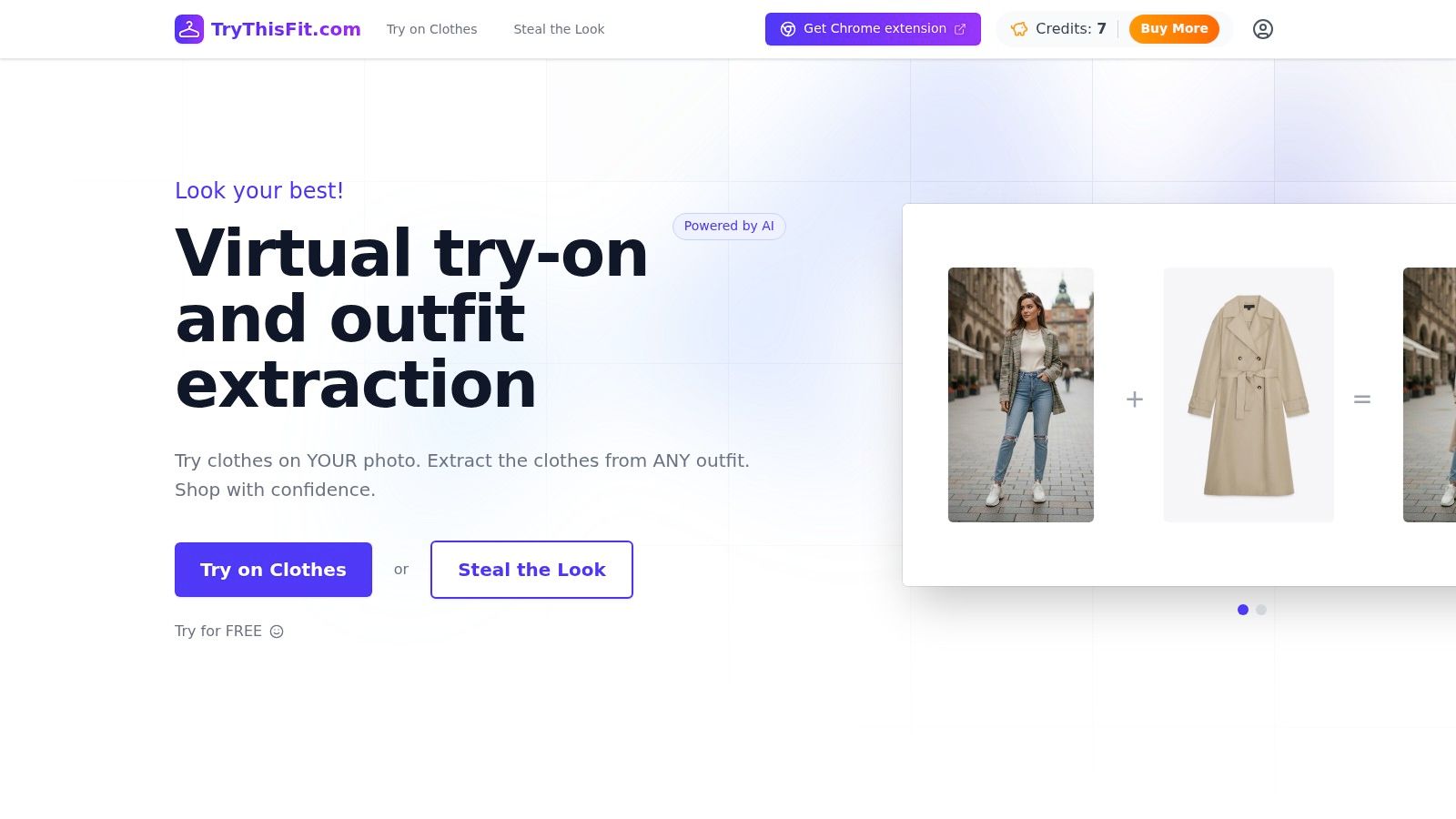
If you want to test that experience right away, TryThisFit's AI fashion try-on tool lets you preview clothing on yourself in seconds. No account. No complicated setup. Flat-lay clothing photos usually give the clearest style preview.
Fast matters more than flashy
The best version lives inside your normal shopping flow. Browser-based try-on wins because it cuts out the annoying steps that make people drop off.
With the free Chrome extension for TryThisFit, you can right-click product photos on sites like Zara, H&M, Amazon, Shein, Vinted, and Depop and preview the appearance instantly. That makes virtual try-on feel useful instead of gimmicky.
If a try-on tool forces you to leave the page, create an account, or upload files every single time, shoppers stop using it.
Saved comparison also matters. When you're picking between two similar dresses, debating secondhand finds, or planning a costume look, reviewing earlier try-ons helps you make a cleaner decision without starting over. As noted earlier, TryThisFit also keeps a saved try-on history for that purpose.
3. Hyper-Personalization That Gets You
You open a shopping app for one thing, then lose ten minutes swiping past pieces you would never wear. That is bad personalization. Good personalization cuts the clutter fast and brings your style to the front.
The best shopping app features learn from behavior, not guesses. If you keep saving structured blazers, minimalist dresses, vintage denim, or sharp monochrome looks, the app should show more of that and less random filler.
The useful version of personalization
The strongest apps personalize around signals with real intent. What you viewed twice. What you saved. What you searched for last night. What silhouettes you keep coming back to.
Shoppers respond when personalization leads to something useful, like better picks, better offers, or less scrolling. That is why a strong personalized shopping experience feels smart instead of intrusive.
Here's what good execution looks like:
- Curated home screens: New arrivals should reflect your actual style history, not a generic trend dump.
- Outfit pairing suggestions: If you tap into a skirt, the app should surface tops, shoes, and layers that make sense with it.
- Preference memory: If you skip loud prints and save clean basics, your feed should adjust quickly.
- Session continuity: If you spent three days circling floral midi dresses, the app should pick up that thread the next time you open it.
One detail gets overlooked. Visualization makes personalization better. If you regularly preview certain colors, cuts, or proportions in virtual try-on, those actions become stronger style signals than a casual tap. That connection between visualization and recommendations makes shopping feel more helpful and a lot less creepy.
This also pays off outside the discovery feed. Apps that remember preferences, saved carts, and buying patterns set up the kind of friction-cutting experience brands use to boost conversions with express checkout. Different feature, same principle. Remove wasted effort and people buy faster.
4. One-Tap, Zero-Friction Checkout
You've done the hard part already. You found the item, compared options, and decided to buy it. Checkout shouldn't suddenly become homework.
A lot of apps lose people. The issues are too many fields, too many taps, too much waiting. On mobile, that friction feels even worse because you're often buying while multitasking.
Fast checkout is a feature, not a detail
One of the most practical shopping app features is no-account checkout. NewStore includes it among the core capabilities expected in a mobile shopping app in its retail feature framework, which matches how people buy on phones today. If an app forces account creation before payment, it's adding work right at the moment you're ready to convert.
That's why one-tap payment methods matter so much. Apple Pay, Google Pay, PayPal, saved addresses, and clear progress indicators all cut hesitation.
A great checkout flow should do three things well:
- Remember the basics: Shipping and payment details should be easy to reuse.
- Support wallet payments: One confirmation is better than typing everything from scratch.
- Stay calm and clear: Show exactly where you are and what happens next.
The smoothest checkout is the one you barely notice.
Think about a last-minute buy on the train or while waiting in line. If checkout is fast, secure-looking, and free of surprise steps, you finish the purchase. If it isn't, you postpone it and often forget. For a deeper look at this flow, this guide on boosting conversions with express checkout breaks down why speed matters so much at the finish line.
5. Easy, No-Surprise Returns
Even the best shopping setup won't eliminate every return. Colors can feel different in person. Fabric can disappoint. Sometimes you just change your mind.
What matters is whether the app makes the return feel manageable or miserable. A clean return flow builds trust long before anything goes wrong.
Returns should feel built in, not bolted on
A good shopping app keeps return tools inside the same place where you ordered. You open your order history, tap the item, choose a reason, get the return method, and track the status. No digging through emails. No mystery steps.
That kind of transparency matters even more now because convenience features are becoming the standard expectation. Retailers are focusing more on time-saving tools like quick item shortcuts, list scanning, and in-store maps, according to this report on Target's convenience-focused app update. Returns should follow the same logic. Less friction, fewer taps, less wasted time.
- In-app return start: Don't send shoppers to a desktop site or support form.
- Visible policies before purchase: The rules should be easy to find before checkout.
- Flexible options: Mail, QR drop-off, or in-store return all make sense depending on the order.
This is also where style-preview tools help. If you can preview the appearance before buying, you make better decisions up front. That doesn't remove every mismatch, but it can reduce style regret. If you're interested in the broader challenge of apparel decision-making, this page on fashion fit technology and shopping tools is a useful companion read.
A solid return flow says, “If this doesn't work out, I won't make your life harder.” That message keeps people coming back.
6. Engaging Loyalty & Rewards Programs
You save a jacket, check back two days later, and the app shows three things right away. The price dropped. You're one step away from a member perk. App users get first access tonight. That is how loyalty should feel.
Loyalty programs fail when they act like a spreadsheet. Great ones feel immediate, visual, and easy to use. Shoppers should see progress at a glance, understand the next reward in seconds, and get perks tied to behavior that already feels natural inside the app.
Rewards should fit how people actually shop
Earlier research in the article already made the case that shopping apps win by bringing people back often. Loyalty should build on that pattern instead of waiting for the next checkout.
Reward saves. Reward repeat visits. Reward useful engagement.
That works especially well in fashion, where shoppers browse visually, compare options, and revisit favorites before buying. If someone uses virtual try-on tools to narrow a look, including practical tools like TryThisFit for faster style checks, the app already has a perfect opening for loyalty. Offer points for saving tried-on looks, early access to matching pieces, or member-only alerts for items that fit the shopper's style.
The strongest programs usually include a few smart basics:
- Wishlist-triggered rewards: Give shoppers a reason to save items and return later.
- Member-only access: Early drops, exclusive colors, or limited inventory work better than vague “special offers.”
- Clear progress tracking: Show exactly how close someone is to free shipping, a discount, or the next tier.
- Useful perks, not clutter: Faster support, birthday credit, and restock alerts beat gimmicky badges.
A seasonal trip is a good test. You've saved sandals, a dress, and a carry-on. The app recognizes that activity and gives you an app-only offer before prices jump. That feels relevant. It also gives you a reason to keep shopping in the same place.
For a solid breakdown of what makes these systems work, this guide to 7 powerful features for e-commerce loyalty is worth a look.
7. Invisible Speed & Security
A shopping app's best features are the ones you barely notice. Taps respond right away. Product photos load without lag. Payment feels safe. Privacy settings are easy to find and easy to change.
Speed earns trust before design does
Shoppers decide fast. If a product grid stutters, a size selector hangs, or checkout pauses at the wrong moment, confidence drops. Good design cannot rescue a slow app.
That matters even more in fashion because discovery is visual. You want to swipe through outfits, compare colors, zoom in on fabric, and test ideas without waiting for the interface to catch up. Virtual try-on only feels useful when it is fast enough to stay fun. That is part of why tools like TryThisFit stand out. You can test looks quickly, without creating an account, which lowers friction and keeps the focus on style.
Security has to feel just as smooth. Shoppers will share preferences, payment details, sizes, and browsing history only if the app handles that information with care. Clear permission prompts, visible payment protections, and simple notification controls do more for trust than flashy copy ever will.
A 2025 academic study on shopping well-being through mobile apps points to the value of features like notification controls, low-stimulation browsing modes, and opt-outs from non-essential prompts. That is a smart standard to copy.
Worth stealing: Give shoppers control over alerts and prompts. Convenience should feel helpful, not pushy.
I use the same rule with TryThisFit. The app and extension are built for speed, simplicity, and user trust. You can try looks without creating an account, and the experience stays lightweight so style discovery feels quick instead of heavy.
Get this part right and the app fades into the background. Shoppers stay in browse mode, build confidence faster, and buy without second-guessing the experience.
7-Point Shopping App Feature Comparison
| Feature | 🔄 Implementation Complexity | ⚡ Resource Requirements | ⭐ Expected Outcomes | 💡 Ideal Use Cases | 📊 Key Advantages |
|---|---|---|---|---|---|
| 1. Intelligent Search & Discovery | Medium–High, ML models, index & NLU integration | Moderate–High, embedding store, labeled data, indexing compute | ⭐⭐⭐ Improved discovery, engagement, and conversion | Visual-heavy catalogs; shoppers seeking inspiration | Faster findability; personalized discovery; reduces browsing time |
| 2. AI-Powered Virtual Try-On & Style Visualization | High, body/garment modeling, real‑time rendering, device support | High, GPUs/inference, 3D/models or advanced CV pipelines | ⭐⭐⭐ Higher purchase confidence; fewer returns | Apparel, eyewear, costume retail; trend exploration | Immersive previews; lower return rates; increased conversions |
| 3. Hyper-Personalization That Gets You | Medium, user modeling, recommendations, data pipelines | Moderate, user data storage, analytics, recommendation engine | ⭐⭐⭐ Increased retention, time-on-app, and AOV | Repeat customers; curated/style-driven marketplaces | Tailored feeds; better merchandising; stronger loyalty |
| 4. One-Tap, Zero-Friction Checkout | Low–Medium, wallet integrations, tokenization, UX polish | Low–Moderate, payment provider integrations, secure storage | ⭐⭐⭐ Reduced cart abandonment; faster purchases | Mobile-first shoppers; impulse or last-minute buys | Faster checkout; higher conversion; simplified UX |
| 5. Easy, No-Surprise Returns | Low–Medium, returns portal, label generation, tracking | Low, logistics integrations, CS workflows | ⭐ Improved trust and post-purchase satisfaction | Clothing, variable-fit items; risk-averse buyers | Clear policy; frictionless returns; increased purchase confidence |
| 6. Engaging Loyalty & Rewards Programs | Medium, points, tiers, entitlement logic | Moderate, CRM, analytics, offer management | ⭐⭐⭐ Higher repeat purchases and advocacy | Brands focused on retention; frequent buyers | Gamified engagement; higher CLV; repeat purchase incentives |
| 7. Invisible Speed & Security | Medium, performance tuning, encryption, certifications | Moderate, CDN, monitoring, security tooling | ⭐⭐⭐ Reliable UX, higher trust, lower churn | High-traffic stores; payment-sensitive platforms | Fast load times; secure transactions; improved reliability |
Find Your Perfect Style, Faster
You spot a jacket on your phone during a lunch break. It looks great on the model, but that still leaves the important question. Will it suit you, or will it end up as another return?
The shopping apps worth keeping answer that question fast. They help you find better options, judge style with less guesswork, buy without friction, and avoid post-purchase headaches. The winners are not the apps with the longest feature list. They are the ones that make choosing feel easy, visual, and smart.
One feature stands above the rest for practical day-to-day shopping: virtual try-on.
It turns browsing into decision-making. Instead of staring at product photos and hoping for the best, you get a quick visual preview before you buy. That matters for fashion, resale finds, occasion outfits, and costumes, where a piece can look promising on a listing and completely different once you picture it on yourself.
That is why TryThisFit stands out in this conversation. It gives you an immediate way to test one of the most useful shopping app features for free, instead of just reading about it. As noted earlier, you can use it with flat-lay clothing photos, preview looks in seconds, save what works, and use the Chrome extension while shopping across major retail and resale sites.
That kind of visual check changes how you shop. You decide faster. You get pickier in a good way. You waste less time on pieces that never matched your style to begin with.
If you want one takeaway from this list, use shopping tools that help you see the outfit before you spend the money. That habit alone leads to better buys.
Try Virtual Try-On Now
See how clothes look on you before you buy - works with any online store
Get Started Free