Your Guide to the Personalized Shopping Experience in 2026
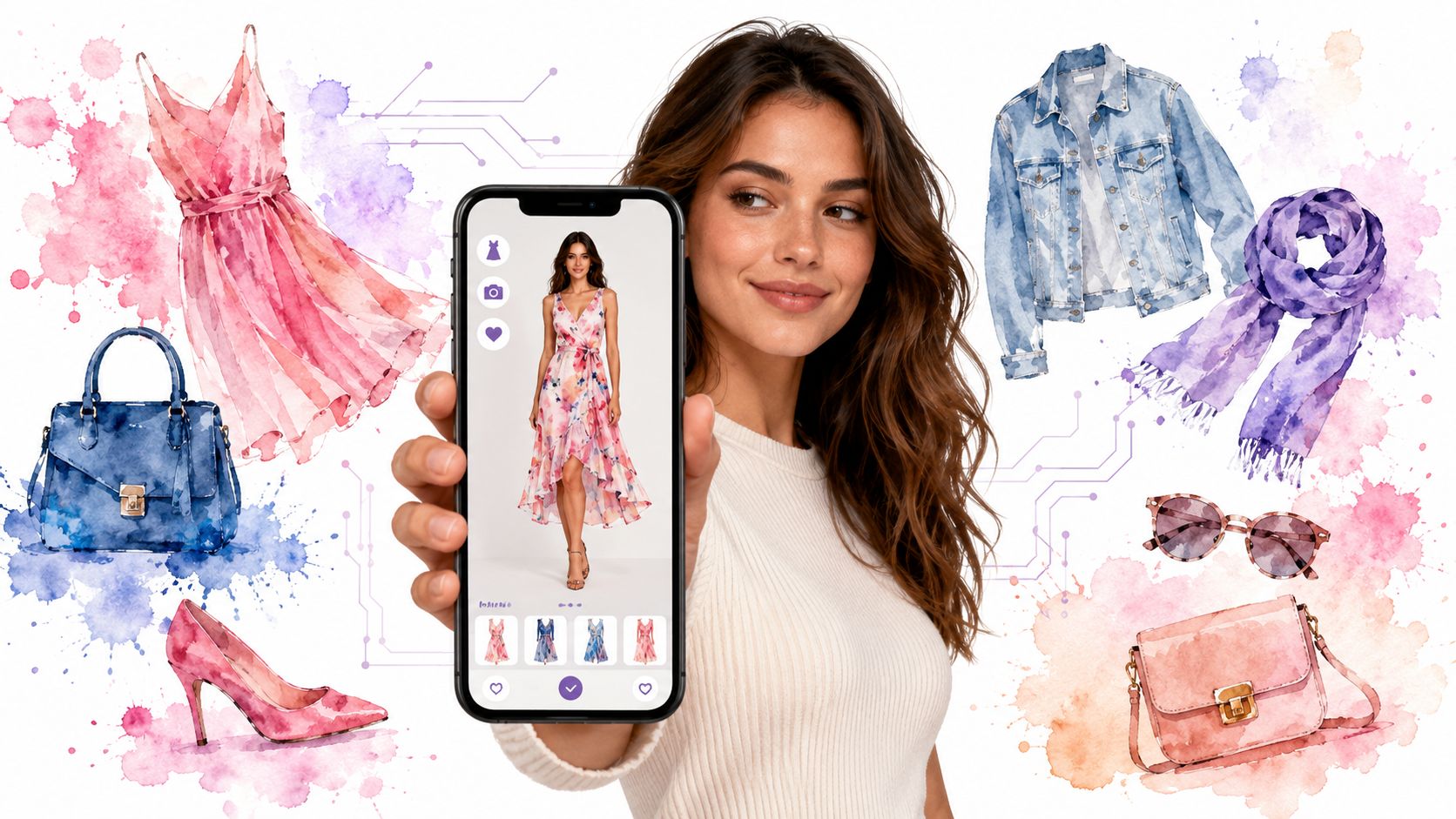
Online shopping gets weird fast. You start with one black top, open twelve tabs, compare three stores, and end up wondering about the same thing every time. Not “Is this cute on the model?” but “How will this look on me?”
That question sits right in the middle of modern online shopping. It slows decisions, fills carts with maybe-items, and turns style discovery into guesswork. A personalized shopping experience is supposed to fix that, but for most shoppers, it has meant basic recommendations, not actual clarity.
What's changing is simple and much more useful. Personalization is moving from “the store suggests something” to “you can preview the appearance yourself.” That's a big shift if you care about saving time, narrowing choices, and finding clothes that match your style instead of just your browsing history.
The End of Online Shopping Guesswork
You open a few product pages while waiting for coffee. A jacket looks sharp on one store, a dress looks promising on another, and a marketplace seller has one dim photo that somehow still makes the item tempting. Five minutes later, you are stuck on the same question: would any of this suit you?
That pause is the problem. Size charts, fabric notes, and reviews can help, but they still leave a gap between seeing a product and feeling sure about it. Online shopping has been very good at showing more options. It has been much worse at helping shoppers judge appearance with confidence.
Analysts cited in Instapage's personalization statistics roundup found that shoppers now expect online experiences to feel personalized for them, and many get frustrated when that does not happen. For retailers, that often sounds like a marketing strategy. For shoppers, it means something much more practical: less wasted time, fewer doubtful tabs, and a faster path to styles that feel right.
Why the old version of personalization feels limited
For years, personalization mostly meant prediction.
You click a blazer, and the store shows five more blazers. You buy sneakers once, and ads for sneakers follow you around for a week. You pause on a red dress, and suddenly every recommendation turns red. That system works like a shop assistant who only remembers one word from your last sentence.
Helpful sometimes, yes. Clear enough to make a decision, not really.
The main friction in online shopping is not just finding choices. It is getting closer to an answer before you pay. Shoppers want a way to test taste, not just a longer list of products.
That is why personalization is starting to feel more like a consumer tool than a retailer tactic. Instead of waiting for a store to guess what you might like, you can use visual tools to check how a piece may look on you, often without creating an account or handing over a long trail of personal data.
What shoppers actually want
Most shoppers are not asking for more recommendations. They are asking for fewer dead ends.
A useful personalized shopping experience can help you:
- Sort faster when ten similar items start to blur together
- Judge the look more clearly when product photos answer only half the question
- Cut second-guessing before checkout
- Explore your style safely without buying every maybe-item first
That shift is what makes this so interesting. Personalization is no longer only something happening behind the scenes for a brand's benefit. It is becoming something shoppers can build for themselves, with privacy-first tools that make style discovery quicker, simpler, and much more personal.
What a Personalized Experience Really Means for Shoppers
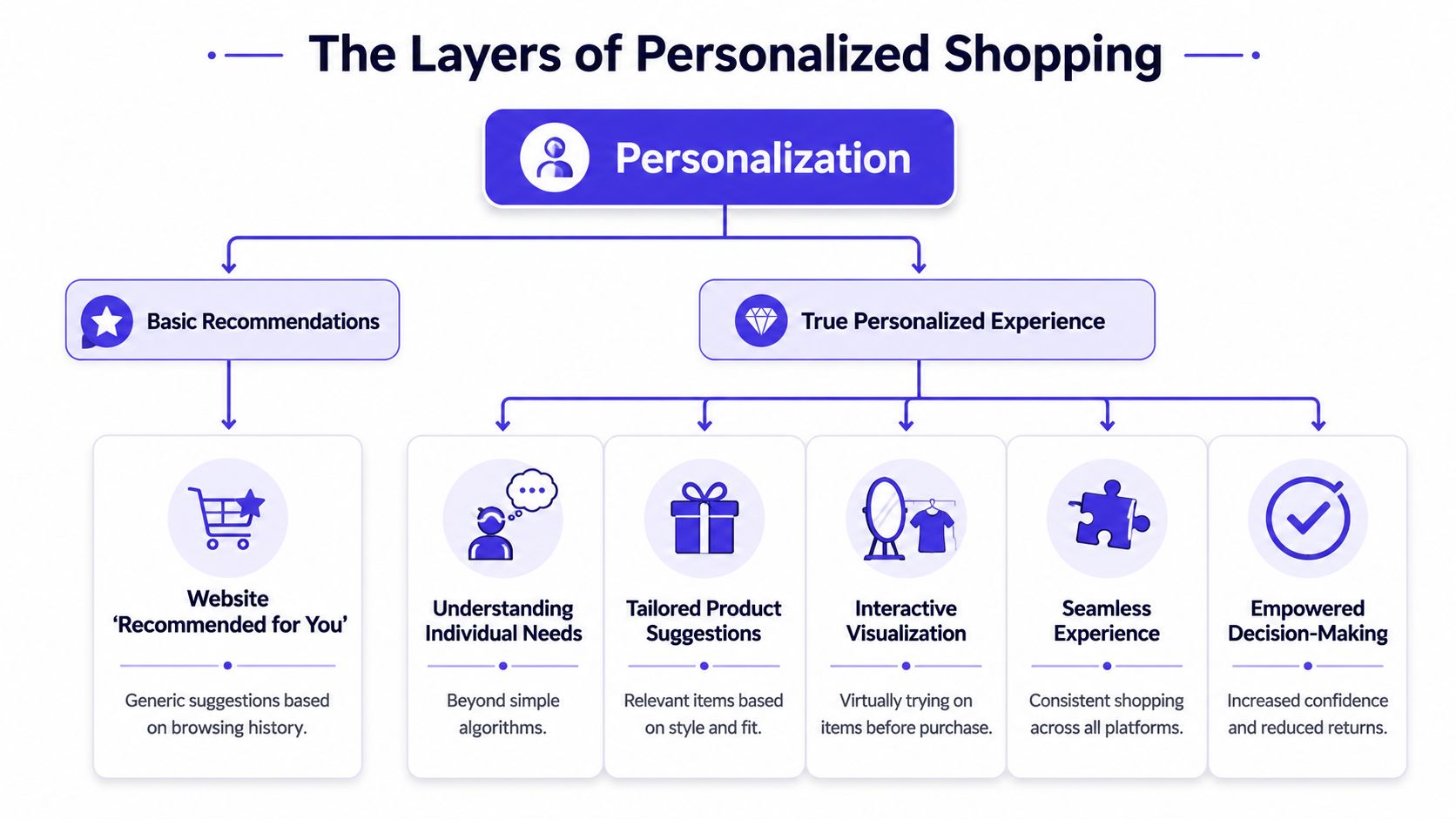
The initial thought upon hearing “personalization” often defaults to a recommendation row on a homepage. That counts, but it's only the shallow end.
For shoppers, a real personalized shopping experience means the whole process feels more relevant and less repetitive. You see items that match your taste, content that answers your questions, and tools that help you decide instead of just browse.
The difference between recommendations and real help
Here's a simple way to think about it.
| Shopping feature | What it does | Where it falls short |
|---|---|---|
| Basic recommendations | Suggests similar items based on browsing | Often repeats what you already saw |
| Personalized offers | Highlights products or promotions that may be relevant | Still doesn't show the actual look on you |
| Visual personalization | Lets you preview the appearance of a style on your own image | Depends on image quality and product photo clarity |
That last layer is where things start to feel useful in a very direct way. A shopper doesn't just get nudged toward more products. A shopper gets help answering the visual question that product pages often leave open.
Why retailers care, and why shoppers benefit more
Retailers invest in personalization because it has measurable commercial value. McKinsey reporting cited in an industry summary says personalization typically drives a 5% to 15% revenue lift, and personalized product recommendations can account for up to 31% of ecommerce revenues in sessions where shoppers engage with them (Envive's summary of personalization statistics).
That's the business side. The shopper side is easier to feel.
A better personalized experience can mean:
- You spot your style faster instead of digging through endless near-duplicates
- You make decisions with more confidence because you can preview the appearance
- You waste less time bouncing between tabs and screenshots
- You avoid more regret purchases that looked good in theory but not in practice
Practical rule: If a shopping tool helps you answer “Would I actually wear this?” it's doing more than recommending products. It's reducing decision friction.
Visual personalization is the real jump forward
This is the part many shoppers haven't fully seen yet. Personalization is no longer only about what a store shows you. It's also about what you can test for yourself.
That changes the role of technology. It stops being a sales engine in the background and starts acting more like a styling assistant. You're not just receiving suggestions. You're checking the look, comparing options, and deciding what fits your taste visually.
And that's where virtual try-on becomes such a natural next step. It turns personalization from a passive experience into an active one.
The AI Technology That Makes Visualization Possible
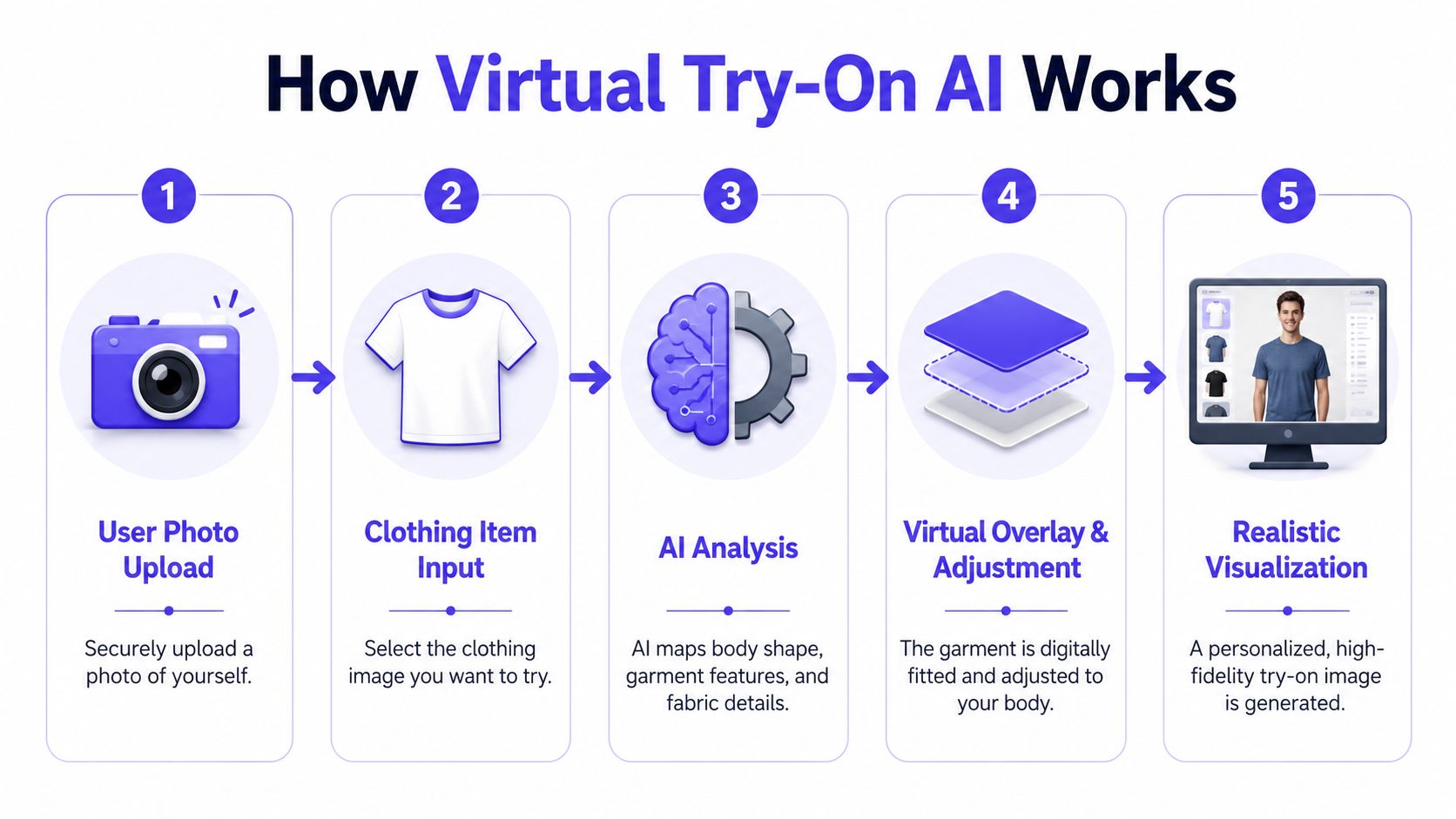
Virtual try-on can feel like magic the first time you use it. You give the system a photo of yourself and a clothing image, and a few moments later you get a style preview that makes the item feel much more real.
Under the hood, the process is more practical than mysterious. The AI looks at the clothing image, reads visual details such as shape and surface cues, then maps that garment onto your photo to generate a preview of the style.
What the AI is actually doing
A simple mental model helps here. Think of the system as combining two inputs:
- Your photo gives the AI a person to work with.
- The clothing image gives it the item to visualize.
- The model processing blends those inputs into a new preview image.
- The result lets you judge the look, color, and overall vibe.
This doesn't mean the tool is making a sizing judgment. It's not there to tell you whether a garment will fit in a measurement sense. It's there to help you see how it looks, visualize the style, and decide whether the appearance matches what you had in mind.
Why image type matters
Not every product photo gives AI the same amount of usable information. Some store photos are busy, angled, folded, worn in motion, or covered by hands, hair, or accessories.
That's why flat-lay clothing photos work best for the most accurate style previews. When a shirt, dress, jacket, or pair of pants is photographed laid flat, the AI gets a clearer read on the garment's outline and visible design details.
If you've ever wondered why one try-on preview looks cleaner than another, that's often the reason.
A strong clothing image usually has these traits:
- Flat and clear so the item shape is easy to interpret
- Minimal background clutter to separate the garment from everything around it
- Good lighting so the color and visible texture come through
- Full item visibility rather than cropped or partly hidden product shots
Clean inputs usually produce cleaner previews. If you want the most useful visual result, start with the clearest clothing image you can find.
Why this matters beyond novelty
The technology gets more interesting when you connect it to real shopping behavior. Retail guidance notes that machine learning is used to anticipate needs and surface complementary products, improving conversion and engagement in smarter shopping journeys (Comosoft's overview of how retailers use data for personalization).
For shoppers, the meaningful shift is that AI isn't only sorting products anymore. It's becoming a creative decision tool. That's especially useful in fashion, where the difference between “nice item” and “yes, that's my style” is often visual, not verbal.
If you're curious about the broader overlap between style tools and machine learning, this piece on fashion and AI is a helpful next read.
Create Your Own Personalization with Virtual Try-On
You open a product page, like the jacket, and then the familiar questions start. Will the cut suit you. Will the color wash you out. Will it feel like your style or just look good on the model.
This is the shopper version of personalization. You are not waiting for a store to guess what you want based on clicks and past purchases. You are using a tool to answer the question that is important in the moment: how would this look on me?
How this works in everyday shopping
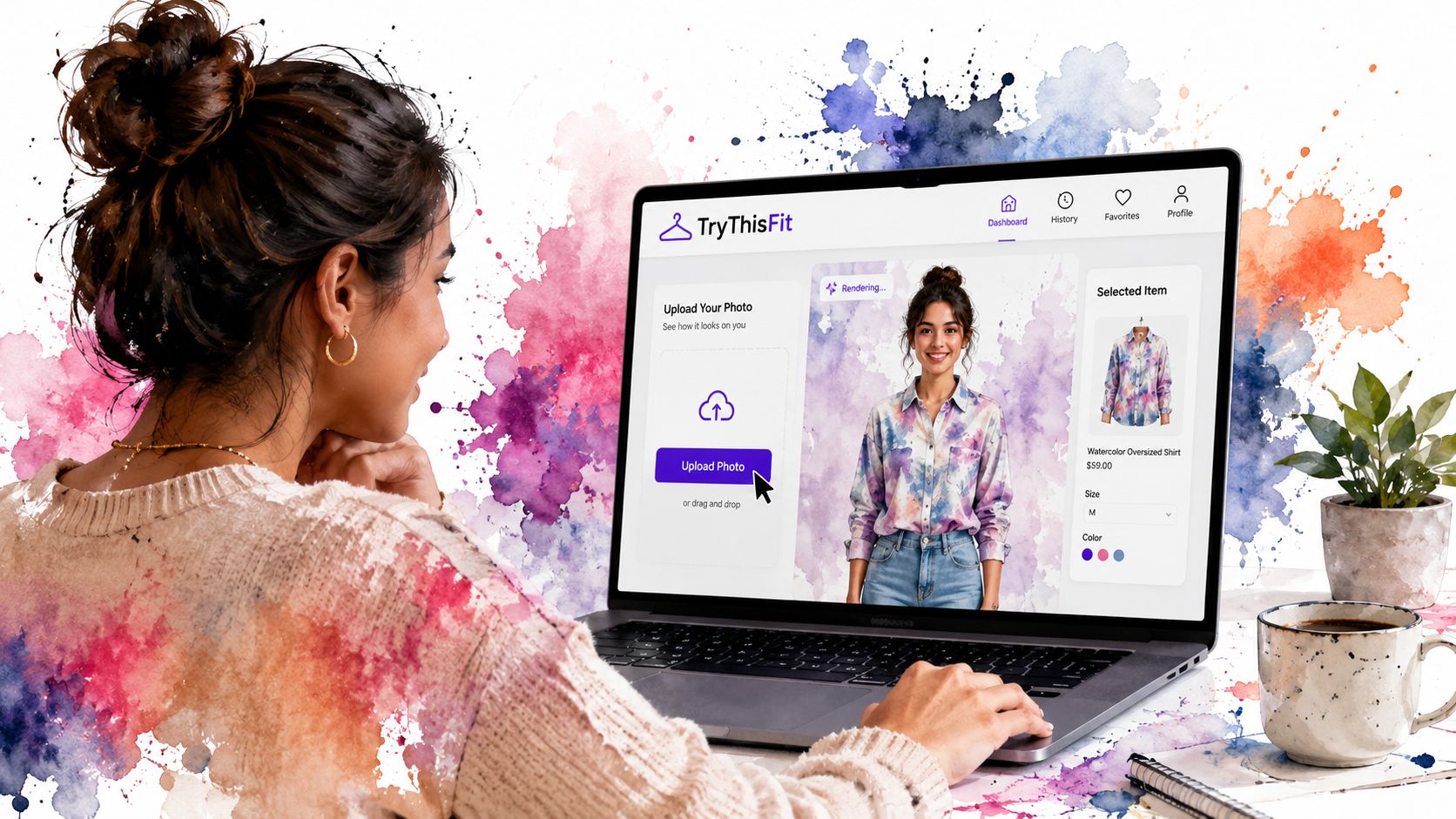
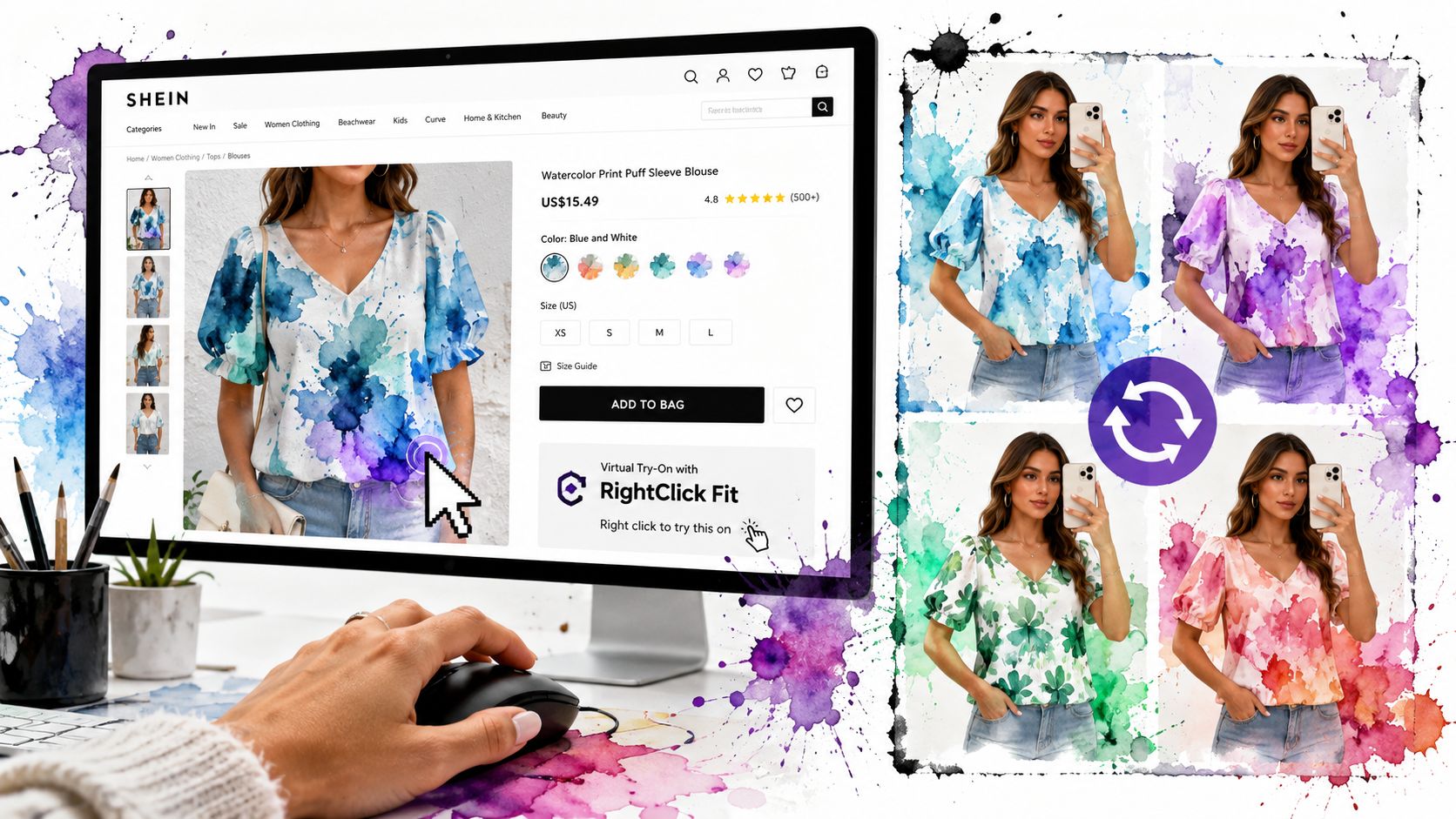
A virtual try-on tool turns personalization into something you control directly. You start with a photo of yourself, add a clothing image from a product page, and generate a preview. Instead of scrolling through reviews and hoping someone with a similar body type posted a useful photo, you get a visual starting point based on your own image.
TryThisFit virtual try-on is one example of that approach. It lets shoppers preview clothing from online stores without the usual setup friction of account-based personalization. That changes the experience in a simple way. The tool acts less like a store profiling you over time and more like a fitting room you can bring with you from site to site.
That distinction matters.
Store-led personalization usually tries to predict what you may want next. Shopper-led personalization helps you judge what fits your taste right now. One is a recommendation engine. The other is a decision tool. If your goal is to discover your style faster and waste less time on maybe purchases, the second one is often more useful.
Why virtual try-on feels more personal
Clothing is visual, and personal taste is hard to describe with filters alone. You can check boxes for black, midi, long sleeve, casual, and still end up with five options that feel completely different.
Virtual try-on closes that gap. It gives you a quick way to test shape, color, and overall vibe before you buy. It works like holding two outfits up in front of a mirror, except you can do it across different stores and open tabs without leaving your couch.

That is especially useful in situations like these:
- Comparing similar pieces across stores when the details are subtle but your preference is not
- Checking secondhand listings before committing to an item that may disappear fast
- Building event or costume outfits from products sold by different shops
- Testing multiple color options to see which one fits your look best
The big benefit is speed. You spend less time guessing, less time bouncing between tabs, and more time recognizing what feels like you.
Personalization gets much more useful when the shopper controls it. A fast preview can save you from buying for the model's style instead of your own.
A Privacy-First Approach to Finding Your Style
A lot of personalization comes with baggage. The usual trade is familiar. Create an account, hand over your details, let the platform build a profile, and hope the convenience feels worth it.
That model isn't the only option. Personalization can also be lighter, more direct, and less invasive.
Deloitte's retail media guidance highlights a growing privacy and value tradeoff in personalization. Their cited perspective is straightforward: data can improve the experience, but overbearing or intrusive methods can turn customers away, while a lighter-touch model that works without forcing account creation can be a competitive advantage (Deloitte on personalization strategy in retail media).
Why zero-account tools feel different
Shopper-controlled personalization distinguishes itself. If the goal is to preview the appearance of clothing and make a faster decision, you may not need a long identity trail attached to every action.
A zero-account approach changes the feeling of the experience:
- Less friction at the start because you're not filling out forms before doing anything useful
- Less psychological creepiness because the tool isn't trying to know everything about you
- More immediate value because the benefit arrives right away
- More control because you're using it when you want, not being tracked into it
That's especially relevant for people who like style tools but hate account fatigue.
Utility first, profile second
There's a simple principle underneath all of this. If a personalization tool gives you value before asking for commitment, it usually feels more respectful.
That's one reason visual try-on is such an appealing format. The benefit is obvious and immediate. You upload a photo, use a clothing image, and get a style preview. You're not sitting through a setup funnel before the useful part begins.
If you're interested in how camera-based try-on tools are changing the feel of online changing rooms, this article on changing rooms and camera tools adds useful context.
Personalization works best when it feels like assistance, not surveillance.
For shoppers, that distinction matters more than ever. A personalized shopping experience should help you discover your style and save time. It shouldn't feel like a hidden cost attached to every click.
Practical Use Cases for Your Everyday Shopping
You are halfway through a late-night browse. One tab has a vintage jacket. Another has three nearly identical blouses. A third has boots for an event next weekend. The usual question shows up fast. Which of these will suit you, and which ones only look good on the product page?
That is where shopper-controlled personalization becomes useful in real life. Not as a retail tactic running in the background, but as a tool you use on your own terms to make quicker visual decisions.
Three moments where this is especially useful
Secondhand shopping
Secondhand apps are great for finding pieces nobody else has, but they also ask you to do more interpretation. Photos may be dim, angles may be awkward, and sizing notes are often limited. A quick visual preview helps answer a more practical question than "Is this interesting?" It helps you ask, "Does this work for my style, my shape, and the way I dress?"
Fast fashion comparison
Big retail sites make comparison harder by giving you too many near-matches. One puff-sleeve top turns into a page full of slight variations in cut, fabric, and neckline. Seeing those options on your own photo works like holding finalists next to each other in a fitting room. You can spot which one fits your taste faster and stop wasting time on tiny differences that do not matter once the item is on you. If you're browsing Amazon, use this Amazon shopping link when you want to check items there.
Costumes and event outfits
Event shopping often happens in pieces. You find the jacket from one seller, the shoes from another, and an accessory somewhere else. A visual preview helps you plan the full outfit before the packages start arriving, which is especially helpful when the goal is a specific vibe rather than a basic everyday look.
A simple workflow that saves time
A good routine is closer to making a shortlist than building a profile.
- Collect a few strong options instead of judging every item you scroll past.
- Pick the clearest product photo so the preview has a better starting point.
- Review the result quickly and notice your first reaction.
- Keep the looks that feel promising so you can compare them later with fresh eyes.
That process matters because style choices are often easier to judge after a short break. The first pass helps you filter. The second pass helps you choose.
Style discovery gets easier when experimentation is cheap
Some shopping sessions are not about replacing a basic item. They are about testing who you might be in a different color, silhouette, or mood.
A virtual try-on tool makes that kind of experimentation feel lighter. You can test a trench coat instead of your usual cropped jacket. You can see whether a color you normally skip brightens your look. You can try a more dramatic shape without buying it first and hoping for the best.
That is the shopper benefit of a personalized shopping experience. You create it yourself, privately and quickly, without needing a long account setup or relying on a store to guess your taste. The result is simple. You discover your style with more confidence, and you spend less time bouncing between tabs trying to make a decision.
Conclusion Your Style Your Way
A personalized shopping experience makes the most sense when it works for you, not just for the store. For years, the phrase pointed to retailer tactics like recommendation rows and retargeting ads. For shoppers, that often felt like being nudged instead of being helped.
A better version is simple. You see how something might look on you before you spend money, open ten more tabs, or second-guess the choice later.
That shift matters because online shopping is a visual decision disguised as a search task. You type in "black ankle boots" or "linen shirt," but the true question is more personal: does this fit my style, my proportions, and the version of myself I want to show up as? Visualization helps answer that faster than a generic feed ever can.
That is why shopper-led personalization feels so useful. It works more like a fitting room than a recommendation engine. You stay in control, test what interests you, and keep what helps. The tool supports your decision instead of trying to predict it for you.
Privacy matters here too. A zero-account approach lowers the friction and lowers the stakes. You can try ideas, compare looks, and move on without handing over a full profile just to get value. For many people, that is the missing piece. Personalization feels better when it is convenient, private, and immediate.
The result is practical. You waste less time. You spot better options faster. You get more confident about what suits you, whether you are replacing a basic item or trying a style that feels a little outside your usual lane.
If you want a more visual, private way to shop, TryThisFit offers that kind of hands-on experience. You can test a look in seconds, keep the process light, and use the results to make clearer style decisions without the usual online shopping guesswork.
Try Virtual Try-On Now
See how clothes look on you before you buy - works with any online store
Get Started Free