Suit Free Online: Visualize Your Style Instantly
You open a few suit listings to compare prices, colors, and cuts. Ten minutes later, your browser looks like a small control panel. The problem is not finding suits. The problem is knowing which one suits you.
That is why searches for suit free online often feel off target. Many search results for this keyword point to free clothing assistance or nonprofit suit programs. Those resources can matter in a different situation, but they do not answer the question online shoppers usually have: how will this suit look on my body before I buy it?
That is the missing piece this guide focuses on.
TryThisFit gives you a fast way to preview a suit on your own photo, which feels a lot more like holding up clothes in a fitting room than staring at model shots and guessing. It is especially useful if you are comparing retail listings, browsing secondhand finds, or trying to avoid buying a suit that looks great on the product page and wrong on you.
It also helps to separate two different questions right away. One is fit in the style sense. Color, shape, and overall vibe. The other is fit in the measurement sense. Size charts, tailoring, and sleeve length. This article is about the first one: seeing yourself in the suit before you commit.
The Endless Scroll for the Perfect Suit
Suit shopping online usually starts out fun and turns into comparison fatigue fast.
You open one tab for a navy two-button suit. Then a charcoal one. Then a beige summer suit you weren’t even planning to consider. After a while, you’re no longer shopping. You’re trying to mentally stitch model photos onto your own body and hoping your imagination is accurate.
That’s where people get stuck. The product photo shows the suit on someone else, under studio lighting, in a pose you’d never naturally stand in. You’re left wondering about the overall vibe. Does it look clean and modern on you, or too stiff? Does the color make sense for your style, or does it only work because the model is styled perfectly?
Most content around suit free online misses this digital problem and focuses on physical nonprofit suit programs instead of free virtual ways to preview a suit’s appearance on yourself, as noted in this overview of the gap in search results.
That’s why virtual try-on tools feel so different when you first use them. You stop guessing. You stop imagining. You get an actual style preview.
Where the confusion usually happens
A lot of shoppers mix up two separate questions:
-
How will it look The color, shape, mood, and overall style on your photo.
-
Will it be my size Measurements, tailoring, and garment dimensions.
This guide is about the first question. The fun one. The visual one.
If you’ve ever hesitated before buying a suit because you couldn’t picture the final look, that hesitation makes sense. Seeing the style on yourself changes the whole experience.
Your Personal Fitting Room on Every Website
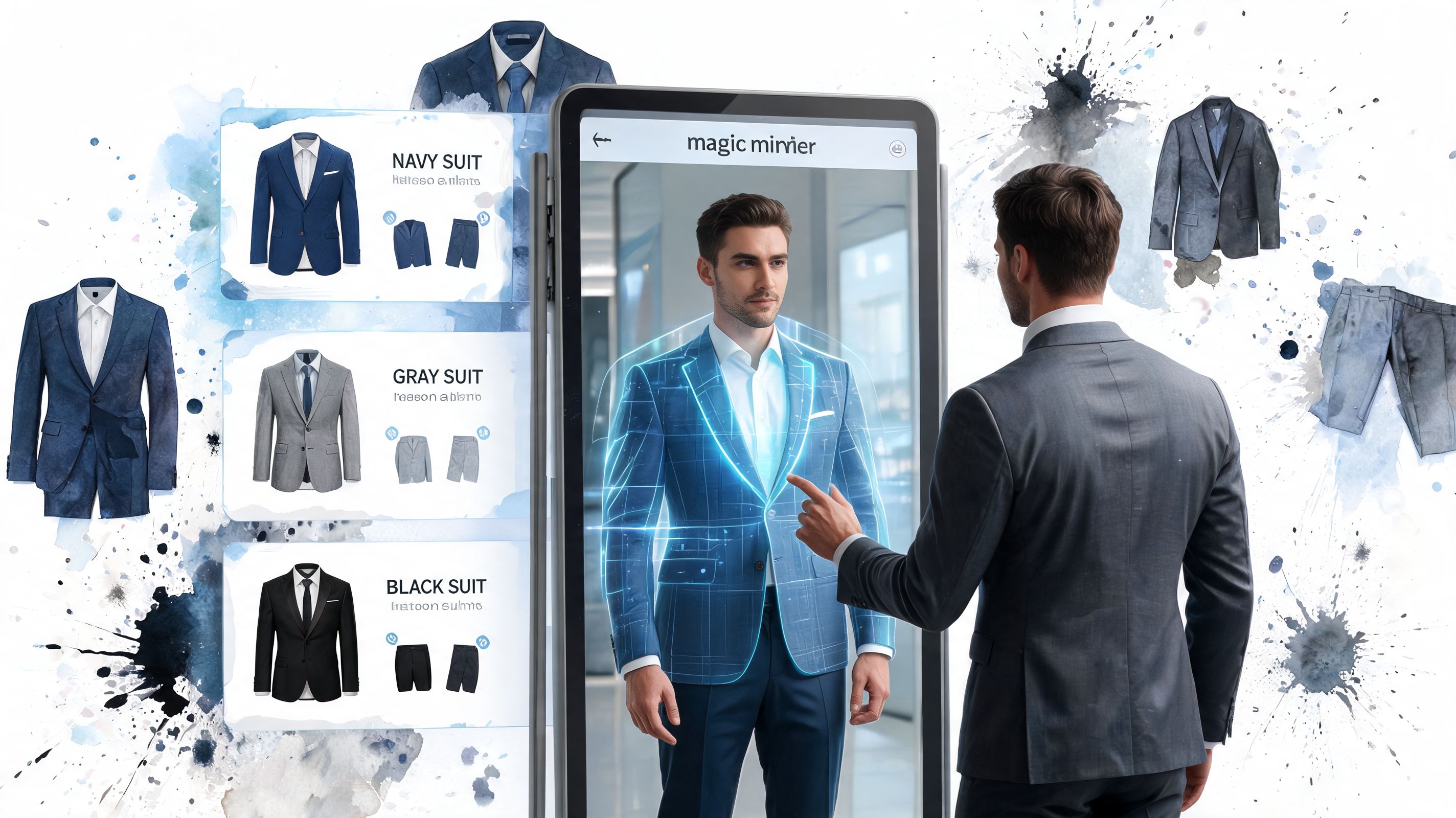
A virtual try-on tool works like a personal mirror for shopping sites. Instead of staring at a product page and guessing, you upload a photo of yourself and preview how the suit’s style and appearance look on you.
That's a significant wow factor. A flat image on a store page turns into something personal in seconds.
Why this feels so much more useful than regular browsing
When you browse normally, you’re doing mental work the whole time. You’re translating a store’s styling choices into your own life.
With a virtual try-on, you can:
-
Preview color quickly Navy, black, olive, or light gray all give off a different mood.
-
Compare silhouettes A relaxed suit jacket and a sharper, fitted look can feel completely different.
-
Try bolder options You’re more likely to test something unusual when it takes seconds and costs nothing to preview.
Practical rule: treat virtual try-on as a style decision tool. It helps you see the appearance of a suit on you, not confirm tailoring or measurements.
There’s also a real technology story behind this. The math that supports modern AI styling tools didn’t appear out of nowhere. Statistics began evolving in the 18th century, and by the 1830s people were already using probability distributions to describe social patterns. That long history of data modeling helps explain why modern tools can process clothing images and generate visual previews so quickly, as described in this background on the history of statistics.
If you want a broader sense of how this category works, virtual dressing rooms are a useful way to think about it. The idea is simple. Bring the fitting room to the website instead of leaving the website to go find one.
Get Started in Seconds with TryThisFit
You find a suit you like, but the product photo still leaves the big question unanswered. Will it suit your face, build, and overall vibe? TryThisFit gets you to that answer fast, without the usual setup friction.
You start with two ingredients. One photo of yourself, and one suit image you want to test.
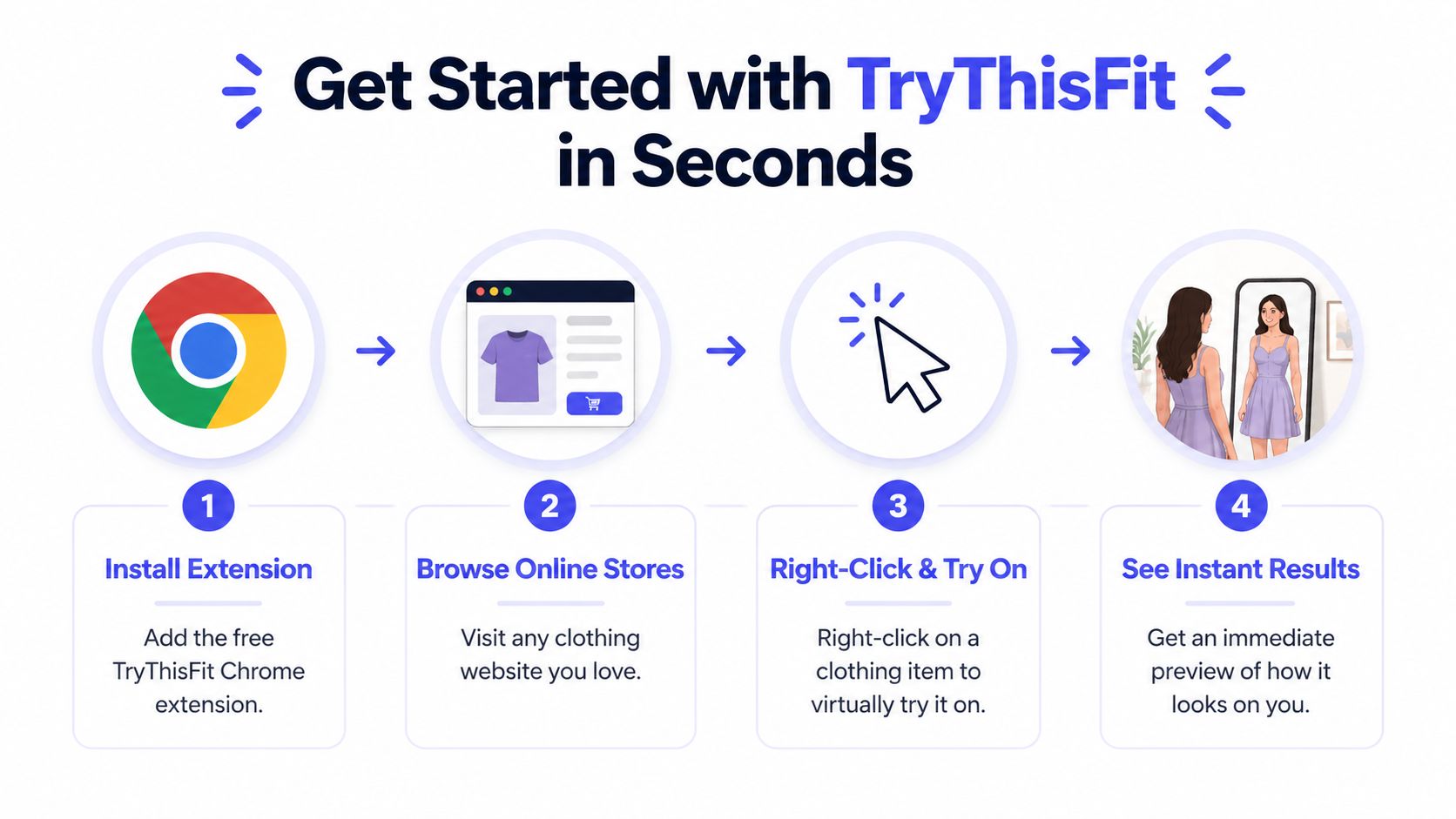
The fastest way to begin
A first try usually takes less time than choosing which tab to open.
-
Pick a clear photo of yourself
Use a front-facing image where your face and upper body are easy to see. Good lighting helps the tool read your features more cleanly, the same way a barcode scanner works better on a sharp label than a blurry one. -
Upload your photo
Once your image is in place, you have a base to test different suit styles on. This is the part many articles skip. The primary advantage is not browsing suits faster. It is seeing a preview that answers, "How will this look on me?" -
Choose a suit image
Start with a simple product photo. Flat-lay images or clean catalog shots usually work well because the jacket shape, lapels, and color are easy for the tool to read. -
Generate your preview
In a moment, you get a visual you can react to right away. That instant feedback is the wow factor. A charcoal suit that looked plain on the model might look sharp on you, while a trendy cut you loved on the product page might suddenly feel off.
Why this feels so easy
Older styling tools often felt like tiny design software projects. Upload this, crop that, fix the alignment, try again.
TryThisFit keeps the process closer to using a camera filter. Give it a decent starting photo, test one clothing image, and judge the result. That makes it practical for real shopping, especially when you are comparing several suits and do not want to turn the process into homework.
If your source photo is dark, cropped, or awkward, cleaning it up first can help. Some shoppers use tools like FaceJam AI headshots to create a cleaner portrait for profile photos and style experiments.
A simple starter checklist
- Use a straight-on photo so the preview has a clean base.
- Keep lighting even because strong shadows can confuse the clothing overlay.
- Start with a classic suit such as navy, charcoal, or black before testing louder patterns.
- Use simple product images first so you can judge fit and style direction without extra visual noise.
A strong first test is a plain suit with a clean product photo. Once that looks convincing, try textured fabrics, double-breasted cuts, or more adventurous colors.
The Right-Click Revolution on Any Shopping Site
You spot a suit you like, open the product page, and usually hit the same wall. The model looks great, the studio lighting is perfect, and you still cannot tell how that jacket will read on your shoulders or whether the color will wash you out.
That is the part TryThisFit changes.
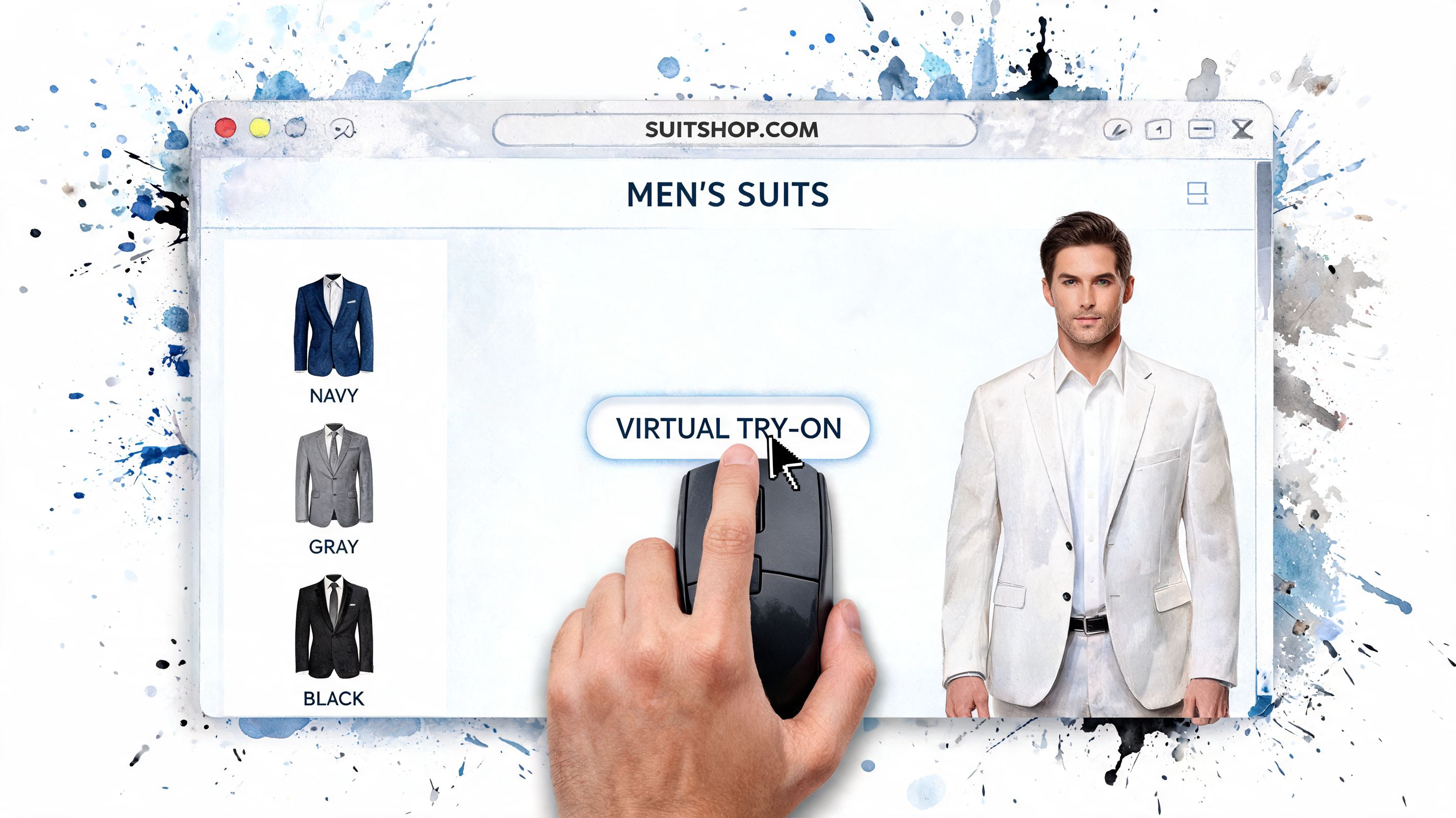
Instead of breaking your shopping flow, it adds a fitting-room shortcut to pages you already visit. You browse a retailer, a marketplace, or a secondhand listing, right-click the product image, and check the look on yourself while the item is still fresh in your mind. It feels less like using a separate app and more like adding x-ray vision to online shopping.
What this changes in real life
Suit shopping rarely happens on one website. A slim black suit might catch your eye on Zara. A lighter summer option shows up on H&M. Then you check Amazon for more sizes, different brands, or a lower price. You might even end up on Vinted or Depop looking for a deal.
With right-click try-on, all of those pages become test spaces.
You do not have to keep saving screenshots, renaming files, and opening a separate tool every time you want to compare one more option. The browser becomes your quick preview station. That is the practical wow factor here. The moment you see a suit, you can answer the essential question: does this work on me?
Here are a few places where that speed helps most:
-
Retail sites Preview a polished product shot without leaving the page.
-
Marketplaces Compare a budget option against a more premium version while both tabs are still open.
-
Secondhand listings Test a one-off item before you commit to a final-sale purchase or a seller who may not have another size.
Why right-click matters
Small bits of friction add up fast. Copying links, downloading images, switching tabs, and uploading files sounds minor once. Do it six times in a row and the process starts to feel like homework.
Right-click try-on cuts out those extra steps. It keeps the experiment close to the product page, which makes you more likely to test several suits instead of guessing from thumbnails and hoping for the best.
If a marketplace makes product photos hard to save cleanly, guides like using AliSave Pro for images can help you collect better source pictures for side-by-side comparisons. That can be handy if you are building a shortlist from multiple sellers.
For a wider view of how browser add-ons fit into this kind of shopping flow, this guide to Chrome extensions for online shopping explains why lightweight tools feel so natural during browsing.
The fastest style decision usually happens while the suit is still on screen, not after you have built a folder full of maybe-later screenshots.
That is why this feels like a small revolution. Any shopping site can turn into your personal fitting room with one click and a few seconds of curiosity.
Pro Tips for Picture-Perfect Style Previews
A good preview starts with good source images.
The single biggest improvement you can make is choosing flat-lay clothing photos whenever possible. These are product images where the suit is laid out clearly instead of being wrapped around a moving model in a dramatic pose. The cleaner the garment image, the cleaner the style preview usually looks.
What works best
Use this quick ranking when you’re picking images:
| Image type | Preview quality |
|---|---|
| Flat-lay photo | Usually the clearest option |
| Mannequin photo | Often very solid |
| Clean studio product image | Can work well |
| Model photo with complex pose | More variable |
A flat-lay image gives the system a direct view of the jacket and trousers. That makes the overall shape and visual transfer easier.
Small tweaks that make a big difference
Your own photo matters too. A little prep goes a long way.
-
Stand straight A natural front-facing posture makes the final preview easier to read.
-
Use plain lighting Daylight or soft indoor light usually looks better than a dim room.
-
Avoid busy backgrounds The simpler your photo, the more attention stays on the clothing.
Quick fix: if a preview looks strange, don’t assume the tool failed. Try a different product image of the same suit first.
If you need help choosing the right kind of base photo, this guide to a full body picture is useful. A strong source image makes every style experiment better, whether you’re testing formal suits, casual jackets, or Halloween outfits.
Good suit images to test first
Start with simple options before moving to trickier ones:
- Solid dark suits are easy to read visually.
- Single-breasted jackets usually give you a clear first impression.
- Minimal backgrounds help keep the preview focused on the outfit.
That first clean result is usually the moment people get it. You stop looking at product photos as fixed store images and start seeing them as something you can wear, at least visually, right away.
Compare Styles, Save Favorites, and Discover Your Look
The real fun starts when you stop judging one suit at a time and line a few of them up like finalists.
A single try-on answers one question. A group of try-ons answers a better one. Which style feels like you?
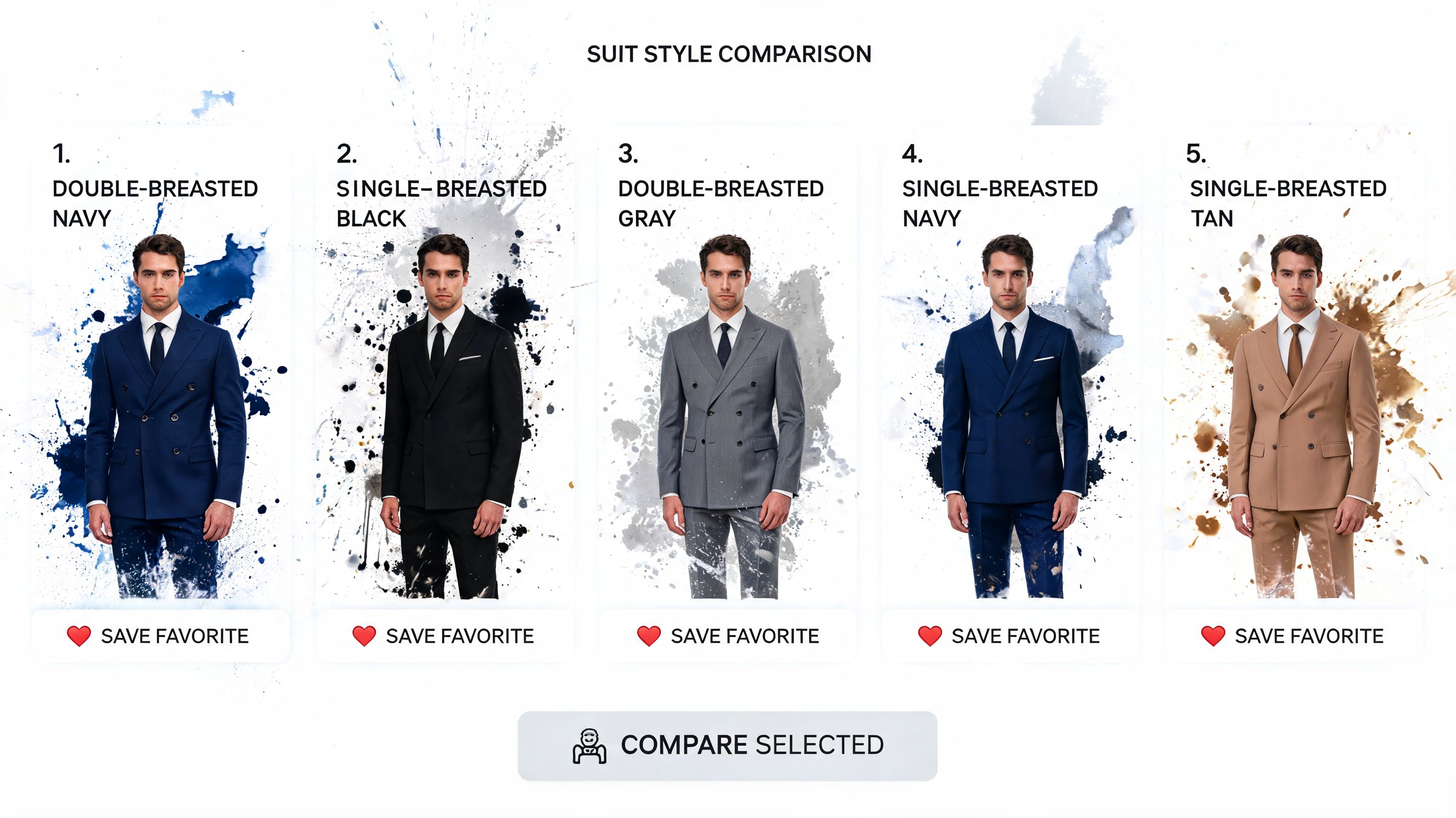
TryThisFit works especially well for this part of the process because it turns random product pages into something closer to your own visual fitting room. You are no longer relying on memory, store styling, or a model’s body type. You can put a navy suit, a light beige suit, and a relaxed textured option side by side and judge them on the same person. You.
That changes how you shop.
Instead of asking whether a suit looks good in general, you start spotting patterns in your own results:
-
Color You may notice charcoal looks sharper on you than pure black, or that lighter tones feel better than expected.
-
Mood One suit can read formal and boardroom-ready, while another feels easier, softer, or more modern.
-
Details Wider lapels, cleaner lines, or less contrast can make a big difference once you see them on your own photo.
Saved previews help here too. Sometimes your first reaction is all excitement. Then you look again the next morning and one option clearly holds up better than the rest. That is useful. It means you are getting past the impulse stage and starting to build a real shortlist.
Online shoppers often research across multiple sessions and devices before deciding, and this kind of visual comparison fits that habit well. It cuts down on guesswork early, before you spend time measuring, ordering, or planning a store visit.
A try-on preview is not only for picking a winner. It is also a fast way to eliminate styles that were never right for you in the first place.
That is the hidden win. You save favorites, compare them with fresh eyes, and gradually learn your own pattern. Maybe you always come back to clean dark tailoring. Maybe softer earth tones surprise you. Either way, you are not just browsing suits anymore. You are discovering your look.
Frequently Asked Questions
Is my photo private
Yes. The app was built as a solo founder project with privacy in mind.
Your photo is used to generate your try-on results. Your saved history is private to you. The goal is simple. Let you preview clothing on yourself without turning the experience into a data-harvesting exercise.
What if the result looks weird
Usually the first thing to check is the clothing image, not your photo.
A tricky source image can confuse the preview. Try a cleaner product image of the same suit, ideally a flat-lay or mannequin photo. That often fixes the issue fast.
Does this only work for men’s suits
No. The same idea works for women’s suits and lots of other clothing categories too.
People use it for jackets, dresses, tops, thrifted finds, and even costume planning. The core use is the same every time. See how it looks. Decide whether the style is right for you.
Can I use it on my phone
You can use the main app in your mobile browser.
The right-click Chrome extension is a desktop browsing tool, so that part is better on a computer. On phone, the simpler route is to save a product image and upload it directly with your photo in the app.
What should I try first
Start with a clean, classic suit image.
A plain navy or charcoal suit is ideal because it gives you a clear baseline. Once you’ve got one strong preview, branch into more adventurous options like textured blazers, lighter colors, or statement looks for weddings and events.
Is this useful for secondhand shopping
Yes, especially because secondhand listings can be harder to imagine on yourself.
If you’re browsing Vinted, Depop, or marketplace-style listings, being able to preview the appearance of the suit before buying is one of the most practical uses of this kind of tool.
If you want to stop guessing and start seeing the style on yourself, try TryThisFit. You can test items in the main app, check your saved try-ons, or install the free Chrome extension to right-click suits from shopping sites and preview them in seconds.
Try Virtual Try-On Now
See how clothes look on you before you buy - works with any online store
Get Started Free