How to Try On a Dress Virtually in Seconds
You've been there, right? You're scrolling online, find the dress, and then that little voice of doubt creeps in: "But how will it actually look on me?" It's the classic online shopping buzzkill, turning pure excitement into hesitation.
What if you could ditch that uncertainty for good? Imagine being able to instantly see that dress on your body, giving you a real sense of the style and silhouette in seconds.
End the Guesswork When You Shop for Dresses Online
Finding a dress you love online should be fun, but that confidence often gets steamrolled by the unknown. You’re not just buying a garment; you're investing in how you want to feel when you wear it. So that hesitation is totally valid.
This guide is about a fresh approach—using virtual try-on technology to visualize the cut, vibe, and overall appearance of a dress on you before you even think about your credit card. This isn't about complicated measurements, just a simple visual preview.
The Problem with the Old "Add to Cart and Hope" Method
Let’s be honest: online shopping is often a gamble. You click 'buy' based on a photo of a model who looks nothing like you, cross your fingers, and brace yourself for the almost-inevitable return process.
This isn’t just a hunch; the numbers are wild. Apparel return rates can hit a staggering 30-40% for many online stores, mostly because of style issues. The goal here is to move past that frustrating guessing game for good.
Just think about the confidence you’d feel hitting that purchase button because you’ve already seen a preview of how amazing it looks. Think of all the time you'll save by not having to repackage returns, not to mention the freedom to finally try those bolder styles you've been eyeing.
A Smarter Way to See Your Style
This is exactly why I created TryThisFit. It's a straightforward tool designed to completely reshape your shopping experience, whether you're browsing big retailers like Zara and H&M or hunting for treasures on Vinted.
- See It Instantly: Get a quick visual of how a dress style drapes on your body shape.
- Shop with Certainty: Make your final decision based on a realistic preview, not just a guess.
- Explore Fearlessly: Feel free to try out new silhouettes and daring styles without any risk.
- Cut Down on Returns: Dramatically reduce the odds of sending something back.
Here's a quick comparison showing the advantages of using a virtual try-on tool over the old way of shopping for dresses online.
Virtual Try-On vs. Traditional Online Shopping
| Feature | Traditional Shopping | Shopping with TryThisFit |
|---|---|---|
| Visual Confidence | Low (based on model photos) | High (see it on your body shape) |
| Return Likelihood | High (30-40%) | Significantly Lower |
| Time Spent | High (browsing, ordering, returning) | Low (quick previews, fewer returns) |
| Style Exploration | Risky (might not suit you) | Risk-Free (try anything virtually) |
| Overall Experience | A gamble | Empowered and certain |
As you can see, it's about shifting from hoping for the best to knowing what to expect.
To truly master your online shopping, pairing this tool with a good understanding of what flatters your figure is a game-changer. This modern guide to dressing for your body type is a fantastic resource for that. I'm excited to show you how a simple tool can give you so much power.
Ready to change the way you shop forever? Give it a spin at trythisfit.com.
Get Your Instant Fitting Room for Any Website
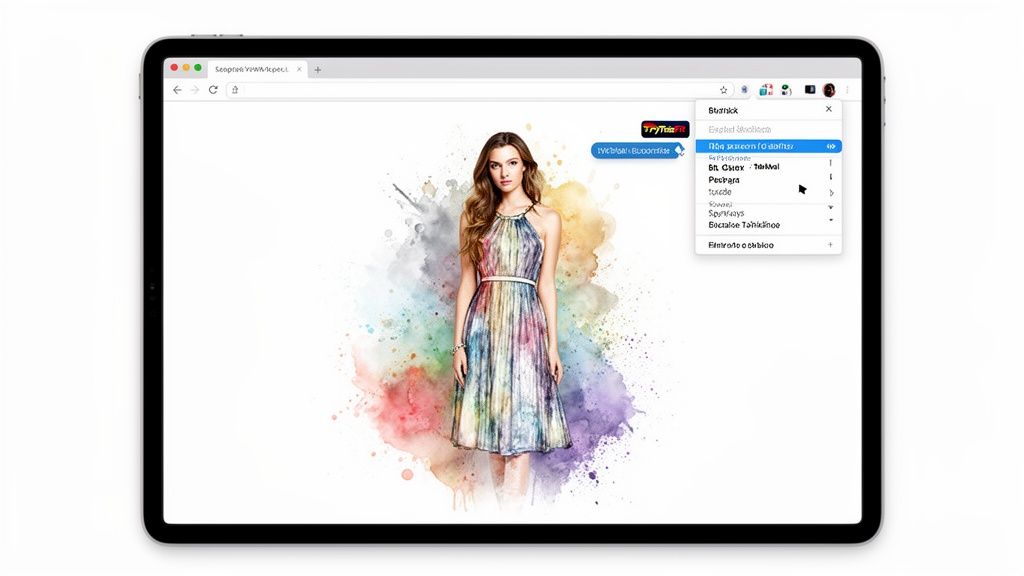
Ready to get your own personal fitting room, right inside your web browser? The TryThisFit Chrome extension makes it happen in a few clicks. Seriously, there are no accounts to create or complicated setups. This is all about instant style gratification.
Just find the extension, hit 'Add to Chrome,' and you're in. The whole thing takes a couple of seconds, and suddenly you have this incredible power to see how dresses from any online store will look on you. I'm going to show you how this one simple click completely changes the online shopping game.
Imagine you're scrolling through dresses on H&M, Zara, or even Amazon. When a style catches your eye, just right-click the product image and choose the try-on option from the menu. Boom. A preview pops up showing you exactly how that dress looks on your body, all without ever leaving the page.

Seamless Shopping Integration
This process makes shopping feel so much more dynamic and fun. It's no longer about juggling a dozen tabs or saving images to your desktop to mull over later. You see a dress, you try it on, and you know. It really is that easy.
And honestly, this is where retail is headed. The virtual clothing try-on market is absolutely exploding—it's projected to hit a staggering $1.5 billion globally by 2025. This just shows how AI is making the ability to "try on dress" an instant digital reality, not a luxury you only get in a physical store. With 70% of online shoppers saying they want features like this, it's no surprise fashion brands are jumping on board.
It's time to stop guessing and start seeing. This isn't about staring at a size chart; it’s about visualizing the style and feeling totally confident in your choice.
The real magic here is the convenience. I wanted to remove every possible barrier to getting started, which was a huge goal when I first built the app.
- No Accounts Needed: Forget sign-ups. You can jump right in.
- Works on Any Site: Use it on retail giants like Amazon and Shein or your favorite indie boutiques.
- Speed is Key: Your style preview is ready in just a few seconds.
Turning Your Browser into a Style Tool
The extension basically turns any clothing website into your own interactive closet. You can compare different styles on the fly, see how a bold color actually looks against your skin tone, or even experiment with silhouettes you were always a little too nervous to buy.
This is a total game-changer for secondhand sites like Depop or Vinted, where you often just get a flat-lay photo and returns are a no-go. You can learn more about how the virtual try-on app works on any of your devices.
It’s time to end the cycle of buying, trying, and returning. You can finally see how an outfit will look and build a wardrobe you genuinely love, without any of the risk. So, why wait? Install the Chrome extension in 5 seconds and take it for a spin on your favorite store.
Tips for Getting Jaw-Droppingly Realistic Results
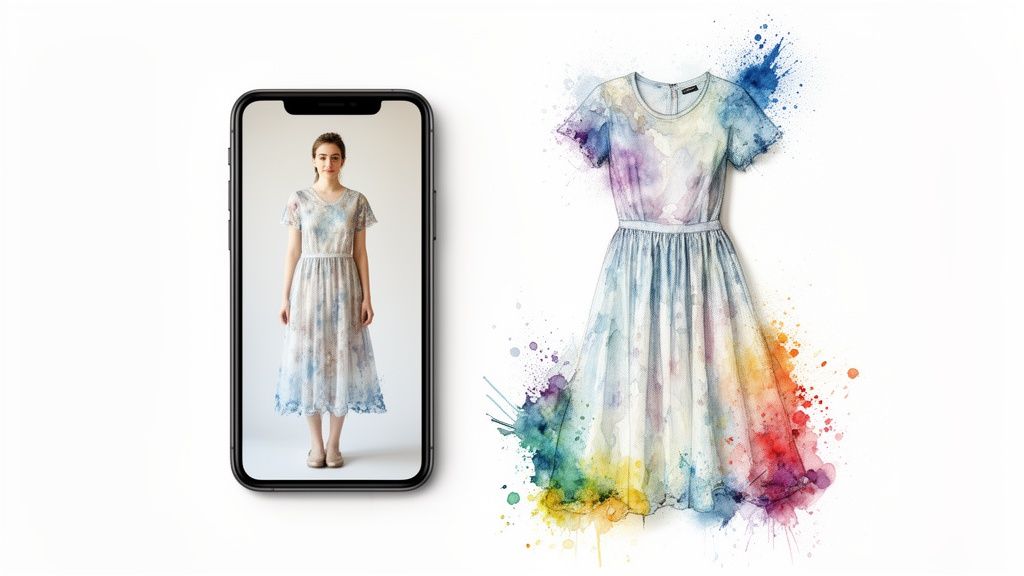
Alright, let's talk about the real secret to making your virtual try-ons look incredible. The AI is seriously powerful, but the quality of the photos you give it makes all the difference. Think of it like cooking: the better your ingredients, the more delicious the result!
Your Body Photo: The Foundation
First up, your personal photo. The goal here is simple: clarity. You'll want a clear, full-body shot to give the tool the best possible canvas to work with.
Find a spot with good, even lighting and stand against a plain, uncluttered background. This helps the AI focus entirely on your form, which means the dress will drape more naturally in the final preview. Easy peasy.
The Clothing Photo: The Flat-Lay Game-Changer
Now, for the dress itself. This is where one simple trick completely changes the game. For the absolute best results, a flat-lay photo works best.
What’s that? Just lay the dress out completely flat on a clean surface—like your floor or bed—and snap a picture from directly above.
This technique is a lifesaver because it shows the AI the garment's true shape, cut, and details without any of the distortion you'd get from a hanger. It's especially handy when you're browsing secondhand sites like Vinted or Depop and have to rely on the seller's pictures.
You can upload these photos right from your phone at trythisfit.com and see an instant preview. It's the quickest way to know if that cool vintage find is really you before you click "buy."
To make it even simpler, I've put together a quick cheat sheet. Getting these details right will seriously level up your virtual try-on experience.
Tips for Perfect Virtual Try On Photos
| Photo Type | Do | Don't |
|---|---|---|
| Your Body Photo | Stand straight in good, even lighting. Use a simple, uncluttered background. | Use blurry, low-light photos. Let a busy background distract from your outline. |
| The Clothing Photo | Use a flat-lay photo from directly above. Make sure the entire dress is in the shot. | Use photos of the dress on a hanger or mannequin. Crop out parts of the garment. |
Following these pointers is the key to getting a preview that's not just cool, but genuinely helpful for making style decisions.
A few extra seconds to snap a clear, flat-lay shot of a dress makes a world of difference in how accurately you can visualize the final look.
It's amazing how much of an impact this has. By feeding the tool clean, clear images, you’re setting it up for success and getting a fantastic visualization every single time. For more in-depth advice, check out my guide on how to take a great full body picture specifically for virtual try-ons.
Ready to see the magic for yourself? Give it a shot at trythisfit.com and bring your fashion ideas to life.
Unlock Creative Ways to Plan Your Wardrobe
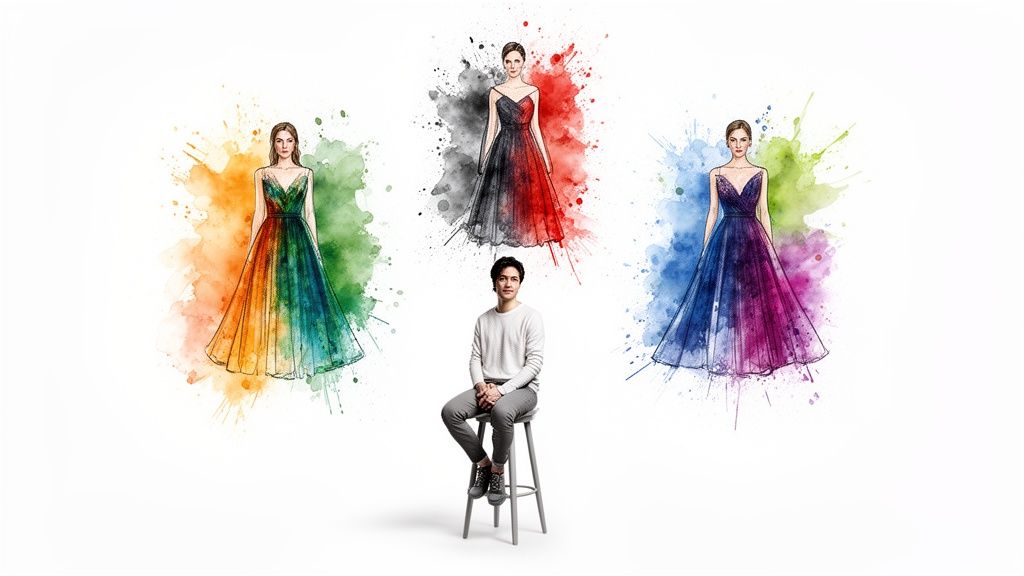
Think of a virtual try-on tool as more than just a cool shopping gadget. It's your personal style laboratory, a place where you can play, experiment, and dream up new looks without any limits. Let's dive into a few real-world situations where getting an instant visual preview completely changes the game.
For instance, are you a fan of hunting for treasures on secondhand sites like Vinted or Depop? You spot a totally unique dress, but it's a final sale. With a tool like this, you can finally see how those no-return pieces look on you before you hit "buy," taking the financial gamble right out of the equation.
Planning for Events and Exploring New Styles
Event planning is where this technology really comes alive. I've personally used it to audition dozens of wild Halloween costumes without spending a dime, all from the comfort of my couch. It makes planning for themed parties, weddings, or any big occasion so much less stressful and a whole lot more fun.
It’s also an incredible way to step outside your style comfort zone. Ever been curious about a bold color or a totally different dress silhouette but felt too nervous to try it in a store? Now you can see how that vibrant fuchsia actually complements your skin tone or experiment with a vintage-inspired cut you'd normally scroll right past.
This kind of visual confirmation is incredibly powerful. The biggest headache in online fashion is uncertainty, which is why return rates can soar as high as 30-40%. Virtual try-on flips this script. Data shows that a whopping 92% of users feel more confident in their purchases when they see a preview first, which can slash returns by 78%. You can read more about how virtual try-on is changing online retail.
Building a Wardrobe You Genuinely Love
At the end of the day, this is all about building a closet full of clothes that make you feel incredible. By seeing how items look on your unique body before you spend any money, you start making smarter, more intentional choices. You end up curating a collection of pieces you truly can't wait to wear.
Think of it as your digital mood board brought to life. You can compare different dresses side-by-side, discover new outfit combinations, and fine-tune your personal style in just a few minutes.
Here are just a few of the creative ways I’ve put the app to work for my own wardrobe:
- Seasonal Refresh: Before buying new spring dresses, I’ll "try on" different styles I find online. This helps me figure out which silhouettes I want to focus on for the upcoming season.
- Vacation Packing: I create virtual outfits using pieces I’m thinking of packing. It helps me visualize my travel wardrobe and stops me from throwing half my closet into a suitcase "just in case."
- Thrift Store Prep: I love to browse online thrift stores, virtually try on my favorite finds, and build a wishlist before I even set foot in a physical shop.
Whether you're shopping for a huge event or just playing around with your style, the ability to try on a dress instantly from any corner of the internet is amazing. It's a fun, fast, and totally risk-free way to discover what truly looks best on you.
Why not unleash your own creativity? Try it now at trythisfit.com and see what new styles are waiting for you.
Saving Your Looks and Protecting Your Privacy
Okay, so once you start trying on dresses you love, you're going to want a place to keep all these amazing style discoveries, right? Good news—the app has you covered. Every single virtual try-on you create is automatically saved to your personal history page.
This is my favorite part because it's perfect for comparing different dresses side-by-side. It really helps you visualize which look pops before you pull the trigger and buy. You can hop back into all your saved creations anytime by visiting your personal try-on history page. No more forgetting that incredible dress you found last week!
Your Privacy Is My #1 Priority
Now, let’s get real about something that's just as important as finding the perfect dress: trust. In a world full of faceless corporations and data leaks, I know that privacy is a massive concern. I want to be 100% transparent with you on this.
TryThisFit is a solo founder project. I built this tool to empower shoppers just like you, and that foundation is built on trust. Your photos and data are safe and are never, ever sold or shared with anyone.
My entire goal is to create a fun, genuinely useful tool that helps you discover your style with total peace of mind. That means I need you to feel completely secure every time you use the app. Your personal photos are exactly that—personal. They are only used to generate your try-on and are never seen by anyone else.
Creating this kind of visual library can completely change how you approach your wardrobe. If you're looking for more ways to organize your fashion finds, you should check out my guide on building a digital closet app to manage your style.
So go ahead and experiment with confidence! Save your favorite looks, compare different styles, and start building the wardrobe of your dreams, knowing your privacy is always protected. Ready to start building your personal style board? Give it a try at trythisfit.com.
Your Top Questions About Virtual Dress Try-Ons, Answered
I get a ton of questions about virtually trying on dresses, so I've put together answers to the most common ones. My goal here is to clear up any lingering doubts you might have, so you can dive in and start finding styles you absolutely love, with zero guesswork!
Does This Tell Me If a Dress Will Actually Fit Me?
This is a fantastic question and probably the most important one. Think of this tool as a style visualizer, not a sizing guide. It's designed to show you how the look of a dress—its cut, color, and silhouette—drapes on your specific body shape.
It's all about answering that crucial question: "Will this style even look good on me?" This is a massive help in cutting down on returns that happen simply because a style just wasn't a good match.
Do I Have to Create an Account to Use It?
Nope! I made sure this was as easy as possible to get started. There are no accounts needed and absolutely no sign-ups.
You can jump right in and create a try-on by uploading a photo on the website or grabbing the free Chrome extension. It’s all about getting that instant style preview without any friction.
What's the Best Type of Photo to Use for a Dress?
For the most realistic results, flat-lay photos work best. Seriously, this one tip makes a huge difference.
Just lay the dress out completely flat on the floor or a bed and snap a picture from directly above. This gives the AI a clean, undistorted view of the garment's true shape and details, which translates into a much more accurate virtual try-on for you.
How Does This Work When I'm Shopping Online?
The free Chrome extension is your new best friend for this. It installs in a couple of seconds.
Once it's added to your browser, you can shop anywhere—from major retailers like Zara and H&M to secondhand gems on Vinted. See a dress you're curious about? Just right-click the picture, hit the try-on option, and boom! Instant preview.
Can I Do This on My Phone?
You absolutely can! While the Chrome extension is a desktop tool, the main web app works beautifully on your phone.
Just open your phone's browser and head over to trythisfit.com. You can upload photos of dresses straight from your camera roll, making it super easy to create virtual try-ons from anywhere.
Ready to stop guessing and start seeing? TryThisFit lets you preview styles, discover looks you never thought to try, and shop with so much more confidence. Install the Chrome extension in 5 seconds or pop over to the main site to give it a whirl right now.
Try Virtual Try-On Now
See how clothes look on you before you buy - works with any online store
Get Started Free