What Is a Virtual Try On App and How Does It Work?
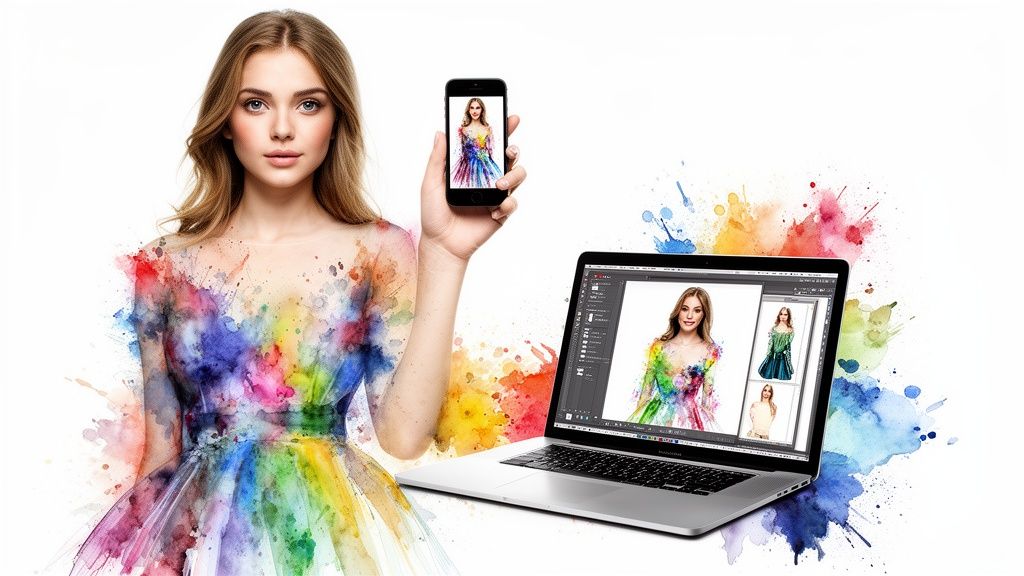
Ever found yourself staring at a shirt online, wondering if it would actually look good on you? What if you could skip the guesswork and see the style on your own photo in an instant? That's the incredible power of a virtual try on app.
Think of it as your personal digital dressing room. It’s a smart tool that uses AI to drape clothing from any website onto a picture of you, giving you a real-world preview of the style before you even think about adding it to your cart.
Your Personal Dressing Room, Right in Your Browser
This isn't about getting hung up on exact measurements. It's about answering that one nagging question that plagues every online shopper: 'But will this style suit me?'
I built TryThisFit to solve this exact problem. You can either upload a photo directly on the site or, even better, use the free Chrome extension. It literally installs in a couple of seconds. From there, you can right-click any clothing image you find online—whether you're on Zara, Amazon, or a small boutique—and instantly see how it looks. No accounts needed, no hassle.
See a Style in Seconds
The concept is simple, but the impact is huge. Instead of trying to imagine how a piece of clothing in a flat-lay photo will translate to your unique body shape, a virtual try on app gives you an immediate visual. This completely changes the game for everything from everyday shopping to planning that perfect look for a big event.
A virtual try on app acts like a digital mirror, letting you preview styles and build outfits without ever leaving your home. It’s about making confident style choices, not just buying clothes.
This instant preview is a lifesaver when you're stuck between two colors or debating a new silhouette. It encourages you to step outside your comfort zone and experiment with trends you might have skipped over, helping you build confidence and discover what truly makes you feel great.
Works on Any Store You Love
One of the best parts is that you're no longer locked into one brand's ecosystem. Sure, some big retailers have their own clunky try-on tools, but the real magic happens when you can try on clothes from anywhere.
That's precisely why I designed the TryThisFit Chrome extension. It weaves itself right into your regular browsing. See a top you like on Zara, a vintage jacket on Depop, or a dress on Vinted? Just right-click the image, and the extension works its magic, showing you how the style looks on you.
You can get started right now and install the Chrome extension in 5 seconds.
To give you a quick snapshot, here's a look at what these apps bring to the table.
Virtual Try On Apps at a Glance
| Feature | What It Means for You |
|---|---|
| Instant Visualization | See how clothes look on your own photo before buying. No more guessing! |
| Shop Anywhere | Use an extension to try on items from any online store, not just one brand. |
| Outfit Building | Mix and match pieces from different retailers to create complete looks. |
| Reduced Returns | Make more confident purchases, which means fewer trips to the post office. |
| Style Exploration | Experiment with new trends and styles risk-free from your couch. |
This isn't just about convenience; it’s about making shopping smarter and a whole lot more fun.
If you want to dive deeper, check out this guide on the power of virtual dressing rooms. It’s amazing to see how an outfit from a major brand can come to life when paired with a unique vintage find.
The AI Magic Behind Your Instant Style Preview
Ever looked at a virtual try-on app and thought, "How did it do that?" The secret sauce is a really clever bit of AI. It all kicks off with two simple inputs: a picture of you and a picture of the item you want to visualize.
For the AI to really work its magic, it loves flat-lay photos of clothes. You know the ones—where a shirt or a pair of pants is laid out perfectly flat on a neutral background. This gives the AI a clean, unobstructed view of the garment's shape, which is key to creating a believable try-on.
From a Flat Picture to a Realistic Look
Once the AI has both images, it springs into action. First, it analyzes your photo to map out the key points of your body and understand your posture. At the same time, it studies the clothing image to figure out its cut, texture, and how the fabric would likely hang.
Then comes the truly brilliant part. The AI digitally "drapes" the clothing image onto your body's blueprint, warping and molding it to match your pose. This is exactly how an app like TryThisFit can show you what an outfit looks like in mere seconds.
This whole process is a fantastic mix of computer vision and image generation. If you're curious and want to dive deeper, there's a full guide on how AI clothing try-on tech really works under the hood.
What Happens in a Split Second
That "instant" preview is actually a lightning-fast sequence of complex calculations. The technology is essentially juggling two critical tasks:
- Pose Estimation: First, the AI needs to understand your body's position. It identifies your shoulders, waist, arms, and torso to predict how a piece of clothing would naturally sit and fall on you.
- Garment Warping: With your pose mapped out, it then takes the flat image of the garment and skillfully stretches, bends, and even adds subtle shading to it. This makes it hug the contours of your body for a surprisingly realistic preview.
The real aim here isn't to create a flawless, photorealistic replica. It's about giving you a quick and dependable style preview. This is a tool designed for fast visual decision-making, giving you the confidence to explore way more fashion choices than you ever could in a store.
This is the tech that lets you virtually try on a vintage Halloween costume from one website and a cool jacket from another, all from the same browser tab. It’s speedy, seamless, and opens a universe of style combinations.
The Real-World Wins of Using a Style Visualizer
Let's be honest, using a virtual try-on app isn't just a fun trick—it completely flips the script on how you shop online. The biggest win? A massive confidence boost. You finally get to see how that dress from Zara or that top from H&M actually looks on your body, not a model's.
This confidence has a fantastic domino effect, leading straight to the next major benefit: fewer returns. When you can preview an item's style first, it’s so much easier to spot the looks that just aren't going to work for you before they ever leave the warehouse.

And the time you save? It's incredible. Forget ordering five different dresses just hoping one will be "the one." Now, you can virtually try on twenty in a few minutes, all from the comfort of your couch.
Smart Shopping, No Matter Where You Browse
I’ve found this to be an absolute game-changer for secondhand shopping. When I'm scrolling through sites like Vinted or Depop, where returns are often off the table, getting a quick style preview is my secret weapon. With the TryThisFit Chrome extension, a simple right-click gives me that visual confirmation I need.
At the end of the day, a virtual try-on app is all about discovering your personal style in a low-risk, creative, and ridiculously convenient way. It turns the entire internet into your personal fitting room.
The explosive growth of this technology proves just how much people love it. The virtual try-on market is on a rocket ship, soaring from USD 9.17 billion in 2023 to a projected USD 46.42 billion by 2030. This isn't just industry buzz; retailers are seeing real results, and it's helping tackle the staggering 15-30% return rates that plague online fashion. If you're curious, you can read more about these market trends and see the full picture.
Key Advantages for Your Closet
Here are some of the most exciting perks you'll start enjoying right away:
- Make Bolder Choices: Ever wanted to try a wild new trend but felt too nervous to click "buy"? Now you can see exactly how that bright green jacket or funky silhouette looks on you before taking the plunge.
- Plan Outfits Like a Pro: Use the app to build entire outfits for a wedding, a vacation, or even a Halloween costume. It’s perfect for checking if that new top from Amazon really goes with the skirt you found on ASOS.
- Shop a Little Greener: Fewer returns mean less shipping back and forth, which shrinks your carbon footprint. It's a small change that makes a real difference in making your shopping habits more sustainable.
Ready to see what all the fuss is about? Give it a spin at trythisfit.com and start building your dream wardrobe today.
Making It Work Everywhere with a Chrome Extension
While some big brands have started to roll out their own built-in virtual try-on tools, they have one huge drawback: they're locked down to their own website. The real magic happens when a virtual try-on app breaks free and works everywhere you actually shop online.
This is exactly why I built the TryThisFit Chrome extension. It’s a small, powerful tool that you add to your browser in a couple of seconds. Instantly, it gives you the power to try on clothes from any online store you can think of.
Unlocking Every Storefront
Picture this: you're browsing Zara, hunting for a bargain on Amazon's fashion section, or digging for a one-of-a-kind piece on Vinted. With the extension, the experience is always the same, and it’s unbelievably simple.
You just find a picture of a garment you like, right-click on it, and select ‘Try this on.’ That's it. The app grabs the image and instantly shows you how it looks on your own photo, all without ever leaving the page.
This seamless integration is what makes a browser extension so special. It transforms passive browsing into an active, engaging style discovery session on any site, from H&M to Shein.
This opens up a whole new world. You can compare a jacket from one store with a top from a completely different one. To dive deeper into how these tools can upgrade your shopping, check out our guide on Chrome extensions for shopping.
Ready to try on clothes from literally any store? You can install the free Chrome extension in 5 seconds and completely change the way you shop online.
Tips for Getting the Best Virtual Try-On Results
Want a virtual try-on that looks so good you'll swear it's a real photo? Getting a stunning and genuinely helpful style preview just takes a little bit of prep. A little effort up front makes a world of difference in the final result!
First up, let’s talk about your photo. The app needs a clear, well-lit, full-body picture of you. Stand up straight, face the camera directly, and try to wear something relatively form-fitting. Baggy clothes can hide your natural silhouette, making it tougher for the AI to accurately map the new item.
Choose the Right Clothing Images
The second, and equally important, piece of the puzzle is the clothing photo. The technology works absolute wonders with flat-lay photos—you know, the ones where the garment is laid out flat against a clean, simple background.
The great news is that most of your favorite online retailers, like Zara, H&M, and Shein, already use these types of images. This makes your life so much easier!
For the most realistic look, always try to use the flat-lay shot. Pictures of clothes on a mannequin, on a hanger, or worn by a model can sometimes distort the final appearance in your virtual try-on.
This is where the TryThisFit Chrome extension really shines. As you're browsing your favorite store, just find that crisp, flat product image, give it a right-click, and you're instantly ready to see how it looks on you.
Simple Steps for Amazing Results
Nailing the perfect preview is all about setting the stage. Just follow this simple checklist, and you’ll be golden:
- Your Photo: Grab a clear, forward-facing, full-body shot. Good lighting is your best friend!
- Your Pose: Stand straight and natural, with your arms relaxed and slightly away from your sides.
- Clothing Image: Hunt down that perfect flat-lay image on the product page. It's usually the main one.
- Avoid Wrinkles: A super wrinkly shirt in the product photo can look a bit off in the final result, so try to find the smoothest shot.
With a good photo of yourself and a clean flat-lay image of the clothing, you're all set to get an incredible preview of your next favorite outfit in seconds.
Ready to see how it works? You can try it now at trythisfit.com and even keep all your amazing finds in your personal try-on history.
Your Privacy in a Virtual Dressing Room
Let's talk about something really important: your privacy. When you're uploading a photo of yourself to a new app, it’s only natural to ask, "Hey, where is this picture going?" It’s a question I think about a lot, which is why I built TryThisFit the way I did.
Think about how many apps force you to create an account right off the bat. Before you even get to the good stuff, you’re handing over your email. I wanted to flip that script. With TryThisFit, you never need to create an account to start your style journey.
Your Data Stays Yours
This "no-account" philosophy is the heart of the app's privacy-first design. The photos you upload have one job: to generate that awesome virtual try-on for you. That’s it. They are never sold or shared with any third parties. As a solo founder, my reputation is built on your trust, not on selling your data.
The app is your personal, private space for style exploration. Your photos are your property, used only to create the immediate style preview you asked for.
This principle even shapes how your try-on history is handled. You can absolutely look back at all your past outfits, but that feature is designed to be completely private to you.
How Your History Is Stored
You can always revisit your favorite looks by heading to your personal try-on gallery, which lives at trythisfit.com/history. But here's the key difference: this history is stored locally in your browser's cache. It’s not sitting on a server tied to a personal profile, meaning your gallery is visible only to you, on your own device.
It's the best of both worlds. You get the convenience of saving your style experiments without ever compromising your privacy. This means you can explore fashion from literally any store—whether it’s a new piece from Zara or a cool find on Vinted—with total peace of mind.
Ready to explore style privately? Try it now at trythisfit.com and see just how simple and secure it can be.
Answering Your Top Questions About Virtual Try-On
Diving into virtual try-on for the first time? It's totally normal to have questions. This is a whole new way of looking at online shopping, so let's walk through some of the big ones. My goal is to get you feeling completely confident and ready to play with your style.
"Will this tell me what size to buy?"
This is hands-down the number one question I get, and the answer is a straightforward no. It's super important to understand that a virtual try-on app is a styling tool, not a sizing tool.
Its real magic lies in showing you how a certain cut, color, or style will actually look on your body shape. Think of it as your personal style preview—does that silhouette flatter you? Is that bold print a "yes" or a "heck no"? For the nitty-gritty of whether you need a medium or a large, you'll still want to rely on the brand's official size chart.
"What clothes give the best results?"
You can get a great preview from all sorts of clothes, but the app truly shines with tops, dresses, sweaters, and jackets. But here's the real insider tip: the secret to a jaw-droppingly good result is all in the product photo you use.
For the most realistic virtual try-on, you absolutely want to use 'flat-lay' product photos. The good news is that most of the big players like Zara, H&M, and Shein already use this style for their main product shots, which makes your job easy.
"Is this going to be complicated to use?"
Not in the slightest! I built TryThisFit from the ground up to be as simple and intuitive as possible. You don't need to create an account or jump through hoops. You can just head to the website, pop in your photo and a clothing image, and you're good to go.
Want to make it even easier? The free TryThisFit Chrome extension is a game-changer. Once it's installed, you just browse your favorite store, find something you love, right-click the image, and hit 'Try this on.' The app handles the rest in seconds.
"Can I use this for thrifting or finding a costume?"
Yes, absolutely! These are two of my favorite ways to use the app. When you're shopping on secondhand sites like Vinted or Depop, returns are often off the table. Getting a quick visual preview can be the difference between scoring a hidden gem and a "what was I thinking?" moment.
And for costumes? It's a blast. Instead of just guessing how that pirate or superhero outfit will look, you can try on dozens of options from all over the web. It lets you see exactly which costume creates the vibe you're going for before you spend a single dollar.
Ready to stop wondering and start seeing? TryThisFit is your new secret weapon for visualizing your next great look from literally any store. Install the Chrome extension in 5 seconds and let the fun begin.
Try Virtual Try-On Now
See how clothes look on you before you buy - works with any online store
Get Started Free