AI Fashion Model: Your Guide to Virtual Try-On in 2026
Online shopping has a familiar heartbreak. You find a jacket that looks perfect on the model, add it to cart, and then spend the next hour wondering whether it will still look like you once it arrives.
That gap between a store photo and your real-life style is exactly why the ai fashion model has become so interesting. It gives shoppers a way to preview the appearance of clothes on a person, often using the garment photo itself, so the decision feels less like a guess and more like a style test.
The Future of Your Wardrobe Is Here
A lot of people don't need more clothes. They need better clarity.
You might already have a closet full of good pieces, yet still freeze when you see something new online because product photos don't answer the core question. Not “Is this trendy?” but “Will this look like me?” If you're also reworking your space, these ways to organize your wardrobe can help you connect shopping decisions with what you wear.
The technology behind this shift isn't tiny or niche anymore. The global AI in fashion market reached USD 2.92 billion in 2025 and is projected to reach USD 89.41 billion by 2035, according to Research Nester's AI in fashion market analysis. That growth is tied to more personalized shopping experiences and to solving everyday online retail frustrations like uncertain purchases and returns.
Why this matters to shoppers
An ai fashion model turns clothing photos into something more useful than a catalog image. It helps you see how a style might appear, whether a color feels right on you, and whether a silhouette matches the vibe you're after.
That matters on brand sites, resale marketplaces, and costume shopping alike. A structured blazer, a vintage slip dress, or a Halloween outfit can all look exciting on a product page and totally different in your mind once you picture them on yourself.
Simple takeaway: style confidence starts before checkout, not after delivery.
If you're curious how these tools connect fashion photos, AI image generation, and personal style discovery, this overview of AI for fashion is a useful place to keep exploring.
What Exactly Is an AI Fashion Model
The phrase ai fashion model sounds singular, but it encompasses a few different things.
Sometimes it means a fully digital person created for fashion imagery. Sometimes it means software that places clothing onto a person's photo for a personalized preview. And sometimes it means AI editing tools that change pose, styling, or presentation while keeping the clothing recognizable.
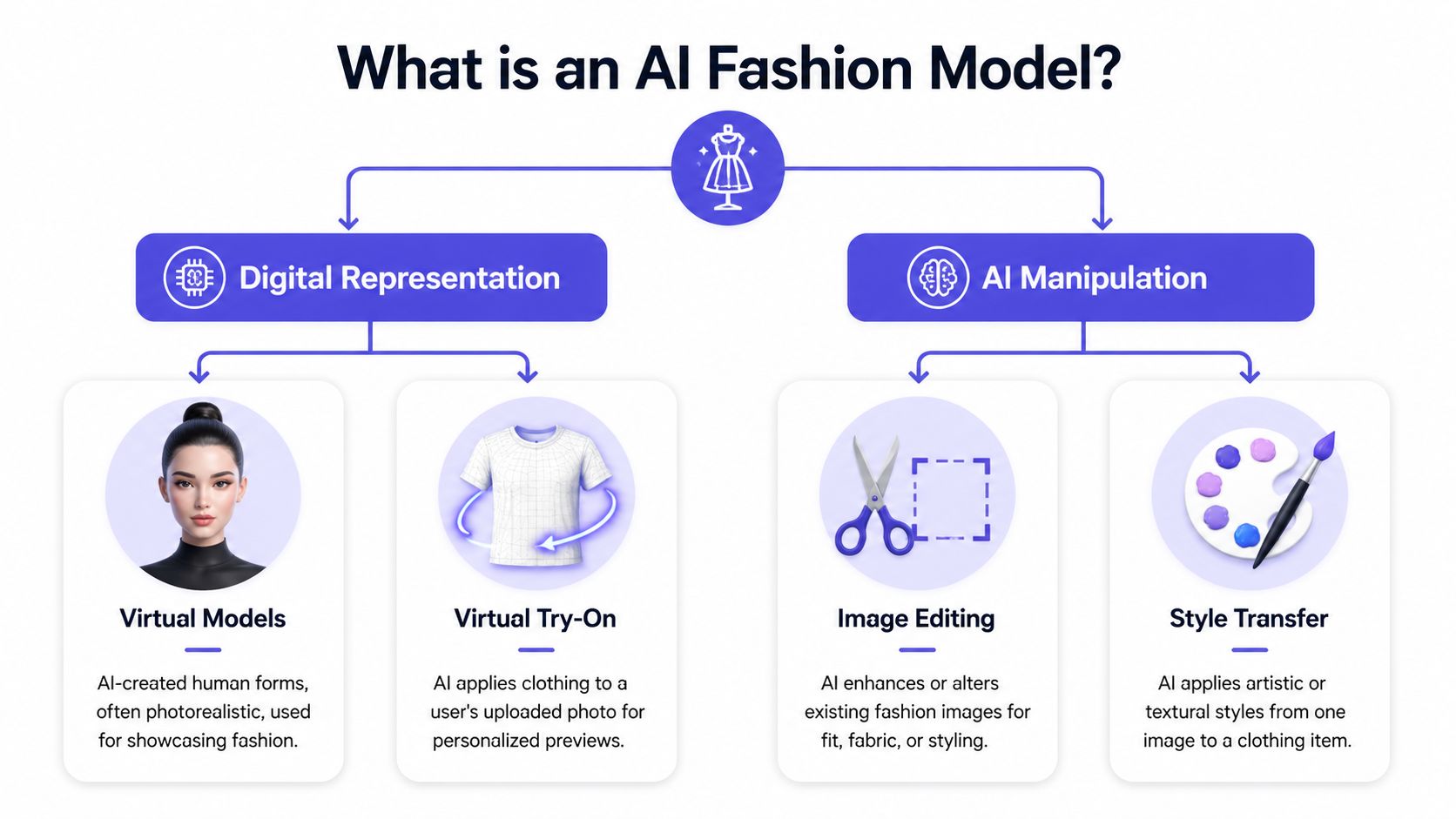
Think of it like three different digital mannequins
One kind acts like a virtual spokesperson. You see these in social content, campaign images, or branded lookbooks.
Another kind is closer to a custom avatar. This is the version most shoppers care about because it helps preview clothes on a person rather than on an isolated hanger shot.
A third kind is the image generator and editor. It takes an existing clothing image, then creates a fresh on-model version that looks more like a studio shoot.
| Model Type | Description | Common Use Case |
|---|---|---|
| Virtual Influencer | A digital character used like a public-facing model or creator | Social campaigns, brand storytelling |
| Avatar Model | A customizable digital person used to preview clothing visually | Personal style exploration, virtual wardrobes |
| Generative Model | AI that creates new fashion images from clothing photos or prompts | Product imagery, on-model mockups |
Where people get confused
The confusion usually comes from mixing up a digital person with a digital styling tool.
If you see an AI-created campaign image for a retailer, that's one use of the term. If you upload a photo and preview a coat on yourself, that's another. Both belong under the same umbrella, but they solve different problems.
An ai fashion model is less like one app and more like a category of tools that help fashion appear on a body, in a scene, or in a more realistic context.
For everyday shopping, the most practical version is the one that helps you preview appearance. That's the version that answers questions like these:
- Does this neckline suit my vibe?
- Does this coat look dramatic or bulky on me?
- Is this secondhand dress romantic, sharp, or just not my style at all?
Those aren't sizing questions. They're visual questions. And that's exactly where this technology shines.
The Magic Behind the Screen How It Works
The process feels mysterious at first. You start with a clothing photo, often a flat-lay image, and end up with a realistic-looking preview on a person.
Under the hood, one important approach uses generative adversarial networks, often shortened to GANs. According to Claid.ai's explanation of AI fashion model generators, these systems are fine-tuned on e-commerce datasets to turn flat-lay clothing photos into photorealistic on-model images while preserving details like draping and prints.
The artist and critic analogy
A simple way to picture a GAN is as a two-person studio.
One AI acts like an artist. It creates the image. The other acts like a critic. It checks whether the result looks believable enough to pass as a realistic fashion photo.
The back-and-forth makes the final image better. If the sleeve bends strangely or the pattern looks warped, the critic pushes the artist to improve the next attempt.
Why flat-lay photos work so well
Flat-lay photos give the AI a clean view of the garment's shape, edges, neckline, sleeves, and print placement. It's like laying all the puzzle pieces on a table instead of stuffing them into a drawer.
That's why tools built for fashion usually do best when the clothing is clearly photographed against a simple background. If you're interested in how similar AI ideas are crossing into accessories too, this piece on AI jewelry shows how the same visual logic is spreading beyond apparel.
A strong preview also depends on the source image of the person. Clear posture, visible body outline, and simple lighting give the system a better canvas.
Practical rule: if you want the cleanest result, start with a clear photo of yourself and a flat-lay image of the garment.
For a more creative look at how generative image tools shape fashion visuals, this media lab page on AI fashion imagery adds useful context.
Transforming Your Shopping with AI Models
The biggest shift here isn't technical. It's behavioral.
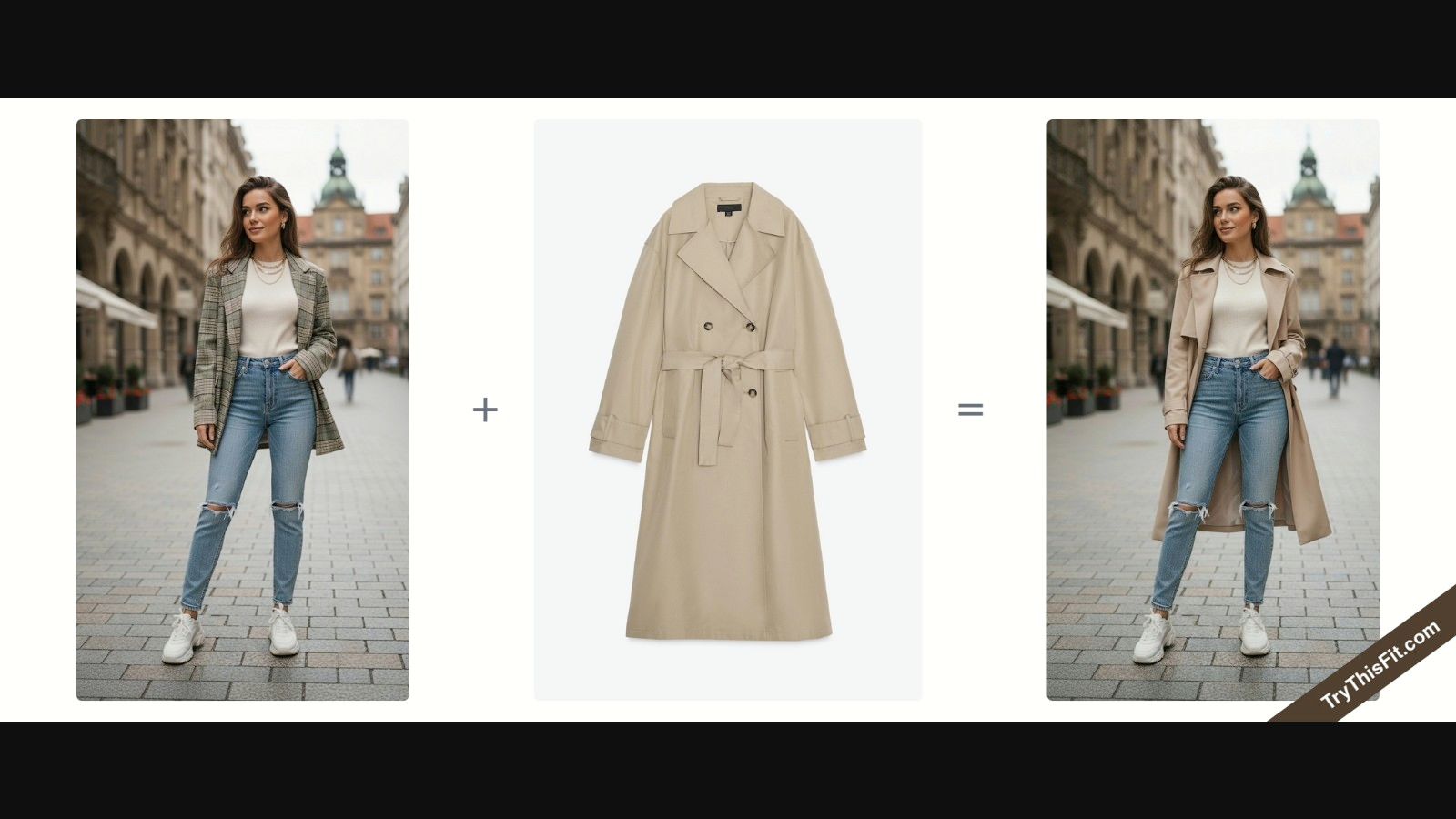
People used to shop online by guessing. They'd stare at a model photo, mentally swap in their own body and style, then hope the package matched that mental picture. AI models change that by turning browsing into a more visual decision.
Where this helps most
Some shopping categories are especially suited to visual previews.
- Fast fashion browsing: You spot a Zara coat or H&M dress and want to know whether the silhouette feels polished, oversized, or awkward on your own frame.
- Marketplace hunting: On Vinted or Depop, you often get one flat-lay photo and no chance to try anything on in person.
- Amazon comparison shopping: You're deciding between several similar basics and want to preview the overall look before buying from Amazon fashion listings.
- Seasonal styling: Halloween costumes and party looks are full of “maybe” purchases. A visual preview helps narrow the field fast.
That practical value matters because online fashion still has a return problem. Verified research in AI-powered fashion workflows notes that fashion return rates globally average 24 to 30%, and these tools aim to reduce uncertainty by helping shoppers visualize garments more clearly before purchase, as described in HuHu AI's fashion tech pack guide.
It changes how you compare style
Traditional product pages show one item at a time. Shoppers don't think that way.
Individuals compare a trench versus a bomber, black versus camel, fitted versus slouchy. They aren't just evaluating a garment. They're evaluating a version of themselves.
That's why the ai fashion model feels so useful in practice. It makes styling more like holding outfits up to a mirror, except the mirror is digital and available across many stores.
Here's a quick visual example of that kind of styling preview in action.
<iframe width="100%" style="aspect-ratio: 16 / 9;" src="https://www.youtube.com/embed/y7Uu65GSSJg" frameborder="0" allow="autoplay; encrypted-media" allowfullscreen></iframe>The secondhand angle is especially exciting
Secondhand shopping has always involved imagination. You scroll through a slightly dim listing photo, try to decode the shape, then wonder if the piece is chic or just oddly photographed.
AI previews help fill that gap. A flat-lay blouse from a resale app can become an on-person visual reference, which makes thrifted style feel less like a gamble and more like a curated find.
Some of the most satisfying use cases aren't luxury campaigns. They're ordinary moments like deciding whether a resale cardigan feels artsy, classic, or not worth the cart space.
Your Practical Guide to Virtual Try-On
Getting started is much simpler than often assumed. You don't need a design background, studio lighting, or a stack of edited fashion photos.
What you need is a decent image of yourself and a clothing image that's easy for the AI to read.
Start with the right photos
Use a full-body photo where your outline is visible and your pose is natural. Clothing that's close to the body usually gives a cleaner result than a bulky coat or oversized hoodie in the source photo.
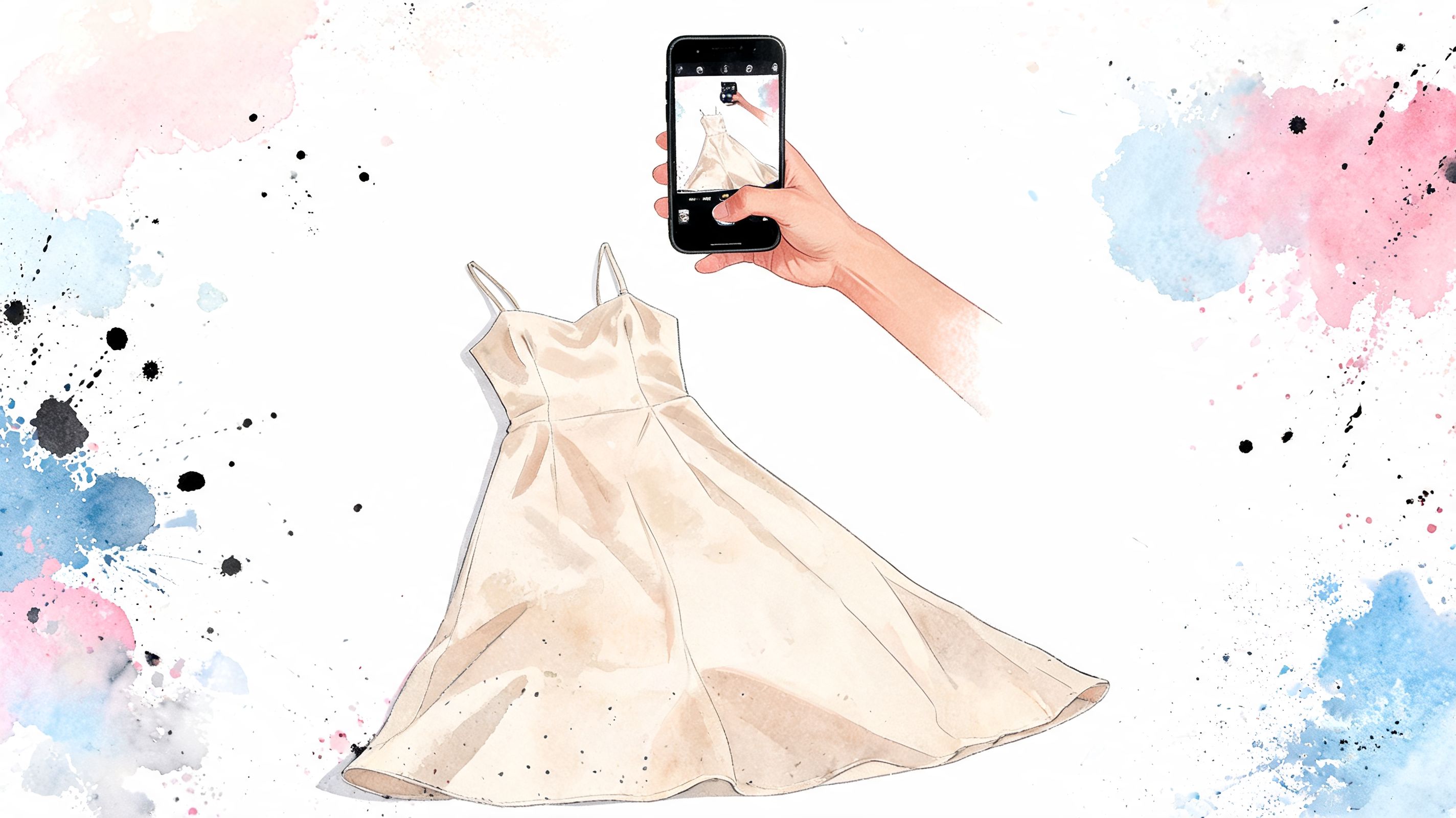
For the garment, flat-lay photos work best. A shirt laid flat on a bed, table, or plain backdrop gives the AI a much clearer sense of the item than a crumpled mirror selfie or a tiny cropped thumbnail.
A simple workflow that works
-
Pick your photo first
Choose one image of yourself that feels neutral and clear. This becomes your go-to base for trying lots of styles. -
Use clean garment images
Flat-lay listings are ideal. If you're browsing resale or boutique sites, look for the clearest front-facing image. -
Preview the appearance, not the measurements
Use the result to judge neckline, color, proportion, mood, and styling direction. Don't treat it like a tailoring tool. -
Save your experiments
Looking back at several try-ons side by side helps you spot your real preferences. You may notice that cropped jackets, warm neutrals, or dramatic sleeves keep winning.
What makes results look better
A few habits make a noticeable difference:
- Choose bright images: dark, blurry photos give the AI less visual information.
- Prefer simple backgrounds: clutter competes with the garment shape.
- Test similar items together: comparing three dresses in one session makes it easier to notice what changes the overall look.
If a result feels slightly off, the first thing to check isn't the AI. It's the source image quality.
Some shoppers also like using a visual reference alongside body-related tools, especially when thinking about overall proportions and styling context. This page on AI body measurements and fashion visualization can help clarify where appearance preview ends and measurement-focused tools begin.
For day-to-day shopping, the easiest setup is often a browser-based tool or extension that lets you test items in seconds while you're already on the store page. That keeps the process playful, which is exactly how style discovery should feel.
Ethical Considerations and Future Trends
The ai fashion model is fun to use, but it also raises serious questions.
Fashion imagery has always shaped ideas about beauty, status, and belonging. When AI joins that system, the benefits are real, but the risks don't disappear. They just change form.
The human model question
One of the biggest concerns is what happens to human fashion workers when brands can generate polished imagery at scale.
A Cornell study from September 2025 found that human models feel “hemmed in” by AI, with concerns about racial bias and the reinforcement of unhealthy beauty norms. The same discussion, summarized by Stylitics' article on generative AI fashion models, also notes that Model Alliance has flagged uneven impacts and vulnerabilities linked to non-consensual image use.
That matters because fashion doesn't exist in a vacuum. A faster image workflow can still create harm if the people whose faces, bodies, or likenesses inform that workflow don't have meaningful protection.
What shoppers should keep in mind
Ethics isn't only a brand problem. Shoppers shape demand too.
A few questions are worth asking when AI imagery becomes more common:
- Was the imagery used transparently?
- Does the visual style reflect diverse people, or one narrow ideal?
- Does the tool help with style discovery without pretending to guarantee real-world fit?
Those questions help separate responsible use from flashy misuse.
What the near future probably looks like
The most useful direction for this technology is not replacing every human image in fashion. It's giving shoppers more ways to preview style, compare looks, and shop more intentionally.
That future is especially promising when tools stay honest about their role. They can help you see how something looks, test a vibe, and explore combinations you might have skipped before. They shouldn't claim to solve every sizing or identity question with perfect certainty.
Better fashion AI doesn't just look more realistic. It respects the people in front of and behind the image.
Frequently Asked Questions
Can an ai fashion model tell me if clothes will fit?
No. The most helpful way to use it is for appearance and style preview.
It can show how a dress, jacket, or costume might look on a person. It doesn't replace trying on the physical garment or checking the seller's size details.
What kinds of clothing photos work best?
Flat-lay images usually perform best because the garment shape is clear. A shirt spread out neatly on a plain background gives better visual information than a wrinkled photo with lots of shadows.
If you're shopping secondhand, use the cleanest listing image available.
Is this only useful for big fashion retailers?
Not at all. It's often even more useful on marketplaces and mixed catalog sites where the product photography is inconsistent.
Secondhand platforms, boutique stores, and costume listings can all benefit because the preview helps you visualize the style before buying.
Do I need fashion knowledge to use it well?
No. If you know what colors, shapes, or moods you're curious about, you're ready.
A beginner can use these tools to answer simple questions like whether a trench looks elegant or overpowering. A more fashion-savvy shopper might compare drape, proportion, or styling personality.
Why do some results look better than others?
The biggest factor is image quality. Clear source photos produce cleaner previews.
Lighting, garment angle, and background clutter also matter. If the result feels strange, try a sharper image of yourself or a better front view of the clothing.
Is this good for costumes and event outfits?
Yes, especially for one-time looks you're unsure about. Costume shopping is full of bold shapes and unusual styling, so a visual preview can quickly tell you whether the idea feels fun, dramatic, or completely wrong for the occasion.
What should I look for in a virtual try-on tool?
A good starting checklist is simple:
- Fast workflow: you should be able to test an item without a complicated setup.
- Clear visual focus: the tool should help with style discovery, not overpromise sizing certainty.
- Support for flat-lay images: this usually improves the appearance preview.
- Easy comparison: seeing several options helps you make smarter choices.
Start Your Fashion Discovery Journey
The most exciting thing about the ai fashion model isn't that it feels futuristic. It's that it solves a very ordinary problem.
You want to know whether something suits your style before you spend money, wait for delivery, and deal with disappointment. A visual preview won't replace the actual garment, but it can make your choices sharper, faster, and more personal.
That changes online shopping from passive scrolling into active discovery. You test colors you normally ignore, compare silhouettes more confidently, and build a wardrobe that feels more intentional.
It also makes fashion more playful. Browsing secondhand, planning a costume, or deciding between everyday basics becomes less about guessing and more about seeing.
If you want to put that into practice right away, try a tool that lets you preview clothes on yourself in seconds, save the looks you like, and keep experimenting until your style clicks.
Try TryThisFit to see how clothing looks on you before you buy. You can start on the main app, check saved looks in the try-on history, or install the free Chrome extension, which installs in a couple of seconds and lets you right-click clothing images on sites like Zara, H&M, Amazon, Shein, Vinted, and Depop for an instant preview with no account needed.
Try Virtual Try-On Now
See how clothes look on you before you buy - works with any online store
Get Started Free