The Best App To Put Clothes Together Instantly
Ever found that perfect top on Zara but stopped short, wondering if it would actually go with those jeans from H&M hanging in your closet? I've been there. That exact frustration is why I created TryThisFit, the AI-powered app to put clothes together from literally any website, giving you an instant style preview before you ever hit "buy."
It's all about showing you how clothes will look on your unique body shape, using nothing more than your own photos.
Visualize Any Outfit Instantly Before You Buy
The days of endless scrolling for outfit inspiration are officially over. Think of it as having a personal styling assistant right in your browser, ready at a moment's notice to show you how a new find from Amazon pairs with that vintage skirt you scored on Depop. That’s the magic of TryThisFit. I built it to crush one of online shopping's biggest headaches: the guesswork.
My goal was to help you visualize the style, letting you see how a whole outfit comes together in seconds. This isn't just about convenience; it's about making style choices you feel genuinely great about. No more filling your cart with "maybes"—now you can instantly preview looks, play with colors, and even discover combinations you'd never have thought of otherwise.
Why Visual Previews Are a Game Changer
Let's be real: online shopping is amazing, but it completely misses the hands-on experience of a real dressing room. You can't feel the fabric, and more importantly, you can't see how that top from one brand actually works with the pants from another on your body.
This is where a virtual try-on app becomes your secret weapon. It closes that gap by giving you a quick visual preview that helps you:
- Mix and match across any store: Finally see how that new blouse from Shein looks with bottoms from a totally different retailer.
- Save time and stop overthinking: Get an immediate visual "yes" or "no" instead of endlessly trying to picture it in your head.
- Cut down on annoying returns: When you preview the style first, you're way less likely to buy something that just doesn't vibe with your wardrobe.
This move towards visual confirmation isn't just a fleeting trend; it’s a huge shift in how we shop. The virtual try-on market, the engine behind apps like TryThisFit, is absolutely exploding. The global market is on track to jump from USD 10.93 billion to an incredible USD 108.5 billion by 2034, growing at an insane 25.8% CAGR.
North America is leading the pack with a 38.2% market share, showing just how much shoppers want that "see it on me" confidence before checking out. If you're a data nerd like me, you can dive into the full virtual try-on market research to see just how fast things are moving.
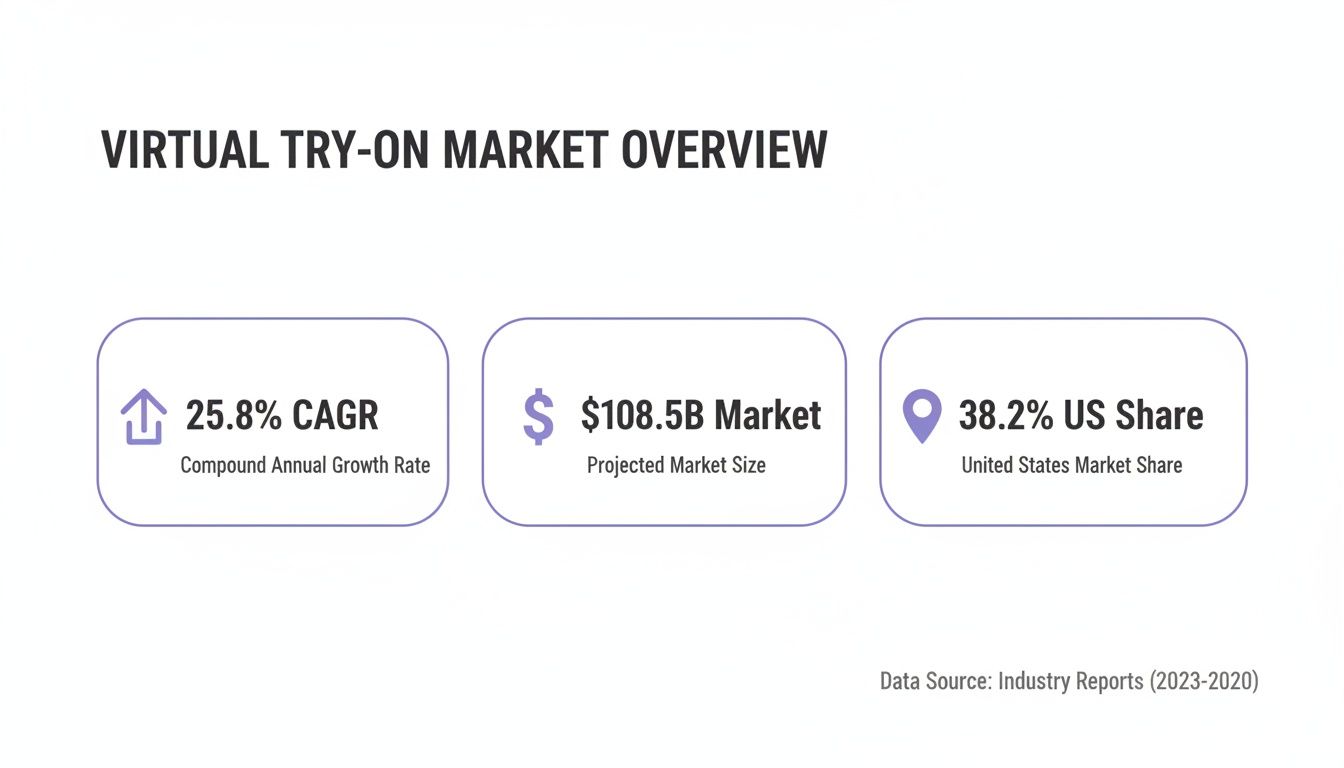
The numbers don't lie. Shoppers are more than ready for tools that bring confidence and a personal touch back into the online experience.
Thinking about all the ways this can change your shopping game is pretty exciting. I've broken down some of the biggest wins into a simple table.
Key Benefits of Using a Virtual Outfit App
| Benefit | How TryThisFit Helps | Real-World Example |
|---|---|---|
| Shop Smarter | Preview items from different stores together before buying anything. | See if that ASOS top really matches the color of the pants you're eyeing on Mango's website. |
| Save Money | Avoid impulse buys that don't fit your style, which means fewer returns and wasted cash. | Instead of buying three "maybe" tops, you can confidently choose the one that pairs perfectly with your existing jeans. |
| Boost Creativity | Experiment with bold combinations you wouldn't risk trying otherwise. | Wondering if a patterned skirt and a striped shirt could work? Visualize the style in seconds with zero risk. |
| Save Time | Get an instant visual answer instead of spending hours searching for inspiration. | Plan your outfit for a weekend event in five minutes by virtually "trying on" pieces from your favorite online stores. |
Ultimately, it’s about putting the power back in your hands, letting you shop with a clear vision of how each piece will look in your life and your closet.
Ready to see what I'm talking about? Try it now at trythisfit.com and experience it for yourself.
Alright, let's dive in and create your first virtual outfit! Seriously, this is the fun part, and you'll be amazed at how quickly you can see a new look come together. I made the whole process super fast and intuitive—no accounts to create, no lengthy sign-ups. You can jump right in.
The magic starts with just two pictures: one of you and one of the clothing item you want to try on. Just head over to trythisfit.com and you’ll see exactly where to upload them. For your photo, something where you’re standing straight on works best. For the clothing, a flat-lay photo is your golden ticket to a fantastic result.
What’s a Flat-Lay and Why Is It So Great?
If you’re not familiar, a "flat-lay" is just what it sounds like: a photo of the garment laid out completely flat on a surface. Your bed, the floor, a clean table—anywhere works!
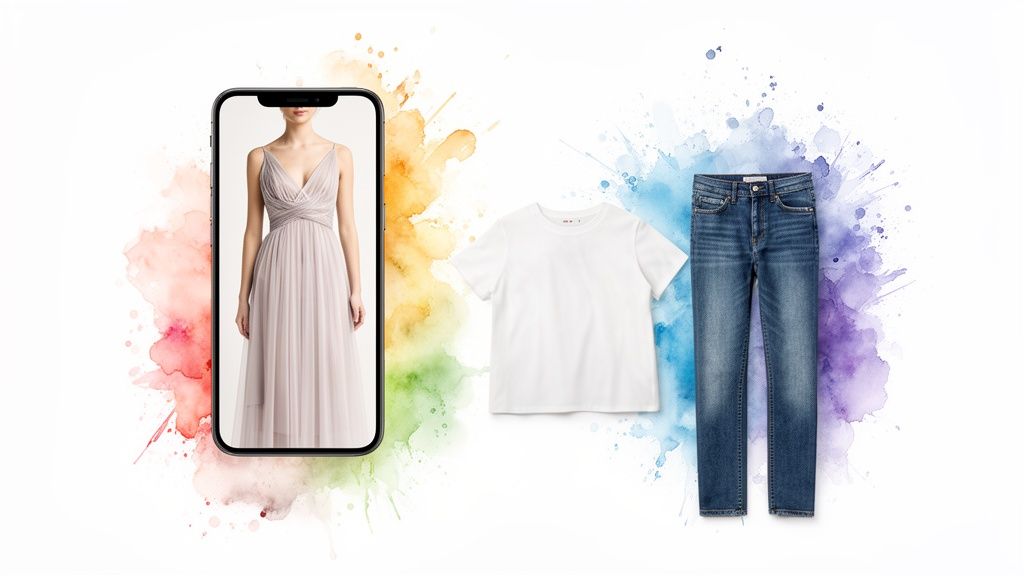
Taking a picture this way gives the AI a perfect, undistorted view of the item’s true shape, cut, and details. Hangers can stretch things out, and mannequins have their own shape. A flat-lay is like giving the app a clean blueprint, which helps it generate a much more realistic preview on your body.
Don't have any pics ready right now? No problem! I've pre-loaded the app with sample model and clothing photos so you can play around and see how it works instantly. It’s a great way to get a feel for the tool without having to dig through your camera roll.
A quick heads-up: this tool is all about visualizing the style, not confirming the sizing. Think of it as your personal style lab. Does that bold color actually work on you? How does that silhouette look with your frame? That’s what you’ll find out in seconds. For sizing, always trust the brand's size chart!
Once your two photos are uploaded, the app gets to work. In just a moment—boom!—you'll see a preview of you "wearing" the item. You can save any looks you love right in your browser to compare them later or send a link to a friend for that all-important second opinion. You can view all your saved try-ons on the /history page.
It really is that simple. Anyone can use this app to start putting amazing outfits together. If you get hooked and want to build out complete looks from head to toe, you'll definitely want to check out the guide on the outfit maker with your own clothes.
So, what are you waiting for? Go give it a try at trythisfit.com! Grab a photo and see what you can create.
Unlock Seamless Shopping with the Chrome Extension
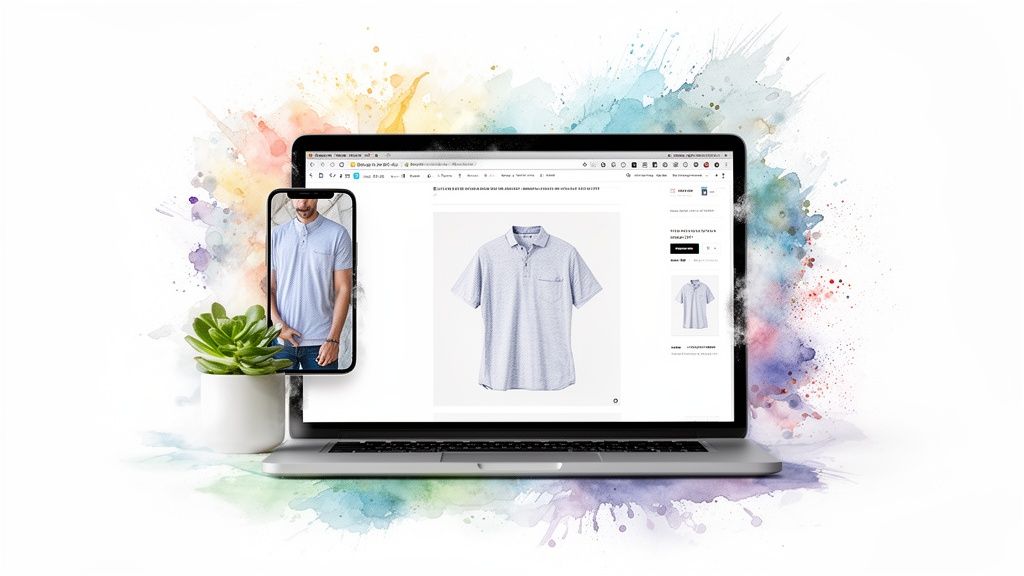
While using the main app at trythisfit.com is fantastic, the free Chrome extension is an absolute game-changer for online shopping. Seriously. This little tool bolts a virtual dressing room right into your browser, weaving itself directly into your shopping flow. It’s built for one thing: pure, unadulterated convenience, letting you preview the style of clothes without ever leaving the product page you're on.
Picture this: you're deep into a Zara or H&M haul, or maybe you're hunting for a one-of-a-kind piece on Vinted. Instead of the old-school hassle of saving images and uploading them, you just right-click. That’s it! The extension instantly lets you see how that item looks on your photo, making it the smoothest app to put clothes together while you're in the shopping zone.
Instant Style Previews on Any Site
And no, this isn't just for a few big-name stores. The extension is designed to work pretty much everywhere you shop online. From fast-fashion giants like Shein to secondhand marketplaces like Depop, you’re covered. I've even used it to find killer deals on Amazon fashion and previewed the entire look in seconds.
The whole process couldn't be simpler:
- Find a piece of clothing you're curious about on any website.
- Right-click the product image (a clean, flat-lay photo gives the best results!).
- Choose "Try this on..." from the pop-up menu.
- Voila! The app pops open in a new tab with your virtual try-on ready to go.
This workflow is ridiculously fast and lets you compare a ton of items in no time. Ever found five cute tops and can't decide which one will look best with those favorite jeans? Now you can preview all five in less than a minute without adding a single thing to your cart.
The real goal of the extension is to get rid of all the annoying little steps that get in the way of your creativity. It’s all about making outfit planning as easy and natural as scrolling.
Get Started in Seconds
Getting this little superpower for your browser is almost instant. It takes just a couple of seconds to install, it's totally free, and you don't even need to sign up for an account to get started. It's designed to get you straight to the fun part—seeing what looks amazing on you.
Want to dive deeper into how this can level up your shopping game? Check out the guide to the best Chrome extensions for shopping. It’s full of tips for turning your browser into the smartest shopping assistant you've ever had.
Ready to completely change how you shop online? Install the Chrome extension in 5 seconds and see for yourself. I promise, once you try it, you’ll wonder how you ever lived without it.
Creative Ways to Use Your Outfit Styling Superpower
<iframe width="100%" style="aspect-ratio: 16 / 9;" src="https://www.youtube.com/embed/92_ilH8seEE" frameborder="0" allow="autoplay; encrypted-media" allowfullscreen></iframe>Once you get a taste of instantly previewing any outfit on yourself, you start seeing possibilities everywhere. This app is way more than just a tool for deciding on a single purchase; it’s a creative superpower for your entire wardrobe. Think bigger than just one top or one pair of pants—this is about taking control of your style from every angle.
For instance, I’ve used it to plan a whole week’s worth of outfits in about fifteen minutes. Seriously. I just grabbed photos of my favorite pieces from my closet, mixed them with a few new items I was eyeing online, and mapped out my daily looks. It’s a fantastic way to actually see what you own and kick that "I have nothing to wear" feeling to the curb for good.
Plan Your Adventures, From Travel to Halloween
Going on a trip? Forget overpacking. You can build the perfect, capsule-style travel wardrobe by virtually trying on outfits before a single item goes into your suitcase. See how that one jacket works with three different tops, making sure every piece you bring is a versatile, hard-working part of your look.
And the creativity doesn't stop with everyday wear. Planning a Halloween costume has never been easier or more fun. Instead of buying multiple expensive costumes just to see which one looks best, you can preview them all virtually. Find a wild costume on Amazon, right-click with the Chrome extension, and instantly see if you’re feeling the spooky spirit.
Master Secondhand Shopping
Okay, this is where the app truly shines for savvy shoppers. Marketplaces like Vinted and Depop are absolute treasure troves, but their biggest drawback is that you can’t try anything on. With the TryThisFit Chrome extension, that problem is history.
You can finally shop secondhand with total confidence. Just right-click on that vintage jacket or unique dress and see its appearance on your own photo in seconds. This is a massive advantage, especially when sales are final and returns aren't an option. It's a game-changer.
This visual confirmation is a huge deal in online fashion. Did you know that 24-30% of clothing bought online gets returned? The ability to preview a style is critical. Brands using virtual try-on tech have seen their returns drop by up to 40% because shoppers can finally see how an item looks before they buy. You can read the full research on virtual try-on's impact to see how it's shaking up the industry.
Build Your Personal Style Library
Every single look you create is a new piece of data for your personal style journey. Over time, you can hop over to your /history page and review all your saved try-ons to spot patterns in what you’re drawn to. It’s like having a visual diary of your style evolution, helping you make smarter, more confident choices down the road.
To truly master your virtual styling superpower, think about the foundational ideas behind the art of building a timeless elegant wardrobe. When you combine smart principles with powerful tools like this, you unlock a style that's authentically yours.
Ready to start exploring? Try creating a full week's wardrobe at trythisfit.com!
Tips for Picture-Perfect Style Previews
Want to get those jaw-dropping, "wow, that looks exactly right!" results from your virtual try-ons? A little prep work makes all the difference. Think of the AI as your personal stylist—the clearer the instructions you give it, the better the masterpiece it creates for you. It all boils down to two things: your 'person photo' and your 'clothing photo'.
For the picture of you, aim for a clear, full-body shot where you're standing pretty straight. Good lighting is your secret weapon here because it helps the AI see your silhouette clearly. The whole idea is to give the app a clean canvas of your body's shape so it can work its magic. For a deep dive, I’ve put together a whole guide on how to take the perfect full-body picture.
Master the Flat-Lay Clothing Photo
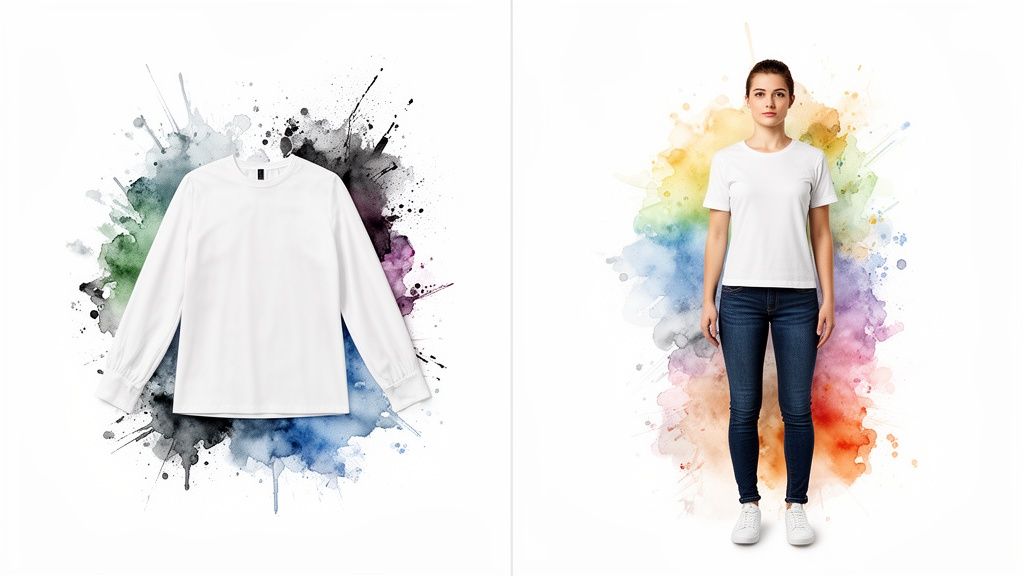
Okay, this is the most important part, so listen up! The absolute best way to photograph a piece of clothing is the flat-lay method. You’ve probably seen these on Instagram. Just lay the item completely flat on a background that makes it pop—like a white tee on a dark floor—and snap the picture from directly above.
Why is this so critical? Because it gives the AI a perfect, unobstructed view of the garment’s true shape, cut, and details. A photo of a shirt on a hanger can distort the shoulders, and a mannequin has its own body shape. The flat-lay is the purest, most honest look at the item, and that’s what leads to a super realistic and accurate preview on your photo.
Quick Tips for Flawless Results
Every now and then, a result might look a tiny bit off, but it's almost always a quick and easy fix. I've spent countless hours tweaking things, and here are the pro tips I live by:
- Contrast is Your Friend: Always, always place clothing on a background that contrasts with its color. This is how the AI can easily "cut out" the item from the background.
- Smooth Things Over: Before you take the picture, smooth out any major wrinkles or folds. A smoother garment translates directly to a cleaner, more believable virtual try-on.
- Say No to Shadows: Find a spot with great, even lighting. Harsh shadows can hide parts of the clothing and confuse the AI. Natural daylight near a window is usually perfect.
Following these simple rules will seriously level up the quality of your virtual outfits. This isn't just a fun gimmick; shoppers are practically demanding this kind of tech. In fact, a whopping 82% want to 'try-before-they-buy' online. Apps that let you put clothes together are finally making that a reality and changing the game for a new generation of shoppers. You can geek out on all the data and learn more about the rise of virtual try-on technology if you're curious!
Remember, the goal here is to visualize the style—not to confirm the exact size. Think of the app as your creative playground for seeing how colors, patterns, and cuts look on you. For the proper sizing, always double-check the retailer's size chart!
And just so you know, your privacy is my top priority. This is a solo-founder project, and your data is never, ever sold. You don't even need an account to get started.
Ready to see what a difference a great photo makes? Try it now at trythisfit.com with your best flat-lay shot.
Got Questions? Let's Talk Virtual Styling
Jumping into a new way of building outfits always sparks a few questions. That’s a good thing! I've put together answers to the most common things people ask about using an app to visualize their style, so you can get started feeling totally confident and ready to play.
Can This App Tell Me If Clothes Will Actually Fit?
That's a super important question, and the short answer is no. Think of this tool as your personal style visualization mirror, not a sizing expert. Its magic lies in showing you how the cut, color, and vibe of a piece will look on your unique body shape. It doesn’t process measurements or guarantee proper fit.
It's all about answering those tricky aesthetic questions: "Does that silhouette work for me?" or "Will this top clash with those pants?" For the nitty-gritty of sizing, always, always, always check the brand’s official size chart. That’s still the tried-and-true way to nail the perfect fit.
Can I Use This on My Phone?
You bet! The main web app at trythisfit.com was built to be completely mobile-friendly. You can snap a pic of yourself, upload a clothing item from your camera roll, and create outfits from literally anywhere—your couch, a coffee shop, you name it.
Now, that awesome right-click feature is a special trick for the Chrome extension on a desktop. But even without it, you can use the app on any device by just saving a product image to your phone and uploading it on the site. I made sure it’s flexible enough to fit into your shopping routine, wherever that happens.

Do I Need to Create an Account? And What About My Data?
Your privacy is my top priority, and I take it incredibly seriously. That's why no account is ever needed to use TryThisFit. You can start creating the second you land on the page, with zero sign-up friction.
As a solo founder, your trust means everything. The photos you upload are only used to generate your try-on and are never, ever sold or shared with third parties. You can even check out your recent creations on the /history page, which is tied only to your current browser session—totally private.
Which Online Stores Does the Chrome Extension Work With?
This is where the real fun begins. The beauty of the Chrome extension is that it works on pretty much any shopping site you can dream of! I’ve put it through its paces on big names like Zara, H&M, Amazon, and Shein. It's also a game-changer for thrifting on sites like Vinted and Depop.
The rule of thumb is simple: if you can right-click on a clothing image, you can try it on. This universal power is what lets you turn the entire internet into your personal closet.
You’re not walled into just a handful of stores. The whole online fashion world is your playground. The extension installs in seconds and will completely change the way you browse for clothes online.
Ready to unleash your inner stylist? Jump in and start creating looks you truly love with TryThisFit. Give it a try right now at trythisfit.com.
Try Virtual Try-On Now
See how clothes look on you before you buy - works with any online store
Get Started Free