Fashion Outfit App: Your Guide to Virtual Try-On in 2026
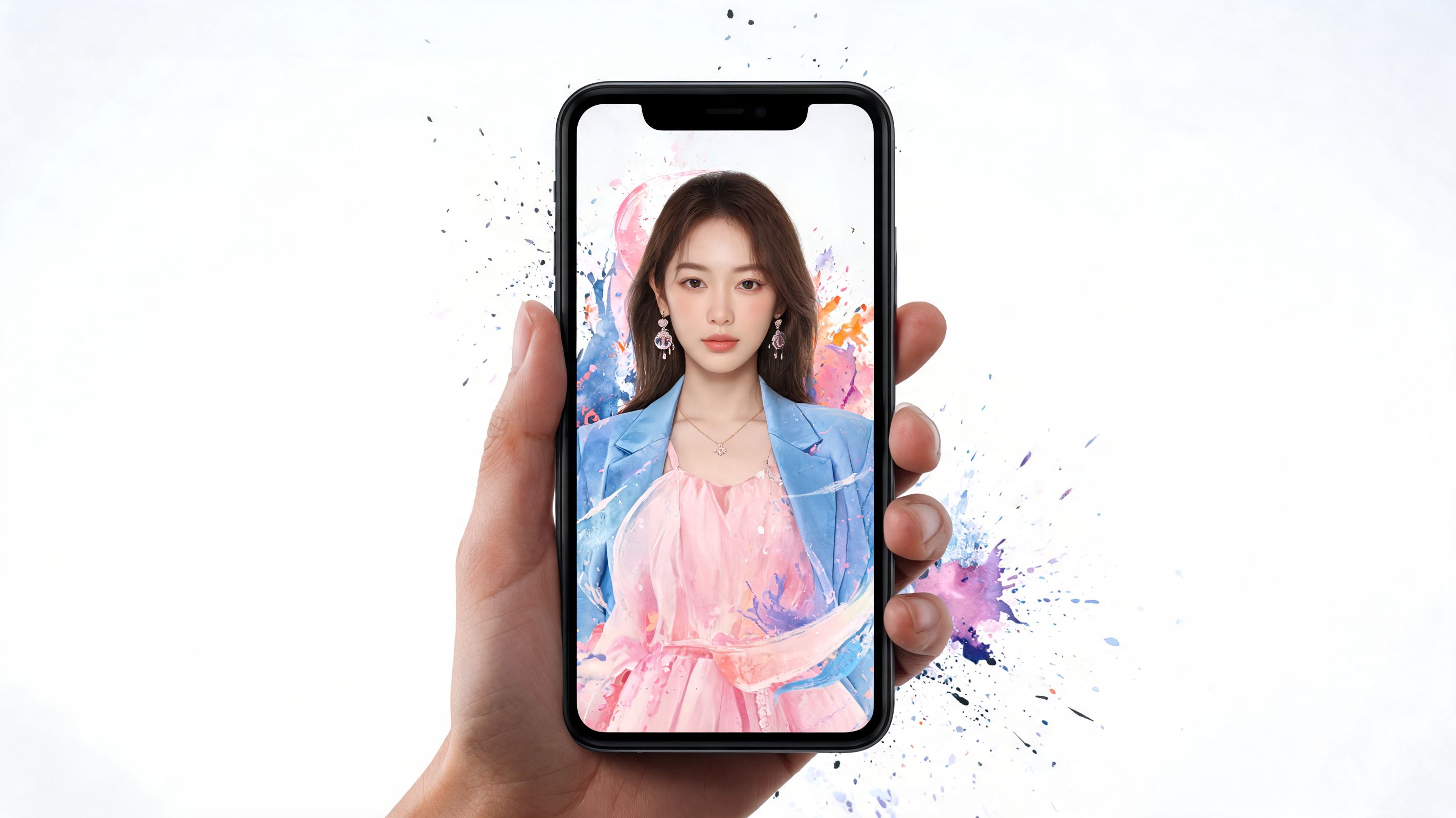
Your laptop is open. Five shopping tabs are fighting for attention, and each one is asking the same question. Will this look like you?
A dress catches your eye on Zara. A blazer looks promising on H&M. A sweater on Amazon might be great, or it might become another return. The hard part is rarely finding options. The hard part is closing the gap between a polished product photo and your real-life style.
A fashion outfit app helps you see that gap before you spend. The exciting shift is not just on your phone anymore. With a browser-based tool like the TryThisFit Chrome Extension, the preview can happen right where you shop, while the tab is still open and the outfit is still in front of you.
It feels a little like a fitting room appearing inside your browser. Less guessing. More, oh wow, that works on me.
The End of Your Browser Tab Nightmare
Online shopping used to feel like educated guessing with better lighting.
You’d stare at polished product photos, zoom in, scroll reviews, maybe hold your phone at arm’s length and try to mentally picture the outfit on yourself. Then you’d add three versions of the same thing to cart because one of them had to work, right?
Why this problem got big enough to matter
A lot of people are looking for a better way to shop visually. The global styling app market, which includes fashion outfit and virtual try-on applications, was valued at USD 1.5 billion in 2023 and is projected to reach USD 5.1 billion by 2032 according to Dataintelo’s styling app market report.
That jump makes sense. Shopping online is easy. Deciding is the hard part.
A black coat might look sharp on the model and still feel wrong for your vibe. A satin skirt might be stunning in theory but not with your usual shoes, hair, or the way you prefer to dress. Most shopping frustration lives in that gap between product photo and personal style.
You’re not just buying fabric. You’re trying to preview a version of yourself.
What shoppers actually want
Many users don’t need a giant fashion system to get started. They want one simple thing. See how it looks before they spend money.
That’s why fashion outfit apps have taken off. They shrink the guesswork. Instead of imagining the outfit, you get a visual preview that feels closer to a real styling decision.
For anyone who shops across Zara, Shein, H&M, secondhand marketplaces, and random late-night finds, this changes the whole flow. The browser stops being a mess of maybe-items and starts acting more like a dressing room.
The new shopping mood
The old way says: save screenshots, compare tabs, hope for the best.
The new way says:
- Spot something interesting: while browsing your favorite store
- Preview the appearance: on your own photo
- Decide faster: based on style, not guesswork
- Move on with confidence: or close the tab and keep scrolling
That’s the wow moment. Not “AI” as a buzzword. Not fancy fashion jargon. Just seeing an outfit on yourself in seconds and instantly knowing whether it feels like you.
If you want to try that kind of shopping flow right away, you can start at TryThisFit.
What Exactly Is a Fashion Outfit App
A fashion outfit app is basically a digital dressing room.
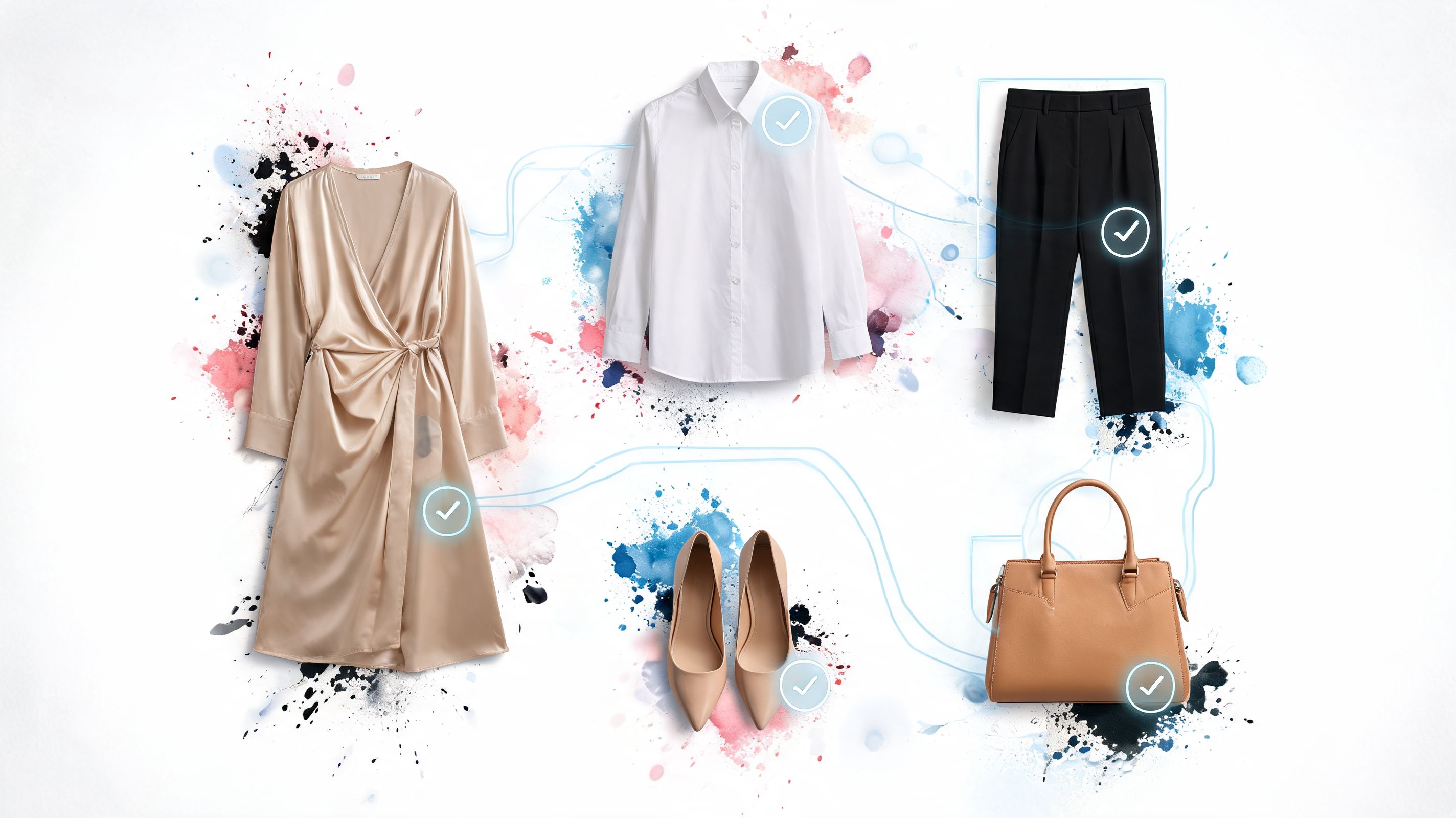
At its simplest, you give the app a photo of yourself. Then you give it a clothing image. The app creates a preview so you can visualize the style on your body instead of guessing from a product page.
Two very different kinds of apps
People often get confused, because “fashion outfit app” can mean two different things.
The first type is the closet organizer. Apps in this category usually ask you to upload your wardrobe, tag everything, and build a digital closet over time. That can be fun if you love cataloging outfits and planning looks days ahead.
The second type is the instant virtual try-on tool. This one is built for speed. Instead of spending an hour organizing your closet, you can use a photo of yourself and a product image to preview the appearance right away.
That difference matters a lot.
Practical rule: If an app needs a full wardrobe setup before it becomes useful, it’s solving a different problem than an instant try-on tool.
How the magic works in plain language
An automatic fashion collage, it is much smarter than dragging cutouts around on a mood board.
The app reads the clothing image, recognizes its visual details, then places that style onto your photo in a way that helps you see the overall look. It’s not telling you whether the item will physically fit by measurements. It’s helping you preview color, silhouette, vibe, and styling.
For the clearest results, flat-lay clothing photos usually work best. A neat product image with the garment clearly visible gives the app the best material to work with.
Here’s the flow in simple steps:
-
Pick your photo
Use a clear photo of yourself, ideally with good lighting. -
Choose a clothing image
Product shots and flat-lays tend to give the cleanest style previews. -
Generate the preview
The app blends the two so you can see how the style looks on you. -
Compare and decide
Keep it, skip it, or test another item in seconds.
Why it feels so fast
The fast part matters because nobody wants to wait around while browsing. The technology behind that speed uses vector search that achieves sub-100ms query latencies for outfit matching, which is why the preview can feel almost instant, as explained in Google’s smart stylist codelab.
You don’t need to remember the term. Just remember the feeling. Click, preview, decide.
If you’re curious about where this shopping experience is heading more broadly, Arrisco has a useful look at the future of online fashion retail. And if you want to see a browser-based example of this category, take a look at this virtual try-on app.
A helpful way to think about it
A closet app helps you organize what you own.
An instant fashion outfit app helps you see what something looks like before you buy it.
Both are valid. They just serve different moments. One is for planning. The other is for that exact second when you’re staring at a coat, a dress, or a Halloween costume and thinking, “Okay, but what would this look like on me?”
A New Way to Shop with The TryThisFit Extension
You’re on a product page with seven tabs open, two maybe-options saved for later, and one question that never gets answered by the model photo alone. Would I like this on me?
That is the moment the TryThisFit extension changes the shopping rhythm.
A lot of fashion outfit apps still follow the phone-app routine. You leave the store page, save screenshots, upload images, and try to recreate what you were browsing a minute ago. It works, but it feels like carrying your shopping basket into another room just to check one item.
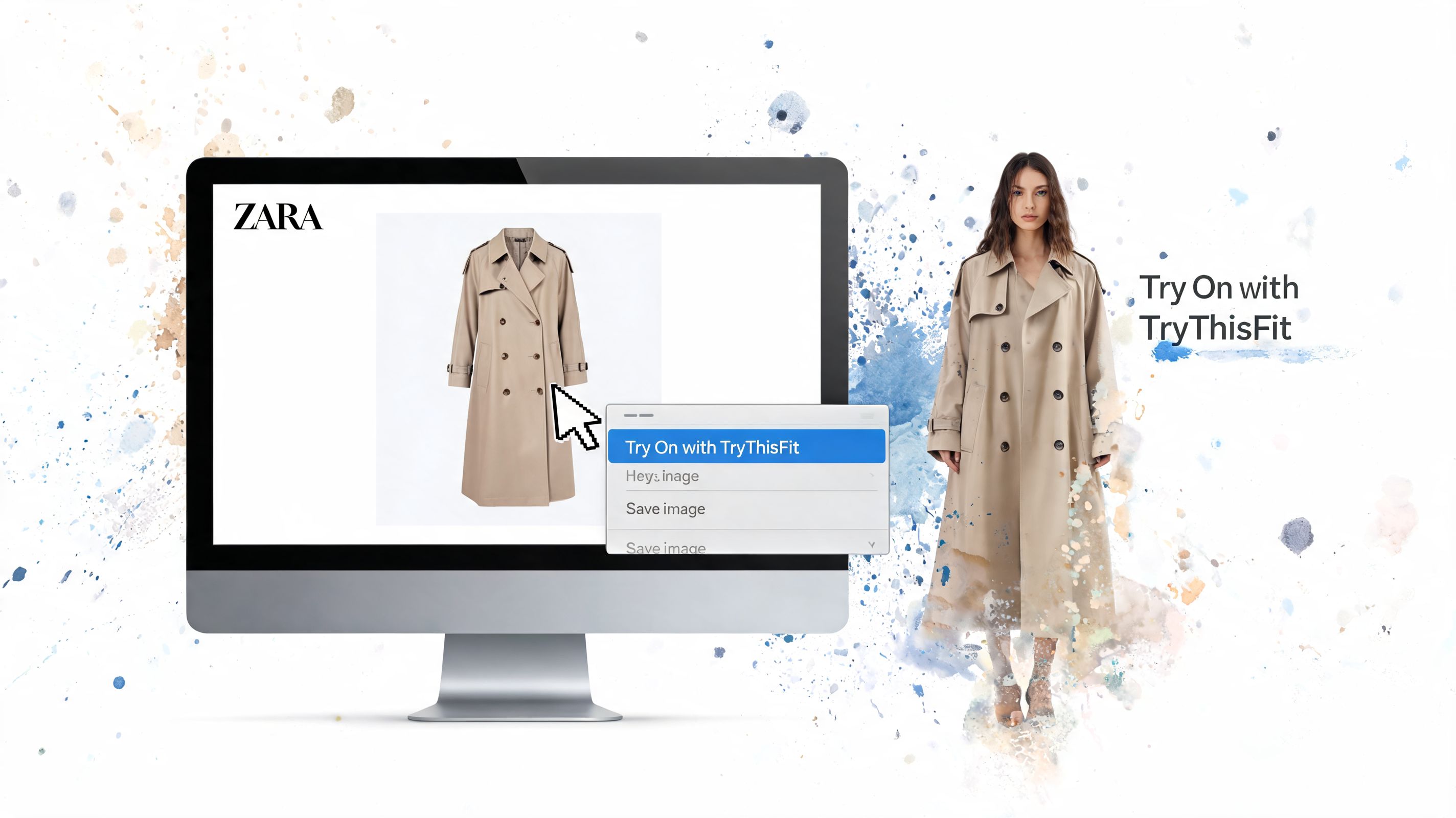
The browser-first approach is different because the decision happens right where you’re already shopping. On Zara, H&M, Shein, Vinted, Depop, or Amazon, the product page becomes the fitting room.
Why the extension feels different
The magic is simple. You stay in Chrome, right on the item page, and preview the piece from there.
No downloading the image. No sending it to yourself. No building a digital closet before you can test one jacket.
That small shift matters more than it sounds. Style decisions are often quick, emotional, and a little impulsive. If the process has too many steps, people stall out, open more tabs, and promise themselves they’ll compare later. Later usually turns into never.
With the extension, the preview can happen while your first reaction is still fresh. That makes online shopping feel more like holding a top up in front of a mirror for two seconds and instantly knowing yes, no, or maybe.
How the right-click flow works
The setup is short, then your normal browsing routine stays mostly the same.
- Browse the stores you already use
- Right-click a product image on the page
- Start a try-on preview
- Decide while the item is still in front of you
That is why this feels less like opening a separate app and more like adding one extra sense to your browser.
If you want to see the workflow before installing anything, you can test a look on the online outfit preview tool.
Where this clicks in real life
A browser-based fashion outfit app is especially handy in the messy, real version of shopping.
Maybe you find a trench coat and want to know whether it gives polished-city energy or detective-costume energy. Maybe a secondhand seller posted one clean flat-lay photo and you need a gut check fast before someone else buys it. Maybe you are choosing between two party outfits that both look great on the model and completely different in your head.
The extension helps in those moments because it cuts out the admin work. You are not stopping to organize files or build a mood board. You are checking the vibe while the tab is still open.
The kinds of images that work best
Clean garment photos usually give the clearest result. Flat-lays and straight-on product shots tend to be the easiest for a preview to read visually.
A busy pose can still be worth trying, but the result may look less tidy if the clothing is twisted, covered by hair, or partly hidden by props. Secondhand listings often work surprisingly well here, especially when the seller uses a simple photo on a bed, floor, or plain background.
One good image is often enough.
A shopping demo makes this click fast
A quick video usually explains this faster than a long paragraph:
<iframe width="100%" style="aspect-ratio: 16 / 9;" src="https://www.youtube.com/embed/ARN4xSc-4hI" frameborder="0" allow="autoplay; encrypted-media" allowfullscreen></iframe>Three easy ways to try it
-
Use it on a basic you would buy soon A coat, jeans, cardigan, or dress you are already considering.
-
Use it on a risky secondhand find
The piece that looks interesting but could go very right or very wrong. -
Use it on something fun
A costume, trend piece, or bold outfit you would never test blindly.
The wow moment is not just seeing clothes on yourself. It is seeing them on yourself without leaving the page where you found them.
Discover Your Style Beyond the Shopping Cart
You spot a wild card piece while scrolling. Maybe it is a vintage blazer at midnight, a silver party top from a resale app, or a costume idea that could look iconic or completely off. The useful part is not just seeing whether the item is cute on the model. It is seeing whether it clicks with you while you are still in the browser, before the tab disappears into the usual shopping pile.
That changes the job of a fashion outfit app.
It stops being only a checkout assistant and starts acting more like a fitting room that follows you around the internet. Instead of treating style as one big decision at the very end, you get quick visual feedback during the actual search. That browser-based rhythm matters. You stay in the page, test the idea, and keep going.
The secondhand goldmine
Secondhand shopping rewards fast instincts, but the photos can be a mess. One listing is shot in yellow bedroom light. Another is crumpled on a floor. Another has exactly one photo and a caption that tells you almost nothing.
A preview helps with the first question that matters. Does this feel like your style?
That is especially helpful with one-off finds. A leather trench can look amazing as an object and still feel too costume-like on you. A strange little blouse can look forgettable in a listing and turn into the piece that makes your whole wardrobe more interesting. The browser flow makes this fun because you can test the vibe in the moment, not later after screenshots, uploads, and forgotten tabs.
Bold choices get much easier
Experimental fashion is where this gets exciting.
Party looks, themed outfits, festival pieces, dramatic coats, bright colors, anything that feels a little risky becomes easier to judge when you can preview it quickly. The preview is like holding the item up to yourself in a changing room mirror, except the mirror lives in your browser. If you want a closer look at how that kind of preview fits into online shopping, this guide to a virtual changing room with your camera makes the idea click fast.
Sometimes all you need is one glance to know, yes, that weird faux fur jacket is brilliant.
You start noticing your real style
There is also a quieter payoff. After a few previews, patterns show up.
You may realize that the pieces you like on yourself are cleaner, sharper, softer, louder, or more structured than the ones you usually save in theory. That gap between "looks good online" and "feels right on me" is where a lot of regret lives. Seeing outfits on yourself closes that gap much faster.
This is how random browsing starts turning into style learning.
Better shopping decisions with less fantasy buying
A preview will not tell you exact fabric quality or whether the fit runs small. It can help with a different problem that trips people up all the time. Buying for a version of yourself that exists only in the product photos.
That is why this kind of tool often leads to fewer shaky purchases. You get a reality check before checkout. The question shifts from "Could I maybe make this work?" to "Would I reach for this?"
Saved looks become your personal shortlist
Saving a few strong contenders makes the whole process calmer.
Maybe you are choosing between two jackets. Maybe you found three wedding guest dresses and they are all fighting for first place. Maybe you want to sleep on a trend before spending money on it. A saved try-on history is useful here because it keeps your experiments in one place, so you can compare with a clearer head later instead of rebuilding the decision from scratch.
A few moments where this really shines
- Secondhand browsing: check one-of-a-kind finds before someone else grabs them
- Event dressing: compare party, dinner, or wedding guest options side by side
- Trend testing: see whether a bold silhouette feels exciting or just loud
- Costume planning: judge the mood before you commit to the bit
- Impulse control: pause the add-to-cart reflex with a quick visual reality check
A fashion outfit app can help you shop. In a browser-based workflow, it can also help you spot your taste faster, take smarter risks, and enjoy the wow moment while the shopping tab is still open.
Tips for Great Previews and Your Privacy
A great preview usually comes down to two things. A clear photo of you and a clean image of the clothing.
You don’t need a studio setup. You just want the app to have simple, readable visuals to work with.
How to get better style previews
Start with your own photo.
A bright, front-facing image usually works best. If the lighting is dim, the result can still be usable, but the preview may not feel as crisp.
Then look at the item photo.
Flat-lay clothing photos work best for the most accurate style previews. Clean product shots also work well. The goal is to choose an image where the garment is easy to see without weird folds, dramatic angles, or half the piece disappearing behind a model’s pose.
A few easy habits help a lot:
- Use good light: daylight or even indoor lighting that shows your face and outfit area clearly
- Keep your pose simple: standing naturally usually gives the clearest preview
- Choose clean clothing images: flat-lays and straightforward product photos are easiest to read
- Try more than one item image: if one retailer photo is awkward, another angle may work better
- Compare, don’t overanalyze: use the preview to judge style direction, not exact garment measurements
The question everyone asks about privacy
This matters. Especially with photos.
Some modern apps use a hybrid approach where wardrobe information can stay stored locally on your device for fast, private access while heavier AI processing happens in the cloud, and that approach can cut data costs by 70%, according to this builder write-up on hybrid app architecture.
You don’t need to memorize the architecture. The practical takeaway is simpler. Privacy improves when tools minimize what they ask from you and avoid turning every experiment into a big account-based profile.
If a fashion tool lets you explore style without forcing a full sign-up flow, that’s already a good sign.
Why no-account tools feel safer and lighter
A no-account setup changes the emotional feel of trying things on.
You’re more likely to experiment. You can test a loud coat, a weird trend, a costume, or a totally different aesthetic without feeling like you’ve signed your style identity into a permanent system.
If you want to see another example of how camera-based style previews are explained for shoppers, this changing rooms camera guide is a useful companion read.
A simple trust checklist
When you’re choosing any fashion outfit app, ask:
- Does it require an account immediately
- Can I test it before committing
- Is it clear what happens to my photos
- Does it feel built for exploration, not pressure
- Can I leave easily if it’s not for me
That’s a better way to judge privacy than vague promises. If the product feels simple, transparent, and low-friction, you’ll usually feel it right away.
How to Choose the Right Fashion App for You
You open six shopping tabs, spot a great jacket on one site, a dress on another, then lose momentum because checking how either one might look on you feels like a whole side quest.
That feeling is a useful filter.
The right fashion outfit app should match the way you already shop. If you browse across a bunch of stores in your browser, a tool that works right there will usually help more than one that asks you to stop, save images, upload photos, and start over inside a separate phone app. If your main goal is organizing pieces you already own, a closet planner may fit better.
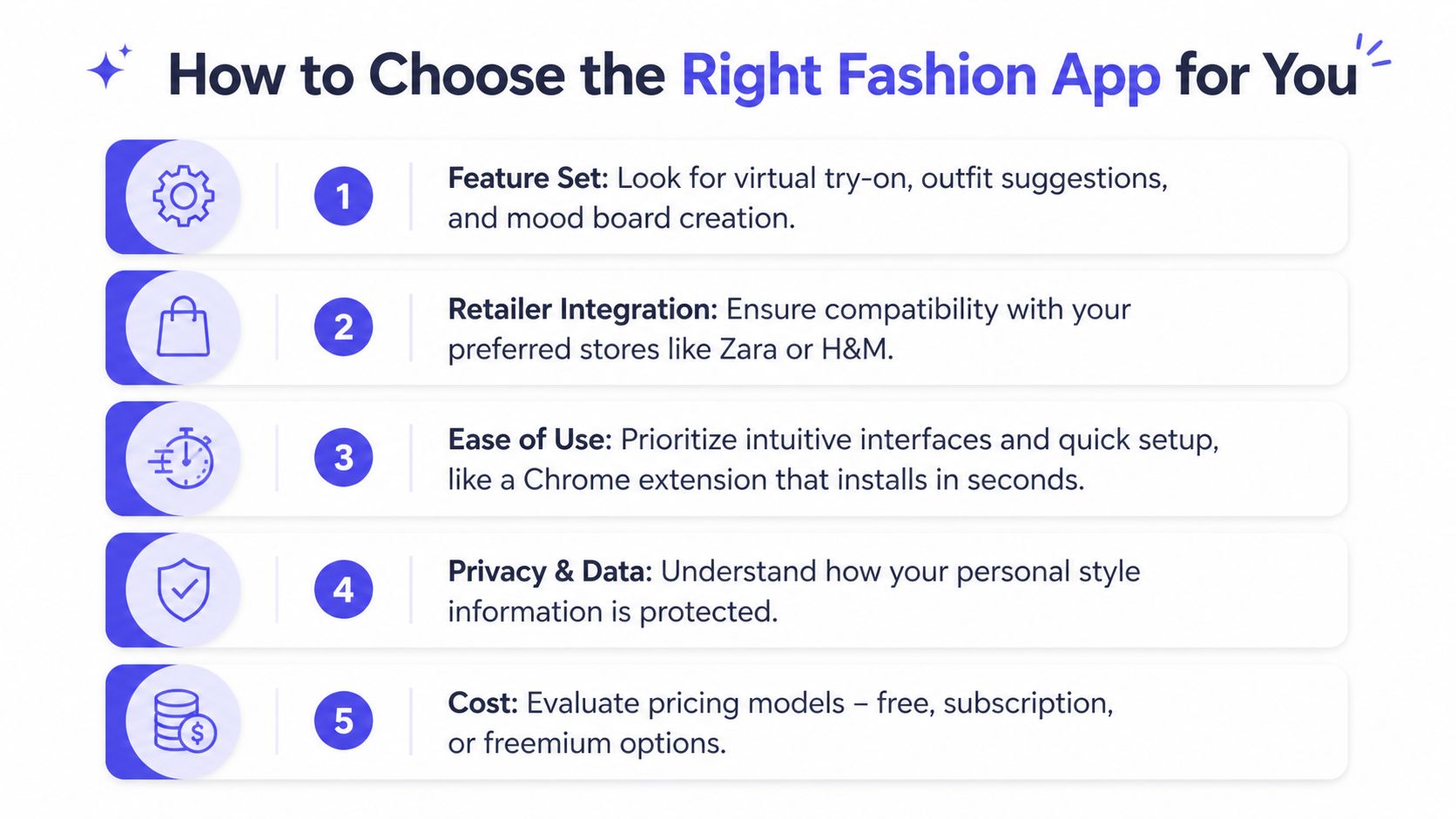
Five questions worth asking first
A good choice gets clearer when you ask what job the app is doing.
| Question | Why it matters |
|---|---|
| Does it fit my shopping flow? | If you shop across many stores, browser support matters more than a closed app experience |
| How quickly can I see a result? | Fast feedback keeps you using it during real shopping decisions |
| Do I have to stop and set everything up first? | Long onboarding kills curiosity |
| Is it for trying on new finds or organizing my closet? | Style preview and wardrobe management solve different problems |
| Can I compare options later? | Saved looks make it easier to choose between “maybe” and “yes” |
Two common shopper styles
One shopper loves structure. They enjoy logging pieces, building outfits ahead of time, and keeping a digital version of their closet. A wardrobe app can be satisfying for that person.
Another shopper wants the magic trick. They are already on a product page and want to see the item on themselves right then, while the tab is still open and the idea is still exciting. For that person, a browser-based option like TryThisFit makes more sense because the Chrome extension keeps the try-on step inside the shopping flow instead of turning it into a separate project.
What to prioritize if you hate friction
Be honest about your patience level.
If you know you are not going to spend an afternoon uploading closet photos, pick a tool that gives you an answer fast. The best signs are simple:
- Quick start: little to no setup before the first preview
- Works while you browse: useful on the sites where you already shop
- Easy image capture: no saving, cropping, and re-uploading every item
- Saved comparisons: enough memory to help you revisit strong options
A browser extension works like having a fitting room button built into your tabs. A traditional phone app can still be useful, but it often adds extra steps right at the moment you want less effort, not more.
The right app is the one you reach for during an actual shopping decision, while the item is in front of you and your curiosity is high.
A simple way to decide today
Start with your most annoying problem.
If you keep wondering, “Will this suit me?” choose a tool built for instant style previews inside your browser. If your problem is, “I have clothes but never remember what goes with what,” choose a wardrobe organizer first.
You can always add the second type later. For a first pick, go with the tool that removes the most friction from the shopping habit you already have.
Your Questions Answered
Can a fashion outfit app tell me if clothes will fit me?
No. That’s not the point.
A fashion outfit app helps you see how clothes look, visualize the style, and preview the overall appearance on your photo. It’s for style decisions, not exact sizing or garment measurements.
Do I need to create an account to try this kind of tool?
Not always.
Some tools ask for accounts early. Others let you start right away, which is much easier if you just want to test a few looks without turning it into a whole project.
What kind of clothing photos work best?
Flat-lay photos usually give the cleanest result.
Simple product images also work well, especially when the garment is clearly visible. Busy poses, dramatic angles, or partially hidden pieces can make the preview less clear.
Is this only useful for big retailers?
Not at all.
It’s just as helpful for secondhand shopping, Halloween costumes, niche boutiques, and random finds from smaller stores. If you can grab a clothing image, you can usually test the style preview.
Will a browser extension slow everything down?
A lightweight extension generally feels much easier than bouncing between tabs, saving screenshots, and manually uploading files every time you want to compare a look. The whole point is to make browsing smoother, not heavier.
What should I do first if I’m curious?
Start with one item you’re already considering. A coat, a dress, a secondhand jacket, a party look, anything.
Use a clear photo of yourself, choose a clean item image, and preview the appearance. Once you see one result, the whole idea clicks fast.
If you want to test the magic for yourself, try TryThisFit. You can start in seconds, install the free Chrome extension, preview styles while browsing, and revisit saved looks in your try-on history.
Try Virtual Try-On Now
See how clothes look on you before you buy - works with any online store
Get Started Free