My Closet App: Your Guide to a Digital Wardrobe in 2026
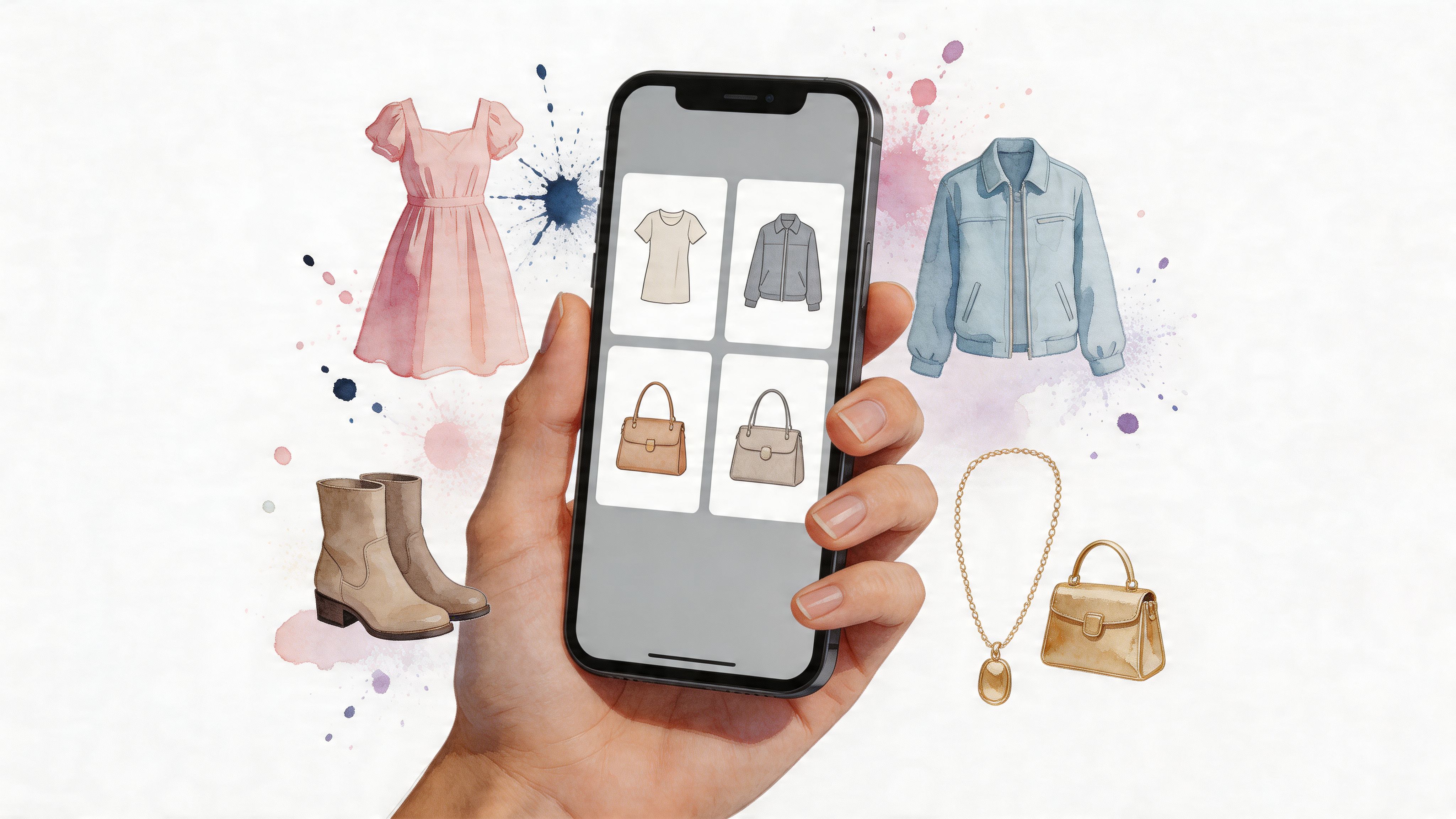
You’re probably in one of two moods right now. Either you’re staring at a packed closet and still cycling through the same three outfits, or you’re scrolling online, adding things to cart, and wondering whether they’ll match your style once they arrive.
That’s why interest in the my closet app category makes so much sense. A digital wardrobe gives you a cleaner view of what you already own, while newer visual tools help you preview how new pieces look before you buy them. Together, they turn fashion from guesswork into something much more visual, fast, and fun.
Your Closet Is Full But You Have Nothing to Wear
The classic closet problem usually looks like this. You open the doors, see jackets, jeans, dresses, shoes, bags, and somehow your brain still says, “Nope.”
It’s not because you don’t have enough clothes. It’s because your wardrobe is scattered across hangers, drawers, laundry piles, saved product tabs, and half-remembered purchases from months ago.
A lot of people also have a weird split between their real closet and their online shopping life. Your black trousers are at home. The knit top you’re considering is on Zara. The boots you saved are on Amazon. The vintage blazer is on Vinted. None of those things are sitting in one visual place, so getting dressed becomes more complicated than it should be.
That’s where a my closet app starts to feel less like a niche organizer and more like a practical fashion tool. It gives your clothes a digital home, so you can see what you own without digging through every shelf.
You’re not short on clothes. You’re short on visibility.
That one shift matters. When your wardrobe is visible, you spot duplicates faster, remember forgotten favorites, and start building outfits with intention instead of panic.
There’s another layer too. Some pieces looked great on the product page but didn’t turn into easy everyday outfits. Others might be perfect, but they’re buried behind things you wear out of habit. A digital closet helps surface both truths.
The visual payoff is immediate:
- You rediscover pieces you forgot were hiding in the back.
- You compare outfits faster without pulling half the closet onto the bed.
- You shop more carefully because you can think in looks, not isolated items.
- You cut decision fatigue on rushed mornings.
That's the main appeal. A my closet app doesn’t magically make your style better overnight. It makes your style easier to see.
What Exactly Is a My Closet App
A my closet app is a digital version of your wardrobe that you can work with. Instead of staring at a packed rail and trying to remember what is clean, what fits, and what matches, you open one app and see your clothing as a visual system.
You photograph your pieces, add a few details, and sort them into useful groups. After that, your closet stops acting like a storage space and starts acting more like a searchable style library.
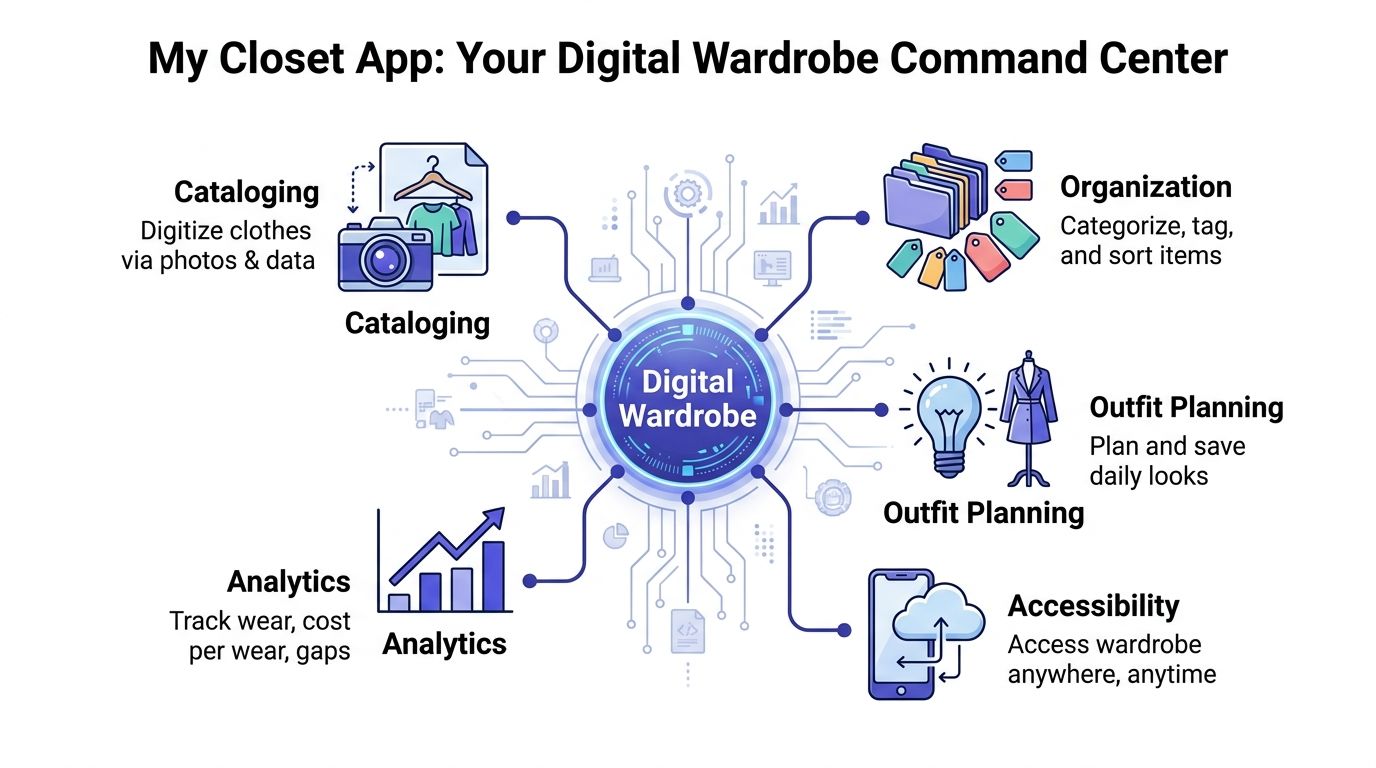
It’s more like a wardrobe dashboard
A physical closet shows you whatever is hanging in front. A closet app shows you the whole picture at once.
That changes the kind of questions you can answer. Instead of guessing, you can check:
- What black tops do I already own
- Which shoes work with this dress
- Have I been ignoring half my sweaters
- Do I really need another beige trench
The category is growing for a reason. Analysts at Intel Market Research project the wardrobe app market to grow from USD 242 million in 2025 to USD 399 million by 2032, at a CAGR of 8.8%. That interest makes sense. People want the clarity of a catalog, but they also want faster style decisions than a basic inventory app can offer.
That gap matters.
Traditional closet apps are good at helping you log what you own. Modern virtual try-on tools are good at showing what a new piece could look like on you. A strong my closet app sits between those two ideas. It helps you organize your real wardrobe, then use that information in a way that feels much closer to online shopping. Browsable, visual, and immediate.
What it usually includes
Most closet apps combine a few practical layers:
| Function | What it does | Why it helps |
|---|---|---|
| Cataloging | Stores photos of your clothes | You stop forgetting what you own |
| Organization | Sorts items by tags or categories | You can find pieces quickly |
| Outfit planning | Mixes items into saved looks | You get dressed faster |
| Tracking | Shows wear patterns and wardrobe gaps | You make smarter style choices |
Some people want structure. Others want inspiration. A good app can do both.
The easiest way to understand it is this. Your wardrobe already contains useful information. Color stories, repeat outfits, missing basics, impulse buys that never quite worked. A my closet app turns that information into something visible.
That is also why newer tools feel more exciting than older digital closet systems. The older model says, “catalog your clothes.” The newer model adds, “now see how something new could fit your real wardrobe before you buy it.” If sizing is part of that decision, tools that use AI body measurements for fit guidance make the jump from organizing to deciding much more practical.
So its core value is not just storage. It is visual confidence. You get the order of a closet catalog and the instant feedback people now expect from virtual try-on experiences, all in one place.
Core Features of Digital Wardrobe Apps
The smartest wardrobe apps usually revolve around three connected jobs. First, they help you get your clothes into the system. Then they help you build outfits. Finally, they help you notice patterns in what you wear.
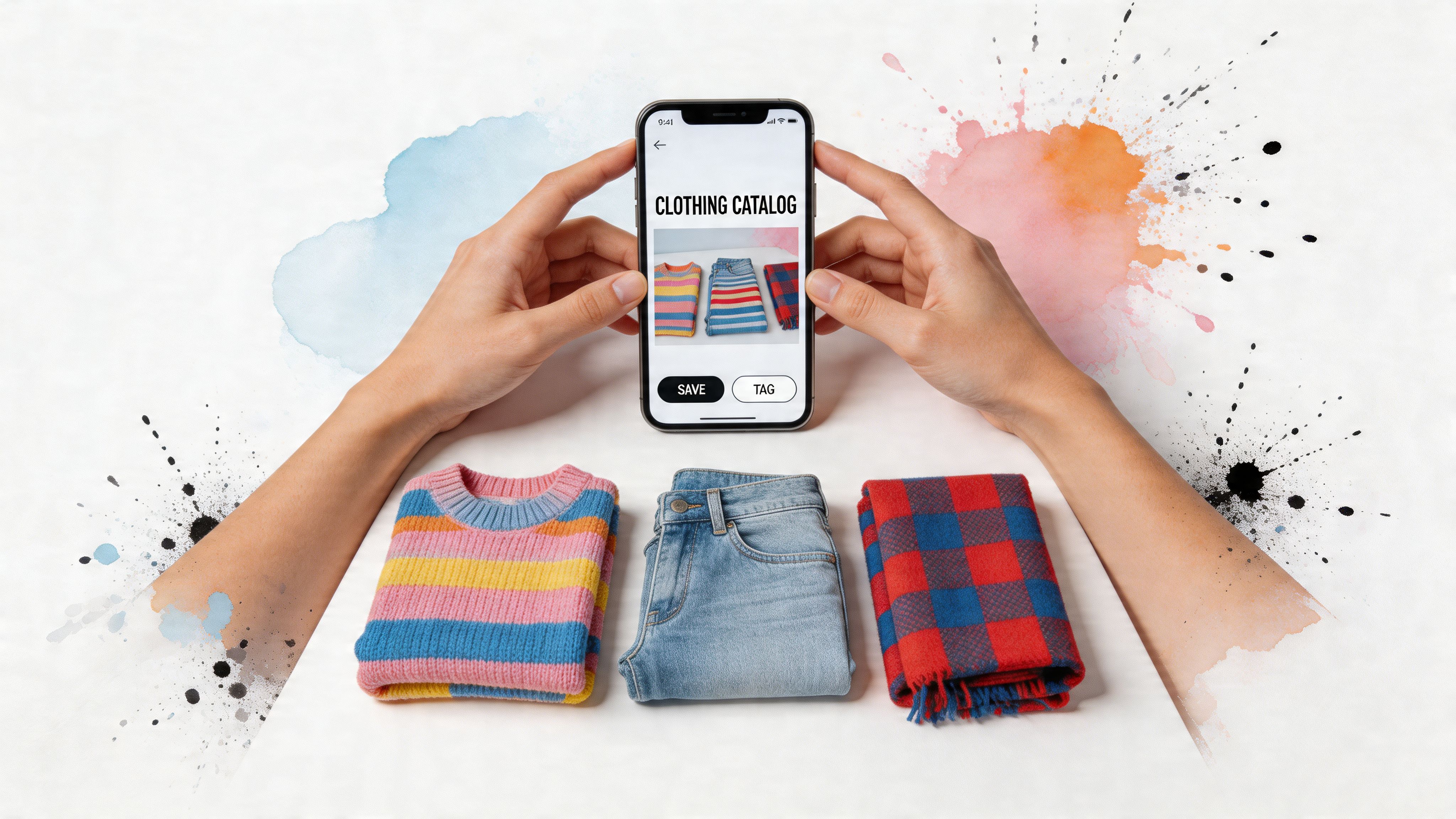
Cataloging without the chaos
Cataloging sounds tedious until you realize it’s just the fashion version of creating a clean camera roll. You’re making your wardrobe visible item by item.
Modern platforms have made this much quicker. According to OpenWardrobe’s explanation of digital wardrobe systems, item digitization can happen in 15 to 30 seconds per garment thanks to machine learning that auto-crops and auto-fills attributes.
That speed matters because manual entry is where many users give up.
A few practical photo tips make the process much smoother:
- Use flat-lay photos: Clothes photographed laid flat usually create the cleanest, clearest wardrobe images.
- Keep the background simple: A plain bed sheet, floor, or backdrop helps the item stand out.
- Photograph in soft light: Clear edges make image processing easier.
- Start with your most-worn category: Jeans, tops, or dresses are easier than trying to catalog everything in one sitting.
If you’re curious about image-based fashion tools in general, the AI body measurements page is another example of how visual clothing tech is becoming easier for everyday shoppers to use. The important distinction is style preview versus sizing. These tools help you visualize appearance, not guarantee fit.
Outfit planning feels like digital dress-up
This aspect often proves highly appealing. Once your clothes are inside the app, you can pair pieces together without making a bedroom mess.
A blazer can be tested with three trousers. A skirt can be paired with sneakers, boots, or heels. You can save a work outfit, a travel outfit, and a weekend outfit without changing in and out of anything.
Practical rule: if getting dressed always starts from zero, you need saved outfit combos.
Outfit planning is especially useful when your style is changing. You can explore softer colors, sharper tailoring, more secondhand pieces, or bolder accessories while still working from what you already own.
Analytics show the truth
This feature is less glamorous, but it’s often the most eye-opening. When an app tracks wear counts or cost per wear, you stop relying on vibes.
You might realize one jacket carries your whole wardrobe. You might also notice that a “special” purchase hasn’t been worn at all.
That kind of visibility helps with:
- Editing your closet when something clearly isn’t serving you
- Shopping more intentionally because you know your real habits
- Spotting style gaps instead of buying random fillers
A digital wardrobe works best when cataloging, outfit planning, and tracking feed each other. One gives you the inventory. One gives you inspiration. One gives you honesty.
The Next Evolution Virtual Try-On
You’re scrolling a product page late at night, one tab full of dresses, another full of jackets, and your closet app open in the background. The app can remind you that you already own black boots and three neutral sweaters. What it still cannot answer in that moment is the question that decides the purchase. Will this new piece look right on you?
Where closet apps stop
A closet organizer works like a smart inventory. It helps you remember what is already in rotation, what you forgot you owned, and which categories are overloaded.
Shopping asks a different visual question. You are not checking whether you own a cardigan. You are checking whether this cardigan, in this cut, color, and mood, suits your face, proportions, and style.
That gap matters. Traditional wardrobe apps are strong at cataloging the past and present. Virtual try-on helps with the next decision.
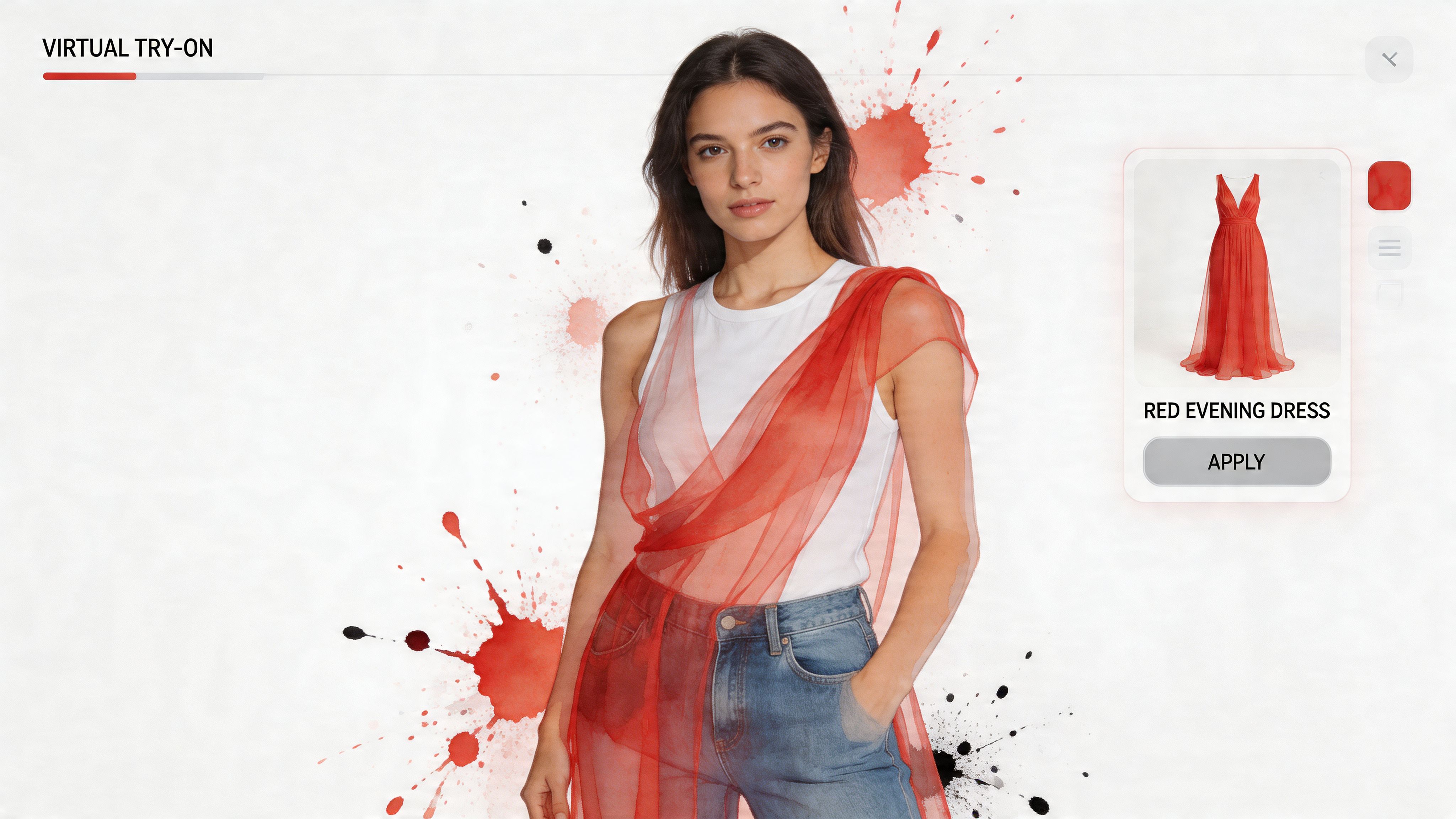
One example is TryThisFit’s virtual try-on tool, which lets you preview clothing on your own photo in seconds. The goal is appearance. You get a fast read on silhouette, styling, and overall vibe, rather than any promise about exact sizing or physical fit.
Here’s the kind of result that makes the idea click:

Why this feels like the missing link
A digital closet answers, “What do I have?” Virtual try-on answers, “What should I add?”
Put together, they create a much more useful shopping loop. Your closet app gives you context. The try-on preview gives you instant visual feedback. Instead of guessing from a model photo and hoping for the best, you can compare the new piece against your real style direction.
It works a bit like holding a fabric swatch against a painted wall before redecorating. The swatch does not build the room for you. It does show whether the choice belongs there.
That speed is the wow factor. A static product image turns into a personal styling test.
Flat product images usually give the clearest previews because the garment shape is easier to read. If the image is cluttered or the background distracts from the item, cleaning it up first can help. These best free background removal tools are useful for preparing clearer clothing images before you test them.
A quick demo helps make the process feel less abstract:
<iframe width="100%" style="aspect-ratio: 16 / 9;" src="https://www.youtube.com/embed/swSp8ksR2Q0" frameborder="0" allow="autoplay; encrypted-media" allowfullscreen></iframe>Why shoppers care so much about this
Online fashion has always had a translation problem. Retail photos show the garment on someone else, under someone else’s lighting, styled for someone else’s proportions. A closet app helps you stay organized, but it does not close that last visual gap during a live shopping decision.
Virtual try-on gets much closer. It gives you an immediate sense of whether a dramatic coat feels polished or overpowering, whether a slip skirt looks sleek or awkward, or whether a trendy silhouette belongs in your wardrobe.
That is the missing link between closet cataloging and modern shopping behavior. One tool tracks your wardrobe. The other helps you react in real time, while you are still deciding whether to click “add to cart.”
Practical Ways to Use Your Digital Wardrobe
You know that moment when you are staring at a full closet, three shopping tabs, and a party invite, yet nothing feels right. A digital wardrobe then starts to feel less like a catalog and more like a fitting room that follows you around.
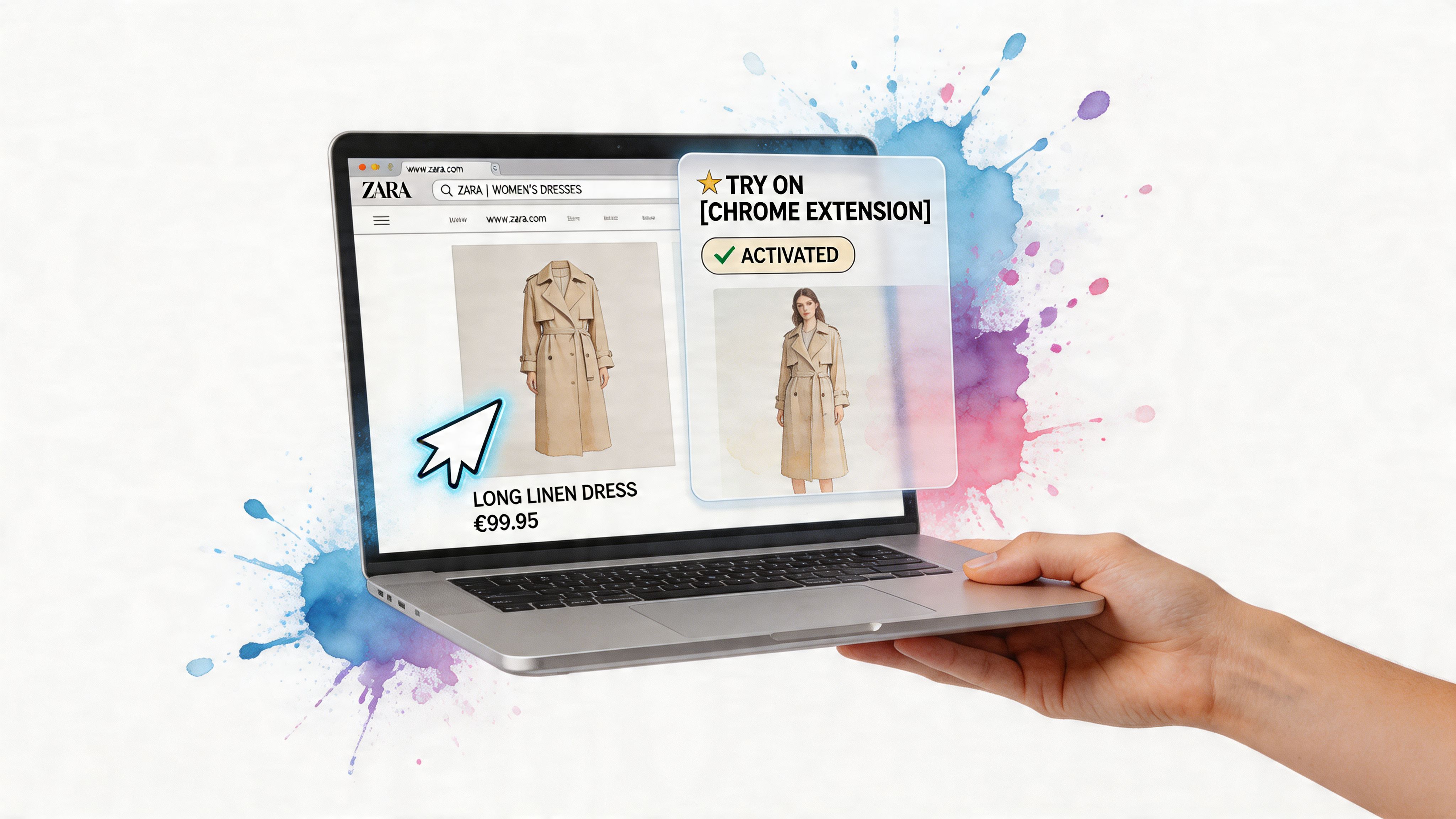
Traditional closet apps are great at answering, “What do I own?” Modern try-on tools answer a different question. “Will this work on me, with my style, right now?” Using both together closes the gap between organizing your wardrobe and making faster shopping decisions while the item is still in front of you.
Shopping on regular retail sites
Retail browsing gets much easier when you can test a piece the second it catches your eye.
Say you spot a dramatic Zara coat during a lunch break scroll. The product photo looks amazing, but that still leaves a familiar mystery. Will it look sharp on you, swallow your frame, or clash with the rest of your wardrobe? A digital wardrobe gives you context. A virtual preview adds instant feedback. Together, they turn guessing into a much more visual decision.
That combination is the core appeal of TryThisFit. You are not leaving the shopping page to manually build outfits in a separate app, then trying to picture the result in your head. You can compare what is already in your closet with the new piece you are considering and make a call while the excitement is still fresh.
It helps in a few practical ways:
- You can judge shape faster than from a flat product page alone
- You can spot overlap with pieces you already own
- You can avoid impulse buys that look good on a model but off in your wardrobe
- You can keep momentum instead of turning one item into a 20-minute research project
That speed matters. Closet cataloging helps with memory. Real-time try-on helps with decisions.
Secondhand finds get easier
Secondhand shopping is where this setup becomes especially useful.
On Depop, Vinted, Poshmark, or a resale site, you usually get one shot at reading the item correctly. Maybe the lighting is bad. Maybe the seller styled it in a way you would never wear. Maybe the piece is brilliant, but the listing photo does it no favors. A digital wardrobe helps you compare the item with what you already wear. A virtual preview helps you answer the harder question. Is this a hidden gem or just an interesting photo?
That is the missing link many closet apps do not solve on their own. They organize your past purchases beautifully, but secondhand shopping happens in the present tense. You need a quick visual check before someone else buys the one available listing.
Some of the smartest secondhand buys are the pieces that looked confusing online and made perfect sense once you could picture them on yourself.
Event looks and costume planning
Special-event dressing is another strong use case because the risk is higher. These purchases are often bolder, more specific, and harder to reuse.
A holiday party dress, a themed birthday outfit, a wedding guest look, or a Halloween costume can all feel a little abstract on a product page. Sequins can read glamorous or overwhelming. A cape can look editorial or costume-store. Puffy sleeves can feel romantic or a bit too much. The difference usually comes down to seeing the full look on you, not on a model styled for a campaign shoot.
This is also where your existing wardrobe becomes more valuable. If you are trying to get more wear out of pieces you already own, shopping your closet with outfit ideas that start from your own wardrobe can help you test combinations before buying anything new. Sometimes an old slip skirt only needed the right boot, jacket, or party top to feel exciting again.
If you want a simple benchmark for how style tools should explain personal-data handling before you upload outfit photos, lunabloomai's privacy practices are a useful example to review in plain language.
Data Privacy In Your Digital Closet
Uploading clothing photos is one thing. Uploading photos of yourself is another. People feel that difference immediately, even if they don’t always say it out loud.
That’s why privacy deserves more attention than it usually gets in closet app conversations. Reviews tend to obsess over tags, outfit boards, and interface design while skipping the more personal question: what happens to your data once your wardrobe becomes digital?
Analysis of creator content around closet apps found a clear gap here. Discussions rarely cover data storage, photo usage, or privacy policies, even though users may be uploading full-body photos and detailed style information, as noted in this review-gap analysis on YouTube.
What to check before you upload anything
A good privacy checklist doesn’t need to be technical. It just needs to be honest.
Look for answers to questions like:
- Do I need an account before I can even try the feature
- Are my images tied to personal identity
- Can I control or clear my saved history
- Does the product explain how photos are handled
If you like seeing how other AI tools present this information, lunabloomai's privacy practices are a useful example of the kind of policy page that makes data handling easier to review in plain language.
Why a no-account flow feels different
For style experimentation, lower friction matters. So does lower exposure.
When a tool lets you start without creating an account, the experience often feels more relaxed. You’re not turning a casual style test into a long sign-up process, and you’re not automatically attaching every preview to a profile.
That doesn’t replace reading the details, of course. But it does change the emotional feel of using a digital fashion tool. You can explore more freely when privacy doesn’t feel like an afterthought.
Your Next Steps And Frequently Asked Questions
You know the moment. Your closet is full, a product page is open, and you still cannot tell whether that jacket will look polished, awkward, or exactly right on you.
That is the gap this whole category has been trying to solve. Traditional closet apps help you catalog what you own. Virtual try-on tools help you preview a single item fast. TryThisFit connects those two habits, so you can go from "What do I have?" to "Would this work on me?" without turning shopping into a long project.
A smart way to start is small. Pick one category, like tops or jackets, and add only a few pieces you wear often. Then test one item you have been hesitating over online. That side-by-side experience usually makes the value clear fast, because you are no longer guessing from a model photo or relying on memory.
Clear wardrobe information also helps people make better choices. Poshmark highlighted this idea in its update announcement about My Closet Insights, where the company described giving users more visibility into closet activity and inventory. The resale context is different, but the lesson carries over. Once your wardrobe stops feeling like a pile and starts feeling like something you can see, decisions get easier.
Quick questions people usually ask
Do I need perfect photos of my clothes?
No. Clear photos with simple lighting are enough. Flat-lay shots usually work well because the outline of the item is easy to read.
Can I use this while shopping on regular stores? Yes. That is one of the biggest advantages. Instead of cataloging items first and making decisions later, you can check a look while you are already browsing, which makes the tool feel more useful in the moment of deciding.
Is this only for buying new clothes?
No. It also works well for secondhand finds, event outfits, packing decisions, and rediscovering pieces you already own but have not styled in a while.
Where do I see previous try-ons?
Saved previews are helpful when you want to compare options over time instead of making every choice in one sitting.
What should I do first?
Start with one good photo of yourself and one item you are seriously considering. That first result is usually the moment the whole idea clicks. A closet app shows you what is there. A virtual try-on shows you what could work. Putting those together is what makes this feel new.
Try Virtual Try-On Now
See how clothes look on you before you buy - works with any online store
Get Started Free