Virtual Dressing Room Free: 10 Top Tools to Preview Style
You're browsing Zara, H&M, or Amazon with ten tabs open, half a wishlist, and one big question. Not “Will this technically fit?” but “Will this look good on me?”
That's where a virtual dressing room free tool earns its spot. The best ones let you preview the appearance fast, compare styles side by side, and stop guessing from flat product shots alone. That matters even more now that the worldwide virtual dressing room market was valued at about $7.9 billion in 2024 and is projected to reach $18.5 billion by 2030, which tells you this isn't some novelty feature anymore.
I've found a simple rule. The more steps a tool adds, the less often people use it. If a try-on takes downloads, account creation, and photo cleanup before you see anything, most shoppers bail.
So this list gets practical quickly. These are 10 free or free-to-start virtual dressing room tools worth trying if you want to see how clothes look, shop secondhand with less guesswork, compare costumes, or make faster decisions when an item could look amazing or completely wrong on your body.
If you want the fastest route, start with TryThisFit. If you want retailer-specific options, Walmart, Amazon, Google Shopping, and Zara all have their own strengths. The rest are better for experimenting, editing, or planning outfits from your closet.
1. TryThisFit
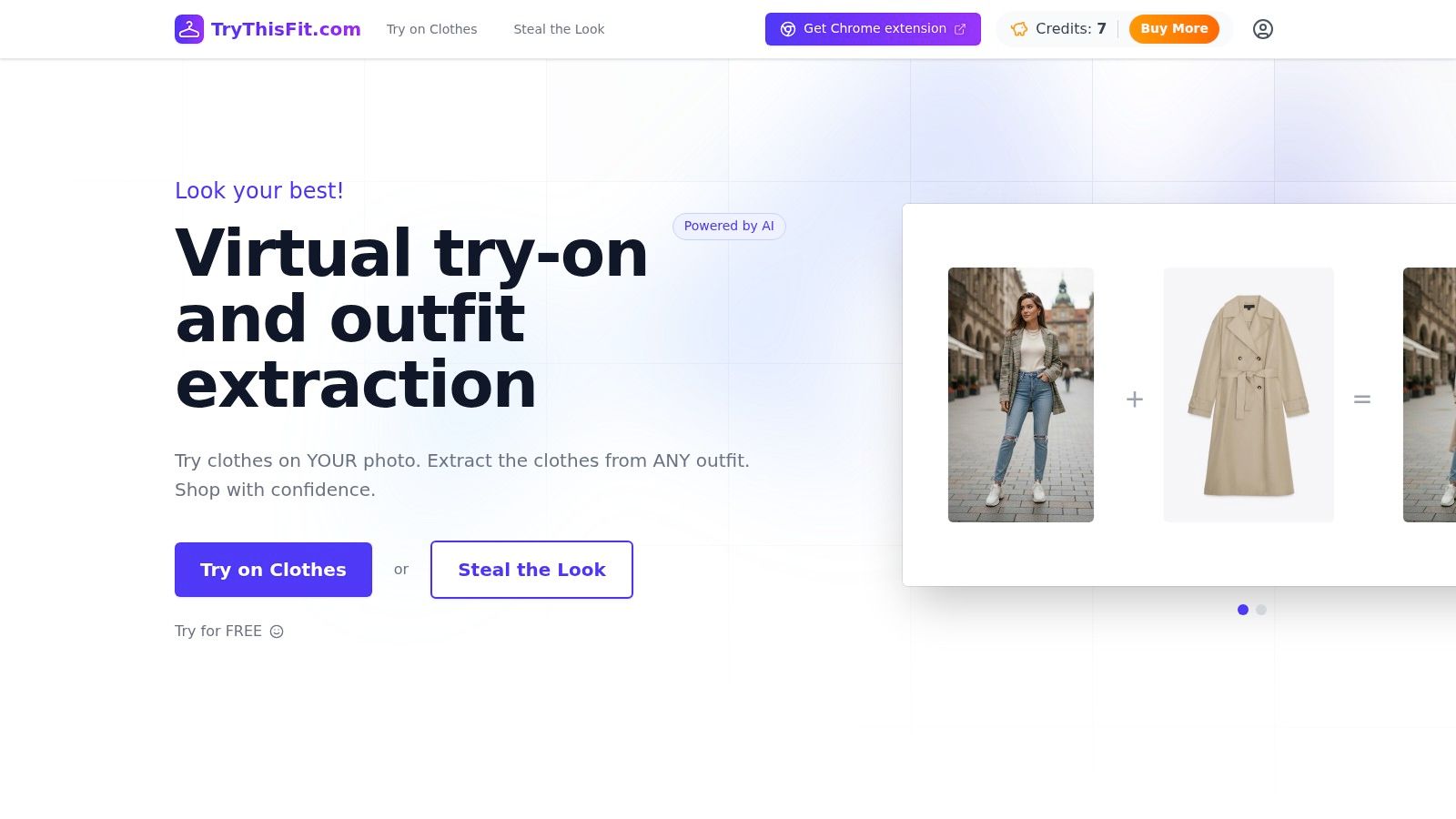
A common shopping mess looks like this. One tab for Zara, one for H&M, two resale listings, and a costume idea you are not fully convinced will work. TryThisFit handles that kind of mixed browsing better than retailer-only tools because it lets you test clothing images from many stores with your own photo, fast, without forcing account setup first.
The feature that changes the workflow is the Chrome extension. After you install the Chrome extension, you can right-click supported product images from stores and marketplaces and generate a preview without saving files or rebuilding the item shot by hand. That matters if you compare new and secondhand pieces in the same session.
It also fits the way people shop for edge cases. Marketplace listings, vintage pieces, and costume items often do not come with polished model photography or built-in try-on support. TryThisFit still gives you a workable preview from the listing image, which is why it earns a spot near the top of a practical virtual dressing room tools guide rather than a retailer-only roundup.
One caution from experience. The output quality depends heavily on the garment image you feed it.
Quick-start tip: Start with a clear front-facing clothing image on a plain background. Flat-lay photos usually give cleaner shape and fabric cues than busy lifestyle shots.
That matches the broader point in Intelistyle's retailer guide on virtual fitting rooms. Many try-on experiences are still built for brand catalogs, not for the messy third-party shopping flow people use on resale platforms and marketplaces. TryThisFit is more useful in that gap than polished retailer tools that only work inside one store.
Where TryThisFit fits best
- Cross-store comparisons: Test looks from Zara, H&M, Shein, ASOS, and other product pages in one workflow.
- Secondhand shopping: Helpful for Vinted and Depop-style browsing, where item photos vary a lot and return policies may be weak.
- Costume and occasion wear: Good for high-variance picks where the question is visual impact, not just size.
- Fast shortlisting: Useful when you want to rule out a color, neckline, or silhouette before spending more time.
The trade-off is accuracy. If the source image is angled, wrinkled, cropped, or poorly lit, the preview can still point you in the right direction, but it should not be treated like a final fit check. Use it to judge vibe, color balance, and shape first. Then confirm sizing with the store's chart or seller measurements.

One more practical advantage. You can revisit earlier experiments through your saved try-on history, which makes side-by-side style testing much easier if you are deciding between similar pieces or comparing a new item against a thrifted one.
2. Walmart Virtual Try-On
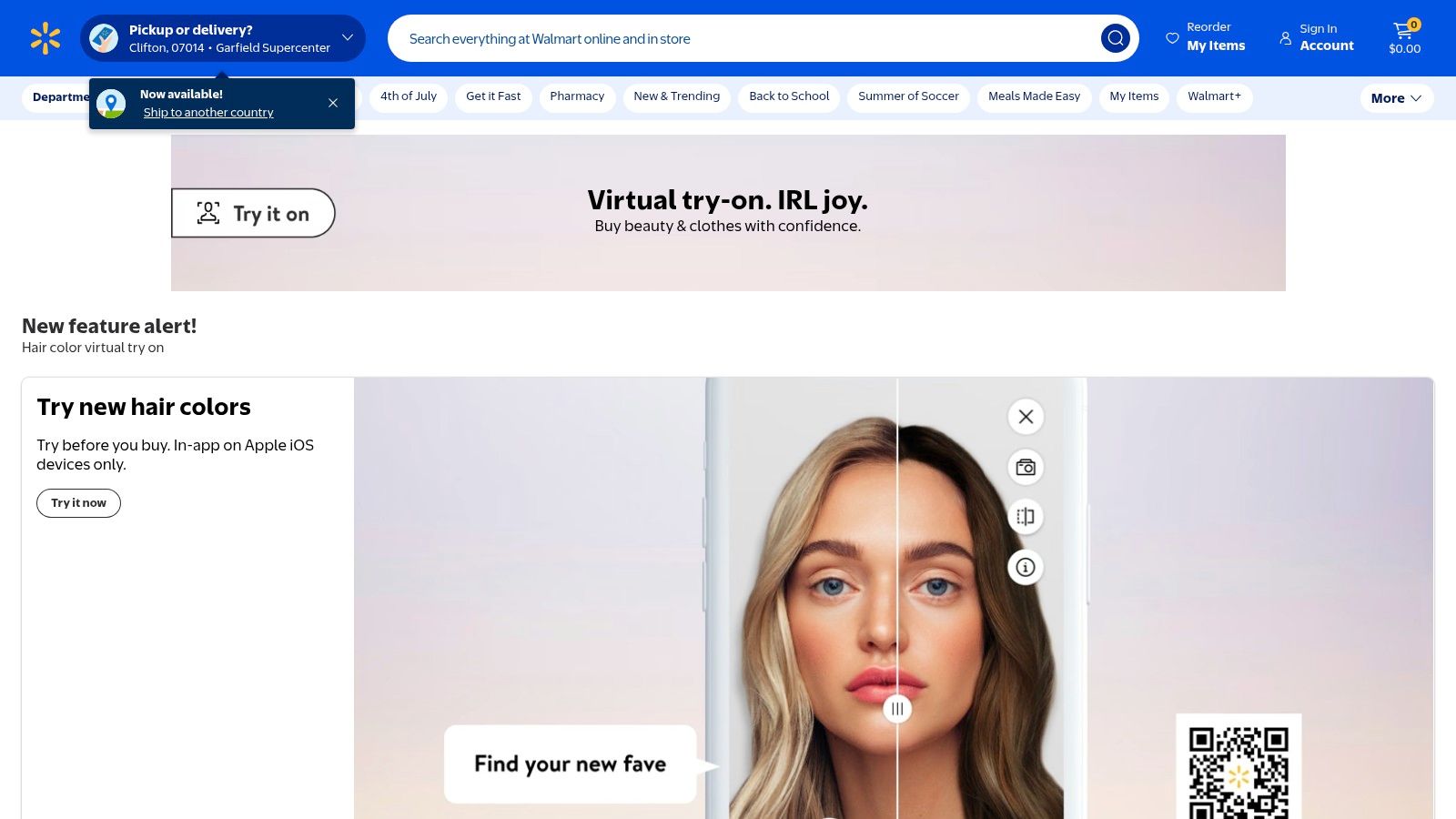
Walmart's virtual try-on is one of the strongest built-in retail experiences. You don't need extensions or workarounds. If an item supports it, the feature is already sitting on the product page.
There are two different modes. “Choose My Model” lets you preview clothes on different body types, while “Be Your Own Model” uses your own photo inside the Walmart app to show how eligible items appear on you.
Where Walmart is strong
This is a very smooth option if you already shop inside Walmart's ecosystem. The retailer handles the product images, the supported catalog, and the try-on placement, so the results usually feel cleaner than DIY tools built around random screenshots.
What I like most is the low friction. You stay inside Walmart Virtual Try-On, browse, preview, and buy in one place.
It's one of the easiest “tap and check the look” experiences on this list.
Trade-offs to know
- Best for Walmart shoppers: It's integrated and free on supported items.
- Good visual realism: Especially useful for everyday apparel decisions.
- Limited catalog scope: It only works on eligible Walmart products.
- App dependence: “Be Your Own Model” is more tied to Walmart's mobile setup than desktop shopping.
If you want broad shopping freedom, TryThisFit is more flexible. If you shop Walmart often and want a native retailer option, this one is easy to recommend.
3. Amazon Virtual Try-On
You spot a pair of sneakers on Amazon, tap the camera icon, and see them on your feet in seconds. That is the appeal here. Amazon's virtual try-on works best for fast yes-or-no decisions on shoes and eyewear, not for building a full outfit.
The experience lives inside the shopping app and stays tightly tied to supported listings. For eligible items, Amazon Virtual Try-On gives a quick AR preview with very little setup. It is practical when you want to check shape, color balance, and whether a frame or shoe style suits your face or proportions.
I would use it for low-risk visual questions. Does this sunglass frame sit too wide? Does this sneaker color look louder on-foot than it did in the product photos? Amazon handles those checks well.
Its limits show up fast with apparel. You are not getting the kind of full-body clothing preview that helps with dresses, layered looks, secondhand finds, or costume styling. Sizing confidence is also limited, so treat it as a visual filter rather than a fit tool.
- Best for: Shoes and eyewear on supported Amazon listings
- Fast setup: Open the app, tap try-on, move the camera, and compare angles
- Less useful for clothing: Full outfit experimentation is not the focus
- Privacy tip: Use good lighting and a clear background so the AR overlay tracks cleanly
- Accuracy tip: Check the item from a few angles before buying, especially with bold colors or chunky shapes
If you shop on Amazon often, this is a convenient built-in option. If you need clothing try-ons from standard product images, including harder-to-judge pieces like resale items or costume looks, TryThisFit is the more flexible companion, as noted earlier.
4. Google Shopping Virtual Try-On
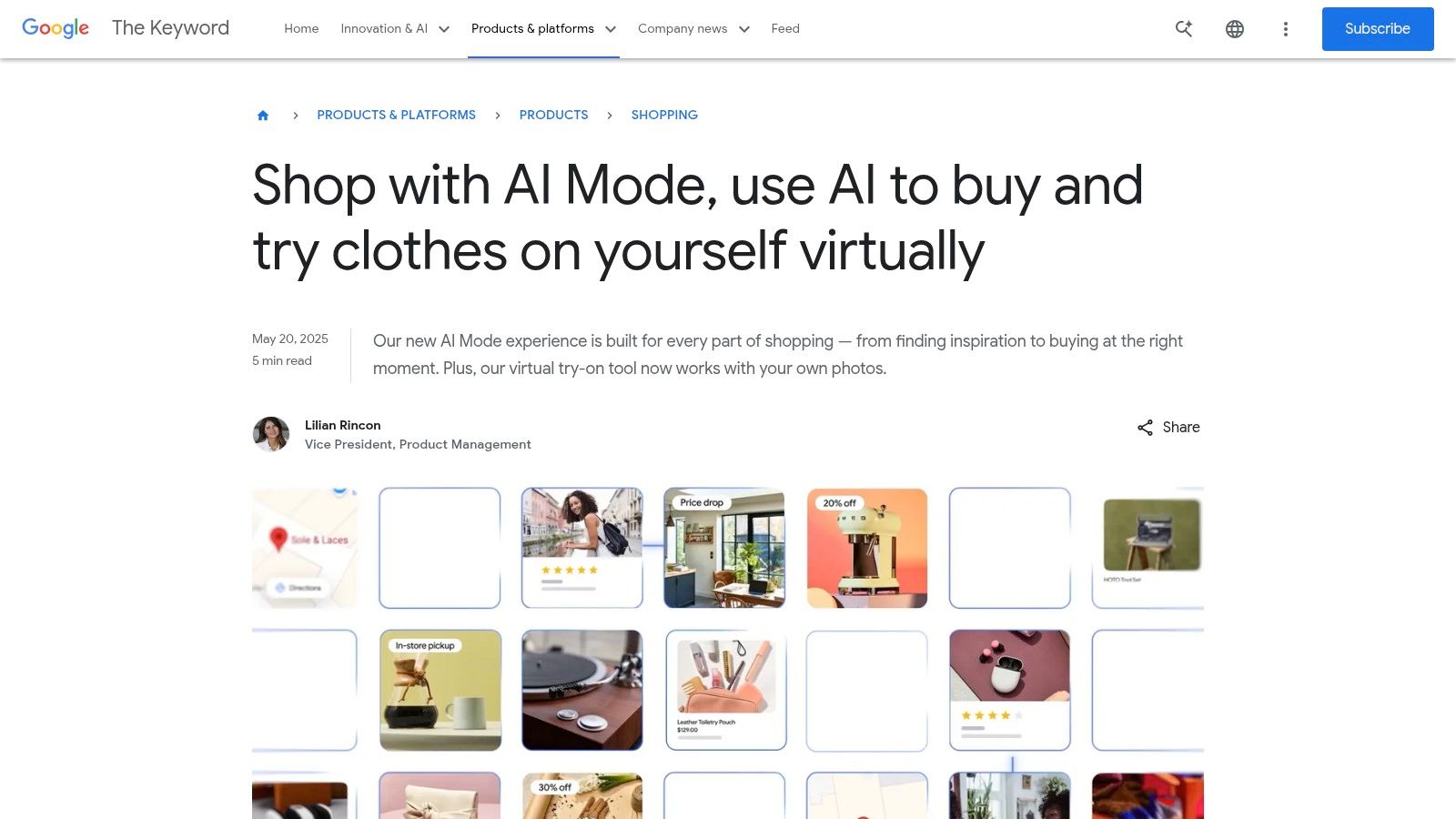
Google Shopping's try-on feature is one of the most interesting brand-agnostic options. On supported listings, you can upload a full-body photo and preview how shirts, pants, skirts, and dresses look on your image right from search and shopping results.
That matters because it reduces app clutter. You can test a style without switching into a retailer-specific ecosystem first.
Why it stands out
Google's advantage is reach. You may be comparing several stores at once, and this feature can sit closer to the discovery phase than checkout.
The broader market is moving fast in this direction. One market report says the global virtual fitting room market reached US$ 7.63 billion by 2025 and is projected to reach US$ 32.25 billion by 2032, with a 22.87% CAGR from 2026 to 2032. That pace of growth lines up with what shoppers are already doing. They want visual confidence earlier in the browsing process.
What to expect
- Best for: Comparing retailers through Google Shopping
- No separate shopping app needed: It works from supported results
- Photo quality matters: Better full-body photos lead to better previews
- Coverage varies: Some products support it, many don't
If the Google result doesn't offer try-on, I'd switch to TryThisFit and use the image directly from the retailer page instead.
5. Snapchat Dress Up
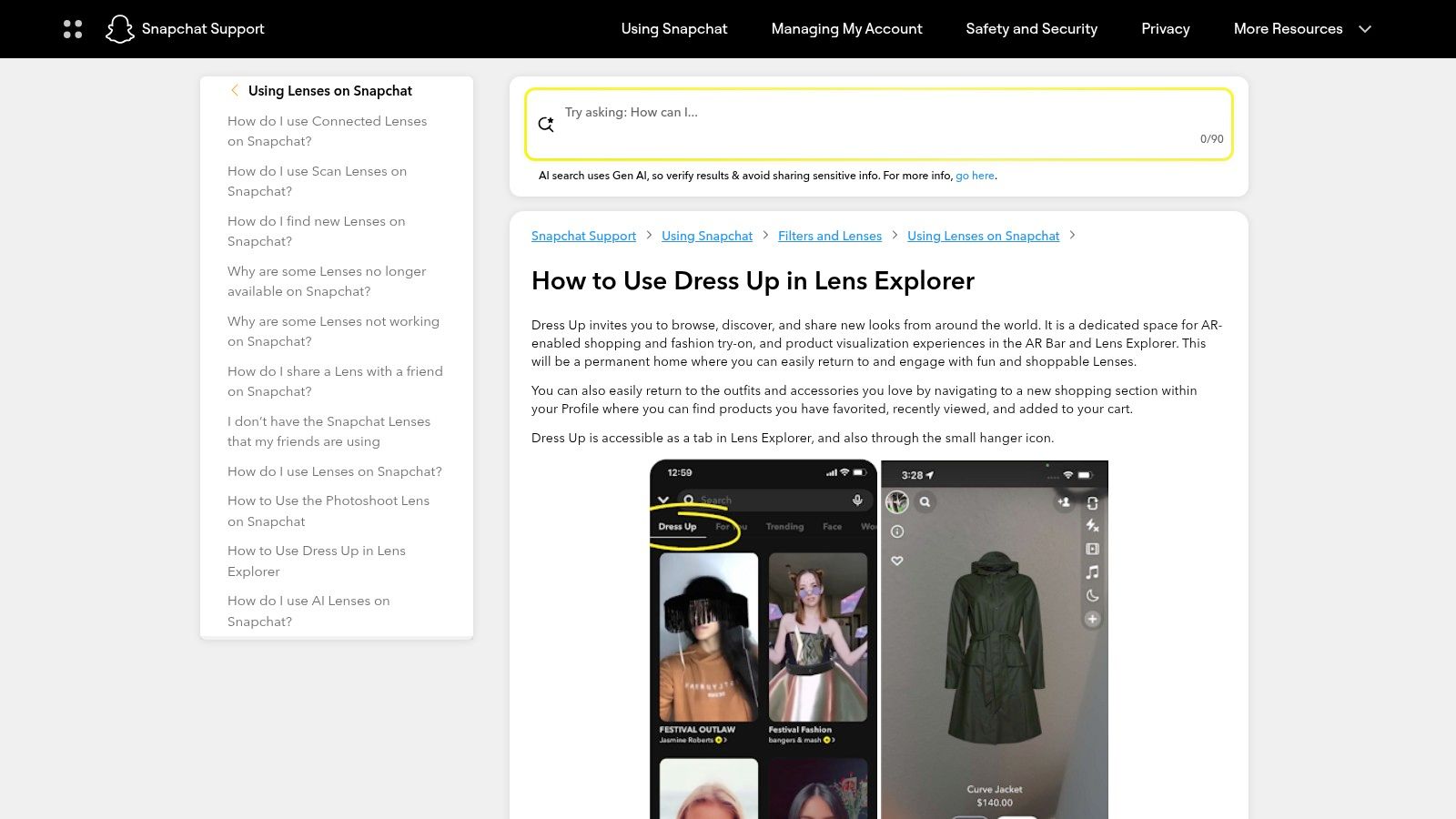
Snapchat's Dress Up hub is less about methodical shopping and more about playful discovery. You open Lens Explorer, jump into fashion lenses, and see items on yourself through live AR.
That makes it fun. It also makes it unpredictable.
When Snapchat is the right pick
If you want to test a vibe fast, especially for accessories, streetwear, or campaign-driven branded looks, Snapchat Dress Up is a fun experience. The experience feels immediate because it's happening live through the camera.
This is also one of the better tools for costume brainstorming. If you're building a Halloween idea or social-first outfit concept, the low-pressure lens format makes experimentation easy.
Some of the best style discoveries happen when the tool feels playful enough to encourage bad ideas first.
Where it falls short
- Great for exploration: Quick visual reactions and social sharing
- Weak for deliberate shopping comparison: Specific item availability changes with campaigns
- Often links out to purchase: It's more discovery than complete shopping flow
- Not ideal for saved side-by-side evaluation: Better for instant impressions
For serious purchase decisions, I'd use this as inspiration first, then move to a tool that works on the exact product page.
6. Warby Parker Virtual Try-On
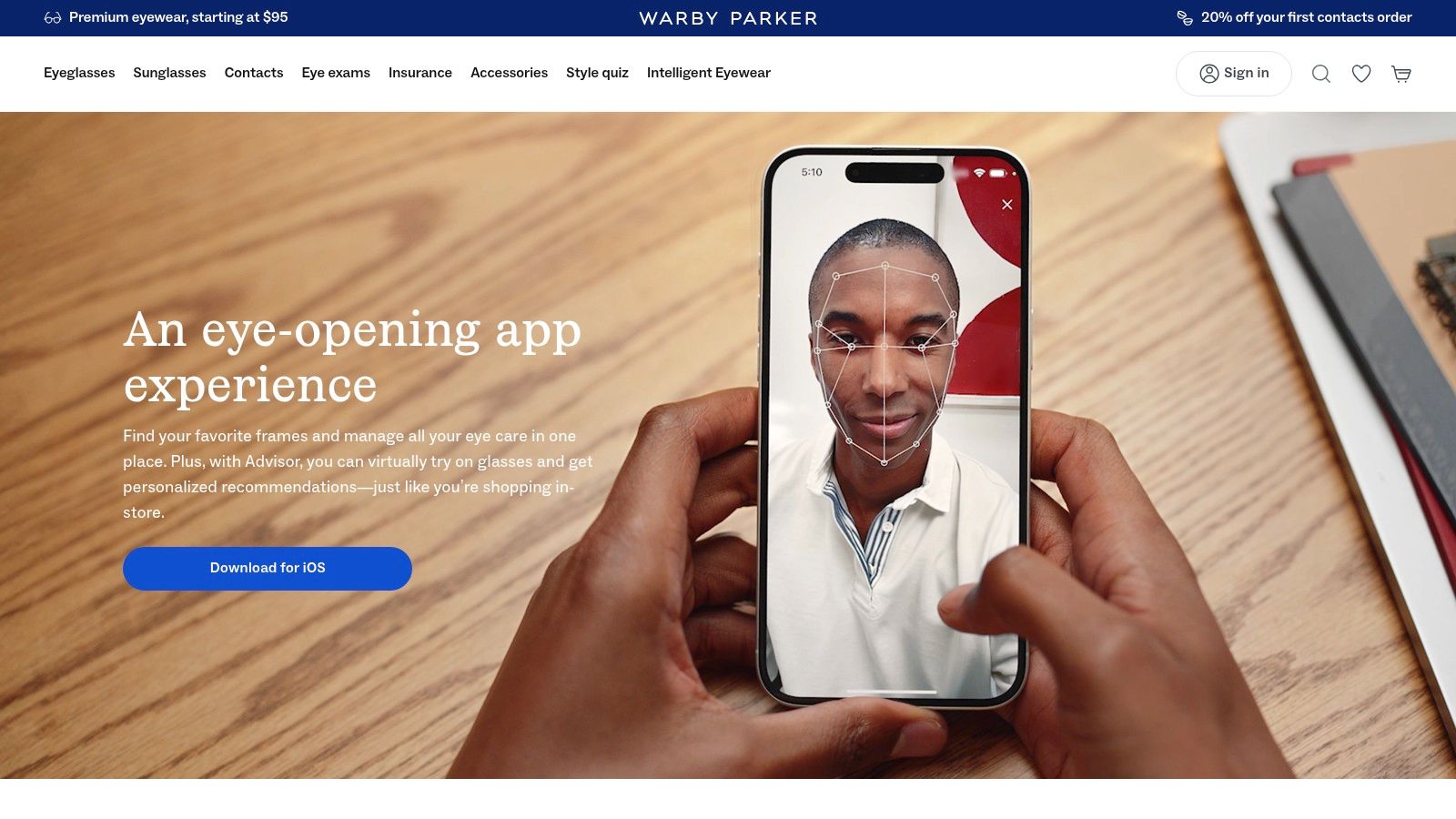
Warby Parker shows what happens when a retailer focuses on one category and gets the experience right. Its app-based eyewear try-on is polished, fast, and useful for narrowing frame styles.
The face tracking is smooth, and the guided recommendation flow helps you move from “maybe” to “that shape suits me” much faster than static product thumbnails.
Why it works
For glasses, subtle shape changes matter a lot. Warby Parker's app experience does a good job helping you preview the appearance of frames from multiple angles without making the process feel technical.
It also helps if you're trying to understand style direction before buying designer frames elsewhere. This guide on picking perfect designer frames for oval faces pairs nicely with the app because it gives you a shape-based lens for judging what you see.
Trade-offs
- Excellent for eyewear: One of the cleanest category-specific try-ons around
- Good recommendations: Helps narrow style faster
- Not for clothing: It's glasses only
- Best on supported phones: Newer devices usually feel smoother
If your goal is a virtual dressing room free tool for apparel, skip ahead. If you're shopping frames, this is one of the best specialist options on the list.
7. Zara Try On
Zara's app-based try-on features, where available, make sense for loyal Zara shoppers. The brand already has strong fashion imagery, so adding an integrated preview layer can make browsing feel more decisive.
When the feature appears on eligible products, you can use photos or avatar-style setup to visualize how Zara pieces look in a more personal way before checkout.
Best for Zara fans, not cross-store shoppers
The upside is obvious. You stay inside Zara, browse the exact catalog you want, and preview selected items without extra setup.
The downside is just as obvious. You're still inside one store. If you also want to compare a Zara coat with an H&M dress or a secondhand trench from Depop, the native app won't help.
That's why Zara shoppers should also learn the faster cross-site route. This short guide on how to use the Chrome extension shows the simpler workflow for right-click try-ons from Zara product images.
Worth using when available
- Strong brand integration: Zara browsing and try-on live in one place
- Good for visual style decisions: Especially when a product supports the feature
- Regional rollout varies: Availability depends on market and SKU
- Single-retailer only: No help for side-by-side shopping outside Zara
For a bigger retail perspective, this breakdown of powerful omnichannel examples for 2026 shows why shoppers increasingly expect these experiences everywhere, not just in one app.
8. Picsart AI Try-On
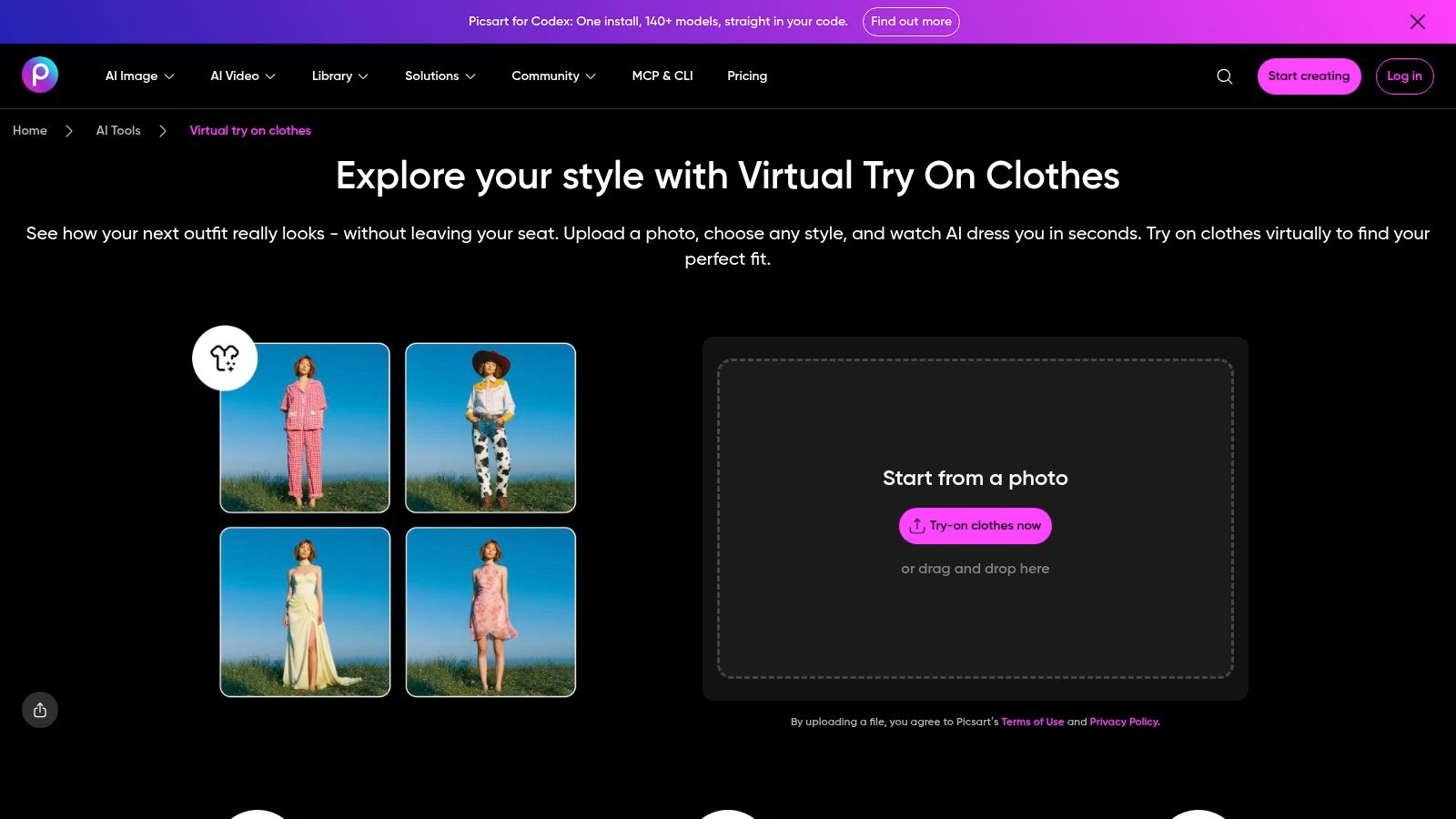
Picsart sits in a different category from Walmart or Zara. It's not really a shopping-native tool. It's a creative AI editor that also happens to be handy for outfit visualization.
That makes it useful when you want to test colors, silhouettes, or mood before you even know where you'll buy the item.
Better for experimentation than checkout decisions
With Picsart's clothing try-on tools, you can upload a photo, swap outfits, and play with styling. It's flexible, and the creative toolkit around it is broader than most shopping apps.
A systematic literature review on try-on technology found that fashion companies using virtual fitting rooms report improved customer satisfaction and more positive attitudes toward online shopping, while these systems use machine learning to build precise 3D avatars and reduce uncertainty from flat product images (systematic review in ScienceDirect). Picsart taps into that same desire to visualize style more clearly, even if it leans creative rather than retail-specific.
Field note: Use Picsart when you're shaping an idea. Use a shopping-native tool when you're deciding between actual listings.
Quick verdict
- Great for: Moodboarding, style experiments, and social content
- Works on mobile and web: Flexible if you jump between devices
- Free tier exists: Fine for casual testing
- Less direct for shopping: Not built around retailer pages
If you want a more shopping-focused version of the same idea, TryThisFit's AI clothes changer workflow is a cleaner fit.
9. Facetune Virtual Clothes Try-On
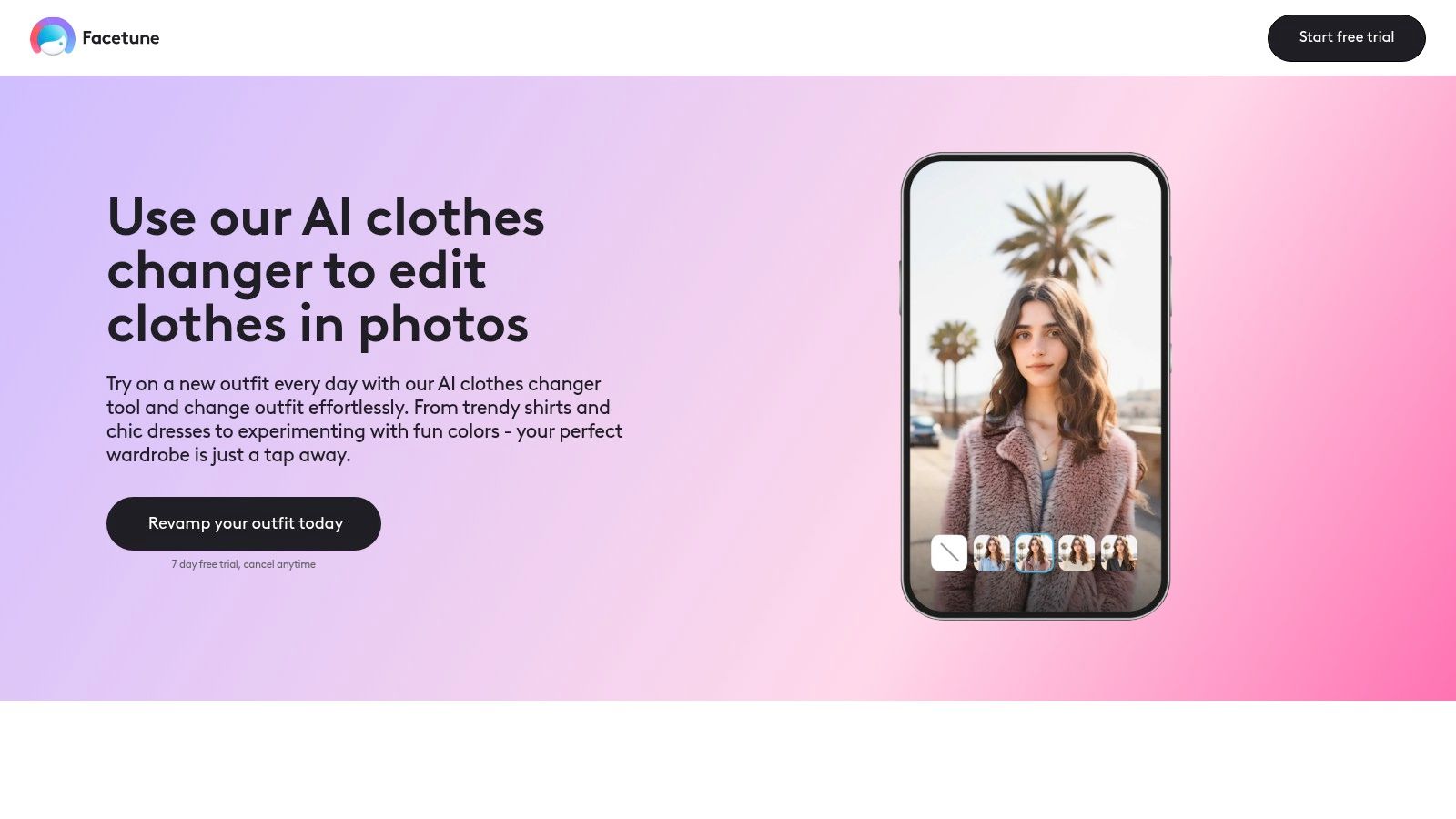
Facetune approaches virtual try-on from the editing side. If you already use it for beauty edits or social images, the clothes tools can help you preview outfit concepts on your own photo without learning a whole new app.
That's useful for content creators and anyone planning looks for posts, events, or a style reset.
Good for look planning, not buying precision
Facetune's clothes editing features let you swap or stylize outfits quickly. It's fast, visual, and easy to understand if you've touched any consumer photo editor before.
The trade-off is intent. This is more about “Does this vibe work?” than “Should I buy this exact product from this listing?” You're editing an image, not moving through a shopping flow.
- Strong for social content: Outfit planning and aesthetic testing
- Easy to use: Fast enough for casual experimentation
- Broader beauty toolkit included: Nice if you want hair and outfit planning in one app
- Not a shopping utility first: Better for style ideation than retailer comparison
If your goal is posting, this makes sense. If your goal is deciding on a real product page, there are better options above.
10. Vael AI Closet + Virtual Try-On
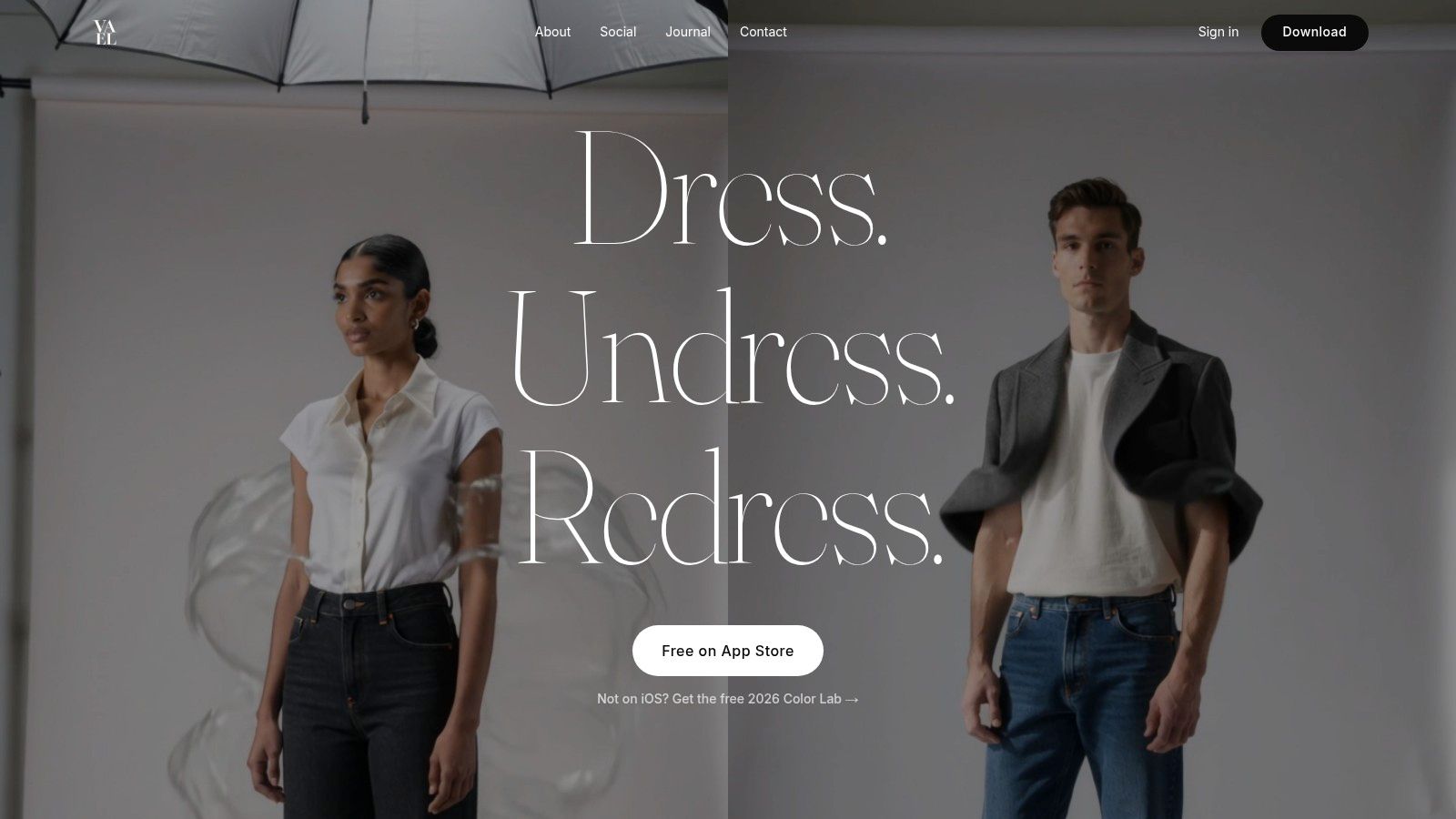
Vael is the one to try if your biggest problem isn't online shopping volume. It's closet chaos. The app focuses on turning your own wardrobe photos into a digital closet, then helping you preview outfits and compare combinations.
That makes it especially appealing for secondhand shoppers, capsule wardrobe fans, and people who keep buying duplicates of things they basically already own.
Where Vael shines
With Vael, the workflow starts from your clothes, not a retailer's catalog. You photograph pieces, clean up the images, and build a closet you can use to plan looks.
I like this angle for resale browsing. If you're eyeing a Vinted skirt or Depop jacket, it helps to think about how it looks with what you already wear instead of treating every listing as a standalone impulse buy.
Limits worth noting
- Best for: Outfit planning from your own wardrobe
- Useful for secondhand styling: Great match for resale shopping habits
- More indie in feel: Lighter ecosystem than big retail apps
- Less retailer integration: Not the tool for one-click try-on across store pages
For “shop your closet” decisions, it's smart. For “I'm on Shein right now and want an instant preview,” the browser-based route is still faster.
Top 10 Free Virtual Dressing Rooms, Feature Comparison
| Product | Core / USP ✨ | Experience ★ | Price / Value 💰 | Best For 👥 |
|---|---|---|---|---|
| 🏆 TryThisFit | ✨ No-account AI try-on; free Chrome extension, right-click any product image; optimized for flat-lay; privacy-first | ★★★★ | 💰 Free extension; unknown premium; privacy-focused | 👥 Online shoppers, secondhand buyers, costume & style planners |
| Walmart Virtual Try-On | ✨ "Be Your Own Model" photo try-on + diverse model previews in app | ★★★★ | 💰 Free on enabled SKUs | 👥 Walmart shoppers seeking in-catalog visualization |
| Amazon Virtual Try-On | ✨ Real-time AR for shoes & eyewear inside Amazon app | ★★★★ | 💰 Free in app | 👥 Footwear & eyewear buyers on Amazon |
| Google Shopping Virtual Try-On | ✨ Upload full-body photo for brand-agnostic previews across retailers | ★★★ | 💰 Free where enabled | 👥 Cross-store shoppers who use Google Search/Shopping |
| Snapchat “Dress Up” | ✨ Live AR Lenses for social, discovery-driven try-on experiences | ★★★★ | 💰 Free | 👥 Social-first users, trend discovery, brand campaigns |
| Warby Parker Virtual Try-On | ✨ Lifelike AR frames + face-tracking and PD measurement tools | ★★★★★ | 💰 Free to try; pay for purchases | 👥 Eyewear shoppers wanting guided, accurate fit |
| Zara Try On (Zara app) | ✨ In-app avatar/photo try-on seamlessly integrated with Zara catalog | ★★★★ | 💰 Free where available (regional rollout) | 👥 Zara customers wanting seamless buy-in-app flow |
| Picsart AI Try-On | ✨ Retailer-agnostic AI clothing swaps with creative editing toolkit | ★★★ | 💰 Freemium (limited AI credits; subscription for heavy use) | 👥 Creatives and style experimenters |
| Facetune “Virtual Clothes” | ✨ Photo-editing app with clothes-swap and beauty look planning | ★★★ | 💰 Freemium / in-app subscriptions for advanced tools | 👥 Content creators and social look planners |
| Vael – AI Closet + Virtual Try-On | ✨ Build digital closet, auto-clean shots, plan outfits & compare looks | ★★★★ | 💰 Free start; optional Pro subscription | 👥 Wardrobe planners, capsule wardrobe & secondhand shoppers |
Ready to Try On Your Next Outfit?
A typical session looks like this. You spot a blazer on Zara, check a similar cut on Amazon, then open a resale listing because the price is better. A free virtual dressing room helps only if it keeps that comparison fast and clear.
Start with your shopping pattern. Retailer tools make sense for shoppers who already buy inside one app and want a quick fit preview before checkout. Cross-store tools matter more if you jump between marketplaces, brand sites, resale apps, and costume listings with inconsistent photos.
That trade-off is easy to miss.
TryThisFit still stands out here for one practical reason: it fits a browser-heavy workflow. You can test items while browsing instead of rebuilding the process around a single store app. That matters during secondhand searches, where one good jacket might be followed by ten weak listings and one surprising find.
Accuracy rises or falls with the product image. Clean front-facing shots usually give the model enough shape to work with. Listings with bent poses, cropped hems, busy backgrounds, or a seller's mirror selfie create more guesswork. For thrift and costume shopping, expect extra variance because fabric drape, wear, and lighting often distort both fit and color.
Privacy deserves the same level of discipline. Use a plain full-body photo with neutral lighting and simple clothes. Skip highly personal images, especially for one-time event looks or resale browsing. If a tool stores uploads, treat that as a real trade-off, not fine print.
A simple way to choose:
- TryThisFit fits cross-store comparison, secondhand browsing, and quick tests across mixed catalogs.
- Walmart, Amazon, Google Shopping, and Zara fit shoppers who want the product page and try-on flow in one place.
- Picsart, Facetune, and Vael fit outfit planning, visual edits, and closet experimentation.
- Snapchat fits trend spotting and social-first try-ons.
- Warby Parker fits eyewear, where face tracking and fit guidance carry more weight than broad store coverage.
If you are still undecided, run one real shopping task through the tool first. Try a resale dress, a costume piece, or a hard-to-size jacket. The better option is usually the one that helps you reject bad listings faster, compare looks side by side, and share as little personal data as possible.
Try Virtual Try-On Now
See how clothes look on you before you buy - works with any online store
Get Started Free