AI in Retail Explained: Real Use Cases and Examples
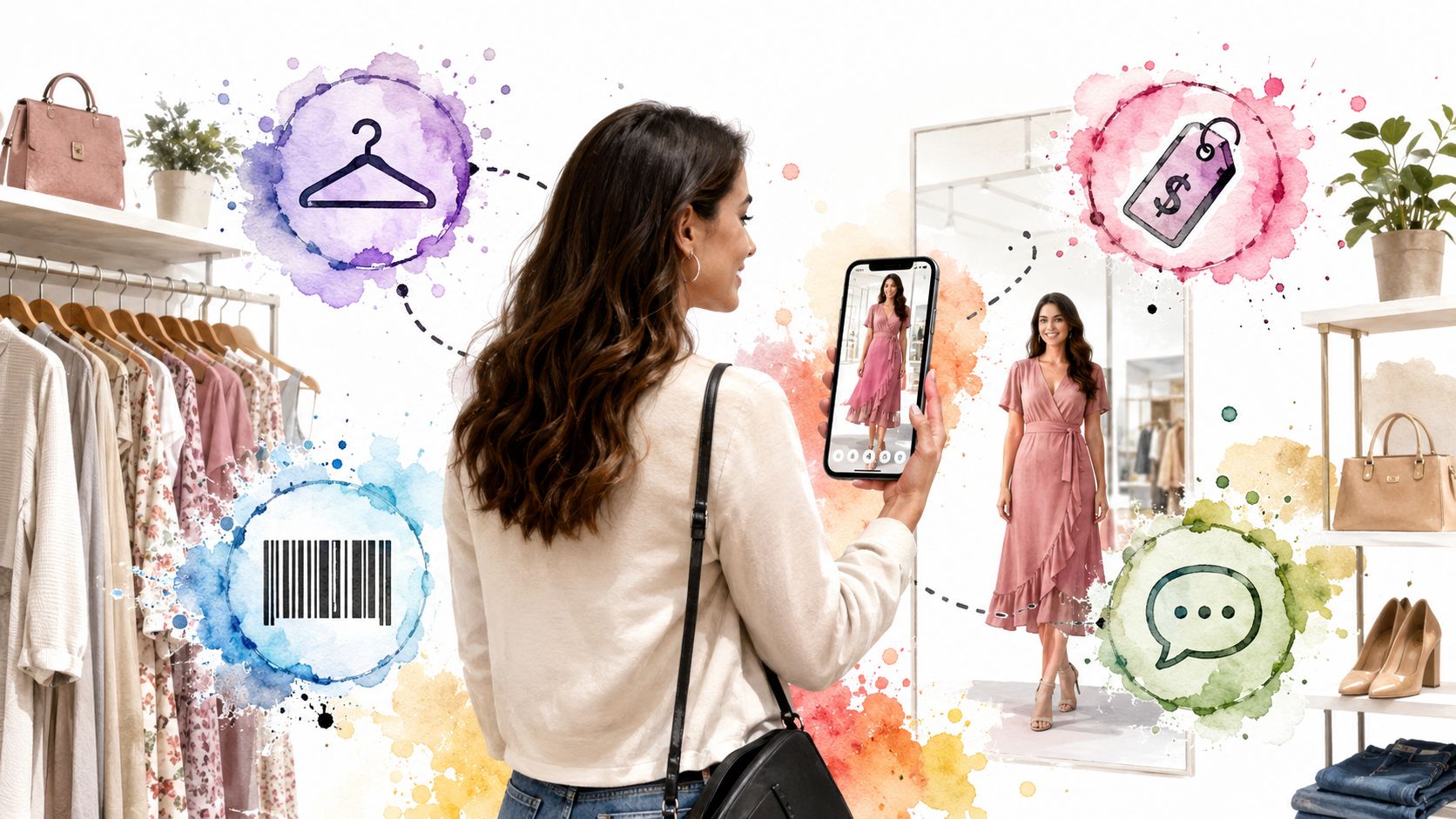
You know the feeling. It's late, you're scrolling through Zara or H&M, the cart looks promising, and then you pause on the one question that always slows everything down, how does this look on me? That's where AI in retail becomes real, because it's not just helping stores run faster behind the scenes, it's starting to remove the tiny shopping frictions that make people abandon carts, open return tabs, or just close the laptop and wait.
Retailers are using AI to predict demand, recommend products, answer questions, price items, and help shoppers make faster decisions. The useful part is that these systems aren't separate tricks, they're connected, and the same data can power both a back-office forecast and a front-end try-on preview.
If you want a plain-English path through the topic, start with what AI in retail means, then look at the use cases shoppers feel most directly, then see how a tool like TryThisFit turns that into something you can try in seconds. For a broader look at how shopping behavior is changing, this retail trends page is a helpful companion.
What Shopping Online Actually Feels Like in 2026
Online shopping in 2026 still begins the same way it did before the AI boom. You open a few tabs, compare colors, wonder if the photo is flattering, and tell yourself you'll deal with returns later if it doesn't work out.
That pause matters. It's the moment when search, recommendation, and visual confidence all collide, and it's exactly where retailers are using AI to reduce hesitation.
A lot of people think AI in retail means a chatbot or a banner that changes on its own. That's only part of it. The bigger shift is that stores are trying to make the whole shopping flow feel more like a smart associate who remembers your taste, anticipates what you need, and brings the right option forward before you ask.
What readers usually want answered first
- What AI in retail is, in plain language.
- What it changes for shoppers, not just for store operators.
- How retailers deploy it, from inventory to styling help.
- Which example is real and usable today, not just theoretical.
- What comes next, so the trend feels practical instead of abstract.
Practical rule: if a feature doesn't help someone choose faster, understand better, or return less often, it's probably not the part of AI that matters most in retail.
The good news is that the story isn't mysterious once you split it into pieces. The rest of this article moves from definition to visible use cases to a tool you can open and try in seconds.
What AI in Retail Actually Means
Think of AI in retail as a smart store assistant plus a crystal ball, both built into software. One part helps the retailer notice patterns, the other helps the retailer act on them, and together they make shopping feel more relevant and less wasteful.
BCG's guidance makes an important point here, AI has the most value when retailers redesign workflows around a few flagship use cases, not when they bolt a model onto an old process. That matters because the biggest wins come from connecting data, decisions, and execution across the business, not from automating one tiny task in isolation.
The five technology families, in plain English
Machine learning looks for patterns in past behavior. In retail, it can help predict what people will want next, which products move together, or which shoppers are likely to respond to a recommendation.
Natural language processing helps software understand words. That's the layer behind conversational assistants, product Q&A, and customer-service systems that can read a question and respond in plain language.
Computer vision interprets images and video. Retailers use it for visual search, product recognition, and try-on experiences that help people see how it looks before they buy.
Predictive analytics turns past and current data into likely future outcomes. In retail, that's what helps teams forecast demand, rebalance stock, and reduce the odds of empty shelves.
RPA, or robotic process automation, handles repetitive digital tasks. It's useful when a retailer wants software to move information between systems, update records, or route simple workflows without manual work.
IBM describes these capabilities as a combination that can support forecasting, personalization, search, inventory, and return reduction, which is the point that often gets missed. AI in retail is not one tool, it's a stack that lets retailers do several jobs from the same underlying data.
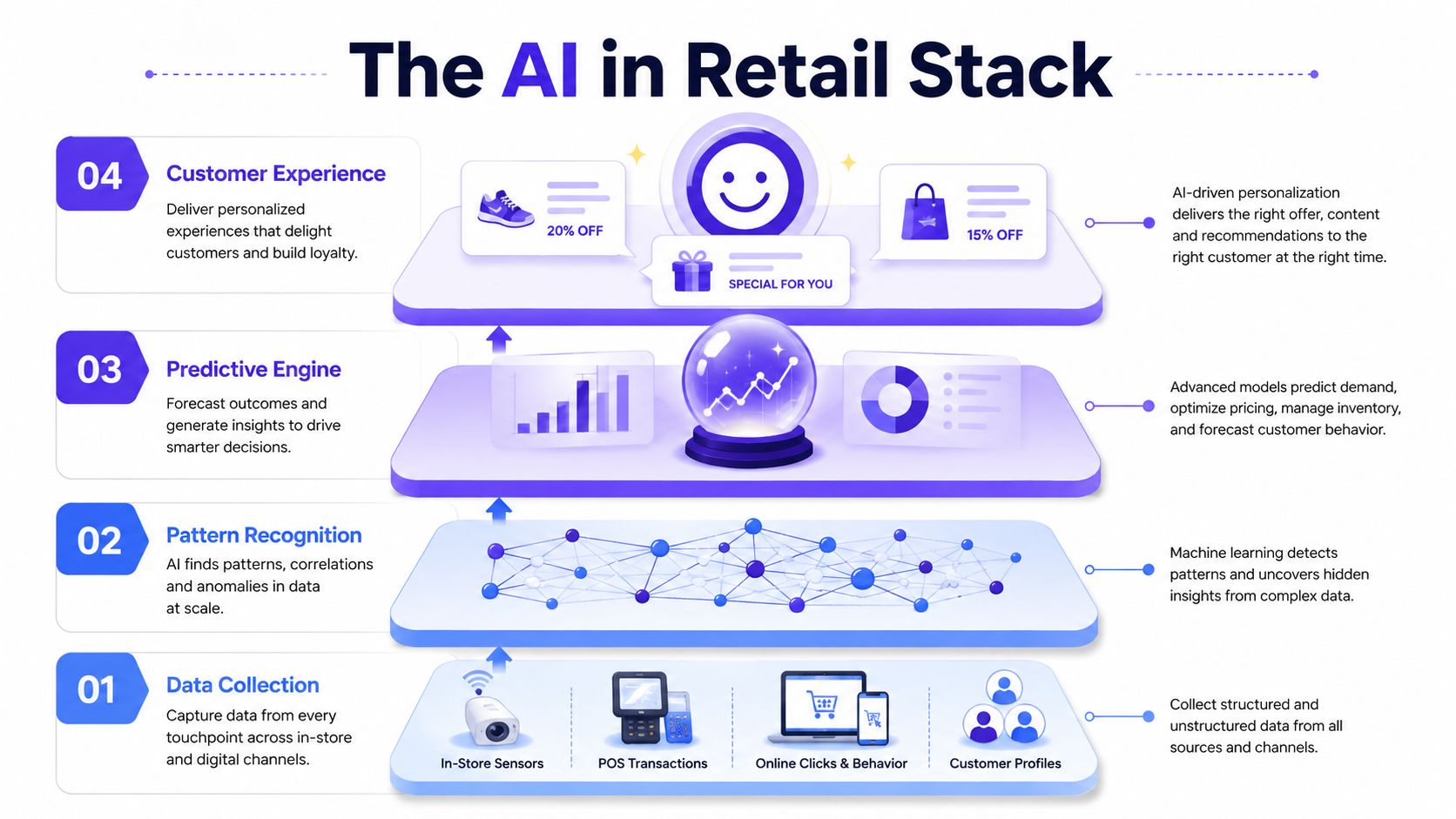
AI in retail works best when the system sees the pattern, predicts the next move, and then changes the customer experience in a way the shopper can feel immediately.
That's why the same stack can power fewer stockouts, better recommendations, and less return pain at once. It's also why the next section jumps from the technology itself to the use cases shoppers notice in stores and on screens.
The Six Major Use Cases You Can See in Stores Today
The clearest sign that AI has moved into daily retail use is simple, it's already being used at scale. A major 2025 retail AI survey found that 89% of respondents were either assessing or actively using AI in 2024, up from 82% in 2023, and among companies already using AI, 87% said it increased annual revenue, with 25% reporting gains of more than 20%. The same survey found that about four-fifths said AI helped reduce supply-chain operating costs, often by at least 10%. You can read the survey in the 2025 retail state of AI report.
Personalization and recommendations
Shoppers notice this when the store front page, email, or app feed feels closer to their taste. Behind the curtain, AI compares behavior, product attributes, and context so the retailer can surface items that are more likely to matter.
Salesforce says 59% of retailers use AI to help store associates make product recommendations, and 55% use digital assistants to help online shoppers. That's a strong sign that recommendation systems now sit in both the store aisle and the digital cart.
Virtual try-on and visual search
This is the part people remember most, because it changes how a product feels before checkout. A shopper can upload an image or use a product photo, then see the style on a person, which reduces uncertainty and makes browsing feel more visual.
Google Cloud lists virtual try-on under hyper-personalization and notes that AI can lead to higher conversion rates and fewer returns. That connects directly to the very human question of whether the item looks right, which is often the main blocker.
Inventory and demand forecasting
Customers notice this indirectly when sizes are in stock more often and product pages feel less frustrating. Retailers use AI to predict demand, replenish faster, and rebalance stock across locations so products are available where people want them.
IBM and Oracle both highlight inventory management as a core retail AI use case, which makes sense because forecasting is one of the few places where AI can affect both customer experience and operating cost at the same time.
Pricing optimization
Shoppers see this as a price that changes with conditions, inventory, or demand. Retailers use models to adjust pricing and markdowns more quickly than a manual process would allow.
BCG's point about redesigning workflows matters here, because pricing only improves when the AI decision is connected to rules, approvals, and execution. A model by itself doesn't set a strategy, it only supports one.
Customer service automation
This is the digital version of a quick store-floor answer. A shopper asks about shipping, product details, or order status, and the system answers fast enough to keep the purchase moving.
NLP is the main engine here, because the retailer needs software that can understand plain language and respond in a useful way. The benefit is less friction, not just less labor.
Fraud reduction and return management
Retailers also use AI to spot suspicious behavior and reduce avoidable return costs. Visual tools can help with product discovery, and systems tied to inventory and order data can flag patterns that don't look normal.
If you want a broader retail growth angle on implementation, this Shopify-focused AI overview is useful context for how teams connect front-end AI with selling outcomes.
| Use Case | What Shoppers Notice | Real-World Example |
|---|---|---|
| Personalization and recommendations | More relevant products and fewer random suggestions | Retail apps that tailor product feeds |
| Virtual try-on and visual search | Seeing how a style looks before buying | Clothing preview tools and image-based discovery |
| Inventory and demand forecasting | Better availability and fewer missing sizes | Replenishment and stock balancing |
| Pricing optimization | Prices and offers that change with conditions | Dynamic pricing and markdown management |
| Customer service automation | Faster answers to product and order questions | Digital assistants and store support tools |
| Fraud reduction and return management | Smoother checkout and fewer bad experiences | Risk checks and post-purchase review systems |
These six use cases are not separate islands. They share the same data assets and often the same models, which is why a retailer can improve discovery, reduce returns, and speed up service without rebuilding everything from scratch.
Virtual Try-On and Visual Search in the Wild
A shopper right-clicks a Zara dress on a laptop, uploads one photo, and within seconds sees how the style looks on them. That tiny moment feels magical because it answers the question that product photography never fully solves, how does this look on me?
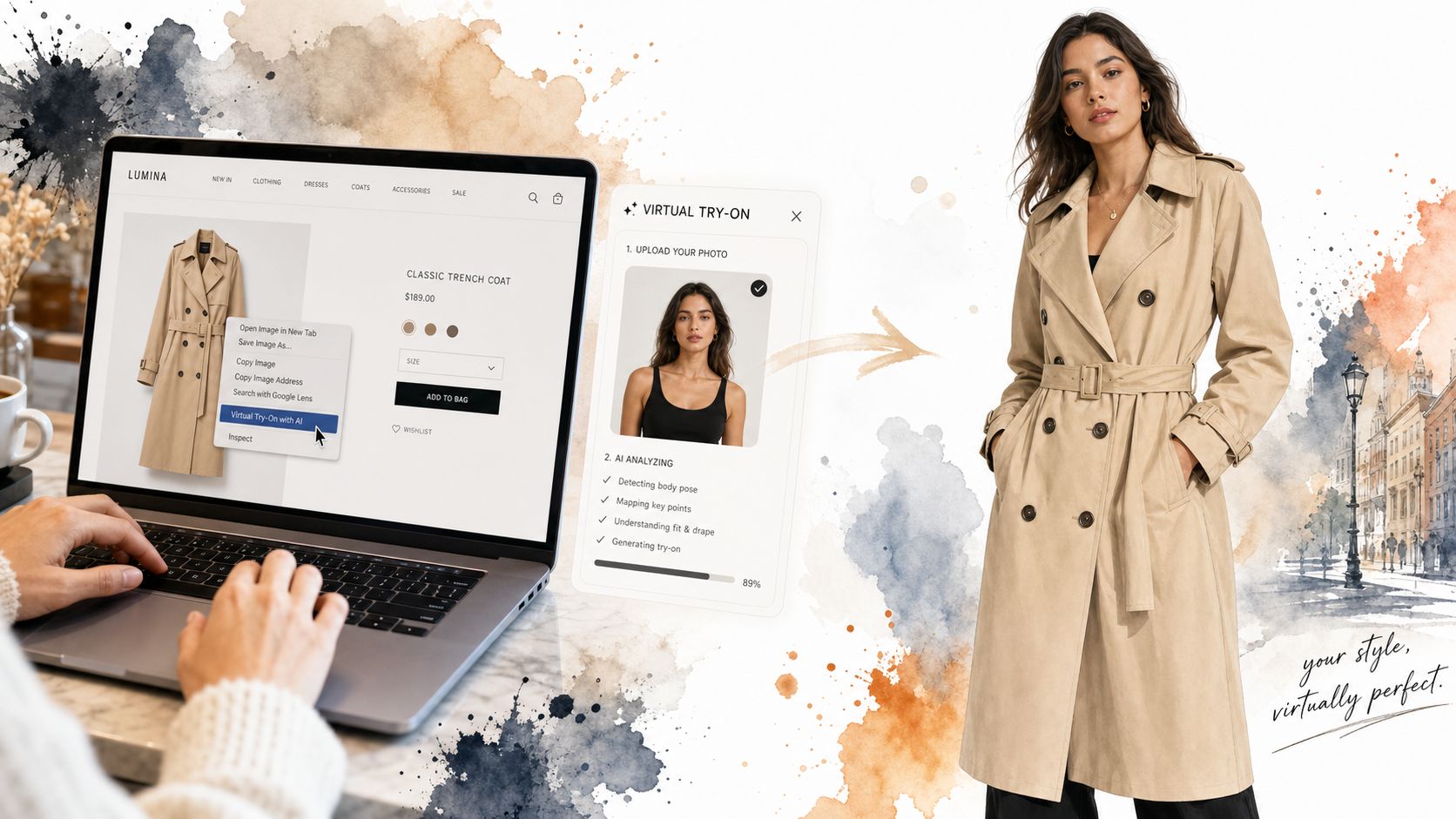
I built TryThisFit to make that kind of preview fast and low-friction. It doesn't ask for an account, it works on any site through a free Chrome extension that installs in a couple of seconds, and it's optimized for flat-lay clothing photos when you want the most accurate style preview.
What the shopper sees
The experience is simple. You stay on the product page, right-click the item, and get an instant preview without downloading images or opening a new tab.
TryThisFit works with stores like Zara, H&M, Amazon, Shein, Vinted, and Depop through the Chrome extension's right-click flow, which makes it useful for both new clothing and secondhand finds. If you want the browser add-on, you can install the free Chrome extension in seconds.
Good preview rule: use a clean flat-lay photo when possible, because the clothing shape is easier to read and the style preview tends to look more consistent.
Why this matters for real shopping
The point isn't to promise sizing accuracy. The point is to help people see how it looks, decide what to wear, and compare more styles without the mental drag of guessing.
That's especially useful for secondhand shopping, where the item may be unique, and for Halloween costumes, where the visual impression matters more than anything else. If you want a deeper look at the product itself, the AI clothing try-on page shows the flow in more detail.
For brands and marketplaces that are exploring similar behavior at scale, the Amazon strategy for brands article is a good reminder that visual confidence is part of conversion, not just decoration.
<iframe width="100%" style="aspect-ratio: 16 / 9;" src="https://www.youtube.com/embed/swSp8ksR2Q0" frameborder="0" allow="autoplay; encrypted-media" allowfullscreen></iframe>Visual search sits next to try-on, but it solves a different problem. Virtual try-on helps you preview appearance on a person, while visual search helps you find products that resemble an image, color, or style you already like.
A 90-Day Roadmap for Retailers Who Want to Start With AI
The fastest way to waste time with AI is to start with a shiny use case before checking readiness. A store can want personalization, chat, or visual tools and still struggle if its data is messy, its systems don't talk to each other, or the team doesn't know how success will be measured.
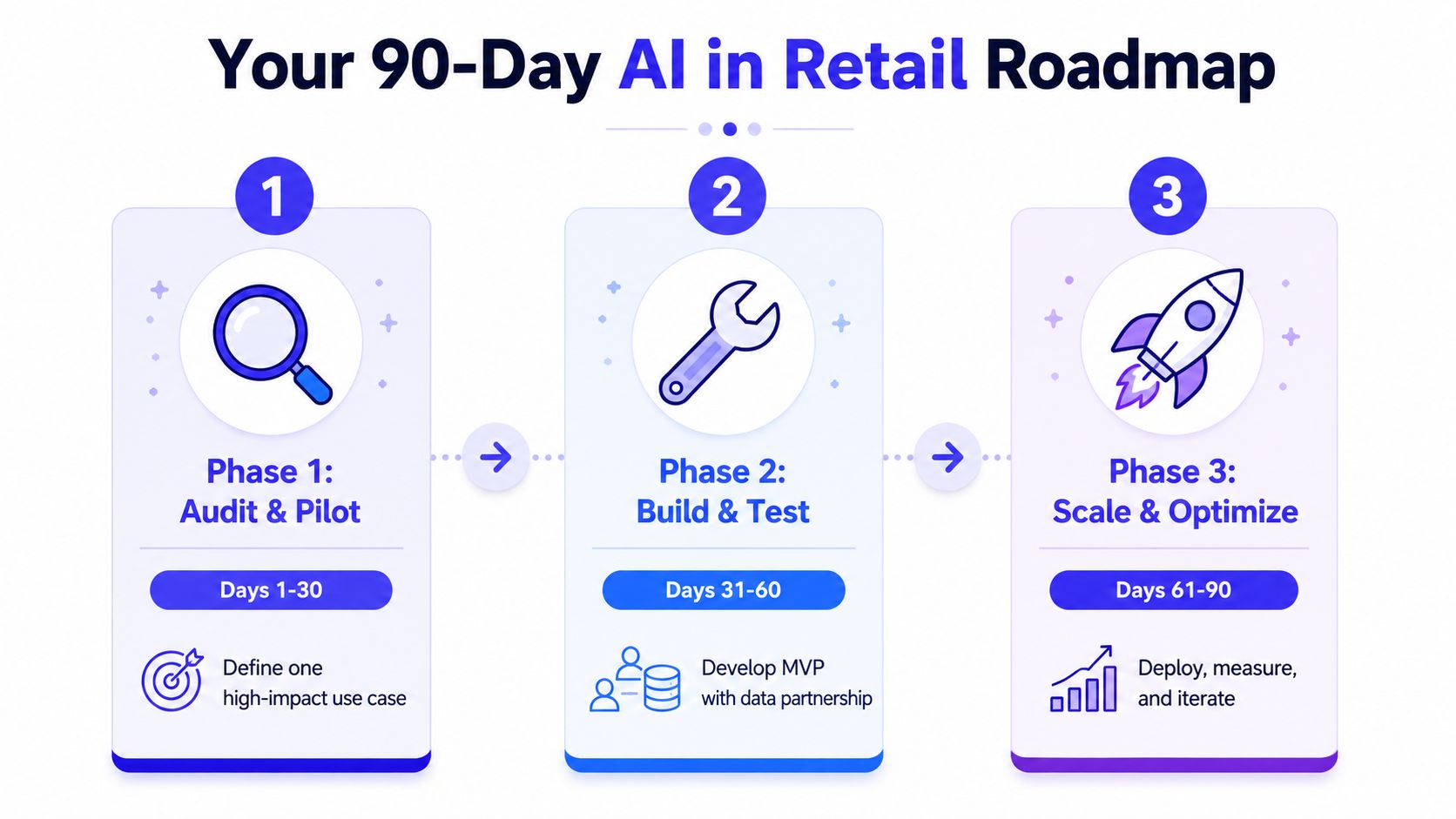
Phase 1, audit and pilot
Start with an AI readiness assessment. That means looking at data quality, infrastructure, and team skills before anyone promises outcomes.
Pick one problem that hurts the business and feels narrow enough to test quickly. Thinking Inc. argues that retailers do better when they start with an assessment, then choose only 2 to 3 quick-win use cases that can show measurable ROI within 60 to 90 days. BCG makes a similar point, saying retailers need an enterprise roadmap, explicit investment assumptions, and shared AI infrastructure before scaling.
Phase 2, build and test
Use the pilot to prove that the workflow can run in a business setting. That means defining who uses the output, how often it updates, and what happens when the model is wrong.
A good first use case usually has these traits:
- Clear business owner: one team is responsible for the result.
- Clean data path: the needed data already exists or can be gathered quickly.
- Fast feedback loop: the team can see whether it works without waiting months.
- Visible customer impact: the shopper can feel the improvement.
- Simple measurement: the retailer can track conversion, return rate, attach rate, or CSAT.
Phase 3, scale and optimize
Once the pilot works, redesign the workflow around it. That's the part many teams skip, but it's where the primary value shows up because the AI becomes part of the operating model instead of a side project.
The important metrics are the ones tied to retail motion, conversion, return rate, attach rate, and CSAT. Those are the numbers that tell a retailer whether the tool is helping people buy more confidently and shop with less friction.
The winning move is not more AI, it's better sequencing.
That same logic works for a solo founder, a small ecommerce shop, or a large retail chain. The scale changes, but the discipline stays the same, start small, measure quickly, and only expand after the workflow proves itself.
Privacy, Ethics, and Where AI in Retail Is Headed Next
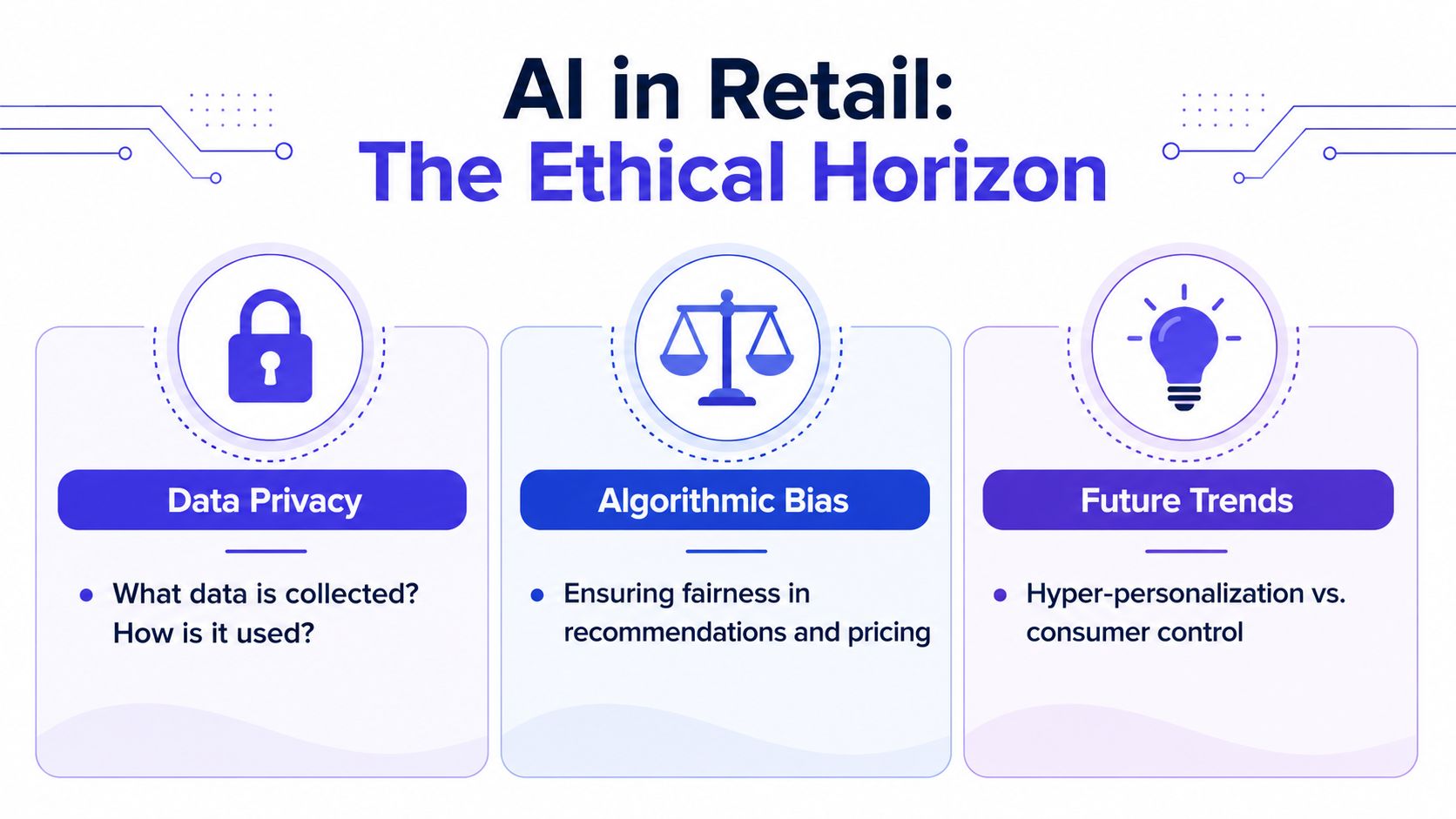
The hard questions matter here. Retail AI touches product preferences, browsing behavior, photos, and sometimes biometric-like visual inputs, so the shopper deserves clarity about what gets collected and what happens next.
What good looks like
Data privacy should be obvious, not buried. A good retailer or tool should explain what is collected, how it is used, and how a user can delete it.
Algorithmic bias should be checked in recommendations and pricing. If one group consistently gets worse suggestions or less favorable treatment, the system needs review.
Transparency should cover AI-generated content and automated decisions. If a shopper is interacting with a synthetic assistant or an AI-made product image, that should not be hidden.
A practical checklist is simple.
- No data resale
- Opt-in uploads
- Clear deletion path
- Plain-language disclosures
- Human review for edge cases
What is likely next
Agentic shopping assistants are getting more attention, and Google's recent commerce work shows how shopping is moving toward AI that can help complete tasks, not just recommend products. AI-generated product photography will also become more common, along with on-device personalization that keeps more processing local.
The visual side will keep getting better too. Expect richer try-on experiences that show style, drape, and color on your own photo more naturally, which is a lot closer to how people judge clothing than a static model image.
If you want to see the kind of visual shopping flow this conversation is heading toward, check out the changing rooms camera page and compare it with your own shopping routine.
TryThisFit lets you preview clothing on yourself in seconds, with no account needed, and it works across shopping sites through a free Chrome extension. If you want to see how a dress, jacket, or costume looks before you buy, visit TryThisFit and try it on a product you're already browsing today.
Try Virtual Try-On Now
See how clothes look on you before you buy - works with any online store
Get Started Free