Best App for Online Shopping in 2026
Your cart is full, your laptop is closed, and you're still staring at the same three tabs wondering which dress will feel like you. That's the shopping problem in 2026, not whether an app has a bigger catalog or a louder coupon pop-up. The best app for online shopping is the one that helps you see how it looks before you commit.
| App Category | Best For | Standout Feature | Where It Falls Short |
|---|---|---|---|
| Marketplace giants | Broad selection and fast checkout | Huge inventory and familiar buying flow | They don't help much with pre-purchase style confidence |
| Price-comparison apps | Hunting the lowest effective price | Price tracking, alerts, coupon-style savings | They still leave you guessing how the item will look |
| Visual preview tools | Outfit decisions and style confidence | Virtual try-on and appearance previews | They're about decision quality, not endless browsing |
That shift matters because online shopping is now a core retail habit, not a side channel. Global ecommerce app revenue reached $3.88 trillion in 2023, and mobile ecommerce accounted for 7.6% of total U.S. retail and 16.8% in the UK in the same year, according to Business of Apps. The market is still growing too, with the global shopping app market projected to rise from $48.9 billion in 2023 to $189.4 billion by 2033 at a 14.5% CAGR. If you're picking an app today, you're really picking how much friction you want between discovery and checkout.
Why the Best App for Online Shopping Is About Confidence, Not Just Carts
You know the feeling. You've added a blazer, a pair of jeans, and one bold top to your cart, then you stop because none of them feel certain enough to buy. The old question was, “Which app has the most stuff?” The smarter question is, “Which app helps me decide faster with less regret?”
Discovery gets you interested, preview gets you to yes
Marketplace apps are strong at showing options, and price-comparison apps are strong at showing savings. But neither one solves the hardest part of fashion shopping, which is the gap between liking a listing and liking the look on you. That's why shoppers are increasingly looking for tools that reduce uncertainty before checkout, especially for clothing.
Practical rule: If an app helps you browse but not visualize, it's only doing half the job.
That's where the mindset changes. In 2026, the best app for online shopping isn't the one that pushes you to buy faster. It's the one that helps you decide with more confidence, so you waste less time on returns and second-guessing. If you want the deeper version of that mindset, I'd start with this confidence-first guide.
Clothing needs a preview layer
Fashion is messy online because photos lie by omission. Lighting changes color, angles change shape, and different retailers present the same item in wildly different ways. A shopping app that can't help you preview appearance is leaving the hardest part of the decision to guesswork.
That's why I care less about endless scrolling and more about the layer that comes right before purchase. The winning app in 2026 is the one that makes you feel ready to click buy because you've already seen the style in context. Discovery matters, but preview is what turns a maybe into a yes.
The Four Features That Matter in a Shopping App
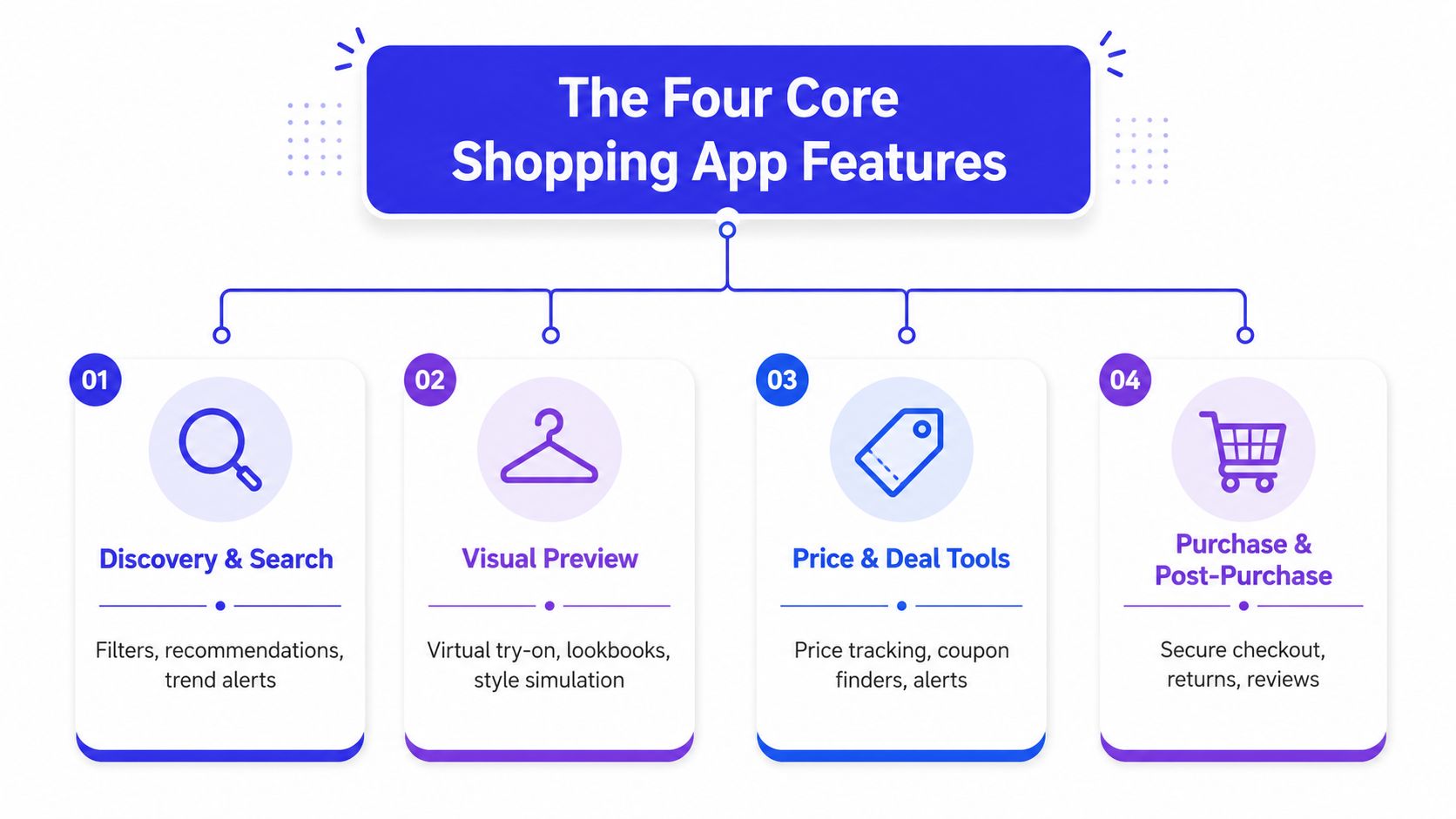
Discovery gets attention, but it's only the first layer
Every shopping app promises discovery. That usually means filters, trending items, recommendations, and search that does not fall apart the second you type a style keyword. Useful, yes. Differentiating, no.
If people cannot find the app, they cannot judge it. If they can find it and all it offers is browsing, they still do not get the full shopping experience. The same logic shows up in modern app SEO strategies, because visibility is only the first hurdle. The app still has to do something worth staying for.
Visual preview is the feature most listicles skip
This is the part shoppers should care about most. A visual preview layer lets you see how it looks, compare outfits, and judge style before the purchase pressure kicks in. That is a different job from a marketplace, and it solves a different problem.
Marketplace apps sit in the discovery bucket. Price-comparison apps sit in the savings bucket. The missing category is the one that helps you preview appearance, and TryThisFit's shopping-app feature guide makes that distinction obvious if you want less doubt before you buy.
Savings tools and trust still matter, just not alone
Price tracking, coupon finders, and alerts are useful. So are no-account workflows and clear privacy boundaries, because nobody wants a shopping app that makes them jump through hoops before they even know if they like the item. But savings alone does not solve return anxiety.
When is Sale's Boden guide is a good example of how shoppers often focus on price timing first. That makes sense. The smarter move is pairing price awareness with preview confidence, especially when clothing is involved.
How to Score Any Shopping App in Under Two Minutes
Start with the listing, not the download. If the app can't answer a few basic questions quickly, it probably won't save you time later.
Check the preview quality first
Open the screenshots, look for virtual try-on, and ask whether the visuals feel realistic and usable. Flat-lay clothing photos are especially helpful when you want the cleanest style preview, because they give the app a simpler starting point.
Next, check whether the workflow is easy. A great shopping app shouldn't make you create an account just to test the idea. It should let you preview fast, without turning the first minute into a signup obstacle.
Then test the convenience layer
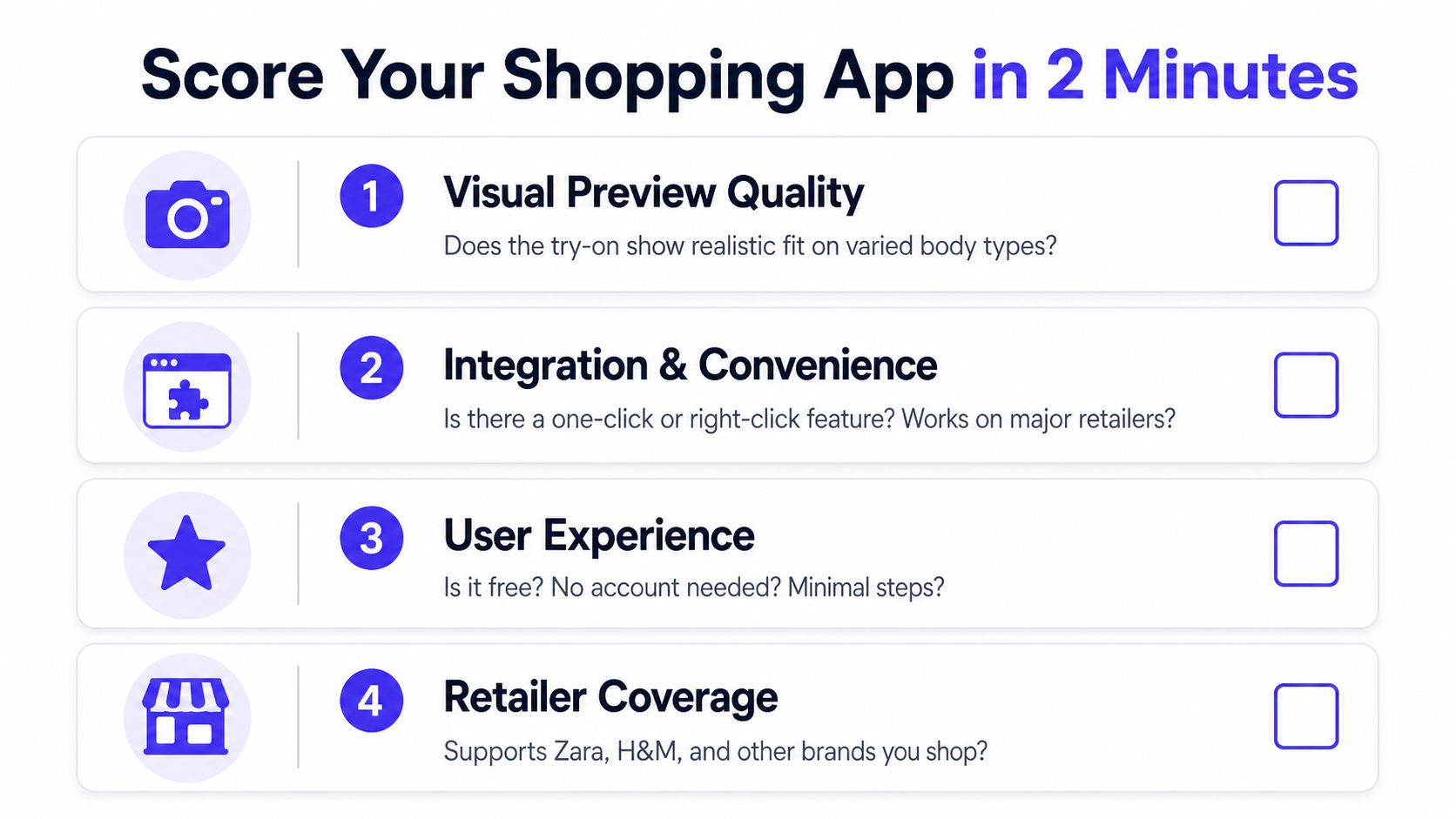
Here's the scorecard I'd use:
- Visual preview quality: Does it help you see how it looks, or is it just a gimmick?
- Integration and convenience: Is there a one-click or right-click path, or do you need to juggle downloads?
- User experience: Is it free to start, and can you try it without an account?
- Retailer coverage: Does it work across the stores you shop in, not just one curated corner?
That last point matters more than people think. An app can look polished and still be useless if it only works in a narrow lane. The bar in 2026 is higher than “has coupons.” A shopping app should reduce decision fatigue, not add to it.
Quick filter: if the app saves money but still leaves you uncertain, it's not solving the real problem.
Comparing the Top Shopping App Categories Side by Side
A smart way to sort shopping apps is by what they help you feel before you buy. Marketplace giants like Amazon and Shein are built for scale and speed. Price-comparison apps like idealo are built for checking the checkout total. Visual preview tools are built for confidence, because they show you how an item may look before you commit.
| App Category | Best For | Standout Feature | Where It Falls Short |
|---|---|---|---|
| Marketplace giants | Shoppers who want breadth and fast checkout | Huge inventory and a familiar buying flow | Weak at helping you preview appearance before buying |
| Price-comparison apps like idealo | Shoppers who care most about the checkout price | Structured comparison across sellers | They do not solve style uncertainty |
| Visual preview tools like TryThisFit | Fashion shoppers who want to see how it looks first | Appearance preview before checkout | Not built to replace catalog browsing or deal hunting |
If your main goal is to save money, marketplace apps and price tools do the job. If you are buying clothes, the question is whether the app helps you avoid a bad purchase before you click buy. That is why preview-first tools often feel more useful than a bigger catalog once you move past casual browsing.
A lot of shopping listicles obsess over size, selection, and coupons. They miss the part that matters most for fashion, which is whether the app helps you trust the item before it lands in your cart. That missing layer is why a confidence-first tool can matter more than another deal feed.
If you want a practical sale habit for a specific brand, keep an eye on the When is Sale Boden guide. Price still matters, but the item has to feel right on you too.
If you want that confidence layer on any site, use the TryThisFit Chrome extension guide to see how the preview works before you buy.
Real Use Cases Where Preview Beats Discounts
The best examples are the ones that happen when you're already leaning toward buying. You're not asking, “Can I find this cheaper?” You're asking, “Will I wear this?”
Secondhand shopping changes the stakes
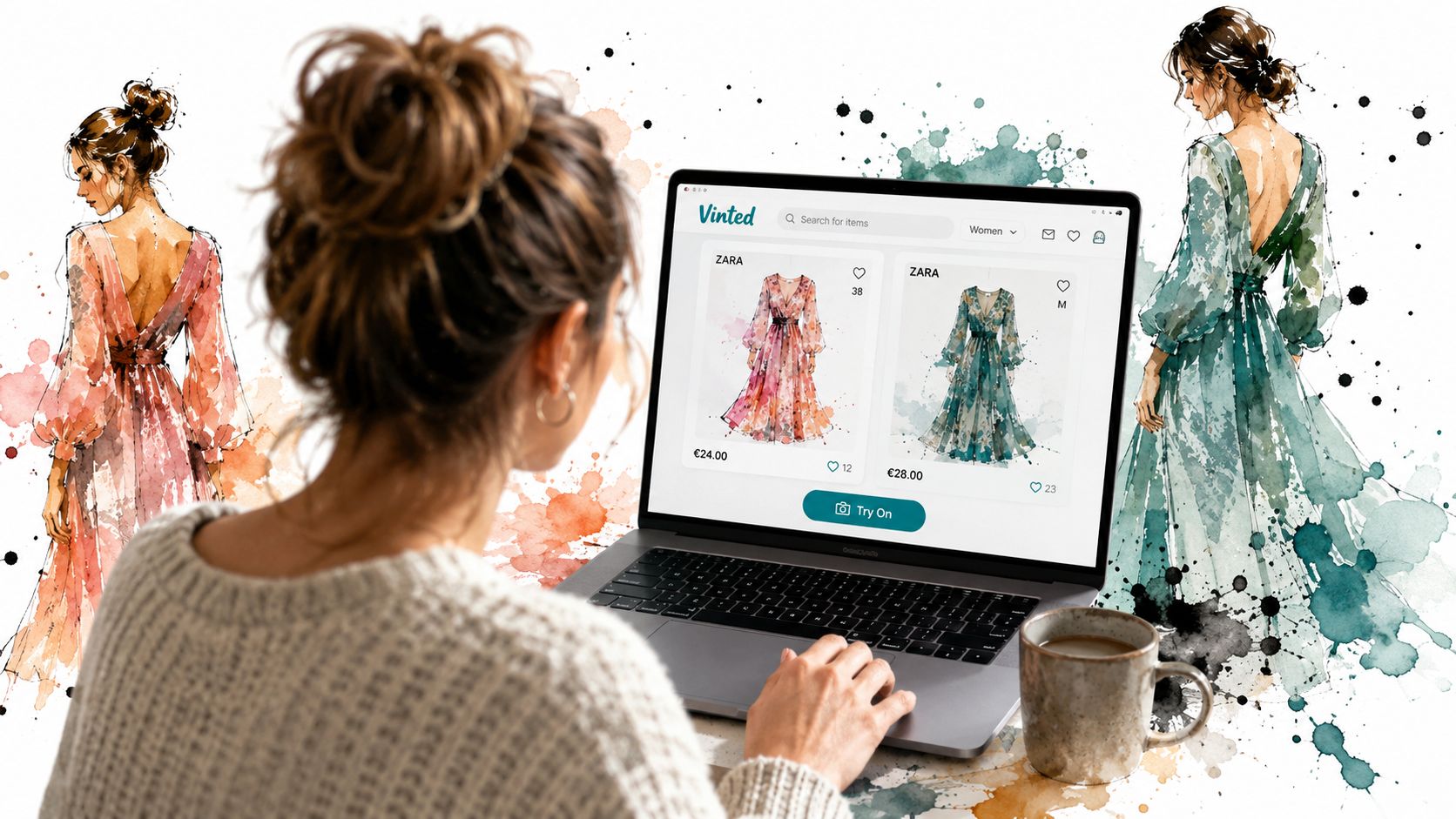
On Vinted or Depop, the item is often one-of-one, and you usually don't get the comfort of trying it on in person. A preview workflow helps you visualize the style before you decide the listing is worth chasing. That saves time, and it keeps you from buying a piece that looked right in a seller photo but doesn't feel like your wardrobe.
Zara, H&M, and the fast checkout trap
When you're comparing two Zara dresses or deciding between an H&M top and a different silhouette, the problem usually isn't finding options. It's choosing the one that matches your taste without overthinking it. A preview-first app helps you decide faster because you can see the appearance shift before you touch checkout.
Halloween and bold color are perfect preview tests
Halloween costumes are the easiest place to see the value. You want to know whether the vibe reads playful, dramatic, or slightly awkward before the party is on the calendar. The same goes for a loud Shein color or a trend piece you're not sure you can pull off.
A visual preview tool also helps when you're shopping across Amazon fashion listings, because product images vary so much by seller. If you want that shopping flow, use TryThisFit on Amazon instead of guessing from a plain product shot.
Using a Visual Preview App on Any Site in Seconds
Open the free Chrome extension, right-click a product image, and send it straight into the try-on flow. The setup is quick, and you do not need to create an account before you start checking how an item looks.
Clean product images give you cleaner previews. Flat-lay shots usually work better for style checks because the silhouette is easier to read, so use that as your shortcut rule. If you want the quickest setup guide, follow this Chrome extension walkthrough, then use the Chrome extension here on Zara, H&M, Amazon, Shein, Vinted, Depop, or any other store you already browse.
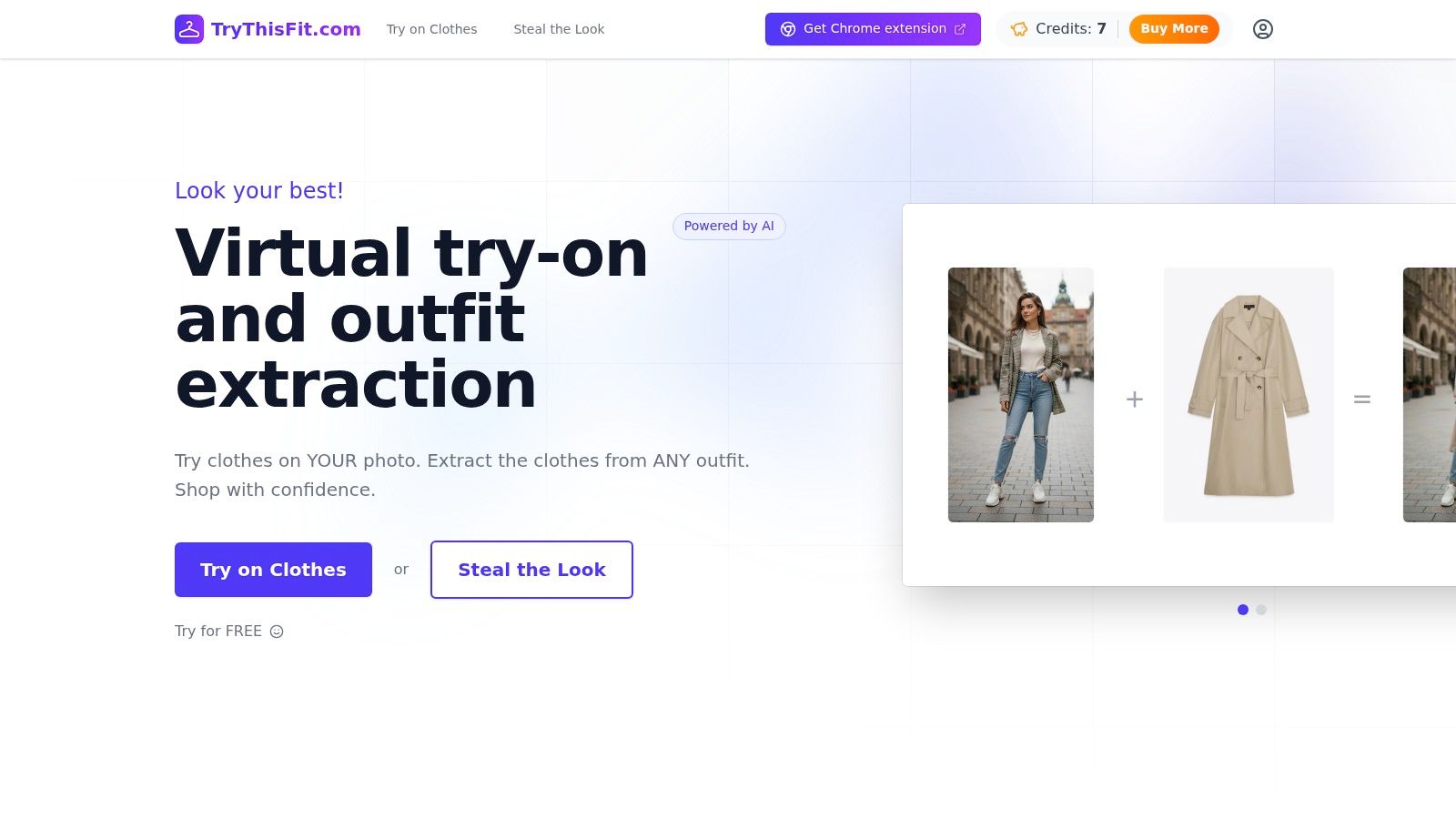
The flow stays simple after that. Open a product, right-click the image, and get an instant preview without leaving the page. You keep shopping in the same tab, which matters more than people admit because it cuts the friction that usually leads to second-guessing.
A visual preview also helps when you are comparing styles across different sites. One dress can look polished on a clean product page and awkward the moment you see it in a realistic try-on view, and that difference is exactly why preview-first shopping feels smarter. You are not guessing from a thumbnail, you are checking the look before you buy.
<iframe width="100%" style="aspect-ratio: 16 / 9;" src="https://www.youtube.com/embed/8K50PL7ywmg" frameborder="0" allow="autoplay; encrypted-media" allowfullscreen></iframe>That is the part I like most. You can compare outfits fast, keep scrolling, and make a call without opening extra tabs or downloading images first. If you shop across multiple stores, that kind of visual check beats another coupon code every time.
Why Preview-First Shopping Is the 2026 Default
The strongest answer to the best app for online shopping question is simple. Pick the tool that removes the most uncertainty before checkout, because that's where bad buys start. Marketplace giants are still useful, price-comparison apps still save money, but preview-first shopping is what makes the decision feel solid.
If you want to try that flow, Try it now at trythisfit.com. If you shop on clothing sites often, install the Chrome extension in seconds and use the right-click preview before you buy. You can also revisit saved try-ons in your history and keep track of looks you want to come back to later.
For Amazon apparel browsing, use the Amazon flow through this link. For anyone who wants shopping to feel fast, visual, and less stressful, that's the default I'd choose.
If you want to shop with more confidence and fewer returns, TryThisFit gives you a fast way to see how clothes look before you buy. Visit TryThisFit, install the free Chrome extension, and start previewing outfits on the stores you already use.
Try Virtual Try-On Now
See how clothes look on you before you buy - works with any online store
Get Started Free