Visualize Outfits: Your Go-To Size Comparison Tool
Your cart is ready. Then the key question appears. How will this look on me?
A good size comparison tool gives you a visual answer fast. Instead of squinting at model photos or trying to decode whether “relaxed fit” means cool and oversized or just shapeless on your frame, you can preview the piece in a way that feels much closer to a try-on.
That matters for more than fit anxiety. It changes how you shop for style.
If you love browsing secondhand apps like Vinted or Depop, you already know the challenge. One seller posts a mirror selfie, another posts a flat lay on the floor, and a third gives you a blurry close-up with “so cute on” in the caption. A visual tool helps turn those scattered clues into something you can react to with confidence.
It does not replace size charts or your own taste. It makes your taste easier to trust. You get a quicker read on silhouette, proportion, and whether a piece feels like you before you spend the money.
That is where online shopping starts to feel fun again.
The End of Online Shopping Guesswork
You spot four pieces in ten minutes. A sharp blazer from Zara. A floaty dress from H&M. A surprise find on Amazon. A secondhand skirt on Depop that looks like it could become your whole personality. Then you pause, because the important question is not “Is this cute?” It is “Is this my kind of cute?”
That pause is where online shopping often loses its spark.
The hard part is rarely finding clothes. The hard part is translating a product photo into your own proportions, your own style, and your own life. A jacket can look polished on the model and feel stiff on you. A roomy dress can read artsy, elegant, or sleepy depending on how it falls. On secondhand apps, the mystery gets bigger. One item is hanging on a door. Another is folded on a bed. A third is photographed in yellow bedroom light with almost no context at all.
Traditional product pages ask shoppers to do the visual math themselves. You compare model shots, guess what the fabric is doing, and try to predict whether the silhouette will feel like you or like a costume.
That is why a visual shopping tool feels so helpful. It gives you a faster read on the look of a piece, especially when trying it on is not an option.
Why shoppers freeze at checkout
A lot of hesitation comes from three style questions that listings do a poor job answering:
- Will this shape work on me? A product image can show the garment, but not how the proportions may read on your frame.
- Is the styling affecting my judgment? Posing, pinning, layering, and camera angles can make one item look very different from how it feels in real life.
- Can I trust this secondhand listing enough to experiment? On Vinted and Depop, great style finds are everywhere, but the photos often give clues instead of answers.
That uncertainty matters because style is personal. Shopping gets more exciting when you can explore a new silhouette, test a bolder piece, or finally say yes to that vintage find with more confidence.
A visual size comparison tool helps with that kind of decision. It does not turn fashion into homework. It gives you a practical preview, so you can spend less time guessing and more time noticing what suits your taste.
What Is a Visual Size Comparison Tool
A visual size comparison tool gives you a fast way to test how a piece might read on you before you commit. Instead of staring at a seller photo and guessing, you get a styled preview that helps you judge shape, proportion, and overall vibe.
It works especially well for secondhand shopping, where try-ons usually are not an option and listings often show only one angle. That makes it useful for style discovery, not just safer checkout decisions.
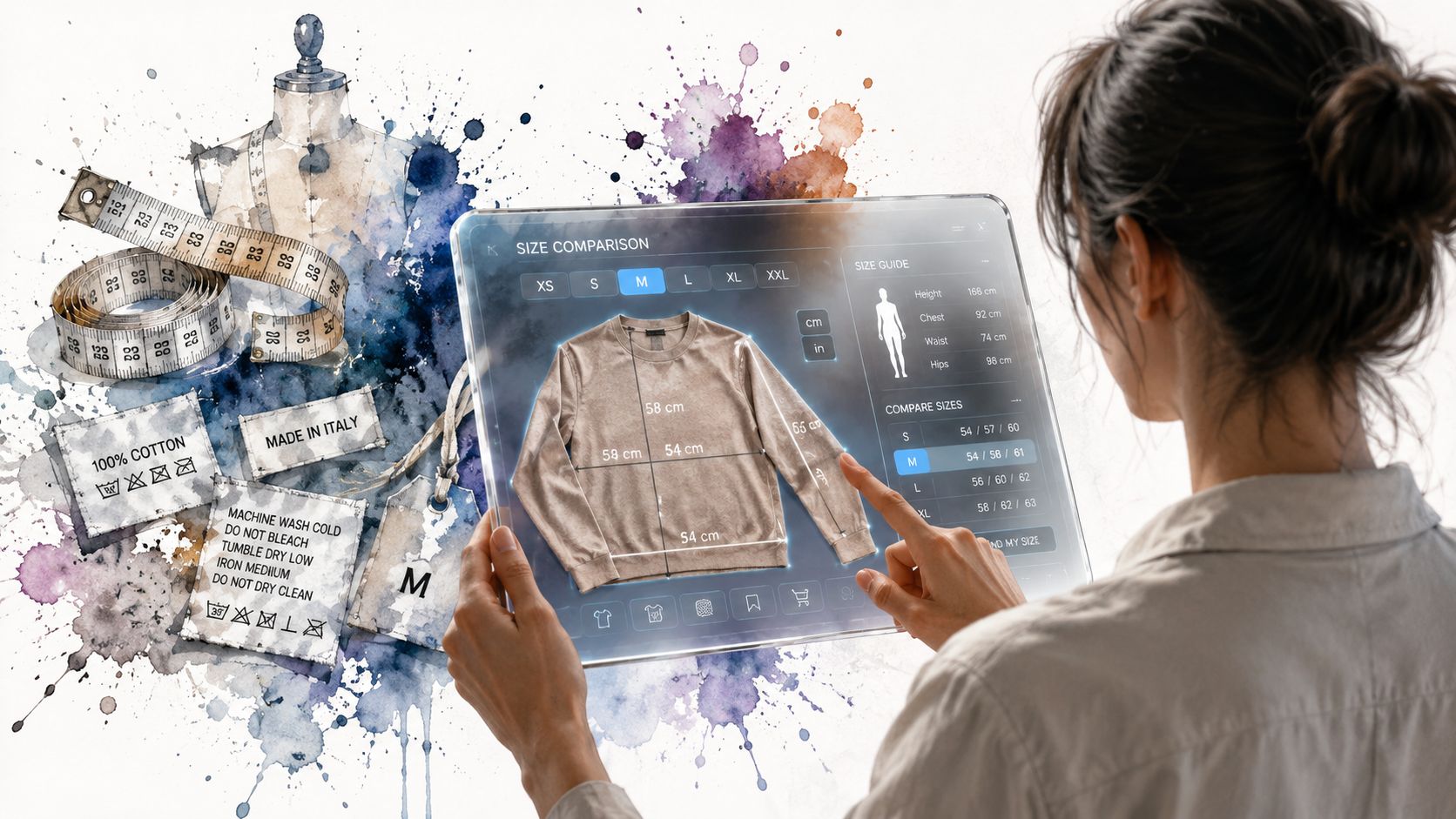
A personal style preview built from your photo
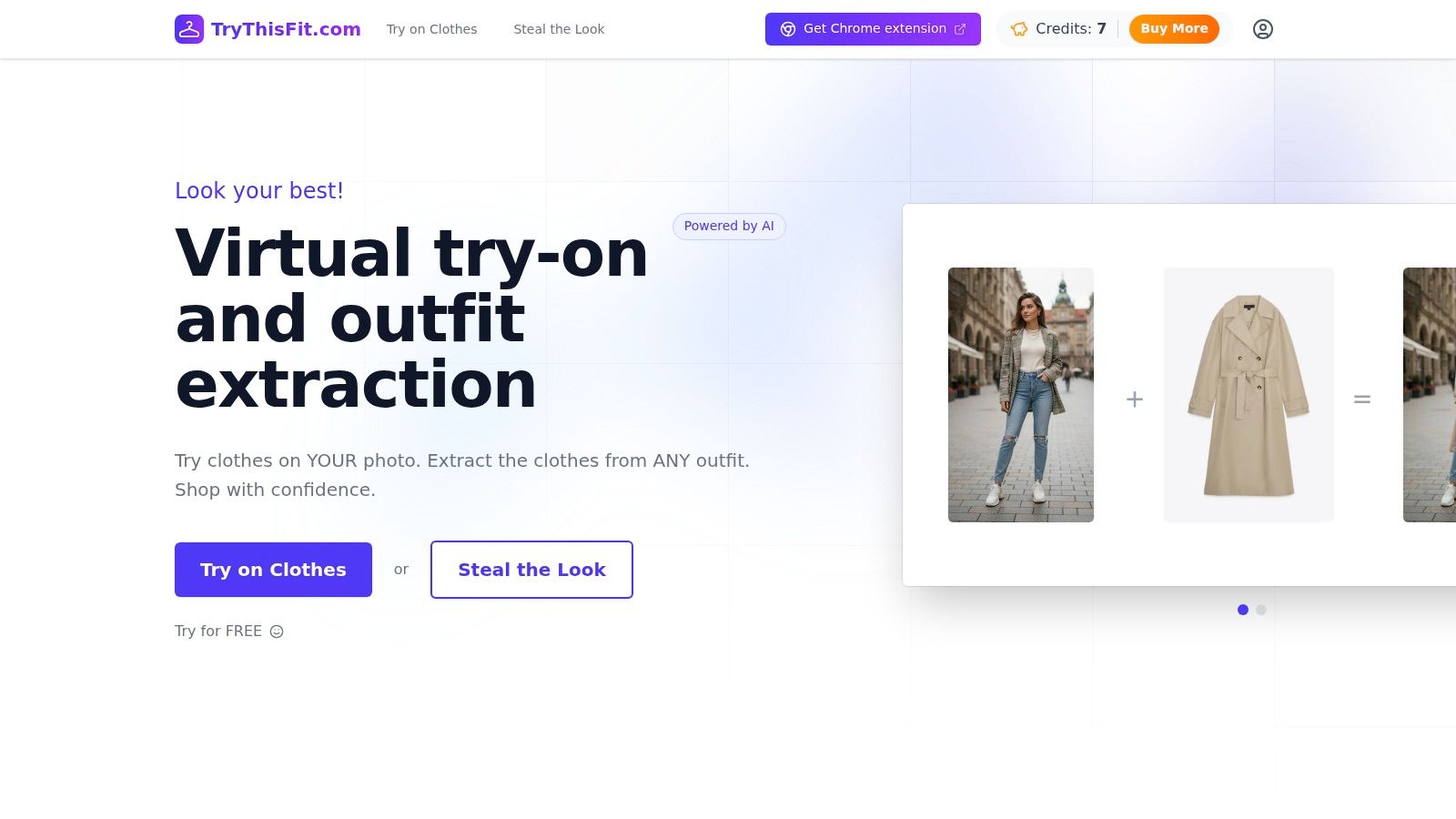
The tool functions as a personal digital mannequin based on your image. You add a photo of yourself, pair it with a clothing photo, and the system creates a visual preview so you can react to the look before buying.
That matters because style decisions are often visual before they are technical. A tape measure can tell you width. It cannot show whether a boxy blazer feels cool and intentional on your frame, or whether it hides the shape you like.
You can use a preview like this to answer questions such as:
- Does this oversized shirt look relaxed or too bulky on me?
- Does this color make my features pop or fade?
- Does this dress shape feel polished, playful, dramatic, or just off?
- Which jacket gives the mood I want, even if both are technically my size?
For shoppers who browse Vinted, Depop, and resale apps for one-of-a-kind finds, that is a big deal. The tool helps you spot the difference between “interesting on the hanger” and “yes, that feels like me.”
What it helps you judge clearly
A visual size comparison tool is strongest when you use it for appearance and outfit direction. For actual sizing details, you still want the listing measurements, fabric notes, and brand chart. Tools that pair previews with AI body measurements for clothing fit can give you more context, but the preview itself is still mainly about how the item looks.
| What it helps with | What it doesn't confirm |
|---|---|
| Visual proportion | Exact physical fit |
| Silhouette and shape | Comfort while moving |
| Outfit mood and styling potential | Fabric feel on skin |
| Comparing two style options | Whether a brand runs large or small |
Simple rule: Use the preview to judge style. Use measurements and seller details to judge fit.
If you have seen an ai fashion model generator, the idea feels familiar. You start with an image and use technology to create a realistic fashion visual. Here, the goal is more personal. You are checking whether a piece fits your taste, your proportions, and the version of your style you want to try next.
How These Magical Style Previews Work
The technology sounds fancy until you see the basic flow. Then it feels wonderfully simple.
You start with a photo of yourself. You add a clothing image. The system blends those pieces into a visual preview so you can react to the style.
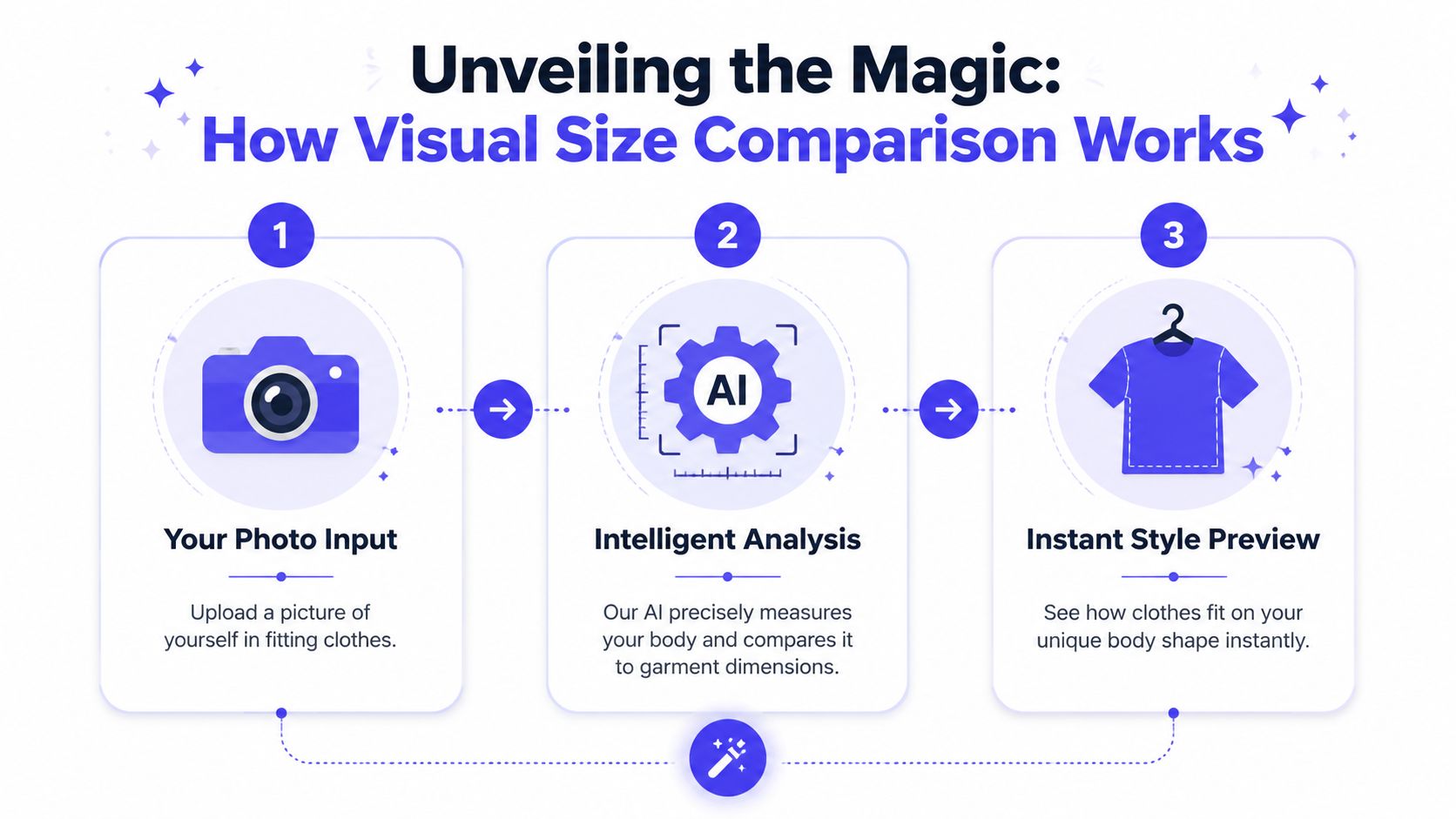
Step one starts with your photo
The cleanest results usually come from a clear, front-facing image where your outfit doesn't hide your body shape too much. You don't need a studio setup. You just need a usable photo with decent lighting and a natural pose.
Some people already know this workflow from tools like an ai fashion model generator, where image quality shapes the final result. The same basic idea applies here. Better source images create more believable style previews.
Step two uses the clothing photo
This part matters more than people expect.
Flat-lay product photos, meaning clothes photographed flat or on hangers, usually create the most accurate virtual try-on results. According to TryThisFit's guidance on image quality, flat-lay photos are standard on retailers like H&M, Zara, Bershka, and Amazon, and they work best because they reduce the face swaps and distortion that often appear with model photos.
That's great news because flat-lays are everywhere once you start noticing them. On many store pages, the second or third product image is the one you want.
Step three creates the preview
Once the tool has both images, it generates a visual result that lets you preview the appearance of the garment on you. The value isn't in technical jargon. The value is speed.
You can quickly spot whether a neckline feels too severe, whether a coat shape looks dramatic in a good way, or whether a patterned piece is exciting on the hanger but not quite your thing on your own image.
Here's the simplest way to think about the process:
- Add yourself: Use a clear photo where your outline is easy to read.
- Choose the garment image: Flat-lay shots usually give the cleanest output.
- Read the result visually: Focus on silhouette, color, and overall styling energy.
Clean source photos usually beat “perfect” photos. A simple flat-lay and a clear personal image often produce the most useful preview.
If you're curious about the image side of the process, AI body measurements explained visually gives more context on how body-aware preview systems interpret photos. The key thing to remember is still the same: this is for seeing the look, not proving fit.
Your Instant Guide to Trying Clothes Online
You are scrolling Vinted late at night and spot a jacket that feels very you. The seller has one photo. There is no try-on shot, no size chart you trust, and no easy return if it disappoints. A visual preview turns that moment from a guessing game into a quick style test.
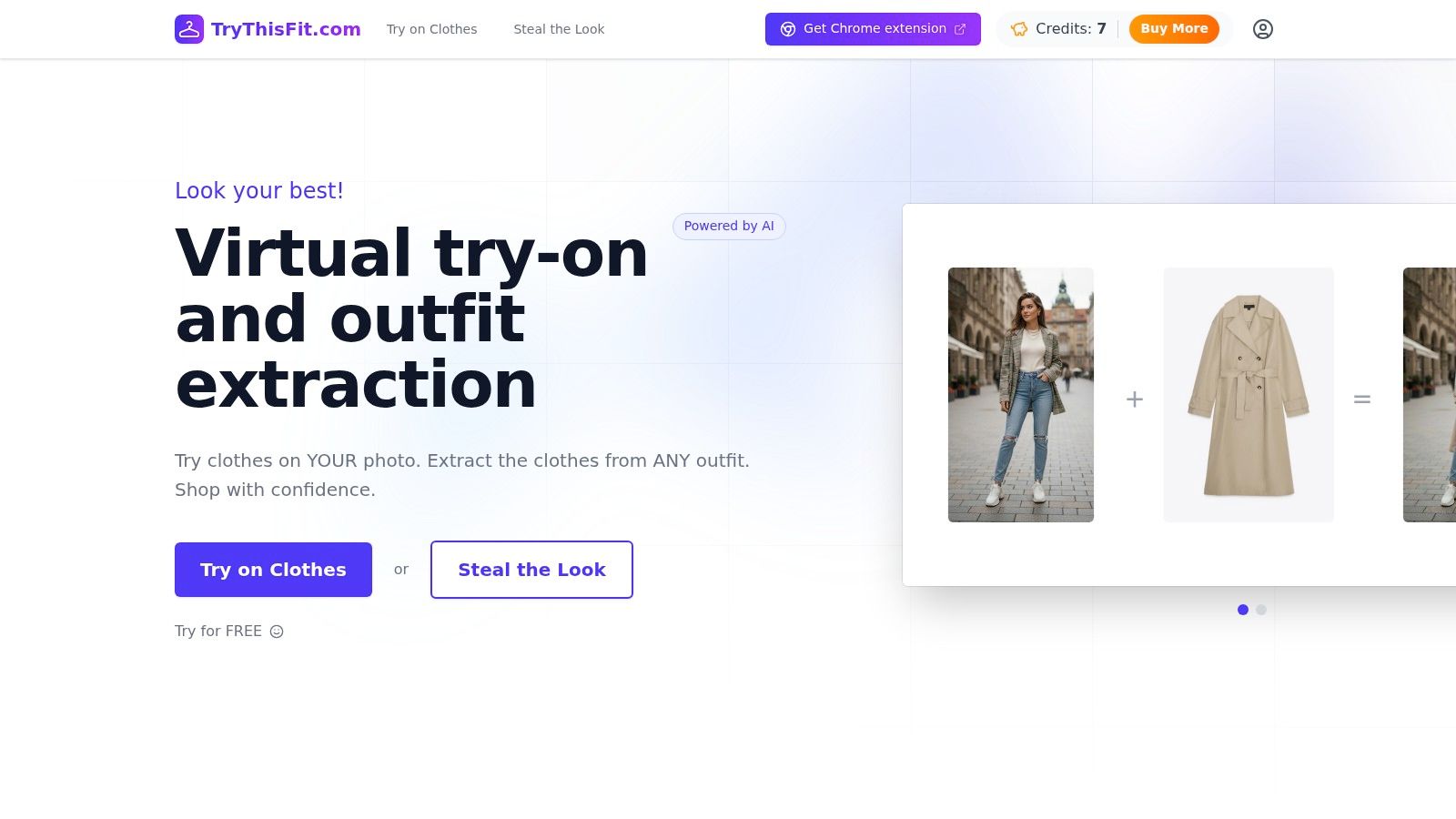
The quickest way to start
The easiest first test is simple. Use one clear photo of yourself, then try a product image from a store page, a resale listing, or a screenshot you already have on your phone.
If you browse often, the extension makes the process feel fast and natural. You keep shopping the way you already shop, then add a preview when something catches your eye.
A simple shopping flow that works
A good routine looks like this:
- Choose one photo of yourself: Full-body or mirror photos usually work best when your outline is easy to see.
- Pick the clothing image: Store pages, flat-lays, and secondhand listings can all work.
- Generate the preview: Use it as a style check, not a promise about exact fit.
- Judge the big picture: Notice silhouette, color, length, and overall mood.
- Sort quickly: Save the pieces that feel exciting and drop the ones that lose their spark.
It helps to treat the preview like a digital fitting room mirror. You are not asking, “Is this mathematically perfect?” You are asking, “Does this shape suit me?” and “Would I wear this?”
That mindset matters most with secondhand apps like Vinted and Depop. Those platforms are full of interesting one-off finds, but they also ask you to make style decisions with limited photos and no try-on. A visual comparison gives you a way to test bolder ideas before you commit, which makes resale shopping feel more creative and less risky.
For clearer results, your own photo matters more than people expect. A plain background, visible outfit outline, and natural pose usually beat an overly styled image. If you want help choosing the best photo, this body measurement guide for clothing photos shows what makes previews easier to read.
A quick walkthrough makes the flow even easier to picture:
<iframe width="100%" style="aspect-ratio: 16 / 9;" src="https://www.youtube.com/embed/acgmQ0Z248Y" frameborder="0" allow="autoplay; encrypted-media" allowfullscreen></iframe>Where this feels most useful
This approach shines when your tabs start multiplying. One blouse can look promising on its own. Six blouses in a row can blur together fast.
A preview helps you compare the feeling of each item on your own image. One neckline may sharpen your features. Another may suddenly show you that soft drape is more your thing than rigid structure. That is where the tool becomes more than a shopping shortcut. It becomes a way to notice your taste.
A fast preview does more than help you buy. It helps you spot the styles you keep coming back to.
Unlock Your Style The Benefits of Visualizing Outfits
You spot a vintage leather jacket on Depop at midnight. The color is perfect. The cut looks interesting. Then the usual question shows up. Would this feel like you once it is on your body?
A visual preview helps answer that earlier, while the idea is still exciting.
Yes, it can save time and reduce return fatigue. The more interesting benefit is creative. You get a low-pressure way to try silhouettes, colors, and moods that you might skip if all you had was a product photo and a guess.
It makes style exploration feel possible
Online shopping often trains people to play it safe. If you cannot see yourself in the cropped blazer, barrel-leg jeans, or sharp column dress, the safe choice usually wins.
A preview changes the decision from a leap into a quick test. It works like a fitting room made of screenshots. You can ask simple style questions and get visual answers fast. Does this shape balance your proportions? Does this neckline make your face look brighter? Does the oversized cut look intentional or just too big?
That matters even more in resale shopping, where each piece is a one-off and hesitation can mean losing something great.
It turns browsing into style practice
The best part is repetition.
After a few previews, you start noticing your own patterns with more clarity. You may realize that clean lines beat ruffles on you, or that washed-out beige drains you while deep olive looks rich and easy. Those lessons are hard to spot from memory alone. They become clearer when several outfits are placed on the same photo of you.
That is why a virtual try-on app for everyday shopping can help with style discovery, not just buying decisions.
It helps you shop with more intention
Visualizing outfits creates a useful pause between liking an item and purchasing it. That pause is small, but powerful. Instead of reacting to a model photo, you are editing your own wardrobe in real time.
For shoppers, that means fewer random maybes and more pieces that fit the story you want your closet to tell. For brands, tools that reduce hesitation can also support better shopping behavior, which is one reason businesses keep investing in tools to boost your conversion rate.
A few benefits usually show up quickly:
- Quicker yes or no decisions: you react to the outfit on your image, not just the styling on the product page.
- Stronger style awareness: repeated previews reveal the cuts, colors, and vibes you return to naturally.
- More confidence with unusual finds: statement pieces feel less risky when you can test them first.
- A smarter secondhand strategy: one-off listings become easier to judge when try-ons are impossible.
Shopping starts to feel less like guesswork and more like curating. That is where the magic is. You are not only choosing clothes. You are learning how your style works.
Real World Inspiration Where to Use Your New Superpower
You spot a sharp vintage blazer on Depop at 11:30 p.m. The color is perfect. The cut looks promising. The seller posted one mirror selfie and a blurry flat lay, and now you are trying to guess whether it will feel like “you” or end up as another almost.
That is the kind of moment where this tool becomes fun, not technical. It slides into everyday browsing and turns scattered listings into real outfit ideas you can judge.
Mainstream shopping sites
Big retail sites are great at giving you options. They are not great at helping you compare those options on your own body across five tabs, three brands, and two totally different styling moods.
A visual preview helps you sort faster. One trench may suddenly look too stiff. A knit dress may feel more wearable than it did on the model. A boxy blazer may turn out to be the piece that ties your wardrobe together.
That matters most when you are deciding between vibes, not just products. You are editing a closet, not taking a quiz.
Secondhand gems on Vinted and Depop
Secondhand shopping is where this starts to feel a little magical.
Resale apps are full of pieces you would never find in a standard store. Old denim jackets, odd little designer skirts, perfect oversized shirts, party tops with personality. The catch is obvious. You usually cannot try anything on, sizing is inconsistent, and every listing feels like a one-shot chance.
A visual size comparison tool gives those one-off finds a fairer test. Instead of asking, “Could this maybe work?” you get to ask better style questions. Does the shape balance your proportions? Does the print fight with everything you own? Does this look like your style, or just someone else's good photo?
For resale platforms and online stores, stronger visual decision-making also supports better shopping behavior, which is one reason businesses keep investing in tools to boost your conversion rate.
Secondhand style often has more character than retail style. It just needs a better mirror.
Halloween and costume planning
Costume shopping benefits from the same trick.
You are often choosing based on silhouette, drama, and overall effect long before you worry about details. A quick preview helps you test whether the look reads chic, funny, theatrical, or completely off-course.
The same idea works for themed parties, weddings with a dress code, vacation outfits, and bold pieces you would not usually buy. You get room to experiment first. That makes personal style easier to explore, especially when the piece is unusual and the return path is uncertain.
Your Questions Answered
Is a size comparison tool the same as a fit predictor
A visual size comparison tool works best as a style preview.
It helps you check shape, proportion, and overall vibe before you buy. That matters most with pieces that are hard to judge from a hanger photo alone, like boxy blazers, slip dresses, vintage denim, or dramatic sleeves. For exact fit, you still want the practical checks too. Size charts, garment measurements, fabric stretch, and seller notes are still part of the decision.
A good rule is simple. Use the preview to answer, “Do I like this on me?” Then use the listing details to answer, “Will this fit my body?”
Does it work best with certain kinds of clothing photos
Yes. Clear product photos usually give the strongest preview, especially flat-lay images.
Those shots work like a neat paper pattern on a table. The shape is easier for the tool to read, so you get a cleaner sense of silhouette. If a listing includes several photos, start with the image that shows the whole garment clearly, with less folding, less clutter, and fewer dramatic poses.
That tip is especially handy on resale apps, where photo quality can vary a lot from seller to seller.
Is there a free way to try it
Yes. The free version is a good way to test whether this kind of shopping aid fits your routine.
If you are curious, start with one tricky item instead of a full haul. Try a secondhand jacket from Vinted, a Depop dress with an unusual cut, or a party top you would normally scroll past because you cannot picture it on yourself. That first experiment usually tells you more than reading a long feature list.
Can I look back at older try-ons
Yes, and that is more useful than it sounds.
Saved previews let you compare outfits side by side, revisit a maybe-later piece, or spot patterns in what suits you. After a few sessions, your history starts to feel less like a folder and more like a personal style sketchbook. You may notice that cropped shapes work better than longline ones, or that you keep choosing structured pieces over floaty ones.
That kind of pattern-spotting is where the tool becomes fun, not just practical.
What about privacy
Privacy matters when the tool uses your photo.
The clearest approach is to read the privacy policy, check what happens to uploaded images, and make sure you are comfortable before you use any app regularly. If you prefer to be cautious, start with a photo you are happy to use for shopping experiments and avoid sharing more than the tool needs.
Good style tech should feel easy to trust, not mysterious.
If you are using this kind of preview well, you are doing more than avoiding bad buys. You are getting a better eye for proportion, testing bolder ideas with less risk, and giving secondhand finds a fair chance to become favorites.
Try Virtual Try-On Now
See how clothes look on you before you buy - works with any online store
Get Started Free